Corsair iCUE Link H115i RGB Liquid CPU Cooler is our top choice for the Best 280mm AIO, offering a streamlined installation process through its innovative ecosystem that significantly reduces cable clutter.
Selecting a 280mm cooler requires balancing radiator thickness, fan static pressure, and software integration. While some models prioritize aesthetic customization through LCD screens, others focus on raw thermal dissipation and simplified mounting hardware to ensure compatibility with modern high-TDP processors.
When evaluating these systems, we look for reliable pump performance and fan profiles that maintain low noise levels under load. Buyers should consider their case clearance and motherboard layout to ensure the radiator and tubing fit without obstructing other components.
If your case lacks the space for a larger radiator, you may find our guide on the Best 240mm AIO helpful for finding compact alternatives.
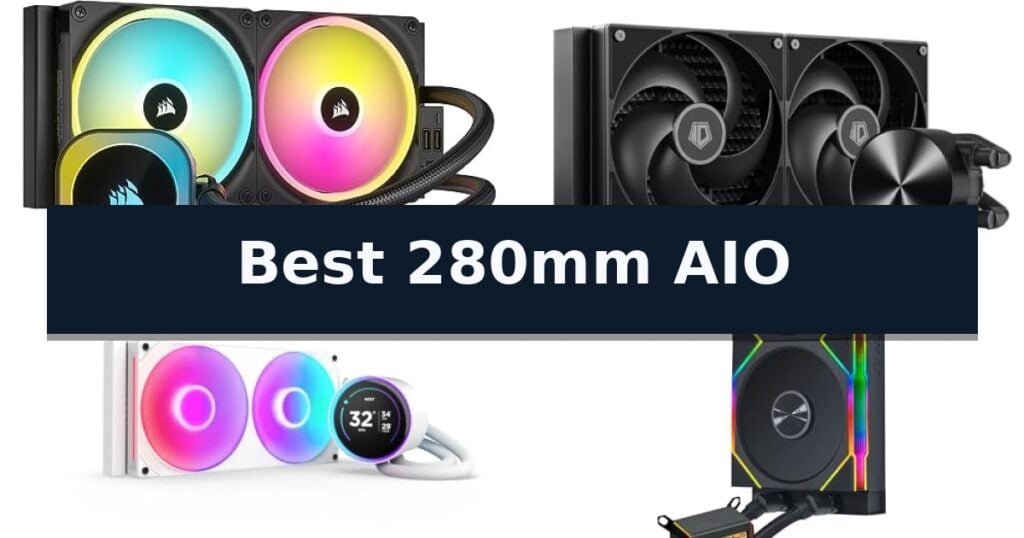
6 Best 280mm AIO in 2026 Reviews
Quick Comparison
| Product | Best For | Key Strength | Score |
|---|---|---|---|
| Corsair iCUE Link H115i RGB Liquid CPU Cooler | Best Overall | Simplified cable management via the iCUE LINK ecosystem. | 4.9 |
| ID-COOLING FX 280 PRO SE Liquid CPU Cooler | High Performance Cooling Capacity | 350W TDP cooling capacity for high-end processors | 4.7 |
| NZXT Kraken Elite 280 RGB Liquid CPU Cooler | Premium Customizable LCD Display | High-resolution 2.72-inch IPS LCD for custom visuals and system monitoring. | 4.4 |
| Lian Li Galahad II LCD 280 CPU Cooler | Wireless Fan Control | Integrated 2.88-inch IPS LCD for real-time system monitoring and visual customization. | 4.8 |
| Arctic Liquid Freezer II 280 A-RGB Cooler | Efficient PWM Controlled Pump | Integrated cable management reduces visual clutter inside the chassis. | 4.7 |
| Thermaltake TH280 V2 Ultra Liquid CPU Cooler | High Resolution Block Display | 2.1-inch LCD display for high-resolution customization. | 4.3 |
How We Chose
Evaluating the best 280mm AIO liquid coolers involves assessing how efficiently these units manage heat while maintaining a quiet operating environment. We prioritize systems that offer robust mounting support for current CPU sockets, intuitive software for fan curves, and durable pump designs that ensure long-term reliability for demanding desktop builds.
- Thermal dissipation capacity under sustained CPU load
- Pump noise profile and acoustic output at various RPMs
- Ease of installation and mounting hardware compatibility
- Software ecosystem integration and control precision
- Radiator build quality and tubing flexibility
1 Corsair iCUE Link H115i RGB Liquid CPU Cooler — Simplified Cable Management
Managing complex cable runs in a high-performance PC build often leads to cluttered interiors, but the CORSAIR iCUE Link H115i RGB Liquid CPU Cooler addresses this with its innovative iCUE LINK ecosystem. By utilizing a single system hub to manage power and data, this 280mm AIO simplifies installation while maintaining a clean, professional aesthetic.
The cooling performance is driven by a pair of QX140 RGB PWM fans featuring a Magnetic Dome bearing for quiet, efficient airflow. These fans are pre-installed on the 280mm radiator and include 34 RGB LEDs per fan, providing extensive lighting customization. Users can precisely control fan speeds up to 2,000 RPM, or utilize Zero RPM mode to stop the fans entirely during low-load scenarios for silent operation.
A key design choice is the hidden connection system, which relocates all cabling to the end of the radiator. This ensures that the pump head, which features 20 RGB LEDs, remains the focal point of the build without distracting wires. The unit is compatible with modern sockets including Intel LGA 1700 and AMD AM5, making it a versatile choice for current hardware platforms.
While the iCUE LINK system significantly reduces cable clutter, it requires the use of the included iCUE LINK System Hub. This proprietary connection method is highly efficient for those committed to the ecosystem but may necessitate a different approach if you prefer standard motherboard fan headers for every individual component.
Best for: PC builders looking to minimize cable clutter and achieve a streamlined, cohesive aesthetic through an integrated ecosystem.
Skip if: Users who prefer traditional, independent fan and pump connections or those whose cases do not support 280mm radiator mounting.
- Simplified cable management via the iCUE LINK ecosystem.
- Zero RPM mode support for silent operation during low-load tasks.
- Hidden connection design for a clean, distraction-free appearance.
- High-performance QX140 RGB PWM fans with magnetic dome bearings.
- Requires the iCUE LINK System Hub for operation.
- Proprietary connections may limit compatibility with non-iCUE components.
2 ID-COOLING FX 280 PRO SE Liquid CPU Cooler — High Performance Cooling Capacity
Managing thermal output in high-performance computing requires a balance of surface area and airflow, which is where the ID-COOLING FX 280 PRO SE Liquid CPU Cooler provides a specialized solution. By utilizing a 280mm radiator paired with dual 140mm fans, this system is engineered to handle up to 350W TDP, making it a capable candidate for demanding workstation and gaming environments.
The cooling loop is driven by a 2900RPM hydraulic-bearing pump, which works in tandem with a copper cold plate to facilitate rapid heat transfer from the processor. The inclusion of two AS-140-K PWM fans allows for a wide operational range between 300 and 1800RPM, enabling the system to scale airflow up to 72.2CFM when thermal loads increase.
Installation and longevity are addressed through the use of 400mm premium sleeved tubing and a 27mm aluminum radiator, designed to fit into most chassis configurations that support 280mm hardware. The unit maintains broad socket compatibility, including Intel LGA1851, LGA1700, and AMD AM5/AM4, ensuring it can be integrated into a variety of modern builds.
While the system is designed for high output, it maintains an operating noise level of 25dB(A), prioritizing a balance between acoustic comfort and thermal efficiency. The combination of durable hydraulic-bearing components and standard mounting hardware simplifies the setup process for users looking to upgrade their current cooling solution.
Best for: Users seeking a high-capacity 280mm liquid cooling solution for modern Intel and AMD processors in gaming or workstation builds.
Skip if: Users with compact PC cases that lack the necessary mounting space for a 280mm radiator and dual 140mm fan configuration.
- 350W TDP cooling capacity for high-end processors
- 2900RPM high-speed pump for efficient coolant circulation
- Broad socket compatibility including LGA1851 and AM5
- Quiet operation at 25dB(A)
- Requires specific chassis clearance for 280mm radiator dimensions
3 NZXT Kraken Elite 280 RGB Liquid CPU Cooler — Premium Customizable LCD Display
The NZXT Kraken Elite 280 RGB centers its design around a vibrant 2.72-inch IPS LCD, providing a high-resolution 640 x 640 display for real-time system monitoring or custom visual content. This 280mm AIO integrates a 60 Hz refresh rate and a 690 cd/m² backlight, ensuring that system metrics or personal GIFs remain clear and bright within a PC build.
Beyond its visual capabilities, the cooler utilizes a custom-designed NZXT Turbine pump engineered for high flow rates and increased head pressure. This hardware configuration is intended to improve thermal management for heat-prone CPUs, with the manufacturer noting a 10% performance boost compared to standard configurations. The unit includes the RGB Core single-frame fan, which combines airflow performance with integrated lighting control.
Installation is streamlined through a tool-free mounting bracket system compatible with current AMD AM5/AM4 and Intel LGA 1851/1700/1200/115X sockets. The inclusion of pre-applied thermal paste and a simplified single breakout cable reduces the complexity often associated with AIO setups. Users manage all lighting, fan curves, and display content through the NZXT CAM software interface.
The NZXT Kraken Elite 280 RGB offers a balance of aesthetic customization and cooling utility, backed by a 6-year manufacturer warranty. While the 280mm radiator size provides a middle ground between smaller 240mm units and larger 360mm options, buyers should verify that their specific PC case supports the 280mm form factor before purchase.
Best for: Users seeking a high-visibility, customizable LCD display combined with efficient thermal management for modern high-performance CPUs.
Skip if: Users whose PC chassis lacks support for a 280mm radiator or those who prefer a minimalist cooling solution without integrated software-controlled displays.
- High-resolution 2.72-inch IPS LCD for custom visuals and system monitoring.
- NZXT Turbine pump designed for increased flow and thermal efficiency.
- Tool-free mounting and pre-applied thermal paste simplify the installation process.
- Comprehensive control via NZXT CAM software for lighting and performance metrics.
- 280mm radiator size requires specific case clearance that may not fit all compact builds.
- Software dependency for full customization of the LCD and RGB features.
4 Lian Li Galahad II LCD 280 CPU Cooler — Wireless Fan Control
The Lian Li Galahad II LCD 280 CPU Cooler integrates a high-resolution 2.88-inch 480×480 IPS display directly into the water block, providing a customizable visual interface for system monitoring. This screen is managed via L-Connect 3 software, allowing users to tailor the aesthetic of their build while keeping a close eye on thermal data in real-time.
At the heart of the cooling loop is an 8th Generation Asetek pump, engineered to reach speeds up to 3600 RPM for efficient heat dissipation. This performance-oriented pump is paired with two pre-installed 140mm TL wireless fans, which utilize a 2.4 GHz USB controller to manage both ARGB lighting and fan speeds. By consolidating these signals, the system significantly reduces cable clutter behind the motherboard tray.
Installation is streamlined through the use of 45-degree rotating tube connectors, which provide the flexibility needed to accommodate various chassis orientations and tubing runs. Because the fans come pre-installed on the radiator, the setup process is faster and more intuitive, minimizing the time spent on manual assembly.
While the 280mm radiator offers a balanced surface area for effective cooling, it is essential to verify that your PC case supports 140mm fan mounting points before purchase. This AIO solution is designed for users who prioritize both thermal performance and a clean, integrated aesthetic, though it does require the L-Connect 3 software to unlock its full range of customization features.
Best for: Enthusiasts seeking a high-performance cooling solution with integrated display customization and simplified cable management.
Skip if: Users with PC cases that lack support for 280mm radiators or 140mm fan mounting configurations.
- Integrated 2.88-inch IPS LCD for real-time system monitoring and visual customization.
- 8th Gen Asetek pump technology for reliable thermal performance.
- Wireless TL fan control via a 2.4 GHz USB controller reduces cable clutter.
- Pre-installed fans and rotating tube connectors facilitate a faster, more efficient installation.
- Requires L-Connect 3 software for full feature and lighting management.
- 280mm radiator size may not fit in all compact PC cases.
5 Arctic Liquid Freezer II 280 A-RGB Cooler — Efficient PWM Controlled Pump
Managing thermal output in high-performance builds requires a cooling solution that balances efficiency with aesthetic integration. The ARCTIC Liquid Freezer II 280 A-RGB distinguishes itself through an efficient PWM-controlled pump and a proprietary cold plate design engineered specifically to handle the thermal demands of modern processors.
This all-in-one cooler features LGA1700 compatibility, ensuring it supports Intel's Alder Lake architecture. The system utilizes fans optimized for high static pressure, which are paired with a radiator design that prioritizes heat dissipation. To maintain a clean internal aesthetic, the unit incorporates integrated cable management, routing both PWM and A-RGB wiring directly through the hose sheathing.
Visual customization is achieved via 24 digital A-RGB LEDs embedded within the fan hubs. These are paired with transparent rotors and a closed-loop design to provide consistent illumination across the fan assembly. The manufacturer has also implemented rigorous quality control protocols, including additional testing and specific QC marking for each unit.
With a 6-year warranty, this cooler is built for long-term reliability in demanding computing environments. Its dimensions of 13.19 by 6.11 inches ensure it fits standard 280mm mounting points, though users should verify chassis clearance for the radiator thickness before installation.
Best for: Users seeking a high-performance cooling solution with integrated cable management and A-RGB lighting for Intel LGA1700 systems.
Skip if: Users with compact PC cases that lack the necessary clearance for a 280mm radiator and its associated tubing.
- Integrated cable management reduces visual clutter inside the chassis.
- Efficient PWM-controlled pump provides optimized cooling performance.
- LGA1700 compatibility supports modern Intel processor sockets.
- 24 digital A-RGB LEDs offer customizable lighting effects.
- Larger radiator footprint requires specific case compatibility for 280mm mounting.
6 Thermaltake TH280 V2 Ultra Liquid CPU Cooler — High Resolution Block Display
Integrating a high-resolution visual interface into your cooling loop, the Thermaltake TH280 V2 Ultra Liquid CPU Cooler features a 2.1-inch LCD display on the water block. This screen supports a 480×480 resolution, allowing users to showcase custom videos or photos in 16.8 million colors to personalize their system aesthetics.
The cooling performance is driven by a high-performance copper base plate designed to accelerate heat conductivity away from the processor. This is paired with a reliable pump system that ensures consistent water circulation throughout the 280mm radiator, maintaining thermal efficiency during operation.
Installation is versatile, with broad compatibility across modern platforms including Intel LGA 2066, 1700, and 1200, as well as AMD AM5 and AM4 sockets. The unit includes two 140mm ARGB fans that operate via PWM control between 500 and 1800 RPM, providing a balance between airflow and noise management.
To manage the lighting and display features, the system integrates with major motherboard RGB software like ASUS Aura Sync, GIGABYTE RGB Fusion, and MSI Mystic Light Sync. Note that the advanced features of the Ultra series require the use of the proprietary TT RGB Plus 2.0 software for full functionality.
Best for: PC builders who want a customizable LCD display on their CPU block combined with 280mm radiator cooling performance.
Skip if: Users who prefer a simpler cooling solution without the need for proprietary software management or an integrated LCD screen.
- 2.1-inch LCD display for high-resolution customization.
- Broad socket compatibility including modern Intel and AMD platforms.
- High-performance copper base plate for efficient heat transfer.
- Integrated ARGB synchronization with major motherboard software.
- Requires TT RGB Plus 2.0 software for full Ultra series feature support.
Best 280mm AIO Buying Guide
Radiator Dimensions and Case Compatibility
A 280mm radiator provides a larger surface area than 240mm alternatives, often allowing for lower fan speeds to achieve the same cooling results. Before purchasing, verify that your PC case specifically lists support for 280mm radiators, as the 140mm fan width requires more clearance than standard 120mm mounts.
Check the depth of the radiator and fan combination to ensure it does not interfere with motherboard heatsinks or tall RAM modules. Proper spatial planning prevents installation headaches and ensures that the cooling loop can be positioned for optimal airflow.
Pump Reliability and Performance
The pump is the heart of any liquid cooling system, responsible for circulating coolant between the cold plate and the radiator. Modern designs, such as the Asetek 8th Gen pump, are engineered for high flow rates and head pressure to handle the thermal density of modern high-end processors.
Look for pumps that offer PWM control, allowing the system to adjust flow rates based on real-time temperature data. This dynamic adjustment helps extend the lifespan of the pump while keeping noise levels manageable during light desktop tasks.
Fan Static Pressure and Airflow
Because radiator fins are densely packed, fans must generate high static pressure to force air through the unit effectively. Fans designed specifically for AIOs often feature specialized blade geometries that prioritize pushing air through resistance rather than just moving high volumes of air in open space.
Consider the noise profile of the included fans, especially at higher RPM ranges. Many premium models now include zero-RPM modes, which stop the fans entirely when the CPU is idle, creating a completely silent environment for non-intensive work.
Cable Management and Ecosystems
Modern AIOs are increasingly moving toward proprietary hub systems to simplify cable management. By consolidating fan and RGB connections into a single controller, these systems reduce the number of wires running to the motherboard and simplify the overall build process.
While these ecosystems offer a cleaner aesthetic, they often require using the manufacturer's specific software for control. Ensure you are comfortable with the required software suite before committing to a system that relies heavily on a proprietary hub.
Display and Customization Features
Many high-end 280mm coolers now feature integrated LCD screens on the pump block, allowing users to monitor system temperatures or display custom GIFs and images. These displays add a significant visual element to a build but do not impact thermal performance.
If you prefer a minimalist look, standard RGB pump caps or plain finishes are available. Decide whether you value real-time hardware monitoring and personalization over a more understated, budget-conscious design.
Frequently Asked Questions
Is a 280mm AIO better than a 240mm AIO?
Generally, a 280mm AIO is more efficient than a 240mm model because the larger 140mm fans can move more air at lower speeds, leading to better thermal performance and potentially lower noise levels.
Will a 280mm radiator fit in any case that supports 240mm?
No. A 280mm radiator is wider than a 240mm radiator. You must check your case specifications to ensure it explicitly supports 280mm radiator mounting points.
Do I need special software to control my AIO?
Many modern AIOs use proprietary software for lighting and fan control. While some basic functions may work via motherboard BIOS, full customization usually requires the manufacturer's software suite.
How often should I replace my AIO cooler?
AIO coolers are sealed systems and do not require maintenance. Most manufacturers offer warranties ranging from two to six years, which is a good indicator of the expected lifespan of the pump.
Can I use a 280mm AIO with any CPU?
You must ensure the cooler includes the correct mounting brackets for your specific CPU socket, such as Intel LGA 1700 or AMD AM5. Most modern coolers include hardware for the latest mainstream sockets.
Conclusion: Our Top Pick
Our top pick is Corsair iCUE Link H115i RGB Liquid CPU Cooler. Choosing the right 280mm AIO depends on your specific needs for thermal management, aesthetic customization, and cable management preferences. High-end models with LCD screens and hub-based connectivity offer a premium experience, while more traditional designs provide reliable cooling without the extra software overhead.
Always verify your case dimensions and socket compatibility before finalizing your purchase. By matching the cooler's strengths to your build requirements, you can ensure stable performance and a clean, professional look for your PC.