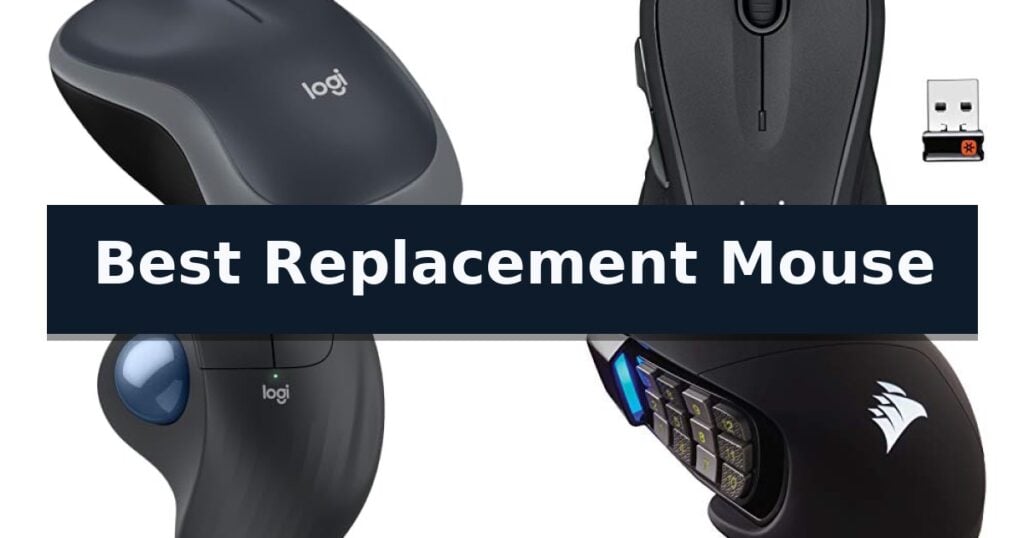
The Logitech M185 Wireless Mouse is our top choice for the Best Replacement Mouse, offering a reliable, compact design that significantly improves productivity over standard laptop touchpads. For those needing a full-sized ergonomic shape, the Logitech M510 Wireless Mouse provides enhanced support for long sessions, while the Logitech Ergo M575S Trackball Mouse serves users looking to save desk space with precise thumb-based navigation.
Selecting a replacement mouse requires balancing your specific desk setup with your daily navigation needs. Whether you prioritize the freedom of a wireless connection or the consistent, battery-free reliability of a wired peripheral, the right tool should feel like a natural extension of your hand to prevent fatigue during extended use.
When evaluating these devices, we focus on how they handle common tasks like document scrolling, web navigation, and precise cursor control. By matching your hand size and preferred grip style to the mouse's physical dimensions and button layout, you can ensure a seamless transition from your previous hardware.
If you are looking for a device that eliminates the need for disposable batteries, our guide on the Best Rechargeable Wireless Mouse provides excellent alternatives for a more sustainable workspace.
10 Best Replacement Mouse in 2026 Reviews
Quick Comparison
| Product | Best For | Key Strength | Score |
|---|---|---|---|
| Logitech M185 Wireless Mouse | Best Overall | Ambidextrous contoured shape for comfortable use in either hand. | 4.9 |
| Logitech M510 Wireless Mouse | Comfortable Full-Size Ergonomics | Ergonomic contoured shape with soft rubber grips for comfort. | 4.7 |
| Logitech Ergo M575S Trackball Mouse | Space-Saving Thumb Control | Ergonomic thumb-operated trackball reduces forearm muscle strain. | 4.8 |
| Corsair Scimitar RGB Elite Gaming Mouse | Best for MMO Macro Control | Patented Key Slider allows for personalized side-button positioning. | 4.5 |
| TECKNET Ergonomic Wireless Mouse | Adjustable DPI for Precision | 5-level adjustable DPI for precise cursor control. | 4.3 |
| Amazon Basics Wired Mouse | Simple Plug-and-Play Reliability | Plug-and-play setup requires no driver installation. | 4.4 |
| Logitech B100 Wired Mouse | Essential Ambidextrous Navigation | Ambidextrous shape provides comfort for both left and right-handed users. | 4.6 |
| Lenovo 300 Wireless Mouse | Travel-Friendly Compact Design | 12-month battery life from a single AA battery | 4.5 |
| wegear Wireless Mouse | High Sensitivity Productivity | Long-lasting battery life of up to 24 months. | 4.7 |
| VssoPlor Wireless Mouse | Quiet Clicking for Focus | Intelligent sleep mode to conserve battery life | 4.6 |
How We Chose
When selecting the best replacement mouse, we evaluate how each device balances daily comfort with functional performance. An experienced reviewer looks beyond marketing claims, focusing on how physical ergonomics, connection reliability, and sensor accuracy translate into actual desktop utility. These criteria help identify which models provide the most consistent experience for varied computing environments.
- Ergonomic shape and physical dimensions for different hand sizes
- Connection stability and latency for wireless versus wired models
- Battery efficiency and power management features
- Button layout and customizability for workflow efficiency
- Surface tracking precision and sensor reliability
1 Logitech M185 Wireless Mouse — Reliable Compact Daily Driver
The Logitech M185 Wireless Mouse simplifies computer navigation by replacing the standard laptop touchpad with a contoured, ambidextrous design that fits comfortably in either hand. This device connects via a tiny 2.4 GHz USB-A nano receiver, providing a reliable wireless link up to 33 feet away.
Engineered for efficiency, this mouse features optical tracking for precise cursor control and a line-by-line scroll wheel. Its power management system includes a smart sleep mode, which contributes to an impressive 12-month battery life using a single included AA battery. The plug-and-play setup ensures that no additional software installation is required for immediate use.
Compatibility is a core strength of this model, as it functions seamlessly with Windows PCs, Macs, and laptops. The compact, portable form factor makes it a practical addition for users who need a consistent, responsive input device that works across different computing environments without the need for complex configuration.
This mouse is backed by a 3-year limited hardware warranty, reflecting the manufacturer's focus on long-term reliability. By utilizing the included nano receiver, which can remain plugged into a computer port, users can maintain a clutter-free workspace while benefiting from a connection that is ready whenever the computer is active.
Best for: Users seeking a reliable, compact, and plug-and-play wireless mouse for daily productivity on Windows or Mac laptops.
Skip if: Those who require advanced programmable buttons, a high-DPI gaming sensor, or Bluetooth connectivity for devices lacking a USB-A port.
- Ambidextrous contoured shape for comfortable use in either hand.
- 12-month battery life with smart sleep mode to minimize maintenance.
- Plug-and-play simplicity with no software setup required.
- Universal compatibility across Windows and Mac operating systems.
- USB-A receiver requirement may necessitate an adapter for modern laptops lacking legacy ports.
- Basic feature set lacks extra programmable side buttons for specialized workflows.
2 Logitech M510 Wireless Mouse — Comfortable Full-Size Ergonomics
Maintaining productivity during long work sessions requires hardware that supports natural hand posture. The Logitech M510 Full Size Ambidextrous 2.4 GHz Wireless Mouse addresses this need through a contoured design featuring soft rubber grips and a broad palm area, which helps keep the hand relaxed during extended use.
Beyond its physical shape, this mouse offers functional versatility for navigation. It includes three standard buttons plus dedicated Back/Forward buttons, which can be programmed to switch applications or toggle full-screen modes. Users can also utilize the tilt-to-scroll function for horizontal and vertical navigation, as well as zoom capabilities for detailed viewing of spreadsheets or photos when paired with the necessary software.
Efficiency is further supported by the 2-year battery life, which is bolstered by an integrated On/Off switch and a smart sleep mode to conserve energy. An indicator light provides a visual alert to prevent unexpected power loss, ensuring the device remains ready for use.
Connectivity is managed via the Logitech Unifying receiver, a compact USB-A nano component that can remain plugged into a laptop port without needing removal during transport. This receiver also supports the addition of other compatible wireless peripherals, streamlining the workspace by utilizing a single connection point for multiple devices.
Best for: Users seeking a full-size, ergonomic mouse with programmable buttons and long battery life for daily office or home computing tasks.
Skip if: Users requiring a specialized gaming mouse with high-DPI sensors or those who prefer a compact, travel-specific form factor.
- Ergonomic contoured shape with soft rubber grips for comfort.
- Programmable buttons for customized application control.
- Extended 2-year battery life with power-saving sleep mode.
- Logitech Unifying receiver allows for multiple device connections.
- Software required for advanced button customization and side-to-side scrolling.
- USB-A receiver may require an adapter for laptops lacking legacy ports.
3 Logitech Ergo M575S Trackball Mouse — Space-Saving Thumb Control
The Logitech Ergo M575S Trackball Mouse distinguishes itself through a sculpted, ergonomic design that allows for precise cursor control without requiring the user to move their arm across the desk. By utilizing a thumb-operated trackball, this device minimizes forearm movement, which is specifically engineered to reduce muscle strain and promote a more natural posture during extended periods of computer use.
Designed with input from the Logi Ergo Lab, this mouse features a contoured shape that accommodates various hand sizes. The device includes three customizable buttons and supports the Logi Options+ App, allowing users to configure time-saving shortcuts and adjust cursor speed to their specific workflow requirements. Its compact footprint makes it a practical solution for limited workspace environments.
Connectivity is handled through either Bluetooth or the included Logi Bolt USB receiver, providing flexibility for different workstation setups. The mouse is powered by a single AA battery, which supports up to 18 months of operation. Additionally, the device incorporates post-consumer recycled plastic in its construction, with the Graphite model containing 52% recycled material.
Maintenance is straightforward, as the trackball can be easily ejected from its cage for cleaning. The mouse is compatible with both PC and Mac systems and can be paired with other ergonomic peripherals, such as the Wave Keys keyboard, to create a cohesive, comfortable workstation configuration.
Best for: Users seeking to minimize forearm strain and save desk space through a stationary, thumb-operated ergonomic interface.
Skip if: Users who require a traditional high-speed optical sensor for rapid, large-scale cursor movements or those who prefer a symmetrical, ambidextrous mouse design.
- Ergonomic thumb-operated trackball reduces forearm muscle strain.
- Compact, space-saving design eliminates the need for large mousepad areas.
- Dual connectivity options via Bluetooth and Logi Bolt USB receiver.
- Customizable buttons and settings via Logi Options+ App.
- Thumb-only control requires an adjustment period for users accustomed to traditional mice.
- Stationary design is not suitable for tasks requiring large, sweeping cursor movements.
4 Corsair Scimitar RGB Elite Gaming Mouse — Best for MMO Macro Control
Precision and customization define the CORSAIR SCIMITAR RGB ELITE Wired MMO MOBA PC Gaming Mouse, a device engineered for users who require granular control over complex command sets. Featuring a patented Key Slider control system, this mouse allows you to physically reposition the 12-button side panel to align perfectly with your thumb, ensuring that every macro and remap is accessible without compromising your grip.
At the heart of its performance is a custom PixArt PMW3391 optical sensor, which provides tracking sensitivity from 100 to 18,000 DPI. Users can adjust this sensitivity in precise 1 DPI steps, allowing for exact calibration to specific surface types via the CORSAIR iCUE software. This software also manages the mouse's four-zone RGB lighting and allows for the storage of three onboard profiles, ensuring your custom macros remain functional even when moving between different systems.
The hardware is constructed for longevity, utilizing 50-million-click-rated Omron switches and a durable scroll wheel. The chassis features a comfortable, contoured shape with a dedicated right-side finger rest, designed to reduce fatigue during extended sessions. Connectivity is maintained through a robust 6 ft braided cable, providing a consistent, latency-free connection suitable for competitive play.
While the device offers extensive utility for MMO and MOBA genres, its specialized design prioritizes button density and ergonomic support for specific grip styles. The ability to save hardware-based profiles directly to the mouse ensures that your complex command configurations are portable, making it a reliable tool for users who frequently switch between different gaming environments.
Best for: Gamers who require extensive macro management and physical customization of side-button placement for MMO or MOBA titles.
Skip if: Users who prefer a lightweight, minimalist mouse design or those who do not require a high volume of programmable side buttons.
- Patented Key Slider allows for personalized side-button positioning.
- 17 programmable buttons provide extensive macro and command support.
- Custom 18,000 DPI sensor offers high-precision tracking with 1 DPI adjustment steps.
- Onboard profile storage enables hardware-based macro playback across different devices.
- Wired-only connection may not suit users seeking a cable-free desktop setup.
- Higher button density may require an adjustment period for users accustomed to standard mice.
5 TECKNET Ergonomic Wireless Mouse — Adjustable DPI for Precision
Finding a reliable peripheral for daily computing requires balancing physical comfort with functional precision. The TECKNET Ergonomic Wireless Mouse is engineered for users who need a compact, travel-ready device that maintains high performance across various office and mobile environments. Its design focuses on sustained usability, making it a practical choice for those who spend significant time navigating documents or web interfaces.
The device features a contoured shape specifically crafted to align with the natural curve of the hand, which is further enhanced by rubber side-grips for improved thumb support. This ergonomic approach aims to reduce strain during extended work sessions. For precision, the mouse utilizes an advanced optical tracking system that offers 5-level adjustable DPI settings ranging from 800 to 2600. This allows users to customize cursor sensitivity to match their specific surface or task requirements, ensuring smooth and accurate movement.
Connectivity is streamlined through a USB-A mini-receiver that enables plug and play functionality across major operating systems, including Windows, Mac, Chrome OS, and Linux. The hardware is optimized for power efficiency, providing up to 24 months of battery life when utilizing the integrated power-saving mode and manual on/off switch. This longevity reduces the frequency of maintenance, making it a dependable tool for busy professionals.
Measuring 4.09 by 2.68 by 1.49 inches, the unit is built for portability. A notable design detail is the USB receiver storage located at the back of the mouse, which helps prevent loss during transport. Users should be aware of a specific trade-off: while the mouse is highly compatible, the side buttons are not supported on Mac systems. Additionally, the device requires AAA batteries, which are not included in the package, and relies exclusively on USB-A connectivity.
Best for: Users seeking a portable, ergonomic wireless mouse with adjustable sensitivity for standard office or travel applications.
Skip if: Users who require side-button functionality on a Mac or those who exclusively use devices with USB-C ports.
- 5-level adjustable DPI for precise cursor control.
- Ergonomic contoured design with rubber side-grips for comfort.
- 24-month battery life with power-saving mode.
- Compact, travel-friendly dimensions.
- Side buttons are not compatible with Mac operating systems.
- USB-A connectivity only, requiring adapters for modern USB-C devices.
- Batteries are not included in the package.
6 Amazon Basics Wired Mouse — Simple Plug-and-Play Reliability
Reliability in a workspace often comes down to the simplest tools, and the Amazon Basics 3-Button USB Wired Mouse prioritizes consistent, lag-free performance through a direct connection. By utilizing a standard USB-A interface, this device eliminates the need for batteries or wireless pairing, ensuring it remains ready for use the moment it is plugged into a Windows or Mac computer.
The mouse features a high-definition 1000 DPI optical sensor, which provides responsive cursor control suitable for precise text selection and general navigation. Its ambidextrous design allows for comfortable use by both left- and right-handed individuals, while the compact dimensions of 4.3 x 2.4 x 1.4 inches make it a portable option for various desk setups.
Setup is straightforward with its plug-and-go functionality, requiring no additional drivers to operate. The included 4.9-foot cable offers sufficient length for most standard desktop configurations, though users with devices limited to USB-C ports will need to source an external adapter to maintain connectivity.
With three buttons providing standard click and scroll functionality, the Amazon Basics 3-Button USB Wired Mouse serves as a utilitarian replacement for those who prefer the simplicity of a wired peripheral. It is backed by a two-year warranty, reflecting a focus on basic, long-term functional utility.
Best for: Users who require a simple, reliable, and driver-free wired mouse for standard office or home computer navigation.
Skip if: Users who require advanced programmable buttons, wireless freedom, or native USB-C connectivity without the use of an adapter.
- Plug-and-play setup requires no driver installation.
- Ambidextrous shape accommodates both left and right-handed users.
- Reliable wired connection eliminates the need for battery replacements.
- 1000 DPI optical sensor provides responsive tracking for daily tasks.
- USB-A connection requires an adapter for modern USB-C only devices.
- Limited to three buttons, lacking extra programmable side buttons.
7 Logitech B100 Wired Mouse — Essential Ambidextrous Navigation
Reliable cursor navigation is essential for daily computer tasks, and the Logitech B100 Ambidextrous Wired Mouse offers a straightforward, plug-and-play solution for both office and home environments. Designed with a focus on simplicity, this device eliminates the need for complex software installations, allowing users to connect via a standard USB port and begin working immediately.
The Logitech B100 Ambidextrous Wired Mouse features an ambidextrous shape that accommodates both left- and right-handed users comfortably throughout the workday. With 800 dpi sensitivity, it provides the necessary precision for document editing and efficient web navigation. Its design also incorporates side-to-side scrolling and zoom capabilities, which are particularly useful for managing large spreadsheets or detailed presentations.
Built by a manufacturer with extensive experience in peripheral design, this model emphasizes functional longevity and environmental consideration. The construction includes certified post-consumer recycled plastic, specifically 72% for the black version, reflecting a commitment to material sustainability. The mouse maintains a compact profile, measuring approximately 4.44 inches in height and 2.44 inches in width, ensuring it fits easily into most workspace configurations.
While this device is optimized for standard computing tasks, it remains a dedicated wired peripheral. Users who require wireless freedom or additional programmable buttons for specialized software may find other models more suitable for their specific workflows. However, for those seeking a dependable, no-frills input tool, the Logitech B100 Ambidextrous Wired Mouse provides a consistent and ergonomic experience.
Best for: Users seeking a reliable, plug-and-play wired mouse with an ambidextrous design for standard office and home computing tasks.
Skip if: Users who require wireless connectivity, high-DPI gaming sensors, or extra programmable buttons for advanced workflows.
- Ambidextrous shape provides comfort for both left and right-handed users.
- Zero setup requirement allows for immediate use via USB connectivity.
- Side-to-side scrolling and zoom functionality improve efficiency in spreadsheets.
- Constructed with certified post-consumer recycled plastic.
- Wired connection limits mobility compared to wireless alternatives.
- Fixed 800 dpi sensitivity may not meet the needs of precision-heavy tasks like professional graphic design.
8 Lenovo 300 Wireless Mouse — Travel-Friendly Compact Design
The Lenovo 300 Wireless Mouse is engineered for professionals who prioritize mobility, featuring a compact, pocket-friendly design that fits easily into laptop bags or briefcases. This peripheral is specifically tailored for users who require a reliable, clutter-free workspace while traveling or working in dynamic environments. Its lightweight construction, measuring approximately 3.86 inches in length and 1.26 inches in height, ensures it remains an unobtrusive addition to any mobile workstation setup.
Equipped with an optical sensor providing 1000 DPI resolution, this device ensures precise navigation across various documents and creative applications. The ambidextrous design accommodates both left- and right-handed users, while the 2.4 GHz nano USB receiver provides a stable wireless connection, effectively eliminating the inconvenience of tangled cords during presentations or daily tasks. This wireless freedom allows for a more responsive and intuitive interface regardless of the workspace layout.
Efficiency is a core focus, as the mouse is powered by a single AA battery that delivers up to 12 months of battery life. This longevity minimizes maintenance requirements, allowing users to remain focused on their projects without frequent power interruptions. By balancing portability with consistent performance, this device serves as a practical tool for those who need to maintain productivity on the move.
While the compact form factor is ideal for travel, users should consider the trade-offs associated with its size. The smaller dimensions are designed for portability, which may feel less substantial than a full-sized ergonomic desktop mouse for individuals with larger hands. Additionally, the fixed 1000 DPI sensor is optimized for general office tasks and navigation rather than high-precision design work or gaming, making it a specialized choice for business-oriented workflows.
Best for: Business travelers and professionals who need a reliable, compact, and long-lasting wireless mouse for on-the-go productivity.
Skip if: Users who require a full-sized ergonomic mouse for desktop gaming or those who prefer high-precision sensors exceeding 1000 DPI for specialized design work.
- 12-month battery life from a single AA battery
- Compact, pocket-friendly design for easy portability
- Ambidextrous shape suitable for all users
- Reliable 2.4 GHz wireless connectivity
- Fixed 1000 DPI resolution may not suit all precision tasks
- Compact size may feel small for users with larger hands
9 wegear Wireless Mouse — High Sensitivity Productivity
Reliable input devices are essential for maintaining a seamless workflow, and the wegear Wireless Mouse offers a versatile solution for those needing a balance of performance and portability. This mouse utilizes stable 2.4GHz wireless technology to provide a consistent connection within a 33-foot range, ensuring your workspace remains free of cable clutter.
Equipped with 6 buttons, including dedicated forward and backward side controls, this device is designed to streamline navigation through documents and web pages. Users can tailor their experience using the 5-level adjustable DPI settings, which range from 800 to 4000 DPI, allowing for precise cursor control whether you are performing detailed design work or general browsing.
The wegear Wireless Mouse is built for longevity and efficiency, featuring a power-saving design that enters sleep mode after 8 minutes of inactivity. It is rated for up to 24 months of battery life on a single AA battery, and a built-in red LED indicator alerts you when the power is running low. The chassis has undergone 5,000,000 click durability testing, ensuring it stands up to the demands of daily use.
Compatibility is broad, supporting Windows and macOS systems without the need for additional drivers thanks to its plug-and-play design. The contoured, ergonomic shape is intended to reduce hand strain during extended sessions, making it a practical choice for long hours at the computer.
Best for: Users who require a portable, multi-button wireless mouse with adjustable sensitivity for varied office and design tasks.
Skip if: Mac users who specifically need the forward and backward side buttons to function, as these are not supported on macOS.
- Long-lasting battery life of up to 24 months.
- Adjustable DPI sensitivity with 5 levels up to 4000 DPI.
- Plug-and-play connectivity with no driver installation required.
- Ergonomic contour designed for all-day comfort.
- Side buttons are not recognized by macOS.
- Battery not included in the package.
10 VssoPlor Wireless Mouse — Quiet Clicking for Focus
The VssoPlor Wireless Mouse utilizes a 2.4 GHz wireless connection to establish a reliable link between your peripheral and computer. By using a compact USB-A nano receiver, this device maintains a stable signal with anti-interference capabilities, allowing for operation at distances up to 10 meters. This wireless architecture ensures consistent tracking performance, which is further enhanced by a high DPI sensor designed to track smoothly across most common desk surfaces.
Designed for high portability, this mouse features a slim, lightweight profile that fits easily into bags for travel. The USB-A receiver can be stored directly inside the mouse housing when not in use, a practical design choice that prevents the loss of the small component while moving between work and home environments. This makes it a suitable companion for users who frequently transition between different workstations.
Efficiency is managed through an intelligent sleep mode that activates after 5 minutes of inactivity. This feature helps extend battery life by reducing power consumption when the device is not actively being used, requiring only a simple click to wake the sensor for immediate operation. This automated power management is a significant trade-off for users who prefer not to manually toggle a power switch every time they step away from their desk.
The device is built with a smooth, frosted surface and silent clicking switches to minimize noise during operation. It is compatible with a variety of operating systems, including Windows 7, 8, 10, XP, Vista, and Mac OS X 10.4, provided the host computer is equipped with a standard USB-A port. This broad compatibility ensures it functions as a reliable input tool for a wide range of legacy and current PC hardware.
Best for: Users seeking a quiet, portable wireless mouse for laptops or desktops equipped with a standard USB-A port.
Skip if: Users who rely exclusively on Mac devices or laptops that only feature USB-C ports, as this model requires a USB-A connection.
- Intelligent sleep mode to conserve battery life
- Quiet clicking mechanism for distraction-free use
- Stable 2.4 GHz wireless connection up to 10 meters
- Compact, portable design with integrated receiver storage
- USB-A port requirement limits compatibility with modern USB-C only devices
Best Replacement Mouse Buying Guide
Understanding Grip Styles
Your grip style—whether palm, claw, or fingertip—dictates which mouse shape will offer the most comfort. A palm grip requires a mouse with a higher arch to support the entire hand, while a fingertip grip often benefits from a lower-profile, compact design.
Consider the physical dimensions of the mouse before purchasing. A mouse that is too small for a palm-grip user can lead to cramping, while a mouse that is too large for a fingertip user may feel cumbersome and difficult to maneuver quickly.
Wireless Versus Wired Connectivity
Wireless mice offer a clutter-free workspace and portability, making them ideal for laptop users. Modern 2.4 GHz receivers provide reliable, low-latency connections that are sufficient for almost all office and general productivity tasks.
Wired mice provide the advantage of never needing battery replacements or charging. They are a dependable choice for stationary workstations where the mouse cable can be managed effectively and you prefer a 'plug-and-play' experience without worrying about wireless interference.
Sensor Precision and Surface Compatibility
The optical sensor determines how accurately the cursor tracks on your desk surface. Most modern mice use high-definition optical tracking that works well on standard surfaces, though some surfaces like glass may require a more advanced sensor.
DPI (dots per inch) settings allow you to adjust cursor sensitivity. A higher DPI is useful for high-resolution monitors or multi-monitor setups, as it allows you to cover more screen distance with smaller physical movements of the mouse.
Button Layout and Workflow
Beyond the standard left and right clicks, additional buttons can significantly speed up your workflow. Side buttons are often programmable, allowing you to map them to common tasks like navigating back and forth in a web browser.
If you frequently work with spreadsheets or long documents, look for a mouse with a scroll wheel that supports side-to-side tilting or fast-scrolling features. These small additions can save significant time over the course of a workday.
Battery Life and Power Management
For wireless models, battery longevity is a critical factor. Many modern wireless mice include smart sleep modes that automatically power down the device during periods of inactivity, extending battery life to a year or more.
Always check if the mouse includes an on/off switch. While sleep modes are effective, a physical switch provides the ultimate assurance that your battery is not being drained while the mouse is stored in a laptop bag or during long periods of non-use.
Frequently Asked Questions
Do I need to install software to use these mice?
Most basic wireless and wired mice are plug-and-play, meaning they work immediately upon connection without additional drivers. However, some advanced models with programmable buttons may require manufacturer software to customize those specific functions.
Are wireless mice reliable for office work?
Yes, modern 2.4 GHz wireless mice are highly reliable for office tasks. They offer a stable connection that is virtually indistinguishable from a wired mouse for standard browsing, document editing, and general computer navigation.
How do I know if a mouse is the right size for my hand?
Check the product dimensions provided in the specifications. A good rule of thumb is to measure your hand from the base of your palm to the tip of your middle finger and compare it to the length of the mouse to ensure it provides adequate support.
Can I use a wireless mouse on any surface?
Most optical mice perform well on standard desk surfaces like wood or plastic. However, they may struggle on highly reflective surfaces like glass or mirrors, which can interfere with the optical sensor's ability to track movement accurately.
What is the benefit of a trackball mouse?
A trackball mouse allows you to move the cursor by rotating a ball with your thumb or fingers, meaning the device itself remains stationary. This is excellent for small desks or users who want to reduce wrist movement to prevent repetitive strain.
Conclusion: Our Top Pick
Our top pick is Logitech M185 Wireless Mouse. Choosing the right replacement mouse comes down to matching your physical comfort needs with your daily navigation requirements. Whether you opt for the simplicity of a wired connection or the flexibility of a wireless model, prioritizing ergonomics will pay off in long-term comfort.
By considering how the mouse fits your hand and how its specific features—like extra buttons or adjustable DPI—align with your workflow, you can find a reliable tool that makes your daily computing tasks more efficient and enjoyable.