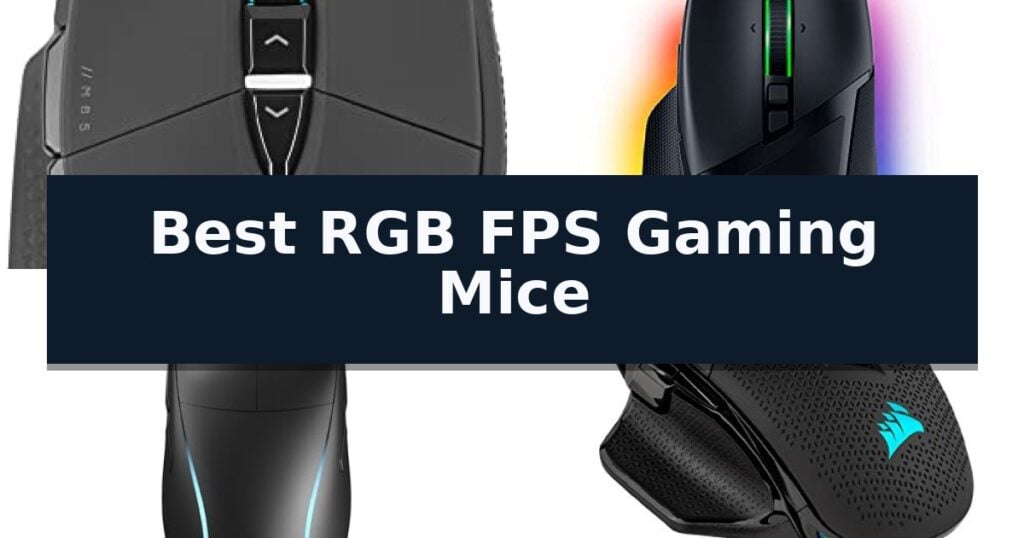
Corsair M65 RGB Ultra Gaming Mouse is our recommendation for the Best RGB FPS Gaming Mice thanks to its sensor fusion control and high-speed polling rate. For those prioritizing a versatile ergonomic shape, the Razer Basilisk V3 Gaming Mouse serves as a strong alternative, while the Corsair M75 Wired Gaming Mouse offers a lightweight ambidextrous design for rapid movement.
Selecting a high-performance mouse for first-person shooters requires balancing sensor accuracy with physical comfort. Features like adjustable weight systems, programmable buttons, and low-latency switches directly influence how quickly you can react in fast-paced competitive environments.
Beyond raw specifications, the physical build and weight distribution determine how well a mouse suits your specific grip style. Whether you prefer a heavier, stable base for controlled tracking or a lightweight frame for flick shots, matching these hardware characteristics to your playstyle is essential for consistent performance.
If you are interested in exploring other options from the same manufacturer, our guide on the Best Razer Mouse for Gaming provides additional insights into their current lineup. For those specifically looking for brand-matched peripherals, you can find more details in our article on the Best RGB Corsair Mouse. Budget-conscious buyers might also find value in our comparison of the Best Redragon Gaming Mouse options.
10 Best RGB FPS Gaming Mice in 2026 Reviews
Quick Comparison
| Product | Best For | Key Strength | Score |
|---|---|---|---|
| Corsair M65 RGB Ultra Gaming Mouse | Best Overall | 8,000Hz hyper-polling for ultra-fast input registration | 4.9 |
| Razer Basilisk V3 Gaming Mouse | Versatile multi-zone lighting control | 11 programmable buttons for extensive macro and function mapping. | 4.7 |
| Corsair M75 Wired Gaming Mouse | Ambidextrous lightweight speed | 74g lightweight design for rapid movement. | 4.8 |
| Corsair Nightsword RGB Gaming Mouse | Real-time center-of-gravity tuning | Smart Tunable Weight System for real-time center-of-gravity adjustment. | 4.3 |
| Corsair Ironclaw RGB Gaming Mouse | Ergonomic shape for larger hands | Ergonomic shape specifically sculpted for larger hands and palm grips. | 4.9 |
| Corsair Harpoon PRO RGB Gaming Mouse | Ultra-lightweight for extended sessions | Incredibly lightweight 85g design for reduced fatigue | 4.4 |
| Corsair Harpoon Wireless Gaming Mouse | Low-latency wireless freedom | Sub-1ms Slipstream wireless connectivity for low-latency performance | 4.5 |
| Redragon M901K MMO Gaming Mouse | Extensive macro button customization | 19 programmable macro buttons for extensive command mapping | 4.9 |
| Redragon M612 Wired Gaming Mouse | Tactical remappable button layout | 11 programmable buttons for extensive macro and keybind customization. | 4.8 |
| Redragon M602 Wired Gaming Mouse | Reliable entry-level RGB performance | 7200 DPI adjustable sensor for sensitive tracking. | 4.6 |
How We Chose
Evaluating gaming mice requires a focus on technical performance and physical ergonomics. We analyze sensor capabilities, polling rates, and button responsiveness to ensure each model meets the demands of competitive FPS titles. By assessing weight, shape, and customization options, we identify which mice provide the most reliable control for different hand sizes and grip styles.
- Sensor precision and DPI range for pixel-perfect tracking
- Polling rate and switch actuation speed for input latency reduction
- Weight distribution and physical ergonomics for grip compatibility
- Programmability of buttons for in-game macro execution
- Build quality and durability of switches and chassis
1 Corsair M65 RGB Ultra Gaming Mouse — Hyper-fast 8000Hz polling precision
Precision in competitive gaming often hinges on the speed of your input registration, a metric where the Corsair M65 RGB Ultra Gaming Mouse distinguishes itself through its CORSAIR AXON Hyper-Processing Technology. By utilizing a native 8,000Hz polling rate, this mouse transmits movement and click data to your PC up to eight times faster than standard gaming peripherals.
Beyond its processing speed, the mouse is built around the CORSAIR MARKSMAN 26,000 DPI Optical Sensor, which provides high-resolution tracking capable of capturing movement at speeds up to 650 inches per second. This sensor is paired with Sensor Fusion Control, an integrated system using a six-axis gyro and accelerometer to facilitate ultra-low lift-off distance, ensuring your cursor remains stable even when you physically reposition the mouse during intense gameplay.
The physical construction features an iconic anodized aluminum frame, providing a rigid and familiar chassis designed for long-term durability. For tactile feedback, the optical switches on the left and right-click buttons are engineered for rapid response times, ensuring that every command is registered immediately without the mechanical wear associated with traditional contact-based switches.
Customization remains a core component of the user experience, as the mouse is fully iCUE compatible. This software integration allows for deep configuration of the mouse's eight programmable buttons and its RGB lighting zones, enabling you to tailor the device to your specific playstyle or aesthetic preferences.
Best for: Competitive FPS players who require extreme polling rates and advanced sensor-based lift-off control for rapid, low-latency movement.
Skip if: Users who prefer a lightweight, wireless design or those who do not require high-frequency polling beyond standard industry rates.
- 8,000Hz hyper-polling for ultra-fast input registration
- Anodized aluminum frame for enhanced structural durability
- Sensor Fusion Control with six-axis gyro for precise lift-off tracking
- Optical switches for reliable, high-speed clicking
- Wired-only connection limits desk cable management options
2 Razer Basilisk V3 Gaming Mouse — Versatile multi-zone lighting control
Precision is paramount in competitive gaming, and the Razer Basilisk V3 Gaming Mouse addresses this with its Focus+ 26K DPI optical sensor. This sensor is engineered for pixel-precise accuracy, ensuring that every movement is tracked with zero smoothing for a crisp, responsive experience during high-stakes gameplay.
Beyond its sensor, the mouse features a highly versatile HyperScroll Tilt Wheel. This component allows users to switch between a free-spin mode for rapid scrolling and a tactile mode for controlled, precise feedback, making it an effective tool for cycling through weapons or complex skill sets in FPS titles.
Customization is a core strength of this model, which includes 11 programmable buttons. These buttons can be mapped to macros or secondary functions, such as push-to-talk or ping, providing quick access to essential actions. The ergonomic design incorporates a dedicated thumb rest, which supports the hand during extended sessions.
For visual customization, the mouse is equipped with 11 Razer Chroma RGB lighting zones. These zones offer over 16.8 million colors and react dynamically with more than 150 integrated games, allowing for a highly personalized aesthetic that syncs with your gaming environment.
Durability and speed are further enhanced by the Optical Mouse Switches Gen 2. These switches are designed to eliminate unintended misclicks, offering a rapid 0.2ms actuation speed and a lifespan rated for up to 70 million clicks, ensuring longevity for demanding users.
Best for: Gamers who require extensive button mapping and a highly customizable, ergonomic design for competitive FPS play.
Skip if: Users who prefer an ultra-lightweight, minimalist mouse without a thumb rest or those who do not require complex macro programming.
- 11 programmable buttons for extensive macro and function mapping.
- HyperScroll Tilt Wheel offers both free-spin and tactile modes.
- Focus+ 26K DPI optical sensor provides high-precision tracking.
- Optical Mouse Switches Gen 2 ensure fast 0.2ms actuation.
- Ergonomic thumb rest design may not suit users who prefer a symmetrical or ambidextrous shape.
- Wired connection limits movement compared to wireless alternatives.
3 Corsair M75 Wired Gaming Mouse — Ambidextrous lightweight speed
Precision in competitive gaming often comes down to the weight of your gear, and the CORSAIR M75 Wired RGB Lightweight FPS Gaming Mouse addresses this with a streamlined 74g frame. By prioritizing a lightweight build, this mouse is engineered to facilitate swift, high-speed movements required for rapid target acquisition in fast-paced titles.
The device features an ambidextrous shape that includes swappable side buttons, allowing for a customizable ergonomic experience regardless of your dominant hand. This versatility is paired with the CORSAIR MARKSMAN optical sensor, which offers a native 26,000 DPI resolution, 650 IPS tracking, and 50G acceleration to ensure that rapid flicks and precise adjustments are captured accurately.
To minimize input latency, the mouse utilizes CORSAIR QUICKSTRIKE buttons, which are designed to provide zero delay between the physical click and the switch activation. These are complemented by optical left- and right-click switches, which eliminate the need for traditional debounce delays. These switches are rated for 100 million clicks, emphasizing a focus on long-term consistency.
The CORSAIR M75 Wired RGB Lightweight FPS Gaming Mouse balances its performance-oriented internals with a design that favors speed and responsiveness. While the wired connection ensures a consistent signal for competitive play, the lightweight construction and high-performance sensor make it a specialized tool for players who prioritize agility and rapid reaction times in their setup.
Best for: Competitive FPS players who require a lightweight, ambidextrous mouse with high-speed optical switches and precise tracking.
Skip if: Users who prefer a wireless setup or those who require a heavier mouse with a larger physical footprint for specific grip styles.
- 74g lightweight design for rapid movement.
- Swappable side buttons for ambidextrous use.
- 26,000 DPI optical sensor for high-precision tracking.
- Optical switches with zero-debounce performance.
- Wired-only connection limits desk cable management options.
4 Corsair Nightsword RGB Gaming Mouse — Real-time center-of-gravity tuning
Achieving precise control over your gaming setup requires more than just a high-DPI sensor; it demands a balance that feels natural to your specific grip style. The CORSAIR NIGHTSWORD RGB Adjustable Weight FPS MOBA PC Gaming Mouse addresses this by integrating a Smart Tunable Weight System that uses software to detect the mouse’s center of gravity in real time.
This wired mouse features a custom Pixart PMW3391 optical sensor capable of reaching 18,000 DPI, which users can adjust in 1 DPI resolution steps for granular sensitivity control. The physical design is equally focused on customization, offering two sets of weights and six mounting locations, providing a total of 120 different weight and balance configurations to suit individual preferences.
Designed for long-duration play, the CORSAIR NIGHTSWORD RGB incorporates a contoured shape with high-performance rubber grips inspired by professional sports equipment. It includes ten fully programmable buttons that allow for complex macro execution and key remapping, providing a distinct advantage in fast-paced FPS and MOBA titles.
The weight of the device is adjustable between 119g and 141g, allowing users to shift the balance point to match their hand movement style. With its combination of advanced sensor technology and physical weight tuning, this mouse is built for gamers who prioritize customization and ergonomic support in their peripheral hardware.
Best for: Gamers who require granular control over weight distribution and balance to match their specific grip style.
Skip if: Users who prefer an ultra-lightweight mouse or those who require wireless connectivity for their setup.
- Smart Tunable Weight System for real-time center-of-gravity adjustment.
- High-precision 18,000 DPI optical sensor with 1 DPI step increments.
- Extensive 120 balance configurations via included weights.
- Ten fully programmable buttons for macro and key remapping.
- Wired-only connection limits desk cable management.
- Heavier base weight compared to minimalist ultra-light mice.
5 Corsair Ironclaw RGB Gaming Mouse — Ergonomic shape for larger hands
The Corsair Ironclaw RGB Gaming Mouse is engineered specifically for users who prefer a palm grip and require a larger chassis to accommodate their hand size. By prioritizing ergonomics for larger hands, this mouse provides a substantial, contoured shape that aims to reduce fatigue during extended gaming sessions.
Performance is driven by a native 18,000 DPI optical sensor, which offers granular sensitivity adjustments in 1 DPI steps for precise tracking. The device is built for longevity, featuring ultra-durable Omron switches rated for over 50 million clicks, ensuring consistent responsiveness under heavy use.
Customization is a core component of the design, with seven fully programmable buttons that allow for complex macro assignments and key remapping. Users can manage these settings and synchronize the dynamic, two-zone RGB backlighting through the integrated software, enabling a personalized aesthetic that matches other peripherals.
At a weight of 105g, the mouse balances a substantial feel with the agility required for fast-paced FPS and MOBA titles. Its wired connectivity ensures a reliable link to your PC, Mac, or console, making it a straightforward choice for players who prioritize consistent performance and a comfortable, hand-filling design.
Best for: Gamers with larger hands who prefer a palm grip style and require high-precision sensor adjustments.
Skip if: Users who prefer an ultra-lightweight mouse or those with smaller hands who may find the 105g, larger-contoured chassis cumbersome.
- Ergonomic shape specifically sculpted for larger hands and palm grips.
- High-precision 18,000 DPI optical sensor with 1 DPI adjustment steps.
- Seven programmable buttons for extensive macro and key mapping.
- Durable Omron switches rated for 50 million clicks.
- Wired-only connection may limit cable management preferences for some users.
- The 105g weight is heavier than current ultra-lightweight gaming mouse trends.
6 Corsair Harpoon PRO RGB Gaming Mouse — Ultra-lightweight for extended sessions
Precision and speed define the Corsair Harpoon PRO RGB Gaming Mouse, a device engineered for competitive play with an incredibly lightweight 85-gram chassis. This design choice allows for rapid, fatigue-free movements during extended gaming sessions, ensuring that physical weight never hinders your reaction time in fast-paced titles.
At the heart of its performance is a 12,000 DPI optical sensor, which provides the high-accuracy tracking necessary for competitive FPS and MOBA environments. The mouse is ready for immediate use right out of the box via a simple USB connection, making it an accessible choice for those who prioritize plug-and-play functionality across PC, Mac, and various console platforms.
Comfort is addressed through a contoured shape paired with specialized rubber side grips, which promote a secure and confident hold during intense maneuvers. The device also features 6 fully programmable buttons, allowing users to customize their setup with complex macros or simple remapping to gain a tactical edge in-game.
As an iCUE compatible peripheral, it integrates seamlessly into broader lighting and control ecosystems. While it offers robust performance for its class, users should note that its wired-only connectivity means it lacks the cable-free freedom of wireless alternatives, though this ensures a consistent, latency-free connection for serious play.
Best for: Gamers seeking a lightweight, high-precision wired mouse with customizable button mapping for FPS and MOBA titles.
Skip if: Users who prioritize a wireless setup or require a larger, heavier mouse for specific ergonomic preferences.
- Incredibly lightweight 85g design for reduced fatigue
- 12,000 DPI optical sensor for high-accuracy tracking
- 6 fully programmable buttons for custom macros
- Contoured shape with rubber side grips for a secure hold
- Wired-only connectivity limits desk cable management
- Fixed size profile may not suit all hand dimensions
7 Corsair Harpoon Wireless Gaming Mouse — Low-latency wireless freedom
Precision and responsiveness are critical when every millisecond counts in a competitive match. The Corsair Harpoon Wireless Gaming Mouse addresses the need for agility and freedom by utilizing sub-1ms Slipstream Corsair Wireless Technology, ensuring a connection that rivals wired alternatives for high-stakes FPS play.
Designed with a lightweight 99-gram construction, this mouse is engineered to minimize fatigue during extended gaming sessions. The contoured shape combined with rubber side grips provides a secure, ergonomic hold that helps maintain control during rapid movements and intense flick shots.
Versatility is a core strength of this device, offering three distinct connectivity modes: Slipstream wireless, low-latency Bluetooth, or a standard USB wired connection. This flexibility allows users to switch between devices or continue playing while the internal battery charges, which provides up to 60 hours of battery life on a single charge.
Equipped with 6 programmable buttons, the mouse integrates seamlessly with the iCUE software ecosystem, allowing for custom macro assignments and lighting adjustments. Whether you are playing on a PC, Mac, or console, the setup process is straightforward, requiring only the wireless adapter to get started.
Best for: Gamers who prioritize a lightweight, versatile wireless mouse with multiple connectivity options for various platforms.
Skip if: Users who require an ultra-lightweight mouse under 70 grams or those who prefer a symmetrical, ambidextrous shape.
- Sub-1ms Slipstream wireless connectivity for low-latency performance
- Lightweight 99g design reduces wrist fatigue
- Triple-mode connectivity including Bluetooth and wired options
- 60-hour battery life for extended gaming sessions
- Heavier than specialized ultra-lightweight competitive mice
- Right-handed ergonomic shape is not suitable for left-handed users
8 Redragon M901K MMO Gaming Mouse — Extensive macro button customization
The Redragon M901K MMO Gaming Mouse distinguishes itself with a high-density array of 19 programmable macro buttons, including 12 dedicated side buttons designed for complex command execution. This configuration allows users to map intricate keyboard combinations directly to the mouse, streamlining inputs for demanding gaming scenarios.
Engineered for precision, the device features an adjustable sensor capable of reaching 12,400 DPI and a variable polling rate between 125Hz and 1000Hz. To accommodate varying playstyles, it includes an integrated weight tuning system that utilizes eight removable 2.4-gram weights, enabling users to customize the physical balance and feel of the chassis.
The mouse incorporates a 16.8 million color RGB lighting system with four distinct modes, which can be further refined via the manufacturer's software. Its ergonomic construction utilizes skin-friendly materials intended to reduce fatigue during extended sessions, while the internal memory supports up to five distinct profiles for quick switching between different game configurations.
With a 40G acceleration rating and high-sensitivity tracking, the Redragon M901K MMO Gaming Mouse provides a robust toolset for players requiring extensive customization. The inclusion of two distinct working modes and macro-editing capabilities ensures that the hardware remains adaptable across diverse gaming genres.
Best for: Gamers who require a high volume of programmable macro buttons and physical weight customization for complex game titles.
Skip if: Users who prefer an ultra-lightweight mouse or a minimalist design with fewer side buttons will find this model overly complex.
- 19 programmable macro buttons for extensive command mapping
- Adjustable weight tuning system with eight 2.4g weights
- High-performance sensor with up to 12,400 DPI
- Five onboard memory profiles for custom settings
- High button count may lead to accidental inputs for some users
- Requires software for full macro and RGB customization
9 Redragon M612 Wired Gaming Mouse — Tactical remappable button layout
Precision and customization define the Redragon M612 Wired Gaming Mouse, a peripheral designed to handle the specific demands of high-intensity gaming sessions. Its standout feature is the inclusion of 11 programmable buttons, allowing users to map tactical keybinds and macros directly to the device for streamlined control during complex gameplay.
Performance is anchored by a versatile sensor that offers 5 redefinable DPI levels, ranging from a default 500 up to 8000 DPI. This flexibility ensures that sensitivity can be adjusted on the fly to match different gaming scenarios. The mouse maintains a stable, lag-free connection through its wired interface, ensuring consistent input registration.
Ergonomics play a central role in the design, featuring a solid frame with a claw-grip shape intended to reduce fatigue during extended use. The surface utilizes a skin-friendly frosted coating to prevent fingerprints, while the left side incorporates a rubber texture to improve grip and control during rapid movements.
Aesthetically, the device includes dynamic RGB backlighting with 5 distinct modes, providing a customizable visual element to a gaming setup. With its combination of remappable inputs and adjustable sensitivity, this mouse serves as a functional tool for those looking to refine their control scheme.
Best for: Gamers who require extensive macro customization and on-the-fly DPI adjustment for various game genres.
Skip if: Users who prioritize a wireless setup or prefer an ultra-lightweight, minimalist design without extra side buttons.
- 11 programmable buttons for extensive macro and keybind customization.
- Adjustable DPI range from 500 to 8000 for varied sensitivity needs.
- Ergonomic claw-grip design focused on reducing user fatigue.
- Rubberized side texture for enhanced control and friction.
- Wired-only connection limits desk cable management options.
- Fixed ergonomic shape may not suit all hand sizes or grip styles.
10 Redragon M602 Wired Gaming Mouse — Reliable entry-level RGB performance
Precision and customization are essential for competitive play, and the Redragon M602 Wired Gaming Mouse provides a foundation for both with its 7200 DPI adjustable sensor. Designed to maintain consistent tracking, this wired peripheral offers the stability required for fast-paced gaming environments where every movement must be registered accurately.
The mouse features an ergonomic shape with dedicated finger positions, intended to accommodate various grip styles during extended sessions. Beyond its physical design, the unit includes 9 programmable buttons that allow users to remap functions or input macros via the manufacturer's software, tailoring the device to specific workflow or gaming needs.
Aesthetic customization is handled through the integrated RGB backlit system, which supports 7 distinct modes and effects. Users can toggle these lighting profiles directly via a dedicated button or through the software interface, providing flexibility to match the mouse's look to a broader desktop setup.
As a wired device, the Redragon M602 Wired Gaming Mouse eliminates the need for battery management, ensuring a stable, lag-free connection for PC, laptop, and Mac users. While it offers extensive software-based control, users should note that advanced customization, such as macro editing and light mode adjustments, requires downloading the official software from the manufacturer's website.
Best for: Gamers and office users seeking an ergonomic, wired mouse with customizable button mapping and RGB lighting.
Skip if: Users who require a wireless connection or those who prefer a minimalist mouse without programmable side buttons will find this model unsuitable.
- 7200 DPI adjustable sensor for sensitive tracking.
- 9 programmable buttons for custom macro editing.
- Ergonomic body design with dedicated finger rests.
- 7 RGB lighting modes with software control.
- Wired-only connection limits desk mobility.
- Requires software download for full macro and lighting customization.
Best RGB FPS Gaming Mice Buying Guide
Sensor Accuracy and Tracking
The optical sensor is the heart of any FPS mouse, responsible for translating your physical movements into on-screen actions. High DPI sensors allow for granular sensitivity adjustments, ensuring that your crosshair placement remains precise during intense firefights.
Advanced sensors often include features like sensor fusion or lift-off distance calibration. These technologies help prevent accidental cursor jumps when you lift the mouse to reposition it on your pad, maintaining consistent tracking across various surfaces.
Weight and Balance
Weight distribution significantly impacts how a mouse feels during rapid, repetitive movements. Lightweight designs are often preferred for flick-heavy playstyles, as they reduce wrist fatigue and allow for near-instantaneous acceleration.
Conversely, some players prefer adjustable weight systems. These allow you to fine-tune the center of gravity or add mass for a more grounded, stable feel, which can be beneficial for those who prefer higher resistance during tracking.
Switch Responsiveness
Optical switches are increasingly common in high-end gaming mice because they eliminate the debounce delay associated with mechanical contacts. This results in near-instantaneous click registration, which is critical when every millisecond counts in a competitive match.
Durability is another key factor, as FPS games often involve thousands of clicks per session. Switches rated for tens of millions of clicks ensure that your primary inputs remain crisp and reliable over years of heavy use.
Ergonomics and Grip Style
The physical shape of the mouse dictates how comfortably you can hold it for extended periods. Ergonomic designs with thumb rests are built for palm grips, providing support that reduces strain, while ambidextrous shapes offer more flexibility for claw or fingertip users.
Surface materials and side grips also play a role in control. Textured rubber or frosted coatings help maintain a secure hold even during intense sessions where your hands might become sweaty, ensuring the mouse stays firmly under your control.
Programmability and Software
Programmable buttons allow you to map complex macros or secondary functions directly to your mouse. This can streamline your workflow in-game, letting you execute actions like weapon switching or utility usage without moving your fingers from movement keys.
Software integration is vital for managing these settings, including RGB lighting profiles and DPI stages. A robust software suite enables you to save multiple onboard profiles, allowing you to switch between different game settings instantly.
Frequently Asked Questions
What is the benefit of a high polling rate?
A high polling rate, such as 8000Hz, increases the frequency at which the mouse reports its position to the computer. This reduces input latency, leading to smoother and more responsive cursor movement.
Does DPI matter for FPS gaming?
While extremely high DPI settings are rarely used in actual gameplay, a high-quality sensor with a wide DPI range ensures that the mouse can track accurately at your preferred sensitivity level without smoothing or jitter.
How do I choose between wired and wireless?
Wired mice offer a consistent, lag-free connection and never require charging. Wireless mice provide greater freedom of movement, though they require battery management.
What is lift-off distance?
Lift-off distance is the height at which the sensor stops tracking when the mouse is raised. A lower lift-off distance is preferred by FPS players to prevent unwanted movement when repositioning the mouse.
Are programmable buttons necessary for FPS?
They are not strictly necessary, but they provide a tactical advantage by allowing you to bind essential actions to your thumb or scroll wheel, keeping your keyboard hand focused on movement.
Conclusion: Our Top Pick
Our top pick is Corsair M65 RGB Ultra Gaming Mouse. Choosing the right gaming mouse involves matching technical specifications like sensor precision and switch speed with your personal comfort preferences. By prioritizing the features that align with your specific grip style and game requirements, you can significantly improve your consistency and control.
Whether you opt for a lightweight ambidextrous model or a heavier, customizable design, the best choice is one that feels like a natural extension of your hand. Focus on the core performance metrics to ensure your hardware supports your competitive goals.