ASUS ROG Harpe II Extreme is our top choice for the Best ROG Gaming Mouse, offering a refined competitive shape and high-performance 8K polling rate for elite esports precision.
For those prioritizing a smaller footprint, the ASUS ROG Harpe Ace Mini provides a pro-approved, ultra-lightweight form factor tailored for fingertip control. Alternatively, the ASUS ROG Keris II Origin caters to players who prefer a right-handed ergonomic design with swappable switches for personalized click feel.
Selecting the right mouse requires balancing your specific grip style against the technical demands of your favorite game titles. Whether you need the rapid response of a lightweight chassis or the extensive button layout of an MMO-focused peripheral, understanding these hardware trade-offs ensures your gear matches your playstyle.
If you are interested in expanding your setup with additional peripherals, our guide to the Best RGB Mouse provides further insights into aesthetic and functional choices.
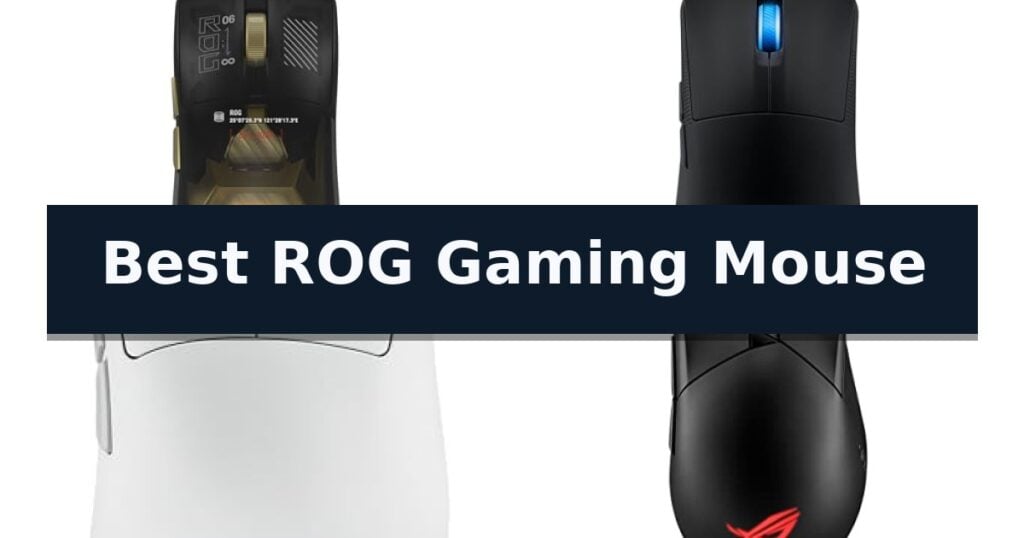
6 Best ROG Gaming Mouse in 2026 Reviews
Quick Comparison
| Product | Best For | Key Strength | Score |
|---|---|---|---|
| ASUS ROG Harpe II Extreme | Best Overall | ROG SpeedNova 8K wireless technology for ultra-responsive performance. | 4.9 |
| ASUS ROG Harpe Ace Mini | Compact Pro-Level Performance | Extremely lightweight 49g construction minimizes wrist fatigue. | 4.7 |
| ASUS ROG Keris II Origin | Ergonomic FPS Speed | Ultra-lightweight 65g design optimized for fast-paced FPS movement. | 4.3 |
| ASUS ROG Gladius III Wireless | Classic Comfortable Ergonomics | Tri-mode connectivity allows for wireless RF, Bluetooth, and wired operation. | 4.6 |
| ASUS ROG Strix Impact III | Lightweight Ambidextrous Control | Ultra-lightweight 57g design for reduced fatigue during extended sessions. | 4.8 |
| ASUS ROG Spatha X | Ultimate MMO Macro Power | 12 programmable buttons for extensive macro customization | 4.4 |
How We Chose
Evaluating gaming mice requires a focus on how hardware specifications translate into real-world responsiveness and comfort. We analyze the sensor technology, weight distribution, and build quality of each model to determine which designs offer the most reliable performance for competitive play, ensuring that every click and movement is registered with precision.
- Sensor accuracy and DPI range for consistent tracking
- Weight and chassis dimensions relative to grip style
- Wireless latency and polling rate performance
- Switch durability and customization options
- Battery efficiency and connectivity versatility
1 ASUS ROG Harpe II Extreme — Elite Esports Precision
The ASUS ROG Harpe II Extreme commemorates two decades of gaming innovation with a limited-edition design that features an authentic 24K gold-plated anniversary emblem. This mouse is engineered for competitive play, utilizing the signature Harpe II Ace form factor that was developed through direct collaboration with professional esports athletes.
Performance is driven by the new ROG Aimpoint Pro 65K sensor, which offers high-resolution tracking up to 65,000 DPI and 11-level lift-off distance customization. The device incorporates ROG optical micro switches rated for a 100-million-click lifespan, ensuring crisp and consistent actuation during intense gaming sessions.
Connectivity and responsiveness are managed by ROG SpeedNova 8K wireless technology, which supports an 8,000 Hz polling rate for minimal latency. Users can manage settings via browser-based configurations on Gear Link, eliminating the need for additional software downloads. The chassis is supported by Corning Gorilla Glass mouse feet, designed to provide an ultra-smooth glide across various surfaces.
The mouse offers flexible power options, with battery life reaching up to 98.5 hours in Bluetooth mode or 90 hours in 2.4 GHz RF mode when lighting is disabled. The premium packaging also serves a functional purpose, as it converts into a display stand for the device when not in use.
Best for: Competitive gamers and collectors seeking a high-performance, lightweight wireless mouse with premium aesthetic accents and professional-grade sensor precision.
Skip if: Users who prefer a heavier mouse or those who do not require the specific 8K polling rate and gold-plated aesthetic enhancements may find more cost-effective standard models.
- ROG SpeedNova 8K wireless technology for ultra-responsive performance.
- Corning Gorilla Glass mouse feet for enhanced durability and glide.
- Web-based configuration via Gear Link removes the need for bloatware.
- 65K DPI sensor with granular lift-off distance customization.
- Limited edition status may make it less accessible than standard production models.
- Premium design elements like 24K gold plating increase the focus on aesthetics over budget-friendly utility.
2 ASUS ROG Harpe Ace Mini — Compact Pro-Level Performance
The ASUS ROG Harpe Ace Mini distinguishes itself through an ultra-lightweight 49-gram construction, specifically engineered to reduce fatigue during extended competitive gaming sessions. This compact, semi-symmetrical mouse was co-developed with professional FPS players to provide a refined shape that accommodates various hand sizes and grip styles, particularly for those who prefer claw or fingertip control.
Equipped with the ROG AimPoint Pro optical sensor, this device achieves a high-performance 42,000 DPI and features track-on-glass technology for precise tracking across diverse surfaces. The internal hardware is designed to maintain pixel-perfect responsiveness, ensuring that rapid movements in fast-paced titles are translated accurately to the screen.
Connectivity is handled through a versatile tri-mode system, offering wired USB-C, low-latency 2.4 GHz RF, and Bluetooth pairing for up to three devices. The inclusion of ROG SpeedNova wireless technology optimizes power efficiency, supporting up to 105 hours of battery life while maintaining a stable, low-latency connection. Furthermore, the ROG Omni Receiver allows users to link multiple compatible devices to a single wireless dongle, simplifying desktop cable management.
This mouse is a specialized tool for competitive environments where weight and sensor accuracy are paramount. Its small form factor is a deliberate trade-off, prioritizing agility and speed over the larger, ergonomic palm-filling designs found in traditional office or general-purpose mice.
Best for: Competitive FPS gamers who prioritize an ultra-lightweight, compact design for claw or fingertip grip styles.
Skip if: Users with very large hands or those who prefer a full-palm grip may find the compact, mini form factor uncomfortable for long-term use.
- Extremely lightweight 49g construction minimizes wrist fatigue.
- High-precision 42,000 DPI sensor with track-on-glass capability.
- Flexible tri-mode connectivity including low-latency 2.4 GHz RF.
- Long-lasting 105-hour battery life via SpeedNova technology.
- The compact mini shape is specifically optimized for smaller hands and claw/fingertip grips, limiting its versatility for other users.
3 ASUS ROG Keris II Origin — Ergonomic FPS Speed
Precision and speed define the ASUS ROG Keris II Origin, a lightweight gaming mouse engineered with a 65-gram ergonomic chassis shaped specifically for competitive FPS play. This peripheral prioritizes high-performance tracking through the ROG AimPoint Pro optical sensor, which delivers up to 42,000 DPI and maintains tracking capability even on glass surfaces.
Connectivity is handled via the versatile tri-mode system, allowing users to switch between ROG SpeedNova 2.4GHz wireless, Bluetooth, or a wired USB-C connection. The included ROG Omni Receiver simplifies multi-device setups by allowing a single receiver to manage multiple compatible devices, reducing clutter on your desk.
Customization remains a core focus, highlighted by the ROG Push-Fit Switch Socket II. This design enables users to quickly swap out switches to suit their preferred tactile feel without complex tools. Durability is bolstered by ROG Micro Switch II components, rated for a 100-million-click lifespan, and 100% PTFE mouse feet for consistent, smooth gliding.
Software management is streamlined through Gear Link, a web-based configuration tool that removes the need for heavy software downloads. Users can adjust RGB lighting across three zones, program buttons, and manage settings directly through the browser, ensuring the ASUS ROG Keris II Origin remains adaptable to individual preferences.
Best for: Competitive FPS gamers who prioritize a lightweight, ergonomic design and the ability to customize switch feel.
Skip if: Users who require a high-button-count mouse for MMOs or MOBA games will find the button layout too limited for complex macros.
- Ultra-lightweight 65g design optimized for fast-paced FPS movement.
- ROG Push-Fit Switch Socket II allows for easy switch customization.
- Tri-mode connectivity including low-latency ROG SpeedNova wireless.
- Web-based Gear Link configuration eliminates the need for bulky software.
- Limited programmable buttons compared to dedicated MMO-style mice.
- Right-handed ergonomic shape is not suitable for left-handed users.
4 ASUS ROG Gladius III Wireless — Classic Comfortable Ergonomics
Precision gaming relies on consistent performance, and the ASUS ROG Gladius III Wireless Aimpoint Gaming Mouse addresses this with the high-performance ROG AimPoint optical sensor. This sensor provides sensitivity ranging from 100 to 36,000 DPI, maintaining an industry-leading
Designed for long-term comfort, the mouse features an asymmetrical shape tailored for various right-handed grip styles. At a weight of just 79 grams, it minimizes fatigue during extended sessions. The chassis is built to be an ever-evolving classic, balancing a lightweight build with the structural integrity required for competitive play.
Versatility is a core component of this device, thanks to its tri-mode connectivity. Users can select between the low-latency 2.4 GHz RF wireless mode, Bluetooth fast pairing for up to three devices, or a wired USB connection that simultaneously charges the internal battery. This flexibility allows for seamless transitions between different gaming setups or workstations.
Energy efficiency is prioritized to support marathon gaming, offering up to 119 hours of battery life in 2.4 GHz RF mode and up to 143 hours when using Bluetooth. Additionally, the mouse includes hot-swappable switches, allowing users to customize their click feel or replace switches without requiring specialized tools, extending the functional lifespan of the hardware.
Best for: Right-handed gamers who prioritize lightweight ergonomics and require flexible connectivity options across multiple devices.
Skip if: Left-handed users or those who prefer a symmetrical, ambidextrous mouse shape.
- Tri-mode connectivity allows for wireless RF, Bluetooth, and wired operation.
- High-precision ROG AimPoint optical sensor with 36K DPI.
- Hot-swappable switch sockets for easy customization and maintenance.
- Lightweight 79g design reduces wrist strain.
- Asymmetrical ergonomic shape is strictly designed for right-handed users.
5 ASUS ROG Strix Impact III — Lightweight Ambidextrous Control
Precision and weight management define the ASUS ROG Strix Impact III, a gaming mouse engineered for users who prioritize agility in their setup. Weighing only 57 grams, this device minimizes physical resistance during rapid movements, making it a specialized tool for competitive gaming scenarios where every millisecond of reaction time matters.
At the heart of its performance is the ROG AimPoint optical sensor, which delivers 36,000 dpi sensitivity with less than 1% deviation. This high-precision sensor ensures that input tracking remains consistent across various surfaces, providing the technical reliability required for demanding gaming tasks.
Connectivity is handled through a dual-mode system, offering both ultrafast 2.4 GHz RF and Bluetooth capabilities. The integration of ROG SpeedNova wireless technology optimizes the 2.4 GHz connection for low-latency performance while maintaining energy efficiency, allowing for up to 618 hours of battery life. Furthermore, the inclusion of the ROG Omni Receiver simplifies multi-device setups by allowing users to connect compatible peripherals through a single dongle.
The mouse features an ambidextrous, compact form factor designed for a variety of grip styles. To ensure longevity and customization, it includes replaceable switches, allowing users to maintain the click feel over time without needing to replace the entire unit.
Best for: Competitive gamers who require a lightweight, ambidextrous mouse with high-precision tracking and long battery life.
Skip if: Users who prefer a larger, ergonomically contoured mouse designed specifically for right-handed palm grips.
- Ultra-lightweight 57g design for reduced fatigue during extended sessions.
- ROG AimPoint sensor provides high-precision tracking with minimal deviation.
- ROG SpeedNova technology ensures low-latency wireless performance.
- Replaceable switches extend the functional lifespan of the device.
- Compact dimensions may not suit users with larger hands or those preferring a palm-grip style.
6 ASUS ROG Spatha X — Ultimate MMO Macro Power
The ASUS ROG Spatha X is engineered specifically for players who require extensive macro control, featuring 12 programmable buttons that include a unique six-button side cluster. This layout is designed to streamline complex inputs in MMO and MOBA titles, allowing for rapid execution of commands without relying on keyboard shortcuts.
Performance is maintained through dual-mode connectivity, offering a low-latency 2.4GHz RF wireless connection or a wired USB-C interface. The mouse utilizes a 19,000 DPI optical sensor to ensure high tracking accuracy, while the 1000 Hz polling rate provides consistent responsiveness across both connection types.
Durability and customization are central to its design, highlighted by hot-swappable switch sockets. This allows users to replace the ROG Micro Switches to adjust click force or extend the lifespan of the device, which is rated for 70 million clicks. The inclusion of a magnetic charging dock simplifies power management, providing up to 67 hours of battery life with RGB lighting disabled.
Ergonomics are prioritized through a large, right-handed form factor complemented by low-friction feet for smooth movement. For on-the-fly adjustments, the DPI On-The-Scroll feature enables sensitivity changes without the need for additional software, making it a versatile tool for varied gaming environments.
Best for: This mouse is best for MMO and MOBA gamers who require a high number of programmable side buttons and a large, ergonomic grip.
Skip if: Skip this model if you prefer a lightweight, ambidextrous design or a smaller form factor for fast-paced FPS titles.
- 12 programmable buttons for extensive macro customization
- Hot-swappable switch sockets for maintenance and click-feel adjustment
- Dual-mode connectivity with low-latency 2.4GHz wireless
- Magnetic charging dock for convenient power management
- Large form factor may not suit all hand sizes or grip styles
- Heavier design compared to dedicated ultra-lightweight gaming mice
Best ROG Gaming Mouse Buying Guide
Understanding Sensor Precision
The sensor is the heart of any gaming mouse, determining how accurately your physical movements translate to on-screen actions. High-end sensors like the ROG AimPoint Pro provide high DPI ceilings and minimal CPI deviation, which is essential for maintaining consistency during rapid flicks or precise tracking.
When choosing a sensor, look beyond the maximum DPI number. The ability to customize lift-off distance and maintain tracking on various surfaces, including glass, provides a significant advantage in competitive environments where surface consistency cannot always be guaranteed.
Ergonomics and Grip Styles
Your grip style—whether palm, claw, or fingertip—dictates the ideal shape and size of your mouse. Ergonomic right-handed designs often prioritize palm support for long sessions, while symmetrical or smaller shapes are frequently favored by competitive players who use fingertip grips for faster, more agile movements.
Weight is a critical factor in ergonomic comfort. Modern lightweight designs reduce wrist fatigue during extended play, allowing for faster reaction times. However, ensure the weight reduction does not compromise the structural integrity or the balance of the mouse for your specific hand size.
Wireless Connectivity and Latency
Modern wireless technology has largely eliminated the performance gap between wired and wireless peripherals. Technologies like SpeedNova prioritize low-latency 2.4 GHz connections, ensuring that your inputs are processed instantly without the interference or lag often associated with older wireless standards.
Tri-mode connectivity adds versatility by allowing you to switch between 2.4 GHz for gaming, Bluetooth for productivity on other devices, and wired USB for charging or backup. This flexibility is vital for users who maintain a clean desk setup while needing reliable performance across multiple platforms.
Switch Customization and Longevity
The switches under your primary buttons determine the tactile feel and lifespan of your mouse. Optical switches are increasingly common for their near-instant actuation and resistance to double-clicking issues over time, providing a crisp, consistent feedback loop.
Some models feature hot-swappable sockets, allowing you to replace switches without soldering. This feature is a major advantage for users who have a specific preference for click force or travel distance, as it extends the life of the mouse by allowing for easy maintenance or personalization.
Programmability and Software
For players who engage in MMO or MOBA titles, the number of programmable buttons and the ease of macro configuration are paramount. A mouse with multiple side buttons allows for complex actions to be executed with a single thumb press, reducing reliance on keyboard shortcuts.
Modern configuration tools, such as web-based interfaces, simplify the process of adjusting DPI, polling rates, and RGB lighting. Avoiding heavy, resource-intensive software suites can improve system performance and make it easier to manage settings on different computers.
Frequently Asked Questions
What is the benefit of an 8K Hz polling rate?
An 8,000 Hz polling rate updates the mouse position to the computer eight times more frequently than a standard 1,000 Hz mouse, resulting in smoother cursor movement and lower input latency, which can be beneficial in high-refresh-rate competitive gaming.
Are lightweight mice better for all gamers?
Lightweight mice are generally preferred for fast-paced FPS games because they reduce inertia, allowing for quicker movements and less fatigue. However, some players prefer a slightly heavier mouse for better stability and control during slower, more deliberate tasks.
Can I use a gaming mouse on a glass desk?
Many modern ROG mice are equipped with sensors capable of track-on-glass technology, allowing them to function accurately on glass surfaces without the need for a traditional mouse pad.
How do I know which grip style I use?
Palm grip involves resting your entire hand on the mouse, claw grip uses an arched hand with fingertips touching the buttons, and fingertip grip relies solely on the tips of your fingers to move the mouse with minimal palm contact.
Is it worth upgrading to a wireless gaming mouse?
Yes, modern wireless gaming mice offer performance parity with wired options while providing the freedom of movement and desk organization that cables cannot match.
Conclusion: Our Top Pick
Our top pick is ASUS ROG Harpe II Extreme. Choosing the right mouse depends on your specific gaming needs, whether you require the extreme precision of the Harpe II Extreme or the ergonomic comfort of the Keris II Origin. By focusing on sensor quality, weight, and connectivity, you can find a tool that enhances your performance.
Consider your primary game genre and grip style as the final deciders. A well-matched mouse will feel like an extension of your hand, providing the reliability and responsiveness necessary to stay competitive in any environment.