ZealSound K66 USB Podcast Microphone is our top choice for the Best Round Table Podcast Microphones, offering a dedicated cardioid pickup pattern that isolates individual voices while minimizing room reverberation during group recordings.
For those prioritizing studio-grade setups, the FIFINE T669 USB Condenser Microphone provides a robust boom arm that allows for flexible positioning around a shared table, while the TONOR TC777 USB Podcast Microphone serves as a space-saving alternative for smaller desks where footprint is a primary concern.
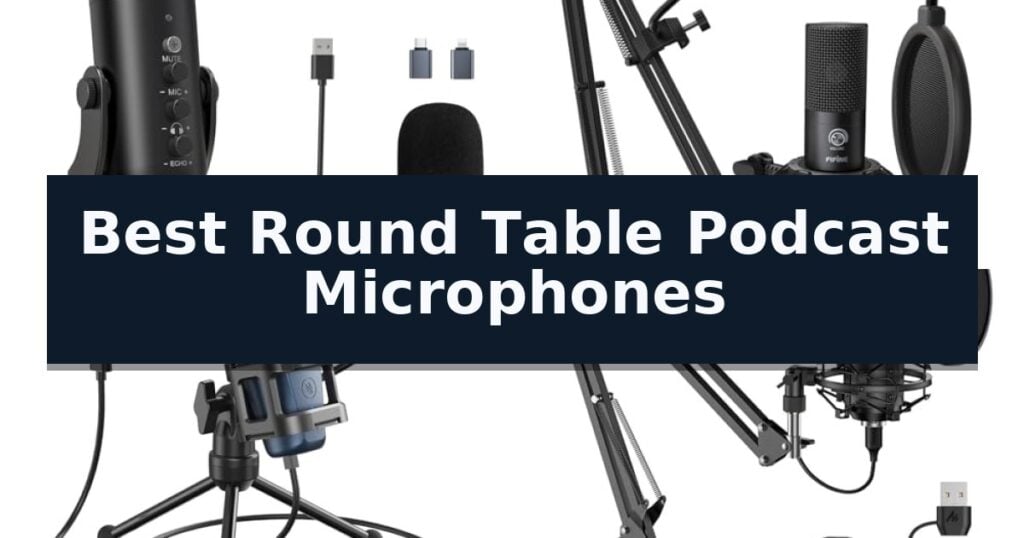
7 Best Round Table Podcast Microphones in 2026 Reviews
Quick Comparison
| Product | Best For | Key Strength | Score |
|---|---|---|---|
| ZealSound K66 USB Podcast Microphone | Best Overall | Zero-latency monitoring with dedicated volume control. | 4.9 |
| FIFINE T669 USB Condenser Microphone | Best for Studio Beginners | Plug-and-play USB connectivity simplifies the setup process for beginners. | 4.8 |
| TONOR TC777 USB Podcast Microphone | Best for Small Desks | Plug-and-play USB 2.0 connectivity requires no drivers. | 4.8 |
| MAONO AU-A04 USB Condenser Microphone | Best for High-Resolution Audio | High-resolution 192kHz/24Bit audio sampling for professional-grade recording. | 4.4 |
| SquarockTek RS2 2-Person Podcast Kit | Best for Dual-Host Interviews | All-in-one bundle includes microphones, stands, and cables. | 4.9 |
| TONOR TC20 Air USB Microphone | Best for Touch-to-Mute Control | Touch-to-Mute functionality with clear LED status indicators. | 4.4 |
| Pyle PDMIKC5 Gooseneck Condenser Microphone | Best for Conference Clarity | Adjustable gooseneck mast for precise positioning. | 4.5 |
How We Chose
Selecting the right microphone for round table podcasting requires balancing individual voice clarity with the spatial constraints of a shared recording environment. We evaluate these microphones based on their ability to maintain consistent audio levels across multiple participants, the physical footprint of their mounting hardware, and the reliability of their signal transmission in multi-mic setups.
- Pickup pattern consistency for off-axis sound rejection
- Physical control accessibility for real-time gain and mute adjustments
- Mounting versatility for various table configurations
- Connectivity options between USB plug-and-play and XLR interfaces
- Integrated noise reduction and plosive management capabilities
1 ZealSound K66 USB Podcast Microphone — Best for Quick Setup
The ZealSound K66 USB Podcast Microphone simplifies the recording process by integrating a high-performance condenser capsule with a top-addressed design, ensuring clear, broadcast-level audio capture. This compact unit is engineered for creators who require professional-grade sound without the complexity of external audio interfaces or driver installations.
Equipped with a cardioid pickup pattern and a wide 40Hz–18kHz frequency response, this microphone effectively isolates the user's voice while minimizing ambient room noise. For environments with persistent background sounds, the Intelligent Noise Reduction Mode can be activated via the mute button, providing a cleaner signal for streaming or podcasting. The inclusion of real-time zero-latency monitoring through a 3.5mm headphone jack allows for precise audio feedback, ensuring levels remain balanced throughout a session.
Usability is enhanced by dedicated physical controls, including knobs for microphone gain, headphone volume, and echo adjustment. These allow for immediate sound shaping without the need for software-based menus. The instant mute button provides a quick, tactile way to silence the input, with a red LED indicator providing clear visual confirmation of the microphone's status.
The ZealSound K66 USB Podcast Microphone is built for versatility, featuring a 360-degree rotatable body and a weighted metal base for stability. Its plug-and-play compatibility extends across Windows, Mac, and mobile platforms, supported by included USB-C and Lightning adapters. The package is rounded out with a foam windscreen, making it a comprehensive solution for immediate, high-quality content creation.
Best for: Creators who need a versatile, all-in-one USB microphone that offers plug-and-play compatibility across both desktop and mobile devices.
Skip if: Users who require an XLR-based microphone setup for use with professional multi-channel audio interfaces or external mixers.
- Zero-latency monitoring with dedicated volume control.
- Intelligent Noise Reduction Mode for cleaner audio in noisy environments.
- Comprehensive accessory package including USB-C and Lightning adapters.
- Physical adjustment knobs for gain, volume, and echo.
- Top-addressed design requires specific positioning to maintain optimal sound quality.
- Fixed cable length may limit placement options in larger studio setups.
2 FIFINE T669 USB Condenser Microphone — Best for Studio Beginners
Achieving clear, professional audio for group discussions requires a reliable foundation, and the FIFINE T669 USB Condenser Microphone provides a streamlined approach for those starting their recording journey. This kit centers on a cardioid condenser capsule designed to isolate your voice from ambient room noise, ensuring that your contributions to a round table discussion remain crisp and focused.
The hardware is built for practical, long-term use, featuring a durable all-steel scissor arm stand that offers 180-degree vertical rotation and 135-degree extension. This adjustability is essential for maintaining a clean workspace, as the low-profile, table-hugging design allows the microphone to be positioned close to the speaker without obstructing their line of sight during video calls or recording sessions.
Connectivity is handled through a straightforward plug-and-play USB output, which eliminates the need for external audio interfaces or complex driver installations. The package includes a double pop filter to minimize plosives and a studio-grade shock mount to reduce mechanical vibrations, providing a comprehensive solution right out of the box.
While this microphone is highly effective for home studio and podcasting applications, it is important to note that it is incompatible with Xbox consoles. Users should verify their specific recording setup requirements to ensure compatibility with the provided USB-B to USB-A/C cable before integrating it into their workflow.
Best for: Entry-level podcasters and content creators who need a complete, easy-to-install audio setup for voiceovers and group discussions.
Skip if: Users who require compatibility with Xbox consoles or those who need an XLR-based microphone for professional-grade multi-channel audio interfaces.
- Plug-and-play USB connectivity simplifies the setup process for beginners.
- Cardioid polar pattern effectively reduces unwanted ambient noise.
- Comprehensive accessory kit includes a sturdy boom arm, shock mount, and double pop filter.
- Flexible mounting options via the heavy-duty C-clamp and desktop mount.
- Incompatible with Xbox gaming consoles.
- USB-only connection limits integration with traditional XLR audio hardware.
3 TONOR TC777 USB Podcast Microphone — Best for Small Desks
The TONOR TC777 USB Podcast Microphone is engineered for creators who require a streamlined, space-saving solution for desktop recording. Its primary advantage is the inclusion of a dedicated, non-slip tripod stand that minimizes the footprint on crowded desks, providing a stable base for consistent audio capture.
This microphone utilizes a cardioid pickup pattern, which is specifically tuned to isolate the user's voice directly in front of the capsule while suppressing ambient background noise. To further enhance recording quality, the kit includes a shock mount and pop filter, which work in tandem to mitigate vibrations and plosive sounds that often disrupt vocal tracks.
Usability is centered on a plug-and-play design that utilizes a USB 2.0 connection, eliminating the need for complex driver installations or external audio interfaces. The device is compatible with Windows, Mac, and gaming consoles like the PS4 and PS5, and it integrates seamlessly with common communication software such as Zoom, Skype, and Discord.
The hardware features integrated one-click mute and volume controls, allowing for rapid adjustments during live sessions. With an adjustable angle for both the microphone and the pop filter, users can customize their setup to match their specific desk layout and speaking position, supported by a generous 180 cm (70-inch) cable for flexible placement.
Best for: The TONOR TC777 USB Podcast Microphone is best for podcasters and streamers working in small, space-constrained desk environments who need a simple, all-in-one USB solution.
Skip if: Skip this microphone if you require professional-grade XLR connectivity or advanced software-based signal processing, as this is a dedicated USB-only device.
- Plug-and-play USB 2.0 connectivity requires no drivers.
- Cardioid pickup pattern effectively isolates voice from background noise.
- Includes a comprehensive accessory kit with a shock mount, pop filter, and tripod.
- Integrated mute and volume controls for immediate audio management.
- Not compatible with Xbox consoles.
- Fixed USB cable limits options for custom cable lengths or replacements.
4 MAONO AU-A04 USB Condenser Microphone — Best for High-Resolution Audio
Achieving high-fidelity audio for collaborative recording sessions requires hardware that balances sensitivity with ease of use. The MAONO AU-A04 USB Condenser Microphone centers its performance around a professional sound chipset capable of 192kHz/24Bit resolution, ensuring detailed audio capture for podcasts and voice-over work.
This microphone utilizes a 16mm electret condenser transducer designed to provide a strong bass response and clear vocal reproduction. The integration of a magnet ring on the USB cable serves as an anti-interference measure, helping to maintain signal integrity during operation. For optimal results, the manufacturer suggests maintaining a distance of 2 to 6 inches from the source.
Designed for immediate integration, the MAONO AU-A04 USB Condenser Microphone functions as a plug-and-play device. It connects directly to computers via a USB data port, eliminating the need for external sound cards or specialized driver software. It is compatible with most major operating systems and gaming consoles, though it is not compatible with Xbox systems.
The included kit provides a comprehensive setup for immediate use. It features an adjustable scissor arm stand, a metal shock mount for stability, and a pop filter to manage plosives. The desk clamp is engineered to accommodate surfaces up to 2.1 inches thick, making it a versatile choice for various home studio environments.
Best for: Content creators and podcasters who require a high-resolution, all-in-one USB microphone kit that integrates easily with standard computer setups.
Skip if: Users who require Xbox compatibility or those who specifically need the Maono Link software, as this model is not supported by that application.
- High-resolution 192kHz/24Bit audio sampling for professional-grade recording.
- Plug-and-play USB connectivity removes the need for complex driver installations.
- Comprehensive all-in-one kit includes a shock mount, pop filter, and adjustable boom arm.
- 16mm condenser transducer provides a strong, clear bass response.
- Not compatible with Xbox gaming consoles.
- Lacks support for Maono Link software features.
5 SquarockTek RS2 2-Person Podcast Kit — Best for Dual-Host Interviews
Capturing professional-grade audio for multiple participants requires a reliable signal chain, and the SquarockTek RS2 2-Person Podcast Kit simplifies this by providing an all-in-one bundle centered around a dedicated streaming mixer. This system is built to handle dual-host setups, utilizing XLR dynamic microphones that feature a cardioid pickup pattern to isolate vocals while rejecting ambient room noise.
The included audio mixer serves as the command center, featuring physical knobs for real-time gain and volume adjustments, bypassing the need for complex software interfaces. It offers 5 RGB light modes and 6 customizable sound pads that allow users to trigger 20-second audio clips, helping to maintain engagement during live broadcasts. The mixer also supports 48V phantom power and includes dedicated modes for gaming, streaming, and karaoke.
Connectivity and versatility are core components of this kit. The mixer supports Bluetooth playback for wireless backing tracks and includes an 8GB TF card for offline recording and local storage. The microphones are supported by full-metal shock mounts and round desk stands designed to suppress vibration, while the included pop filters mitigate plosive sounds for cleaner vocal output.
Designed for broad compatibility, the system is plug-and-play with PCs, laptops, cameras, and mobile devices running iOS or Android. It integrates with mainstream software like OBS, YouTube, and TikTok without requiring driver installation. The package includes all necessary XLR and connecting cables, providing a comprehensive solution for creators looking to streamline their recording or streaming workflow.
Best for: Dual-host podcasting and live streaming sessions that require integrated audio mixing and physical control over sound effects.
Skip if: Users who require high-fidelity multi-track recording for professional studio production or those who prefer software-based audio processing over a hardware mixer.
- All-in-one bundle includes microphones, stands, and cables.
- Physical mixer knobs allow for quick, tactile audio adjustments.
- Cardioid dynamic capsules effectively isolate vocals from background noise.
- Customizable sound pads enable instant playback of audio clips.
- Hardware-dependent workflow may limit advanced post-production flexibility.
- Fixed desk stands provide less positioning versatility than boom arms.
6 TONOR TC20 Air USB Microphone — Best for Touch-to-Mute Control
Maintaining clear audio during collaborative recording sessions requires reliable hardware that minimizes setup friction. The TONOR TC20 Air USB Microphone addresses this with a Plug & Play design that utilizes a Type-C connection, eliminating the need for external sound cards or complex driver installations on most operating systems.
Designed for intuitive operation, the microphone features a Touch-to-Mute function that provides immediate control during live broadcasts. A built-in LED indicator clearly signals the status, glowing blue when active and red when muted, ensuring users remain aware of their broadcast state at all times.
The included Boom Arm Kit enhances versatility by providing a stable, adjustable cantilever stand paired with an integrated shock mount to dampen vibrations. This setup is complemented by a premium metal build crafted from high-quality zinc alloy, offering both an elegant finish and long-lasting resistance to corrosion for consistent daily use.
Compatibility extends across a variety of platforms, including PCs, laptops, and consoles like the PS4 and PS5, making it a versatile tool for streaming, video calls, and voiceovers. The kit arrives as a comprehensive package, containing the microphone, boom arm, desk clamp, pop filter, and necessary cabling to get started immediately.
Best for: Users who prioritize quick, tactile mute controls and a complete, all-in-one boom arm setup for streaming or podcasting.
Skip if: Users who require an Xbox-compatible microphone or those who prefer a standalone desktop stand rather than a boom arm mounting system.
- Touch-to-Mute functionality with clear LED status indicators.
- Plug & Play Type-C connectivity requires no additional drivers.
- Premium zinc alloy construction provides durability and corrosion resistance.
- Comprehensive Boom Arm Kit includes essential mounting and vibration-dampening accessories.
- Not compatible with Xbox gaming consoles.
- Requires a desk surface suitable for the included clamp base mounting.
7 Pyle PDMIKC5 Gooseneck Condenser Microphone — Best for Conference Clarity
The Pyle PDMIKC5 Gooseneck Condenser Microphone prioritizes vocal clarity in group settings through its integrated pop filter and low-noise circuitry, which work together to minimize breath interference and background hiss. This desktop-mounted system is designed to isolate the primary sound source using a uniform cardioid pickup pattern, making it a functional choice for round table discussions where multiple speakers are present.
Engineered for versatility, this microphone features an adjustable gooseneck mast that allows users to position the capsule for optimal vocal capture. The unit covers an ultra-wide frequency response of 40Hz-16kHz, ensuring that speech remains clear and transparent across various vocal ranges. Its rugged construction, highlighted by a steel mesh grill, provides a durable foundation for frequent use in conference or studio environments.
Connectivity is streamlined via the included 26-foot XLR to 1/4-inch audio cable, allowing for direct integration with standard mixers, amplifiers, or recording interfaces. With a 200-ohm output impedance and high signal output, the system is built to maintain signal integrity over longer cable runs. The compact 17-inch length and stable base design ensure it occupies minimal space on a shared table while remaining accessible to participants.
While the Pyle PDMIKC5 Gooseneck Condenser Microphone offers robust performance for speech, users should note that it requires a compatible input source capable of handling its XLR-to-1/4-inch connection. Its specialized gooseneck design is optimized for stationary table-top use rather than handheld applications, making it a focused tool for fixed-position recording or conferencing rather than mobile podcasting setups.
Best for: Conference rooms and round table discussions where clear, isolated speech capture is required from a fixed desktop position.
Skip if: Users who require a portable, handheld microphone or those whose recording interface lacks a 1/4-inch or XLR input connection.
- Adjustable gooseneck mast for precise positioning.
- Integrated pop filter to reduce breath and plosive noises.
- Uniform cardioid pickup pattern for background noise isolation.
- Includes 26 ft. professional-grade cable for flexible setup.
- Fixed desktop design limits mobility during use.
- Requires specific input compatibility for the included XLR to 1/4-inch cable.
Best Round Table Podcast Microphones Buying Guide
Pickup Patterns and Room Acoustics
A cardioid pickup pattern is essential for round table discussions, as it focuses on the speaker directly in front of the capsule while rejecting sound from the sides and rear. This design helps minimize crosstalk between participants sitting across from each other.
In untreated rooms, the microphone's ability to reject ambient noise becomes critical. Look for models that include foam windscreens or built-in noise reduction modes to ensure that the final recording remains clean and free from distracting background hums.
Mounting and Desk Ergonomics
The physical mounting system determines how much space each participant has at the table. Boom arms offer the most flexibility, allowing microphones to be positioned close to the mouth and then moved away when not in use, which keeps the table surface clear.
Alternatively, weighted desk stands or tripod bases are easier to deploy quickly but occupy more surface area. For round table setups, ensure the base is stable enough to resist vibrations from table bumps or accidental contact during the recording.
Connectivity and Signal Path
USB microphones offer a straightforward, plug-and-play experience that is ideal for creators who want to avoid the complexity of external audio interfaces. These are typically best for single-computer setups where all participants are recorded into one machine.
XLR microphones provide a more professional signal path, allowing for greater control over gain staging and individual processing. This approach is generally preferred for advanced setups where each participant's audio is routed through a dedicated mixer or interface.
Real-Time Monitoring and Control
Zero-latency monitoring via a 3.5mm headphone jack is a vital feature for any podcaster. It allows participants to hear their own voice in real-time, which helps them maintain consistent volume and distance from the microphone throughout the session.
Physical controls, such as dedicated gain knobs and mute buttons, allow for immediate adjustments without needing to navigate software menus. For group recordings, having an instant mute button is particularly useful for managing background noise or private side conversations.
Managing Plosives and Vibration
Plosives—the harsh 'p' and 'b' sounds—can ruin a recording. Using a pop filter or a high-quality windscreen is a non-negotiable requirement for clear, broadcast-level audio, especially when participants are speaking directly into the mic.
Shock mounts are equally important for isolating the microphone from table vibrations. If your table is prone to shaking when someone writes or adjusts their position, a shock mount will significantly reduce the low-frequency rumble that would otherwise enter the recording.
Frequently Asked Questions
Can I use multiple USB microphones on one computer for a round table?
While technically possible, using multiple USB microphones on a single computer often leads to synchronization issues and driver conflicts. For a reliable multi-person setup, an XLR-based system with a dedicated audio interface is recommended.
What is the ideal distance for a condenser microphone?
Most podcast microphones perform best when positioned 2 to 6 inches away from the speaker's mouth. This distance provides a balance between vocal presence and the reduction of room noise.
Do I need a pop filter if my microphone has a foam cover?
A foam cover helps with wind noise and minor plosives, but a dedicated mesh pop filter is generally more effective at stopping the strong bursts of air that cause distortion during speech.
Are dynamic microphones better than condenser microphones for round tables?
Dynamic microphones are generally less sensitive to background noise and room reflections, making them excellent for untreated spaces. Condenser microphones are more sensitive and capture more detail, which is great for quiet, controlled environments.
How do I prevent crosstalk in a group recording?
Positioning microphones so that the back of each cardioid pattern faces the other participants is the most effective way to minimize crosstalk. Additionally, keeping the gain levels moderate and the mics close to each speaker helps.
Conclusion: Our Top Pick
Our top pick is ZealSound K66 USB Podcast Microphone. Choosing the right microphone for your round table podcast depends on your available space, your technical comfort level, and the acoustic quality of your recording environment. Prioritizing microphones with strong off-axis rejection and stable mounting options will ensure each voice remains distinct and clear.
By focusing on these practical criteria, you can build a reliable recording setup that supports professional-sounding conversations. Whether you opt for a simple USB solution or a more complex XLR configuration, the right hardware will help you capture high-quality audio for every participant.