Samsung Smart Keyboard is our pick for the Best Samsung Keyboards because it offers a versatile, multi-device typing experience that balances portability with a comfortable 19 mm key pitch.
Selecting the right keyboard for a Samsung device requires balancing your specific hardware ecosystem with your primary workspace needs. Whether you prioritize the seamless integration of a pogo-pin attached cover or the flexibility of a standalone Bluetooth peripheral, the choice hinges on how you manage your daily workflow across tablets, phones, and laptops.
Experienced users should consider how these keyboards handle device switching and software integration. While official covers provide a streamlined, laptop-like experience with minimal setup, standalone keyboards offer the advantage of multi-device pairing, allowing you to transition between your phone and tablet without needing separate accessories.
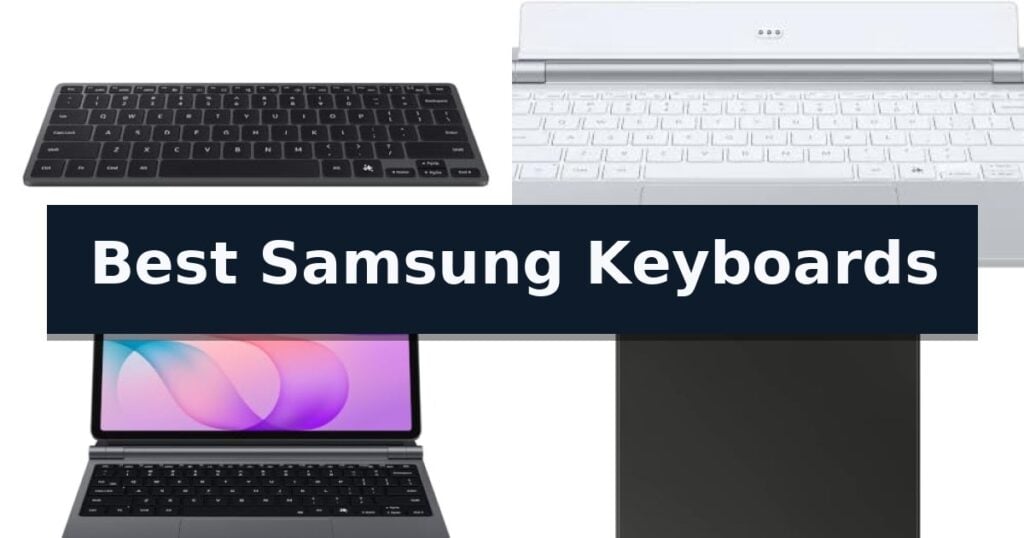
10 Best Samsung Keyboards in 2026 Reviews
Quick Comparison
| Product | Best For | Key Strength | Score |
|---|---|---|---|
| Samsung Smart Keyboard | Best Overall | Multi-device pairing allows for switching between three distinct devices. | 4.9 |
| Samsung Pro Keyboard | Laptop-Like Tablet Experience | Direct Pogo Pin connection ensures immediate, stable connectivity without Bluetooth pairing. | 4.8 |
| Samsung Galaxy Tab S12+ Pro Keyboard | Expanded Trackpad Efficiency | Pogo pin connection eliminates the need for Bluetooth pairing or charging. | 4.4 |
| Samsung Book Cover Keyboard Slim | Instant AI Access | Dedicated AI key for quick access to Bixby or Gemini. | 4.7 |
| Samsung Galaxy Tab S10+ Book Cover Keyboard | Versatile Viewing Angles | Dedicated AI key for quick access to Bixby or Gemini. | 4.3 |
| Samsung Book Cover Keyboard Slim (B0FMXHDFXH) | Pogo Pin Powered Typing | No charging or Bluetooth pairing required due to pogo pin connectivity. | 4.8 |
| Samsung Slim Keyboard Case | Sleek Ultra-Series Protection | Dedicated AI key for quick access to device-specific intelligent features. | 4.5 |
| Samsung Galaxy Tab Book Cover Keyboard | Free Angle Hinge Design | Intuitive pogo pin connection for simple, reliable setup. | 4.3 |
| Nillkin Rugged Keyboard Case | Military-Grade Drop Protection | Military-grade drop protection with a rugged TPU frame. | 4.7 |
| Sooguard Floating Keyboard Case | Magnetic Cantilever Stand | Magic-style floating cantilever stand for stable, adjustable viewing angles. | 4.3 |
How We Chose
To determine the best Samsung keyboards, we evaluate how each model integrates with the Galaxy ecosystem. We prioritize reliable connectivity, ergonomic typing comfort, and the inclusion of productivity-enhancing features like dedicated AI keys and DeX support. Our assessment focuses on how these tools translate into a consistent, efficient experience across different tablet and mobile form factors.
- Device compatibility and connection method (Pogo pin vs. Bluetooth)
- Typing ergonomics including key pitch and travel feel
- Integration with Samsung DeX and AI shortcut functionality
- Portability and build quality for mobile use
- Battery management and power source efficiency
1 Samsung Smart Keyboard — Slim Multi-Device Productivity
Maintaining a streamlined workspace often requires hardware that balances functional versatility with a clean aesthetic. The Samsung Smart Keyboard addresses this by combining a slim, lightweight aluminum finish with a 19 mm key pitch designed to mimic the tactile feel of a laptop. This device is engineered for users who need to manage multiple inputs across a mobile and desktop ecosystem without cluttering their desk.
Central to its utility is the dedicated AI Shortcut Key, which provides immediate access to smart assistants. Depending on the connected host, this button can launch Google Gemini or Bixby on Galaxy phones and tablets, or trigger Copilot when paired with a Galaxy Book. This integration allows for rapid interaction with AI tools directly from the hardware interface.
For those managing complex workflows, the keyboard supports seamless multi-device pairing for up to three devices. Users can switch between these connected units, facilitating efficient multitasking. Furthermore, the device includes customizable shortcut keys that allow for the assignment of specific Samsung applications, ensuring that frequently used tools are accessible with a single press.
Power management is handled through the use of coin cell batteries, which are optimized to provide long-lasting operation. The combination of its portable dimensions—measuring approximately 11.04 inches in length and 0.17 inches in height—and its robust connectivity features makes it a practical tool for maintaining productivity across various Samsung devices.
Best for: Users within the Samsung Galaxy ecosystem who require a portable, multi-device keyboard with integrated AI shortcut functionality.
Skip if: Users who prefer mechanical switches, backlighting, or a rechargeable internal battery rather than coin cell operation.
- Multi-device pairing allows for switching between three distinct devices.
- Dedicated AI Shortcut Key provides quick access to Gemini, Bixby, or Copilot.
- Slim, lightweight aluminum design offers a portable and stylish form factor.
- Customizable shortcut keys enable personalized access to frequently used apps.
- Coin cell battery power requires physical replacement rather than USB recharging.
- Lack of backlighting may limit visibility in low-light environments.
2 Samsung Pro Keyboard — Laptop-Like Tablet Experience
The Samsung Official Pro Keyboard with Ai Key (2026) is engineered to transform the Galaxy Tab S11 Ultra and S12 Ultra into a high-performance workstation. By utilizing a direct Pogo Pin connection, this accessory bypasses the common frustrations associated with wireless peripherals, such as latency or the need for constant battery management. This mechanical interface ensures that the keyboard is powered directly by the tablet, providing a stable and consistent input method that is ready for use the moment the device is opened.
Productivity is significantly bolstered by the inclusion of an expanded trackpad, which offers 14.6% more surface area than previous iterations. This increased space allows for more fluid navigation and supports intuitive multi-touch gestures, including zooming and scrolling, which are essential for managing complex workflows on a tablet interface. The hardware design prioritizes a slim, portable aluminum chassis that maintains a professional aesthetic while providing the tactile feedback required for extended typing sessions.
Setup is streamlined through a plug-and-play approach; users simply align the Pogo Pins on the keyboard with the corresponding interface on the back of the tablet. Because the keyboard remains connected even when the device is closed, it functions as a protective cover while ensuring the system is ready for immediate deployment. This design choice effectively mimics a traditional laptop experience, making it a practical solution for users who require a reliable, always-on typing interface without the setup overhead of Bluetooth pairing.
While the device offers a robust, integrated experience, it is important to note that the device-specific design limits compatibility exclusively to the Galaxy Tab S11 Ultra and S12 Ultra. This trade-off ensures a precise, secure fit for these specific models but prevents the keyboard from being used as a universal input device across other hardware brands or older tablet generations.
Best for: Users who require a dedicated, high-productivity typing and trackpad interface for the Galaxy Tab S11 Ultra or S12 Ultra without the latency or battery concerns of wireless peripherals.
Skip if: Users who prefer a lightweight, detachable cover without a built-in trackpad or those who require a universal keyboard compatible with multiple device brands.
- Direct Pogo Pin connection ensures immediate, stable connectivity without Bluetooth pairing.
- Expanded trackpad provides 14.6% more surface area for improved gesture control.
- Slim aluminum body offers a durable, portable design that maintains a laptop-like experience.
- Always-on integration allows for instant use when the tablet is opened.
- Device-specific design limits compatibility exclusively to the Galaxy Tab S11 Ultra and S12 Ultra.
3 Samsung Galaxy Tab S12+ Pro Keyboard — Expanded Trackpad Efficiency
The Samsung Galaxy Tab S12+ Pro Keyboard integrates directly with your tablet via a pogo pin connection, eliminating the need for Bluetooth pairing or external power sources. This design ensures the keyboard is ready for use the moment it is attached, providing a seamless transition between tablet and laptop-style workflows.
Engineered with an aluminum body and a durable metal hinge, this accessory offers a stable typing platform while maintaining a slim, portable profile. The integrated trackpad has been expanded by 40% compared to previous iterations, supporting multi-touch gestures such as scrolling and zooming to enhance navigation efficiency.
Productivity is further supported by dedicated shortcuts, including a DeX key for desktop-like interface switching and a customizable Favorite Hot Key that allows for the quick launch of up to three selected applications. Additionally, the inclusion of a dedicated AI Key provides immediate access to assistance tools without requiring the user to exit their current workspace.
The keyboard maintains its connection even when the device is closed, ensuring that the tablet is ready for immediate operation upon opening. This design choice prioritizes consistent accessibility, allowing users to move between tasks without managing wireless connections or additional setup steps.
Best for: Users seeking a dedicated, physical keyboard and trackpad experience that integrates directly with their Samsung Galaxy Tab S12+ Pro for desktop-style productivity.
Skip if: Users who require a lightweight, detached keyboard solution or those who prefer universal Bluetooth keyboards that can be used across multiple different device brands.
- Pogo pin connection eliminates the need for Bluetooth pairing or charging.
- Expanded 40% larger trackpad improves navigation and gesture support.
- Dedicated AI and DeX keys streamline workflow and application access.
- Durable aluminum body and metal hinge provide a premium, stable build.
- Limited compatibility restricted to the specific Galaxy Tab S12+ Pro model.
- Fixed form factor lacks the versatility of a detached or universal keyboard.
4 Samsung Book Cover Keyboard Slim — Instant AI Access
The Samsung Book Cover Keyboard Slim is engineered to transform your tablet into a versatile workstation, highlighted by a dedicated AI key that provides immediate access to Bixby or Gemini for streamlined query handling. This integration allows users to manage digital tasks and prompts directly through the keyboard interface, reducing the need to switch between touch-based navigation and typing.
Designed with a slim and lightweight profile, this accessory doubles as a protective cover when the tablet is not in use. The installation process is simplified through a magnetic attachment system, which ensures the keyboard remains securely fixed to the tablet while maintaining a sleek, modern aesthetic that does not add unnecessary bulk to your mobile setup.
For users who require a desktop-like workflow, the keyboard pairs seamlessly with DeX Mode to deliver a comprehensive PC-like interface on compatible Galaxy tablets. This capability is further enhanced by Wireless Keyboard Sharing, a feature that allows the keyboard to connect and navigate across multiple compatible Galaxy devices, significantly improving multitasking efficiency for professionals and students who manage workflows across different screens.
While the keyboard provides a functional typing experience, its primary design focus is on portability and seamless integration within the Samsung ecosystem. It offers a balanced trade-off between the tactile feedback of a full-sized desktop keyboard and the space-saving requirements of a mobile-first form factor, making it an efficient choice for those who prioritize a lightweight, integrated solution for on-the-go productivity.
Best for: Users who prioritize a slim, portable keyboard with dedicated AI access and seamless multi-device connectivity within the Samsung Galaxy ecosystem.
Skip if: Users who require a traditional, full-sized mechanical keyboard experience or those who do not utilize compatible Samsung Galaxy tablets.
- Dedicated AI key for quick access to Bixby or Gemini.
- Slim and lightweight magnetic design for easy portability.
- Wireless Keyboard Sharing enables navigation across multiple Galaxy devices.
- Supports DeX Mode for a PC-like interface.
- Form factor constraints inherent to slim, tablet-specific keyboard designs.
5 Samsung Galaxy Tab S10+ Book Cover Keyboard — Versatile Viewing Angles
The Samsung Galaxy Tab S10+ Book Cover Keyboard integrates a dedicated AI key, providing immediate access to Bixby or Gemini for streamlined query management. This accessory transforms the tablet into a functional workstation, utilizing a full-size keycap layout and a trackpad that pairs with DeX Mode for a familiar desktop-like interaction.
Designed for versatility, the unit features a magnetic attachment system that allows for quick detachment of the back cover. The integrated hinge supports a wide range of motion, tilting back to 150 degrees to ensure comfortable viewing angles for various tasks, from drafting emails to media consumption.
Productivity is further extended through Wireless Keyboard Sharing, which enables the keyboard to connect with other compatible Galaxy devices. This functionality allows users to maintain a consistent typing experience across their mobile ecosystem, switching between a tablet and a phone without needing separate peripherals.
With a slim profile measuring 0.58 inches in height and weighing approximately 1.13 pounds, the cover balances protective utility with portability. The combination of tactile keys and adjustable hardware makes it a practical choice for users who require a mobile setup that mimics a traditional PC environment.
Best for: Users who require a portable, PC-like typing experience and want seamless integration with AI tools and multiple Galaxy devices.
Skip if: Users who prefer a lightweight, minimalist tablet stand without a physical keyboard or those who do not use DeX Mode.
- Dedicated AI key for quick access to Bixby or Gemini.
- Wireless Keyboard Sharing for multi-device connectivity.
- Adjustable 150-degree hinge for versatile viewing angles.
- Magnetic detachable design for flexible usage.
- Adds weight and thickness to the tablet compared to standard covers.
6 Samsung Book Cover Keyboard Slim (B0FMXHDFXH) — Pogo Pin Powered Typing
Transitioning between a high-performance tablet and a productive workstation is seamless with the Samsung Book Cover Keyboard Slim (B0FMXHDFXH). This official accessory eliminates the need for manual pairing or battery management by utilizing integrated pogo pins that draw power directly from your Galaxy Tab S12 Ultra or S11 Ultra.
Designed for the 14.6-inch Ultra series, this keyboard cover provides a secure, magnetic hold that keeps the tablet stable during use. The slim, lightweight construction protects both the front and back of your device without adding unnecessary bulk, while the integrated Auto Screen On/Off functionality ensures your display wakes or sleeps automatically when you open or close the cover.
The keyboard enhances your workflow through a dedicated AI Key for instant access to Galaxy AI assistance and a quick toggle into Samsung DeX mode. This transformation provides a familiar desktop-style interface, allowing you to multitask, edit, and write with greater efficiency. Practical design touches include Caps Lock and Fn LED indicators to monitor your settings at a glance.
Built for travel and convenience, the unit features a sleek black exterior paired with a soft gray interior and a distinctive metal camera accent. Because it connects via hardware pins rather than Bluetooth, you can snap the tablet into place and begin typing immediately, making it a reliable solution for users who prioritize a streamlined, ready-to-use setup.
Best for: Users who prioritize a seamless, battery-free typing experience and desktop-like multitasking on the Galaxy Tab S12 Ultra or S11 Ultra.
Skip if: Users who require a keyboard with adjustable backlighting or a trackpad, as this slim model focuses on a minimalist, lightweight form factor.
- No charging or Bluetooth pairing required due to pogo pin connectivity.
- Dedicated AI Key for quick access to Galaxy AI features.
- Integrated Samsung DeX support for a desktop-like workspace.
- Auto Screen On/Off functionality for added convenience.
- Slim, minimalist design lacks a built-in trackpad.
- Specific compatibility limited to 14.6-inch Ultra models.
7 Samsung Slim Keyboard Case — Sleek Ultra-Series Protection
The Samsung Official Slim Keyboard Case (Ai Key) Galaxy Tab S10 Ultra & S9 Ultra is engineered to provide a streamlined typing experience while maintaining the slim profile of your tablet. This official accessory integrates directly with the device, offering a tactile keyboard layout that enhances productivity for users who frequently switch between tablet and laptop-style workflows.
Designed specifically for the Galaxy Tab S10 Ultra and S9 Ultra, this AI Book Cover Keyboard Slim features a dedicated AI key, allowing for quick interaction with supported artificial intelligence features on the device. Its lightweight construction ensures that the tablet remains portable, adding minimal bulk while providing essential screen protection when the device is not in use.
The keyboard connects seamlessly to the tablet, ensuring a responsive input method without the need for complex pairing processes. Its slim, ergonomic design is tailored to match the aesthetic of the Ultra-series tablets, providing a cohesive look and feel that prioritizes both form and function for mobile professionals.
While this keyboard excels at providing a compact typing solution, it is important to note that it is a specialized accessory built for specific Samsung models. Users should verify their tablet model to ensure compatibility with this official Samsung keyboard before purchase, as the fitment is precise to the dimensions of the S10 Ultra and S9 Ultra.
Best for: Users of the Samsung Galaxy Tab S10 Ultra or S9 Ultra who require a lightweight, integrated keyboard for mobile productivity and AI-assisted tasks.
Skip if: Users who prefer a mechanical keyboard with deep key travel or those who own a different tablet model not explicitly supported by this specific case design.
- Dedicated AI key for quick access to device-specific intelligent features.
- Official Samsung design ensures a perfect fit for the Tab S10 Ultra and S9 Ultra.
- Ultra-slim profile keeps the tablet setup portable and lightweight.
- Integrated protection for the tablet screen when closed.
- Limited compatibility restricted strictly to the Galaxy Tab S10 Ultra and S9 Ultra models.
- Lacks the additional bulk and features found in more robust, multi-angle stand keyboard cases.
8 Samsung Galaxy Tab Book Cover Keyboard — Free Angle Hinge Design
Transforming a tablet into a mobile workstation requires hardware that balances portability with functional input, and the Samsung Galaxy Tab Book Cover Keyboard is engineered specifically for this transition. By utilizing intuitive pogo pin connectors, this accessory eliminates the need for complex pairing, allowing for an immediate, stable connection to the Galaxy Tab S7 series.
The design prioritizes a PC-like experience through an expanded trackpad and larger keys with increased pitch, which aims to improve typing accuracy and navigation efficiency. The inclusion of dedicated function keys and shortcuts is specifically tailored to enhance the workflow within Samsung DeX mode, providing a more desktop-oriented interface for productivity tasks.
Versatility is a core component of the build, featuring a magnetized back cover equipped with a free angle hinge. This allows users to adjust the screen to their preferred viewing angle without being restricted to fixed positions. The cover also integrates a dedicated space to secure the S Pen, which remains magnetically attached and charges while docked to the device.
Despite its protective capabilities, the keyboard maintains a sleek and lightweight profile, ensuring that the tablet remains easy to transport. The cover provides comprehensive protection for both the screen and the back of the tablet, offering a practical solution for users who frequently work on the move.
Best for: Users who require a portable, PC-like typing experience and enhanced productivity features for their Samsung Galaxy Tab S7.
Skip if: Users who prefer a standalone Bluetooth keyboard or those who do not utilize Samsung DeX mode for their daily tasks.
- Intuitive pogo pin connection for simple, reliable setup.
- Free angle hinge allows for customizable screen positioning.
- Expanded trackpad and larger keys improve typing and navigation.
- Integrated S Pen storage with magnetic charging support.
- DeX-optimized features are limited to compatible applications.
- Tablet and S Pen are sold separately from the keyboard.
9 Nillkin Rugged Keyboard Case — Military-Grade Drop Protection
The Nillkin Rugged Keyboard Case provides a comprehensive solution for users seeking to transform their Samsung Galaxy Tab S10 FE or S9 into a versatile workstation. Its thickened TPU frame and shock-absorbing corners offer military-grade drop protection, ensuring the tablet remains secure in demanding environments like job sites or busy backpacks.
Typing efficiency is supported by 1.4mm key travel scissor-switch keys that provide tactile feedback. The keyboard features 7-color backlighting with three brightness levels, facilitating use in low-light conditions. When paired with Samsung DeX, the setup mimics a traditional laptop experience, further enhanced by a multi-touch trackpad equipped with palm rejection technology to prevent accidental cursor movement.
Flexibility is central to the design, featuring a stepless adjustable kickstand that allows for screen-to-keyboard angles between 90° and 155°. The carbon-steel hinge is tested for over 10,000 cycles, supporting reliable transitions between typing, sketching, and media consumption. The keyboard is detachable, allowing the tablet to be used in portrait orientation independently.
Power management is optimized for extended use, offering up to 100 hours of active typing on a single charge with a 180-day standby duration. The unit includes an integrated S Pen holder with a dedicated charging cutout, ensuring the stylus remains powered and accessible. The case also features a camera cover to protect the lens when not in use.
Best for: Users who require a durable, laptop-like typing experience and flexible viewing angles for their Samsung Galaxy Tab S10 FE or S9.
Skip if: Users who prioritize a lightweight, minimalist profile or those who own a 12.4-inch or 13.1-inch Samsung tablet model.
- Military-grade drop protection with a rugged TPU frame.
- 7-color backlit keyboard with scissor-switch keys for comfortable typing.
- Stepless adjustable kickstand offering a wide range of viewing angles.
- Integrated S Pen storage with a charging-compatible cutout.
- Increased weight and bulk compared to standard folio cases.
- Specific model compatibility limited to 10.9-inch and 11-inch versions.
10 Sooguard Floating Keyboard Case — Magnetic Cantilever Stand
Transforming a tablet into a mobile workstation requires a reliable interface, and the Sooguard Floating Keyboard Case addresses this by utilizing a magic-style floating cantilever magnetic stand. This design allows for secure attachment and provides multiple viewing angles, effectively bridging the gap between a portable tablet and a traditional laptop setup.
Engineered for productivity, this keyboard supports Samsung Dex Mode, enabling a desktop-like user interface. It also features a dedicated AI Key for rapid access to intelligent features and voice assistant tools. Navigation is handled by an integrated multi-touch trackpad, which supports gestures and cursor control to reduce the need for an external mouse during mobile tasks.
The typing experience is enhanced by a customizable backlit keyboard offering 7 vibrant color options and 3-level adjustable brightness. This ensures visibility in various lighting conditions, whether working in a dim office or a bright environment. The detachable keyboard design provides flexibility, allowing users to switch easily between tablet and laptop modes as needed.
Constructed with a sleek charcoal black finish, the case serves as a protective cover while maintaining a professional aesthetic. With its durable construction and lightweight profile, it is designed to protect the tablet from daily wear while keeping the overall setup portable.
Best for: Users who want to convert their Samsung Galaxy Tab S11 Ultra into a laptop-style workstation with trackpad and backlit typing capabilities.
Skip if: Users who require a lightweight, minimalist tablet sleeve without the added weight and bulk of an integrated mechanical keyboard and trackpad.
- Magic-style floating cantilever stand for stable, adjustable viewing angles.
- Integrated multi-touch trackpad for intuitive cursor control and gestures.
- Customizable 7-color backlit keys with 3 brightness levels for low-light use.
- Samsung Dex support for a desktop-like computing experience.
- Added weight and bulk compared to standard protective tablet covers.
Best Samsung Keyboards Buying Guide
Connection Methods: Pogo Pins vs. Bluetooth
Official Samsung keyboard covers utilize pogo pins to establish a direct, physical connection with your tablet. This eliminates the need for pairing, charging, or managing Bluetooth settings, providing an immediate, stable link that draws power directly from the device.
Alternatively, standalone Bluetooth keyboards offer greater flexibility by allowing you to connect to multiple devices, such as phones and laptops, simultaneously. While these require battery management, they are essential for users who frequently switch their typing input between different hardware platforms.
Ergonomics and Typing Feel
A comfortable typing experience is defined by key pitch and travel distance. Models with a standard 19 mm key pitch mimic the feel of a traditional laptop, which is crucial for long-form writing or intensive data entry tasks.
Slim or compact designs often sacrifice some key travel to maintain portability. Buyers should weigh the benefit of a lighter, thinner profile against the potential for a shallower typing sensation that may feel less tactile during extended use.
Productivity Features and Software Integration
Modern Samsung keyboards often feature dedicated AI keys that provide instant access to assistants like Bixby or Gemini. These shortcuts can significantly speed up workflows by allowing you to trigger smart features without navigating through menus.
DeX mode support is another critical factor for power users. Keyboards that include specific function keys for DeX allow you to manage windows and multitasking more effectively, turning a mobile tablet into a functional desktop-like workstation.
Portability and Protection
Keyboard cases serve a dual purpose as both an input device and a protective cover. Rugged options provide reinforced corners and shock absorption, making them ideal for field work or environments where the tablet is prone to drops.
Slim, magnetic covers prioritize a sleek aesthetic and lightweight design. These are better suited for users who primarily work in office or home environments and prefer a setup that adds minimal bulk to their device.
Customization and Workflow Efficiency
Many Samsung keyboards allow you to assign custom shortcuts to specific keys, enabling quick access to your most-used applications. This level of personalization helps streamline repetitive tasks and keeps your essential tools just a single press away.
Wireless keyboard sharing is a valuable feature for those who use multiple Galaxy devices. This functionality allows you to use one keyboard to control your phone and tablet, reducing clutter and ensuring a consistent typing experience across your entire device ecosystem.
Frequently Asked Questions
Do all Samsung keyboard covers require charging?
No, official Samsung Book Cover Keyboards that use pogo pin connectors are powered directly by the tablet, meaning they do not require separate charging or batteries.
Can I use a Samsung tablet keyboard with my phone?
Pogo pin keyboards are designed for specific tablet models. For phone compatibility, you should choose a Bluetooth-enabled keyboard that supports multi-device pairing.
What is the benefit of the dedicated AI key?
The AI key provides a one-tap shortcut to launch smart assistants like Bixby or Gemini, allowing for faster access to AI-driven prompts and search functions.
Are these keyboards compatible with Samsung DeX?
Most official Samsung keyboards are optimized for DeX mode, featuring dedicated function keys that help manage the desktop-like interface on your tablet.
How do I know if a keyboard fits my specific tablet model?
Always verify the model number in your tablet's settings and compare it against the manufacturer's compatibility list, as dimensions and pogo pin placements vary significantly between generations.
Conclusion: Our Top Pick
Our top pick is Samsung Smart Keyboard. Choosing the right keyboard for your Samsung device depends on your specific balance of mobility and productivity. For users deeply integrated into the Galaxy ecosystem, official pogo-pin covers provide the most seamless, maintenance-free experience.
If your workflow involves multiple devices, a versatile Bluetooth keyboard remains the superior choice. By focusing on connection type, ergonomics, and software shortcuts, you can ensure your setup supports your daily tasks effectively.