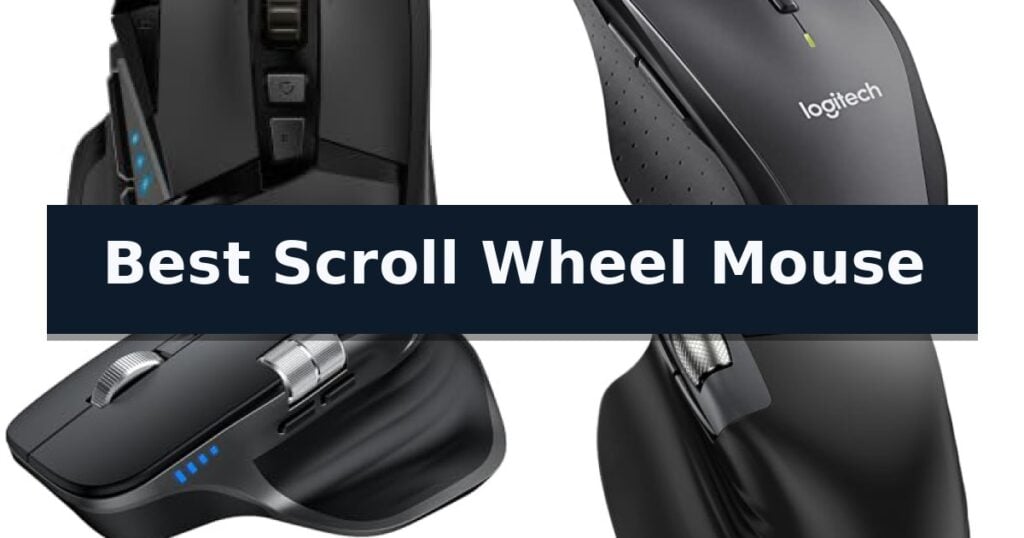
Logitech G502 HERO Wired Gaming Mouse is our top choice for the Best Scroll Wheel Mouse, offering a dual-mode hyper-fast scroll wheel that provides both tactile precision and free-spinning speed for varied tasks.
The Logitech M705 Marathon Wireless Mouse serves as a reliable alternative for users prioritizing long-term battery efficiency and a sculpted, comfortable shape for extended office use. Meanwhile, the TECKNET Wireless Mouse caters to those requiring advanced horizontal navigation through its dedicated side-mounted scroll wheel, which simplifies work in complex spreadsheets and design canvases.
Selecting a mouse with a high-quality scroll mechanism involves balancing your specific workflow needs against the physical design of the device. While some users benefit from the rapid, frictionless scrolling found in gaming-grade peripherals, others may find more utility in tilt-wheel functionality or side-scrolling capabilities that reduce the need for repetitive wrist movements during long professional sessions.
If you prefer a stationary device for your navigation needs, Best Roller Ball Mouse provides a unique alternative to traditional scrolling.
10 Best Scroll Wheel Mouse in 2026 Reviews
Quick Comparison
| Product | Best For | Key Strength | Score |
|---|---|---|---|
| Logitech G502 HERO Wired Gaming Mouse | Best Overall | HERO 25K sensor for high-precision tracking up to 25,600 DPI. | 4.9 |
| Logitech M705 Marathon Wireless Mouse | Frictionless hyper-fast wheel | Three-year battery life significantly reduces maintenance needs. | 4.7 |
| TECKNET Wireless Mouse | Dedicated horizontal side scroll | Dedicated side scroll wheel for efficient horizontal navigation. | 4.9 |
| TECKNET Ergonomic Wireless Mouse | Precision metal scroll wheel | Side scroll wheel for efficient horizontal navigation. | 4.3 |
| Logitech M510 Wireless Mouse | Tilt-wheel for horizontal navigation | Tilt-to-scroll function for efficient horizontal and vertical navigation. | 4.6 |
| Kensington Orbit Trackball Mouse | Unique ring-based scrolling | Integrated scroll ring for efficient vertical navigation. | 4.9 |
| INFINMIND Wireless Side Scroll Mouse | Adaptive smart flying scroll | Side scroll wheel for efficient horizontal navigation. | 4.3 |
| Amazon Basics Wired Mouse | Reliable standard precision wheel | Plug-and-play setup eliminates the need for software or driver installation. | 4.4 |
| Logitech M185 Wireless Mouse | Compact line-by-line scrolling | Ambidextrous contoured shape for comfortable use in either hand. | 4.8 |
| Logitech Ergo M575S Trackball Mouse | Ergonomic thumb-controlled navigation | Reduced forearm strain through ergonomic, stationary design | 4.7 |
How We Chose
When evaluating the best scroll wheel mouse, we focus on the mechanical feedback and functional versatility of the wheel itself. An experienced reviewer assesses how well the scroll action integrates with daily tasks, prioritizing consistent tracking, build quality, and the ergonomic impact of the scroll placement on the user's hand during extended periods of operation.
- Scroll wheel mechanism type (tactile vs. hyper-fast)
- Ergonomic design and hand-fit comfort
- Connectivity options (wired, Bluetooth, or USB receiver)
- Programmability of buttons and secondary scrolling features
- Battery life or power management efficiency
1 Logitech G502 HERO Wired Gaming Mouse — Hyper-fast dual-mode scrolling
Precision control and physical customization define the Logitech G502 HERO Wired Gaming Mouse, a device engineered for users who require granular adjustments to their input hardware. At the center of its performance is the HERO 25K sensor, which provides tracking up to 25,600 DPI without the interference of smoothing, filtering, or acceleration.
The mouse features a dual-mode hyper-fast scroll wheel, allowing for rapid navigation through long documents or precise, tactile scrolling during intensive tasks. Complementing this, the device includes 11 programmable buttons that can be mapped to specific functions, supported by onboard memory to save configurations directly to the hardware.
Physical ergonomics are addressed through an adjustable weight system, which includes five 3.6g weights. This allows users to modify the mouse's balance and overall feel to match their personal preference. The integration of mechanical switch button tensioning with metal pivot hinges ensures a consistent, crisp click feel across the primary buttons.
Aesthetic and functional customization is further extended via LIGHTSYNC technology, which offers fully programmable RGB lighting. This system can be synchronized with other software-supported activities, providing a cohesive visual experience for the desktop setup.
Best for: Users who require a highly customizable, wired input device with adjustable weight and extensive button programmability.
Skip if: Users who prefer a wireless connection or a lightweight, minimalist design without extra buttons or weight-adjustment systems.
- HERO 25K sensor for high-precision tracking up to 25,600 DPI.
- Adjustable weight system with five 3.6g weights for personalized balance.
- 11 programmable buttons for extensive control mapping.
- Dual-mode hyper-fast scroll wheel for versatile navigation.
- Wired-only connection limits desk placement flexibility.
- Complex configuration may require software installation for full functionality.
2 Logitech M705 Marathon Wireless Mouse — Frictionless hyper-fast wheel
Navigating long documents or extensive web pages becomes significantly more efficient with the Logitech M705 Marathon Wireless Mouse, which features a nearly frictionless metal scroll wheel designed for hyper-fast scrolling. This specialized wheel allows users to fly through content with a single spin, reducing the repetitive motion often required by standard mouse wheels.
Beyond its scrolling capabilities, the Logitech M705 Marathon Wireless Mouse is engineered for longevity and precision. It utilizes advanced power management to achieve up to three years of battery life, minimizing the frequency of maintenance. The device is equipped with laser-grade tracking, ensuring responsive and accurate cursor control even on challenging surfaces like wood-grain or polished tables.
The ergonomic, sculpted design of the Logitech M705 Marathon Wireless Mouse is tailored for right-handed users, promoting a natural hand position during extended sessions. It includes five customizable buttons, including two thumb-operated controls that facilitate quick navigation between web pages. Connectivity is handled by the tiny Logitech Unifying receiver, which stays plugged into a laptop port and supports the addition of other compatible wireless peripherals.
This mouse offers a practical balance between high-performance features and power efficiency. While it lacks the extreme weight-adjustment or high-polling rate features found in specialized gaming mice, its focus on endurance and productivity-oriented navigation makes it a reliable tool for daily computing tasks.
Best for: Users who prioritize long battery life and efficient navigation through long documents or web pages.
Skip if: Left-handed users or those requiring a specialized gaming mouse with high-polling rates and adjustable weight systems.
- Three-year battery life significantly reduces maintenance needs.
- Hyper-fast scrolling wheel enables rapid navigation of long documents.
- Laser-grade tracking provides precision on difficult surfaces.
- Logitech Unifying receiver allows for a clutter-free, multi-device setup.
- Right-handed ergonomic design is not suitable for left-handed users.
- Lacks advanced gaming features such as adjustable DPI or high-polling rates.
3 TECKNET Wireless Mouse — Dedicated horizontal side scroll
Navigating complex spreadsheets or expansive design canvases often requires more than a standard vertical scroll. The TECKNET Wireless Mouse addresses this with a dedicated side-mounted scroll wheel, allowing for effortless horizontal navigation that reduces the need for repetitive wrist movements during extended work sessions.
Beyond its specialized scrolling capabilities, this mouse is built for multitasking, supporting seamless 3-device switching across two Bluetooth 5.3/5.0 connections and a 2.4GHz USB-A receiver. Users can toggle between connected devices with a single button, streamlining workflows that involve multiple laptops or tablets.
Precision is managed through a high-performance sensor offering 6-level DPI control, adjustable from 800 up to 4800 DPI. An integrated LED indicator provides visual confirmation of the current sensitivity setting, ensuring the cursor speed matches the specific task at hand, whether it involves detailed graphic work or rapid browsing.
The device is designed for quiet environments, featuring silent click switches that minimize noise without sacrificing tactile feedback. Its rechargeable internal battery supports up to 3 months of use on a single charge based on typical daily activity, and an auto-sleep function activates after 10 minutes of inactivity to preserve power.
Constructed with a precision-crafted metal scroll wheel, the mouse offers a distinct tactile feel and increased durability compared to standard plastic alternatives. While highly versatile, users should note that the side buttons are not supported on macOS, and the side scroll wheel may have limited functionality in older software versions like Microsoft Office 2016.
Best for: Professionals and designers who frequently navigate wide spreadsheets or large canvases and require multi-device connectivity.
Skip if: Users who rely on macOS for their primary workflow, as the side buttons are not supported on that operating system.
- Dedicated side scroll wheel for efficient horizontal navigation.
- Multi-device connectivity supporting up to three devices simultaneously.
- 6-level adjustable DPI for precise cursor control.
- Silent click technology for quiet office or library environments.
- Rechargeable battery with long-lasting performance.
- Side buttons are not supported on macOS devices.
- Limited compatibility for the side scroll wheel in older software versions.
4 TECKNET Ergonomic Wireless Mouse — Precision metal scroll wheel
The TECKNET Ergonomic Wireless Mouse distinguishes itself with a dedicated side scroll wheel, a specialized feature designed to streamline horizontal navigation across expansive Excel spreadsheets and design canvases. By allowing users to scroll left and right with a simple flick, this mouse aims to reduce repetitive wrist strain and minimize the need for manual dragging during complex workflows.
Beyond its specialized side navigation, the device offers versatile connectivity options, including BT 5.3/5.0, a 2.4 GHz USB receiver, and a wired mode for uninterrupted use. The mouse features a high-speed precision metal scroll wheel for vertical navigation and a 6-level adjustable DPI (up to 4800) to accommodate varying tracking requirements on different surfaces.
Designed for productivity, the TECKNET Ergonomic Wireless Mouse incorporates silent click technology to maintain a quiet environment, making it suitable for shared office spaces or libraries. The ergonomic contouring is intended to provide a comfortable grip during extended sessions, while the rechargeable battery supports up to 90 days of operation on a single charge.
Power management is automated through an auto-sleep function that activates after 10 minutes of inactivity, helping to extend battery life. While the device is widely compatible with Windows, Chrome, and Linux, users should note that the side scroll wheel functionality is not supported on macOS. The unit is backed by a 36-month warranty upon registration.
Best for: Professionals who frequently navigate wide spreadsheets or design software and require multi-device connectivity.
Skip if: Mac users who specifically require side scroll wheel functionality, as this feature is not supported on macOS.
- Side scroll wheel for efficient horizontal navigation.
- Tri-mode connectivity (Bluetooth, 2.4G, and Wired).
- Silent click technology for quiet operation.
- Long-lasting rechargeable battery (up to 90 days).
- Side scroll wheel is not compatible with macOS.
- Auto-sleep feature requires a click to wake the device.
5 Logitech M510 Wireless Mouse — Tilt-wheel for horizontal navigation
Navigating long documents or complex spreadsheets requires hardware that keeps pace with your workflow, and the Logitech M510 Wireless Mouse addresses this with a dedicated tilt-to-scroll function. This feature allows for horizontal and vertical navigation, providing a distinct advantage when managing expansive data sets or wide media timelines.
Beyond its scrolling capabilities, the mouse features a contoured shape with soft rubber grips designed to support the hand during extended use. It includes three standard buttons along with dedicated Back/Forward buttons, which can be programmed to switch applications or toggle full-screen modes using the necessary Logitech software.
Efficiency is a core design element, evidenced by a two-year battery life supported by an integrated On/Off switch and a smart sleep mode. The device utilizes a tiny Logitech Unifying receiver that remains connected to a laptop port, reducing the risk of loss while allowing for the addition of compatible wireless peripherals to the same connection.
While the mouse offers robust functionality for productivity, users should note that the advanced button programming and side-to-side scrolling features require the installation of Logitech SetPoint or Logitech Control Center software. Its full-size, ambidextrous-friendly design is intended for those seeking a balance between ergonomic support and multi-button control.
Best for: Users who frequently navigate wide spreadsheets or media timelines and require a reliable, long-battery-life wireless mouse.
Skip if: Users who prefer a compact, travel-sized mouse or those who require a high-precision gaming sensor for competitive play.
- Tilt-to-scroll function for efficient horizontal and vertical navigation.
- Two-year battery life with power-saving smart sleep mode.
- Programmable buttons for customized application control.
- Ergonomic contoured shape with soft rubber grips for comfort.
- Software dependency required to enable advanced button and scrolling features.
- Full-size dimensions may be less portable than compact travel mice.
6 Kensington Orbit Trackball Mouse — Unique ring-based scrolling
Navigating digital workspaces often requires a shift in how you interact with your screen, and the Kensington Orbit Trackball Mouse offers a distinct approach by moving cursor control to a stationary 40mm ball. This design choice prioritizes desk space and reduces the need for broad arm movements, allowing for precise navigation through a hard, absolute spherical surface.
The standout feature of this device is the integrated scroll ring, which enables vertical movement through long documents or web pages with a simple twisting motion. This tactile control is complemented by an ambidextrous design, ensuring that both left-handed and right-handed users can utilize the same ergonomic layout without compromise.
For extended computer sessions, the included detachable wrist rest provides support to help maintain a neutral hand position. While the hardware is ready for immediate use, the KensingtonKonnect software allows for further customization, enabling users to reassign functions to the two primary buttons and fine-tune cursor and scrolling speeds to match their specific workflow requirements.
Compatibility remains a key consideration for this trackball. While it functions seamlessly across various platforms, users operating on ChromeOS should note that they will be limited to standard HID functions, as the customization software is not available for that operating system. With its 5-year warranty, this device is built for long-term reliability in professional or home office environments.
Best for: Users seeking a stationary, space-saving cursor control solution with tactile ring-based scrolling for extended document navigation.
Skip if: Users who require a traditional high-speed optical mouse for gaming or those operating on ChromeOS who need advanced button customization.
- Integrated scroll ring for efficient vertical navigation.
- Ambidextrous design suitable for all users.
- Detachable wrist rest for improved ergonomic support.
- Customizable buttons via KensingtonKonnect software.
- Limited software support for ChromeOS users.
- Stationary design requires a learning curve for those accustomed to traditional mice.
7 INFINMIND Wireless Side Scroll Mouse — Adaptive smart flying scroll
Navigating a multi-device workspace requires hardware that keeps pace with your workflow, and the INFINMIND Wireless Side Scroll Mouse is engineered specifically for this versatility. Featuring a dedicated side scroll wheel, this device allows for horizontal navigation, making it a practical tool for managing wide spreadsheets or expansive digital canvases without constant cursor repositioning.
The INFINMIND Wireless Side Scroll Mouse incorporates a Smart Flying Scroll metal roller, designed for high-speed vertical movement with near-silent operation. Its ergonomic contoured shape and soft rubber grips are intended to provide sustained support during extended use, while the 4-level adjustable DPI (1000/1600/2400/3000) allows users to tailor tracking sensitivity to their specific task requirements.
Connectivity is a core strength, as the mouse supports three simultaneous device connections via a combination of 2.4G USB and dual Bluetooth channels. Switching between a laptop, tablet, or desktop is managed through a single button click, and the system is compatible with Windows, Mac OS, Linux, iOS, Android, and Chrome OS. The adaptive software eliminates the need for manual OS switching.
Power management is handled by a flexible battery configuration; the mouse operates on one or two AA batteries, with the latter providing up to 40 months of battery life depending on usage. This design choice allows users to adjust the physical weight of the mouse to their preference while ensuring long-term reliability for daily computing tasks.
Best for: Multitasking professionals who require horizontal scrolling and seamless switching between three different computing devices.
Skip if: Users who prefer a lightweight, rechargeable internal battery system rather than managing AA battery replacements.
- Side scroll wheel for efficient horizontal navigation.
- Multi-device connectivity supporting up to three devices via 2.4G and Bluetooth.
- Adjustable weight configuration using one or two AA batteries.
- 4-level DPI settings for customizable cursor precision.
- Battery-dependent power requires manual replacement rather than USB recharging.
8 Amazon Basics Wired Mouse — Reliable standard precision wheel
The Amazon Basics 3-Button USB Wired Mouse centers its design around a reliable, plug-and-play experience, utilizing a 6-foot cable that ensures consistent connectivity without the need for batteries or wireless pairing. This full-size optical mouse is built for straightforward navigation, making it a functional tool for standard office tasks and general computing environments.
Equipped with a 1000 DPI optical sensor, the device provides steady cursor tracking suitable for daily productivity. Its ergonomic right-hand grip, measuring 4.5 by 2.4 by 1.57 inches, is engineered to support comfortable usage over extended periods, while the lightweight construction reduces physical strain during repetitive tasks.
The 3-button layout includes a responsive scroll wheel that doubles as a middle-click button, facilitating efficient document and web navigation. Because it operates via a standard USB-A connection, the mouse is widely compatible with Windows and Mac OS systems, requiring no additional driver installations or complex software configurations to function immediately upon connection.
While the device offers a robust wired solution for desktop users, those utilizing modern laptops with only USB-C ports will need to account for an external adapter to bridge the connection. This mouse prioritizes simplicity and consistent performance, serving as a dependable peripheral for users who prefer a permanent, corded setup over battery-dependent alternatives.
Best for: Users seeking a reliable, battery-free, and straightforward wired mouse for standard office or home computing tasks.
Skip if: Users who require wireless freedom, programmable side buttons, or native USB-C connectivity without the use of an adapter.
- Plug-and-play setup eliminates the need for software or driver installation.
- Reliable wired connection via a 6-foot cable ensures no battery maintenance or signal lag.
- Ergonomic right-hand grip designed for comfortable, extended use.
- Precise 1000 DPI optical sensor provides consistent cursor control for general tasks.
- USB-A connection requires an adapter for computers equipped exclusively with USB-C ports.
- Fixed 3-button layout lacks additional programmable side buttons for advanced workflows.
9 Logitech M185 Wireless Mouse — Compact line-by-line scrolling
Navigating daily computer tasks becomes significantly more efficient with the Logitech M185 Wireless Mouse, which offers a reliable alternative to standard laptop touchpads. Designed for immediate use, this device features plug-and-play simplicity via a tiny nano USB receiver that maintains a strong connection up to 33 feet away.
The Logitech M185 Wireless Mouse is built with a contoured, ambidextrous shape that provides consistent comfort for both left- and right-handed users. Its line-by-line scroll wheel ensures precise navigation through documents and web pages, while the optical tracking technology delivers smooth cursor control on various surfaces.
Efficiency is a core focus of this model, as it is engineered to help users work faster and more productively compared to traditional touchpads. The device includes a smart sleep mode that helps extend the battery life up to 1 year, allowing for long-term reliability without frequent maintenance.
Compatibility is broad, supporting Windows PCs, Macs, and laptops without the need for complex software installations. Backed by a 3-year limited hardware warranty, this compact peripheral is a straightforward solution for those seeking a durable and portable input device for their workstation.
Best for: Users seeking a compact, reliable, and ambidextrous wireless mouse for general productivity on Windows or Mac computers.
Skip if: Users who require advanced programmable buttons, high-precision gaming sensors, or ergonomic vertical designs for specialized workflows.
- Ambidextrous contoured shape for comfortable use in either hand.
- Long battery life of up to 1 year with smart sleep mode.
- Plug-and-play connectivity with a convenient nano USB receiver.
- Universal compatibility across Windows and Mac operating systems.
- Compact size may feel too small for users with larger hands.
- Basic feature set lacks programmable side buttons or specialized software controls.
10 Logitech Ergo M575S Trackball Mouse — Ergonomic thumb-controlled navigation
Navigating a workspace with limited surface area requires hardware that minimizes physical reach, and the Logitech Ergo M575S Trackball Mouse addresses this by eliminating the need for broad arm movements. By utilizing a stationary base with a thumb-operated ball, this device allows for precise cursor control while keeping your hand in a fixed, relaxed position.
Developed with input from the Logi Ergo Lab, the Logitech Ergo M575S Trackball Mouse is engineered to reduce forearm muscle strain by 25% compared to a traditional mouse. Its sculpted ergonomic shape is designed to support various hand sizes, promoting a more natural forearm posture during extended periods of use.
Connectivity is handled through either Bluetooth or the included Logi Bolt USB receiver, offering flexibility for different workstation setups. The device is powered by a single AA battery, which supports up to 18 months of operation, ensuring long-term reliability without frequent maintenance.
Customization is managed via the Logi Options+ App, where users can configure the 3 programmable buttons and adjust cursor speed to match specific workflow requirements. Furthermore, the construction incorporates post-consumer recycled plastic, with the graphite model containing 52% recycled content.
Best for: Users with limited desk space or those seeking to reduce forearm strain through a stationary, thumb-controlled ergonomic design.
Skip if: Users who require high-speed, wide-range physical mouse movements or those who prefer a traditional optical sensor interface.
- Reduced forearm strain through ergonomic, stationary design
- Space-saving footprint as the device does not require surface area for movement
- Flexible connectivity via Bluetooth or Logi Bolt USB receiver
- Customizable controls using the Logi Options+ App
- Thumb-only navigation may require an adjustment period for those accustomed to wrist-based movement
Best Scroll Wheel Mouse Buying Guide
Understanding Scroll Wheel Mechanisms
The primary distinction between scroll wheels lies in their feedback mechanism. Tactile wheels provide distinct, stepped resistance that is ideal for precise navigation, such as selecting weapons in a game or moving through specific lines in a document.
Hyper-fast or free-spinning wheels allow the mechanism to rotate with minimal friction. This is particularly advantageous when navigating long web pages or massive datasets, as it enables rapid movement without the fatigue associated with repeated finger strokes.
Ergonomics and Hand Positioning
A mouse that forces an unnatural grip will cause strain regardless of how good the scroll wheel feels. Look for a shape that supports your natural palm or claw grip, ensuring the scroll wheel is positioned within easy reach of your index finger.
For users who spend hours daily on a computer, features like rubberized grips or contoured thumb rests can significantly improve comfort. A well-designed mouse should align the forearm and wrist to minimize muscle tension during repetitive scrolling tasks.
Connectivity and Multi-Device Use
Wired mice offer the advantage of a constant, lag-free connection and never require battery changes, making them a staple for gaming and high-performance environments. However, they tether you to the desk and require cable management.
Wireless options, including Bluetooth and USB-A receivers, provide freedom of movement and a cleaner workspace. Modern wireless mice often feature multi-device switching, allowing you to toggle between a laptop, desktop, or tablet with a single button press.
Horizontal Scrolling and Productivity
Standard scroll wheels only move vertically, but some models include tilt-wheel functionality or dedicated side wheels to handle horizontal navigation. These features are essential for professionals working with wide spreadsheets, video editing timelines, or large design canvases.
By offloading horizontal movement to a secondary wheel or tilt action, you reduce the need to drag the cursor to the bottom scroll bar. This simple change can drastically increase efficiency and reduce the repetitive motion that often leads to wrist discomfort.
Programmability and Customization
High-end mice often include software that allows you to remap buttons and adjust the sensitivity of the scroll wheel. This level of customization ensures that the mouse adapts to your specific software environment, whether it is a creative suite or a gaming platform.
Even basic mice may offer programmable side buttons that can be assigned to common tasks like 'back' or 'forward' navigation. Evaluating the software support for your operating system is crucial to unlocking the full potential of these programmable features.
Frequently Asked Questions
What is a hyper-fast scroll wheel?
A hyper-fast scroll wheel is a mechanism that can be toggled to spin freely without the tactile 'clicks' or steps found in standard mice, allowing you to scroll through thousands of lines of text in a single flick.
Do I need a wired or wireless mouse for scrolling?
Wired mice are generally preferred for gaming or environments where consistent, zero-latency performance is critical. Wireless mice are better for mobile setups, clean desks, and users who frequently switch between multiple devices.
What is a tilt-wheel?
A tilt-wheel is a scroll wheel that can be pushed left or right in addition to scrolling up and down. This motion is typically used for horizontal scrolling in applications like Excel or web browsers.
How do I know if a mouse is ergonomic?
An ergonomic mouse is designed to fit the natural contours of your hand, reducing muscle strain. Look for features like a sculpted shape, thumb rests, and a size that matches your hand dimensions.
Can I use a side scroll wheel on a Mac?
Compatibility varies by model and software. While many side-scroll mice work with macOS, some specific button functions or side-wheel features may require manufacturer-specific software that might not be fully supported on all versions of macOS.
Conclusion: Our Top Pick
Our top pick is Logitech G502 HERO Wired Gaming Mouse. Choosing the right mouse depends on how you interact with your digital workspace. If your daily routine involves heavy document navigation, a model with a hyper-fast or side-scrolling wheel will provide the most significant productivity gains.
Prioritize comfort and connectivity to ensure your choice remains effective over the long term. By matching the scroll mechanism and ergonomic profile to your specific tasks, you can significantly reduce fatigue and improve your overall computing experience.