MEETION Foldable Ergonomic Bluetooth Keyboard is our top choice for the Best Short Travel Keyboards, offering a unique split ergonomic layout that prioritizes wrist comfort during long typing sessions on the go. For those who need a full-sized typing experience in a portable frame, the TECKNET Wireless Foldable Bluetooth Keyboard provides a familiar layout with a numeric keypad. If you prefer an all-in-one solution that replaces your mouse, the Doohoeek Travel Keyboard with Touchpad integrates a trackpad to streamline your mobile workspace.
Selecting a portable keyboard requires balancing physical dimensions with typing comfort. While ultra-compact models save space in a carry-on, they often require a period of adjustment to master the smaller key spacing. We prioritize designs that offer stable surfaces, reliable wireless connectivity, and battery efficiency to ensure your workflow remains uninterrupted while traveling between cafes, hotels, and transit hubs.
Experienced travelers should consider how a keyboard integrates with their existing ecosystem of devices. Multi-device switching allows you to toggle between a tablet and a laptop seamlessly, while the inclusion of dedicated hotkeys can significantly speed up navigation. We focus on these practical usability factors to ensure your choice supports your specific productivity needs without adding unnecessary bulk to your luggage.
For users who prefer the tactile feel of specific hardware, Best Scissor Switch Keyboards for PC offer a consistent typing experience that translates well to portable travel models.
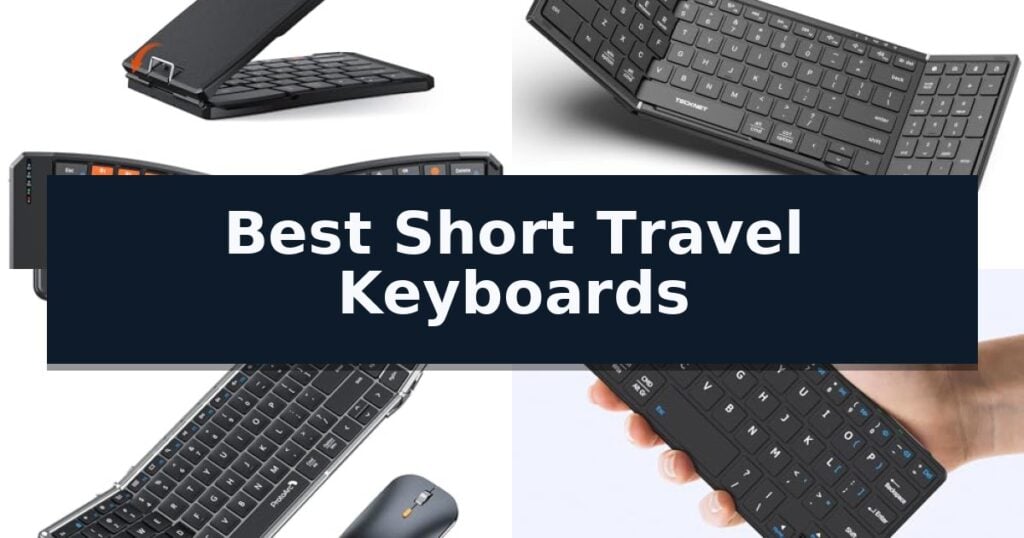
10 Best Short Travel Keyboards in 2026 Reviews
Quick Comparison
| Product | Best For | Key Strength | Score |
|---|---|---|---|
| MEETION Foldable Ergonomic Bluetooth Keyboard | Best Overall | V-shaped 166° split design for improved ergonomic comfort. | 4.9 |
| TECKNET Wireless Foldable Bluetooth Keyboard | Full-Size Layout in Foldable Form | Foldable design allows for extreme portability in small bags. | 4.9 |
| ProtoArc XKM01 Foldable Keyboard Mouse Combo | Complete Portable Office Kit | 105-key layout includes a full number pad for data-heavy tasks. | 4.8 |
| Kenkor Universal Wireless Portable Keyboard | Ultra-Slim Wallet-Sized Design | Ultra-compact, foldable design that fits easily into bags or pockets. | 4.3 |
| Doohoeek Travel Keyboard with Touchpad | Integrated Trackpad for Laptop Feel | Integrated spacious touchpad removes the need for an external mouse. | 4.9 |
| DOGAIN Universal Bluetooth Mini Keyboard | Pocket-Sized with Adjustable Stand | Dual-device connectivity allows for quick switching between phones and tablets. | 4.7 |
| TECKNET Foldable Bluetooth Keyboard Mouse Combo | Dual-Mode Travel Set | Ultra-portable foldable design with magnetic closure for easy storage. | 4.3 |
| MangoEra Compact Wireless Keyboard Mouse Combo | Space-Saving Desktop Alternative | Compact 83-key design saves significant desk space. | 4.4 |
| Snpurdiri 60% Wired Gaming Keyboard | Compact Mechanical-Feel Gaming | Ultra-compact 60% design saves significant desk space and enhances portability. | 4.3 |
| Rii X8 Mini Keyboard | Handheld Control for Media | Dual-mode connectivity supports both Bluetooth and 2.4GHz wireless. | 4.6 |
How We Chose
When evaluating the best short travel keyboards, we analyze how each design balances compact dimensions with long-term usability. An experienced reviewer must assess the trade-offs between extreme portability and the physical space required for comfortable typing, ensuring that features like connectivity, battery longevity, and structural stability meet the demands of frequent mobile use.
- Portability and folding mechanism durability
- Typing comfort and key switch tactile feedback
- Multi-device connectivity and OS compatibility
- Battery life and power management features
- Build quality and surface stability
1 MEETION Foldable Ergonomic Bluetooth Keyboard — Ergonomic Split Design for Travel
The MEETION Foldable Ergonomic Bluetooth Keyboard distinguishes itself with a unique V-shaped 166° split design, engineered to align with natural hand posture and reduce wrist tension during extended typing sessions. This portable device is specifically crafted for professionals and digital nomads who require a full-sized typing experience in a compact, travel-friendly form factor.
Beyond its ergonomic architecture, the keyboard features low-profile scissor-switch keys that provide tactile, laptop-grade feedback while operating at a noise level reduced by over 90%. This makes it a practical choice for quiet environments such as libraries or co-working spaces. The unit is protected by a durable, wipe-clean PU leather exterior and includes a secure magnetic clasp to prevent accidental openings while stored in a bag.
Connectivity is handled through Bluetooth multi-device pairing, allowing users to switch between three devices—such as tablets, smartphones, and laptops—with a single tap. The keyboard is compatible with iOS, Android, Windows, and macOS, ensuring broad utility across various tech ecosystems. An integrated metal kickstand provides stability, allowing for consistent typing even when used on uneven surfaces or on the lap.
Power efficiency is managed by a 140mAh rechargeable battery, offering up to 60 hours of standby time. To preserve energy, the keyboard includes a 20-minute auto-sleep mode and a dedicated side toggle switch for manual power control. The layout includes six rows of keys and dedicated hotkeys for volume, app switching, and emojis to maintain a streamlined workflow.
Best for: Business travelers and digital nomads who need a portable, ergonomic typing solution that works across multiple mobile and desktop devices.
Skip if: Users who require a traditional, non-split keyboard layout or those who prefer a full-sized mechanical keyboard experience.
- V-shaped 166° split design for improved ergonomic comfort.
- Multi-device Bluetooth connectivity for up to three devices.
- Silent scissor-switch keys that reduce typing noise by 90%.
- Integrated metal kickstand for stability on uneven surfaces.
- Learning curve required to adapt to the split ergonomic key layout.
2 TECKNET Wireless Foldable Bluetooth Keyboard — Full-Size Layout in Foldable Form
Maximizing desk space while maintaining a full-sized typing experience is the primary draw of the TECKNET Wireless Foldable Bluetooth Keyboard. This device features a unique folding design that collapses to a compact 7.26 by 4.52 by 0.9 inches, allowing it to fit easily into most bags for travel.
Engineered for versatility, the keyboard incorporates ultra-quiet scissor-switch keys designed to reduce typing noise by 90%. This makes it a practical choice for shared environments like libraries or open offices where minimizing distractions is a priority. The inclusion of a numeric keypad provides a full-size layout despite the portable form factor, ensuring that data entry remains efficient on the move.
Connectivity is handled through a multi-device approach, supporting up to three simultaneous connections via dual Bluetooth 6.0 chips and a 2.4G USB receiver. Users can switch between Windows, Mac, iOS, and Android devices with ease. The unit also includes 12 multimedia shortcuts to streamline navigation and volume control.
Power management is addressed through a rechargeable battery system paired with an auto-sleep function, which helps extend standby time up to 275 days. The chassis is built with an aluminum alloy hinge tested for over 100,000 folds, and the package includes a dedicated device stand to support tablets or smartphones during use.
Best for: Remote professionals and frequent travelers who require a full-size layout with a numeric keypad in a highly portable, foldable design.
Skip if: Users who prefer the tactile feedback and travel distance of mechanical switches, or those who require a rigid, non-folding chassis for heavy-duty desktop use.
- Foldable design allows for extreme portability in small bags.
- Multi-device connectivity supports up to three devices simultaneously.
- Ultra-quiet scissor-switch keys minimize typing noise.
- Full-size layout includes a dedicated numeric keypad.
- Folding mechanism introduces a seam in the keyboard layout.
- Requires registration to fully utilize the 36-month warranty.
3 ProtoArc XKM01 Foldable Keyboard Mouse Combo — Complete Portable Office Kit
Maintaining a productive workspace while traveling often requires balancing full-size functionality with extreme portability. The ProtoArc XKM01 Full-Size Foldable Keyboard Mouse Combo addresses this by integrating a 105-key layout, including a dedicated number pad, into a tri-fold design that collapses to fit inside a compact hard case.
Engineered for the mobile professional, the keyboard features internal aluminum hinges tested for over 100,000 folds, ensuring longevity during frequent transit. The no-clip fold-and-go design allows for rapid deployment without complex setup, while the included foldable stand supports tablets ranging from 4 to 11 inches to complete the portable office kit.
Connectivity is managed through dual-mode support, allowing users to switch between three devices using either 2.4G USB-A or Bluetooth. The accompanying ultra-slim mouse provides adjustable DPI settings of 1000, 1600, and 2400 for precise tracking, complemented by 25dB quiet switches designed for use in shared environments like hotels or transit hubs.
Power management is optimized for long trips, with both the keyboard and mouse utilizing rechargeable batteries via a Type-C connection. The system includes an auto-sleep standby mode capable of lasting up to 150 days for the keyboard and 200 days for the mouse, minimizing the need for frequent charging during travel.
Best for: Business travelers who require a full-size typing experience and a number pad while maintaining a highly portable, all-in-one office kit.
Skip if: Users who prefer working with the keyboard on their lap or soft surfaces, as this model is designed to rest flat on stable desk surfaces for optimal stability.
- 105-key layout includes a full number pad for data-heavy tasks.
- Tri-fold design with a protective hard case for easy transport.
- 3-device switching via Bluetooth and 2.4G wireless connectivity.
- Long-lasting battery with up to 150-200 days of standby time.
- Surface sensitivity requires a flat, stable desk for best results.
- Non-backlit keys may limit visibility in low-light environments.
4 Kenkor Universal Wireless Portable Keyboard — Ultra-Slim Wallet-Sized Design
Portability defines the Kenkor Universal Wireless Portable Keyboard, a device specifically engineered to fold into a wallet-sized footprint for seamless travel. Measuring just 7.68 inches by 3.34 inches and weighing 193.4 grams, this accessory eliminates the need for bulky input hardware during business trips or tourism.
Beyond its compact frame, the keyboard integrates a 180 mAh rechargeable battery that provides over 80 hours of usage on a single charge, requiring only 2-3 hours to replenish via the included Type-C cable. The unit maintains connectivity through wireless Bluetooth technology, supporting a range of up to 10 meters for flexible workspace arrangements.
Functionality is enhanced by the inclusion of a high-quality PU leather and ABS case that doubles as an adjustable stand. This design allows users to secure their tablet or phone at an optimal viewing angle while typing. The keyboard is compatible with Android, Windows, and iOS, ensuring broad utility across various mobile devices.
Efficiency is further supported by dual-device connectivity, allowing users to pair two devices simultaneously and switch between them using dedicated 'FN+1' or 'FN+2' shortcuts. While the keyboard is designed for mobile productivity, it includes specific shortcut commands for OS-specific functions, such as lock/unlock and navigation, to maintain a streamlined workflow.
Best for: Travelers and mobile professionals who require a highly portable, foldable keyboard that can stand up their tablet or phone for a desktop-like experience.
Skip if: Users who require a full-sized mechanical keyboard layout or those who prioritize long-term heavy-duty typing comfort over extreme portability and space-saving design.
- Ultra-compact, foldable design that fits easily into bags or pockets.
- Dual-device pairing allows for quick switching between two connected devices.
- Integrated PU leather case serves as a sturdy, adjustable stand.
- Long battery life offering over 80 hours of use per charge.
- Small form factor may require an adjustment period for users accustomed to full-sized layouts.
- Limited to one active device at a time despite the dual-pairing capability.
5 Doohoeek Travel Keyboard with Touchpad — Integrated Trackpad for Laptop Feel
The Doohoeek Travel Keyboard with Touchpad simplifies mobile productivity by integrating a spacious, full-size trackpad directly into a foldable design. This all-in-one configuration eliminates the need for a separate mouse, effectively transforming tablets and smartphones into laptop-like workstations for coding, data entry, or document management.
Designed for high-visibility and efficiency, the keyboard features bright orange accent keys that highlight essential navigation clusters, such as arrow keys and function rows. The inclusion of a dedicated Fn row (F1-F12) provides quick access to system controls, while the built-in adjustable stand ensures your device remains at an optimal viewing angle during use.
Connectivity is handled via a smart dual-device switch system, allowing users to toggle between two paired devices—such as a phone and a tablet—using simple keyboard shortcuts. The device is compatible with Windows, iOS, and Android, with an intelligent system that automatically detects the connected operating system to streamline the setup process.
Portability is a core strength of this model, as its sturdy yet flexible hinge allows it to fold into a compact form factor for easy transport in bags or luggage. Whether working from a cafe or a library, the keyboard provides a stable typing surface that balances expanded functionality with a travel-friendly footprint.
Best for: Users who need a compact, all-in-one typing and navigation solution for mobile devices like tablets and phones.
Skip if: Users requiring a peripheral for televisions or dedicated gaming consoles, as this keyboard is not compatible with those systems.
- Integrated spacious touchpad removes the need for an external mouse.
- Dual-device Bluetooth switching allows for seamless transitions between two devices.
- High-visibility orange accents improve navigation speed and reduce typing errors.
- Foldable design with an adjustable stand provides a portable, ergonomic setup.
- Incompatibility with TVs and game consoles limits its use to specific computing devices.
- Potential for heat escape or connectivity issues may require firmware updates provided by the manufacturer.
6 DOGAIN Universal Bluetooth Mini Keyboard — Pocket-Sized with Adjustable Stand
Maintaining productivity while traveling requires gear that minimizes bulk without sacrificing functionality. The DOGAIN Universal Bluetooth Mini Keyboard addresses this by combining a compact, pocket-sized form factor with an integrated protective cover that doubles as an adjustable stand, allowing users to create a stable workstation in environments as varied as coffee shops or airplane tray tables.
Designed for seamless mobile workflows, this wireless Bluetooth keyboard supports simultaneous connections to two devices, such as a phone and a tablet. Users can switch between them instantly using dedicated shortcuts, which simplifies multitasking. The device is engineered for broad compatibility, auto-detecting iOS, Android, and Windows systems to ensure correct key mapping without complex configuration.
The hardware features high-visibility orange navigation keys, which assist with accuracy in low-light conditions. For power, it utilizes a high-capacity battery that provides over 80 hours of use on a single charge. Recharging is handled via a USB-C connection, reaching a full charge in two to three hours.
Constructed from premium PU leather and durable ABS, the integrated cover protects the unit during transit and tilts up to 150 degrees to provide ergonomic viewing angles. Its lightweight, handheld design ensures it remains a practical addition to any travel bag or jacket pocket.
Best for: Mobile professionals and students who need a highly portable, multi-device typing solution that includes an integrated stand.
Skip if: Users who require a full-sized mechanical keyboard layout for high-speed touch typing or those who prefer a rigid, non-folding chassis.
- Dual-device connectivity allows for quick switching between phones and tablets.
- Integrated adjustable stand tilts up to 150 degrees for ergonomic viewing.
- High-visibility orange keys improve navigation and reduce errors in dim lighting.
- USB-C fast charging provides over 80 hours of battery life.
- Ultra-compact size may require an adjustment period for users accustomed to full-sized keyboards.
7 TECKNET Foldable Bluetooth Keyboard Mouse Combo — Dual-Mode Travel Set
The TECKNET Foldable Bluetooth Keyboard Mouse Combo utilizes a unique folding design secured by magnetic clasps, allowing the keyboard to collapse into a compact form factor for travel. Engineered with internal aluminum hinges tested for over 10,000 folds, this device prioritizes structural integrity while maintaining a slim, ultra-thin profile that fits easily into the included carrying case.
Performance is driven by silent scissor-switch keys, which are designed to provide crisp tactile feedback while minimizing noise in quiet environments like airplanes or cafes. The accompanying mouse features three adjustable DPI modes—800, 1200, and 1600—to accommodate various professional tasks. Both components are powered by built-in rechargeable batteries, which are replenished via a standard Type-C cable, eliminating the need for disposable batteries.
Connectivity is a core strength of this set, supporting up to three devices simultaneously through a combination of Bluetooth and 2.4G wireless technology. Users can switch between connected devices within a 33-foot range, ensuring compatibility across Windows, Android, iOS, and Mac OS platforms. The system is backed by a 36-month warranty upon registration, providing long-term support for the hardware.
While the flat, non-tilted typing surface is optimized for portability, it represents a trade-off for users accustomed to ergonomic keyboard angles. The simple folding mechanism avoids locking clips to ensure rapid deployment, making it a practical choice for mobile professionals who prioritize space-saving design over traditional desktop ergonomics.
Best for: Mobile professionals who require a compact, multi-device input solution for business travel and remote work.
Skip if: Users who prioritize ergonomic typing angles or mechanical key switches will find the flat, scissor-switch design less suitable for extended desktop use.
- Ultra-portable foldable design with magnetic closure for easy storage.
- Multi-device connectivity supporting up to three devices simultaneously.
- Silent scissor-switch keys suitable for quiet work environments.
- Rechargeable batteries via convenient Type-C charging.
- Flat typing surface lacks the ergonomic tilt found on standard desktop keyboards.
8 MangoEra Compact Wireless Keyboard Mouse Combo — Space-Saving Desktop Alternative
Maximizing limited desk space requires a streamlined approach to peripheral hardware, and the MangoEra Compact Wireless Keyboard Mouse Combo addresses this by eliminating the bulky number pad found on traditional layouts. This 83-key configuration prioritizes a smaller footprint, making it a practical choice for users who frequently transition between home offices, classrooms, and mobile workspaces.
The system utilizes low-noise membrane keys and a quiet-click wireless mouse to minimize auditory distractions in shared environments like libraries or quiet office settings. By consolidating connectivity through a single 2.4G USB receiver, the setup reduces cable clutter and simplifies the connection process, as both devices operate from one shared port on your laptop or PC.
Designed for portability, the MangoEra Compact Wireless Keyboard Mouse Combo is lightweight at 1.1 pounds, allowing it to fit easily into standard backpacks. To maintain efficiency during travel, the hardware incorporates a smart power-saving design that triggers an automatic sleep mode, helping extend the lifespan of the required AAA battery for the keyboard and AA battery for the mouse.
While this keyboard provides a compact solution for typing and navigation, users should note that the omission of a dedicated number pad may impact workflows heavily reliant on rapid data entry. The unit is supported by a 6-month warranty, ensuring a baseline of service for the components during regular, everyday use.
Best for: Users needing a space-saving, quiet keyboard and mouse solution for travel or limited desk environments.
Skip if: Users who require a dedicated number pad for frequent numerical data entry or accounting tasks.
- Compact 83-key design saves significant desk space.
- Quiet-click and low-noise membrane keys reduce workspace distractions.
- Single 2.4G USB receiver simplifies connectivity for both devices.
- Automatic sleep mode helps manage battery consumption.
- No dedicated number pad may hinder specific productivity tasks.
- Batteries not included with the initial purchase.
9 Snpurdiri 60% Wired Gaming Keyboard — Compact Mechanical-Feel Gaming
Maximizing desk space while maintaining functionality is a common challenge for mobile professionals and gamers alike. The Snpurdiri 60% Wired Gaming Keyboard addresses this by utilizing a compact 60% layout that removes the traditional numeric keypad, allowing it to fit easily into most backpacks for travel. By stripping away the number pad and navigation cluster, the device achieves a footprint of approximately 11.5 by 4 inches, which is ideal for users who need to maintain a clean, minimalist workstation or who frequently transition between different office environments.
Designed for both utility and aesthetics, this keyboard features 6 dynamic backlight effects and 8 color-switching modes, which help maintain visibility in low-light environments. The construction utilizes high-quality ABS material with laser-engraved characters to prevent fading over time, ensuring the keys remain legible through frequent use. These lighting modes are particularly useful for users working in dim conditions, providing enough illumination to identify keys without requiring external desk lamps.
The device is engineered with an ergonomic focus to provide comfort during extended typing or gaming sessions. Its tactile membrane design is intended to offer a mechanical-like feel, balancing responsiveness with the quiet operation often preferred in professional or shared office settings. While this membrane construction provides a consistent typing experience, it represents a trade-off for users who specifically require the distinct, high-actuation feedback of traditional mechanical switches.
Setup is straightforward due to its plug and play functionality, requiring no additional drivers to operate across major systems including Windows 7, 8, and 10. This simplicity makes the Snpurdiri 60% Wired Gaming Keyboard a practical choice for users who need a reliable, portable input device that transitions seamlessly between different workstations without the need for software configuration or complex installation procedures.
Best for: Users who require a highly portable, space-saving keyboard for travel, office work, or gaming setups where desk real estate is limited.
Skip if: Users who rely heavily on a dedicated numeric keypad for data entry or those who specifically require the distinct tactile feedback and switch customization of a true mechanical keyboard.
- Ultra-compact 60% design saves significant desk space and enhances portability.
- Customizable RGB backlighting provides visibility and aesthetic appeal in dark environments.
- Plug and play connectivity allows for immediate use without driver installation.
- Durable ABS construction with fade-resistant laser-engraved characters.
- Lacks a dedicated numeric keypad, which may hinder productivity for number-heavy tasks.
- Membrane-based tactile feel may not satisfy users accustomed to traditional mechanical switches.
10 Rii X8 Mini Keyboard — Handheld Control for Media
The Rii X8 Mini Keyboard simplifies media management by integrating a multi-finger touchpad and a full QWERTY layout into a compact, handheld design. This device is engineered for versatility, offering dual-mode connectivity that allows users to switch between Bluetooth 5.0 and 2.4GHz RF wireless signals depending on the host device.
Designed for portability, this unit features a rechargeable lithium-ion battery that charges via a modern Type-C port. The inclusion of 8-color RGB backlighting improves visibility in low-light environments, such as during home theater use. Users can toggle between lighting colors using the Fn+Win key combination.
Compatibility is a primary focus, as the keyboard supports a wide range of hardware including Fire Stick, Android tablets, Windows, Mac OS, and Smart TVs. The 2.4GHz connection is facilitated by a USB receiver stored conveniently on the back of the keyboard, ensuring it remains secure when not in use.
Operating the device requires minimal setup. To pair via 2.4GHz, users press the Fn+Shift keys until the green LED flashes, then insert the receiver. Bluetooth pairing is equally straightforward, allowing the keyboard to act as a primary input tool for HTPC and IPTV setups without the clutter of traditional full-sized peripherals.
Best for: Users needing a compact, backlit handheld controller for HTPC, smart TV, or streaming stick navigation.
Skip if: Users who require a full-sized mechanical keyboard for high-speed typing or professional productivity tasks.
- Dual-mode connectivity supports both Bluetooth and 2.4GHz wireless.
- Integrated multi-finger touchpad eliminates the need for a separate mouse.
- Rechargeable battery with convenient Type-C charging.
- RGB backlighting enhances usability in dark media rooms.
- Handheld form factor is not suitable for extended document typing.
- Requires specific key combinations to switch between connection modes.
Best Short Travel Keyboards Buying Guide
Ergonomics vs. Portability
The primary trade-off in travel keyboards is between ergonomic comfort and the ability to fold into a pocket-sized form. Split designs, such as the MEETION, naturally align with your hands to reduce tension, but they often require a larger footprint than standard rectangular folding models.
Consider how much time you spend typing daily. If you are drafting long documents, the ergonomic benefit of a split layout often outweighs the slight increase in size. For quick emails and short notes, a standard compact layout is usually sufficient and easier to stow.
Connectivity and Device Switching
Modern travel keyboards should support multiple device pairings. Look for models that allow you to switch between your phone, tablet, and laptop with a single command, as this eliminates the need to re-pair your hardware when changing tasks.
Check for compatibility with your specific operating systems. While most keyboards work across Windows, iOS, and Android, the mapping of function keys and media shortcuts can vary, potentially affecting your efficiency if the layout does not match your primary device.
Battery Life and Power Management
Travel gear should minimize the need for frequent charging. Look for keyboards with high-capacity rechargeable batteries that offer at least 60 hours of active use, as this ensures you can complete a full workweek without needing a power outlet.
Smart power-saving features, such as automatic sleep modes, are essential for preserving battery life. A keyboard that wakes instantly upon a key press provides the best balance between energy efficiency and immediate readiness for work.
Surface Stability and Build Quality
A keyboard's stability is often overlooked until you attempt to type on an uneven surface like a lap or a small cafe table. Models with integrated kickstands or rigid hinge designs perform significantly better in these environments than flimsy, thin alternatives.
The materials used for the outer casing also matter. PU leather or aluminum alloy hinges provide better protection against the rigors of travel, ensuring that your keyboard remains functional even after being packed and unpacked repeatedly in a crowded bag.
Integrated Features and Trackpads
Some travel keyboards include built-in trackpads, which can turn a tablet into a functional laptop replacement. This is a major convenience for users who want to avoid carrying a separate mouse, though it does increase the overall size of the device.
Evaluate whether you truly need a trackpad or if a compact mouse is a better fit for your workflow. If you primarily use touch-based navigation on your tablet, a keyboard-only model might save you enough space to justify the trade-off.
Frequently Asked Questions
Can I use these keyboards on my lap?
While some models like the MEETION include kickstands for better stability, most foldable keyboards are designed for flat, hard surfaces. Using them on your lap may result in a less stable typing experience.
Do these keyboards work with all operating systems?
Most Bluetooth travel keyboards are compatible with Windows, macOS, iOS, and Android. However, you should verify if the specific model supports your device's OS, as shortcut key functionality can vary.
How do I know if a keyboard is too small for me?
If you have larger hands, very compact keyboards may feel cramped. Look for models that maintain standard key spacing or offer a split design to provide more room for your hands.
Are these keyboards loud in quiet environments?
Many modern travel keyboards use scissor-switch keys, which are designed to be quiet. Models like the TECKNET and MEETION specifically advertise noise reduction, making them suitable for libraries or shared offices.
How long do the batteries typically last?
Battery life varies by model, but most rechargeable travel keyboards offer between 60 and 80 hours of active typing time. Many also include auto-sleep features to extend standby time for weeks.
Conclusion: Our Top Pick
Our top pick is MEETION Foldable Ergonomic Bluetooth Keyboard. Choosing the right travel keyboard depends on your specific balance of portability and typing volume. If you prioritize comfort, a split ergonomic design is the most effective choice, whereas those needing a full-sized layout or integrated trackpad will find better utility in larger, more feature-rich models.
Always consider your primary workspace environment and the number of devices you need to manage. By focusing on connectivity, battery life, and build durability, you can select a keyboard that enhances your mobile productivity without becoming a burden in your travel bag.