SideTrak Swivel 12.5 Portable Monitor earns our recommendation for the Best Side-Mounting Portable Monitors for Laptops because its patented 360-degree swivel hinge provides the most versatile viewing angles for collaborative work and dual-screen multitasking.
Selecting a side-mounted display requires balancing screen size with the weight distribution on your laptop's existing hinge. While some models use magnetic plates for a flush, integrated feel, others rely on independent stands to protect your device from added strain.
Experienced users should prioritize connection stability and mounting flexibility. Whether you need a permanent-feeling attachment for travel or a detachable system that works across multiple laptop sizes, the right choice depends on how often you transition between mobile and desk environments.
For those exploring different ways to expand their workspace, our guide on the Best Side Monitor provides additional insights into selecting the right display for your specific needs.
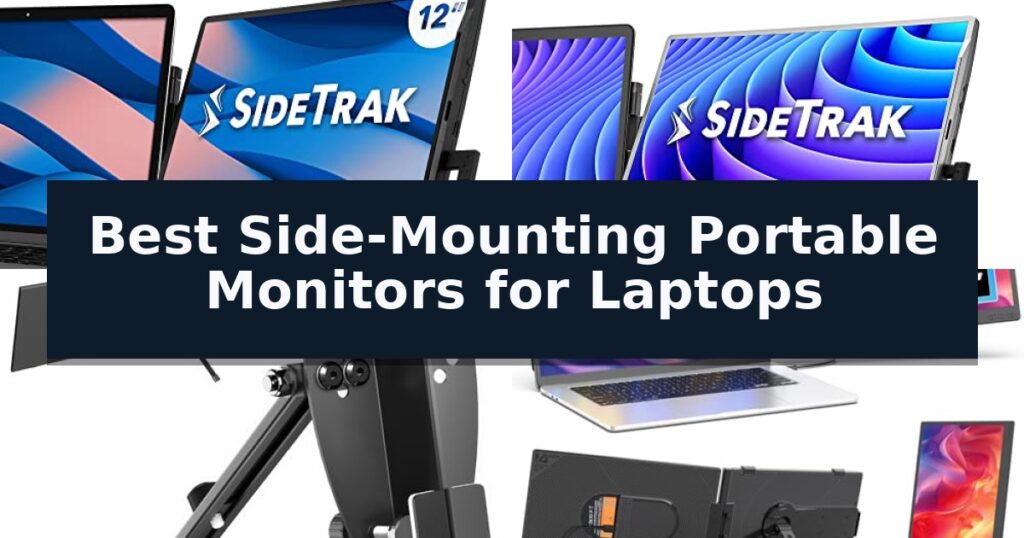
10 Best Side-Mounting Portable Monitors for Laptops in 2026 Reviews
Quick Comparison
| Product | Best For | Key Strength | Score |
|---|---|---|---|
| SideTrak Swivel 12.5 Portable Monitor | Best Overall | Patented 360° swivel hinge allows for versatile viewing angles and screen sharing. | 4.9 |
| SideTrak Swivel 14 Portable Monitor | Compact Design for Easy Sharing | Patented 360° swivel hinge for versatile viewing and screen sharing. | 4.5 |
| VIVO Portable Monitor Holder | Versatile Mount for Any Monitor | Versatile configuration options allow for top, left, or right-side mounting. | 4.4 |
| Orfibz 14.2 Dual Screen Extender | Ultra-Lightweight Dual Setup | Ultra-portable design weighing only 1.87lbs. | 4.8 |
| Wixzet 15.6 Laptop Screen Extender | Flexible Multi-Screen Configurations | Versatile 11+ configurations including triple, dual, and standalone modes. | 4.6 |
| Funhill 14.1 Laptop Screen Extender | High-Resolution Portable Productivity | Plug-and-play functionality requires no driver installation. | 4.7 |
| Anyking 15.6 Laptop Screen Extender | Ergonomic Slide-Rail Design | Independent slide-rail stand eliminates the need for laptop clamps. | 4.7 |
| SMISEACOW 15.6 Laptop Screen Extender | Universal Fit Without Clamps | Universal fit via rear support design instead of restrictive clamps | 4.6 |
| APILDELLA 14 Dual Laptop Extender | Scratch-Free Frame Protection | Zero-contact frame design prevents damage to the host laptop screen. | 4.6 |
| Enzion 14 Laptop Screen Extender | Ultra-Slim Triple Screen Setup | Triple-screen expansion increases workspace efficiency by up to 300%. | 4.8 |
How We Chose
To identify the best side-mounting portable monitors for laptops, we evaluated each model based on its mounting security, display quality, and overall ergonomics. We focused on how these screens integrate with various laptop chassis sizes, prioritizing designs that offer stable, driver-free connectivity while maintaining a lightweight profile suitable for mobile professionals.
- Mounting mechanism stability and impact on laptop hinges
- Display resolution and color accuracy for professional workflows
- Connectivity options including USB-C and HDMI support
- Portability and weight for travel-heavy use cases
- Adjustability range for ergonomic viewing angles
1 SideTrak Swivel 12.5 Portable Monitor — Patented Hinge for Seamless Swivel
Achieving a dual-monitor setup on the go often requires bulky hardware, but the SideTrak Swivel 12.5 Portable Monitor simplifies this with a patented 360° swivel hinge. This design allows for a full range of motion, letting you rotate the screen 270° or swivel it completely, which is particularly useful for collaborative screen sharing or adjusting your viewing angle in tight workspaces.
The SideTrak Swivel 12.5 Portable Monitor is built for seamless integration, utilizing a device-safe magnet to attach directly to your laptop. This mounting system maintains a clean, professional aesthetic without the need for cumbersome stands. When you need a standalone display, the integrated kickstand allows the monitor to transition easily into a freestanding mode, providing versatility for different desk configurations.
Performance is driven by its Full HD resolution, which effectively doubles your screen real estate for multitasking. Connectivity is straightforward, supporting USB-C, USB-A, and HDMI inputs. Because it requires no additional drivers or downloads, you can connect it to Mac, PC, or Chromebook systems immediately, making it a reliable solution for users who frequently switch between different workstations.
While this monitor is optimized for smaller laptops due to its 12.5-inch compact form factor, it remains a highly portable tool for professionals. The combination of its lightweight build and autorotation features ensures that your workflow remains fluid, whether you are presenting to a client or managing multiple applications simultaneously.
Best for: Professionals and students who need a compact, easily attachable secondary screen for multitasking on the go.
Skip if: Users with very large laptops or those who require a screen larger than 12.5 inches for professional design or video editing work.
- Patented 360° swivel hinge allows for versatile viewing angles and screen sharing.
- Device-safe magnetic mounting provides a secure, streamlined attachment.
- Broad compatibility with USB-C, USB-A, and HDMI connections.
- Integrated kickstand enables quick transitions to freestanding use.
- 12.5-inch screen size may be too small for users accustomed to larger primary displays.
- Magnetic mounting plate requires a clean surface on the back of the laptop.
2 SideTrak Swivel 14 Portable Monitor — Compact Design for Easy Sharing
Expanding your digital workspace requires a reliable, space-saving solution that integrates seamlessly with your existing hardware. The SideTrak Swivel 14 Portable Monitor addresses this need by utilizing a patented 360° swivel hinge, allowing users to rotate the screen up to 270° for flexible viewing angles and efficient screen sharing during collaborative meetings.
Designed for portability, this attachable travel monitor features a device-safe magnetic attachment system. This mounting method eliminates the need for bulky stands or extra desk space, maintaining the slim profile of your laptop. The unit is engineered to be lightweight and compact, featuring a fold-flat design that simplifies transport for professionals who require a dual-screen setup on the go.
Connectivity is handled through USB-C or Mini HDMI inputs, providing broad compatibility across Mac, PC, and Chrome operating systems. This versatility ensures that the monitor can function as a secondary display for a wide variety of hardware configurations without requiring complex driver installations.
While the SideTrak Swivel 14 Portable Monitor offers significant utility for multitasking, users should verify their laptop's lid structure to ensure the magnetic mounting plate can be securely applied. The unit is best suited for those who prioritize a streamlined, integrated dual-monitor experience over standalone, desktop-style portable displays.
Best for: Professionals and students who need a permanent, space-saving dual-monitor setup that attaches directly to their laptop for travel.
Skip if: Users who prefer a standalone monitor with an adjustable kickstand or those whose laptop lids are not compatible with magnetic mounting plates.
- Patented 360° swivel hinge for versatile viewing and screen sharing.
- Device-safe magnetic attachment keeps the setup slim and travel-friendly.
- Wide compatibility via USB-C and Mini HDMI connections.
- Lightweight and fold-flat design for easy portability.
- Requires magnetic mounting plate application to the laptop lid.
- Limited to side-mounting configurations, unlike standalone portable monitors.
3 VIVO Portable Monitor Holder — Versatile Mount for Any Monitor
Expanding your digital workspace is simplified by the VIVO Portable Monitor Holder, a specialized mount designed to attach a portable monitor directly to your laptop. This accessory provides a versatile solution for users who need to maintain a dual-screen setup while working from home or traveling, effectively increasing available screen real estate without requiring a bulky desk station.
The VIVO Portable Monitor Holder features a flexible design that allows you to position your secondary display on the top, left, or right side of your laptop. It is engineered to secure to laptops ranging from 11 to 18.5 inches, while the holder itself accommodates devices—including larger phones and portable monitors—between 6.5 and 18.5 inches. The assembly process is straightforward, utilizing provided hardware and thumbscrews for secure adjustment.
Portability is a primary focus of this mount, which utilizes a folding design to facilitate easy transport. The support leg is adjustable via a telescoping mechanism, allowing for customized height and positioning to suit different environments. By attaching the monitor directly to the laptop, this holder helps maintain a streamlined, ergonomic workflow in compact spaces where external desk mounts are not feasible.
While this mount offers significant flexibility, it is important to note that the portable monitor itself is not included. The system relies on manual adjustment via thumbscrews, which requires a brief setup time when moving between locations. The unit is built for those who prioritize a mobile, multi-screen configuration and need a lightweight, stowable support system.
Best for: Remote workers and travelers who need a compact, adjustable way to mount a portable monitor directly to their laptop screen.
Skip if: Users who prefer a stationary desk-mounted arm or those who do not use a portable monitor for their workflow.
- Versatile configuration options allow for top, left, or right-side mounting.
- Folding design ensures the mount is easy to pack and transport.
- Broad compatibility supports laptops from 11 to 18.5 inches.
- Telescoping support leg provides adjustable height for ergonomic positioning.
- Manual adjustment required for each setup using thumbscrews.
- Monitor not included with the purchase of the mount.
4 Orfibz 14.2 Dual Screen Extender — Ultra-Lightweight Dual Setup
Managing a multi-tasking workflow often requires more than a single screen, and the Orfibz 14.2 Dual Screen Extender offers a streamlined solution for expanding your digital workspace. Weighing only 1.87lbs and measuring 0.27 inches thin, this device is engineered for portability, allowing users to attach a secondary display to laptops ranging from 14 to 17.3 inches.
The unit features a 14.2-inch FHD 1080P IPS display with 300 nits of brightness, providing a clear visual output for data analysis or video conferencing. Its design includes a 226-degree adjustable viewing angle, which allows for flexible positioning based on your specific lighting or ergonomic needs. The extender supports extend, mirror, and portrait modes to accommodate various professional tasks.
Connectivity is designed for simplicity, utilizing a plug-and-play approach that requires no additional drivers. If your laptop is equipped with a full-function USB-C port, the connection is handled via a single cable. For devices lacking this, the included cables allow for an HDMI and USB-A setup, ensuring broad compatibility across Windows, macOS, ChromeOS, Linux, and Android systems.
Built with high-quality materials and backed by QC, FCC, CE, and RoHS certifications, this monitor is intended for frequent travelers and remote workers. The package includes a 1-year warranty and access to 24-hour support, providing a reliable framework for those looking to boost their productivity without complex installation procedures.
Best for: Remote workers and frequent travelers who need a lightweight, plug-and-play dual-monitor setup for 14-inch to 17.3-inch laptops.
Skip if: Users with laptops smaller than 14 inches or those who require specialized high-refresh-rate gaming displays.
- Ultra-portable design weighing only 1.87lbs.
- Plug-and-play connectivity with no driver installation required.
- Versatile 226-degree adjustable viewing angle for ergonomic comfort.
- Broad compatibility with multiple operating systems including Windows, macOS, and Android.
- Limited to 14-inch to 17.3-inch laptops, making it unsuitable for smaller devices.
- Requires multiple cables for laptops without full-function USB-C ports.
5 Wixzet 15.6 Laptop Screen Extender — Flexible Multi-Screen Configurations
Maximizing screen real estate while traveling requires a solution that adapts to your specific workflow, whether you are coding, editing, or managing multiple spreadsheets. The Wixzet 15.6 Laptop Screen Extender offers a highly versatile approach to mobile productivity through its detachable design, which allows users to configure their workspace as a dual-screen, triple-screen, or standalone monitor setup.
Engineered for flexibility, this system supports 11+ configurations with 235° folding and 90° rotation capabilities. Each individual screen weighs only 1.5 lbs, ensuring that the added weight remains manageable for users who frequently transition between remote work locations and office environments. The unit is compatible with laptops ranging from 13" to 17.3", utilizing an upgraded wide metal support for enhanced stability during use.
Visual performance is driven by a 15.6" Full HD 1080P IPS display that features a 120% sRGB color gamut and 300 nits brightness. These specifications, combined with HDR support, provide a clear, vibrant viewing experience suitable for professional creative tasks and media consumption. The monitor is designed to integrate seamlessly into existing setups without the need for complex software.
Connectivity is streamlined through a driver-free plug-and-play interface. For laptops equipped with two full-featured USB-C ports, the setup requires only two cables. Users with limited ports can utilize a combination of USB-C and HDMI connections, provided an additional USB-A to USB-C cable is used for power. This broad compatibility extends across Windows, macOS, ChromeOS, Linux, and Android devices.
Best for: Professionals and remote workers who require a highly adjustable, multi-screen setup that can be easily detached for single-monitor travel.
Skip if: Users with laptops that lack full-featured USB-C ports or sufficient HDMI/USB-A connectivity may find the cable management requirements cumbersome.
- Versatile 11+ configurations including triple, dual, and standalone modes.
- Lightweight 1.5 lb per screen design for improved portability.
- High-quality 15.6" FHD IPS display with 120% sRGB color gamut.
- Driver-free plug-and-play setup for quick deployment.
- Complex cable requirements for laptops lacking dual full-featured USB-C ports.
- Weight of the total assembly may be significant for some laptop hinges.
6 Funhill 14.1 Laptop Screen Extender — High-Resolution Portable Productivity
Expanding your digital workspace requires a reliable display solution that integrates seamlessly with your existing hardware. The Funhill 14.1 Laptop Screen Extender offers an immediate productivity boost by providing a 14.1-inch FHD IPS display with a 1920×1080 resolution, effectively doubling your screen real estate for multitasking.
This device is engineered for flexibility, featuring a 0–280° rotation capability that allows users to adjust their viewing angles for specific tasks, such as portrait orientation for coding or document review. The unit supports five distinct display modes, including extend and duplicate, catering to diverse professional needs like trading, programming, and remote work.
Connectivity is managed through a plug-and-play interface, supporting both USB-C and HDMI connections. Users must ensure their laptop features a full-featured USB-C port (DP/Thunderbolt 3/4) for single-cable operation; otherwise, an additional power supply via USB-A or USB-C is required when using the HDMI input. The package includes all necessary cabling, such as USB-C to USB-C and HDMI to Mini-HDMI adapters.
Compatibility extends across a wide range of operating systems and hardware, including Windows, Mac, Chrome, Linux, and Android, as well as various processors like Intel, AMD, and Apple M-series chips. The compact design measures 14.9 inches in width, making it a portable choice for users who frequently travel for business or maintain a home office setup.
Best for: Professionals and remote workers who need a portable, plug-and-play secondary display to enhance multitasking across various operating systems.
Skip if: Users whose laptops lack a full-featured USB-C port or sufficient power delivery capabilities, as this requires managing multiple cables for HDMI connectivity.
- Plug-and-play functionality requires no driver installation.
- Flexible 0–280° rotation supports multiple viewing orientations.
- Wide compatibility across Windows, Mac, Chrome, and Android devices.
- FHD IPS display provides clear 1920×1080 resolution for detailed work.
- Power supply requirements necessitate extra cables when using HDMI connections.
- USB-C port compatibility depends on the laptop supporting full-featured DisplayPort/Thunderbolt standards.
7 Anyking 15.6 Laptop Screen Extender — Ergonomic Slide-Rail Design
Managing multiple tasks on a single laptop screen often leads to cluttered desktops and constant window switching. The Anyking 15.6 Laptop Screen Extender addresses this by providing an independent, high-definition workspace that attaches to your setup without the need for cumbersome clamps or hinge-stressing mounts.
This monitor features a 15.6-inch IPS display with Full HD 1920 x 1080 resolution, offering clear visuals for spreadsheets, coding, or video conferencing. Its independent slide-rail stand allows for flexible positioning, including a 90-degree rotation for portrait viewing, which is particularly useful for reading long documents or lines of code. The unit is designed to be ultra-thin and lightweight, weighing approximately 2.7 pounds, making it a portable solution for professionals who need a dual-screen workflow while traveling.
Connectivity is streamlined through a plug-and-play interface. It supports USB-C with DP Alt Mode for single-cable video and power, while also providing an HDMI-to-Mini-HDMI option for broader compatibility with laptops, smartphones, and gaming consoles. The device includes PD pass-through charging, allowing you to power both the monitor and your laptop simultaneously when using a compatible external USB-C power source.
The ergonomic design allows for a vertical stacking configuration, which helps reduce neck strain by minimizing side-to-side head movement. When not in use, the display detaches and nests into the slide-rail frame, which acts as a protective shield during transport. With its 365-day warranty and versatile mounting options, including support for 75 x 75mm VESA mounts, this extender provides a functional, durable upgrade for users seeking to expand their digital workspace.
Best for: Professionals and remote workers who need a portable, ergonomic dual-monitor setup that does not require clamping onto laptop hinges.
Skip if: Users who require a permanent, ultra-lightweight, or integrated side-mounting solution that does not involve a separate slide-rail stand or additional desk footprint.
- Independent slide-rail stand eliminates the need for laptop clamps.
- PD pass-through charging supports powering the laptop and monitor with one source.
- Versatile connectivity via USB-C and HDMI for laptops, phones, and consoles.
- Detachable display supports 75 x 75mm VESA mounts for stationary use.
- Requires external power or specific USB-C PD support for full functionality.
- Adds weight and bulk to a travel bag compared to ultra-slim, clamp-on monitors.
8 SMISEACOW 15.6 Laptop Screen Extender — Universal Fit Without Clamps
Managing multiple applications simultaneously is a common challenge for remote workers and students, but the SMISEACOW 15.6 Laptop Screen Extender addresses this by providing an expanded dual-screen workspace that can boost productivity by up to 200%. Unlike traditional monitors that rely on rigid clamp-style mounts, this device utilizes a flexible rear support design, allowing it to work with virtually any laptop size without imposing width limitations.
The display features a 15.6-inch Full HD 1920×1080 IPS panel with a brightness of 330 cd/m². Users can manage display settings through integrated Smart Display Software, which offers specific modes for gaming, reading, and split-screen tasks, alongside adjustable color temperature and contrast settings. This software-driven approach allows for optimization without needing to navigate complex computer display menus.
Designed for portability, the unit features an ultra-slim 0.16-inch profile and weighs only 1.3 lbs per screen. The included dual stands support a variety of configurations, including stacked or side-by-side layouts, and allow for 360-degree rotation. For those requiring a more permanent setup, the device includes integrated VESA 75×75 mounting holes, enabling compatibility with standard monitor arms.
This monitor provides significant flexibility for users who frequently switch environments. Whether used in a coffee shop, classroom, or home office, the detachable screens allow for quick transitions between single-screen and dual-screen modes. The inclusion of multiple display orientations—landscape, portrait, and mirror—ensures the hardware adapts to specific professional or creative workflows.
Best for: Remote workers and students who require a versatile, portable dual-screen setup that avoids the constraints of traditional laptop-mounted clamps.
Skip if: Users who require a permanent, high-refresh-rate gaming monitor or those who prefer a single, ultra-wide integrated display solution.
- Universal fit via rear support design instead of restrictive clamps
- Integrated VESA 75×75 mounting for flexible workstation setups
- Lightweight and ultra-slim profile for easy travel
- Smart Display Software for convenient on-screen adjustments
- Requires external stand for VESA mounting as it is not included
- Manual configuration needed for different display modes
9 APILDELLA 14 Dual Laptop Extender — Scratch-Free Frame Protection
Maximizing screen real estate while traveling requires a streamlined approach to hardware. The APILDELLA 14'' Dual Laptop Screen Extender addresses this by offering a 14-inch 1080P FHD IPS display that attaches directly to your existing laptop, providing a dual-monitor setup without the need for a bulky external desktop monitor.
Designed for versatility, this unit features a zero-contact frame design that protects your laptop screen from scratches during use. The sliding support arm accommodates laptops ranging from 13 to 16 inches in diagonal size, making it a flexible solution for various professional hardware configurations. Its minimalist, lightweight structure is intended for portability, allowing for one-handed transport between workspaces.
The monitor supports both extend and mirror modes, which are useful for multitasking such as coding on one screen while monitoring communications on the other. It connects via USB-C and HDMI, supporting plug-and-play functionality that eliminates the need for driver downloads. For optimal brightness and stability, the device includes a built-in bracket and supports multiple power configurations, including direct Type-C connection or external power sources.
Visual quality is managed through an HDR-enabled IPS panel with adjustable brightness, contrast, and backlight parameters. To support extended work sessions, the display includes low blue light and anti-vertigo features. The screen can be folded up to 225 degrees, allowing users to find a comfortable viewing angle for their specific environment.
Best for: Professionals and remote workers using 13-16 inch laptops who require a portable, plug-and-play dual-screen setup for increased productivity.
Skip if: Users with laptops smaller than 13 inches or larger than 16 inches, or those who require a high-refresh-rate display for gaming or professional video editing.
- Zero-contact frame design prevents damage to the host laptop screen.
- Plug-and-play connectivity via USB-C and HDMI requires no driver installation.
- Adjustable 225-degree folding angle allows for flexible positioning.
- Integrated HDR and low blue light settings support extended viewing comfort.
- Power requirements may necessitate external power for full brightness depending on the laptop's port output.
- Size compatibility is strictly limited to 13-16 inch laptop displays.
10 Enzion 14 Laptop Screen Extender — Ultra-Slim Triple Screen Setup
The Enzion 14 Laptop Screen Extender utilizes a dual-screen design to transform a standard laptop into a triple-display workstation, significantly expanding available screen real estate. This device features two 14-inch IPS displays with 1920x1080P resolution, offering a 178° wide viewing angle and 300 nits of brightness to support clear visibility across various lighting environments.
Engineered for portability, the unit weighs 3.37 lbs and maintains an ultra-slim 0.3-inch profile, allowing it to fit into standard carry-on bags. The construction includes a built-in telescopic bracket that provides up to 90° of adjustment, ensuring the screens remain stable while attached to laptops ranging from 13 to 17 inches.
Connectivity is managed via USB-C plug-and-play functionality, though specific setups—such as M1/M2/M3 MacBooks or laptops lacking full-featured USB-C ports—require the use of an H5-T cable, HDMI, and USB-A power connection. The displays support multiple modes, including extend, mirror, portrait, and presentation, to accommodate diverse professional workflows.
To ensure visual comfort during extended use, the monitor includes eye-caring technology designed to reduce fatigue. Users can independently adjust brightness, contrast, and backlight parameters for each screen, providing granular control over the display output to suit specific tasks or ambient conditions.
Best for: Remote workers, designers, and students who require a multi-monitor setup while traveling or working in limited desk spaces.
Skip if: Users with laptops lacking full-featured USB-C ports who prefer a simple, single-cable connection without the need for additional adapters or driver installations.
- Triple-screen expansion increases workspace efficiency by up to 300%.
- Ultra-slim and lightweight design facilitates easy transport for mobile professionals.
- Independent display controls allow for customized brightness and contrast settings.
- Adjustable 90° telescopic bracket provides stable support for various laptop sizes.
- Complex connectivity requirements for certain devices, such as M1/M2/M3 MacBooks, necessitating extra cables and potential driver installation.
Best Side-Mounting Portable Monitors for Laptops Buying Guide
Mounting Security and Laptop Safety
The primary concern with side-mounting monitors is the stress placed on your laptop's lid. Magnetic attachment systems, like those found on the SideTrak series, offer a sleek, integrated look but require a secure, flat surface on the back of your laptop to maintain stability.
For users with thinner or more fragile laptop hinges, models that utilize independent slide-rail stands or support legs are often safer. These designs transfer the weight of the secondary monitor to the desk surface rather than the laptop itself, preventing long-term hinge damage.
Connectivity and Driver Requirements
Most modern portable monitors prioritize plug-and-play functionality, typically requiring only a single USB-C cable for both video and power. This is ideal for clean, cable-free setups, provided your laptop's USB-C port supports DisplayPort Alt Mode.
If your laptop lacks full-featured USB-C ports, look for monitors that include HDMI and USB-A power options. While this adds extra cables to your workspace, it ensures compatibility with a wider range of older or budget-friendly hardware without needing proprietary drivers.
Ergonomics and Viewing Angles
A side-mounted monitor is only effective if it can be positioned to match your primary screen's height and angle. Look for hinges that offer at least 90 to 270 degrees of rotation, allowing you to pull the screen forward for focused work or swivel it outward for presentations.
Some advanced models include vertical stacking capabilities, which can be more ergonomic than side-by-side layouts. Stacking helps reduce neck strain by keeping your primary and secondary content within a more natural vertical field of view.
Portability and Weight Considerations
Weight is a critical factor for commuters and digital nomads. A monitor that weighs significantly more than 1.5 pounds may feel cumbersome when attached to a laptop, potentially causing the screen to tilt backward under the weight.
Consider the folded profile of the monitor when choosing a travel companion. Models that feature a slim, fold-flat design or include a protective carrying case are better suited for frequent transport in standard laptop backpacks.
Screen Size and Resolution
While 14-inch and 15.6-inch displays offer more screen real estate, they are often heavier and may not fit smaller 13-inch laptops well. Ensure the monitor's width is compatible with your laptop's dimensions to avoid overhang.
Full HD (1920×1080) resolution is the standard for these devices, providing sufficient clarity for spreadsheets and documents. If you perform color-sensitive work, check for IPS panels, which offer better color reproduction and wider viewing angles than standard TN panels.
Frequently Asked Questions
Will a side-mounted monitor damage my laptop screen?
Most monitors use device-safe magnetic plates that do not damage the laptop lid. However, always check the weight of the monitor against your laptop's hinge strength to avoid excessive strain.
Do I need to install software to use these monitors?
Most portable monitors are plug-and-play and do not require driver installation. Simply connect the provided USB-C or HDMI cables to your laptop to begin using the extended display.
Can I use these monitors with a MacBook?
Yes, most portable monitors are compatible with macOS. Ensure your MacBook has a compatible USB-C or Thunderbolt port, or use an adapter if you are connecting via HDMI.
What is the difference between side-mounted and independent monitors?
Side-mounted monitors attach directly to your laptop for a seamless dual-screen experience, while independent monitors use their own stands, offering more flexibility in placement but requiring more desk space.
Can I use these monitors in portrait mode?
Many models support rotation, allowing you to use them in portrait mode. This is particularly useful for reading long documents or writing code, provided the monitor's stand or hinge supports the orientation.
Conclusion: Our Top Pick
Our top pick is SideTrak Swivel 12.5 Portable Monitor. Choosing the right side-mounting monitor depends on your specific balance of portability and screen size. For those prioritizing a seamless, integrated experience, the SideTrak Swivel series remains a top contender due to its flexible hinge design.
If you prefer a more robust setup that protects your laptop's hardware, consider models with independent stands or slide-rail systems. Assessing your laptop's port availability and hinge durability will ensure you select a monitor that enhances your workflow without compromise.