Logitech M330 Silent Plus Wireless Mouse is our top choice for the Best Silent Computer Mouse, offering a proven balance of noise reduction and ergonomic comfort for shared workspaces.
Selecting a quiet peripheral requires evaluating how different connection methods, such as Bluetooth versus USB receivers, impact your specific workflow. We prioritize models that maintain a tactile click feel while significantly dampening the acoustic output, ensuring that your productivity does not come at the cost of a quiet environment.
Beyond noise levels, we consider the physical form factor and power management features. Whether you require a portable design for travel or a full-sized frame for extended daily use, the right choice depends on your hand size and the number of devices you need to manage simultaneously.
If you frequently switch between multiple devices, you may also want to explore Best Silent Bluetooth Mice to find options that offer seamless pairing without the need for a USB dongle.
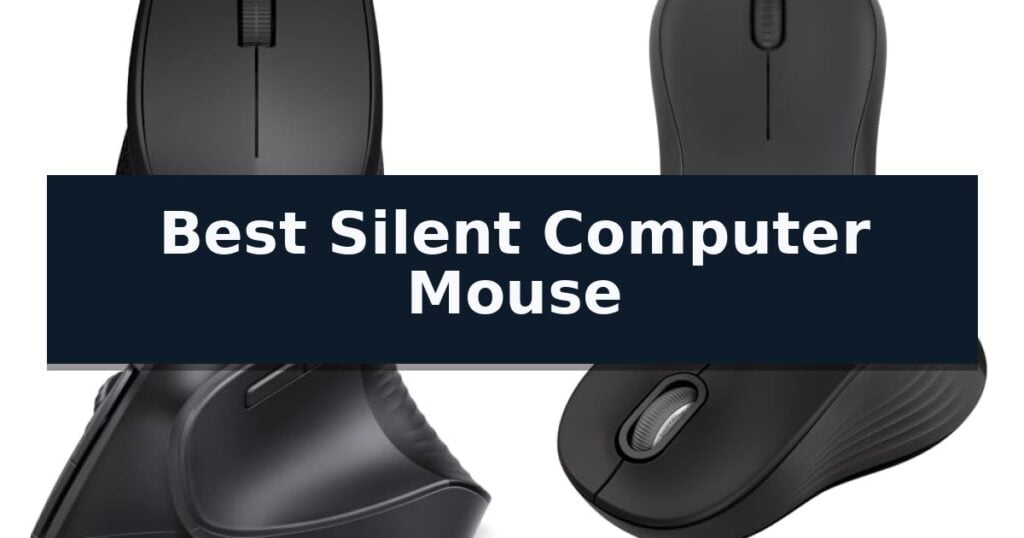
10 Best Silent Computer Mouse in 2026 Reviews
Quick Comparison
| Product | Best For | Key Strength | Score |
|---|---|---|---|
| Logitech M330 Silent Plus Wireless Mouse | Best Overall | SilentTouch Technology significantly reduces audible clicking noise. | 4.9 |
| Logitech M240 Silent Bluetooth Mouse | Compact Dongle-Free Bluetooth Connectivity | Silent click technology reduces noise by 90% for a distraction-free workspace. | 4.5 |
| UGREEN Ergonomic Vertical Wireless Mouse | Natural Handshake Position for Comfort | Silent-click buttons for a quiet workspace | 4.9 |
| Logitech Signature M550 L Wireless Mouse | Optimal Fit for Larger Hands | Full-size contoured design optimized for larger hands. | 4.4 |
| HP 280 Silent Wireless Mouse | Reliable Tracking on Any Surface | 90% noise reduction on primary buttons for quiet operation. | 4.9 |
| HP 400 Quiet Wireless Mouse | Soft-Touch Silicone Grip Design | Quiet click technology reduces audible noise for a distraction-free environment. | 4.3 |
| Lenovo WL310 Bluetooth Silent Mouse | Precision Control with Adjustable DPI | Silent click technology reduces noise in shared or quiet environments. | 4.9 |
| wegear Bluetooth Silent Wireless Mouse | Productive Navigation with Side Buttons | Silent click technology for quiet operation in shared spaces. | 4.4 |
| TECKNET Wireless Silent Mouse | Seamless Dual-Device Switching | Whisper-quiet primary click buttons for minimized noise. | 4.5 |
| Rapoo Silent Wired Mouse | Consistent Performance Without Batteries | Reduced click sound on primary buttons for a quieter workspace. | 4.9 |
How We Chose
When evaluating the best silent computer mouse, an experienced reviewer focuses on the intersection of acoustic dampening and daily usability. We analyze how effectively each model reduces decibel output without sacrificing the tactile feedback necessary for precision. These criteria allow us to distinguish between basic quiet peripherals and those engineered for long-term comfort and reliable multi-device performance.
- Acoustic performance and click-feel consistency
- Connectivity options including Bluetooth and USB-A receivers
- Ergonomic design and hand-size compatibility
- Battery longevity and power-saving features
- DPI sensitivity and tracking precision on various surfaces
1 Logitech M330 Silent Plus Wireless Mouse — Quiet Performance for Shared Spaces
Maintaining a quiet workspace often requires minimizing repetitive mechanical noise, and the Logitech M330 Silent Plus Wireless Mouse addresses this through proprietary SilentTouch Technology. By reducing clicking sounds by over 90 percent compared to standard mice, this peripheral is engineered to maintain a professional atmosphere without sacrificing tactile feedback.
Designed specifically for right-handed users, the mouse features a contoured shape with soft rubber grips to provide support during extended periods of use. Its 1000 dpi optical tracking ensures precise cursor control, while the 2.4 GHz wireless connection maintains a reliable link up to 33 feet away using the included USB-A nano receiver.
Efficiency is a core component of its design, highlighted by an 18-month battery life and an integrated auto-sleep power-saving mode. The device is compatible with a wide range of operating systems, including Windows, macOS, ChromeOS, and Linux, and functions as a true plug-and-play peripheral without requiring additional software installation.
Sustainability is also factored into the construction, as the black model incorporates 76 percent certified post-consumer recycled plastic. With a compact footprint of approximately 4.15 by 2.67 inches, the Logitech M330 Silent Plus Wireless Mouse offers a balanced solution for users prioritizing a quiet, ergonomic, and low-maintenance input device.
Best for: Users in shared office environments or quiet home settings who require a reliable, ergonomic, and near-silent mouse.
Skip if: Left-handed users or those requiring advanced programmable buttons, as this model is strictly contoured for right-handed use and lacks extra customizable inputs.
- SilentTouch Technology significantly reduces audible clicking noise.
- 18-month battery life minimizes the frequency of replacements.
- Ergonomic contoured design provides comfort for right-handed users.
- Plug-and-play connectivity via a compact USB-A receiver.
- Right-hand specific design limits usability for left-handed individuals.
- USB-A receiver requirement may necessitate an adapter for laptops lacking legacy ports.
2 Logitech M240 Silent Bluetooth Mouse — Compact Dongle-Free Bluetooth Connectivity
The Logitech M240 Compact Silent Bluetooth Wireless Mouse is engineered for users who prioritize a clean, cable-free workspace. By utilizing direct Bluetooth connectivity, this device eliminates the need for USB receivers or ports, allowing for an instant connection to your computer. This design choice makes it a highly portable solution for professionals who frequently move between workstations or travel with a laptop, as it removes the risk of losing small hardware dongles.
Engineered for quiet environments, this mouse features silent click technology that reduces noise by 90% while maintaining a tactile feel. Its compact, ambidextrous shape is designed to accommodate both left- and right-handed users, providing a natural grip for extended periods of use. The device is also constructed with certified post-consumer recycled plastic, with the Graphite model containing 48% recycled content, appealing to those seeking more sustainable office peripherals.
Efficiency is a core component of this device, which boasts an 18-month battery life supported by an energy-efficient auto-sleep function. The wireless range extends up to 10 meters (33 feet), offering flexibility for presentations or remote control setups. Compatibility is broad, supporting Windows, macOS, Linux, ChromeOS, iPadOS, and Android, and it is a Works with Chromebook certified product, ensuring seamless integration across diverse operating systems without requiring additional software installations.
While the compact form factor enhances portability, it presents a trade-off for users with larger hands, who may find the device less comfortable during prolonged daily use. Additionally, the inclusion of three non-customizable buttons means users cannot map specific shortcuts to their mouse, which may limit productivity for those who rely on advanced macro-driven workflows.
Best for: Users who require a quiet, portable, and dongle-free mouse for multi-device or mobile computing environments.
Skip if: Users who prefer a full-sized ergonomic mouse with customizable side buttons or those who require a high-polling rate for gaming.
- Silent click technology reduces noise by 90% for a distraction-free workspace.
- Bluetooth connectivity eliminates the need for USB receivers or ports.
- 18-month battery life minimizes the frequency of battery replacements.
- Compact, ambidextrous design is highly portable and suitable for all hand orientations.
- Non-customizable buttons limit the ability to map shortcuts for specific workflows.
- Compact size may feel too small for users with larger hands during prolonged use.
3 UGREEN Ergonomic Vertical Wireless Mouse — Natural Handshake Position for Comfort
Maintaining a quiet workspace is essential for focus, and the UGREEN Ergonomic Vertical Wireless Mouse addresses this with specialized silent-click buttons. By minimizing audible feedback during navigation and browsing, this device is engineered to keep your environment peaceful while you work.
The mouse features a distinct vertical handshake position designed to reduce wrist rotation and muscle strain. This ergonomic orientation is specifically tailored for medium to large hands, promoting a more natural posture during extended use. It is equipped with PTFE glide feet that ensure smooth, quiet tracking across surfaces, further reducing friction-related noise.
Productivity is supported by a 5-button layout and 4 adjustable DPI levels ranging from 1000 to 4000, allowing for precise cursor control across various tasks. The device offers versatile connectivity, supporting both 2.4G wireless and Bluetooth protocols, with the ability to switch between up to three devices seamlessly.
Power efficiency is managed by a single AA battery, supplemented by a smart sleep mode to extend battery life. The mouse maintains broad compatibility across Windows, macOS, Linux, ChromeOS, and Android, making it a flexible addition to diverse office setups and desktop environments.
Best for: Users with medium to large hands seeking an ergonomic, quiet-clicking mouse for multi-device workflows.
Skip if: Users with small hands or those who prefer a traditional low-profile mouse design will find this vertical model unsuitable.
- Silent-click buttons for a quiet workspace
- Ergonomic vertical design to reduce muscle strain
- Multi-device connectivity via Bluetooth and 2.4G
- Adjustable DPI settings up to 4000 for precise control
- Not suitable for small hands due to its large ergonomic form factor
4 Logitech Signature M550 L Wireless Mouse — Optimal Fit for Larger Hands
The Logitech Signature M550 L Wireless Mouse is specifically engineered for users with larger hands, featuring a full-size, contoured shape that prioritizes ergonomic support during extended work sessions. This peripheral integrates a soft thumb area and rubber side grips to ensure the hand remains securely positioned while navigating through digital tasks.
Equipped with SilentTouch technology, this mouse is designed to reduce click noise by 90 percent, making it a functional choice for quiet environments. The inclusion of the SmartWheel allows for seamless transitions between line-by-line precision for detailed document editing and super-fast scrolling for navigating lengthy web pages.
Connectivity is handled via Bluetooth Low Energy or the included Logi Bolt USB receiver, providing flexible options for various workstation setups. It is compatible with a wide range of operating systems, including Windows 11, macOS, Linux, Chrome OS, iPadOS, and Android, ensuring broad utility across different platforms.
Efficiency is a core component of its design, with a single AA battery providing up to 24 months of battery life. Furthermore, the construction incorporates certified post-consumer recycled plastic, with the graphite model utilizing 66 percent recycled content, reflecting a focus on material sourcing.
Best for: Users with larger hands who require a quiet, full-sized mouse for multi-device productivity across various operating systems.
Skip if: Users seeking a compact, travel-friendly mouse or those who prefer a high-performance gaming sensor with adjustable DPI settings.
- Full-size contoured design optimized for larger hands.
- SilentTouch technology reduces click noise by 90 percent.
- SmartWheel enables both precise and rapid scrolling modes.
- 24-month battery life on a single AA battery.
- Larger physical footprint may not be suitable for small workspaces or travel.
- Lacks advanced gaming-grade sensors or customizable buttons found in specialized peripherals.
5 HP 280 Silent Wireless Mouse — Reliable Tracking on Any Surface
Maintaining a quiet workspace is essential for focus, and the HP 280 Silent Wireless Mouse addresses this with a specific design choice: 90% noise reduction on the left and right buttons. This engineering allows for a standard tactile click feel while significantly dampening the audible sound, making it a practical choice for shared offices or late-night work sessions.
Beyond its acoustic performance, the mouse features an ergonomic right-handed design and an integrated scroll wheel intended for all-day comfort. The device utilizes a 2.4GHz USB-A wireless connection with a range of up to 32.8 feet, and the included USB nano receiver can be stored directly inside the mouse body for portability.
Versatility is a core component of this model, as it is equipped with multi-surface technology. This allows for smooth, lag-free tracking on almost any surface, effectively eliminating the requirement for a dedicated mouse pad. The 1600 DPI optical sensor provides reliable tracking speed and accuracy, which can be adjusted to suit different workflows.
Power efficiency is managed through a single AA battery, which supports an up to 18-month battery life depending on usage. This long-lasting power design reduces the frequency of maintenance, ensuring the mouse remains ready for extended periods of productivity across Windows, Chrome, and Mac OS environments.
Best for: Professionals and students working in shared or noise-sensitive environments who require a reliable, ergonomic wireless mouse that functions on various surfaces.
Skip if: Users who require a mouse with additional programmable side buttons or those who prefer a symmetrical, ambidextrous design will find this right-handed model unsuitable.
- 90% noise reduction on primary buttons for quiet operation.
- Multi-surface technology allows for use without a mouse pad.
- Up to 18-month battery life minimizes maintenance.
- Internal storage for the USB nano receiver.
- Right-handed ergonomic shape is not suitable for left-handed users.
- Limited to 3-button navigation compared to productivity mice with extra side buttons.
6 HP 400 Quiet Wireless Mouse — Soft-Touch Silicone Grip Design
Maintaining a quiet workspace often begins with minimizing distracting hardware sounds, and the HP 400 Quiet Wireless Mouse is engineered specifically to address this need. By utilizing specialized internal components, it delivers tactile feedback while significantly reducing the audible noise typically associated with clicking, making it a suitable choice for shared offices or late-night work sessions.
Beyond its acoustic performance, the mouse features a versatile ambidextrous design wrapped in a soft, easy-to-sanitize silicone rubber finish. This construction provides a comfortable grip for various hand sizes and orientations. The device offers flexible connectivity options, supporting both Bluetooth and a 2.4GHz wireless dongle, ensuring reliable performance across multiple operating systems.
Precision and longevity are central to its utility. The HP 400 Quiet Wireless Mouse includes an adjustable sensor capable of up to 6000 DPI, allowing for smooth tracking across a wide variety of surfaces. To minimize maintenance, the device is powered by a battery designed to last up to 24 months, reducing the frequency of replacements.
Functionality is further enhanced by the inclusion of a center button that provides quick access to the Microsoft Wheel setting, enabling efficient vertical and horizontal scrolling shortcuts. Furthermore, the mouse reflects an eco-conscious approach to manufacturing, as it is constructed with at least 40% post-consumer recycled materials and shipped in FSC-certified packaging.
Best for: Users who require a quiet, ambidextrous input device for professional or shared environments with multi-device connectivity needs.
Skip if: Users who prefer a highly ergonomic, contoured shape for long-term wrist support or those who require additional programmable side buttons for complex workflows.
- Quiet click technology reduces audible noise for a distraction-free environment.
- Dual connectivity via Bluetooth and 2.4GHz dongle provides flexible setup options.
- Long-lasting 24-month battery life minimizes the need for frequent maintenance.
- Adjustable 6000 DPI sensor ensures accurate tracking on most surfaces.
- Ambidextrous shape lacks the specialized ergonomic contouring found in dedicated right-handed mice.
- Limited physical buttons may not satisfy users who rely on multiple side-mounted shortcuts.
7 Lenovo WL310 Bluetooth Silent Mouse — Precision Control with Adjustable DPI
Maintaining a quiet environment while working often requires hardware that minimizes audible distractions, such as the Lenovo WL310 Bluetooth Silent Mouse. This device is specifically engineered to provide noiseless clicks, making it a functional choice for shared workspaces, late-night study sessions, or any setting where silence is prioritized.
Beyond its acoustic performance, the Lenovo WL310 Bluetooth Silent Mouse offers practical versatility through its customizable DPI settings. Users can toggle between 1000, 1200, and 1600 DPI, allowing for adjustments in cursor sensitivity to suit different tasks, ranging from precise design work to general navigation. The mouse connects via Bluetooth 5.0, which eliminates the need for a USB receiver and ensures a stable, wireless connection across Windows PCs, MacBooks, Chromebooks, and Lenovo laptops.
The physical design of the Lenovo WL310 Bluetooth Silent Mouse focuses on ergonomics and portability. Measuring 4.2 inches in length and weighing just 0.15 pounds, the mouse is compact enough for mobile professionals and students to carry in a laptop bag. Its ergonomic shape is intended to reduce wrist strain during extended periods of computer use, supporting comfort for both desktop and laptop setups.
While the device is designed for broad compatibility, users should note that it relies exclusively on Bluetooth connectivity. This makes it an efficient, clutter-free option for modern devices, though it may not be suitable for older hardware that lacks built-in Bluetooth capabilities.
Best for: Professionals and students who require a quiet, portable, and ergonomic wireless mouse for use with Bluetooth-enabled laptops and tablets.
Skip if: Users who rely on older computer systems without Bluetooth connectivity or those who prefer a traditional wired connection for their peripherals.
- Silent click technology reduces noise in shared or quiet environments.
- Adjustable DPI settings (1000, 1200, 1600) allow for precision control.
- Bluetooth 5.0 connectivity provides a stable, cable-free experience.
- Ergonomic, lightweight design enhances comfort and portability.
- Bluetooth-only connection requires a compatible host device without the option for a USB receiver.
8 wegear Bluetooth Silent Wireless Mouse — Productive Navigation with Side Buttons
Navigating a workspace or shared environment requires tools that minimize auditory distractions, and the wegear Bluetooth Silent Wireless Mouse addresses this by incorporating silent left, right, and scroll wheel buttons. This design choice allows for efficient, quiet operation, ensuring that your workflow remains uninterrupted and considerate of those nearby.
Beyond its quiet operation, this wegear Bluetooth Silent Wireless Mouse features a sculpted, ergonomic grip designed to support the hand during extended periods of use. It utilizes Bluetooth 5.0 and Microsoft Swift Pair technology for reliable connectivity, while offering three adjustable DPI levels—800, 1200, and 1600—to accommodate different precision requirements, from general browsing to detailed tasks.
Productivity is further enhanced by the inclusion of six buttons, including forward and backward controls for quick interface navigation on compatible systems. The device is engineered for longevity, with buttons rated for up to 3 million clicks and a scroll wheel capable of 300,000 cycles. Additionally, its power-efficient design allows for up to 24 months of use on a single AA battery, thanks to an automatic sleep mode that triggers after 30 seconds of inactivity.
Compatibility is broad, supporting Windows, macOS, Chrome OS, and Android platforms. While the side navigation buttons are highly functional for productivity, users should note that these specific buttons are not recognized on macOS. This mouse provides a balanced solution for those seeking a durable, ergonomic, and quiet input device for their daily computing needs.
Best for: Users working in shared or quiet environments who require an ergonomic, multi-button mouse with long battery life.
Skip if: Mac users who specifically require functional side navigation buttons, as these are not supported on macOS.
- Silent click technology for quiet operation in shared spaces.
- Ergonomic sculpted grip designed for all-day comfort.
- Long battery life lasting up to 24 months on a single AA battery.
- Adjustable DPI settings (800/1200/1600) for varied precision needs.
- Side buttons are not functional when used with macOS.
- AA battery is not included in the package.
9 TECKNET Wireless Silent Mouse — Seamless Dual-Device Switching
Maintaining a quiet workspace requires equipment that minimizes audible distractions, and the TECKNET Wireless Silent Mouse addresses this by utilizing a specialized design that ensures whisper-quiet clicks. This feature makes it a practical choice for shared environments like offices or libraries where noise reduction is a priority, though users should note that the scroll wheel and side buttons remain audible during operation.
Beyond its silent operation, this device offers versatile connectivity through both Bluetooth 5.0/3.0 and a 2.4G USB A receiver. The ability to manage a dual device connection allows users to switch between two separate computers with the slide of a button, streamlining workflows for those who manage multiple systems simultaneously.
Precision and comfort are addressed through 6 adjustable DPI levels ranging from 800 to 4800, allowing for sensitivity customization based on the task at hand. The ergonomic design is specifically tailored for small to medium hands, providing a comfortable grip for extended use. Power management is handled by two AAA batteries, supported by automatic sleep technology to maximize battery longevity.
Compatibility is broad, supporting Windows, macOS, Chrome, and Linux systems. While the mouse is designed for wide system support, it is important to verify specific feature requirements, as the side buttons are not compatible with macOS. The product is backed by a 36-month warranty upon registration, providing long-term support for the hardware.
Best for: Users needing a compact, quiet mouse with the ability to toggle between two different computers via Bluetooth or USB.
Skip if: Users with large hands who prefer a full-sized ergonomic mouse or those who require fully silent side buttons and scroll wheels.
- Whisper-quiet primary click buttons for minimized noise.
- Dual-device switching between Bluetooth and 2.4G wireless.
- 6-level adjustable DPI for tailored cursor sensitivity.
- Automatic sleep technology to extend battery life.
- Side buttons and scroll wheel are not silent.
- Side buttons lack compatibility with macOS.
- Compact size may be less comfortable for users with large hands.
10 Rapoo Silent Wired Mouse — Consistent Performance Without Batteries
Maintaining a quiet workspace requires equipment that minimizes audible distractions, and the Rapoo Silent Wired Mouse addresses this by incorporating specialized switches that reduce click noise while retaining tactile feedback. This wired peripheral eliminates the need for battery management, providing a consistent power supply through its 5-foot cord for uninterrupted use.
Designed with a symmetrical shape, this mouse accommodates both left- and right-handed users, supported by a streamline shell intended for extended daily comfort. The internal 1000 DPI high-definition optical tracking engine ensures responsive cursor movement, which is essential for standard navigation and productivity tasks across various operating systems.
The device features an anti-slip scroll wheel with a grille pattern, engineered to operate with minimal noise during use. While the primary left and right buttons are optimized for silent operation, the middle button click retains a standard audible profile, a design detail to consider for those prioritizing total silence across all inputs.
Built for longevity, the Rapoo Silent Wired Mouse is rated for a lifespan of 5,000,000 clicks. Its matte black finish and compact dimensions—measuring 4.65 inches in length and 2.48 inches in width—allow it to integrate easily into most desk setups without occupying excessive space.
Best for: Users seeking a reliable, battery-free input device that minimizes click noise for quiet office or shared environments.
Skip if: Users who require a completely silent middle scroll-wheel click or those who prefer the mobility of a wireless connection.
- Reduced click sound on primary buttons for a quieter workspace.
- Symmetrical ergonomic design suitable for both left and right-handed users.
- Wired connectivity eliminates the need for battery replacements.
- Durable construction rated for 5,000,000 clicks.
- Middle button click is not silent.
- Wired-only operation limits range and cable-free desk management.
Best Silent Computer Mouse Buying Guide
Understanding Silent Click Technology
Silent mice utilize specialized switches that dampen the internal impact of the click mechanism. This technology is designed to reduce noise by over 90 percent compared to standard office mice, making them essential for open-plan offices, libraries, or shared home workspaces.
While the sound is significantly reduced, the tactile sensation remains familiar. Users should note that while the primary buttons are silenced, the scroll wheel and secondary side buttons on some models may still produce a standard mechanical sound.
Connectivity and Multi-Device Workflow
Modern silent mice typically offer either 2.4GHz USB-A receivers or Bluetooth connectivity. A USB receiver provides a plug-and-play experience that is often more stable for desktop setups, while Bluetooth is ideal for laptops and tablets that lack available USB ports.
Advanced models now support multi-device switching, allowing you to toggle between a computer, tablet, or smartphone with the press of a button. This is a critical feature for professionals who manage multiple platforms throughout the day.
Ergonomics and Hand Size
The physical shape of a mouse dictates how much strain you feel during long work sessions. Contoured, right-handed designs provide better support for the palm and thumb, while ambidextrous, slim profiles are better suited for portability and left-handed users.
Always check the dimensions of the mouse against your hand size. Larger mice offer more support for full-palm grips, whereas compact, low-profile mice are designed for claw or fingertip grips and are easier to store in a laptop bag.
Battery Life and Power Management
Most wireless silent mice are highly efficient, often lasting 18 to 24 months on a single AA or AAA battery. These devices typically include an auto-sleep mode that engages after a period of inactivity to conserve power.
When shopping, consider whether the mouse uses standard batteries or requires a charging cable. While rechargeable internal batteries reduce waste, they require occasional downtime for charging, whereas replaceable batteries offer instant power restoration.
Tracking Precision and DPI
Dots Per Inch (DPI) determines how sensitive the cursor is to your hand movements. A standard 1000 DPI is sufficient for general office tasks, while higher, adjustable DPI settings are beneficial for users who work on high-resolution monitors or require more rapid cursor speed.
Look for models with optical tracking sensors that perform well on various surfaces, including wood, fabric, or resin. This ensures consistent performance without the constant need for a dedicated mouse pad.
Frequently Asked Questions
Do silent mice feel different to click?
They generally retain the same tactile click feel as standard mice, but the sharp 'snap' sound is replaced by a softer, muffled thud.
Can I use a silent mouse for gaming?
While they are designed for office productivity, they can be used for casual gaming. However, they lack the high-performance sensors and specialized software found in dedicated gaming mice.
Do I need a mouse pad for these models?
Most modern silent mice feature advanced optical sensors that track accurately on most surfaces, though a mouse pad can still provide a smoother glide and protect your desk surface.
What happens if I lose the USB receiver?
For models that rely exclusively on a 2.4GHz USB receiver, losing it often renders the mouse unusable. If you are prone to losing small parts, consider a Bluetooth-enabled model instead.
Are silent mice compatible with all operating systems?
Most are compatible with Windows, macOS, ChromeOS, and Linux, but always check the product specifications to ensure your specific OS version is supported.
Conclusion: Our Top Pick
Our top pick is Logitech M330 Silent Plus Wireless Mouse. Choosing the right silent mouse comes down to balancing your specific environment needs with your preferred grip style. Prioritizing models with reliable connectivity and long battery life ensures your setup remains both quiet and productive.
By focusing on the core features like ergonomics and sensor precision, you can find a device that fits your workflow perfectly. Whether you opt for a compact Bluetooth model or a full-sized ergonomic design, these tools provide the tranquility necessary for focused work.