Logitech MK295 Silent Wireless Combo is our top choice for the Best Silent Gaming Keyboard and Mouse Combo, offering specialized SilentTouch technology that significantly reduces noise while maintaining a tactile feel for both typing and clicking.
Selecting a quiet peripheral set requires balancing acoustic performance with responsiveness. Experienced reviewers prioritize consistent wireless connectivity, ergonomic support, and the durability of switches to ensure that noise reduction does not come at the expense of gameplay precision or long-term reliability.
If you are looking for more specialized options for your desk setup, you might also consider the Best Silent Computer Mouse to further reduce noise in your gaming environment.
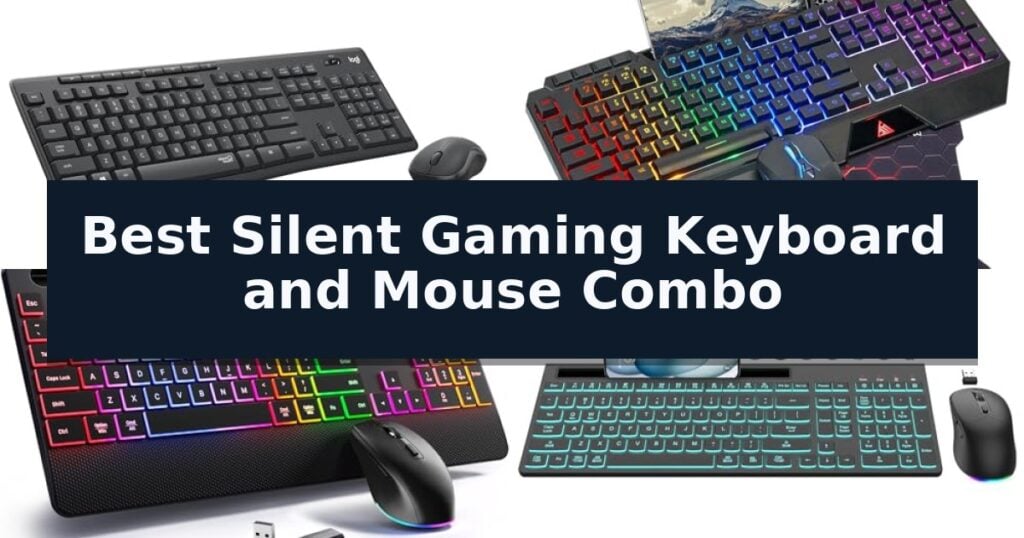
7 Best Silent Gaming Keyboard and Mouse Combo in 2026 Reviews
Quick Comparison
| Product | Best For | Key Strength | Score |
|---|---|---|---|
| Logitech MK295 Silent Wireless Combo | Best Overall | SilentTouch technology provides a quiet typing and clicking experience. | 4.9 |
| CHONCHOW Wired Silent Gaming Combo | Quiet keys for shared spaces | Silent key design reduces noise for shared environments. | 4.5 |
| Hamile Wireless Silent Gaming Combo | Focus-friendly quiet feedback | Silent-click technology for quiet operation. | 4.8 |
| EDJO Wireless Silent Gaming Combo | Tactile feel without the noise | Silent micro-motion technology in the mouse significantly reduces click noise. | 4.7 |
| Trueque KM42Pro Wireless Silent Combo | Quiet clicks for late-night gaming | Quiet typing and clicking mechanism suitable for shared environments. | 4.4 |
| MageGee V990 Wireless Silent Combo | Membrane design for hushed gaming | Silent membrane keys reduce noise for quiet operation. | 4.3 |
| LexonElec Wireless Silent Gaming Combo | Mute switches for distraction-free play | Rechargeable batteries eliminate the need for disposable battery replacements. | 4.4 |
How We Chose
To identify the most effective silent gaming keyboard and mouse combo, we analyze how each set manages the trade-off between noise suppression and tactile feedback. We evaluate build quality, connectivity reliability, and ergonomic design to ensure these tools provide a distraction-free environment without compromising the speed or accuracy required for gaming.
- Acoustic dampening efficiency of key switches and mouse buttons
- Wireless connectivity stability and latency performance
- Ergonomic features including wrist rests and adjustable tilt
- Battery life and power management efficiency
- Compatibility with multiple operating systems and gaming consoles
1 Logitech MK295 Silent Wireless Combo — Industry-leading silent typing tech
Maintaining a quiet workspace is essential for focus, and the Logitech MK295 Silent Wireless Combo addresses this with proprietary SilentTouch technology. This design choice reduces typing and clicking noise by 90% compared to standard peripherals, ensuring the tactile feel remains familiar while significantly lowering the acoustic footprint of your desk setup.
The full-size keyboard features a numpad and 8 convenient shortcuts, providing one-touch access to media controls, volume, and internet navigation. Its spill-resistant design and adjustable tilt legs offer both durability and ergonomic flexibility for extended use. The accompanying ambidextrous mouse is contoured for comfort, utilizing the same silent switches for consistent, quiet operation across most surfaces.
Connectivity is handled via a tiny 2.4 GHz USB receiver, which creates a reliable link within a 10-meter range. The system is designed for plug-and-play simplicity on Windows and Chrome OS, requiring only a 3-second setup. Power efficiency is a standout, with a 36-month battery life for the keyboard and 18-month battery life for the mouse, supported by dedicated on/off switches.
Sustainability is integrated into the construction, as the Graphite model incorporates certified post-consumer recycled plastic—49% in the mouse and 71% in the keyboard. This combination offers a practical, low-maintenance solution for users prioritizing a quiet, clutter-free environment without compromising on standard full-size functionality.
Best for: Office workers or home users who require a full-size, quiet typing experience and a reliable wireless connection for daily productivity.
Skip if: Gamers who prefer mechanical switches with high-frequency tactile feedback or those requiring advanced programmable macro keys.
- SilentTouch technology provides a quiet typing and clicking experience.
- Impressive 36-month keyboard battery life minimizes maintenance.
- Spill-resistant design adds a layer of durability for daily use.
- Includes 8 dedicated shortcut keys for efficient navigation.
- No backlighting for low-light environments.
- Lacks advanced customizable macro software for specialized tasks.
2 CHONCHOW Wired Silent Gaming Combo — Quiet keys for shared spaces
The CHONCHOW Wired Silent Gaming Combo provides a comprehensive setup for desktop users, centering on a full-size keyboard designed with increased key stability to minimize noise during operation. This focus on silent typing makes it a practical choice for shared living spaces or late-night work sessions where minimizing distractions is a priority.
Beyond its acoustic performance, the keyboard features 19 conflict-free, anti-ghosting keys and a total of 117 keys, including 16 multimedia-dedicated inputs. A standout utility feature is the integrated phone holder, which supports devices up to 11.9 inches, allowing users to keep mobile screens visible while multitasking on their primary computer.
The included 7D gaming mouse offers adjustable sensitivity across 5 DPI levels up to 7200 DPI, controlled via a dedicated button or software. Its honeycomb perforated shell is engineered to promote airflow, helping to keep palms cool during extended use, while the accompanying mouse pad provides a smooth, rubber-backed surface measuring 11.8 x 9.7 inches.
Compatibility is straightforward with a plug-and-play USB connection that works across PC, Mac, and major console platforms including PS4, PS5, and Xbox. Users should note that peripheral support is ultimately determined by individual game and console software, which may restrict third-party input devices by default.
Best for: Gamers and professionals who need a quiet, all-in-one peripheral set for multitasking in shared or noise-sensitive environments.
Skip if: Users who require a wireless setup or those playing specific console titles that restrict the use of third-party wired keyboard and mouse peripherals.
- Silent key design reduces noise for shared environments.
- Integrated phone holder supports multitasking.
- Adjustable 7200 DPI honeycomb mouse for customized tracking.
- Plug-and-play compatibility with PC and major consoles.
- Console peripheral restrictions may prevent use in some games.
- Wired-only connection limits desk cable management options.
3 Hamile Wireless Silent Gaming Combo — Focus-friendly quiet feedback
Maintaining a quiet workspace while managing intensive tasks requires hardware that prioritizes low-noise operation without sacrificing responsiveness. The Hamile Wireless Silent Gaming Combo addresses this need by integrating silent-click technology into both the keyboard and mouse, ensuring that every keystroke and click remains unobtrusive during late-night sessions or shared office environments.
This full-size keyboard features three adjustable brightness levels for its RGB backlighting, providing clear visibility in low-light conditions. It is designed for versatility, offering dual system compatibility that allows users to switch between Windows and macOS with a simple keystroke, while the integrated phone and tablet holder keeps mobile devices accessible and organized.
Ergonomics play a central role in the design, as the keyboard includes a built-in palm rest and adjustable tilt stands to help reduce fatigue during extended use. The accompanying 6-button wireless mouse features a contoured shape and 3 DPI settings (800/1200/1600), allowing for precise cursor control that adapts to specific workflow requirements.
Efficiency is further supported by a rechargeable power system that eliminates the need for disposable batteries, utilizing a single USB-C cable for charging. With a wireless range of up to 33 feet and a plug-and-play 2-in-1 USB receiver, this combo provides a reliable, clutter-free setup for users seeking a balance of comfort, quiet performance, and functional lighting.
Best for: Users who require a quiet, ergonomic, and space-saving input solution for mixed productivity and gaming environments.
Skip if: Users who prefer mechanical switches with tactile and audible feedback or those who require specialized high-performance gaming sensors.
- Silent-click technology for quiet operation.
- Integrated phone and tablet holder for device management.
- Rechargeable battery via USB-C to reduce waste.
- Seamless dual system compatibility between Windows and macOS.
- Fixed ergonomic design may not suit all hand sizes.
- Limited to 2.4GHz wireless connectivity only.
4 EDJO Wireless Silent Gaming Combo — Tactile feel without the noise
Maintaining a quiet workspace while gaming or working late requires hardware that prioritizes subtle operation without sacrificing functionality. The EDJO Wireless Silent Gaming Combo addresses this by integrating silent micro-motion technology into its mouse and enhanced key stability in the keyboard to minimize audible feedback during intense sessions.
This combo features a rechargeable design that eliminates the need for disposable batteries, utilizing a USB-C charging cable for power. To maximize efficiency, the system includes a smart auto-sleep function that triggers after 1.5 minutes of inactivity for the keyboard and 15 minutes for the mouse, ensuring the device remains ready for use while conserving energy.
Designed for versatility, the keyboard includes a built-in phone and tablet holder, allowing users to monitor mobile notifications or media without shifting focus from their primary display. The layout supports dual-system compatibility for Windows, Mac, Linux, and Chrome, with a single 2.4GHz USB receiver providing a reliable wireless connection up to 33 feet.
Visual customization is provided through 7 switchable backlights on the keyboard and an RGB mouse that cycles through colors automatically. Users can adjust their precision using the mouse's 3 DPI settings (800/1200/1600), while the keyboard's foldable stands allow for ergonomic adjustments to improve typing comfort during extended periods of use.
Best for: Users who require a quiet, clutter-free desk setup with integrated mobile device viewing and multi-platform compatibility.
Skip if: Users who require full multimedia key support on Mac OS or those who prefer a wired connection for absolute zero-latency requirements.
- Silent micro-motion technology in the mouse significantly reduces click noise.
- Rechargeable battery system removes the recurring cost and waste of disposable batteries.
- Integrated device holder provides a convenient viewing angle for phones or tablets.
- 7-color backlit keys improve visibility and typing accuracy in low-light environments.
- Multimedia keys are not fully compatible with Mac OS systems.
- USB receiver storage is located inside the mouse, which may be inconvenient for some users.
5 Trueque KM42Pro Wireless Silent Combo — Quiet clicks for late-night gaming
Maintaining a quiet workspace during intense gaming sessions is often compromised by the clatter of mechanical switches, but the Trueque KM42Pro Wireless Silent Combo addresses this with crater-style keys designed specifically to reduce typing noise. This full-size keyboard and mouse set prioritizes a distraction-free environment, making it a practical choice for shared living spaces or late-night sessions where silence is essential.
The combo features a 2.4GHz wireless connection managed by a single USB receiver, which helps minimize cable clutter on your desk. For added versatility, the keyboard includes a Mac and Windows layout toggle, allowing users to switch between operating systems with a single touch. The inclusion of a USB-A to Type-C adapter ensures compatibility with a wide range of modern laptops and desktops.
Lighting is handled through a rainbow backlit keyboard with three brightness levels, while the mouse offers 15 distinct lighting effects to customize your setup. Both devices are rechargeable via an included USB-C cable and support use while charging, ensuring you are not sidelined by a dead battery. Power efficiency is further supported by an integrated smart auto-sleep mode and physical on/off switches.
Ergonomics and long-term utility are addressed through foldable stands that provide an adjustable typing angle. The set is designed for broad compatibility across Windows, Linux, Chrome, and Mac systems, though users should note that certain multimedia keys may have limited functionality on Mac OS. The entire package is supported by a 2-year warranty.
Best for: Gamers and professionals who need a quiet, clutter-free desk setup that works across both Mac and Windows systems.
Skip if: Users who require the specific tactile feedback and audible click of high-end mechanical switches for competitive gaming will find the silent, crater-style keys less satisfying.
- Quiet typing and clicking mechanism suitable for shared environments.
- Single USB receiver simplifies connectivity and reduces port usage.
- Rechargeable design with USB-C support allows for continuous use while charging.
- Dual-OS compatibility with one-touch switching between Mac and Windows layouts.
- Limited multimedia key functionality when used with Mac OS systems.
- Crater-style key switches may not provide the tactile response preferred by some gamers.
6 MageGee V990 Wireless Silent Combo — Membrane design for hushed gaming
Maintaining a quiet workspace while gaming is often hindered by the audible click of standard mechanical switches, but the MageGee V990 Wireless Silent Combo addresses this with a dedicated silent membrane structure. This full-size keyboard utilizes noise-reduced keys designed to provide tactile feedback without the disruptive clatter typical of traditional gaming setups, making it a practical choice for shared environments.
Connectivity is handled via a 2.4GHz wireless USB receiver, which supports both the keyboard and mouse simultaneously for a streamlined, plug-and-play experience. This technology is engineered to minimize lag and interference within a 6-meter range, ensuring a reliable connection for desktop or laptop use without the need for additional software installation.
The hardware features a 99-key layout that incorporates a number pad and 12 multimedia shortcut keys to balance gaming utility with office productivity. The included mouse offers adjustable sensitivity with settings at 800, 1200, and 1600 DPI, allowing for precise cursor control depending on the task at hand.
Visual customization is provided through Rainbow RGB backlighting, which includes both static and dynamic modes. Users can adjust the brightness and breathing speed of these effects using the Fn+Ins key combination, while the Type-C rechargeable battery eliminates the need for frequent battery replacements, supported by an automatic sleep mode to conserve power.
Ergonomics are prioritized through a unique upturned design that creates a natural tilt angle, intended to reduce hand fatigue during extended sessions. This combination provides a functional, quiet, and responsive solution for users seeking a cohesive wireless desktop setup.
Best for: Users who require a quiet, full-size wireless keyboard and mouse set for mixed gaming and office productivity in shared spaces.
Skip if: Gamers who specifically require the mechanical switch feel, high-speed polling rates, or wired connectivity for competitive play.
- Silent membrane keys reduce noise for quiet operation.
- 2.4GHz wireless connection for a clutter-free, plug-and-play setup.
- Type-C rechargeable battery removes the need for disposable batteries.
- Full-size layout includes a number pad and multimedia shortcuts.
- Membrane switch technology lacks the distinct tactile feedback of mechanical switches.
- 6-meter range may be limiting for larger room setups.
7 LexonElec Wireless Silent Gaming Combo — Mute switches for distraction-free play
The LexonElec Wireless Silent Gaming Combo integrates a high-capacity 3000mAh battery within the keyboard and an 800mAh battery in the mouse, effectively removing the need for frequent charging. This setup ensures that your peripheral connection remains stable during extended sessions, while the inclusion of an Intelligent Nano Receiver facilitates a simple plug-and-play experience for both devices.
Designed with an aluminum alloy brushed panel, the keyboard provides a sturdy foundation that is both durable and waterproof. The layout includes a removable hand rest and a dedicated mobile phone bracket, which helps maintain a clean workspace while keeping your device accessible for communication during gameplay.
The keyboard features a rainbow backlit effect with adjustable brightness and breathing frequency, controlled via simple key combinations. For the mouse, the design incorporates mute switches to reduce clicking noise, paired with an adjustable 4-speed DPI (800-1200-1600-2400) to suit different sensitivity preferences.
To manage power consumption, the combo utilizes an automatic sleep mode that triggers after 5 minutes of inactivity. The 2.4G wireless technology ensures reliable signal transmission, making this a versatile option for gaming, office tasks, or general home use.
Best for: Gamers and office users who require a quiet, clutter-free desk setup with long-lasting rechargeable battery life.
Skip if: Users who prefer the tactile feedback and specific switch profiles of dedicated mechanical keyboards, or those who require high-precision wired connectivity for competitive esports.
- Rechargeable batteries eliminate the need for disposable battery replacements.
- Silent mouse switches allow for quiet operation in shared environments.
- Aluminum alloy panel construction provides a durable and stable build.
- Integrated phone bracket adds convenience for multi-device multitasking.
- Non-mechanical key switches may not provide the specific tactile response preferred by some enthusiasts.
- Shared receiver means losing the dongle disables both devices simultaneously.
Best Silent Gaming Keyboard and Mouse Combo Buying Guide
Prioritizing Acoustic Performance
The primary goal of a silent combo is to minimize the audible click of switches without sacrificing the physical feedback that gamers rely on. Look for membrane or specialized silent mechanical-feel switches that dampen sound at the point of impact.
A truly quiet setup should be unobtrusive in shared living spaces or late-night gaming sessions. Evaluate the mouse click mechanism specifically, as high-pitched or sharp clicks are often more distracting than the deeper sound of keyboard keys.
Connectivity and Latency Considerations
Wireless combos typically utilize a 2.4GHz USB receiver to provide a stable, low-latency connection. This is generally preferred over Bluetooth for gaming, as it minimizes signal interference and input lag during fast-paced sequences.
Ensure the receiver is stored securely within the mouse or keyboard when not in use to prevent loss. A reliable connection is essential for maintaining consistent performance during competitive play.
Ergonomics for Extended Sessions
Gaming often involves long periods of use, making ergonomic design a critical factor. Features such as integrated wrist rests, adjustable tilt legs, and contoured mouse shapes help reduce muscle fatigue and improve overall comfort.
Check for the presence of a phone or tablet holder, which can be a useful addition for keeping mobile devices visible for communication or secondary monitoring without cluttering your desk space.
Power Management and Charging
Battery life is a major differentiator between models. Some units rely on long-lasting alkaline batteries, while others feature rechargeable internal batteries that can be topped up via USB-C cables.
Consider your preference for maintenance; rechargeable models often include auto-sleep functions to preserve power, but require occasional downtime for charging. Battery-operated models offer the convenience of instant replacement but require spare batteries on hand.
Compatibility and Multi-System Use
If you switch between a PC, laptop, or console, verify the system compatibility of the combo. Many modern sets support plug-and-play functionality across Windows, macOS, and various gaming consoles without requiring additional drivers.
Be aware that some multimedia keys or advanced features may have limited functionality on specific operating systems. Always confirm that the keyboard layout and mouse DPI settings meet your specific hardware requirements.
Frequently Asked Questions
Are silent gaming keyboards as responsive as standard mechanical ones?
Silent gaming keyboards often use membrane or specialized quiet switches. While they provide a different tactile feel compared to loud mechanical switches, they are designed to be responsive enough for most gaming needs.
Do I need special software to use these wireless combos?
Most silent combos are plug-and-play, meaning they connect via a USB receiver and work immediately without the need for custom software or driver installations.
How do I know if a keyboard is truly silent?
Look for specific noise-reduction technology, such as Logitech's SilentTouch or similar membrane-based dampening designs, which are engineered to reduce noise by a significant percentage compared to standard hardware.
Can I use a wireless gaming combo with my console?
Many wireless combos are compatible with consoles like the PS4, PS5, or Xbox, but support depends on the specific game and console settings. Always check if your target game supports external peripherals.
Is a rechargeable keyboard better than one with replaceable batteries?
Rechargeable models are more environmentally friendly and convenient for frequent users, while battery-operated models are ideal if you prefer not to worry about charging cables or downtime.
Conclusion: Our Top Pick
Our top pick is Logitech MK295 Silent Wireless Combo. Choosing the right silent gaming keyboard and mouse combo depends on your specific environment and the balance you need between noise reduction and tactile performance. Prioritizing models with dedicated silent switches and reliable 2.4GHz connectivity will ensure a quiet, consistent experience.
By focusing on ergonomic support and power management, you can select a setup that enhances your gaming sessions while keeping your workspace quiet and clutter-free.