Logitech Lift Vertical Ergonomic Mouse earns our recommendation for the Best Silent Vertical Mouse because its 57-degree angle and refined, whisper-quiet button switches provide a superior balance of ergonomic support and acoustic discretion for small to medium hands.
Selecting a vertical mouse requires prioritizing how the physical shape aligns with your specific hand dimensions and how the internal switch mechanisms manage noise. While many models claim to be silent, the tactile feedback of the primary buttons and the quality of the scroll wheel are critical factors that determine whether a device truly minimizes office distractions.
Beyond the physical form, connectivity options and button customization play a significant role in daily productivity. Experienced users should evaluate whether a model offers multi-device switching or specific software support for their operating system, as these features often dictate the long-term utility of the mouse in a professional or creative environment.
If you are looking for a broader range of quiet peripherals, our guide to the Best Silent Computer Mouse provides additional insights into standard-shaped options.
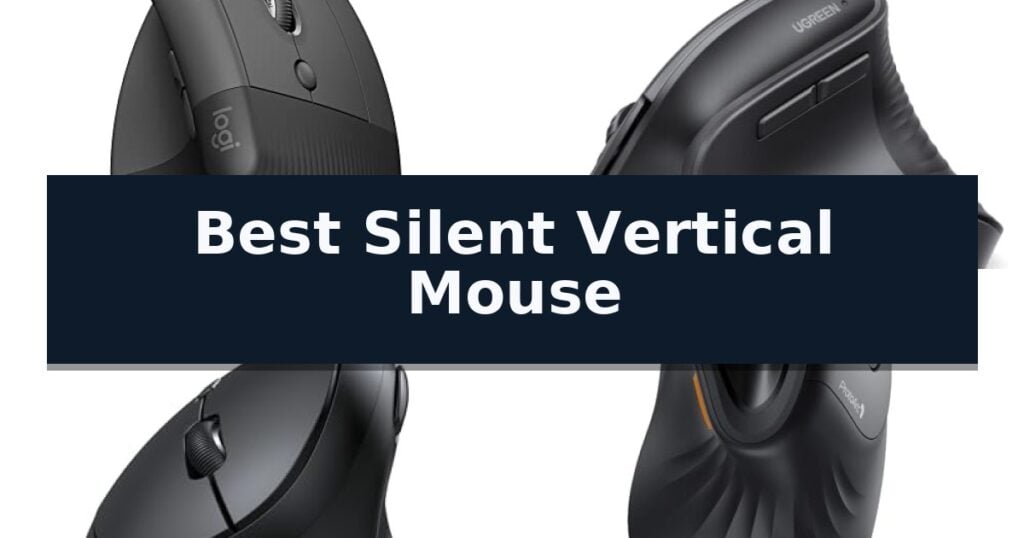
10 Best Silent Vertical Mouse in 2026 Reviews
Quick Comparison
| Product | Best For | Key Strength | Score |
|---|---|---|---|
| Logitech Lift Vertical Ergonomic Mouse | Best Overall | 57-degree vertical angle promotes a more natural forearm posture. | 4.9 |
| UGREEN Ergonomic Wireless Vertical Mouse | Multi-Device Productivity for Large Hands | Natural vertical handshake design reduces wrist rotation. | 4.6 |
| TECKNET Ergonomic Wireless Vertical Mouse | High-Precision Tracking for Daily Tasks | 52° ergonomic angle to promote a natural handshake position. | 4.9 |
| ProtoArc EM11 NL Vertical Mouse | Rechargeable Choice for Compact Setups | 58-degree vertical design for improved wrist alignment | 4.6 |
| TECKNET Wired Vertical Mouse | Reliable Plug-and-Play Precision | Vertical handshake design reduces forearm and wrist strain. | 4.6 |
| PHILIPS SPK7628 Wireless Vertical Mouse | Lightweight Travel-Friendly Design | 57° ergonomic handshake angle reduces wrist and forearm strain. | 4.3 |
| TECKNET Bluetooth Vertical Mouse | Seamless Switching Between Three Devices | Quiet click technology on primary buttons for low-noise operation. | 4.5 |
| seenda MOU-302 Vertical Mouse | Built-in Volume Control Convenience | Natural handshake grip promotes neutral wrist alignment. | 4.9 |
| TECKNET Rechargeable Vertical Mouse | Extended Battery Life for Professionals | 57° vertical ergonomic design reduces wrist strain. | 4.5 |
| Uineer Ergonomic Wireless Vertical Mouse | Vibrant RGB for Modern Desks | Tri-mode wireless connectivity allows for seamless switching between three devices. | 4.8 |
How We Chose
When evaluating the best silent vertical mouse, we focus on the intersection of anatomical support and acoustic output. An experienced reviewer assesses how the vertical orientation reduces forearm pronation while ensuring that silent-click technology does not compromise the tactile feedback necessary for precise control and efficient daily navigation.
- Ergonomic geometry and handshake angle suitability for specific hand sizes
- Acoustic performance of primary and secondary button switches
- Connectivity versatility including Bluetooth and dedicated USB receiver stability
- Customization options for side buttons and scroll wheel functionality
- Battery life efficiency and power management features
1 Logitech Lift Vertical Ergonomic Mouse — Premium Comfort for Smaller Hands
The Logitech Lift Vertical Ergonomic Mouse features a distinct 57-degree vertical angle designed to promote a more natural forearm posture, helping to reduce strain during extended periods of computer use. This ergonomic design is specifically tailored for users with small to medium-sized hands, incorporating a softly textured grip and a dedicated thumb rest for enhanced comfort.
Engineered for quiet environments, the mouse utilizes whisper-quiet clicks to minimize noise, making it suitable for shared workspaces or home offices. It includes four customizable buttons and a SmartWheel, which provides smooth, seamless scrolling for improved productivity. The device has been rigorously tested and approved according to criteria established by leading ergonomists.
Connectivity is handled via Bluetooth Low Energy or the included Logi Bolt USB-A receiver, ensuring compatibility with Windows, macOS, iPadOS, Chrome OS, and Linux. The unit is powered by a battery that offers up to two years of life, reducing the frequency of maintenance. Furthermore, the construction incorporates certified post-consumer recycled plastic, with the Graphite model containing 70% recycled content.
Measuring 3 inches in height and 3.4 inches in width, this compact peripheral is designed to occupy minimal desk space while providing a stable, upright resting position. Its combination of specialized ergonomics, wireless flexibility, and quiet operation makes it a practical solution for those seeking to improve their daily desk setup.
Best for: Users with small to medium-sized hands looking to improve wrist posture and reduce noise in a shared office or home environment.
Skip if: Users with large hands or those who prefer a traditional, low-profile mouse shape will likely find the vertical orientation and size constraints of this model uncomfortable.
- 57-degree vertical angle promotes a more natural forearm posture.
- Whisper-quiet clicks minimize noise in quiet work environments.
- Customizable buttons and SmartWheel enhance workflow efficiency.
- Dual connectivity options via Bluetooth or Logi Bolt USB receiver.
- Size limitation makes it unsuitable for users with large hands.
- Vertical design requires a period of adjustment for those accustomed to traditional mice.
2 UGREEN Ergonomic Wireless Vertical Mouse — Multi-Device Productivity for Large Hands
Maintaining a natural wrist position during long hours at a desk is essential for comfort, and the UGREEN Ergonomic Wireless Vertical Mouse addresses this with its specialized vertical handshake design. By encouraging a more neutral arm posture, this mouse aims to minimize muscle strain often associated with traditional flat-mouse designs.
Beyond its ergonomics, the mouse offers a versatile 5-button layout that enhances daily productivity. It features 4 adjustable DPI levels ranging from 1000 to 4000, allowing users to toggle between precise editing tasks and faster cursor movements. The integration of PTFE glide feet ensures that the device moves smoothly across surfaces with minimal friction.
Connectivity is a key strength of the UGREEN Ergonomic Wireless Vertical Mouse, as it supports both 2.4G wireless and Bluetooth protocols. Users can pair the device with up to three different systems simultaneously and switch between them seamlessly. It is compatible with a wide range of operating systems, including Windows, macOS, Linux, ChromeOS, and Android.
Power management is handled by a single AA battery, supported by a smart sleep mode designed to conserve energy during periods of inactivity. The device is specifically engineered for medium to large hands, ensuring that the vertical form factor provides the intended ergonomic benefits for those users.
Best for: Users with medium to large hands looking for a multi-device ergonomic mouse that reduces wrist strain during extended office work.
Skip if: Individuals with small hands, as the physical dimensions of this vertical mouse may not provide a comfortable or ergonomic fit.
- Natural vertical handshake design reduces wrist rotation.
- Multi-device connectivity allows switching between three systems.
- Adjustable DPI settings up to 4000 for varied cursor precision.
- Silent click buttons maintain a quiet workspace environment.
- Not suitable for small hands due to the large physical size.
- Requires AA battery rather than an integrated rechargeable power source.
3 TECKNET Ergonomic Wireless Vertical Mouse — High-Precision Tracking for Daily Tasks
Maintaining a natural wrist posture during long work sessions is essential for comfort, and the TECKNET Ergonomic Wireless Vertical Mouse addresses this with its distinct 52° angle. By encouraging a handshake position, this device is engineered to reduce strain on the arm and wrist, making it a practical choice for those spending extended hours at a desk.
Performance is driven by an optical sensor that offers five adjustable DPI settings, ranging from 800 to 4800, allowing for precise cursor control across various surfaces. The TECKNET Ergonomic Wireless Vertical Mouse is designed with a compact, rounded shape that fits small to medium hands comfortably, ensuring that the device remains accessible without sharp corners that might cause irritation.
For environments requiring quiet operation, this mouse features a silent click design that reduces noise by over 99%. While the primary buttons are silent, the side-mounted forward and back buttons provide extra utility for web navigation, though these specific side buttons are not supported on Mac OS. The unit connects via a 2.4GHz wireless receiver, offering a stable connection range of up to 32ft without the need for additional drivers.
Compatibility is broad, supporting Windows and Mac OS systems, which allows for easy integration into most office or home setups. With its plug-and-play functionality and focus on ergonomic alignment, this mouse serves as a functional tool for daily computing tasks where both noise reduction and wrist support are prioritized.
Best for: Small to medium-handed users seeking a quiet, ergonomic solution for prolonged office work.
Skip if: Users requiring full functionality of side-navigation buttons on Mac OS or those with very large hands who may find the 4.13-inch length restrictive.
- 52° ergonomic angle to promote a natural handshake position.
- Silent click design for quiet operation in shared spaces.
- Five adjustable DPI levels for customizable cursor sensitivity.
- Plug-and-play 2.4GHz wireless connection with 32ft range.
- Side navigation buttons are not supported on Mac OS.
- Forward/back buttons are not silent like the primary clicks.
4 ProtoArc EM11 NL Vertical Mouse — Rechargeable Choice for Compact Setups
The ProtoArc EM11 NL Wireless Ergonomic Vertical Mouse features a distinct 58-degree vertical design, engineered to promote a more natural wrist and forearm posture during extended computer use. By aligning the hand in a handshake-style grip, this device aims to reduce strain compared to traditional flat mouse designs.
This mouse is specifically optimized for small to medium-sized hands, with a recommended fit for users with hand lengths under 7.5 inches. It incorporates quiet clicking technology on the primary left and right buttons, allowing for a quieter workspace environment, though the scroll wheel and navigation buttons remain standard in their acoustic output.
Connectivity is handled through a versatile system supporting up to three devices simultaneously. Users can toggle between two Bluetooth channels and one 2.4G USB-A receiver connection. The unit is powered by a 500mAh rechargeable Li-Ion battery, which is replenished via an included Type-C cable.
Performance is customizable through adjustable DPI settings, offering 1000, 1600, and 2400 levels for varied tracking sensitivity. While the device includes forward and back buttons for web navigation, these are not programmable and lack compatibility with Mac OS systems. A brief 1-2 week adjustment period is recommended as users adapt to the vertical orientation.
Best for: Users with small to medium hands seeking a vertical ergonomic design with multi-device connectivity and silent primary clicking.
Skip if: Users with large hands or those requiring fully programmable buttons and Mac-compatible side navigation buttons.
- 58-degree vertical design for improved wrist alignment
- Multi-device connectivity supporting up to three simultaneous connections
- Silent clicking on primary buttons for quieter operation
- Rechargeable 500mAh battery via USB-C
- Non-programmable buttons limit customization
- Side navigation buttons are not compatible with Mac OS
- Learning curve required for new users
5 TECKNET Wired Vertical Mouse — Reliable Plug-and-Play Precision
Maintaining a neutral wrist posture during extended computer sessions is essential for comfort, and the TECKNET Wired Vertical Mouse addresses this by utilizing a vertical handshake design. This orientation shifts the hand away from the pronated position required by standard mice, aiming to reduce strain on the forearm and wrist throughout the workday.
Engineered for quiet operation, the TECKNET Wired Vertical Mouse features silent-click buttons that minimize noise, making it suitable for use in shared workspaces or quiet environments. The device is designed with a 1.5m/4.9ft USB cable, ensuring a consistent connection without the need for batteries or wireless pairing, and it functions as a plug-and-play device requiring no additional driver installations.
Precision is managed through four adjustable DPI levels—1000, 1600, 3200, and 6400—allowing users to tailor cursor sensitivity to their specific tasks. A visual LED indicator provides feedback on the active DPI setting, while the upgraded sensor is built to maintain tracking accuracy across various surface types.
Compatibility extends across major operating systems including Windows, macOS, Chrome, and Linux. Users should note that while the primary functions work across these platforms, the side buttons are not functional when used with macOS. The manufacturer recommends this model specifically for individuals with medium to large hands to ensure the ergonomics are effective.
Best for: Users with medium to large hands who require a quiet, corded ergonomic solution for reducing wrist strain during long hours of computer use.
Skip if: Users with small hands or those who require full side-button functionality while operating a macOS device.
- Vertical handshake design reduces forearm and wrist strain.
- Silent-click buttons allow for quiet operation in shared environments.
- Four adjustable DPI levels up to 6400 for precise cursor control.
- Plug-and-play connectivity via a 1.5m USB cable.
- Side buttons are non-functional on macOS systems.
- Ergonomic fit is limited to medium-to-large hand sizes.
6 PHILIPS SPK7628 Wireless Vertical Mouse — Lightweight Travel-Friendly Design
Maintaining a comfortable wrist position during extended computer use is essential for productivity, and the PHILIPS SPK7628 Wireless Vertical Mouse addresses this with a distinct 57° ergonomic handshake angle. This design is specifically engineered to reduce forearm strain and wrist pressure compared to standard flat mice, providing a more natural posture for daily tasks.
Designed for users with hand lengths up to 7 inches, this small/medium size mouse ensures a secure grip without requiring excessive finger stretching. The device features 6 silent buttons, which significantly minimize clicking noise, making it a practical choice for shared workspaces, libraries, or quiet office environments where minimizing distractions is a priority.
Connectivity is handled via a stable 2.4 GHz wireless connection using a plug-and-play USB receiver, requiring no additional drivers for setup. Users can toggle between 800, 1200, and 1600 DPI settings to adjust cursor sensitivity based on specific tasks, such as precise document editing or general web browsing.
For those who travel or maintain a hybrid workspace, the lightweight design allows for easy portability in laptop bags. The mouse includes an intelligent auto-sleep mode that activates during inactivity to preserve battery life, ensuring the device remains ready for use without frequent power management.
Best for: Users with small-to-medium hands seeking a quiet, ergonomic input device for office or hybrid work environments.
Skip if: Users requiring Bluetooth connectivity or those with larger hands who may find the small/medium form factor uncomfortable.
- 57° ergonomic handshake angle reduces wrist and forearm strain.
- Silent click buttons ideal for quiet environments.
- Adjustable DPI settings (800/1200/1600) for varied tasks.
- Auto-sleep mode helps extend battery life.
- No Bluetooth support; requires a USB-A port or adapter.
- Limited to small/medium hand sizes.
7 TECKNET Bluetooth Vertical Mouse — Seamless Switching Between Three Devices
Maintaining a quiet workspace often requires minimizing the mechanical noise generated by office peripherals. The TECKNET Bluetooth Vertical Mouse addresses this by incorporating quiet click buttons for the left and right inputs, allowing for use in noise-sensitive environments like shared offices or libraries without disrupting others.
Beyond its acoustic profile, this device features an ergonomic vertical design intended to position the user's palm at a near-vertical angle. This orientation aims to reduce wrist strain compared to traditional flat mice. The unit is equipped with a high-performance chip supporting 6 adjustable DPI levels, ranging from 800 to 4800, which allows for sensitivity customization across various surface types.
Connectivity is handled through a versatile 3-device switching system, utilizing Bluetooth 5.0/3.0 or a 2.4GHz USB-A receiver. This allows users to toggle between multiple machines efficiently. The mouse operates on two AAA batteries and includes an automatic deep sleep mode that activates after 10-30 minutes of inactivity to preserve battery life.
While the mouse offers broad compatibility with Windows, Mac, Chrome, and Linux, users should note that the side buttons are not functional on macOS. The device is strictly designed for right-handed use, and the silent click feature is limited specifically to the primary left and right buttons rather than the entire button array.
Best for: Right-handed users who need to switch between multiple devices and require a quiet click mechanism for shared work environments.
Skip if: Left-handed users or those who require full side-button functionality on macOS systems.
- Quiet click technology on primary buttons for low-noise operation.
- Multi-device connectivity via Bluetooth and 2.4GHz wireless.
- 6 adjustable DPI levels for customizable cursor sensitivity.
- Ergonomic vertical orientation to promote a more natural wrist position.
- Side buttons are incompatible with macOS.
- Right-handed only design limits accessibility.
- Silent clicks do not apply to all six buttons.
8 seenda MOU-302 Vertical Mouse — Built-in Volume Control Convenience
Maintaining a neutral wrist position during long work sessions is essential for comfort, and the seenda MOU-302 Wireless Bluetooth Ergonomic Vertical Mouse addresses this through its distinct handshake-grip design. By aligning the wrist and forearm, this device aims to reduce the physical strain often associated with traditional flat mice, making it a practical choice for office environments or home workstations.
Beyond its ergonomics, the mouse features a built-in volume control button, allowing users to adjust audio levels or pause media directly from the hardware. This integration is designed to streamline multitasking for those who frequently switch between video calls and media playback without needing to toggle between software windows.
Connectivity is handled through a 3-device multi-mode system, supporting both 2.4G USB and two Bluetooth channels. This allows users to transition between a laptop, tablet, and desktop with a single click. The mouse also includes adjustable DPI settings (1000/1600/2400) to accommodate different cursor speed preferences for various tasks.
Designed for shared spaces, the seenda MOU-302 Vertical Mouse utilizes silent click switches to minimize noise. It is powered by a 500mAh rechargeable battery that supports up to two months of use on a single charge, with power replenishment managed via a USB-C port for added convenience.
Best for: Hybrid workers and office professionals seeking a multi-device ergonomic mouse with integrated media controls.
Skip if: Users with large hands may find the small-to-medium form factor uncomfortable for extended use.
- Natural handshake grip promotes neutral wrist alignment.
- Integrated volume and media controls for efficient multitasking.
- Multi-device connectivity via 2.4G and dual Bluetooth channels.
- Silent click switches suitable for quiet work environments.
- Rechargeable 500mAh battery provides up to two months of usage.
- Size constraint limited specifically to small and medium hands.
- No wired-only mode if the battery is depleted and no USB-C cable is available.
9 TECKNET Rechargeable Vertical Mouse — Extended Battery Life for Professionals
The TECKNET Rechargeable Vertical Mouse addresses the physical strain of long-term computer use by utilizing a 57° vertical design that encourages a natural handshake position. This orientation is engineered to reduce wrist strain by up to 30% compared to traditional flat mice, making it a functional choice for office workers and designers who spend extended hours at their desks.
Performance is driven by a professional-grade optical sensor featuring 5-level DPI adjustment, ranging from 1000 to 4800 DPI, which allows for precise cursor control without requiring additional software. The device supports seamless multitasking through dual-mode connectivity, offering both 2.4GHz wireless via a USB receiver and Bluetooth 5.0. Users can switch between three connected devices, such as a desktop, laptop, and tablet, with a single button press.
Designed for productivity, the mouse includes ultra-quiet button mechanisms that provide tactile feedback while maintaining a silent operation suitable for shared workspaces or quiet environments. The internal 500mAh battery provides up to 200 hours of continuous use on a single charge. It also supports charging while in use via the included Type-C cable, ensuring minimal downtime during a workday.
Compatibility is broad, spanning Windows, macOS, Linux, Android, and Chrome OS. The manufacturer specifies that this model is optimized for medium to large hand sizes, specifically those 6.7 inches or longer. As with many ergonomic peripherals, a 1–2 week adaptation period is recommended to adjust to the unique vertical grip.
Best for: Office professionals and designers with medium to large hands seeking to reduce wrist strain during long work sessions.
Skip if: Users with small hands or those who prefer a traditional low-profile mouse grip may find the vertical orientation uncomfortable or difficult to navigate.
- 57° vertical ergonomic design reduces wrist strain.
- Dual-mode connectivity allows switching between three devices.
- 200-hour battery life with convenient Type-C charging.
- Silent click mechanisms for quiet operation.
- Specific hand size requirement of 6.7 inches or longer for optimal fit.
- Adaptation period required to adjust to the vertical shape.
10 Uineer Ergonomic Wireless Vertical Mouse — Vibrant RGB for Modern Desks
Maintaining a neutral wrist position during long work sessions is essential for comfort, and the Uineer Ergonomic Wireless Vertical Mouse addresses this with a contoured, vertical design that encourages a more natural forearm alignment. By shifting the hand into a handshake position, this device aims to minimize the strain often associated with traditional, flat-profile mice.
The Uineer Ergonomic Wireless Vertical Mouse offers versatile connectivity through its tri-mode wireless capability, supporting Bluetooth 5.0, Bluetooth 4.0, and a 2.4GHz USB-A receiver. This allows users to switch between three different devices, such as a laptop, tablet, and desktop, with ease. The inclusion of 4-level adjustable DPI (800/1600/2400/3200) provides the flexibility to customize cursor sensitivity for tasks ranging from precise design work to general office navigation.
Designed for quiet environments, the mouse features silent left and right buttons that eliminate audible clicking, making it suitable for shared workspaces or late-night use. Productivity is further supported by dedicated forward and back side buttons, alongside a side scroll wheel for efficient horizontal navigation. The unit is powered by a 500mAh rechargeable battery, which is rated to last for weeks on a single charge based on typical 8-hour daily usage, and it includes a smart sleep mode to conserve energy during inactivity.
Aesthetically, the mouse incorporates 7-color LED lights to provide a modern desktop appearance. While the ergonomic shape is intended to reduce fatigue, users new to vertical mice should anticipate a brief adjustment period of 1-2 weeks to adapt to the orientation. The package includes a Type-C cable for recharging and is compatible with Windows, Mac, Chrome OS, and Linux systems.
Best for: Office professionals and remote workers seeking to reduce wrist strain through a vertical ergonomic design with multi-device connectivity.
Skip if: Users who require a traditional low-profile mouse shape or those who are unwilling to commit to the 1-2 week adjustment period required to master a vertical grip.
- Tri-mode wireless connectivity allows for seamless switching between three devices.
- Silent buttons ensure quiet operation in shared or professional environments.
- Rechargeable 500mAh battery eliminates the need for frequent battery replacements.
- Adjustable 4-level DPI settings provide customizable cursor control.
- Adjustment period of 1-2 weeks is required for users new to vertical mouse ergonomics.
Best Silent Vertical Mouse Buying Guide
Understanding Hand Size Compatibility
Vertical mice are highly sensitive to hand dimensions, as the ergonomic benefit depends on your palm resting naturally against the chassis. Models designed for small to medium hands may feel cramped for larger users, while oversized mice can cause overextension.
Always verify the manufacturer's recommended hand length before purchasing. A proper fit ensures your thumb rests comfortably on the dedicated support area, which is essential for maintaining the intended neutral wrist posture during extended use.
The Role of Silent Switch Technology
Silent-click mechanisms utilize softer internal dampeners to reduce the audible snap of a standard mouse. This is particularly beneficial in shared workspaces, libraries, or home offices where repetitive clicking can become a source of distraction.
Note that while primary left and right buttons are often silent, secondary side buttons or scroll wheels may retain a traditional click sound. If absolute silence is your priority, confirm which specific buttons feature the dampened switch design.
Connectivity and Multi-Device Workflow
Modern vertical mice frequently offer dual or triple connectivity modes, allowing you to switch between a desktop, laptop, and tablet seamlessly. Bluetooth is ideal for clutter-free setups, while a 2.4GHz USB receiver often provides a more stable connection in environments with high wireless interference.
Check for dedicated buttons on the underside or top of the mouse that facilitate quick device switching. This feature is a significant productivity booster for users who manage multiple operating systems simultaneously.
Customization and Productivity Features
Programmable buttons allow you to map frequently used shortcuts, such as copy, paste, or browser navigation, directly to your mouse. While some models offer plug-and-play functionality, others require specific software to unlock the full potential of these side buttons.
Be aware that button compatibility can vary by operating system. Mac users, in particular, should verify if side buttons are supported on their specific version of macOS, as some hardware is optimized primarily for Windows environments.
Power Management and Charging
Battery-powered mice often provide months of usage on a single set of cells, making them reliable for travel. Conversely, rechargeable models with USB-C ports eliminate the need for disposable batteries but require occasional downtime for charging.
Look for mice with intelligent sleep modes that activate during inactivity. This feature significantly extends battery life and ensures your device is ready to perform without the need for constant power monitoring.
Frequently Asked Questions
Do all silent vertical mice work on macOS?
Most vertical mice are compatible with macOS for basic pointing and clicking. However, side buttons and custom software features may have limited functionality on Apple systems compared to Windows.
How long does it take to get used to a vertical mouse?
Most users require an adaptation period of one to two weeks. During this time, you may feel minor discomfort as your hand muscles adjust to the new, more natural handshake position.
Are silent clicks as durable as standard clicks?
Yes, silent switches are engineered for longevity similar to standard mechanical switches. They use different internal dampening materials to achieve a quieter sound profile without sacrificing click lifespan.
Can I use a vertical mouse for gaming?
While vertical mice are designed for ergonomic office work, models with high DPI settings and responsive sensors can be used for casual gaming. They are generally not recommended for competitive, high-speed gaming.
What is the benefit of a 57-degree angle?
A 57-degree angle is designed to place the forearm in a more neutral, relaxed position. This reduces the twisting of the forearm bones, which is a common cause of wrist strain during long hours of mouse use.
Conclusion: Our Top Pick
Our top pick is Logitech Lift Vertical Ergonomic Mouse. Choosing the right vertical mouse involves balancing your specific hand size with the connectivity and noise requirements of your workspace. By prioritizing ergonomic fit and the specific silent-click performance of the buttons, you can significantly improve your comfort during long work sessions.
Whether you require multi-device switching for a complex workflow or a simple plug-and-play solution, the current market offers specialized options to suit your needs. Always verify compatibility with your operating system to ensure all buttons function as intended.