Logitech MK470 Slim Wireless Combo is our pick for the Best Slimline Keyboards because its low-profile scissor keys and compact footprint provide a quiet, space-efficient typing experience for modern desks.
When selecting a slimline keyboard, prioritize the balance between physical dimensions and tactile feedback. A thinner profile often sacrifices key travel, so identifying a model that maintains a comfortable, laptop-like feel is essential for long-term productivity.
Connectivity also plays a significant role in your setup. Whether you prefer the reliability of a 2.4 GHz USB receiver for a dedicated workstation or the versatility of Bluetooth for multi-device switching, matching your input method to your hardware is a critical step.
If you are looking for more options for your desktop setup, our guide to the Best Slim Keyboards for PC provides additional insights into finding the right hardware for your specific needs. For those who prioritize aesthetics alongside performance, you might also find our analysis of the Best Sleek Keyboards helpful in narrowing down your choices.
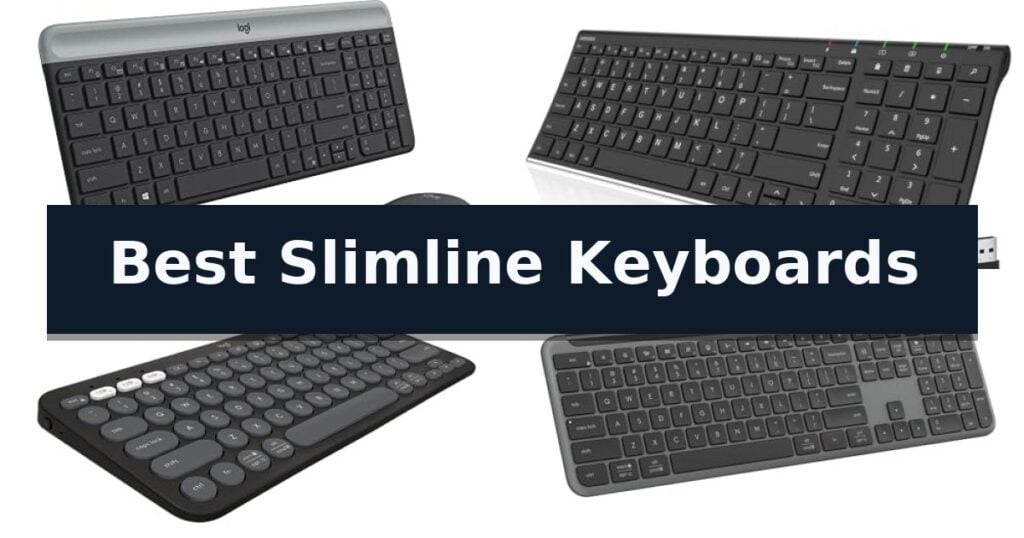
10 Best Slimline Keyboards in 2026 Reviews
Quick Comparison
| Product | Best For | Key Strength | Score |
|---|---|---|---|
| Logitech MK470 Slim Wireless Combo | Best Overall | Ultra-quiet operation for both keyboard and mouse | 4.9 |
| Arteck Stainless Wireless Keyboard | Durable premium metal build | Durable stainless steel build quality | 4.3 |
| Logitech Pebble Keys 2 K380s | Portable pick for mobile devices | Easy-Switch technology allows seamless toggling between three Bluetooth devices. | 4.5 |
| Logitech Signature Slim K950 | Seamless multi-device switching | Seamless multi-device switching between up to three devices. | 4.3 |
| Logitech K250 Wireless Keyboard | Compact layout with number pad | Space-saving layout that includes a full number pad. | 4.6 |
| TopMate Wireless Keyboard Combo | Includes protective dust cover | Ultra-slim 0.8-inch design saves significant desk space. | 4.8 |
| Verbatim Slimline Silent Combo | Distraction-free quiet typing | Silent technology reduces noise for a distraction-free environment. | 4.3 |
| Verbatim Slimline Wired Combo | Reliable plug-and-play connection | Plug-and-play USB connectivity for immediate use across multiple operating systems. | 4.4 |
| Logickeyboard Slimline Large Print | High-contrast for visual accessibility | High-contrast large print for improved legibility. | 4.6 |
| Logickeyboard Nero Slimline Keyboard | Integrated dual USB hub | Integrated dual USB 2.0 high-speed hubs for convenient peripheral connectivity. | 4.7 |
How We Chose
To determine the best slimline keyboards, we evaluate how each model balances a minimalist aesthetic with functional typing performance. Our review process focuses on key switch mechanics, device compatibility, and the practical utility of secondary features like numeric keypads or multi-device switching, ensuring each recommendation serves a specific workspace need.
- Key travel and tactile feedback consistency
- Overall footprint and desk space optimization
- Connectivity options including Bluetooth and USB receiver reliability
- Battery life efficiency and power-saving features
- Build quality and material durability
1 Logitech MK470 Slim Wireless Combo — Ultra-quiet for shared workspaces
Maintaining a clean, minimalist workspace often begins with the hardware you choose. The Logitech MK470 Slim Wireless Combo offers a distinct, low-profile aesthetic designed to minimize clutter while providing a full-sized typing experience in a compact footprint. By utilizing a slim design, this keyboard helps reclaim valuable desk real estate without sacrificing the utility of a dedicated number pad.
This wireless set features a keyboard equipped with low-profile scissor keys and a layout optimized for Windows and ChromeOS environments. The accompanying ambidextrous mouse utilizes high precision optical tracking at 1000 DPI, ensuring reliable navigation for daily tasks. The inclusion of a mechanical scroll wheel on the mouse provides tactile feedback, which is a significant trade-off for those who prefer the simplicity of traditional scrolling over touch-sensitive alternatives.
Designed for quiet operation, both the keyboard and the mouse are engineered to reduce noise, making them suitable for shared environments where silence is a priority. The system connects via a simple plug-and-play USB nano receiver that provides a 2.4 GHz wireless connection with a range of up to 10 meters. This connection method ensures a stable link, though it does require a dedicated USB port on your host device.
Efficiency is a core design element, supported by an auto-sleep feature that helps extend battery life to 36 months for the keyboard and 18 months for the mouse. Users can further personalize their workflow by assigning custom shortcuts to the 12 programmable FN keys using the Logi Options software. This software-based customization allows for a more tailored experience, enabling quick access to frequently used applications or system functions.
Best for: Users seeking a quiet, space-saving wireless keyboard and mouse solution for home or office desks.
Skip if: Users who require mechanical switches, backlighting, or a full-sized ergonomic layout with wrist support.
- Ultra-quiet operation for both keyboard and mouse
- Compact, slim design ideal for small workspaces
- Long battery life with auto-sleep functionality
- Customizable FN keys for personalized productivity
- USB receiver required, which occupies a port on the host device
2 Arteck Stainless Wireless Keyboard — Durable premium metal build
Achieving a clean, minimalist workspace often starts with reducing cable clutter and reclaiming desk real estate. The Arteck Stainless Wireless Keyboard addresses this by combining a slim, low-profile chassis with a reliable wireless connection, making it a practical choice for users who prioritize both aesthetics and functionality.
This keyboard features a durable stainless steel construction that provides a solid, heavy-duty feel despite its ultra-thin profile. Measuring just 14.5 by 4.9 by 0.16 inches, it manages to integrate a full numeric keypad and essential shortcut keys without occupying excessive space. The low-profile keys are engineered for quiet operation, ensuring a comfortable typing experience during extended work sessions.
Connectivity is streamlined through a simple nano USB receiver that allows for an immediate, plug-and-play setup. Power management is a standout aspect, as the integrated rechargeable lithium battery is rated for up to 6 months of use on a single charge, assuming a standard usage pattern of two hours per day. This longevity minimizes the need for frequent charging cables on your desk.
While the device offers a sleek, modern design, it is important to note that it relies on a 2.4G wireless connection via a USB receiver rather than Bluetooth. This makes it an excellent fit for desktop PCs or laptops with available USB ports, though users strictly requiring Bluetooth connectivity for mobile devices or tablets may need to consider alternative options.
Best for: Users seeking a durable, space-saving wireless keyboard with a numeric keypad for desktop or laptop environments.
Skip if: Users who require Bluetooth connectivity for mobile devices or tablets, as this model relies exclusively on a 2.4G nano USB receiver.
- Durable stainless steel build quality
- Long-lasting rechargeable battery (up to 6 months)
- Ultra-slim, compact design with integrated numeric keypad
- Quiet, low-profile keys for comfortable typing
- No Bluetooth connectivity
- Requires USB port for the nano receiver
3 Logitech Pebble Keys 2 K380s — Portable pick for mobile devices
The Logitech Pebble Keys 2 K380s offers a distinctively slim and portable design, making it a practical choice for users who need a reliable typing experience on the go. Its compact footprint is complemented by a construction that utilizes at least 49% post-consumer recycled plastic, appealing to those prioritizing space-saving and sustainable design choices.
Engineered for versatility, this keyboard features Easy-Switch buttons that allow you to toggle between three paired Bluetooth devices across various operating systems, including Windows, macOS, iPadOS, and ChromeOS. The scooped round keys provide a familiar, laptop-like tactile feel, ensuring comfortable and quiet typing sessions during extended use.
Efficiency is integrated through customizable Fn shortcut keys, which provide instant access to essential functions like screen capture, search, and the emoji menu. Users can further tailor these keys using the Logi Options+ app to streamline their specific workflows.
Power management is a core strength of the Logitech Pebble Keys 2 K380s, which boasts a 3-year battery life supported by an auto-sleep power-saving mode. This extended longevity ensures consistent performance without the frequent need for battery replacements, making it an ideal companion for mobile setups.
Best for: Users who frequently switch between multiple mobile devices and require a compact, portable keyboard with long battery life.
Skip if: Users who require a full-sized keyboard layout with a dedicated number pad or those who prefer mechanical switches over a low-profile, laptop-style typing experience.
- Easy-Switch technology allows seamless toggling between three Bluetooth devices.
- Slim and portable design is ideal for travel and compact workspaces.
- Long-lasting 3-year battery life with auto-sleep power-saving functionality.
- Customizable Fn keys via the Logi Options+ app for personalized shortcuts.
- Compact layout lacks a dedicated numeric keypad.
- Low-profile key travel may not suit users accustomed to deep mechanical switches.
4 Logitech Signature Slim K950 — Seamless multi-device switching
The Logitech Signature Slim K950 offers a streamlined solution for multi-device workflows, allowing users to switch typing between a computer, tablet, or phone with a single tap. This full-size wireless keyboard features a familiar laptop-style typing experience, making it a practical choice for those who need to maintain productivity across various platforms including Windows, macOS, Chrome OS, and mobile operating systems.
Designed to enhance workspace efficiency, the keyboard includes customizable keys via the Logi Options+ App, enabling users to assign specific shortcuts for work and home tasks. Its quiet typing mechanism is engineered to minimize noise, providing a discreet input experience suitable for shared environments. The unit is constructed with at least 48% certified post-consumer recycled plastic, reflecting a focus on material sourcing.
Connectivity is handled through either Bluetooth or the included Logi Bolt USB receiver, ensuring a stable wireless link. The device is compatible with a wide range of platforms, including iPadOS, iOS, and Android. For users who prefer a cohesive setup, the keyboard is designed to pair effectively with the Signature Mouse M650, which features a SmartWheel for efficient document scrolling.
While the keyboard provides a comprehensive feature set for multi-device users, it is important to note that the customization features via the Logi Options+ App are limited to Windows and macOS environments. The device is powered for daily use, and users should verify that their specific operating system version supports the desired wireless connection method.
Best for: Users who frequently switch between multiple devices and operating systems and require a quiet, full-size typing experience.
Skip if: Users who require advanced customization features on platforms other than Windows or macOS, or those who prefer mechanical switches over laptop-style typing.
- Seamless multi-device switching between up to three devices.
- Quiet typing design for discreet operation.
- Customizable keys via the Logi Options+ App for Windows and macOS.
- Broad compatibility across Windows, macOS, Chrome OS, Linux, and mobile platforms.
- Customization software is restricted to Windows and macOS.
- Laptop-style keys may not suit users who prefer the tactile feedback of mechanical keyboards.
5 Logitech K250 Wireless Keyboard — Compact layout with number pad
Maintaining a clean, clutter-free desk often starts with the hardware you use daily. The Logitech K250 Compact Wireless Bluetooth Keyboard addresses this by integrating a full number pad into a space-saving layout, allowing for efficient data entry without the footprint of a traditional full-sized keyboard.
This keyboard prioritizes a streamlined setup by utilizing Bluetooth wireless technology, which eliminates the need for external dongles or occupied USB ports. It is designed for versatility across operating systems, offering seamless connectivity for both Windows and MacOS environments. The inclusion of deep-profile keys and an adjustable tilt-leg design provides a tactile typing experience intended to enhance comfort during extended use.
Durability is a core focus of the Logitech K250 Compact Wireless Bluetooth Keyboard, which features a spill-resistant design to protect against minor accidents. The construction also reflects a commitment to sustainability, as the plastic components are manufactured with a minimum of 64% recycled plastic. Users can expect reliable performance, with a battery life rated for up to 12 months of daily operation.
For those who frequently switch between tasks, the keyboard includes handy F-key shortcuts and dedicated arrow keys, ensuring that productivity remains high despite the compact form factor. Its lightweight profile, measuring less than an inch in height, makes it a practical addition to any workspace where desk real estate is at a premium.
Best for: Users who require a full number pad and reliable Bluetooth connectivity in a compact, space-saving design.
Skip if: Users who prefer a mechanical typing feel or require a wired connection for specific low-latency professional applications.
- Space-saving layout that includes a full number pad.
- Bluetooth wireless connectivity removes the need for USB receivers.
- Spill-resistant design for increased longevity.
- Constructed with at least 64% recycled plastic.
- Bluetooth-only connection lacks a USB receiver option for older devices.
- Deep-profile keys may not suit users who prefer low-profile or laptop-style chiclet keys.
6 TopMate Wireless Keyboard Combo — Includes protective dust cover
The TopMate Wireless Keyboard Combo prioritizes workspace efficiency by combining a full-size layout with a compact, ultra-slim 0.8-inch profile. This set includes a scissor-switch keyboard and a silent mouse, both operating via a single 2.4G Nano receiver that provides a stable connection up to 10 meters away.
Designed for versatility, the keyboard features 12 dedicated function keys for quick access to media and system controls, though some hot-keys have limited compatibility with Mac systems. The scissor-switch mechanism is engineered to reduce noise, offering a soft tactile response that minimizes sound during intensive typing sessions.
The accompanying mouse features adjustable DPI settings, with a default of 1600 DPI, allowing users to toggle sensitivity for different tasks. Both peripherals are designed to be plug-and-play, requiring no additional software installation, which helps maintain a clutter-free desk environment.
Portability is a primary focus of this 14.55×5.5×0.8-inch kit, making it suitable for office, home, or travel use. The package includes essential AA and AAA batteries, along with a protective cover to shield the keys from dust and liquid spills. A 2-year warranty is provided to address potential quality issues.
Best for: Users seeking a low-profile, quiet keyboard and mouse set that saves desk space without sacrificing a numeric keypad.
Skip if: Users who require full hot-key functionality on macOS or those who prefer mechanical switches over scissor-switch designs.
- Ultra-slim 0.8-inch design saves significant desk space.
- Silent scissor-switch keys reduce typing noise.
- Plug-and-play 2.4G wireless setup via a single Nano receiver.
- Includes protective cover to prevent dust and liquid damage.
- Hot-keys are not fully compatible with Mac operating systems.
- Battery life varies significantly based on individual usage conditions.
7 Verbatim Slimline Silent Combo — Distraction-free quiet typing
Maintaining a quiet workspace is essential for focus, and the Verbatim Slimline Silent Wireless Keyboard and Mouse Combo addresses this with integrated Silent technology. This design choice aims to minimize audible clicking and typing sounds, allowing for a more serene environment during extended work or leisure sessions.
The keyboard features a compact 78-key layout that saves desk space without sacrificing functionality. Users gain quick access to media playback and system status through dedicated multimedia keys and indicator lights. The included 4-button mouse complements the setup with precision tracking, adjustable between 1000 and 1200 DPI to suit different navigation preferences.
Connectivity is handled through a flexible wireless interface, supporting USB-A connections for broad compatibility. The system is designed for multi-platform environments, offering versatile compatibility with Windows, macOS, iPad, Android, and iOS devices. This makes it a practical choice for users who switch between different hardware throughout the day.
At a weight of 1.04 pounds, the combo maintains a slim profile suitable for various desk configurations. While it provides a streamlined experience, users should note that the compact layout prioritizes space-saving over a full-sized numeric keypad. The unit is backed by a 1-year limited warranty.
Best for: Users seeking a quiet, space-saving input solution for multi-device environments across mobile and desktop platforms.
Skip if: Users who require a full-sized keyboard layout with a dedicated numeric keypad for data-heavy tasks.
- Silent technology reduces noise for a distraction-free environment.
- Versatile compatibility across major operating systems including mobile devices.
- Compact 78-key design optimizes limited desk space.
- Multimedia keys provide convenient control over volume and playback.
- Compact layout lacks a dedicated numeric keypad.
- USB-A connectivity may require adapters for devices lacking legacy ports.
8 Verbatim Slimline Wired Combo — Reliable plug-and-play connection
The Verbatim Slimline Wired Combo offers a streamlined solution for users seeking a reliable, space-saving input setup. This kit pairs a low-profile keyboard with a high-resolution optical mouse, both utilizing a simple USB plug-and-play connection to minimize setup time across various operating systems, including Windows, MacOS, Chrome OS, and Linux.
Designed for comfort and quiet operation, the keyboard features advanced tactile keys that provide responsive feedback without unnecessary noise. Its slimline profile is complemented by adjustable tilt legs, allowing users to customize the typing angle to suit their desk ergonomics. The inclusion of a full numeric keypad ensures that data entry remains efficient for professional or academic tasks.
The accompanying optical mouse is engineered with a contoured, ambidextrous design, making it suitable for both left- and right-handed users. It features high-resolution tracking and a dedicated scroll wheel to facilitate smooth navigation through documents and web pages. With its durable corded construction, the mouse provides consistent performance without the need for battery replacements.
As a brand with a long history in data storage, Verbatim backs this hardware with a 1-year limited warranty. The combo is built for straightforward utility, prioritizing a stable wired connection over the complexity of wireless peripherals, making it a practical choice for home offices or shared workstations.
Best for: Users who prioritize a reliable, no-fuss wired connection and a slim profile for standard office or home computing tasks.
Skip if: Users who require wireless freedom, programmable macro keys, or a mechanical switch feel for gaming or specialized heavy-duty typing.
- Plug-and-play USB connectivity for immediate use across multiple operating systems.
- Low-profile, quiet tactile keys designed for comfortable, ergonomic typing.
- Ambidextrous contoured mouse with high-resolution optical tracking.
- Full-size layout including a dedicated numeric keypad.
- Wired-only connection limits desk placement flexibility compared to wireless alternatives.
- Standard membrane switches may lack the tactile depth preferred by some power users.
9 Logickeyboard Slimline Large Print — High-contrast for visual accessibility
The Logickeyboard Slimline Large Print prioritizes visual accessibility through its high-contrast design, featuring bold black characters on bright white keys. This layout is specifically engineered for individuals who experience visual impairments or find standard, smaller key markings difficult to navigate during daily computer tasks.
Beyond its visual design, the keyboard integrates practical utility for a streamlined workspace. It includes a dedicated LogicLight lamp that provides direct illumination to the key surface, further enhancing readability in low-light environments. The device also features two built-in USB 2.0 hubs, allowing users to connect peripherals like a mouse directly to the keyboard frame to reduce cable clutter.
Designed for seamless integration with Apple hardware, the unit supports plug-n-play connectivity for MacOS. Its slimline profile maintains a low physical footprint on the desk while providing a full-sized layout. The keyboard is built with a focus on high-contrast utility, ensuring that the primary interface remains clear and easy to read throughout extended use.
While the keyboard excels in accessibility, users should note that its specialized design is tailored for specific visual needs rather than general-purpose gaming or mechanical typing preferences. The inclusion of the USB hub and lamp makes it a functional, all-in-one solution for users seeking to improve their desktop ergonomics and visual comfort.
Best for: Individuals with visual impairments or those who require high-contrast, large-print key markings for easier reading.
Skip if: Users who prefer mechanical switches, backlighting integrated into the keys themselves, or a more compact tenkeyless form factor.
- High-contrast large print for improved legibility.
- Includes a LogicLight lamp for enhanced key illumination.
- Integrated two-port USB 2.0 hub for peripheral connectivity.
- Simple plug-n-play setup for MacOS environments.
- Specialized design may not suit users seeking standard aesthetic or mechanical typing experiences.
- Limited to USB 2.0 speeds for the integrated hub.
10 Logickeyboard Nero Slimline Keyboard — Integrated dual USB hub
The Logickeyboard Nero Slimline Keyboard distinguishes itself by integrating a dual USB 2.0 high-speed hub directly into its frame, providing convenient peripheral connectivity right at your fingertips. This wired keyboard is engineered for those who prioritize a clean, functional workspace without sacrificing desk real estate.
Designed with a focus on tactile precision, the unit utilizes scissors switch keys that deliver superior tactile feedback during operation. This mechanism provides a stable typing experience, ensuring each keystroke feels deliberate and responsive, which is particularly beneficial for extended periods of use.
Measuring 17.6 inches by 5.6 inches with a slim 0.9-inch profile, the keyboard maintains a low-profile footprint that fits easily into most workstation setups. The USB wired connection ensures a reliable, consistent link to your Windows-based computer, eliminating the need for battery management or wireless interference concerns.
While the integrated USB hubs add significant utility for connecting mice or flash drives, users should note that the device is specifically optimized for Windows environments. Its slimline design is ideal for users seeking a streamlined, reliable input device that simplifies cable management through its built-in port expansion.
Best for: Users who need a reliable, low-profile wired keyboard with integrated USB ports to expand their workstation connectivity.
Skip if: Users who require a wireless connection or a compact tenkeyless layout will find this full-sized, wired model less suitable for their needs.
- Integrated dual USB 2.0 high-speed hubs for convenient peripheral connectivity.
- Scissors switch keys provide superior tactile feedback.
- Slimline design saves valuable desk space.
- Reliable USB wired connection.
- Wired-only connection limits placement flexibility compared to wireless models.
Best Slimline Keyboards Buying Guide
Prioritizing Key Feel in Slim Designs
Slimline keyboards often utilize scissor-switch mechanisms to achieve their low-profile aesthetic. While this design significantly reduces the overall height of the device, it can result in shorter key travel compared to traditional mechanical or membrane boards.
Look for models that offer scooped or contoured keycaps, which can help your fingers find the center of each key more naturally. This subtle design choice often compensates for the lack of depth, providing a more satisfying and accurate typing experience.
Connectivity and Multi-Device Workflow
Modern slim keyboards frequently offer multiple ways to connect, ranging from dedicated 2.4 GHz USB dongles to Bluetooth. If you frequently switch between a laptop, tablet, and desktop, prioritize keyboards with dedicated easy-switch buttons.
A 2.4 GHz connection is generally more stable for a permanent desktop setup, while Bluetooth offers superior flexibility for mobile users. Ensure your chosen keyboard supports the specific operating systems you use, such as Windows, macOS, or ChromeOS.
Space-Saving Layouts and Numeric Keypads
The primary advantage of a slimline keyboard is its compact footprint. However, you must decide if you require a full-size layout with a dedicated number pad or if a tenkeyless design better suits your available desk space.
Some compact models integrate the number pad into the main key area, accessible via function keys. If your workflow involves heavy data entry, a dedicated number pad is usually worth the extra inches of width.
Battery Life and Power Management
Because slimline keyboards are often wireless, power management is a critical consideration. Many modern options feature auto-sleep modes that significantly extend battery life, sometimes lasting up to three years on a single set of batteries.
Consider whether you prefer a keyboard that uses standard replaceable batteries or one with a built-in rechargeable lithium battery. Rechargeable models reduce long-term waste but require occasional downtime for charging via USB.
Build Quality and Ergonomics
Despite their thin profile, high-quality slimline keyboards should feel rigid and stable on your desk. Models featuring metal or reinforced plastic construction are less likely to flex during intense typing sessions.
Check for adjustable tilt legs, which can help improve your wrist angle. Even a small degree of elevation can make a significant difference in comfort during extended work periods, preventing fatigue.
Frequently Asked Questions
Are slimline keyboards suitable for long-term typing?
Yes, many slimline keyboards are designed for professional use. Look for models with scissor-switch keys, which provide consistent tactile feedback that mimics the feel of a high-end laptop keyboard.
Can I use a wireless slim keyboard with multiple devices?
Many modern slim keyboards, such as the Logitech Pebble Keys 2 or Signature Slim K950, feature multi-device switching that allows you to toggle between connected devices with a single button press.
Do slimline keyboards always lack a number pad?
No, they are available in various layouts. You can find full-size slimline keyboards that include a numeric keypad, as well as compact tenkeyless versions designed to save space.
How do I know if a keyboard is compatible with my computer?
Most wireless keyboards are compatible with Windows, macOS, and ChromeOS. Always check the product specifications to ensure your operating system is listed, especially if you require specific function key support.
Is a rechargeable keyboard better than one with replaceable batteries?
It depends on your preference. Rechargeable keyboards are convenient and eco-friendly, while those using replaceable batteries often offer longer intervals between maintenance, sometimes lasting years.
Conclusion: Our Top Pick
Our top pick is Logitech MK470 Slim Wireless Combo. Selecting the right slimline keyboard depends on your specific balance of desk space, connectivity needs, and typing preference. By focusing on key mechanism quality and the layout that best fits your workflow, you can significantly improve your daily computing comfort.
Whether you choose a compact model for portability or a full-size version for data entry, prioritizing these functional aspects ensures your keyboard remains a reliable tool rather than just a space-saving accessory.