Samsung M5 Smart Monitor is our pick for the Best Smart Monitor because it provides a seamless, all-in-one streaming experience that integrates directly into your workspace without needing a PC.
Smart monitors bridge the gap between traditional computing displays and standalone televisions. By incorporating built-in operating systems, these devices allow users to access streaming services, cloud-based productivity apps, and wireless screen mirroring directly from the monitor interface.
When selecting a model, consider how you intend to balance work and entertainment. While some units prioritize high-resolution 4K panels for creative tasks, others focus on flexible mounting or specialized gaming hubs to serve as a central entertainment console.
If you are looking for a more compact setup, our guide to the Best Small Monitor for PC offers excellent alternatives for tighter workspaces.
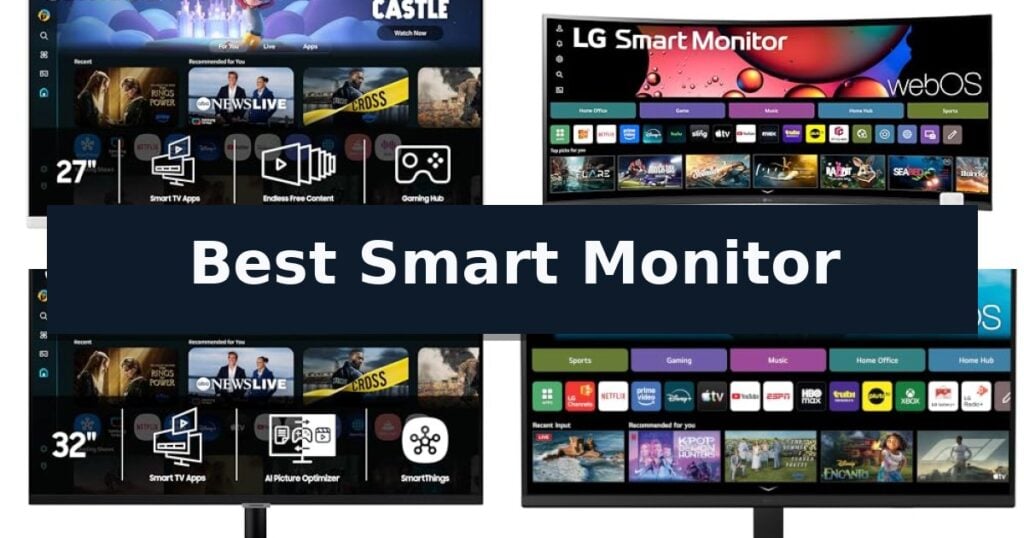
10 Best Smart Monitor in 2026 Reviews
Quick Comparison
| Product | Best For | Key Strength | Score |
|---|---|---|---|
| Samsung M5 Smart Monitor | Best Overall | Integrated Smart TV features allow for direct streaming without external hardware. | 4.9 |
| LG 34SR60QC-W Smart Monitor | Ultrawide Multitasking Powerhouse | Built-in webOS23 allows for standalone streaming and cloud productivity without a connected PC. | 4.5 |
| Samsung M7 Smart Monitor | Vivid 4K Productivity Hub | 4K UHD resolution for high-clarity visuals. | 4.9 |
| LG 32U701SB-B Smart Monitor | AI-Enhanced 4K Visuals | PC-free productivity via integrated webOS office applications. | 4.6 |
| Acer KS242Y Smart Monitor | Seamless Smart Home Integration | Integrated WebOS allows for native streaming without a connected PC. | 4.4 |
| Acer KS272 Smart Monitor | Versatile Wireless Projection | Integrated WebOS platform for native app streaming. | 4.6 |
| ASUS ZenScreen MS27UC Smart Monitor | Google TV Entertainment Ready | Google TV Integration provides native access to streaming services and apps. | 4.6 |
| LG Smart Monitor Swing | Ultimate Flexible Touchscreen | 360-degree adjustable stand with torsion spring hinge for portrait and landscape modes. | 4.3 |
| AOC Q27G4XY Smart Gaming Monitor | High-Refresh Smart Gaming | Built-in Google TV OS for direct access to streaming apps. | 4.7 |
| Samsung The Movingstyle Smart Monitor | Portable Entertainment Anywhere | Height-adjustable rolling stand for effortless room-to-room mobility. | 4.9 |
How We Chose
Selecting the right smart monitor requires evaluating how well a display balances traditional PC productivity with modern streaming capabilities. We analyze each monitor based on its panel performance, the fluidity of its built-in smart OS, and the versatility of its input ports to ensure it functions effectively as both a primary workstation and an entertainment hub.
- Display resolution and panel technology
- Operating system responsiveness and app compatibility
- Connectivity options including USB-C power delivery
- Ergonomic adjustability and mounting flexibility
- Integrated audio and smart home ecosystem support
1 Samsung M5 Smart Monitor — Best for All-in-One Streaming
The Samsung 27-Inch M5 (M50F) Series FHD Smart Monitor integrates streaming and productivity into a single display, allowing users to access apps and content directly without needing a secondary device. This monitor simplifies desk setups by combining traditional display functionality with a built-in smart interface.
Equipped with the Samsung Gaming Hub, this monitor enables cloud-based gaming from top streaming partners, bypassing the requirement for a dedicated PC or console. The display also features Adaptive Sound, which utilizes audio scenic intelligence to analyze content in real-time and optimize output based on the specific scene type.
Connectivity is a core focus, with the device supporting mobile integration to stream videos, photos, and documents from smartphones to the larger screen. Users can also access Samsung TV Plus for a variety of free channels, including news, sports, and entertainment, directly through the monitor's interface.
Designed for versatility, the Samsung M5 Smart Monitor includes HDR10 support for enhanced visual clarity. Its white finish and compact dimensions make it a functional addition to various workspaces, while built-in accessibility tools support a range of user needs.
Best for: Users seeking an all-in-one display that combines PC monitor functionality with direct access to streaming services and cloud gaming.
Skip if: Users who require high-resolution 4K displays or professional-grade color accuracy for graphic design and video editing.
- Integrated Smart TV features allow for direct streaming without external hardware.
- Samsung Gaming Hub enables console-free cloud gaming.
- Adaptive Sound technology optimizes audio based on content.
- Mobile connectivity for easy content sharing from smartphones.
- FHD resolution may be limiting for those requiring higher pixel density.
- Limited to streaming-based gaming rather than local high-performance hardware.
2 LG 34SR60QC-W Smart Monitor — Ultrawide Multitasking Powerhouse
The LG 34SR60QC-W Smart Monitor integrates a full webOS23 interface directly into its 34-inch ultrawide display, allowing users to stream content from Netflix, Prime Video, and Disney+ without needing an external computer. This 21:9 panoramic screen provides a 34% wider field of view compared to standard 16:9 monitors, making it a versatile hub for both professional multitasking and entertainment.
Engineered for visual clarity, the display features a 3440×1440 WQHD resolution paired with an 1800R curvature that wraps around the user's field of vision. The panel supports HDR10 and covers 99% of the sRGB color gamut, ensuring vibrant color reproduction for media consumption and creative tasks. With a 100Hz refresh rate, the monitor balances smooth motion for casual gaming with the screen real estate required for complex productivity workflows.
Connectivity is handled through a versatile array of ports, including two HDMI inputs and three USB-A ports for peripheral integration. For Apple users, the monitor includes built-in AirPlay 2 and HomeKit compatibility, enabling seamless wireless casting and mirroring from iOS or macOS devices. The unit also supports cloud-based productivity through native access to Microsoft 365 and Google applications directly via the webOS interface.
The physical design emphasizes a clean, minimalist aesthetic with a virtually frameless three-sided bezel. While the monitor includes a tilt-adjustable stand, it is also compatible with the LG Magic Remote—available separately—which enables voice command navigation and gesture-based control for a more intuitive user experience.
Best for: Users who want an all-in-one workstation that transitions seamlessly between PC-based productivity and standalone streaming entertainment.
Skip if: Users requiring high-end professional color grading or competitive gaming performance, as this monitor prioritizes smart features and multitasking over specialized high-refresh gaming or color-critical specs.
- Built-in webOS23 allows for standalone streaming and cloud productivity without a connected PC.
- 34-inch 21:9 ultrawide display with 1800R curvature provides an immersive, expansive workspace.
- Apple AirPlay 2 and HomeKit support for easy wireless integration with Apple ecosystems.
- 99% sRGB color gamut and HDR10 support for high-quality visual output.
- Magic Remote sold separately, requiring an additional purchase for voice and gesture control.
- Tilt-only stand offers limited ergonomic adjustment compared to height-adjustable or articulating mounts.
3 Samsung M7 Smart Monitor — Vivid 4K Productivity Hub
The Samsung 32” M7 (M70F) Series 4K UHD Smart Monitor transforms the traditional desktop display into a comprehensive entertainment and productivity hub. By integrating Samsung Gaming Hub and native streaming apps, this monitor allows users to access high-quality content and games directly without needing a connected PC or console.
Visual fidelity is prioritized through its 4K UHD resolution, which provides sharp detail for both professional tasks and media consumption. The display utilizes AI Picture Optimizer to automatically adjust visual settings, ensuring that document work remains comfortable while gaming content benefits from deeper, richer blacks. For auditory clarity, the Active Voice Amplifier technology monitors ambient noise levels and dynamically adjusts volume to maintain clear dialogue in busy environments.
Beyond display performance, this monitor acts as a central node for home management. The Smart Home 3D Map View allows users to monitor and control connected devices, including tracking energy usage to optimize efficiency. Security is managed through Samsung Knox, which provides multi-layered protection for both local data and IoT connections.
Connectivity is streamlined with USB-C, HDMI, and USB-A ports, offering versatile options for peripherals and device charging. The inclusion of Click to Search further enhances the user experience by providing instant metadata, such as actor biographies and filmographies, directly from the screen during playback.
Best for: Users who want a single, versatile display that functions as both a high-resolution workspace and a standalone smart TV or gaming station.
Skip if: Users who require specialized color-accurate professional displays or those who prefer a traditional monitor without integrated smart TV operating systems.
- 4K UHD resolution for high-clarity visuals.
- Integrated Gaming Hub and streaming app support.
- Smart home management via 3D Map View.
- Samsung Knox security for data and IoT protection.
- Smart features may be unnecessary for users seeking a strictly traditional monitor.
4 LG 32U701SB-B Smart Monitor — AI-Enhanced 4K Visuals
The LG 32U701SB-B Smart Monitor integrates an alpha 7 AI Processor 4K Gen9 to handle both visual and audio optimization in real time, serving as a central hub for productivity and entertainment. By utilizing AI Picture Pro and AI Super Upscaling, this 32-inch display enhances content clarity and balances detail across the screen, ensuring a refined viewing experience for diverse media types.
Designed to function independently of a traditional computer, the monitor features webOS, which provides direct access to essential office applications and cloud-based productivity tools. For entertainment, the platform supports seamless streaming from major services like Netflix and Disney+, while the LG Gaming Portal allows users to jump into cloud gaming titles using a gamepad or remote without needing a console or PC.
The display prioritizes user comfort and aesthetic integration through features like Auto Brightness Control, which adjusts the screen based on ambient light conditions. Additionally, the LG Gallery+ application offers access to over 4,500 curated artworks, allowing the monitor to serve as a decorative element in a workspace or home environment when not in active use.
Audio performance is managed by AI Sound Pro, which creates a virtual 9.1.2 channel surround effect. The system uses AI Object Remastering to isolate and clarify voices, music, and sound effects, ensuring that audio remains balanced and immersive regardless of the content being played.
Best for: Users who want a versatile, PC-free workstation that doubles as a high-quality streaming and gaming hub.
Skip if: Users who require specialized professional color-grading monitors or those who prefer a traditional, non-smart display without integrated OS features.
- PC-free productivity via integrated webOS office applications.
- AI-enhanced 4K upscaling and picture optimization.
- Direct cloud gaming access through the LG Gaming Portal.
- Virtual 9.1.2 channel audio for immersive sound.
- Fixed 60Hz refresh rate may not satisfy competitive gaming requirements.
- Limited physical connectivity compared to professional-grade workstation monitors.
5 Acer KS242Y Smart Monitor — Seamless Smart Home Integration
The Acer KS242Y Smart Monitor distinguishes itself by integrating a full WebOS smart platform directly into a 23.8-inch Full HD IPS display, effectively bridging the gap between a traditional computer monitor and a standalone streaming device. This unit allows users to access popular platforms like Netflix and YouTube natively, while its IoT-ready design enables the screen to function as a centralized hub for managing smart home devices.
Beyond its streaming capabilities, the monitor is built for versatile productivity. It features a Remote PC function that facilitates working from home without a dedicated laptop, and it supports seamless video conferencing through the connection of a compatible USB webcam. The inclusion of Airplay and Miracast ensures that users can easily project content wirelessly from Apple or Android devices, making it a flexible tool for both collaborative meetings and personal media consumption.
The display is engineered with a 120Hz refresh rate and a zero-frame design, providing a clean aesthetic that fits into modern workspaces. Connectivity is robust for its class, offering two HDMI 1.4 ports, an Ethernet port for stable networking, and two USB 2.0 ports for peripherals like keyboards and mice. The monitor also includes integrated 3-watt speakers and Bluetooth support, allowing for an expanded audio experience with external speakers.
Ergonomically, the Acer KS242Y Smart Monitor offers a tilt range of -5° to 15° and is VESA mount compatible, accommodating various desk setups. While it provides a comprehensive feature set for smart home enthusiasts and remote workers, users should note that the webcam is not included and must be sourced separately to utilize the video conferencing features.
Best for: Home office users and smart home enthusiasts who want a single display that handles both professional remote tasks and native media streaming.
Skip if: Users who require high-resolution 4K displays or specialized color-accurate panels for professional graphic design work.
- Integrated WebOS allows for native streaming without a connected PC.
- IoT hub functionality enables centralized control of smart home devices.
- Wireless projection support via Airplay and Miracast.
- 120Hz refresh rate provides smooth visual performance.
- Webcam not included for video conferencing.
- Limited to 1080p resolution, which may not satisfy users seeking higher pixel density.
6 Acer KS272 Smart Monitor — Versatile Wireless Projection
The Acer KS272 Smart Monitor integrates a full WebOS interface directly into a 27-inch display, allowing for native streaming of platforms like Netflix and YouTube without requiring an external computer. This Full HD 1920×1080 IPS display features a zero-frame design and supports HDR 10, providing a clean, modern aesthetic for both home office and entertainment setups.
Beyond its role as a standard display, this device functions as a central IoT hub, enabling users to manage smart home ecosystems directly from the monitor. The inclusion of wireless projection via Airplay and Miracast allows for seamless content sharing from mobile devices, while Bluetooth support enables the wireless connection of external speakers for enhanced audio.
For productivity, the monitor offers a remote PC function that facilitates working from home without a dedicated laptop. It also supports USB webcam connectivity (compatible with specific Logitech models) for video conferencing, and can be transformed into an all-in-one workstation by connecting a keyboard and mouse to its USB 2.0 ports.
The hardware is built for versatility, featuring a 120Hz refresh rate and a 14ms response time. Connectivity options include two HDMI 1.4 ports, an Ethernet (RJ-45) port, and an audio-out port. The stand provides an ergonomic tilt range of -5° to 15°, and the unit is VESA mounting compliant (75 x 75mm) for flexible installation.
Best for: Users who want a consolidated smart home hub and entertainment display that can also handle basic remote work tasks without a PC.
Skip if: Users requiring high-performance gaming specifications or professional-grade color accuracy, as the 14ms response time and 1080p resolution are optimized for general media and productivity.
- Integrated WebOS platform for native app streaming.
- Built-in IoT device management capabilities.
- Versatile wireless projection via Airplay and Miracast.
- Supports remote PC functionality for laptop-free work.
- Webcam not included in the package.
- Limited to 1080p resolution on a 27-inch panel.
7 ASUS ZenScreen MS27UC Smart Monitor — Google TV Entertainment Ready
The ASUS ZenScreen MS27UC Smart Monitor streamlines your desk by merging a high-resolution workspace with a dedicated Google TV entertainment hub. By integrating the Google TV platform directly into the display, this 27-inch monitor eliminates the need for external streaming sticks or consoles, providing immediate access to over 10,000 apps. This dual-purpose design allows users to transition from professional tasks to media consumption without switching hardware, making it a space-saving solution for home offices.
At the core of the display is a 3840 x 2160 UHD IPS panel that delivers sharp, detailed visuals suitable for both productivity and creative work. The monitor covers 99% of the sRGB color gamut and supports HDR technology, which enhances contrast and color depth for a more immersive viewing experience. For audio, the unit features two 5-watt front-facing speakers certified by Harman Kardon, providing clear sound output that removes the immediate necessity for external desktop speakers.
Connectivity is a primary strength of this model, highlighted by a USB-C port that supports 90W power delivery. This single-cable solution allows users to charge a connected laptop while simultaneously transmitting video signals, significantly reducing cable clutter. In addition to the USB-C interface, the monitor includes HDMI and DisplayPort inputs, plus a built-in USB hub for peripheral management. Wireless flexibility is provided through native support for Miracast and Chromecast, enabling seamless content sharing from mobile devices.
Designed for long-term utility, the monitor includes VESA mount compatibility, allowing for ergonomic adjustments beyond the standard stand. ASUS supports the hardware with a 3-year warranty that includes advanced replacement service, ensuring professional reliability. As an added benefit for creative users, the purchase includes a complimentary 1-month Adobe Creative Cloud subscription, providing immediate access to professional design tools.
Best for: Users who want a single display that functions as both a high-resolution workspace monitor and a standalone smart TV for streaming.
Skip if: Users who require a high-refresh-rate panel for competitive gaming, as this monitor is optimized for smart features and color accuracy rather than gaming-specific performance.
- Google TV Integration provides native access to streaming services and apps.
- 90W USB-C Power Delivery allows for simultaneous display connection and laptop charging.
- Harman Kardon certified speakers deliver integrated high-quality audio.
- UHD 4K resolution with 99% sRGB coverage ensures sharp and accurate visuals.
- No high-refresh-rate support for advanced gaming needs.
- Integrated smart features may be redundant for users who exclusively use dedicated PC or console hardware.
8 LG Smart Monitor Swing — Ultimate Flexible Touchscreen
The LG Smart Monitor Swing distinguishes itself with a unique 360-degree adjustable stand featuring a torsion spring hinge, allowing users to transition effortlessly between landscape and portrait orientations. This 32-inch 4K UHD IPS display is designed to serve as a versatile workstation that functions independently of a traditional computer.
Equipped with the webOS platform, the monitor provides direct access to cloud-based applications and remote PC services, enabling a streamlined home office setup without requiring a desktop or laptop connection. The integrated touchscreen interface allows for intuitive navigation, while the included Switch app facilitates advanced multitasking by splitting the screen into up to 6 distinct sections.
Connectivity is a primary focus, highlighted by three USB-C ports that support data transfer, display output, and power delivery up to 65W. For wireless integration, the monitor supports AirPlay 2 and Screen Share, ensuring seamless content mirroring from mobile devices. The wheeled base adds a layer of physical flexibility, allowing the display to be moved between rooms as needed.
While the monitor offers significant adaptability, its physical footprint and wheeled design are tailored for environments where mobility and screen orientation changes are prioritized. Users should ensure their workspace can accommodate the 51.67-inch height and the specific aesthetic of the gray-white chassis.
Best for: Users who require a highly mobile, multi-functional display that can operate as a standalone smart hub for office tasks and media consumption.
Skip if: Users who prefer a static, wall-mounted display or those who do not require integrated smart OS features and touchscreen capabilities.
- 360-degree adjustable stand with torsion spring hinge for portrait and landscape modes.
- Integrated webOS allows for remote PC access and cloud-based productivity without a host computer.
- 65W power delivery via USB-C simplifies cable management for connected devices.
- Rolling base provides effortless mobility across different workspaces.
- Large physical footprint may be restrictive for smaller, fixed desk setups.
- Limited to specific aesthetic and design profile which may not suit all office decors.
9 AOC Q27G4XY Smart Gaming Monitor — High-Refresh Smart Gaming
The AOC Q27G4XY Smart Gaming Monitor integrates a Google TV operating system directly into its 27-inch display, allowing users to switch seamlessly between high-performance gaming and streaming entertainment without needing external devices. This dual-purpose design provides a streamlined setup for those who want to maximize their desk space while maintaining high-fidelity visuals.
Equipped with a QHD resolution (2560×1440), the monitor delivers crisp image quality suitable for both detailed work and immersive media consumption. Gamers benefit from a 180Hz refresh rate and a 1ms GtG response time, which are engineered to minimize motion blur during fast-paced sequences. The inclusion of AMD FreeSync and NVIDIA G-Sync compatibility further ensures that frame rates remain synchronized to prevent screen tearing.
Connectivity is a primary focus of this model, highlighted by a USB-C port with 65W power delivery. This feature allows users to charge compatible laptops and transfer data through a single cable, reducing desktop clutter. The unit also includes USB 3.2, DisplayPort 1.4, and HDMI 2.0 ports to accommodate various hardware configurations.
Designed for ergonomic comfort, the monitor features a height-adjustable stand that allows for personalized viewing angles. For those with limited desk footprints, the display is also VESA mount compatible, offering flexibility for wall or arm mounting. Integrated speakers provide basic audio output, completing the all-in-one functionality of this smart display.
Best for: Gamers and multimedia users who want a single display that handles both high-refresh PC gaming and native streaming app playback.
Skip if: Users who require a 4K resolution display or those who prefer a dedicated monitor without integrated smart TV operating systems.
- Built-in Google TV OS for direct access to streaming apps.
- 180Hz refresh rate with 1ms GtG response time for fluid motion.
- USB-C with 65W Power Delivery for convenient single-cable laptop charging.
- QHD 1440p resolution provides a balance of clarity and performance.
- Integrated smart OS may not offer the same update longevity as external streaming sticks.
- Limited to 1440p resolution, which may not satisfy users seeking 4K fidelity.
10 Samsung The Movingstyle Smart Monitor — Portable Entertainment Anywhere
The Samsung 32" The Movingstyle Essential 4K UHD Smart Monitor introduces a new level of versatility to home displays by integrating a height-adjustable rolling stand, allowing users to transition their workspace or entertainment setup between rooms effortlessly. This mobility is supported by a weighted base equipped with hidden urethane wheels, ensuring that the movement remains stable and quiet regardless of the floor surface.
Beyond its portability, the monitor features a high-fidelity 4K UHD resolution paired with an NQM AI Processor designed to enhance picture clarity and detail. The display is engineered for flexibility, offering the ability to pivot, swivel, and tilt, which helps users achieve an optimal viewing angle for both productivity tasks and media consumption.
For users looking to bypass traditional hardware, the device includes built-in Smart TV Apps and a dedicated Gaming Hub. These features allow for direct access to streaming services and cloud-based gaming without the need for a connected PC or console, effectively turning the monitor into an all-in-one entertainment station.
The aesthetic is defined by a clean, minimalist design featuring a cylindrical column and a rounded base in a classic white finish. This visual approach allows the unit to blend into various domestic environments while maintaining a professional look suitable for a home office or a shared living space.
Best for: Users who require a high-resolution, portable display that can serve as both a dedicated workstation and a mobile entertainment center across different rooms.
Skip if: Users who prefer a fixed, wall-mounted display or those who do not require the mobility of a rolling stand and would benefit more from a traditional, stationary monitor arm setup.
- Height-adjustable rolling stand for effortless room-to-room mobility.
- 4K UHD resolution with AI-powered image processing for enhanced clarity.
- Built-in Smart TV Apps and Gaming Hub for standalone entertainment without external hardware.
- Flexible ergonomics with pivot, swivel, and tilt capabilities.
- Large physical footprint due to the integrated rolling stand and weighted base.
- Weight of 55.6 pounds may limit ease of transport over stairs or uneven thresholds.
Best Smart Monitor Buying Guide
Display Resolution and Clarity
Resolution is the primary factor determining how sharp your text and images appear. For standard office tasks, a 1080p display is often sufficient, but 4K resolution is recommended if you frequently edit photos, watch high-definition content, or use a larger screen size.
Beyond pixel count, consider the panel type. IPS panels generally offer superior color accuracy and wider viewing angles compared to VA panels, making them a better choice for shared spaces or professional work where color consistency is critical.
Connectivity and Power Delivery
A smart monitor should act as a central hub for your devices. Look for models that include USB-C ports with power delivery, as this allows you to connect your laptop and charge it using a single cable, significantly reducing desk clutter.
Ensure the monitor features enough HDMI ports to accommodate external devices like gaming consoles or streaming sticks. Additional USB-A ports are also beneficial for connecting peripherals like keyboards, mice, or webcams directly to the monitor.
Smart OS and Streaming Integration
The built-in operating system defines your experience with streaming apps and cloud services. Platforms like Tizen or webOS provide access to major services like Netflix and YouTube, but the interface speed and app selection can vary between manufacturers.
Check for support for cloud-based productivity suites. Many modern smart monitors allow you to access Microsoft 365 or Google Workspace directly through the browser, enabling basic document editing and video conferencing without a connected computer.
Ergonomics and Physical Design
The physical design of your monitor impacts your long-term comfort. Models with height-adjustable stands, tilt, and swivel capabilities are essential for maintaining good posture during long work sessions.
If you have limited desk space, consider monitors with VESA mount compatibility. This allows you to attach the screen to a monitor arm, freeing up valuable surface area and providing more flexible viewing angles.
Wireless Features and Ecosystem
Wireless connectivity is a hallmark of the smart monitor category. Features like AirPlay 2 or Miracast allow you to mirror your mobile device or tablet screen to the monitor effortlessly, which is useful for presentations or sharing media.
Some models also function as IoT hubs, allowing you to control smart home devices directly from the monitor's dashboard. This integration can simplify your home environment by centralizing control of lights, thermostats, and other connected appliances.
Frequently Asked Questions
Do I need a PC to use a smart monitor?
No, you do not need a PC for basic tasks. Smart monitors have built-in operating systems that allow you to stream content, browse the web, and access cloud-based office applications independently.
Can I use a smart monitor for gaming?
Yes, many smart monitors include dedicated gaming hubs that support cloud gaming services, allowing you to play games directly on the monitor without a console or PC.
What is the benefit of USB-C power delivery?
USB-C power delivery allows you to transmit video signals and charge your laptop simultaneously using a single cable, which keeps your workspace clean and reduces cable management.
Are smart monitors better than standard monitors?
It depends on your needs. Smart monitors are better if you want a versatile device that can switch between work and entertainment. Standard monitors are often preferred if you prioritize specific professional-grade color accuracy or high-refresh-rate gaming performance.
Can I mount a smart monitor on a wall?
Most smart monitors are VESA mount compatible, meaning they can be attached to wall mounts or monitor arms, provided the mount supports the monitor's weight and VESA pattern.
Conclusion: Our Top Pick
Our top pick is Samsung M5 Smart Monitor. Choosing the right smart monitor comes down to balancing your need for a high-quality display with the convenience of built-in streaming and productivity features. Prioritize resolution and connectivity if you plan to use the device as your primary workstation for extended periods.
For those who value flexibility, models with adjustable stands or wireless projection capabilities offer the most versatility. By focusing on these core criteria, you can find a monitor that enhances both your professional output and your home entertainment experience.