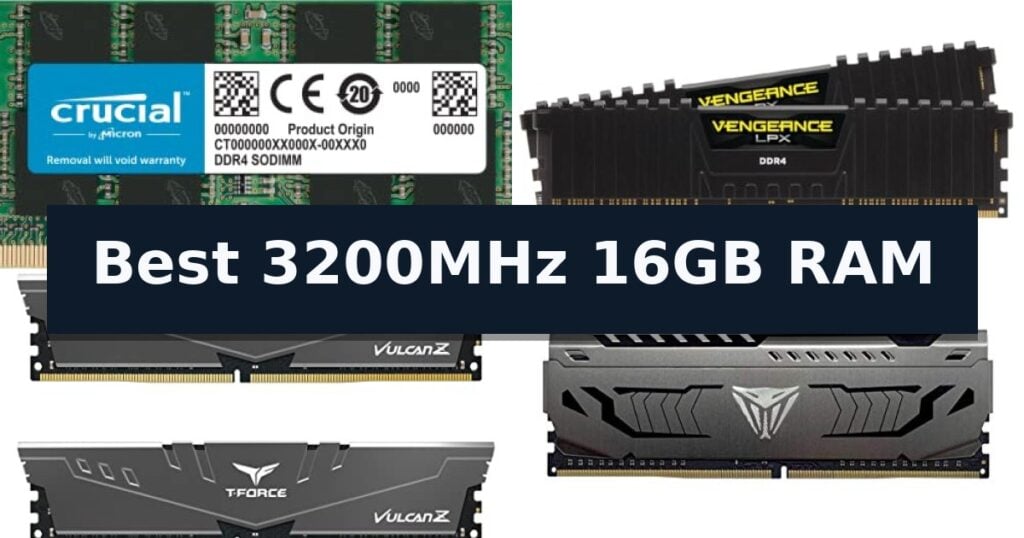
Crucial DDR4 Laptop Memory is our top choice for the Best 3200MHz 16GB RAM, offering a reliable, plug-and-play performance boost for mobile systems. The Corsair Vengeance LPX Desktop Memory serves as a low-profile solution for compact desktop builds, while the TEAMGROUP T-Force Vulcan Z Desktop Memory provides efficient heat dissipation for gaming setups.
Upgrading memory requires matching the correct form factor to your system, as laptop SODIMM modules and desktop UDIMM modules are physically incompatible. Ensuring your motherboard or laptop supports the 3200MHz frequency is essential, as systems may otherwise downclock the memory to lower speeds like 2933MHz or 2666MHz.
Beyond speed, consider whether your system requires specific XMP profiles for overclocking or if it relies on standard JEDEC settings. While some kits include heat spreaders for thermal management, others prioritize a slim profile to fit under large CPU coolers or within cramped small-form-factor cases.
If you are looking for more options for your desktop, our guide to the Best 2x16GB RAM Kits can help you find the right capacity for your needs.
10 Best 3200MHz 16GB RAM in 2026 Reviews
Quick Comparison
| Product | Best For | Key Strength | Score |
|---|---|---|---|
| Crucial DDR4 Laptop Memory | Best Overall | 3200MHz high-speed operation for improved multitasking. | 4.9 |
| Corsair Vengeance LPX Desktop Memory | Low-profile fit for compact builds | Low-profile 34mm height fits easily in compact builds. | 4.9 |
| TEAMGROUP T-Force Vulcan Z Desktop Memory | Efficient heat dissipation for gaming | XMP 2.0 support for easy speed optimization | 4.5 |
| Patriot Viper Steel Desktop Memory | Automatic overclocking for enthusiasts | XMP 2.0 support for simplified automatic overclocking. | 4.6 |
| Timetec DDR4 Desktop Memory | Simple plug-and-play desktop boost | Plug-and-play installation for quick system upgrades. | 4.9 |
| Crucial DDR4 Desktop Memory | Broad compatibility for standard PCs | Broad compatibility with both Intel and AMD Ryzen systems. | 4.8 |
| Silicon Power Value Gaming Desktop Memory | Budget-friendly performance for gamers | Includes an aluminum heat sink for effective thermal management. | 4.4 |
| TEAMGROUP T-Force Delta RGB Desktop Memory | Vibrant lighting for custom aesthetics | Full-frame 120-degree RGB lighting for high-visibility aesthetics. | 4.3 |
| G.SKILL RipjawsV Desktop Memory | High-capacity stability for workstations | 32GB high-capacity kit suitable for intensive multitasking. | 4.4 |
| PUSKILL DDR4 Laptop Memory | Flexible single-stick laptop expansion | Plug-and-play installation requires no BIOS or voltage configuration. | 4.4 |
How We Chose
Selecting the right memory involves evaluating technical specifications against your specific hardware requirements. An experienced reviewer examines the physical form factor, thermal design, and memory profiles to ensure the module provides stable performance. We prioritize modules that offer clear compatibility and reliable operation across common Intel and AMD platforms.
- Form Factor Compatibility (SODIMM vs. UDIMM)
- Frequency and Latency Specifications
- Thermal Management and Heatsink Profile
- XMP/DOCP Profile Support for Overclocking
- System-Specific Downclocking Capability
1 Crucial DDR4 Laptop Memory — Reliable upgrade for mobile systems
Upgrading your laptop memory is one of the most effective ways to improve multitasking and system responsiveness, and the Crucial 16GB DDR4 RAM is engineered to deliver that performance boost. Operating at a speed of 3200MHz, this module provides the necessary bandwidth to handle modern computing demands, whether you are managing complex workflows or simply keeping multiple applications open simultaneously.
Designed for versatility, this SODIMM 260-pin module is compatible with a wide range of systems, including those running 13th Gen Intel Core and AMD Ryzen 7000 processors. The 1.2V power requirement ensures efficient operation, while the Non-ECC architecture is tailored for standard laptop configurations. Crucial emphasizes reliability by subjecting this hardware to rigorous testing at both component and module levels, leveraging their 42 years of memory manufacturing expertise.
Installation is designed to be straightforward, requiring no specialized computer skills. Users can utilize the Crucial System Scanner or Upgrade Selector tools to verify compatibility with their specific device before purchase, ensuring a seamless fit. The module features a standard 1Rx8 or 2Rx8 configuration, making it a reliable drop-in upgrade for compatible mobile systems seeking a performance refresh.
Best for: Users looking to improve multitasking and system responsiveness on compatible DDR4-based laptops.
Skip if: Users with systems requiring DDR5 memory or those whose motherboards do not support 3200MHz speeds.
- 3200MHz high-speed operation for improved multitasking.
- Easy installation process with accessible online guides.
- Rigorous testing standards backed by 42 years of memory expertise.
- Compatibility tools provided to ensure correct hardware matching.
- Limited to DDR4-compatible systems only.
- Non-ECC memory is not suitable for workstations requiring error-correcting code.
2 Corsair Vengeance LPX Desktop Memory — Low-profile fit for compact builds
System memory upgrades often require balancing physical dimensions with performance needs, particularly in compact builds where space is at a premium. The CORSAIR Vengeance LPX DDR4 RAM 32GB addresses this by utilizing a low-profile height of just 34mm, allowing it to fit into most small-form-factor cases without interfering with other internal components.
Beyond its compact footprint, this memory kit features a solid aluminum heatspreader designed to dissipate heat efficiently, which helps maintain stability during high-speed operations. The modules are built with hand-sorted memory chips to provide consistent performance and offer generous headroom for users who wish to explore overclocking through BIOS adjustments.
Compatibility is a primary focus for this kit, as it is optimized for use with the latest Intel and AMD DDR4 motherboards. While the modules are rated for speeds up to 3200MHz, it is important to note that achieving this maximum frequency typically requires manual configuration within the system BIOS or the use of XMP profiles, depending on the specific motherboard and CPU combination.
This 32GB kit provides a substantial capacity for demanding multitasking or creative workflows, housed in a dual-module configuration. By combining a slim physical profile with reliable heat management, the CORSAIR Vengeance LPX DDR4 RAM 32GB serves as a practical solution for users prioritizing both space efficiency and consistent memory performance.
Best for: Users building in small-form-factor cases who require high-capacity, low-profile memory that maintains thermal stability.
Skip if: Users who prefer plug-and-play memory without the need for BIOS adjustments or XMP configuration to reach rated speeds.
- Low-profile 34mm height fits easily in compact builds.
- Solid aluminum heatspreader ensures efficient thermal dissipation.
- Hand-sorted chips provide reliable performance and overclocking headroom.
- Broad compatibility with modern Intel and AMD DDR4 platforms.
- Requires BIOS configuration or XMP activation to achieve maximum 3200MHz speeds.
3 TEAMGROUP T-Force Vulcan Z Desktop Memory — Efficient heat dissipation for gaming
System stability and responsiveness often hinge on the quality of your memory modules. The TEAMGROUP T-Force Vulcan Z Desktop Memory utilizes a specialized cooling module design, featuring high thermal conductive adhesive to manage heat effectively during operation. This focus on thermal management helps maintain consistent performance, making it a reliable choice for users looking to upgrade their system's memory capacity.
This 16GB kit consists of two 8GB modules operating at a frequency of 3200MHz. Designed for broad compatibility, the modules support both Intel and AMD motherboards, ensuring versatility for various desktop builds. The inclusion of XMP 2.0 support allows for straightforward memory profile configuration, enabling users to reach the rated speed with minimal setup effort.
Beyond its performance specifications, the module is engineered with energy efficiency in mind, utilizing an ultra-low working voltage. The design is compact, measuring 2.7 inches in height and 2 inches in width, which assists in maintaining clearance within tighter chassis environments. By incorporating high-quality ICs, the manufacturer emphasizes a focus on longevity and consistent data integrity.
Choosing the right memory involves balancing speed, capacity, and physical dimensions. With its 3200MHz clock speed and CL16-20-20-40 latency, this kit provides a balanced profile for general computing and gaming applications. The lifetime warranty offers a long-term assurance for the hardware, reflecting the manufacturer's confidence in the build quality of these modules.
Best for: Users seeking a reliable, low-profile 16GB DDR4 memory upgrade that supports XMP 2.0 for easy configuration on Intel or AMD platforms.
Skip if: Users requiring high-performance overclocking headroom or those with motherboards that do not support DDR4 memory standards.
- XMP 2.0 support for easy speed optimization
- Low-profile design for better compatibility with various CPU coolers
- Efficient heat dissipation via high thermal conductive adhesive
- Lifetime warranty for long-term reliability
- Fixed latency timings may not be ideal for extreme overclocking enthusiasts
4 Patriot Viper Steel Desktop Memory — Automatic overclocking for enthusiasts
Optimizing system responsiveness often begins with memory upgrades, and the Patriot Viper Steel Desktop Memory offers a straightforward path to improved bandwidth. This 16GB DDR4 module is engineered for users who require reliable performance across modern computing platforms, featuring a distinct aluminum heat spreader designed to manage thermal output during operation.
The module operates at a frequency of 3200MHz with tested timings of 16-20-40, providing a balance of speed and latency for desktop environments. It supports XMP 2.0, which allows for automatic overclocking to reach its rated performance profile without requiring manual BIOS adjustments, provided the motherboard and processor support the standard.
Compatibility is a primary focus for this UDIMM module, as it has been tested across the latest Intel and AMD platforms to ensure stability. The design utilizes a single 16GB stick, making it an efficient choice for systems with limited DIMM slots or for those planning future capacity expansion.
While the aluminum heat spreader provides a robust aesthetic and functional thermal management, users should ensure their CPU cooler clearance is sufficient for the module's dimensions. This memory operates at 1.35v, adhering to standard DDR4 voltage requirements for high-performance desktop components.
Best for: Users seeking a reliable, high-performance 16GB DDR4 upgrade with automated overclocking support via XMP 2.0.
Skip if: Users requiring multi-channel memory kits or those with small form factor cases where low-profile RAM is strictly necessary.
- XMP 2.0 support for simplified automatic overclocking.
- Aluminum heat spreader for effective thermal management.
- Tested compatibility across current Intel and AMD platforms.
- 16GB single module design allows for flexible system expansion.
- Single-module configuration may not provide the bandwidth benefits of a dual-channel kit.
- Heat spreader height may interfere with some large aftermarket CPU air coolers.
5 Timetec DDR4 Desktop Memory — Simple plug-and-play desktop boost
Upgrading your desktop or workstation memory with the Timetec 16GB DDR4 3200MHz (PC4-3200AA) PC4-25600 UDIMM Desktop RAM provides a straightforward path to increasing system capacity. This single 16GB module utilizes a 288-pin UDIMM form factor, specifically engineered for DDR4-compatible desktop PCs and workstations.
The module operates at a speed of up to 3200MHz with a voltage of 1.2V. It features a dual-rank (2Rx8) configuration and is built on a black PCB. For systems that do not support the maximum 3200MHz frequency, the memory is designed to automatically downclock to 2933MHz or 2666MHz, ensuring broad compatibility across various hardware specifications.
Installation is designed to be a simple plug-and-play process, requiring no specialized technical expertise. Users should consult their system manual to confirm slot availability and compatibility. This component is strictly for desktop use and is not compatible with laptop SODIMM slots.
To provide long-term assurance, the product is backed by a Timetec Limited Lifetime Warranty and includes access to professional technical support based in the United States. This memory is rigorously tested to meet high-quality standards for reliable operation in supported desktop environments.
Best for: Users looking for a straightforward, high-capacity memory upgrade for compatible DDR4 desktop PCs and workstations.
Skip if: Users with laptop systems, as this module is physically incompatible with SODIMM slots.
- Plug-and-play installation for quick system upgrades.
- Automatic downclocking to 2933MHz or 2666MHz for wider system compatibility.
- Limited Lifetime Warranty for long-term support.
- 16GB single module capacity for efficient memory expansion.
- Desktop-only design prevents use in laptop or compact mobile systems.
6 Crucial DDR4 Desktop Memory — Broad compatibility for standard PCs
Upgrading desktop memory requires a balance of reliability and broad compatibility, and the Crucial 16GB DDR4 RAM is engineered to address these needs directly. Operating at a standard 3200MHz frequency, this module is designed to improve multitasking and overall system responsiveness for a variety of desktop configurations.
This 16GB DDR4 memory module features a 288-pin UDIMM form factor and operates at 1.2V, making it a standard choice for modern desktop builds. It is specifically designed to be downclockable, supporting 2933MHz or 2666MHz speeds if your specific system architecture requires lower frequencies. This flexibility ensures that the memory can integrate into systems with varying hardware limitations.
Backed by 42 years of memory expertise, the module undergoes rigorous testing at both the component and module levels to ensure consistent quality. The non-ECC design is optimized for standard desktop use, and the 1Rx8 or 2Rx8 configuration provides the necessary density for demanding applications. Crucial simplifies the upgrade process by offering an online System Scanner and Upgrade Selector to verify compatibility before purchase.
Installation is intended to be straightforward, requiring no specialized computer skills. The manufacturer provides detailed, step-by-step guides to assist users through the physical installation process. With a Limited Lifetime Warranty, this memory serves as a dependable component for users looking to enhance their system's performance without complex configuration requirements.
Best for: Users looking for a reliable, compatible memory upgrade for standard desktop PCs that support DDR4 architecture.
Skip if: Users requiring ECC memory for workstation-grade hardware or those with systems limited to DDR3 or DDR5 memory slots.
- Broad compatibility with both Intel and AMD Ryzen systems.
- Downclockable support for 2933MHz and 2666MHz systems.
- Rigorously tested at component and module levels for reliability.
- Easy installation process supported by manufacturer guides.
- Non-ECC specification limits use in professional server or workstation environments.
7 Silicon Power Value Gaming Desktop Memory — Budget-friendly performance for gamers
Upgrading system memory for improved multitasking and responsiveness often begins with finding a reliable kit that balances speed and stability. The Silicon Power Value Gaming Desktop Memory provides a straightforward solution for desktop builds, featuring an integrated aluminum heat sink designed to manage thermal output during extended operation.
This 16GB kit consists of two 8GB modules, operating at a tested speed of 3200 MT/s with a CL16-18-18-38 timing configuration. It is engineered to support Intel Extreme Memory Profile (XMP) standards, allowing users to reach advertised performance levels through BIOS adjustments. For systems that do not utilize XMP, the modules default to standard JEDEC plug-and-play speeds.
Compatibility is a key consideration for this 288-pin UDIMM kit, which is optimized for systems supporting Intel Coffee Lake processors. Because performance can vary based on specific motherboard and CPU configurations, users should verify their hardware's memory support before installation. The modules operate at a standard 1.35V, maintaining a balance between power consumption and performance.
Designed with a focus on longevity, the kit includes a lifetime warranty to provide ongoing technical support. The grey camouflage aesthetic offers a distinct look for internal components, while the unbuffered design ensures broad compatibility with standard desktop motherboards.
Best for: This kit is best for desktop users looking to upgrade to 16GB of 3200MHz memory with integrated heat management for gaming or general productivity.
Skip if: Skip this product if your motherboard or CPU does not support DDR4 3200MHz speeds or if you require low-profile RAM for a compact build where the heat sink height may cause clearance issues.
- Includes an aluminum heat sink for effective thermal management.
- Supports Intel XMP for simplified speed configuration.
- Backed by a lifetime warranty for long-term service.
- Standard 1.35V operating voltage for efficient power usage.
- Actual performance is dependent on motherboard and CPU compatibility.
- Advertised speeds require manual BIOS profile activation.
8 TEAMGROUP T-Force Delta RGB Desktop Memory — Vibrant lighting for custom aesthetics
Upgrading your desktop memory requires a balance of reliable frequency and physical compatibility, and the TEAMGROUP T-Force Delta RGB Desktop Memory provides a distinct solution for those prioritizing system aesthetics. This 16GB kit, configured as two 8GB modules, is defined by its full-frame 120-degree ultra wide-angle light bar. This design choice allows for expansive RGB illumination that covers the top of the modules, creating a cohesive lighting effect across the interior of a custom PC build.
Beyond the visual impact, the modules are built with an aluminum alloy heat sink featuring an asymmetrical, minimalist design. This construction is intended to assist with thermal management during operation, ensuring the memory remains stable under load. The kit is engineered for broad compatibility, boasting QVL approval from all major motherboard manufacturers, which helps ensure that the modules will function reliably across a wide range of system configurations.
Performance tuning is streamlined through XMP 2.0 one-click overclocking technology. This feature allows users to reach the rated 3200MHz speed without requiring manual adjustments in the BIOS, making it accessible for those who want to achieve advertised performance levels quickly. For lighting control, the modules support synchronization with Asus Aura Sync and the T-Force BLITZ software, allowing for unified color schemes across compatible hardware components.
This DDR4 SDRAM kit serves as a durable upgrade for desktop systems requiring a 16GB capacity. With a lifetime warranty provided by the manufacturer, the product offers long-term support for its performance and lighting features. Users should note that the physical height of the heat sink and the wide-angle light bar may require consideration regarding clearance for large air-cooled CPU heatsinks, making it an important factor to verify before installation.
Best for: Users looking to enhance their desktop aesthetic with synchronized RGB lighting while maintaining reliable 3200MHz DDR4 performance.
Skip if: Users with small form factor cases where the height of the heat sink or the wide-angle light bar may interfere with CPU cooler clearance.
- Full-frame 120-degree RGB lighting for high-visibility aesthetics.
- XMP 2.0 support for simplified one-click overclocking.
- Aluminum alloy heat sink for effective heat dissipation.
- Broad compatibility with major motherboard manufacturers.
- Height profile may conflict with large air-cooled CPU heatsinks.
9 G.SKILL RipjawsV Desktop Memory — High-capacity stability for workstations
Reliable system performance often hinges on the quality of your memory, and the G.SKILL RipjawsV Series DDR4 RAM provides a high-capacity 32GB solution designed for desktop workstations and gaming setups. This kit includes two 16GB modules, engineered to operate at speeds up to 3200MT/s, ensuring your system handles demanding multitasking with ease.
The G.SKILL RipjawsV Series DDR4 RAM is built as a non-ECC, 288-pin U-DIMM, making it compatible with a wide range of modern desktop motherboards. It supports both JEDEC default profiles and Intel XMP memory overclock profiles, allowing users to reach higher performance levels through BIOS adjustments. It is essential to verify your specific hardware against the G.SKILL QVL or RAM Configurator tool to ensure optimal stability.
Proper installation is critical for system health, as these modules are sold in matched kits. The manufacturer explicitly warns against mixing memory kits, which can lead to system instability or failure. Users should note that the memory will boot at JEDEC default SPD speeds initially; achieving the advertised 3200MT/s frequency requires manual configuration within the system BIOS.
Designed with a sleek black finish, this memory kit maintains a low profile while delivering the necessary bandwidth for intensive applications. By adhering to the manufacturer's recommendations and ensuring your CPU and motherboard support the required overclocking settings, you can achieve consistent, high-speed performance for your desktop environment.
Best for: Users building or upgrading desktop workstations and gaming PCs who require high-capacity memory and are comfortable performing BIOS adjustments for XMP profiles.
Skip if: Users seeking a plug-and-play solution without BIOS configuration or those whose motherboards do not support XMP/overclocking profiles.
- 32GB high-capacity kit suitable for intensive multitasking.
- Supports Intel XMP profiles for easier overclocking.
- Matched kit design ensures stability when installed as a set.
- Limited lifetime manufacturer warranty provides long-term support.
- Requires manual BIOS adjustments to reach advertised 3200MT/s speeds.
- Performance is dependent on motherboard and CPU compatibility.
10 PUSKILL DDR4 Laptop Memory — Flexible single-stick laptop expansion
Upgrading your laptop memory to Best 3200MHz 16GB RAM provides a direct path to improved multitasking and system responsiveness. The PUSKILL 16GB DDR4 3200MHz RAM (1x16GB) SODIMM CL22 Laptop module is engineered for users looking to revitalize their hardware through a straightforward, single-stick installation that avoids complex BIOS adjustments.
This module features a 3200MHz frequency with CL22-22-22-52 timing, designed to offer a performance increase over standard 2666MHz memory configurations. By utilizing a 16GB single-stick capacity, the design allows users to maintain an open SODIMM slot, facilitating an easy future expansion to 32GB of dual-channel memory as needs evolve.
Installation is simplified through a true plug-and-play design, which requires no voltage tuning or manual configuration. The system automatically detects the module upon insertion into the memory bay. Each unit undergoes burn-in testing to ensure stability and compatibility, and the product is supported by a limited lifetime warranty.
Choosing a single-module upgrade is a cost-effective strategy for those managing a budget while seeking to improve performance in AAA gaming titles or heavy multitasking environments. This approach minimizes upfront investment while providing the necessary overhead for running modern software, voice chat, and streaming applications simultaneously.
Best for: Users seeking a flexible, cost-effective memory upgrade for gaming laptops that allows for future dual-channel expansion.
Skip if: Users who require a pre-matched dual-channel kit or those whose specific laptop motherboard does not support 3200MHz DDR4 SODIMM modules.
- Plug-and-play installation requires no BIOS or voltage configuration.
- Flexible single-stick design keeps a slot open for future 16GB expansion.
- Burn-in tested for guaranteed stability and compatibility.
- Limited lifetime warranty provides long-term support.
- Single-stick configuration does not provide the immediate bandwidth benefits of a dual-channel kit.
Best 3200MHz 16GB RAM Buying Guide
Understanding Form Factors
The most critical step in choosing memory is identifying whether your system requires SODIMM or UDIMM modules. SODIMM is the standard for laptops and some mini-PCs, characterized by its compact, 260-pin design.
Desktop computers typically use 288-pin UDIMM modules. These are physically larger and cannot be installed in laptop slots, so verifying your motherboard or system manual is mandatory before purchase.
Frequency and System Compatibility
While 3200MHz is a common speed for DDR4, your CPU and motherboard must support this frequency natively to achieve it. If your hardware is limited to lower speeds, the RAM will automatically downclock to match those constraints.
Check your system's memory support list or use manufacturer-provided scanners to ensure the module will run at its advertised speed without requiring manual BIOS adjustments that your system might not support.
The Role of Latency and Timings
Memory latency, often denoted as CL (CAS Latency), affects how quickly the RAM can respond to data requests. A lower CL number at the same frequency generally indicates faster performance.
For most users, the difference between CL16 and CL22 is negligible in daily tasks, but enthusiasts may prefer lower timings for gaming or professional workloads where every millisecond of responsiveness matters.
Thermal Management and Physical Fit
High-performance desktop RAM often includes aluminum heat spreaders to dissipate heat during intensive tasks. While effective, these can add height to the module, potentially interfering with large air-cooled CPU heatsinks.
For compact builds, low-profile memory is essential. Always measure the clearance between your CPU cooler and the RAM slots to ensure the modules will fit comfortably without requiring modifications.
XMP and Automatic Overclocking
Many 3200MHz kits require enabling an XMP (Extreme Memory Profile) in the BIOS to reach their advertised speed. Without this step, the RAM may default to a slower JEDEC standard speed.
Ensure your motherboard supports XMP or equivalent profiles like DOCP or A-XMP. If you prefer a plug-and-play experience without BIOS configuration, look for modules that support standard JEDEC speeds out of the box.
Frequently Asked Questions
Can I mix different brands of 3200MHz RAM?
It is strongly recommended to use matched kits. Mixing different brands or even different models of the same brand can lead to stability issues, system crashes, or failure to boot.
Does 3200MHz RAM work on a motherboard that only supports 2666MHz?
Yes, most 3200MHz DDR4 RAM is backward compatible and will automatically downclock to run at 2666MHz, though you will not benefit from the higher speed.
What is the difference between CL16 and CL22?
CL refers to CAS Latency. A lower number like CL16 means the memory has slightly faster access times than CL22, which can provide a minor performance boost in memory-intensive applications.
Do I need a heat spreader for my RAM?
For standard office or home use, heat spreaders are not strictly necessary. They are primarily beneficial for gaming or heavy workloads where the RAM is under constant load and may generate more heat.
How do I know if my laptop supports 16GB of RAM?
Check your laptop manufacturer's specifications for the maximum supported memory capacity and the number of available slots. Some laptops have soldered RAM, which cannot be upgraded.
Conclusion: Our Top Pick
Our top pick is Crucial DDR4 Laptop Memory. Choosing the right 16GB memory kit depends on your specific system architecture and intended use. Laptop users should prioritize verified compatibility with their specific model, while desktop users have more flexibility to choose based on cooling needs and aesthetic preferences.
By confirming your motherboard or laptop's support for 3200MHz speeds and selecting the correct physical form factor, you can ensure a stable and responsive upgrade. Always check for XMP requirements if you intend to run your memory at its peak advertised performance.