Logitech G502 Lightspeed Wireless Gaming Mouse is our top choice for the Best Wireless Gaming Mice, offering a versatile design with 11 programmable buttons and high-performance sensor tracking. For those prioritizing an ultra-lightweight build for competitive esports, the Razer Viper V3 Pro SE stands out, while the Razer Basilisk V3 Pro offers a premium ergonomic experience for users who prefer a more substantial, feature-rich frame.
Selecting a wireless gaming mouse requires balancing technical specifications like sensor accuracy and polling rates against physical factors such as weight, shape, and button layout. While high-end sensors provide 1:1 tracking and zero smoothing, the physical comfort of the chassis often dictates how effectively a player can maintain control during extended sessions.
Battery management and connectivity stability are equally critical for a seamless experience. Modern wireless technology has largely eliminated the latency concerns of the past, allowing gamers to choose between high-end rechargeable models with docking compatibility or efficient battery-powered alternatives that offer months of usage on a single charge.
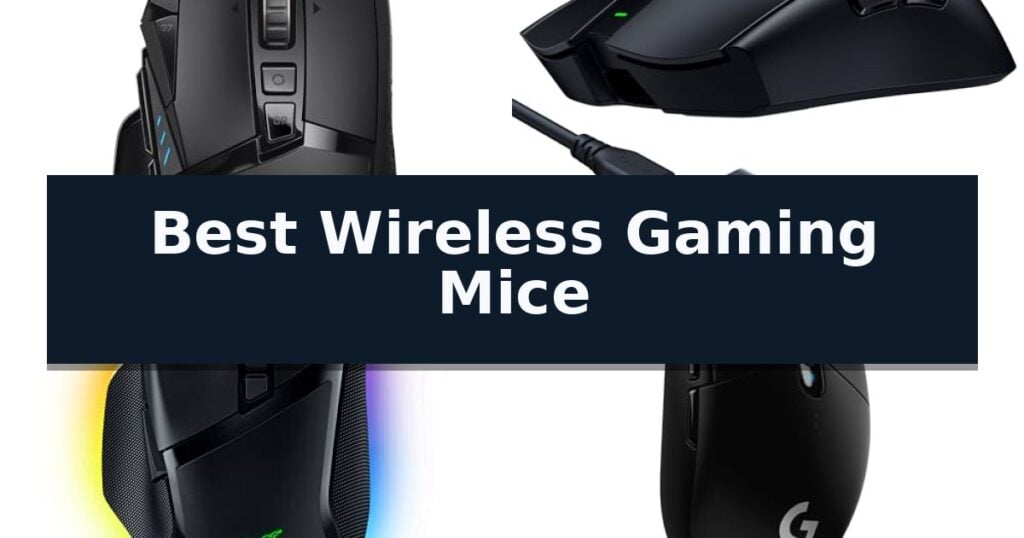
10 Best Wireless Gaming Mice in 2026 Reviews
Quick Comparison
| Product | Best For | Key Strength | Score |
|---|---|---|---|
| Logitech G502 Lightspeed Wireless Gaming Mouse | Best Overall | Hero 25K sensor for high-accuracy tracking | 4.9 |
| Razer Viper V3 Pro SE Wireless Gaming Mouse | Elite Choice for Competitive Esports | 54g ultra-lightweight construction for rapid handling. | 4.8 |
| Razer Basilisk V3 Pro Wireless Gaming Mouse | Premium Ergonomic Performance | HyperScroll Tilt Wheel offers flexible scrolling modes. | 4.9 |
| Logitech G305 Lightspeed Wireless Gaming Mouse | Reliable Value for Travel | HERO optical sensor provides high-precision tracking up to 12,000 DPI. | 4.4 |
| Razer Viper V3 HyperSpeed Wireless Gaming Mouse | Long-Lasting Battery for Scrims | Up to 280 hours of battery life on a single AA battery. | 4.3 |
| Razer Basilisk V3 X HyperSpeed Wireless Gaming Mouse | Dual-Mode Comfort and Versatility | Dual-mode wireless connectivity for flexible performance and battery management. | 4.4 |
| Logitech G703 Lightspeed Wireless Gaming Mouse | Ergonomic Shape for Comfort | HERO 25K Sensor provides high-precision 1:1 tracking. | 4.6 |
| Attack Shark X3 Wireless Gaming Mouse | Ultra-Lightweight Design | Ultra-lightweight 49g design reduces wrist fatigue during long sessions. | 4.3 |
| Razer Orochi V2 Wireless Gaming Mouse | Compact Portable Powerhouse | Dual wireless connectivity with both HyperSpeed and Bluetooth options. | 4.6 |
| Redragon M810 PRO Wireless Gaming Mouse | Budget-Friendly RGB Performance | Cable-free 2.4Ghz wireless connectivity for reduced latency. | 4.7 |
How We Chose
Evaluating the best wireless gaming mice requires a focus on how hardware specifications translate into real-world responsiveness and comfort. We analyze sensor performance, weight distribution, and build quality to determine which models provide the most consistent experience for competitive and casual gaming alike.
- Sensor accuracy and DPI sensitivity range
- Weight and physical chassis ergonomics
- Programmable button count and layout
- Wireless connectivity stability and latency
- Battery life and charging convenience
1 Logitech G502 Lightspeed Wireless Gaming Mouse — Versatile Pick for Custom Control
Precision control meets high-speed performance in the Logitech G502 Lightspeed Wireless Gaming Mouse, a device engineered for users who demand both tactical versatility and reliable connectivity. This model integrates Logitech G ultra-fast wireless technology, a standard utilized by competitive gamers to ensure minimal latency during intense sessions.
At the core of its performance is the Hero 25K sensor, which provides 1:1 tracking and a maximum sensitivity of 25,600 DPI. This sensor is designed to operate without smoothing, filtering, or acceleration, allowing for consistent input translation. Users can further refine their experience by utilizing the 11 customizable buttons and a hyper-fast scroll wheel, which are configurable through the G HUB software to manage complex macros and shortcuts.
The physical design emphasizes adaptability, featuring adjustable weights that allow users to modify the mouse's balance and feel. For those seeking a continuous power solution, the device is compatible with the POWERPLAY wireless charging system, which keeps the mouse charged during both active play and idle periods. The inclusion of on-board memory ensures that custom profiles remain accessible across different hardware setups.
Maintenance and setup are straightforward, with the USB receiver conveniently located within or alongside the packaging. The ergonomic profile, measuring approximately 5.19 inches in length, provides a substantial footprint for various grip styles, while the integrated RGB lighting allows for aesthetic personalization.
Best for: Gamers who require extensive macro customization and a high-precision sensor in a wireless form factor.
Skip if: Users who prefer an ultra-lightweight, minimalist mouse design may find the G502's feature-heavy, weighted construction too substantial.
- Hero 25K sensor for high-accuracy tracking
- 11 programmable buttons for extensive macro support
- POWERPLAY compatibility for continuous wireless charging
- Adjustable weight system for personalized balance
- Requires separate purchase of the POWERPLAY system for wireless charging
- Heavier build compared to ultra-light competitive mice
2 Razer Viper V3 Pro SE Wireless Gaming Mouse — Elite Choice for Competitive Esports
Precision is the hallmark of the Razer Viper V3 Pro SE Wireless Gaming Mouse, a device engineered with a 54g ultra-lightweight design to facilitate rapid, controlled movements. Developed alongside esports professionals, this mouse prioritizes the agility required for high-stakes tactical shooters and competitive gaming environments.
At the heart of its performance is the Focus Pro 35K Optical Sensor Gen-2, which delivers 35,000 DPI and 99.8% resolution accuracy. This sensor supports glass surface tracking and granular 1-DPI step adjustments, ensuring consistent aim. The integration of Gen-3 Optical Mouse Switches provides a reliable 0.2 ms actuation time, rated for 90 million clicks without the risk of double-clicking.
Connectivity is managed via HyperSpeed Wireless technology, designed to maintain low-latency stability even in environments crowded with wireless signals. For extended tournament play, the mouse offers up to 95 hours of battery life at a 1000 Hz polling rate. The chassis features a smooth-touch finish to minimize skin friction and improve grip during long sessions.
The physical build includes 100% PTFE mouse feet for consistent gliding and a right-handed symmetrical shape. While it supports standard 1000 Hz polling, it is also compatible with HyperPolling up to 8000 Hz for users who acquire the necessary separate dongle, providing a scalable path for elite-level competitive setups.
Best for: Competitive esports players who require an ultra-lightweight, high-precision mouse with long battery life for tournament-grade performance.
Skip if: Users who prefer a heavy, ergonomic mouse with a high button count or those who do not require the specific low-latency wireless features for competitive gaming.
- 54g ultra-lightweight construction for rapid handling.
- Focus Pro 35K optical sensor with 99.8% accuracy.
- Gen-3 optical switches rated for 90 million clicks.
- 95-hour battery life for extended competitive sessions.
- HyperPolling 8000 Hz capability requires a separately sold dongle.
- Symmetrical shape may not suit users who strictly prefer ergonomic, right-handed contoured designs.
3 Razer Basilisk V3 Pro Wireless Gaming Mouse — Premium Ergonomic Performance
The Razer Basilisk V3 Pro Wireless Gaming Mouse distinguishes itself with a highly versatile HyperScroll Tilt Wheel, allowing users to toggle between free-spin and tactile modes for precise control or rapid content navigation. This mouse is built for those who prioritize deep customization, featuring 11 programmable buttons and a signature ergonomic shape designed for extended comfort during intense gaming sessions.
Equipped with the Razer Focus Pro 30K Optical Sensor, the device ensures high-accuracy tracking across various surfaces, including glass. The integration of Razer Optical Mouse Switches Gen-3 provides a 90-million click lifecycle with a 0.2ms actuation speed, effectively eliminating debounce delay for consistent performance.
For wireless connectivity, the mouse utilizes Razer HyperSpeed Wireless technology, which is engineered to be 25% faster than standard wireless alternatives. Users can further enhance their setup with the optional Razer Mouse Dock Pro or HyperPolling Wireless Dongle to achieve a true 8KHz polling rate.
Aesthetic and functional immersion is provided by 13-zone Chroma lighting with full underglow, which reacts dynamically to over 150 integrated games. The internal battery supports up to 150 hours of use on Bluetooth or 110 hours on HyperSpeed Wireless, ensuring long-lasting reliability for demanding users.
Best for: Gamers who require extensive button customization, ergonomic support, and high-precision sensor tracking.
Skip if: Users who prefer an ultra-lightweight, minimalist mouse design without extra programmable buttons or advanced RGB lighting features.
- HyperScroll Tilt Wheel offers flexible scrolling modes.
- 11 programmable buttons provide extensive customization.
- Focus Pro 30K Optical Sensor tracks accurately on glass.
- Razer Optical Mouse Switches Gen-3 ensure rapid, reliable actuation.
- High-performance features like 8KHz polling require separate accessory purchases.
- Weight and size may be less suitable for those prioritizing a minimalist build.
4 Logitech G305 Lightspeed Wireless Gaming Mouse — Reliable Value for Travel
The Logitech G305 Lightspeed Wireless Gaming Mouse distinguishes itself through the integration of the next-generation HERO optical sensor, which provides up to 12,000 DPI sensitivity and 400 IPS precision while maintaining high power efficiency. This sensor architecture allows the device to achieve significant performance gains over previous generations, ensuring consistent tracking during intensive gaming sessions.
Connectivity is managed via LIGHTSPEED wireless technology, designed to provide a 1 ms report rate that mimics the responsiveness of a wired connection. This lag-free performance is critical for competitive scenarios where input latency must be minimized. The mouse is powered by a single AA battery, which supports up to 250 hours of continuous gameplay, or up to 9 months when toggled to Endurance mode via the Logitech G HUB software.
Weighing in at 3.4 oz, the Logitech G305 Lightspeed Wireless Gaming Mouse utilizes a lightweight mechanical design to enhance maneuverability. The chassis includes six programmable buttons, allowing users to customize inputs based on their specific requirements. An internal compartment for the nano receiver makes the unit a practical choice for users who require a portable solution for gaming on the go.
The device features on-board memory, enabling users to save their preferred configurations directly to the mouse. Its compact form factor is engineered for durability, and the inclusion of the nano receiver storage slot ensures that the hardware remains organized during travel. This combination of high-precision sensor technology and efficient power management makes it a versatile tool for both desktop and mobile gaming setups.
Best for: Gamers who require a high-precision, portable wireless mouse with long battery life for both desktop and travel use.
Skip if: Users who prefer a larger, ergonomic mouse shape or those who require more than six programmable buttons for complex macro-heavy workflows.
- HERO optical sensor provides high-precision tracking up to 12,000 DPI.
- LIGHTSPEED wireless technology ensures a 1 ms report rate for low-latency performance.
- Extended battery life reaching up to 250 hours on a single AA battery.
- Integrated nano receiver storage enhances portability for travel.
- AA battery requirement adds weight compared to internal rechargeable lithium-ion alternatives.
- Limited button count may not be sufficient for users needing extensive macro support.
5 Razer Viper V3 HyperSpeed Wireless Gaming Mouse — Long-Lasting Battery for Scrims
Reliable wireless performance in competitive environments is often defined by connection stability, and the Razer Viper V3 HyperSpeed Wireless Gaming Mouse addresses this with its specialized HyperSpeed Wireless technology. This mouse is engineered to maintain a low-latency, smooth connection even in environments crowded with other wireless signals, ensuring that your inputs remain consistent during intense gameplay.
The mouse features a Focus Pro 30K Optical Sensor that utilizes a forward sensor placement to enhance tracking accuracy. This sensor is designed to perform on a variety of surfaces, including glass, providing users with a high degree of precision. Weighing in at 82g, the device employs a mass-centralized design that aims to provide a balanced feel, which is intended to support seamless and consistent swipes.
Power management is a key focus, with the device capable of delivering up to 280 hours of battery life from a single AA battery. This longevity allows for extended use during tournament schedules or long gaming sessions without frequent power interruptions. For added convenience, the mouse includes on-mouse DPI control, allowing users to toggle between five stages directly from the top of the chassis.
Durability and tactile feedback are addressed through the inclusion of Mechanical Mouse Switches Gen-2. These switches are rated for a 60-million click lifespan and incorporate gold-plated contact points to resist wear over time. The mouse also features 6 programmable buttons, which can be customized via the Razer Synapse App to map essential commands for a more personalized setup.
Best for: Competitive gamers who prioritize long battery life and a low-latency, stable wireless connection for tournament play.
Skip if: Users who prefer an ultra-lightweight mouse under 60g or those who require a rechargeable internal battery instead of a replaceable AA battery.
- Up to 280 hours of battery life on a single AA battery.
- Focus Pro 30K Optical Sensor for high-accuracy tracking on multiple surfaces.
- HyperSpeed Wireless technology for low-latency, stable connectivity.
- Mechanical Mouse Switches Gen-2 with a 60-million click lifespan.
- AA battery requirement adds weight and necessitates periodic replacements.
- 82g weight is heavier than some ultra-lightweight competitive alternatives.
6 Razer Basilisk V3 X HyperSpeed Wireless Gaming Mouse — Dual-Mode Comfort and Versatility
Precision and versatility define the Razer Basilisk V3 X HyperSpeed Wireless Gaming Mouse, a peripheral engineered for users who demand both high-performance tracking and ergonomic comfort. This mouse integrates a 5G Advanced 18K Optical Sensor capable of pixel-precise aim, ensuring reliable performance across various gaming genres including FPS and strategy titles.
Connectivity is a core strength, featuring dual-mode support that allows users to toggle between ultra-low-latency HyperSpeed Wireless for competitive scenarios and Bluetooth for extended battery efficiency. When utilizing the HyperSpeed connection, the mouse delivers up to 285 hours of usage, while Bluetooth mode extends this capacity to 535 hours, minimizing the need for frequent battery changes.
The physical design centers on an iconic ergonomic shape equipped with 9 programmable controls. These buttons, when paired with Razer Hypershift, allow for advanced macro configuration and custom shortcuts. Durability is addressed through Razer Mechanical Mouse Switches Gen-2, which are rated for up to 60 million clicks and feature gold-plated contact points to maintain consistent actuation over time.
Aesthetic customization is provided by Razer Chroma RGB, offering 16.8 million colors that synchronize with other compatible hardware. The mouse is built for smooth operation using 100% PTFE mouse feet and includes onboard profile storage, ensuring that your preferred sensitivity and button mappings remain accessible regardless of the host device.
Best for: Gamers and professionals seeking a versatile, ergonomic wireless mouse with extensive button customization and long battery life.
Skip if: Users who prefer an ultra-lightweight, symmetrical mouse design or those who require a wired-only connection for specific tournament environments.
- Dual-mode wireless connectivity for flexible performance and battery management.
- 9 programmable controls that support advanced macros and productivity shortcuts.
- High-precision 18K optical sensor for accurate tracking across diverse surfaces.
- Long battery life reaching up to 535 hours in Bluetooth mode.
- AA battery requirement adds weight compared to internal rechargeable lithium-ion alternatives.
7 Logitech G703 Lightspeed Wireless Gaming Mouse — Ergonomic Shape for Comfort
Precision tracking and high-speed connectivity define the Logitech G703 Lightspeed Wireless Gaming Mouse, which utilizes the advanced HERO 25K Sensor to deliver 1:1 tracking without smoothing, filtering, or acceleration. This sensor supports up to 25,600 DPI, ensuring that every movement is captured with high fidelity for demanding gameplay.
The mouse integrates LIGHTSPEED Wireless technology, providing a responsive, pro-level connection that maintains performance throughout long sessions. It features a lightweight 95g construction, which can be further customized with an included 10g optional weight to suit individual handling preferences.
Designed for durability and consistent input, the device incorporates metal-spring button tensioning in the primary left and right buttons. This engineering choice reduces the force required for actuation, promoting a consistent feel across the six programmable buttons.
For users seeking a seamless power solution, the mouse is POWERPLAY wireless charging compatible. When paired with the separately sold charging system, the device remains charged during both active play and idle periods, effectively eliminating battery life concerns.
Aesthetic and functional customization is managed through LIGHTSYNC RGB lighting, which offers a full spectrum of 16.8 million colors. Using G HUB software, users can synchronize lighting effects with in-game actions, audio, or screen colors to match their broader gaming setup.
Best for: Gamers who prioritize ergonomic comfort and consistent, high-speed wireless performance with the option for continuous charging.
Skip if: Users who require a high-button-count interface for complex macros or those who prefer an ultra-lightweight mouse under 90 grams.
- HERO 25K Sensor provides high-precision 1:1 tracking.
- POWERPLAY compatibility allows for continuous wireless charging.
- Metal-spring button tensioning ensures consistent click response.
- LIGHTSPEED wireless connectivity offers low-latency performance.
- POWERPLAY charging system must be purchased separately.
- Fixed ergonomic shape may not suit all grip styles.
8 Attack Shark X3 Wireless Gaming Mouse — Ultra-Lightweight Design
Precision and speed define the Attack Shark X3 Wireless Gaming Mouse, a peripheral engineered for competitive play with its ultra-lightweight 49g frame. This mouse centers its performance on the flagship PixArt PAW3395 optical sensor, which delivers up to 26,000 DPI and 650 IPS tracking speed to ensure rapid, accurate cursor movement during intense gaming sessions.
Connectivity remains versatile, offering users the choice of Bluetooth 5.2, 2.4G wireless, or a wired connection to suit different setups. The device is built for longevity, featuring KAILH GM8.0 micro switches rated for 80 million clicks, paired with a TTC encoder for the scroll wheel that provides a crisp, tactile feel. These components are housed in a symmetrical, anti-sweat ergonomic chassis designed to minimize wrist fatigue.
Customization is handled through dedicated software, allowing for full button remapping, macro creation, and adjustments to lift-off distance and polling rates. The mouse also incorporates 100% pure PTFE feet, which are designed with a wider, rounded profile to improve surface glide and stopping power. With a maximum battery life of 200 hours, it supports extended use without frequent recharging.
While the Attack Shark X3 Wireless Gaming Mouse offers high-end sensor performance and a lightweight build, users should note that it lacks a dedicated charging dock, relying on a wired connection for power replenishment. Its symmetrical shape is optimized for comfort, though those preferring specialized ergonomic contours for specific grip styles may find the design more traditional.
Best for: Competitive gamers seeking an ultra-lightweight, high-DPI wireless mouse with versatile connectivity options.
Skip if: Users who require a specialized ergonomic shape or prefer a dedicated charging dock for their wireless setup.
- Ultra-lightweight 49g design reduces wrist fatigue during long sessions.
- Flagship PAW3395 optical sensor provides high-precision tracking.
- 80 million click lifespan via durable KAILH GM8.0 micro switches.
- 200-hour battery life supports extended wireless gameplay.
- No included charging dock requires wired connection for power.
- Symmetrical design may not suit users requiring specific ergonomic contours.
9 Razer Orochi V2 Wireless Gaming Mouse — Compact Portable Powerhouse
The Razer Orochi V2 Wireless Gaming Mouse prioritizes portability and endurance, featuring a hybrid battery slot that allows users to choose between a single AA or AAA battery to balance weight and runtime. This compact device is engineered for versatility, offering dual wireless connectivity through either high-speed 2.4GHz or Bluetooth modes, making it suitable for both competitive gaming and mobile productivity.
Designed for precision, the mouse utilizes the Razer 5G Advanced 18K DPI Optical Sensor, which provides responsive tracking across various surfaces. The internal hardware includes 2nd Gen Razer Mechanical Mouse Switches with gold-plated contact points, rated for up to 60 million clicks to ensure long-term reliability and consistent tactile feedback during intensive use.
Weighing under 60g without the battery, the Razer Orochi V2 Wireless Gaming Mouse is built to reduce fatigue during extended sessions. Its lightweight, ergonomic shape supports quick movements, while the dual-mode wireless capability offers up to 950 hours of battery life on Bluetooth or 425 hours on Razer HyperSpeed Wireless, significantly reducing the frequency of battery replacements.
This mouse serves as a practical solution for gamers who require a balance of performance and travel-friendly design. By integrating high-end sensor technology with a flexible power system, it accommodates a wide range of setups without sacrificing the responsiveness required for fast-paced gaming titles.
Best for: Gamers and professionals who need a lightweight, dual-mode wireless mouse that can be powered by either AA or AAA batteries for travel or desktop use.
Skip if: Users who prefer a larger, full-sized mouse chassis or those who require a wired-only connection for specific low-latency tournament requirements.
- Dual wireless connectivity with both HyperSpeed and Bluetooth options.
- Flexible power system compatible with AA or AAA batteries.
- Ultra-lightweight design under 60g for improved maneuverability.
- Long battery life reaching up to 950 hours on Bluetooth.
- Battery-dependent weight shifts depending on the cell type used.
- Compact form factor may not suit users with larger hand sizes.
10 Redragon M810 PRO Wireless Gaming Mouse — Budget-Friendly RGB Performance
The Redragon M810 PRO Wireless Gaming Mouse prioritizes a cable-free experience by utilizing a 2.4Ghz nano receiver, designed to eliminate the input lag often associated with wired connections during intense gaming sessions. By removing the physical tether, this mouse provides a cleaner desk setup and allows for unrestricted movement, which is essential for maintaining precision during fast-paced gameplay.
Equipped with the PAW3325 Optical Pixart sensor, this mouse offers adjustable sensitivity up to 10,000 DPI across five customizable levels. This range allows users to fine-tune their cursor speed to match specific game genres or personal preferences, ensuring that movements are registered accurately. The dual-mode operation supports a 1000Hz polling rate, which translates to high responsiveness by updating the mouse's position 1,000 times per second, while the internal rechargeable battery provides up to 45 hours of usage in eco-mode.
The chassis features 8 programmable buttons, including a dedicated rapid-fire trigger and two side macro buttons, allowing for personalized keybinds via the Redragon Pro software. These buttons enable users to map complex commands or frequently used actions directly to the mouse, potentially reducing reaction times in competitive scenarios. The ergonomic design is complemented by customizable RGB lighting, which supports various modes like streaming, breathing, and waving effects to match a user's aesthetic preferences.
This device offers a balance of performance and customization for users seeking a wireless peripheral. While it provides significant flexibility through its software-driven macro and lighting controls, users should ensure their setup accommodates the 2.4Ghz receiver for optimal connectivity. The trade-off for this wireless convenience is the necessity of battery management, as the device requires periodic recharging to maintain peak performance.
Best for: Gamers who require a wireless, programmable mouse with macro capabilities and adjustable DPI settings for varied playstyles.
Skip if: Users who prefer a wired-only connection to avoid battery management or those seeking a lightweight mouse for specific competitive esports titles.
- Cable-free 2.4Ghz wireless connectivity for reduced latency.
- Adjustable DPI up to 10,000 with five on-board levels.
- 8 programmable buttons including rapid-fire and macro options.
- Customizable RGB lighting via dedicated software.
- 45-hour battery life requires periodic recharging.
- Software-dependent customization for advanced macro and DPI settings.
Best Wireless Gaming Mice Buying Guide
Sensor Precision and Tracking
The heart of any gaming mouse is its optical sensor, which determines how accurately your physical movements translate to on-screen actions. Modern flagship sensors now offer DPI ranges exceeding 25,000, providing 1:1 tracking that ensures your cursor movement remains consistent regardless of speed.
When choosing a mouse, look for sensors that offer zero smoothing, filtering, or acceleration. These features can interfere with muscle memory, making it difficult to perform precise flicks or consistent tracking in fast-paced titles.
Ergonomics and Weight Distribution
The physical shape of a mouse is arguably more important than its technical specs, as it dictates how the device fits your hand and grip style. Ergonomic designs often feature contoured sides for thumb support, while symmetrical shapes offer a more neutral feel suitable for various grip types.
Weight also plays a significant role in maneuverability, with ultra-lightweight designs under 60 grams becoming increasingly popular for FPS games. However, heavier mice often provide a more stable feel and additional buttons, which can be beneficial for productivity or complex macro-heavy games.
Connectivity and Latency
Wireless technology has advanced to the point where modern 2.4GHz connections are effectively indistinguishable from wired performance. These proprietary wireless protocols ensure low-latency communication between the mouse and the receiver, preventing the input lag that plagued earlier generations.
Many mice also include Bluetooth connectivity as a secondary option. While Bluetooth is generally not recommended for competitive gaming due to higher latency, it is an excellent feature for productivity tasks or use with laptops where you want to save battery life.
Programmability and Customization
Customizable buttons allow you to map macros, shortcuts, and in-game commands directly to your mouse. High-end models often feature 8 to 11 programmable buttons, which can significantly streamline your workflow or provide a competitive edge in games with complex control schemes.
Software integration is essential for managing these buttons, as well as adjusting DPI stages and RGB lighting. Ensure the mouse you choose has robust software that allows for on-board memory, so your settings remain saved even when you move the mouse to a different computer.
Battery Life and Power Management
Battery life varies significantly between models, ranging from 35 hours of high-performance gaming to over 200 hours on a single AA battery. Rechargeable internal batteries are convenient but require a charging cable or a proprietary wireless charging mat, while replaceable battery models offer the advantage of instant swaps.
Consider your usage habits when selecting a power source. If you prefer a set-and-forget experience, a model with a long-lasting internal battery or a wireless charging system is ideal, whereas those who travel frequently might prefer the simplicity of a standard battery.
Frequently Asked Questions
Do wireless gaming mice have input lag?
Modern wireless gaming mice using proprietary 2.4GHz technology offer performance that is virtually identical to wired mice, with no perceptible input lag for the vast majority of users.
How often do I need to charge a wireless gaming mouse?
This depends on the model and usage. Some high-performance mice require charging every few days, while others with power-efficient sensors and no RGB lighting can last for hundreds of hours on a single battery.
Is a lighter mouse always better?
Not necessarily. While lighter mice are often preferred for fast-paced shooters to reduce wrist fatigue, some players prefer a heavier mouse for better stability and control, or for the extra buttons found on larger, more feature-dense models.
Can I use a gaming mouse for productivity?
Yes, gaming mice are excellent for productivity. Features like high-precision sensors, programmable buttons for shortcuts, and comfortable ergonomic shapes make them very effective for professional work.
What is the difference between optical and mechanical switches?
Optical switches use light beams to register clicks, which can provide faster response times and better durability by eliminating the physical contact wear associated with traditional mechanical switches.
Conclusion: Our Top Pick
Our top pick is Logitech G502 Lightspeed Wireless Gaming Mouse. The best wireless gaming mouse for your needs depends on how you prioritize weight, button count, and battery convenience. Whether you need the extreme precision of an esports-focused model or the versatility of a multi-button ergonomic design, current wireless technology ensures you no longer have to sacrifice performance for the freedom of a cable-free setup.
Take time to consider your preferred grip style and the types of games you play most frequently. By matching these personal requirements with the sensor and build quality of your chosen mouse, you can significantly enhance your comfort and control during every gaming session.