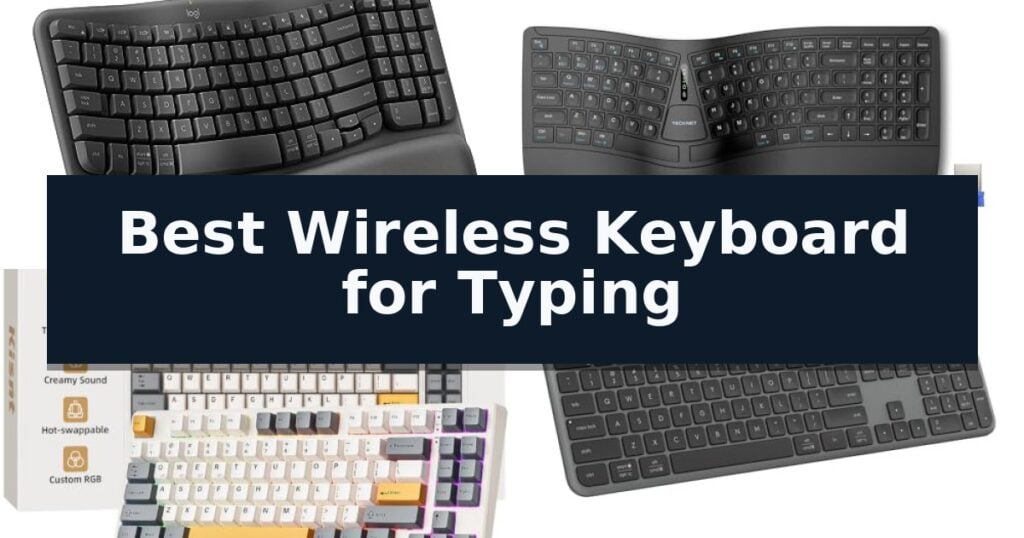
Logitech Wave Keys Wireless Keyboard earns our recommendation for the Best Wireless Keyboard for Typing because its ergonomic, wavy design and integrated memory foam palm rest prioritize natural wrist alignment during long sessions.
For those seeking different typing experiences, the TECKNET Wireless Ergonomic Keyboard offers a split layout for those needing specific posture support, while the Kisnt KN85 Wireless Mechanical Keyboard provides a tactile, gasket-mounted experience for users who prefer a distinct, satisfying sound profile.
Selecting a keyboard for extended typing requires balancing physical comfort with input reliability. We evaluate how different key structures, connectivity options, and ergonomic features impact daily productivity and long-term wrist health.
For those who require a complete setup for their office, our guide to the Best Wireless Keyboard and Mouse for Work provides additional insights into finding a cohesive, comfortable workstation.
10 Best Wireless Keyboard for Typing in 2026 Reviews
Quick Comparison
| Product | Best For | Key Strength | Score |
|---|---|---|---|
| Logitech Wave Keys Wireless Keyboard | Best Overall | Ergonomic wavy design promotes natural hand and wrist posture. | 4.9 |
| TECKNET Wireless Ergonomic Keyboard | Split layout reduces wrist strain | Split layout and curved keys promote a natural, neutral wrist posture. | 4.9 |
| Kisnt KN85 Wireless Mechanical Keyboard | Smooth and satisfying creamy thock | Gasket-mounted structure produces a soft, marbly sound profile. | 4.5 |
| Logitech Signature Slim K950 Keyboard | Sleek design for multi-device workflows | Multi-device switching allows for toggling between three devices with a single tap. | 4.4 |
| Arteck 2.4G Wireless Keyboard | Ultra-slim stainless steel build | Long-lasting rechargeable battery provides up to 6 months of use on a single charge. | 4.3 |
| SABLUTE Ergonomic Wireless Keyboard | Luxury palm rest for fatigue relief | Durable faux lambskin palm rest provides superior comfort and is easy to clean. | 4.9 |
| TECKNET Bluetooth Wireless Keyboard | Quiet keys for shared workspaces | Tri-device connectivity via 2.4GHz and dual Bluetooth 5.3. | 4.7 |
| Logitech MK295 Silent Wireless Keyboard | Ninety percent less typing noise | SilentTouch technology significantly reduces noise during use. | 4.9 |
| Logitech MK270 Wireless Keyboard | Reliable plug and play connectivity | Long battery life of up to 36 months for the keyboard. | 4.8 |
| RECCAZR Wireless Keyboard | Quiet membrane keys for office | Silent membrane keys for quiet operation | 4.5 |
How We Chose
When evaluating the best wireless keyboard for typing, we prioritize features that directly influence comfort and input accuracy. An experienced reviewer assesses how structural design, switch mechanics, and connectivity options translate into a sustainable, fatigue-free experience for writers, programmers, and office professionals who spend hours at their desks.
- Ergonomic design and wrist support integration
- Key switch type and tactile feedback quality
- Connectivity stability and multi-device switching capability
- Battery life and power management efficiency
- Build quality and desk space footprint
1 Logitech Wave Keys Wireless Keyboard — Natural posture for all-day comfort
The Logitech Wave Keys Wireless Keyboard features a distinctively contoured, wavy design specifically engineered to promote a more natural typing posture. By aligning your hands, wrists, and forearms in a relaxed position, this ergonomic layout aims to reduce strain during extended periods of desk work.
Beyond its physical shape, the keyboard includes a cushioned palm rest with memory foam to provide continuous support and minimize pressure on the wrists. For users who manage multiple devices, the integrated Easy-Switch technology allows for seamless transitions between up to three connected devices, including laptops, tablets, and phones, via Bluetooth or the included Logi Bolt Receiver.
Customization is handled through the Logi Options+ App, where users can configure shortcuts to streamline workflows. The device is ergo-certified by United States Ergonomics, reflecting its design and testing against rigorous professional criteria. It is also built with sustainability in mind, incorporating certified post-consumer recycled plastic in its construction.
The keyboard offers significant longevity, boasting a battery life of up to three years. It maintains broad compatibility across Windows, macOS, iPadOS, and ChromeOS, making it a versatile choice for diverse digital environments. For those seeking a cohesive setup, the manufacturer suggests pairing it with the Lift Vertical Ergonomic Mouse to complete the ergonomic workspace.
Best for: Users seeking an ergonomic, multi-device keyboard that prioritizes wrist support and natural hand positioning for long work sessions.
Skip if: Users who require a mechanical key feel, a full-sized layout with a dedicated number pad, or a ultra-slim profile for frequent travel.
- Ergonomic wavy design promotes natural hand and wrist posture.
- Cushioned memory foam palm rest provides integrated wrist support.
- Easy-Switch connectivity allows for quick toggling between three devices.
- Ergo-certified design tested by leading ergonomists.
- Non-mechanical keys may not suit users preferring tactile or clicky feedback.
- Compact footprint lacks a dedicated number pad for data-heavy tasks.
2 TECKNET Wireless Ergonomic Keyboard — Split layout reduces wrist strain
Maintaining a neutral wrist posture during long typing sessions is often the primary challenge for office professionals and writers. The TECKNET Wireless Ergonomic Keyboard addresses this through a split layout and a curved key arrangement designed to align with the natural arc of your fingers. By allowing hands to rest at shoulder-width distance, this design aims to reduce lateral stretching and minimize the physical strain often associated with standard flat keyboards.
Beyond its physical shape, the keyboard prioritizes comfort with an integrated high-density memory foam wrist rest. The dual-density construction features a firm bottom layer for stability and a soft top layer that conforms to the hands, helping to distribute pressure evenly. This focus on ergonomics extends to the base, which includes 4-stage adjustable feet offering tilt angles of 0°, 1.2°, 3°, and 6.2°, allowing for customization based on your specific desk setup or standing workstation.
Connectivity and power management are tailored for multi-device workflows. The keyboard supports Bluetooth 5.0 alongside a 2.4GHz USB wireless dongle, enabling users to link up to four devices and switch between them using a dedicated shortcut key. For power, the internal 500mAh rechargeable lithium battery provides up to 200 hours of continuous use on a single charge. The USB-C port allows for simultaneous charging and operation, ensuring that productivity remains uninterrupted.
Durability and support are backed by a 36-month warranty upon registration, reflecting the manufacturer's commitment to long-term reliability. The combination of a stain-resistant fabric finish on the wrist rest and a layout that promotes fluid input makes this a practical tool for those seeking to improve their typing environment.
Best for: Users seeking to alleviate wrist and shoulder strain through an ergonomic split-key design and adjustable tilt settings.
Skip if: Users who prefer a traditional, compact, or non-split keyboard layout or those who lack the desk space required for a full-sized ergonomic unit.
- Split layout and curved keys promote a natural, neutral wrist posture.
- Multi-device connectivity allows seamless switching between up to four devices.
- Dual-density memory foam wrist rest provides consistent, comfortable support.
- 4-stage adjustable tilt accommodates various typing angles and desk setups.
- Large physical footprint may not fit on smaller or crowded desk surfaces.
- Split design requires a learning curve for those accustomed to standard rectangular keyboards.
3 Kisnt KN85 Wireless Mechanical Keyboard — Smooth and satisfying creamy thock
Achieving a satisfying typing experience often comes down to the acoustics and tactile feedback of the board itself. The Kisnt KN85 Wireless Mechanical Keyboard distinguishes itself with a gasket-mounted design that prioritizes a soft, marbly sound profile over the sharp, hollow clatter typical of standard office keyboards.
Designed for efficiency, this 75% layout keyboard retains essential function keys and arrows while reclaiming 25% of desk space. It features tri-mode connectivity, allowing users to toggle between USB-C wired, 2.4GHz wireless, and Bluetooth 5.0 across three distinct devices. The inclusion of a 4000mAh rechargeable battery supports extended wireless use, and the board remains functional while charging.
The hot-swappable PCB accommodates both 3-pin and 5-pin switches, providing flexibility for users to customize their typing feel without soldering. Out of the box, it arrives with pre-lubed Bsun linear switches that offer a consistent 45-50gf actuation force. For those who enjoy visual customization, the integrated RGB backlighting can be adjusted via shortcuts or the dedicated Windows-compatible driver software.
To maintain optimal performance, the manufacturer recommends using a 5V 1A charger to avoid potential damage from high-voltage fast chargers. While the PBT keycaps and internal foam dampening contribute to a premium feel, users are encouraged to pair the board with a wrist rest to ensure comfort during long typing sessions.
Best for: Minimalists and hybrid workers who prioritize a quiet, cushioned typing sound and multi-device connectivity in a compact footprint.
Skip if: Users who require a dedicated number pad for frequent data entry or those who prefer a full-sized layout.
- Gasket-mounted structure produces a soft, marbly sound profile.
- Tri-mode connectivity supports seamless switching between three Bluetooth devices plus wired and 2.4GHz options.
- Hot-swappable PCB allows for easy switch customization without soldering.
- Compact 75% layout maximizes desk space while retaining essential navigation keys.
- No dedicated number pad may hinder high-volume numerical data entry.
- Driver software is limited to Windows operating systems.
4 Logitech Signature Slim K950 Keyboard — Sleek design for multi-device workflows
The Logitech Signature Slim K950 Wireless Keyboard prioritizes a streamlined workspace by offering a full-size layout with a dedicated number pad, all while maintaining a slim, modern profile. Designed for those who switch between multiple devices, this keyboard allows you to toggle between three connected platforms with a single tap, ensuring a seamless transition from your computer to a tablet or phone.
Engineered for quiet operation, the keyboard features laptop-style keys that provide a discreet typing experience suitable for shared environments. It offers broad compatibility across Windows, macOS, Chrome OS, Linux, iPadOS, iOS, and Android, connecting via Bluetooth or the included Logi Bolt receiver. The unit is constructed with a minimum of 48% certified post-consumer recycled plastic, reflecting a focus on material sourcing.
Functionality is further extended through the Logi Options+ App, which enables users to customize keys for specific workflows on Windows and macOS. The keyboard comes equipped with out-of-the-box shortcuts for common tasks such as volume control, muting, and utilizing the snipping tool. Its full-size design ensures that all essential keys are accessible without sacrificing desk space.
While the keyboard is built for versatility, it is important to note that the customization features via the Logi Options+ App are limited to Windows and macOS environments. Users should verify their preferred operating system's compatibility with these specific software-driven shortcuts to ensure the keyboard meets their productivity requirements.
Best for: Professionals and multi-device users who require a quiet, full-size keyboard that can quickly switch between three different platforms.
Skip if: Users who require mechanical switches for tactile feedback or those who exclusively use operating systems not supported by the Logi Options+ customization software.
- Multi-device switching allows for toggling between three devices with a single tap.
- Quiet typing mechanism designed for discreet operation in shared spaces.
- Full-size layout includes a number pad and dedicated shortcuts for work and home tasks.
- Broad compatibility across major desktop and mobile operating systems.
- Software customization via Logi Options+ is limited to Windows and macOS users.
- Non-mechanical keys may not satisfy users seeking a specific tactile or clicky typing feel.
5 Arteck 2.4G Wireless Keyboard — Ultra-slim stainless steel build
The Arteck 2.4G Wireless Keyboard distinguishes itself with a durable stainless steel construction that provides a heavy-duty feel while maintaining an ultra-slim, lightweight profile. Designed for efficiency, this full-size keyboard includes a numeric keypad and low-profile keys that prioritize quiet and comfortable typing during extended sessions.
Connectivity is handled via a simple plug-and-play approach; users insert the included nano USB receiver into their computer to establish an instant 2.4G wireless connection. This setup eliminates the need for complex pairing processes, making it compatible with a wide range of devices including desktops, laptops, and smart TVs running Windows 10, 8, or 7.
Power management is a core strength of this model, featuring a built-in rechargeable lithium battery. According to manufacturer specifications, this battery offers an industry-high capacity capable of lasting up to 6 months on a single charge, assuming a usage pattern of 2 hours per day. The package includes the necessary USB charging cable to facilitate easy recharging.
Despite its compact dimensions of 16.9 x 4.9 x 0.6 inches and a weight of 14.9 ounces, the keyboard retains a full-size layout. This design choice ensures that users have access to essential arrow keys and shortcuts without sacrificing desk space. The unit is backed by a 24-month warranty, providing long-term support for the hardware.
Best for: Users seeking a slim, full-size wireless keyboard with a long-lasting rechargeable battery and a sturdy stainless steel build.
Skip if: Users who require Bluetooth connectivity or a mechanical key switch feel will find this 2.4G USB-only model unsuitable.
- Long-lasting rechargeable battery provides up to 6 months of use on a single charge.
- Stainless steel construction offers a durable, premium feel in an ultra-slim design.
- Plug-and-play 2.4G connectivity ensures an easy, reliable setup without complex pairing.
- USB receiver required means it is not compatible with devices lacking a standard USB port.
- No Bluetooth support limits its use with tablets or mobile devices that lack USB-A connectivity.
6 SABLUTE Ergonomic Wireless Keyboard — Luxury palm rest for fatigue relief
The SABLUTE Ergonomic Wireless Keyboard and Mouse Combo prioritizes long-term comfort through its integrated, soft faux lambskin leather palm rest. This material choice provides a distinct tactile feel while remaining sweat-proof and easy to maintain, distinguishing it from standard fabric or plastic wrist supports.
Designed for sustained productivity, the keyboard features wave-style keys intended to encourage a more natural wrist posture. Users can further customize their setup using the adjustable front and back stands, which help maintain ergonomic alignment during extended typing sessions. The hardware is rated for a 10-million keystroke lifespan, doubling the durability of many standard models.
Power management is a key focus, with the keyboard housing a 4000mAh battery that supports weeks of use on a single charge. The included RGB mouse features a 700mAh battery and offers three adjustable DPI levels (800, 1200, and 1600) alongside six buttons. Both devices connect via a single 2.4GHz USB receiver, which includes a dual USB-A and USB-C connector for broad compatibility with modern laptops and desktops.
The system offers visual customization through multi-color backlighting. The keyboard provides a selection of soft tones for focused work and bold colors for varied environments, while the mouse supports six fixed colors and five cycle modes. A 2-year free replacement warranty is included to support the long-term reliability of the combo.
Best for: Users seeking a full-sized, ergonomic typing solution with a premium, easy-to-clean palm rest and long battery life.
Skip if: Users who require a compact, tenkeyless design or those who prefer mechanical switches over the standard wave-key membrane feel.
- Durable faux lambskin palm rest provides superior comfort and is easy to clean.
- High-capacity 4000mAh battery significantly reduces the frequency of charging.
- Universal USB-A and USB-C receiver ensures compatibility across most modern computing devices.
- 10-million keystroke durability offers a longer service life than standard 5-million cycle keyboards.
- Full-size footprint may be too large for users with limited desk space.
- Non-mechanical key switches may not satisfy users who prefer the tactile feedback of mechanical boards.
7 TECKNET Bluetooth Wireless Keyboard — Quiet keys for shared workspaces
The TECKNET Bluetooth Wireless Keyboard simplifies multi-device workflows by offering both 2.4GHz wireless and dual Bluetooth 5.3 connectivity. This allows users to toggle between up to three devices—such as a desktop, tablet, and smartphone—without needing to re-pair, making it a practical solution for those managing multiple screens or operating systems.
Designed for quiet environments, the keyboard utilizes soft membrane keys with an optimized rebound structure. This engineering choice minimizes keystroke noise, ensuring a smooth typing experience that remains responsive during long sessions. The inclusion of 13 multimedia shortcut keys further enhances efficiency by providing quick access to volume control, email, and media playback.
Power management is handled by a 300mAh rechargeable battery, which provides up to 90 days of use based on a standard two-hour daily schedule. To preserve battery life, the unit features an automatic sleep mode that triggers after 20 minutes of inactivity, waking instantly upon a key press. The spill-resistant design adds a layer of protection against minor desk accidents, though it is not waterproof and should be kept away from liquid immersion.
The full-size layout includes a dedicated numeric keypad and adjustable tilt legs, which allow for a more ergonomic wrist position. Compatibility is broad, supporting Windows, Android, iOS (excluding iPhone), and macOS 10.15. For hardware lacking native Bluetooth, the included USB receiver provides a reliable 2.4GHz connection.
Best for: Users who need to switch between multiple devices like tablets, laptops, and desktops in a quiet office or home workspace.
Skip if: Users who require a mechanical typing feel or a fully waterproof keyboard for high-risk liquid environments.
- Tri-device connectivity via 2.4GHz and dual Bluetooth 5.3.
- Rechargeable battery with up to 90 days of life per charge.
- Ultra-quiet membrane keys suitable for shared workspaces.
- Spill-resistant construction protects against minor accidents.
- Not compatible with iPhone devices.
- Requires manual charging via cable rather than using disposable batteries.
8 Logitech MK295 Silent Wireless Keyboard — Ninety percent less typing noise
Maintaining a quiet workspace is essential for focus, and the Logitech MK295 Full Size Silent Wireless Keyboard Mouse Combo addresses this with its proprietary SilentTouch technology. By reducing typing and clicking noise by 90% compared to standard peripherals, this set allows for a distraction-free environment without sacrificing the tactile feedback expected during long typing sessions.
The keyboard features a full-size layout complete with a numpad and 8 convenient shortcuts, providing one-touch access to media controls and internet navigation. Its spill-resistant design and sturdy, adjustable tilt legs ensure both longevity and ergonomic comfort, while the included ambidextrous mouse maintains the same silent operation for consistent performance across your desk.
Connectivity is handled via a tiny 2.4 GHz USB receiver that offers a reliable 10-meter wireless range. Setup is straightforward with a plug-and-play connection that activates in approximately 3 seconds, ensuring compatibility with Windows and Chrome OS systems. The hardware is also built with sustainability in mind, utilizing certified post-consumer recycled plastic in its construction.
Efficiency extends to power management, as the keyboard boasts a 36-month battery life and the mouse offers up to 18 months of use. With dedicated on/off switches, you can maximize battery longevity, making this a low-maintenance solution for daily computing tasks.
Best for: Users who require a quiet, full-sized typing experience for office or home environments and value long battery life.
Skip if: Users who prefer mechanical switches, backlighting, or Bluetooth connectivity for multi-device pairing.
- SilentTouch technology significantly reduces noise during use.
- Impressive 36-month keyboard battery life minimizes maintenance.
- Includes a full-size layout with dedicated shortcut keys.
- Spill-resistant construction adds a layer of durability.
- Lacks Bluetooth connectivity, requiring a USB port for the receiver.
- Does not feature backlit keys for low-light visibility.
9 Logitech MK270 Wireless Keyboard — Reliable plug and play connectivity
The Logitech MK270 Full Size Wireless Keyboard and Mouse Combo simplifies desktop organization by utilizing a single USB-A Nano Receiver to connect both peripherals. This setup provides a reliable wireless connection reaching up to 33 feet, allowing for a clutter-free workspace without the common frustrations of signal drop-outs or input delays.
Designed for consistent daily use, the keyboard features a full-size layout that includes a dedicated number pad, arrow keys, and full-size F-keys. The low-profile, quiet keys are engineered to provide a comfortable typing experience, while the spill-resistant design and sturdy, adjustable tilt legs enhance overall durability for various office environments.
Efficiency is further supported by 8 multimedia hotkeys, which offer instant access to essential functions like volume control, play/pause, email, and internet navigation. The included compact, ambidextrous mouse is built for smooth cursor control on most surfaces, ensuring it remains functional for both left- and right-handed users.
Maintenance is minimized through impressive power efficiency, with the keyboard offering a 36-month battery life and the mouse providing up to 12 months. Both devices include dedicated on/off switches to preserve power when not in use, and the construction incorporates certified post-consumer recycled plastic to align with modern material standards.
Best for: Users seeking a reliable, low-maintenance, and space-saving wireless input solution for standard office or home computing tasks.
Skip if: Users who require advanced ergonomic features like a wrist rest, scooped keys, or highly customizable shortcut buttons should consider the upgraded Logitech MK540 model instead.
- Long battery life of up to 36 months for the keyboard.
- Reliable wireless connectivity via a single USB-A Nano Receiver.
- Spill-resistant design for increased longevity.
- Full-size layout with dedicated number pad and multimedia hotkeys.
- Lacks advanced ergonomic features such as a built-in palm rest or contoured key shapes.
10 RECCAZR Wireless Keyboard — Quiet membrane keys for office
The RECCAZR Wireless Keyboard distinguishes itself with a silent membrane key structure designed to minimize noise during intensive typing sessions, making it a practical choice for shared office environments or quiet home workspaces. This full-size layout includes a dedicated numeric keypad and 12 multimedia shortcut keys to streamline navigation and volume control without requiring extra desktop space.
Connectivity is managed via a single nano USB receiver that pairs both the keyboard and the included optical mouse, effectively reducing port clutter. The system utilizes a stable 2.4G wireless connection with a range of up to 10 meters, offering a plug-and-play setup that functions across multiple operating systems including Windows, Mac OS, Chrome OS, and Linux.
Ergonomics and power efficiency are central to the design. The keyboard features adjustable height tilt legs to help maintain a comfortable wrist position during extended use, while the integrated auto-sleep mode helps preserve battery life by powering down the devices during periods of inactivity. The accompanying mouse provides 3-level adjustable DPI settings (800, 1200, and 1600) to allow for customized tracking sensitivity.
This combo is built for straightforward maintenance and reliability. The mouse includes a convenient storage slot for the USB receiver at its base, ensuring it remains secure when not in use. The manufacturer provides a 1-year warranty and 12-month after-sales support, providing a clear service path should technical issues arise.
Best for: Office or home users who require a quiet, full-size typing experience and a single-receiver wireless solution for both keyboard and mouse.
Skip if: Users who require a mechanical keyboard with tactile feedback or those who specifically need a Bluetooth-only connection without a USB receiver.
- Silent membrane keys for quiet operation
- Full-size layout with numeric keypad and multimedia keys
- Single nano USB receiver for both devices
- Adjustable DPI mouse for customized sensitivity
- Requires a USB port for the nano receiver
- Battery life varies based on individual usage patterns
Best Wireless Keyboard for Typing Buying Guide
Ergonomics and Wrist Health
Ergonomic keyboards often feature curved or split layouts designed to mimic the natural resting position of your hands and forearms. These designs aim to reduce the strain caused by traditional flat keyboards, which can force wrists into unnatural angles.
Integrated palm rests are a critical component of ergonomic setups. Memory foam or cushioned supports help distribute pressure away from the carpal tunnel, which is essential for maintaining comfort during high-volume typing tasks.
Mechanical vs. Membrane Switches
Mechanical keyboards use individual switches for each key, offering distinct tactile feedback and a consistent feel. Many typists prefer these for their precision and the satisfying 'thock' or 'click' sound they produce, which can provide helpful auditory confirmation of a keystroke.
Membrane keyboards, by contrast, use a rubber dome layer that provides a softer, quieter typing experience. These are generally more affordable and better suited for shared office environments where noise reduction is a priority.
Connectivity and Multi-Device Workflow
Modern wireless keyboards typically offer Bluetooth, 2.4GHz USB receivers, or both. Bluetooth is ideal for connecting to tablets and laptops without taking up a USB port, while 2.4GHz receivers often provide a more stable, lower-latency connection for desktop use.
Multi-device switching allows you to toggle between a computer, tablet, and phone using dedicated keys. This feature is invaluable for hybrid workers who need to move their input between different operating systems throughout the day.
Battery Life and Power Management
Wireless keyboards rely on either replaceable batteries or internal rechargeable cells. Rechargeable models often include USB-C charging, which is convenient but requires occasional downtime when the battery depletes.
Models with long-lasting replaceable batteries can often run for months or even years. Regardless of the power source, look for keyboards with auto-sleep functions to maximize efficiency and prevent unnecessary power drain during periods of inactivity.
Layout and Desk Footprint
Full-size keyboards include a dedicated numeric keypad, which is essential for data entry and accounting tasks. However, these take up significant desk space and can force your mouse further to the right, potentially causing shoulder strain.
Compact layouts, such as 75% or tenkeyless (TKL) designs, remove the numpad to save space. This allows for a more centered typing position and brings the mouse closer to the keyboard, which can improve overall ergonomic posture.
Frequently Asked Questions
Are ergonomic keyboards difficult to learn?
There is often a brief adjustment period when switching to a split or curved ergonomic keyboard. Most users find that muscle memory adapts within a few days of consistent use.
Do I need a mechanical keyboard for better typing?
Not necessarily. Mechanical keyboards offer more tactile feedback and customization, but many high-quality membrane keyboards provide excellent, quiet, and comfortable typing experiences.
Can I use a wireless keyboard with both Windows and Mac?
Yes, most modern wireless keyboards are multi-OS compatible. Check the product specifications to ensure it supports the specific layout and shortcut keys for your operating system.
How do I know if a keyboard is spill-resistant?
Look for explicit mention of spill-resistance in the product features. While these designs can handle minor liquid accidents, they are not waterproof and should not be submerged.
What is the benefit of a 2.4GHz receiver over Bluetooth?
A 2.4GHz receiver typically offers a more stable connection with lower latency, making it a reliable choice for desktop setups where you want to avoid potential Bluetooth interference.
Conclusion: Our Top Pick
Our top pick is Logitech Wave Keys Wireless Keyboard. Choosing the right keyboard depends on your specific typing volume, desk space, and preference for tactile feedback. Ergonomic models like the Logitech Wave Keys are excellent for long-term comfort, while mechanical options offer a more responsive feel for dedicated writers.
Prioritize connectivity options that match your device ecosystem and consider whether a full-size or compact layout better serves your daily workflow. Investing in a keyboard that supports your natural posture will significantly improve your comfort over time.