Logitech MX Keys S Wireless Keyboard is our top choice for the Best Wireless Keyboard for Work, offering a fluid, laptop-like typing experience with smart backlighting that adapts to your environment. For those prioritizing physical comfort, the Logitech Wave Keys Ergonomic Keyboard provides a natural, wavy layout with a cushioned palm rest, while the Logitech MK850 Performance Wireless Keyboard and Mouse Combo serves users who need a comprehensive, multi-device input solution.
Selecting a keyboard for professional use requires balancing long-term comfort with reliable connectivity. While some models focus on ergonomic posture to reduce strain during extended sessions, others emphasize multi-device switching and programmable shortcuts to streamline complex workflows. We evaluate these options based on their ability to integrate into diverse office setups, whether you rely on Bluetooth or dedicated USB receivers for a stable connection.
If you are also looking to upgrade your pointing device, our guide on the Best Wireless Keyboard and Mouse for Work covers integrated solutions that pair perfectly with these keyboards.
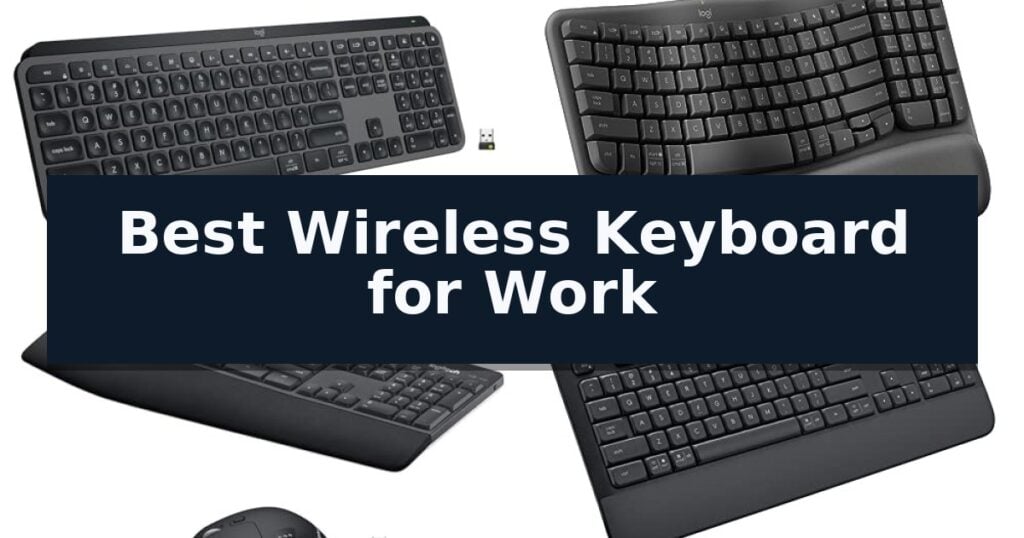
10 Best Wireless Keyboard for Work in 2026 Reviews
Quick Comparison
| Product | Best For | Key Strength | Score |
|---|---|---|---|
| Logitech MX Keys S Wireless Keyboard | Best Overall | Spherically-dished keys for a fluid and quiet typing feel. | 4.9 |
| Logitech Wave Keys Ergonomic Keyboard | Natural Posture for All-Day Comfort | Ergo-certified design promotes a natural typing posture. | 4.4 |
| Logitech MK850 Performance Keyboard Combo | Multi-Device Switching Powerhouse | Multi-device and multi-OS compatibility for seamless switching between three screens. | 4.8 |
| Logitech Signature K650 Wireless Keyboard | Deep-Cushioned Keys for Daily Use | Integrated soft-touch palm rest for enhanced ergonomic support during long typing sessions. | 4.6 |
| Logitech K250 Compact Wireless Keyboard | Space-Saving Bluetooth Connectivity | Bluetooth wireless connectivity eliminates the need for USB dongles. | 4.9 |
| Arteck 2.4G Wireless Keyboard | Ultra-Slim Stainless Steel Build | 6-month battery life on a single charge. | 4.4 |
| AULA S99 Wireless Keyboard | Programmable Keys for Custom Workflows | Tri-mode connectivity for flexible device switching. | 4.8 |
| SABLUTE Wireless Typewriter Keyboard | Integrated Holder for Mobile Multitasking | Integrated phone holder for convenient multitasking. | 4.5 |
| Soueto Wireless RGB Keyboard | Rechargeable Power with Device Stand | Integrated 8.7-inch device holder for tablets and phones | 4.3 |
| Logitech MK270 Wireless Keyboard Combo | Reliable Plug-and-Play Essential | Extended battery life with up to 36 months for the keyboard. | 4.6 |
How We Chose
To determine the best wireless keyboard for work, we analyze the physical construction, connectivity stability, and software integration of each model. An experienced reviewer must distinguish between keyboards designed for high-volume typing, ergonomic health, and multi-device efficiency, ensuring the selected hardware supports the specific demands of a professional office environment.
- Typing feel and key travel depth
- Connectivity options including Bluetooth and proprietary receivers
- Ergonomic features such as palm rests and layout design
- Battery life and charging convenience
- Customization software and shortcut support
1 Logitech MX Keys S Wireless Keyboard — Premium Fluid Typing Experience
The Logitech MX Keys S Wireless Keyboard features a distinctive, laptop-like profile with spherically-dished keys designed to match the shape of your fingertips, ensuring a fluid and precise typing experience. This low-profile design is engineered to provide an optimum keyboard angle that supports natural wrist posture during extended work sessions.
Beyond its physical construction, the keyboard integrates advanced software capabilities through the Logi Options+ app. Users can automate repetitive tasks by creating Smart Actions, which allow for multiple operations to be triggered with a single keystroke. The smarter illumination system is equally responsive, as the backlit keys automatically light up when your hands approach and adjust their brightness based on the surrounding environment.
Connectivity is a primary strength of this model, offering the ability to pair with up to three devices simultaneously across various operating systems, including Windows, macOS, Linux, and Googlebook OS. Users can switch between these devices via Bluetooth Low Energy or the included Logi Bolt USB receiver. When paired with a compatible mouse like the Master 3S, the keyboard supports seamless text and file transfers between computers.
Power management is designed for professional reliability, with the USB-C rechargeable battery lasting up to 10 days on a full charge with backlighting enabled, or up to 5 months if the lighting is turned off. The unit is also built with sustainability in mind, incorporating certified post-consumer recycled plastic in its construction.
Best for: Professionals who require a multi-device, backlit keyboard with customizable automation shortcuts for high-volume typing workflows.
Skip if: Users who prefer the tactile feedback and deep travel distance of a mechanical keyboard will likely find this low-profile, membrane-style typing experience too shallow.
- Spherically-dished keys for a fluid and quiet typing feel.
- Smart Actions automation via Logi Options+ to streamline workflows.
- Adaptive backlighting that responds to hand proximity and ambient light.
- Multi-device pairing for up to three systems with cross-computer file transfer.
- Non-mechanical key switches may not satisfy users seeking deep tactile feedback.
- Fixed typing angle lacks adjustable legs for those who prefer a steeper incline.
2 Logitech Wave Keys Ergonomic Keyboard — Natural Posture for All-Day Comfort
The Logitech Wave Keys Ergonomic Wireless Keyboard is engineered with a distinctive wavy keyframe designed to promote a more natural typing posture by aligning the hands, wrists, and forearms. This compact layout is paired with an integrated cushioned palm rest featuring memory foam, which provides continuous support to reduce pressure during extended work sessions.
Beyond its physical design, the keyboard offers versatile connectivity options, including Bluetooth and the included Logi Bolt Receiver. Users can manage multiple devices simultaneously using the Easy-Switch feature, allowing for seamless transitions between up to three connected systems, such as laptops, tablets, or phones. It is compatible with Windows, macOS, iPadOS, and ChromeOS.
Customization is handled through the Logi Options+ App, which enables users to assign specific shortcuts to streamline workflows. The device is also built with sustainability in mind, incorporating certified post-consumer recycled plastic in its construction—61% for the Graphite and Sand models, and 46% for the Off-White and Rose versions.
The hardware is designed for longevity, boasting a battery life of up to 3 years. It has been officially ergo-certified by United States Ergonomics, confirming it meets rigorous standards for ergonomic design and user comfort. For those seeking a complete setup, it is designed to pair effectively with the Lift Vertical Ergonomic Mouse.
Best for: Professionals seeking an ergo-certified, compact keyboard that supports natural wrist alignment and multi-device switching.
Skip if: Users who require a full-sized layout with a dedicated number pad or those who prefer a traditional flat keyboard profile.
- Ergo-certified design promotes a natural typing posture.
- Integrated memory foam palm rest provides sustained wrist support.
- Easy-Switch technology allows for quick toggling between three devices.
- Long battery life of up to 3 years.
- Compact layout lacks a dedicated number pad.
- Wavy keyframe requires an adjustment period for those accustomed to flat keyboards.
3 Logitech MK850 Performance Keyboard Combo — Multi-Device Switching Powerhouse
Managing multiple devices during a busy workday requires a seamless transition between platforms, a capability central to the Logitech MK850 Performance Wireless Keyboard and Mouse Combo. This full-size keyboard features a cushioned palm rest and carefully-crafted keys designed to support extended typing sessions with reduced strain.
The included contoured right-handed mouse enhances productivity through a hyper-fast scroll wheel, allowing for rapid navigation through long documents and web pages. With 8 customizable buttons, users can tailor the input experience to their specific workflow needs, while the Logitech DuoLink software further integrates the mouse and keyboard for smarter navigation.
Versatility is a core strength of this set, as both components are multi-device and multi-OS friendly. Users can pair the hardware with up to three screens simultaneously, switching between a computer, tablet, or phone with ease. The system supports dual connectivity, allowing for a choice between Bluetooth or the included USB-A receiver.
Designed for long-term reliability, the Logitech MK850 Performance Wireless Keyboard and Mouse Combo provides a stable, ergonomic foundation for any workspace. The combination of a comfortable, wave-shaped keyboard layout and a high-performance mouse ensures that the hardware adapts to the user rather than the other way around.
Best for: Professionals who need to switch between multiple computers, tablets, and phones throughout the workday.
Skip if: Users who prefer a compact, ultra-portable keyboard or those who require a mechanical switch typing experience.
- Multi-device and multi-OS compatibility for seamless switching between three screens.
- Cushioned palm rest and wave-shaped key layout for ergonomic comfort.
- Hyper-fast scroll wheel and 8 customizable buttons on the mouse.
- Dual connectivity options via Bluetooth or USB-A receiver.
- Full-size footprint may be too large for minimalist or small desk setups.
4 Logitech Signature K650 Wireless Keyboard — Deep-Cushioned Keys for Daily Use
The Logitech Signature K650 Wireless Keyboard prioritizes user comfort through its integrated soft-touch palm rest and deep-cushioned keys, providing a familiar and tactile typing experience for extended work sessions. This full-size layout includes a dedicated number pad and a suite of shortcut keys designed to streamline common tasks such as muting the microphone, taking screenshots, and navigating web pages.
Connectivity is handled through dual-mode wireless technology, offering users the choice between BLE (Bluetooth Low Energy) or the included Logi Bolt USB receiver. This flexibility ensures compatibility across a wide range of operating systems, including Windows, macOS, Chrome OS, Linux, iPadOS, iOS, and Android, making it a versatile addition to multi-device workspaces.
Designed for long-term reliability, the keyboard is built to be spill-resistant and easy to clean. It boasts an impressive battery life of up to 36 months, minimizing the need for frequent maintenance. Furthermore, the construction incorporates certified post-consumer recycled plastic, with 28% in the Graphite model, reflecting a focus on material sourcing.
For users looking to enhance their workflow, the keyboard integrates with the Logi Options+ software on Windows and macOS. This allows for personalization of key functions and seamless pairing with the M650 mouse, creating a cohesive desktop environment that balances productivity with ergonomic support.
Best for: Office professionals and home workers who require a full-size, ergonomic keyboard with long battery life and multi-platform compatibility.
Skip if: Users who prefer a compact, tenkeyless, or mechanical keyboard layout will find this full-size, membrane-style unit too large for their specific space or typing preferences.
- Integrated soft-touch palm rest for enhanced ergonomic support during long typing sessions.
- Dual-mode connectivity via Bluetooth Low Energy or the included Logi Bolt receiver.
- Extended battery life rated for up to 36 months of usage.
- Spill-resistant design that simplifies cleaning and maintenance.
- Full-size footprint may occupy significant desk space compared to compact alternatives.
- Membrane key switches may not satisfy users who prefer the tactile feedback of mechanical keyboards.
5 Logitech K250 Compact Wireless Keyboard — Space-Saving Bluetooth Connectivity
Maintaining a clean, efficient workspace often begins with minimizing cable clutter. The Logitech K250 Compact Wireless Keyboard addresses this by utilizing Bluetooth wireless technology, which allows for a direct connection to your computer without the need for a USB dongle or occupying a physical port.
Designed for productivity, this keyboard features a full number pad and dedicated arrow keys, ensuring that data entry remains efficient despite the space-saving compact layout. The inclusion of deep-profile keys provides a tactile typing experience, while the adjustable tilt-leg design allows you to customize the angle for improved comfort during extended work sessions.
Durability is a core component of the build, as the device is spill-resistant and constructed with a minimum of 64% recycled plastic. For users who prioritize low maintenance, the keyboard offers 12 months of battery life on a single set of batteries, reducing the frequency of replacements.
Compatibility is straightforward, as the unit is optimized for both Windows and MacOS environments. Whether you are working on a desktop or a MacBook, the instant Bluetooth connection ensures a seamless setup process, making it a practical tool for modern office configurations.
Best for: Users who need a compact, reliable keyboard with a full number pad for data entry in a clutter-free, Bluetooth-enabled workspace.
Skip if: Users who require a wired connection, a dedicated USB receiver, or a full-sized mechanical keyboard layout.
- Bluetooth wireless connectivity eliminates the need for USB dongles.
- Compact layout includes a full number pad for efficient data entry.
- Spill-resistant design adds a layer of durability for daily office use.
- 12-month battery life minimizes the need for frequent maintenance.
- Bluetooth-only connection lacks a legacy USB receiver option.
6 Arteck 2.4G Wireless Keyboard — Ultra-Slim Stainless Steel Build
The Arteck 2.4G Wireless Keyboard streamlines workspace organization by utilizing a compact, ultra-slim profile that measures just 0.6 inches in height. This full-size layout includes a dedicated numeric keypad and arrow keys, ensuring that functionality is not sacrificed for its space-saving design.
Engineered for reliability, the keyboard features a rechargeable lithium battery capable of providing up to 6 months of use on a single charge, based on a standard usage pattern of two hours per day. The unit is constructed with a stainless steel housing, which provides a durable, heavy-duty feel while maintaining a lightweight footprint of 14.9 ounces.
Installation is straightforward, relying on a nano USB receiver that enables an immediate wireless connection to computers, laptops, or smart TVs. The low-profile keys are designed to facilitate quiet and comfortable typing, making it a practical choice for shared office environments or home setups where noise reduction is preferred.
The package includes the keyboard, the required USB receiver, and a charging cable, backed by a 24-month warranty. Its combination of a slim form factor and full-sized utility makes it a versatile tool for various computing tasks.
Best for: Users who require a full-sized keyboard with a numeric keypad in a slim, portable, and rechargeable package.
Skip if: Users who require a mechanical key feel or those who prefer a Bluetooth-only connection without the use of a USB receiver.
- 6-month battery life on a single charge.
- Stainless steel construction for a durable, premium feel.
- Full-size layout including a numeric keypad in an ultra-slim design.
- Quiet, low-profile keys suitable for professional environments.
- Requires a USB port for the nano receiver, which may be a limitation for devices lacking USB-A connectivity.
7 AULA S99 Wireless Keyboard — Programmable Keys for Custom Workflows
Efficiency in a workspace often hinges on the ability to manage multiple devices and complex workflows simultaneously. The AULA S99 Wireless Keyboard addresses this by offering tri-mode connectivity, allowing users to switch between Bluetooth 5.0, 2.4GHz wireless, and USB-C wired connections to suit different office or mobile environments.
Designed with a 96% layout, this keyboard retains a full numeric keypad while optimizing desktop footprint. The inclusion of a dual-mode rotary knob provides tactile control over volume, audio, and lighting, while three dedicated programmable shortcut keys (M1/M2/M3) allow for the execution of complex commands with a single click, streamlining repetitive tasks.
For users who rely on specific software or gaming-inspired efficiency, the AULA S99 Wireless Keyboard supports full-key macro customization. This feature enables the programming of complex action sequences directly into individual keys, providing a tailored interface for specialized workflows. The chassis is supported by a foldable two-stage stand, which helps adjust the typing angle to reduce wrist pressure during extended use.
This model features a membrane switch structure that provides a distinct typing feel without the need for hot-swapping. It is compatible with a wide range of operating systems, including Windows, Mac, Android, and iOS, ensuring broad utility across various hardware setups. The unit is backed by a 1-year manufacturer warranty to support long-term operational reliability.
Best for: Users who require a compact, multi-device keyboard with programmable macro keys to streamline complex professional or gaming workflows.
Skip if: Users who prefer the tactile feedback and customization options of mechanical, hot-swappable switches.
- Tri-mode connectivity for flexible device switching.
- Full-key macro programming for custom workflow automation.
- Dual-mode rotary knob for quick media and lighting adjustments.
- 96% layout saves desk space while keeping the numeric keypad.
- Membrane structure does not support hot-swapping switches.
8 SABLUTE Wireless Typewriter Keyboard — Integrated Holder for Mobile Multitasking
The SABLUTE Wireless Typewriter Keyboard integrates a dedicated phone holder directly into its frame, allowing for seamless multitasking by keeping mobile devices upright and visible during work sessions. This design choice caters to users who frequently monitor messages or attend virtual meetings while typing on their primary computer.
Beyond its structural utility, the keyboard features a retro-inspired typewriter aesthetic with round keycaps and a 7-color backlight system that provides adjustable illumination for low-light environments. The included magnetic wrist rest utilizes soft sponge padding to provide ergonomic support, and it can be easily detached for cleaning or storage.
Connectivity is managed through a single 2.4GHz USB receiver that pairs both the keyboard and the included RGB mouse simultaneously. The system is designed for broad compatibility, supporting Windows, macOS, Linux, and Chrome OS with dual-system layouts to ensure functional parity across different operating environments.
Power management is handled via USB-C rechargeable batteries in both peripherals, supplemented by an auto-sleep function to extend usage time between charges. The spill-resistant body adds a layer of durability, making it a practical addition to professional workspaces or home offices where desk space and efficiency are priorities.
Best for: Users who want a retro-styled, space-saving keyboard with an integrated phone stand for multitasking.
Skip if: Users who require a mechanical switch feel or a full-sized layout with a dedicated number pad may find this compact typewriter design less suitable for high-volume data entry.
- Integrated phone holder for convenient multitasking.
- 7-color backlight with adjustable lighting modes.
- USB-C rechargeable power for both keyboard and mouse.
- Magnetic wrist rest for enhanced ergonomic comfort.
- Plug-and-play 2.4GHz wireless connectivity.
- Compact typewriter layout may require an adjustment period for touch typists.
- Shared USB receiver means the mouse and keyboard cannot be used independently on separate devices.
9 Soueto Wireless RGB Keyboard — Rechargeable Power with Device Stand
Maintaining a clean and efficient workspace often requires minimizing cable clutter while ensuring your peripherals remain functional throughout the day. The Soueto Wireless RGB Keyboard addresses this by integrating a dedicated 8.7-inch device holder directly into its frame, allowing you to dock your phone or tablet for easy viewing while you type.
This full-size keyboard utilizes 2.4G wireless RF technology, which connects to your computer via a single USB dongle to maintain a stable link. It features a built-in 1500mAh rechargeable battery, eliminating the need for frequent battery replacements. For those who prefer a specific visual aesthetic, the keyboard offers 7-color RGB backlighting with 4 adjustable modes and brightness settings.
Designed for productivity, the unit includes responsive tactile keystrokes intended to provide a quiet typing experience. The layout incorporates dedicated multimedia and shortcut keys to streamline common tasks. If you encounter initial connectivity issues, the manufacturer provides a specific pairing sequence involving the 'Esc + =' keys to re-establish the link with the receiver.
To ensure optimal performance, the device requires the USB receiver to be plugged into the computer before the keyboard is powered on; otherwise, the backlight may deactivate to conserve power. This model is supported by a 12-month warranty, providing a standard service period for the hardware.
Best for: Users who need a full-size wireless keyboard with an integrated stand for mobile devices and customizable backlighting.
Skip if: Users who require Bluetooth connectivity or a compact, tenkeyless design for limited desk space.
- Integrated 8.7-inch device holder for tablets and phones
- Rechargeable 1500mAh battery reduces waste
- Quiet tactile keystrokes for office environments
- Customizable 7-color RGB backlighting
- Requires USB dongle for 2.4G wireless connection
- Backlight settings require active connection to function correctly
10 Logitech MK270 Wireless Keyboard Combo — Reliable Plug-and-Play Essential
Maintaining a clutter-free workspace often begins with minimizing cable management, and the Logitech MK270 Wireless Keyboard Combo addresses this by utilizing a single USB-A Nano Receiver to connect both devices. This plug-and-play solution provides a wireless range of up to 33 feet, allowing for a clean desk setup without the typical latency or connection drop-outs associated with basic peripherals.
The keyboard is designed for daily productivity, featuring a full-size layout that includes dedicated F-keys, a number pad, and arrow keys. It incorporates low-profile, quiet keys to reduce typing noise, while the chassis includes sturdy tilt legs for adjustable height. To accommodate busy office environments, the board is built with a spill-resistant design to protect against minor accidents.
Efficiency is further supported by eight integrated multimedia hotkeys, which offer instant access to email, volume control, and media playback. The accompanying compact mouse is designed with an ambidextrous shape, making it suitable for both left- and right-handed users, and it provides smooth cursor navigation across most common desk surfaces.
Longevity is a primary focus for this combo, as it features an impressive 36-month battery life for the keyboard and 12-month battery life for the mouse. Both devices include physical on/off switches to preserve power when not in use. Additionally, the construction incorporates sustainable materials, with 54% recycled plastic in the keyboard and 49% in the mouse.
Best for: Users seeking a reliable, long-battery-life wireless peripheral set for standard office tasks and general desktop computing.
Skip if: Users who require advanced ergonomic features like scooped keys, integrated palm rests, or customizable software shortcuts found in higher-tier models like the MK540.
- Extended battery life with up to 36 months for the keyboard.
- Spill-resistant design for added durability in work environments.
- Single USB-A receiver simplifies connectivity and saves port space.
- Ambidextrous mouse design ensures comfort for all users.
- Lacks advanced ergonomic features such as a dedicated palm rest.
- Standard key design may not offer the tactile feel of premium mechanical or scooped-key alternatives.
Best Wireless Keyboard for Work Buying Guide
Typing Feel and Key Architecture
The tactile response of a keyboard is the most critical factor for daily productivity. Low-profile, spherically-dished keys often provide a precise, quiet typing experience that mimics high-end laptop keyboards, reducing finger fatigue over long hours.
Conversely, deeper-profile keys offer a more traditional mechanical feel. Buyers should consider whether they prefer the snappy, short-throw feedback of a slim design or the substantial, cushioned travel found in full-size ergonomic models.
Ergonomics and Wrist Support
Extended typing sessions can lead to wrist strain if the keyboard angle is not optimized. Models featuring integrated or detachable cushioned palm rests help maintain a neutral wrist position, which is essential for preventing discomfort during heavy workloads.
Wavy or contoured layouts are specifically engineered to align hands and forearms more naturally. While these designs may require a brief adjustment period, they are often superior for users who spend the majority of their day typing.
Connectivity and Multi-Device Integration
Modern professional setups often involve switching between a primary computer, a tablet, and a secondary laptop. Keyboards that support multiple Bluetooth pairings or dedicated USB receivers allow for seamless transitions between these devices with a single keystroke.
Reliability is paramount, so look for dual-connectivity options. Having the choice between Bluetooth and a dedicated wireless dongle ensures you can maintain a stable connection even in environments crowded with other wireless signals.
Battery Life and Power Management
Wireless keyboards should minimize maintenance. Rechargeable models using USB-C offer the convenience of quick top-ups, while others utilize long-lasting replaceable batteries that can power the device for months or even years.
Backlighting is a useful feature for low-light conditions but significantly impacts battery longevity. Models that include proximity sensors to activate lights only when hands approach are more efficient than those that remain constantly illuminated.
Software and Workflow Automation
Customization software allows users to remap keys and create shortcuts for repetitive tasks. This capability can turn a standard keyboard into a powerful productivity tool by automating complex sequences with a single button press.
Compatibility with different operating systems is also vital. Ensure the keyboard supports the specific shortcuts and layout requirements of your primary OS, whether you are working on Windows, macOS, or a cross-platform environment.
Frequently Asked Questions
Do I need a USB receiver if my computer has Bluetooth?
No, Bluetooth is sufficient for most modern computers. However, a dedicated USB receiver can provide a more stable, lag-free connection in environments with heavy wireless interference.
How do I know if a keyboard is compatible with my operating system?
Most wireless keyboards are compatible with Windows, macOS, and ChromeOS. Check the product specifications to ensure the specific layout and shortcut keys are optimized for your platform.
Are ergonomic keyboards difficult to learn?
There is usually a short adjustment period for contoured or wavy keyboards. Most users find that the increased comfort during long typing sessions outweighs the initial learning curve within a few days.
Can I use a rechargeable keyboard while it is charging?
Yes, most modern rechargeable wireless keyboards allow you to continue typing while the USB-C cable is connected, effectively turning them into wired keyboards during the charge.
What is the benefit of a full-size keyboard over a compact one?
A full-size keyboard includes a dedicated numeric keypad and a full set of function keys, which are highly beneficial for data entry, accounting, and software that relies on complex keyboard shortcuts.
Conclusion: Our Top Pick
Our top pick is Logitech MX Keys S Wireless Keyboard. Choosing the right wireless keyboard for work depends on your specific daily tasks, whether you prioritize ergonomic support for long-term health or programmable shortcuts for efficiency. By focusing on key feel, connectivity options, and battery management, you can select a tool that enhances your professional output.
The best choice will integrate seamlessly into your existing device ecosystem. Whether you opt for a premium, low-profile model or a dedicated ergonomic solution, ensure the build quality and software support align with your long-term workflow requirements.