Logitech MX Keys S Wireless Keyboard is our top choice for the Best Wireless Keyboards thanks to its low-profile, spherically-dished keys that provide a precise and quiet typing experience. For those prioritizing media control in a living room, the Logitech K400 Plus offers an integrated touchpad, while the AULA F75 Pro serves enthusiasts seeking a customizable mechanical feel with hot-swappable switches.
Selecting a wireless keyboard requires balancing your specific workflow needs against hardware limitations. Whether you require a full-sized layout for data entry or a compact frame for travel, the connection method—Bluetooth versus dedicated USB receivers—often dictates stability and multi-device compatibility across different operating systems.
Beyond the primary interface, consider how battery management and build quality impact long-term reliability. Rechargeable models reduce waste but necessitate occasional downtime, whereas battery-powered alternatives offer months of use, making them ideal for set-and-forget office environments.
If you are setting up a professional station, our guide to the Best Wireless Keyboard for Work provides further insight into balancing ergonomic comfort with long-term reliability. For those who prioritize tactile feedback above all else, exploring the Best Wireless Keyboard for Typing can help you identify the specific switch types that best suit your personal keystroke preference.
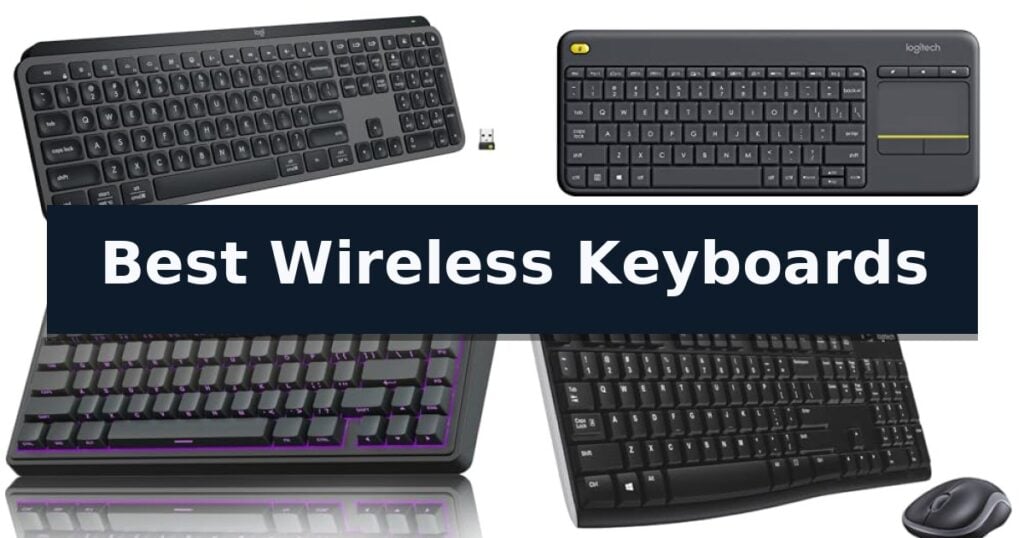
10 Best Wireless Keyboards in 2026 Reviews
Quick Comparison
| Product | Best For | Key Strength | Score |
|---|---|---|---|
| Logitech MX Keys S Wireless Keyboard | Best Overall | Spherically-dished keys provide a comfortable, laptop-like typing feel. | 4.9 |
| Logitech K400 Plus Wireless Touch Keyboard | Best for Living Room Media | Integrated touchpad eliminates the need for a separate mouse. | 4.7 |
| AULA F75 Pro Wireless Mechanical Keyboard | Customizable Creamy Typing Feel | Hot-swappable PCB supports easy switch customization without soldering. | 4.6 |
| Logitech MK270 Wireless Keyboard Combo | Reliable Everyday Office Essential | Reliable wireless connectivity via a single USB-A Nano Receiver. | 4.7 |
| Apple Magic Keyboard with Numeric Keypad | Seamless Integration for Mac | Extended layout with a dedicated numeric keypad for efficient data entry. | 4.8 |
| Logitech Signature K650 Wireless Keyboard | Comfortable Soft Touch Design | Integrated soft-touch palm rest for enhanced typing comfort. | 4.9 |
| HP 230 Wireless Keyboard | Quiet Low Profile Productivity | Quiet, low-profile chiclet keys for comfortable and unobtrusive typing. | 4.4 |
| Logitech K250 Compact Wireless Keyboard | Space Saving Bluetooth Layout | Bluetooth wireless connectivity removes the need for USB receivers. | 4.7 |
| Soueto Wireless RGB Backlit Keyboard | Integrated Phone Holder Slot | Integrated 8.7-inch device holder for phones and tablets | 4.6 |
| RECCAZR Wireless Keyboard and Mouse Combo | Silent Keys for Shared Spaces | Silent operation for both keyboard and mouse buttons. | 4.9 |
How We Chose
Evaluating the best wireless keyboards requires a focus on how hardware interfaces with your daily tasks. We assess each model by examining the tactile feedback of the keys, the reliability of the wireless connection, and the overall battery efficiency, ensuring that the keyboard enhances your productivity without introducing unnecessary maintenance or connectivity hurdles.
- Typing comfort and key travel distance
- Connectivity options including Bluetooth and dedicated USB receivers
- Battery life and power management efficiency
- Layout ergonomics and build quality
- Compatibility with Windows, macOS, and mobile operating systems
1 Logitech MX Keys S Wireless Keyboard — Premium Fluid Typing Experience
The Logitech MX Keys S Wireless Keyboard features a distinctive low-profile design with spherically-dished keys, engineered to match the natural shape of your fingertips for a fluid and precise typing experience. This keyboard is built for professionals who require a quiet, stable, and comfortable interface for extended work sessions.
Beyond its physical design, the keyboard integrates advanced smart features to improve productivity. The smarter illumination system detects when your hands approach and automatically adjusts the backlighting to suit your environment. Users can further customize these lighting settings and configure Smart Actions via the Logi Options+ app, which allows for the automation of repetitive tasks with a single keystroke.
Connectivity and power management are central to its utility. The device supports multi-device pairing for up to three computers across various operating systems, including Windows, macOS, and Linux, using either Bluetooth Low Energy or the included Logi Bolt USB receiver. When paired with a compatible MX mouse, users can seamlessly transfer text and files between systems.
The keyboard is USB-C rechargeable, offering up to 10 days of battery life with backlighting enabled or up to 5 months with the lighting turned off. Its construction incorporates certified post-consumer recycled plastic, reflecting a focus on material efficiency while maintaining a solid, durable build that sits at an optimum angle for wrist posture.
Best for: Professionals and power users who switch between multiple devices and require a customizable, low-profile typing experience.
Skip if: Users who prefer the deep travel and tactile feedback of mechanical switches or those who require a full-sized layout with a dedicated number pad in a different form factor.
- Spherically-dished keys provide a comfortable, laptop-like typing feel.
- Smart illumination that adapts to hand proximity and ambient light.
- Multi-device connectivity allows seamless switching between three systems.
- Logi Options+ app enables time-saving automation through Smart Actions.
- Non-removable battery requires USB-C charging rather than user-replaceable cells.
- Low-profile design lacks the mechanical switch travel preferred by some typists.
2 Logitech K400 Plus Wireless Touch Keyboard — Best for Living Room Media
The Logitech K400 Plus Wireless Touch Keyboard is engineered to bridge the gap between desktop computing and living room entertainment by integrating a large, built-in touchpad directly into the chassis. By combining mouse and keyboard functionality into a single peripheral, it eliminates the need for a separate pointing device, which is a significant advantage when navigating media interfaces from a couch or recliner. Its compact footprint ensures it remains unobtrusive in a home theater setup while providing the necessary tools for full system control.
Reliability and power management are central to its design, featuring a battery life of up to 18 months. To maximize this efficiency, the device includes a dedicated physical on/off switch, allowing users to preserve power during extended periods of inactivity. The keyboard is also built with a spill-resistant design and durable keys, which provides a practical trade-off for users who prioritize longevity and resilience against common household accidents over the premium feel of mechanical switches.
Connectivity is managed through a plug-and-play Unifying receiver that utilizes a 2.4GHz wireless connection, offering a range of up to 33 feet. This ensures stable performance across most living room environments without the latency issues sometimes associated with other wireless protocols. Users can further refine their experience by utilizing the Logitech Options Software, which enables the customization of navigation controls and the saving of preferred settings across Windows, Android, and Chrome OS platforms.
While the device is highly optimized for media-centric tasks, it lacks certain luxury features like backlighting or rechargeable internal batteries. These omissions are intentional design choices to maintain a lower price point and extended battery longevity. For users who require illuminated keys for dark environments or a more premium rechargeable power source, alternative models like the K830 may be more appropriate, though the K400 Plus remains a highly functional, carbon-neutral solution for those seeking a clutter-free HTPC interface.
Best for: Users who need an all-in-one keyboard and touchpad solution for PC-connected TV and home theater entertainment.
Skip if: Users who require backlit keys, rechargeable batteries, or a full-sized mechanical typing experience.
- Integrated touchpad eliminates the need for a separate mouse.
- Long battery life of up to 18 months reduces maintenance frequency.
- 33 ft wireless range provides flexible control from across the room.
- Spill-resistant design adds durability for living room use.
- Lacks backlighting for use in dark home theater environments.
- Uses disposable batteries rather than a rechargeable internal power source.
3 AULA F75 Pro Wireless Mechanical Keyboard — Customizable Creamy Typing Feel
The AULA F75 Pro Wireless Mechanical Keyboard distinguishes itself with a specialized internal architecture featuring an extended integrated silicone pad and PCB single key slotting, which works in tandem with five layers of filling silencer to effectively eliminate cavity noise. This 75% layout keyboard is engineered for users who prioritize a refined, creamy typing sound and a solid, elastic feel during extended gaming or work sessions.
Connectivity is highly versatile, offering tri-mode functionality that includes Bluetooth 5.0, 2.4GHz wireless, and a USB-C wired connection. The device supports simultaneous pairing with up to five devices, allowing for seamless switching via shortcut keys or a dedicated side button. Powering these features is a 4000mAh large-capacity battery, designed to support long-lasting usage between charges.
Customization is at the core of the design, featuring a hot-swappable base compatible with both 3-pin and 5-pin switches, enabling users to modify their typing experience without soldering. The keyboard arrives with pre-lubricated stabilizers and LEOBOG reaper switches for immediate smooth performance. Additionally, the multi-function control knob allows for quick toggling between gaming and office modes, providing tactile control over volume, media playback, and RGB lighting effects.
The aesthetic and functional design is rounded out by side-printed PBT keycaps, which utilize double injection molding and heat sublimation for increased durability and resistance to wear. With 16.8 million RGB lighting options and 16 pre-set effects, the keyboard offers significant visual customization, while the compact 81-key layout preserves essential arrow keys while maximizing available desk space.
Best for: Enthusiasts seeking a compact, hot-swappable mechanical keyboard with a focus on premium acoustics and versatile wireless connectivity.
Skip if: Users who require a full-sized keyboard layout with a dedicated number pad for data entry or accounting tasks.
- Hot-swappable PCB supports easy switch customization without soldering.
- Tri-mode connectivity allows for switching between five devices.
- Five-layer silencer structure provides a refined, creamy typing sound.
- Multi-function knob enables quick adjustments to media and lighting.
- 75% layout lacks a dedicated number pad, which may limit productivity for some workflows.
4 Logitech MK270 Wireless Keyboard Combo — Reliable Everyday Office Essential
The Logitech MK270 Wireless Keyboard Combo utilizes a single USB-A Nano Receiver to provide a reliable wireless connection up to 33 feet, allowing for a clutter-free workspace without the common frustrations of signal drop-outs or input delays.
Designed for daily productivity, the keyboard features a standard layout complete with a full-size number pad, arrow keys, and dedicated F-keys. The low-profile, quiet keys are engineered for a comfortable typing experience, while the spill-resistant design and sturdy tilt legs with adjustable height add a layer of durability to the hardware.
Efficiency is further supported by 8 integrated multimedia hotkeys, providing instant access to volume controls, play/pause functions, email, and internet navigation. The included compact mouse is ambidextrous, ensuring comfortable use for both left- and right-handed users, and features smooth cursor control suitable for most surfaces.
Maintenance is minimized through efficient power management, with the keyboard offering up to 36 months of battery life and the mouse providing 12 months. Both devices include dedicated on/off switches to preserve power when not in use. Additionally, the construction incorporates sustainability, with 49% recycled plastic in the mouse and 54% in the keyboard.
Best for: Users seeking a reliable, low-maintenance, and space-saving wireless input solution for standard office or home computing tasks.
Skip if: Users who require advanced ergonomic features like palm rests, scooped keys, or customizable shortcuts, which are found in higher-tier models like the MK540.
- Reliable wireless connectivity via a single USB-A Nano Receiver.
- Long battery life with 36 months for the keyboard and 12 months for the mouse.
- Spill-resistant design and durable construction for everyday use.
- Integrated multimedia hotkeys for quick access to common functions.
- Basic ergonomic design lacks specialized features like palm rests or contoured keys.
- USB-A receiver requirement may necessitate adapters for modern devices lacking legacy ports.
5 Apple Magic Keyboard with Numeric Keypad — Seamless Integration for Mac
The Apple Magic Keyboard with Numeric Keypad distinguishes itself with an extended layout that integrates dedicated document navigation controls and full-size arrow keys, providing a more expansive workspace for complex tasks. This wireless peripheral is engineered for seamless connectivity with Apple devices, utilizing Bluetooth to pair with your Mac, iPad, or iPhone without the need for additional adapters.
Designed for efficiency, the keyboard features a built-in rechargeable battery that eliminates the need for disposable cells. Users can expect the battery to last for about a month or more on a single charge, depending on usage. When power runs low, the included Lightning to USB cable allows for convenient charging through a Mac USB port, enabling continued use while connected.
The typing experience is defined by a precise, comfortable key mechanism that maintains a low profile while offering tactile feedback. The inclusion of a dedicated numeric keypad makes this model a practical choice for those frequently engaged in spreadsheet management, financial data entry, or other numerical workflows.
Compatibility is straightforward, requiring a Bluetooth-enabled Mac running macOS 10.12.4 or later, an iPad with iPadOS 13.4 or later, or an iPhone or iPod touch with iOS 10.3 or later. Its sleek, white aesthetic aligns with the standard Apple design language, ensuring it integrates visually with existing hardware setups.
Best for: Users who require a dedicated numeric keypad and extended navigation controls for spreadsheet work or data entry on Apple devices.
Skip if: Users who prefer a compact, minimalist footprint or those who require a mechanical switch typing experience.
- Extended layout with a dedicated numeric keypad for efficient data entry.
- Rechargeable internal battery eliminates the need for disposable batteries.
- Seamless wireless connectivity via Bluetooth with multiple Apple device types.
- Long-lasting battery life capable of powering the device for a month or more.
- Larger physical footprint compared to standard compact wireless keyboards.
- Requires specific macOS or iOS versions for full compatibility.
6 Logitech Signature K650 Wireless Keyboard — Comfortable Soft Touch Design
Typing comfort often comes down to the physical support provided during long sessions, and the Logitech Signature K650 Wireless Keyboard addresses this with an integrated soft-touch palm rest paired with deep-cushioned keys. This full-size layout is designed to provide a familiar, satisfying tactile response while minimizing the strain associated with extended periods of data entry or navigation.
Functionality is at the forefront of this model, featuring dedicated shortcut keys for common tasks like mic muting, screenshot capture, and web navigation. These controls are intended to streamline daily workflows, allowing for faster interaction with your computer without needing to navigate through software menus. The keyboard is compatible with a wide range of operating systems, including Windows, macOS, Chrome OS, Linux, and mobile platforms like iPadOS and Android.
Versatility in connectivity is another core strength, as the device supports both BLE (Bluetooth Low Energy) and the included Logi Bolt USB receiver. This dual-connectivity approach ensures reliable performance across different hardware setups. Furthermore, the unit is built for longevity and maintenance, boasting a battery life of up to 36 months and a spill-resistant design that simplifies cleaning.
Sustainability and integration are also considered, with the Graphite model incorporating 28% certified post-consumer recycled plastic. Users looking for a cohesive desktop environment can pair this keyboard with the M650 mouse and utilize the Logi Options+ Software to further customize their experience, making it a practical choice for those seeking a reliable, low-maintenance peripheral.
Best for: Users seeking a full-size, comfortable keyboard with long battery life and multi-platform compatibility for office or home productivity.
Skip if: Users who require a compact, tenkeyless design or mechanical switches for specific gaming or tactile preferences.
- Integrated soft-touch palm rest for enhanced typing comfort.
- Dual-mode wireless connectivity via Bluetooth or Logi Bolt receiver.
- Extended 36-month battery life for hassle-free operation.
- Spill-resistant design that is easy to clean.
- Full-size footprint may be too large for smaller desk spaces.
7 HP 230 Wireless Keyboard — Quiet Low Profile Productivity
The HP 230 Wireless Keyboard provides a streamlined, full-sized layout designed to minimize desktop clutter while maintaining essential functionality. By utilizing a wireless connection, this keyboard removes the need for restrictive cables, allowing for a cleaner workspace and greater flexibility when moving between different areas of a desk or home office. Its low-profile chiclet keys are engineered to offer a quiet typing experience, which is particularly beneficial in shared environments where noise reduction is a priority.
Efficiency is central to the design of the HP 230 Wireless Keyboard, which features an integrated number pad for data entry tasks and 12 shortcut keys that provide immediate access to common functions. These shortcuts are designed to streamline daily workflows, allowing users to manage media or system tasks with a single keypress. The standard 17.32-inch footprint ensures that the device fits comfortably into most existing desk setups without requiring significant rearrangement.
Maintenance is simplified through the device's power management, which supports an impressive 16-month battery life using two standard AAA batteries. This longevity reduces the frequency of battery replacements, ensuring consistent availability for daily use. The keyboard is compatible with both Windows and Mac OS, offering broad utility for various computing environments. While it excels in quiet, office-oriented tasks, the standard membrane design and lack of backlighting mean it is best suited for well-lit, general-purpose productivity rather than specialized gaming or low-light environments.
Best for: Users seeking a quiet, full-sized wireless keyboard with a numeric keypad for general office or home productivity.
Skip if: Gamers or power users who require mechanical switches, customizable macro keys, or backlighting for low-light environments.
- Quiet, low-profile chiclet keys for comfortable and unobtrusive typing.
- 16-month battery life reduces the frequency of battery replacements.
- Integrated number pad and 12 shortcut keys enhance workflow efficiency.
- Wireless connectivity eliminates cord clutter for a cleaner workspace.
- Lacks backlighting for use in dim or dark environments.
- Standard membrane design may not satisfy users preferring mechanical tactile feedback.
8 Logitech K250 Compact Wireless Keyboard — Space Saving Bluetooth Layout
The Logitech K250 Compact Wireless Keyboard prioritizes desk efficiency by integrating a full number pad into a space-saving footprint, making it a practical choice for users who require numeric entry without the bulk of a traditional full-sized board. This model connects via Bluetooth wireless technology, eliminating the need for a USB receiver or dongle and ensuring a clean, cable-free workspace.
Designed with long-term utility in mind, the keyboard features deep-profile keys and an adjustable tilt-leg design to support comfortable typing sessions. The construction is notably durable, featuring a spill-resistant design and plastic components made with at least 64% recycled material. These elements combine to provide a reliable input solution for both Windows and MacOS environments.
Maintenance is straightforward, as the unit is engineered for power efficiency, offering up to 12 months of battery life under daily usage conditions. The inclusion of dedicated arrow keys and F-key shortcuts ensures that functionality is not sacrificed for the sake of its compact dimensions, maintaining a balance between portability and professional utility.
For those seeking a streamlined setup, the Logitech K250 Compact Wireless Keyboard provides a straightforward, reliable typing experience that emphasizes essential features over unnecessary complexity. Its focus on connectivity and build quality makes it a functional addition to any modern workstation.
Best for: Users who need a compact keyboard with a full number pad and a clean, dongle-free Bluetooth connection.
Skip if: Users who require a mechanical keyboard, backlighting, or a wired connection for specific low-latency gaming needs.
- Bluetooth wireless connectivity removes the need for USB receivers.
- Compact layout includes a full number pad for efficient data entry.
- Spill-resistant design adds a layer of durability for daily use.
- 12-month battery life reduces the frequency of maintenance.
- Bluetooth-only connection limits use on devices lacking native Bluetooth support.
- No backlighting for low-light environments.
9 Soueto Wireless RGB Backlit Keyboard — Integrated Phone Holder Slot
The Soueto Wireless RGB Backlit Keyboard features an integrated 8.7-inch device holder, allowing users to dock a phone or tablet directly into the keyboard frame for a streamlined workspace. This full-size peripheral utilizes 2.4G wireless RF technology to maintain a stable connection through a single USB dongle, eliminating the need for complex cable management.
Designed with a focus on visual customization, the keyboard offers 7-color RGB backlighting with 4 distinct modes and adjustable brightness levels. The keys are engineered for responsive, tactile feedback, providing a quiet typing experience suitable for shared environments or focused work sessions. Integrated multimedia and shortcut keys provide quick access to common functions, intended to improve overall workflow efficiency.
Power is managed by a built-in 1500mAh rechargeable battery, which removes the requirement for frequent disposable battery replacements. The unit includes a 12-month warranty to support its operation. Users should note that the USB receiver must be connected to the host computer before the keyboard is powered on to ensure the backlight functions correctly, as the system requires an active connection signal to remain illuminated.
If connectivity issues arise, the device supports a manual re-pairing process by holding the 'Esc + =' keys for 5 seconds after turning on the power. This procedure resets the link between the keyboard and the USB receiver, ensuring the numeric indicator light reflects a successful connection.
Best for: Users seeking a full-size wireless keyboard with an integrated stand for mobile devices and customizable RGB lighting.
Skip if: Users who require Bluetooth multi-device switching or a compact, tenkeyless form factor for limited desk space.
- Integrated 8.7-inch device holder for phones and tablets
- Built-in 1500mAh rechargeable battery eliminates disposable battery needs
- 7-color RGB backlighting with 4 modes and adjustable brightness
- Quiet, tactile keystrokes for improved typing comfort
- Requires USB dongle for 2.4G wireless connection
- Backlight requires active connection to remain illuminated
10 RECCAZR Wireless Keyboard and Mouse Combo — Silent Keys for Shared Spaces
The RECCAZR Wireless Keyboard and Mouse Combo prioritizes a distraction-free environment by utilizing a silent structure for both the keyboard membrane keys and the mouse buttons. This design choice allows for quiet operation, making it a practical solution for shared office spaces or home setups where minimizing noise is a priority.
Connectivity is handled via a single nano USB receiver, which provides a stable 2.4G wireless connection up to 10 meters. This plug-and-play system eliminates the need for additional software or multiple USB ports, as the receiver manages both devices simultaneously. The combo is compatible with a wide range of operating systems, including Windows, Mac OS, Chrome OS, and Linux.
Ergonomics and efficiency are central to the keyboard's design, which features adjustable height tilt legs to support comfortable wrist positioning during extended typing sessions. The full-size layout includes a dedicated numeric keypad and 12 multimedia shortcut keys for quick access to volume control, media playback, and search functions, helping to streamline daily workflows.
The included optical mouse is designed for precision and comfort, offering a contoured shape and 3-level adjustable DPI (800/1200/1600) to suit different sensitivity preferences. To manage power consumption, both devices incorporate an auto-sleep mode that activates during periods of inactivity, helping to extend battery life. The system wakes instantly upon pressing any key.
Best for: Users seeking a quiet, full-sized input solution for office or home environments that requires a simple, single-receiver setup.
Skip if: Users who require a mechanical keyboard feel or those who prefer Bluetooth connectivity over a dedicated USB receiver.
- Silent operation for both keyboard and mouse buttons.
- Single nano USB receiver for simplified connectivity.
- Full-size layout with numeric keypad and multimedia shortcuts.
- Adjustable DPI settings on the mouse for customized tracking.
- USB receiver required, which may not be ideal for devices lacking standard USB-A ports.
- Battery life varies based on usage and environmental conditions.
Best Wireless Keyboards Buying Guide
Connectivity and Multi-Device Support
Modern wireless keyboards typically connect via Bluetooth or a proprietary USB receiver. Bluetooth is ideal for tablets and laptops, offering a clean, cable-free desk, while USB receivers often provide a more stable, plug-and-play connection for desktop workstations.
If you work across multiple machines, look for keyboards that support multi-device pairing. This feature allows you to switch between a computer, tablet, and phone with a single button press, significantly streamlining your workflow.
Typing Feel and Key Architecture
The typing experience is defined by key travel, actuation force, and the physical shape of the keycaps. Low-profile, scissor-switch keyboards often mimic the feel of a laptop, providing a quick, shallow response that is comfortable for long typing sessions.
Mechanical keyboards offer a distinct, deeper tactile response. These are preferred by users who enjoy audible feedback or a more substantial feel, though they are often thicker and may require more desk space than membrane or scissor-switch alternatives.
Layout and Ergonomics
Full-sized keyboards include a dedicated numeric keypad, which is essential for data entry and financial work. Compact layouts, such as 75% or tenkeyless designs, remove the numpad to save space and keep your mouse closer to the home row, reducing shoulder strain.
Ergonomic features like integrated palm rests or adjustable tilt legs can prevent wrist fatigue during extended use. Evaluate your desk setup to determine if a full-sized board fits comfortably or if a smaller footprint would better accommodate your posture.
Power Management and Charging
Wireless keyboards are either rechargeable via USB-C or powered by replaceable alkaline batteries. Rechargeable models are convenient and environmentally friendly, though they require periodic charging cycles.
Battery-powered keyboards can last for months or even years on a single set of batteries. This makes them excellent for users who want to avoid the clutter of charging cables or who frequently forget to charge their peripherals.
Build Quality and Portability
A solid, heavy build prevents the keyboard from sliding during intense typing. Look for materials that resist spills and wear, especially if you work in a shared environment or frequently consume beverages at your desk.
If you travel, prioritize lightweight, durable designs that can withstand being tucked into a bag. Ensure the key switches are protected and that the overall dimensions fit your preferred carrying case.
Frequently Asked Questions
Should I choose Bluetooth or a USB receiver?
Bluetooth is best for versatility and connecting to mobile devices, while a USB receiver is generally more reliable for desktop use and avoids potential pairing issues during system startup.
How long do wireless keyboard batteries last?
Rechargeable keyboards typically last from 10 days to several months depending on backlight usage. Battery-powered models can last anywhere from 12 to 36 months.
Are mechanical keyboards better than membrane keyboards?
Mechanical keyboards offer superior tactile feedback and durability, but membrane keyboards are usually quieter, thinner, and more affordable for general office tasks.
Can I use a Windows keyboard with a Mac?
Yes, most wireless keyboards are compatible with both operating systems, though you may need to adjust modifier key settings in your system preferences to match the Mac layout.
What is a 75% layout keyboard?
A 75% layout is a compact design that retains the arrow keys and a function row but removes the dedicated numeric keypad to save desk space.
Conclusion: Our Top Pick
Our top pick is Logitech MX Keys S Wireless Keyboard. Choosing the right wireless keyboard depends on your primary use case, whether that is high-volume data entry, creative work, or casual browsing. Prioritize connectivity and layout to ensure the device integrates seamlessly into your existing workspace.
By balancing the trade-offs between mechanical feel, portability, and battery maintenance, you can find a reliable tool that improves your efficiency. Focus on the features that directly support your daily habits rather than secondary aesthetic additions.