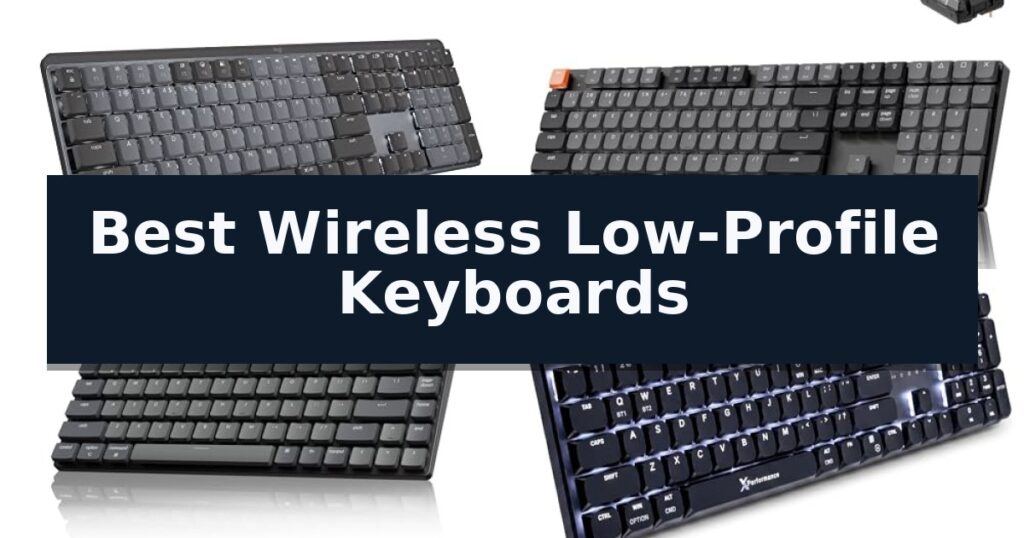
Logitech MX Mechanical Wireless Keyboard is our top choice for the Best Wireless Low-Profile Keyboards, offering a refined tactile typing experience with smart backlighting and seamless multi-device switching. The Keychron K5 Version 2 provides a full-size layout with QMK customization for power users, while the Keychron K3 Version 2 serves as a compact 75% alternative for those prioritizing desk space and portability.
Selecting a low-profile keyboard requires balancing physical footprint with the mechanical feedback you prefer. While traditional mechanical boards often feature deep key travel, these low-profile options reduce the distance your fingers travel, which can lead to faster, more comfortable typing sessions during long work days.
Connectivity and battery endurance are equally critical for a clean, wireless workspace. Modern boards now offer triple-mode connectivity, allowing you to toggle between Bluetooth and 2.4GHz receivers, ensuring you maintain a stable connection across multiple devices without the clutter of extra cables.
If you are looking for a broader range of options beyond slim designs, our guide to Best Wireless Keyboards covers various form factors to suit different desk setups.
10 Best Wireless Low-Profile Keyboards in 2026 Reviews
Quick Comparison
| Product | Best For | Key Strength | Score |
|---|---|---|---|
| Logitech MX Mechanical Wireless Keyboard | Best Overall | Tactile quiet mechanical switches provide satisfying feedback with reduced noise. | 4.9 |
| Keychron K5 Version 2 Wireless Keyboard | Full-Size Mechanical Versatility | Ultra-slim, low-profile design that maintains a full-size 100% layout. | 4.6 |
| Keychron K3 Version 2 Wireless Keyboard | Ultra-Slim Compact Mechanical | Ultra-slim, lightweight profile for enhanced portability and desk ergonomics. | 4.8 |
| X9 Performance Slim Wireless Keyboard | Mechanical Precision for Professionals | Triple-mode connectivity for seamless switching between four devices. | 4.5 |
| Keychron B6 Pro Wireless Keyboard | Exceptional Battery Life | Exceptional battery life providing up to 1,200 hours of use. | 4.9 |
| Arteck 2.4G Wireless Keyboard | Durable Stainless Steel Build | Durable stainless steel construction provides a premium, heavy-duty feel. | 4.7 |
| Logitech MK470 Slim Wireless Combo | Space-Saving Minimalist Design | Whisper-quiet typing and noise-reduced mouse clicks. | 4.5 |
| VssoPlor Wireless Keyboard and Mouse | Rechargeable Ultra-Slim Combo | Ultra-slim 5.5mm design saves significant desk space. | 4.6 |
| ProtoArc K310 Pro Wireless Keyboard | Quiet Linear Mechanical Switches | Quiet linear red switches ideal for office use. | 4.5 |
| Razer BlackWidow V4 Wireless Keyboard | High-Performance Gaming Precision | Ultra-low 18.5mm front height for improved ergonomic wrist positioning. | 4.7 |
How We Chose
To identify the best wireless low-profile keyboards, we evaluate how each model balances the slim aesthetic of a laptop-style board with the precision of mechanical switches. Our assessment focuses on the consistency of the wireless connection, the longevity of the battery under daily use, and the depth of software support for remapping keys to match specific professional workflows.
- Switch mechanism and tactile feedback quality
- Wireless connectivity stability and multi-device support
- Battery life and power management efficiency
- Build materials and chassis rigidity
- Customization software and firmware compatibility
1 Logitech MX Mechanical Wireless Keyboard — Premium Tactile Typing Experience
The Logitech MX Mechanical Wireless Keyboard distinguishes itself through low-profile mechanical switches that provide a tactile bump for precise feedback while maintaining a slim, ergonomic form factor. This full-size keyboard is engineered for users who prioritize typing accuracy and comfort without the bulk of traditional mechanical boards.
Equipped with smart illumination, the keys automatically adjust their brightness based on ambient lighting conditions and activate as soon as your hands approach the device. This feature ensures visibility in varied environments while helping to manage power consumption. The keyboard offers versatile connectivity, allowing users to pair with up to three devices across different operating systems via Bluetooth Low Energy or the included Logi Bolt receiver.
Workflow efficiency is enhanced through the Logi Options+ software, which enables customization of function keys and cross-computer control. The unit is powered by a rechargeable battery that provides up to 15 days of use with backlighting enabled, or up to 10 months with the lighting turned off, utilizing a USB-C connection for quick charging.
Designed with sustainability in mind, the Graphite model incorporates 45% post-consumer recycled plastic. Its low-profile design aims to reduce wrist strain, offering a more natural hand position during extended typing sessions compared to standard mechanical layouts.
Best for: Professionals and typists who require a tactile, full-size mechanical experience in a slim, multi-device capable form factor.
Skip if: Users who prefer a compact tenkeyless layout or those who require a hot-swappable switch design for custom mechanical builds.
- Tactile quiet mechanical switches provide satisfying feedback with reduced noise.
- Smart backlighting adjusts automatically to ambient light and proximity.
- Multi-device pairing supports up to three devices via Bluetooth or Logi Bolt.
- Long battery life offers up to 10 months of usage with backlighting disabled.
- Non-hot-swappable switches limit customization for users who prefer specific switch types.
- Full-size footprint may be too large for users with limited desk space.
2 Keychron K5 Version 2 Wireless Keyboard — Full-Size Mechanical Versatility
Achieving a clean desk setup while maintaining the tactile feedback of a mechanical board is a common challenge for professionals. The Keychron K5 Version 2 Wireless Keyboard addresses this by combining a full-size 100% layout with an ultra-slim, low-profile design that minimizes wrist strain without sacrificing key travel.
Engineered for versatility, this keyboard features Bluetooth 5.2 for seamless multi-device multitasking, allowing users to switch between a laptop, tablet, and phone instantly. For tasks requiring maximum precision, the USB-C wired mode provides a 1000 Hz polling rate to ensure ultra-low latency. The board is built with IXPE, EPDM, and latex acoustic foams to dampen internal ping and refine the typing tone, providing a quiet yet responsive experience.
Customization is a core strength of the Keychron K5 Version 2 Wireless Keyboard, thanks to its QMK firmware and the Keychron Launcher web app. Users can remap keys, create custom layers, and update firmware directly through their browser, ensuring the layout adapts to specific workflows. The inclusion of shine-through keycaps and white backlighting enhances visibility in various lighting conditions.
Designed for long-term productivity, the device houses a 2000 mAh rechargeable battery that supports up to 160 hours of use in lab tests. Its multi-OS support ensures that media and function keys remain consistent whether you are working on a Mac, Windows, or Linux system, making it a reliable tool for diverse computing environments.
Best for: Professionals and typists who require a full-size layout with mechanical switches that fits into a slim, travel-friendly, or minimalist workspace.
Skip if: Users who prefer a compact 60% or 75% form factor or those who require hot-swappable switches for frequent mechanical customization.
- Ultra-slim, low-profile design that maintains a full-size 100% layout.
- QMK firmware and Keychron Launcher support for deep, open-source customization.
- Bluetooth 5.2 connectivity for reliable multi-device pairing.
- Tuned acoustics with layered foam to reduce typing noise.
- Full-size footprint may be too large for users prioritizing maximum desk space.
- Non-hot-swappable design limits the ability to change switch types later.
3 Keychron K3 Version 2 Wireless Keyboard — Ultra-Slim Compact Mechanical
Achieving a clean, minimalist workspace often begins with the hardware you interact with most. The Keychron K3 Version 2 Wireless Keyboard offers a distinct solution for those prioritizing desk real estate and portability, utilizing an ultra-slim, low-profile mechanical design that measures just 0.87 inches in height.
Engineered for versatility, this keyboard features a compact 75% layout that retains essential function keys while minimizing the overall footprint. It connects via a stable Broadcom Bluetooth 5.1 chipset, allowing users to pair and switch between up to three devices, such as a laptop, tablet, and phone, without manual reconnection.
Customization is a core component of the K3 experience. Through the Keychron Launcher web app, users can leverage open-source QMK firmware for granular control over key remapping, macros, and shortcuts. The integration of a built-in AI assistant further simplifies the configuration process, allowing for adjustments through plain language commands.
The build quality centers on a reinforced aluminum body paired with a plastic bottom frame, ensuring a lightweight yet sturdy feel. Designed with a floating keycap aesthetic and white LED backlighting, the keyboard provides a modern visual profile that complements various desk setups, whether using the included Mac-specific layout or the provided Windows keycaps.
Best for: Users who require a highly portable, low-profile mechanical keyboard with advanced remapping capabilities for multi-device workflows.
Skip if: Users who prefer a full-sized keyboard layout with a dedicated number pad or those who require a high-profile typing experience.
- Ultra-slim, lightweight profile for enhanced portability and desk ergonomics.
- Broadcom Bluetooth 5.1 connectivity supports seamless switching between three devices.
- QMK firmware and Keychron Launcher provide extensive customization for macros and key mapping.
- 75% compact layout balances functionality with a space-saving design.
- Lacks a dedicated number pad, which may limit data-entry efficiency.
- Plastic bottom frame construction may feel less premium than an all-metal chassis.
4 X9 Performance Slim Wireless Keyboard — Mechanical Precision for Professionals
The X9 Slim Mechanical Keyboard Wireless distinguishes itself through a specialized low-profile red switch design that mimics the tactile, quiet feel of a premium laptop while maintaining the precision of a mechanical interface. This combination allows for rapid, linear keystrokes without the excessive noise or heavy resistance often associated with traditional mechanical boards.
Designed for high-output environments, the keyboard features a full-size 107-key layout that includes a dedicated number pad, 15 shortcut keys, and a built-in volume knob. The inclusion of a dedicated Copilot key further streamlines workflow for modern productivity tasks, allowing users to manage media and data entry without navigating away from their primary workspace.
Connectivity is a core strength, offering triple-mode versatility that allows users to switch instantly between two Bluetooth devices, a 2.4GHz wireless connection, or a wired USB-A/C setup. This multi-device capability ensures seamless transitions between different workstations without the need for constant re-pairing or external adapters.
The hardware is constructed with a solid aluminum top case designed to minimize flex and wobble during intense typing sessions. To support visibility in varied lighting conditions, the keyboard features white backlit keys with three adjustable brightness levels, powered by a 2000mAh rechargeable battery that eliminates the need for disposable power sources.
Best for: Professionals who require a quiet, full-sized mechanical typing experience across multiple devices in a clean, aluminum-framed aesthetic.
Skip if: Users who prefer the deep travel and loud tactile click of traditional high-profile mechanical switches or those requiring a compact, tenkeyless footprint.
- Triple-mode connectivity for seamless switching between four devices.
- Low-profile red switches provide a quiet, linear typing experience.
- Solid aluminum top case ensures a stable, flex-free typing surface.
- Integrated rechargeable battery supports extended wireless productivity.
- Full-size footprint may occupy significant desk space compared to compact alternatives.
5 Keychron B6 Pro Wireless Keyboard — Exceptional Battery Life
Maintaining a clean, efficient workspace often starts with the hardware beneath your fingertips. The Keychron B6 Pro Ultra-Slim Full-Size Wireless Keyboard offers a distinct advantage for those prioritizing desk space and quiet operation, featuring an ultra-slim, full-size design that integrates a numeric keypad without the bulk of traditional mechanical boards.
Engineered for versatility, this keyboard supports 2.4GHz, Bluetooth 5.2, and wired USB-C connections, allowing for seamless switching between PCs, Macs, tablets, and phones. The 1000 Hz polling rate via the 2.4GHz receiver ensures responsive input, while the advanced scissor mechanism provides a silent, tactile typing experience suitable for shared office environments or late-night sessions.
Power management is a standout capability, with the internal battery providing up to 1,200 hours of continuous use. This translates to roughly eight months of operation based on five hours of daily typing, and the device remains fully functional while charging via USB-C, ensuring zero downtime during critical tasks.
Customization is handled through the Keychron Launcher, a browser-based tool that enables users to remap keys, configure macros, and set shortcuts directly. This level of personalization allows the Keychron B6 Pro to adapt to specific workflows, making it a highly functional tool for users who require a streamlined, reliable, and quiet input device.
Best for: Users who require a quiet, full-size, and highly portable keyboard with multi-device connectivity and long-lasting battery life.
Skip if: Users who prefer the deep travel and distinct click of mechanical switches, as this model utilizes a low-profile scissor mechanism.
- Exceptional battery life providing up to 1,200 hours of use.
- Multi-device connectivity via 2.4GHz, Bluetooth 5.2, and wired modes.
- Whisper-quiet typing thanks to the advanced scissor mechanism.
- Browser-based personalization via Keychron Launcher for macros and key remapping.
- Fixed low-profile design may not suit users who prefer mechanical switch travel.
6 Arteck 2.4G Wireless Keyboard — Durable Stainless Steel Build
A stainless steel chassis distinguishes the Arteck 2.4G Wireless Keyboard from typical plastic peripherals, providing a substantial, heavy-duty feel while maintaining an ultra-slim profile. This design choice prioritizes both aesthetics and structural integrity, making it a functional addition to any desktop or workspace.
Connectivity is handled through a simple nano USB receiver, which enables an immediate, plug-and-play setup across various platforms including Windows-based PCs, laptops, and smart TVs. The keyboard features a full-size layout that incorporates a dedicated numeric keypad and arrow keys, ensuring that users do not sacrifice utility for the sake of its compact, 0.6-inch height.
Efficiency is central to its operation, highlighted by an industry-high capacity rechargeable lithium battery. According to manufacturer specifications, this battery supports up to 6 months of use on a single charge, assuming a standard usage pattern of two hours per day. This longevity reduces the frequency of downtime required for recharging.
The low-profile keys are engineered for quiet operation, aiming to provide a comfortable typing experience without the audible clatter often associated with mechanical alternatives. Weighing only 14.9 ounces, the unit balances portability with the stability required for consistent daily use.
Best for: Users who prioritize a durable, stainless steel aesthetic and a long-lasting rechargeable battery in a full-size, low-profile layout.
Skip if: Users who require Bluetooth connectivity or a mechanical key switch feel, as this model relies exclusively on a 2.4GHz USB receiver.
- Durable stainless steel construction provides a premium, heavy-duty feel.
- 6-month battery life on a single charge minimizes maintenance.
- Full-size layout includes a numeric keypad despite the ultra-thin design.
- Quiet low-profile keys suitable for shared or noise-sensitive environments.
- 2.4GHz USB receiver requirement occupies a USB port and lacks Bluetooth versatility.
7 Logitech MK470 Slim Wireless Combo — Space-Saving Minimalist Design
A clean workspace often begins with minimizing cable clutter, and the Logitech MK470 Slim Wireless Combo addresses this with a remarkably thin, low-profile design. This keyboard features a compact layout that includes a number pad, making it a functional choice for users who need full numeric input without sacrificing desk real estate.
The combo relies on a 2.4 GHz wireless connection facilitated by a single USB nano receiver, ensuring a reliable link between your peripherals and computer. To maintain a quiet environment, the keyboard uses low-profile scissor keys, while the included ambidextrous mouse is engineered for noise reduction, making this set suitable for shared office spaces or home setups.
Efficiency is a core component of this design, highlighted by an auto-sleep feature that extends battery life to 36 months for the keyboard and 18 months for the mouse. Users can further tailor their experience by using the Logi Options software to assign custom shortcuts to the 12 programmable FN keys, allowing for a more personalized workflow.
While the Logitech MK470 Slim Wireless Combo offers a sleek aesthetic, it is important to note that it requires a USB-A port for the receiver, which may necessitate an adapter for modern laptops lacking legacy ports. The design prioritizes a minimalist footprint, providing a straightforward, plug-and-play solution for those seeking a quiet and organized desktop.
Best for: Users seeking a quiet, space-saving keyboard and mouse combo for a minimalist desk setup.
Skip if: Users who require a mechanical keyboard feel or those who exclusively use devices without USB-A ports.
- Whisper-quiet typing and noise-reduced mouse clicks.
- Compact, low-profile design ideal for small workspaces.
- Long battery life with auto-sleep functionality.
- Customizable FN keys via Logi Options software.
- USB-A receiver requires an adapter for devices lacking legacy ports.
- Fixed, non-ergonomic layout may not suit all typing preferences.
8 VssoPlor Wireless Keyboard and Mouse — Rechargeable Ultra-Slim Combo
The VssoPlor Wireless Keyboard and Mouse prioritizes a minimalist aesthetic with an ultra-slim 5.5mm profile, designed to reduce desk clutter while maintaining a full-size layout. This combo utilizes a high-end scissor switch mechanism, which is engineered to provide a tactile response while keeping typing whisper-quiet.
Connectivity is managed via a single 2.4 GHz Nano USB-A receiver, which links both peripherals to your computer within a 33-foot range. The setup is designed for efficiency, featuring hot keys and a dedicated number pad to assist with office tasks. To manage power, the set includes a rechargeable battery system that enters an automatic sleep mode when inactive.
Precision and comfort are addressed through the included mouse, which offers three adjustable DPI levels—1000, 1600, and 2400—allowing users to calibrate cursor sensitivity for different surfaces. The keyboard’s low-profile keys are specifically shaped to minimize finger travel, which can help reduce typing fatigue during extended work sessions.
This combo is compatible with a wide range of operating systems, including Windows XP, Vista, 7, 8, 10, and later versions. Because the design is exceptionally flat, it is intended for users who prefer a sleek, modern workspace, though it lacks the mechanical depth found in traditional high-profile keyboards.
Best for: Users seeking a minimalist, quiet, and space-saving input solution for office or home desktop environments.
Skip if: Users who prefer the deep tactile feedback and long travel distance of traditional mechanical or high-profile keyboards.
- Ultra-slim 5.5mm design saves significant desk space.
- Rechargeable battery with auto-sleep mode for energy efficiency.
- Scissor switch keys provide a quiet and comfortable typing experience.
- Adjustable DPI settings (1000/1600/2400) for customized mouse sensitivity.
- Flat, low-profile design may not suit those who prefer traditional key travel.
- Shared USB receiver requires a free USB-A port.
9 ProtoArc K310 Pro Wireless Keyboard — Quiet Linear Mechanical Switches
The ProtoArc K310 Pro Wireless Keyboard distinguishes itself with a full-size 108-key layout housed in a modern aluminum top case, providing a rigid and sophisticated foundation for daily typing tasks. This low-profile mechanical keyboard utilizes linear red switches designed to deliver a smooth, quiet typing experience that minimizes noise in shared office environments.
Connectivity is a primary focus for this model, offering users the ability to pair with up to three devices simultaneously via Bluetooth or a 2.4G USB receiver. It supports seamless transitions between Windows, Mac, iOS, and Android operating systems, ensuring broad compatibility across various hardware setups.
For those who prefer a personalized workspace, the keyboard features 10 adjustable backlight effects with customizable speed and brightness levels. Additionally, the device supports macro recording and editing for specific key functions, though this feature is limited to 2.4G USB connections and is not compatible with multi-port hubs or Safari.
Ergonomics and power management are addressed through 2-level adjustable tilt legs and a USB-C rechargeable battery. The internal power system is engineered for longevity, providing up to 150 days of standby time on a single 6-8 hour charge, which helps maintain a clean, cable-free desk setup.
Best for: Office professionals and multi-device users who require a quiet, full-size mechanical typing experience with flexible wireless connectivity.
Skip if: Users who rely on multi-port hubs for their peripherals or those who require full macro functionality while connected via Bluetooth.
- Quiet linear red switches ideal for office use.
- Multi-device connectivity supporting up to three devices.
- Sleek aluminum top case for a durable and modern aesthetic.
- Long-lasting battery life with up to 150 days of standby time.
- Macro customization is restricted to 2.4G USB connections only.
- Compatibility limitations regarding multi-port hubs and Safari browser.
10 Razer BlackWidow V4 Wireless Keyboard — High-Performance Gaming Precision
The Razer BlackWidow V4 Low Profile TKL HyperSpeed Wireless Gaming Keyboard prioritizes ergonomic comfort with an ultra-low 18.5mm front height and a durable 5052 aluminum alloy top case. This design promotes a neutral wrist position, making it a viable option for users who spend extended periods typing or gaming.
Equipped with Low Profile Orange Mechanical Switches, the keyboard features a 1.6 mm actuation point requiring only 45 g of force. This setup is engineered to provide a quiet yet tactile typing experience. The internal construction includes lubricated stabilizers and dual sound-dampening foam layers beneath a stainless steel plate to refine the acoustic profile of every keystroke.
Connectivity is handled through HyperSpeed Wireless 2.4 GHz technology for low-latency performance, alongside Bluetooth support for multi-device multitasking. Users can toggle between three Bluetooth devices or pair a compatible Razer mouse to the same 2.4 GHz dongle. In Power Saving Mode, the keyboard is rated for a total battery life of up to 980 hours.
Control is centralized through a multi-function roller and three dedicated buttons, which allow for quick media management and battery status checks. The keyboard utilizes textured doubleshot PBT keycaps, which are designed to resist fading and maintain a consistent finish while allowing backlight illumination to pass through the optimized legends.
Best for: Gamers and professionals seeking a low-profile, tactile mechanical keyboard with versatile wireless connectivity and long battery life.
Skip if: Users who require a full-sized keyboard layout with a dedicated number pad will find the TKL (Tenkeyless) design insufficient for their workflow.
- Ultra-low 18.5mm front height for improved ergonomic wrist positioning.
- Long battery life reaching up to 980 hours in power-saving mode.
- Versatile connectivity including 2.4 GHz HyperSpeed wireless and multi-device Bluetooth.
- Durable doubleshot PBT keycaps that resist wear and fading.
- Tenkeyless (TKL) layout lacks a dedicated number pad for data entry tasks.
Best Wireless Low-Profile Keyboards Buying Guide
Mechanical Switches in Low-Profile Designs
Low-profile mechanical switches are engineered to provide a shorter actuation point compared to standard mechanical switches. This design choice aims to reduce finger fatigue by minimizing the travel distance required for each keystroke.
Buyers should distinguish between tactile, linear, and clicky switch types. Tactile switches offer a noticeable bump, linear switches provide a smooth press, and clicky switches add an audible sound, allowing you to choose the feedback that best suits your environment.
Connectivity and Multi-Device Workflow
Most high-end wireless keyboards now support both Bluetooth and 2.4GHz wireless connections. Bluetooth is ideal for tablets and laptops, while a 2.4GHz USB receiver typically offers lower latency for desktop use.
The ability to pair with three or more devices simultaneously is a major productivity advantage. Look for models that allow you to switch between these devices with a single dedicated key or shortcut, keeping your workflow uninterrupted.
Battery Life and Charging Convenience
Wireless keyboards vary significantly in battery endurance, often depending on whether backlighting is enabled. Models with smart sensors that detect hand proximity can significantly extend battery life by dimming lights when not in use.
USB-C charging has become the standard, allowing for quick top-ups. Some models can even be used as wired keyboards while charging, ensuring you are never left without an input device during critical tasks.
Layout and Ergonomics
Full-size layouts include a dedicated number pad, which is essential for data entry and spreadsheet work. Compact layouts, such as 75% or TKL (tenkeyless), remove the number pad to save desk space and bring your mouse closer to your body.
Consider the overall height and tilt of the keyboard. A lower front height is generally preferred for wrist health, as it keeps your hands in a more neutral position, reducing the need for a separate wrist rest.
Customization and Firmware
Advanced users may prefer keyboards that support open-source firmware like QMK or ZMK. These tools allow for deep customization, including remapping every key, creating complex macros, and managing multiple layers of functionality.
Even for casual users, proprietary software can be useful for adjusting backlighting effects or assigning shortcuts to function keys. Ensure the software is compatible with your primary operating system before making a purchase.
Frequently Asked Questions
Are low-profile mechanical keyboards quieter than standard ones?
Generally, yes. Because the keycaps are shorter and the switch travel is reduced, there is less bottoming-out noise, making them more suitable for shared office spaces.
Can I use a wireless mechanical keyboard for gaming?
Yes, provided the keyboard supports a 2.4GHz wireless connection. This mode typically offers the low latency required for gaming, whereas Bluetooth may introduce slight input lag.
Do I need special software to remap keys?
Many modern keyboards use web-based launchers or proprietary software to remap keys. Check if your chosen model supports your preferred method of customization.
How do I know if a keyboard is compatible with my Mac or Windows PC?
Most wireless keyboards are cross-platform compatible. Look for models that include specific keycaps for both operating systems and offer a toggle switch to change the layout mode.
What is the benefit of a 75% layout?
A 75% layout retains the function row and arrow keys while removing the number pad. It is a popular choice for users who want a compact footprint without losing essential navigation keys.
Conclusion: Our Top Pick
Our top pick is Logitech MX Mechanical Wireless Keyboard. Choosing the right low-profile keyboard depends on your specific balance of space requirements and typing preferences. Whether you need the full-size utility of the Logitech MX Mechanical or the deep customization of a Keychron model, prioritizing connectivity and switch feel will ensure a better daily experience.
Take time to consider your desk setup and how often you switch between devices. By focusing on these practical features, you can find a reliable tool that enhances your productivity and keeps your workspace clean and efficient.