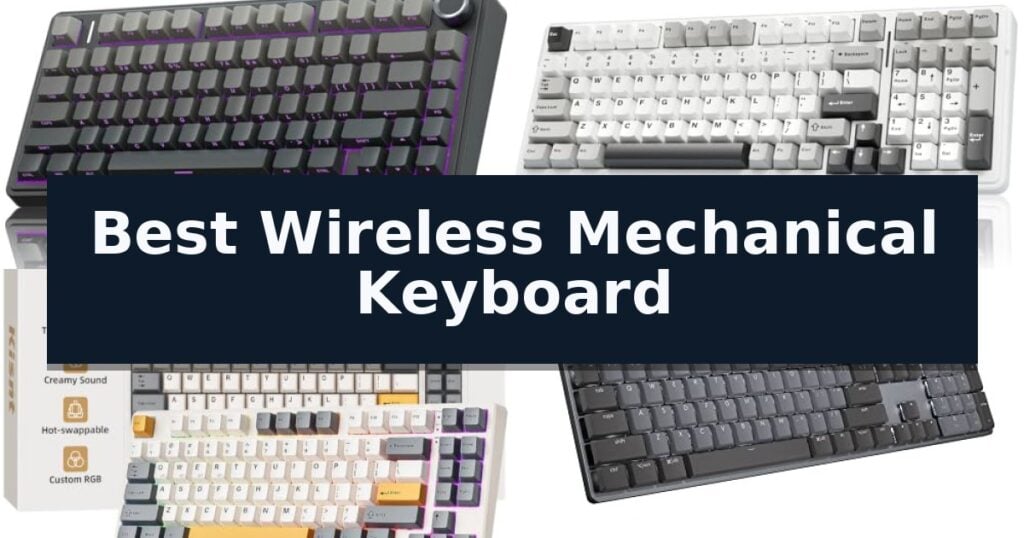
AULA F75 Pro Mechanical Keyboard is our top choice for the Best Wireless Mechanical Keyboard, offering a refined gasket-mounted structure and creamy typing acoustics that stand out for enthusiasts. The AULA F99 Mechanical Keyboard follows as a strong alternative for users needing an extended battery for long sessions, while the Kisnt KN85 Mechanical Keyboard provides a space-saving 75% layout for those with limited desk real estate.
Selecting a wireless mechanical board involves balancing connection stability with the physical typing experience. Modern boards now frequently include hot-swappable sockets, allowing you to tailor the sound and feel without soldering, while multi-device support via Bluetooth and 2.4GHz wireless ensures seamless transitions between your PC, tablet, and mobile devices.
If you are specifically looking for competitive performance, our guide to the Best Wireless Mechanical Gaming Keyboard provides additional insights into latency and polling rates.
10 Best Wireless Mechanical Keyboard in 2026 Reviews
Quick Comparison
| Product | Best For | Key Strength | Score |
|---|---|---|---|
| AULA F75 Pro Mechanical Keyboard | Best Overall | Tri-mode connectivity for seamless switching between five devices. | 4.9 |
| AULA F99 Mechanical Keyboard | High-Capacity Battery for Long Sessions | 8000mAh battery provides extended wireless runtime. | 4.4 |
| Kisnt KN85 Mechanical Keyboard | Space-Saving 75% Design | Gasket mount architecture provides a dampened, marbly typing sound. | 4.9 |
| Logitech MX Mechanical Keyboard | Low-Profile Tactile Precision | Low-profile mechanical switches for improved ergonomics. | 4.9 |
| Redragon K768 PRO Mechanical Keyboard | Massive Battery for Extended Use | 8000mAh battery provides extended usage time between charges. | 4.4 |
| Redragon K689 PRO Mechanical Keyboard | Full-Size with Dedicated Hotkeys | Tri-mode connectivity for seamless device switching | 4.7 |
| Redragon K673 PRO Mechanical Keyboard | Quiet Gasket-Mounted Typing | Gasket-mounted design with 5-layer dampening for a cushioned typing feel. | 4.9 |
| SOLAKAKA A99 Pro Mechanical Keyboard | Visual Feedback with LCD Screen | Integrated LCD screen for intuitive system monitoring. | 4.9 |
| RK ROYAL KLUDGE R98 Pro Mechanical Keyboard | Premium Gasket Feel with Numpad | 7500mAh battery provides exceptional wireless longevity. | 4.7 |
| RK ROYAL KLUDGE M75 Mechanical Keyboard | Smart Display for Easy Monitoring | Gasket-mounted structure for improved typing comfort and acoustics. | 4.7 |
How We Chose
Evaluating the best wireless mechanical keyboard requires looking beyond marketing claims to the actual typing experience and build integrity. An experienced reviewer focuses on the internal gasket mounting, the quality of pre-lubed switches, and the reliability of multi-mode wireless connectivity to ensure that the keyboard performs consistently across both gaming and productivity tasks.
- Connectivity versatility including 2.4GHz, Bluetooth, and wired modes
- Internal structure and dampening layers for acoustic profile
- Hot-swap compatibility for switch customization
- Battery capacity and power management efficiency
- Layout efficiency and physical footprint
1 AULA F75 Pro Mechanical Keyboard — Creamy Sound in Compact Layout
The AULA F75 Pro Wireless Mechanical Keyboard distinguishes itself with a refined internal architecture, utilizing an extended integrated silicone pad and PCB single key slotting to minimize cavity noise while providing a softer, more elastic typing feel. This 75% layout keyboard balances desktop efficiency with the inclusion of essential arrow keys and a versatile multi-function control knob.
Designed for versatility, the keyboard features a tri-mode connection system, allowing users to toggle between Bluetooth 5.0, 2.4GHz wireless, and USB-C wired modes. It supports simultaneous connectivity for up to five devices, making it suitable for a range of hardware including PCs, tablets, and mobile devices. A 4000mAh high-capacity battery is integrated to support extended usage between charges.
Customization is a core component of the F75 Pro, which features a hot-swappable base compatible with both 3-pin and 5-pin switches. Out of the box, it comes equipped with pre-lubricated stabilizers and LEOBOG Reaper switches to ensure a smooth, consistent response. The aesthetic is complemented by side-printed PBT keycaps that utilize a double-injection molding process for increased durability and a distinct visual profile.
For users prioritizing lighting and macro control, the keyboard offers 16.8 million RGB backlight options with 16 pre-set effects and additional music-reactive modes. The dedicated knob serves dual purposes: in gaming mode, it adjusts lighting brightness and effects, while in office mode, it functions as a volume and media playback controller. The unit also supports N-key rollover and macro programming via the AULA driver to enhance productivity and gaming performance.
Best for: Users who want a compact, hot-swappable mechanical keyboard with a premium, dampened typing sound and versatile connectivity options.
Skip if: Users who require a full-sized layout with a dedicated number pad for data entry or financial tasks.
- Tri-mode connectivity for seamless switching between five devices.
- Hot-swappable PCB allows for easy switch customization without soldering.
- Advanced sound dampening with five layers of filling silencer and silicone pads.
- Multi-function knob provides intuitive control over media and lighting settings.
- 75% compact layout lacks a dedicated number pad.
- 6-month limited warranty period is relatively short compared to some industry standards.
2 AULA F99 Mechanical Keyboard — High-Capacity Battery for Long Sessions
The AULA F99 Mechanical Keyboard distinguishes itself with a high-capacity 8000mAh battery, designed to sustain extended typing and gaming sessions without frequent recharging. This 96% layout keyboard balances a compact footprint with the inclusion of essential arrow keys and a dedicated number pad, making it a versatile choice for both productivity and gaming.
Engineered for a refined typing experience, the board utilizes a gasket structure paired with PCB single key slotting to enhance resilience and stability. The internal configuration includes five layers of silencer filling, which effectively mitigates cavity noise and provides a solid, dampened feel during use. The pre-lubed linear switches further contribute to a smooth, consistent actuation.
Connectivity is handled through a tri-mode system, offering BT5.0, 2.4GHz wireless, and USB-C wired modes. Users can pair the device with up to five systems simultaneously, toggling between them via function key combinations. The hot-swappable PCB supports both 3-pin and 5-pin switches, allowing for customization without the need for soldering.
For visual customization, the keyboard features 16 RGB lighting effects that can be synchronized with music rhythm via driver software. The double-shot PBT keycaps are constructed from two-color molded material, ensuring that characters remain clear and resistant to fading over time. Additionally, the board supports N-key rollover and macro recording for complex gaming inputs.
Best for: Users who require a high-capacity battery for long-duration wireless use and a compact layout that retains a full number pad.
Skip if: Users who prefer a full-sized 100% layout or those who require a specific wired-only connection without the need for wireless features.
- 8000mAh battery provides extended wireless runtime.
- Hot-swappable PCB allows for easy switch customization.
- Gasket structure and silencer layers reduce typing noise.
- Tri-mode connectivity supports up to five devices.
- 96% layout may require an adjustment period for users accustomed to standard full-sized keyboards.
3 Kisnt KN85 Mechanical Keyboard — Space-Saving 75% Design
The Kisnt KN85 Mechanical Keyboard utilizes a specialized gasket mount design to isolate keypresses, effectively absorbing vibrations and hollow echoes to produce a signature 'creamy' thock sound. This 75% layout keyboard maintains essential function keys and navigation arrows while reclaiming 25% of desk space, making it a functional choice for compact workspaces.
Equipped with tri-mode connectivity, this device supports USB-C wired, 2.4GHz wireless, and Bluetooth 5.0 across three channels. A 4000mAh rechargeable battery powers the unit, with the ability to maintain operation via wired connection during charging. The keyboard features hot-swappable PCB compatibility, allowing users to exchange the pre-lubed Bsun linear switches for other 3-pin or 5-pin variants without soldering.
Customization is managed through an integrated driver for Windows, which supports key remapping and macro programming in wired or 2.4GHz modes. The RGB backlighting provides ambient illumination around the PBT keycaps, with adjustable brightness and effects accessible via onboard shortcuts to optimize battery life.
To ensure longevity, the manufacturer recommends using a 5V 1A charger and avoiding fast-charging adapters. The device includes a 2-year warranty and is designed for users seeking a balance between a compact footprint and a refined, cushioned typing experience.
Best for: Minimalists and hybrid workers who require a space-saving 75% layout with versatile wireless connectivity and a cushioned typing sound.
Skip if: Users who require a dedicated number pad for frequent data entry should opt for a full-size layout instead.
- Gasket mount architecture provides a dampened, marbly typing sound.
- Tri-mode connectivity allows seamless switching between multiple devices.
- Hot-swappable PCB supports easy customization of switches without soldering.
- Compact 75% layout maximizes available desk real estate.
- Driver software is limited to Windows operating systems.
- Animated RGB effects significantly reduce battery life.
4 Logitech MX Mechanical Keyboard — Low-Profile Tactile Precision
The Logitech MX Mechanical Wireless Illuminated Keyboard distinguishes itself through its low-profile mechanical switches, which provide a tactile, responsive typing experience while maintaining a slim, ergonomic form factor. Designed for professionals who prioritize both speed and comfort, this full-size keyboard integrates seamlessly into modern workspaces with its versatile connectivity and intelligent power management.
Performance is driven by tactile quiet switches that offer a distinct bump for feedback without the excessive noise typical of traditional mechanical boards. The smart backlighting feature enhances usability by automatically adjusting brightness based on ambient light and activating as soon as your hands approach the keys, ensuring visibility in any environment.
Connectivity is highly flexible, supporting pairing with up to three devices across multiple operating systems via Bluetooth Low Energy or the included Logi Bolt USB receiver. The Logi Options+ software further extends functionality, allowing for deep customization of Fn keys and enabling cross-computer control through Flow technology.
Maintenance is straightforward thanks to the USB-C quick charging system, which provides up to 15 days of battery life with backlighting enabled, or up to 10 months with the lighting turned off. The chassis is also built with sustainability in mind, incorporating 45% post-consumer recycled plastic in its construction.
Best for: Professionals and typists who require a low-profile, tactile mechanical keyboard with multi-device switching capabilities.
Skip if: Users who prefer a high-profile, clicky mechanical switch or those who require a wired-only connection for specific low-latency gaming environments.
- Low-profile mechanical switches for improved ergonomics.
- Multi-device pairing with up to three devices via Bluetooth or Logi Bolt.
- Smart backlighting that adjusts to ambient light and proximity.
- Long battery life with USB-C quick charging.
- Non-hot-swappable switches limit customization options.
- Full-size layout may be too large for compact desk setups.
5 Redragon K768 PRO Mechanical Keyboard — Massive Battery for Extended Use
The Redragon K768 PRO Wireless 100-Key Gasket Gaming Keyboard distinguishes itself with an exceptionally high-capacity 8000mAh battery, designed to provide significantly longer runtime than standard wireless gaming peripherals. This 95% layout keyboard balances a compact footprint with a full set of keys, making it a versatile choice for users who need both space efficiency and complete functionality.
Performance is centered on a tri-mode connectivity system that allows seamless switching between USB-C, Bluetooth, and 2.4GHz wireless without the need for constant re-pairing. The internal structure features a 5-layer noise dampening system paired with a gasket-mounted design, which creates a cushioned, consistent typing feel often described as a 'creamy' sound profile.
Usability is enhanced by a dedicated control knob that manages both backlight brightness and media playback, removing the need to memorize complex key combinations for basic adjustments. The board is also built for longevity and customization, featuring fade-resistant PBT keycaps and a hot-swappable socket that supports both 3-pin and 5-pin switches.
While the keyboard offers deep customization through pro software for macros and RGB lighting effects, users should note that the 95% layout, while practical, may require a brief adjustment period for those accustomed to traditional full-sized boards. The combination of high-end build materials and extensive battery life makes this a robust option for extended work or gaming sessions.
Best for: Users who prioritize long battery life and a cushioned typing experience in a space-saving 95% layout.
Skip if: Users who strictly require a full-sized 100% layout with a dedicated number pad and navigation cluster in a traditional arrangement.
- 8000mAh battery provides extended usage time between charges.
- Tri-mode connectivity allows for easy switching between multiple devices.
- Gasket-mounted design delivers a soft, cushioned typing feel.
- Hot-swappable sockets accommodate a wide range of 3-pin and 5-pin switches.
- 95% layout may require a learning curve for users transitioning from standard full-sized keyboards.
6 Redragon K689 PRO Mechanical Keyboard — Full-Size with Dedicated Hotkeys
The Redragon K689 PRO Mechanical Keyboard distinguishes itself with a dedicated set of four extra hotkeys, providing immediate access to essential functions like mute, calculator, screen lock, and desktop management. This full-size 108-key layout ensures that every input is captured accurately through its anti-ghosting technology, even during rapid multi-key sequences.
Designed for versatility, the keyboard features tri-mode connectivity, allowing users to switch seamlessly between USB-C wired, Bluetooth, and 2.4GHz wireless modes. This capability enables quick transitions between a PC, laptop, and tablet without the need for re-pairing, maintaining a consistent connection speed across different devices.
The typing experience is defined by a gasket-mounted construction paired with three layers of noise dampening, which creates a cushioned, soft feel and a distinct sound profile. The hot-swappable socket design provides long-term flexibility, as it is compatible with most 3-pin or 5-pin mechanical switches.
Durability and aesthetics are addressed through the inclusion of fade-resistant PBT keycaps, which maintain their texture and color over extended use compared to standard ABS materials. These keycaps are complemented by adjustable RGB lighting, and users can further refine the keyboard's behavior, macros, and lighting effects using the dedicated PRO software.
Best for: Users who require a full-size wireless keyboard with dedicated shortcut keys and a cushioned, customizable typing experience.
Skip if: Users who prefer a compact or tenkeyless form factor for desk space efficiency.
- Tri-mode connectivity for seamless device switching
- Gasket-mounted design for a cushioned typing feel
- Fade-resistant PBT keycaps for long-term durability
- Hot-swappable sockets supporting 3-pin and 5-pin switches
- Full-size layout may be too large for minimalist desk setups
7 Redragon K673 PRO Mechanical Keyboard — Quiet Gasket-Mounted Typing
The Redragon K673 PRO Mechanical Keyboard distinguishes itself through its gasket-mounted construction and 5-layer noise dampening system, which work together to produce a distinctively soft, cushioned typing feel. This design choice prioritizes acoustic quality, aiming for a consistent, dampened sound profile that minimizes harsh metallic resonance during use.
Designed for versatility, the board features tri-mode connectivity, allowing users to toggle between USB-C, Bluetooth, and 2.4GHz wireless connections. This functionality enables seamless transitions between multiple devices, such as a PC, laptop, or tablet, without the need for re-pairing, ensuring consistent input speed across different platforms.
A notable control feature is the integrated scroll knob, which provides a tactile method for adjusting media playback and backlight brightness. By centralizing these controls, the keyboard reduces the reliance on complex key combinations for common adjustments, streamlining the user experience during both gaming and productivity tasks.
The keyboard includes an upgraded hot-swappable socket that supports both 3-pin and 5-pin switches, offering significant flexibility for users looking to customize their typing experience. Complementing this, the included pro software allows for granular control over RGB lighting effects and the programming of advanced macros, enabling the device to be tailored to specific workflows.
Best for: Users seeking a customizable, gasket-mounted mechanical keyboard with versatile wireless connectivity and dedicated media controls.
Skip if: Users who require a full-sized layout with a dedicated number pad or those who prefer a non-mechanical, low-profile membrane keyboard.
- Gasket-mounted design with 5-layer dampening for a cushioned typing feel.
- Tri-mode wireless connectivity for seamless device switching.
- Hot-swappable PCB compatible with 3-pin and 5-pin switches.
- Integrated scroll knob for convenient media and lighting control.
- Compact 80% layout lacks a dedicated number pad.
- Requires software installation to access advanced macro programming.
8 SOLAKAKA A99 Pro Mechanical Keyboard — Visual Feedback with LCD Screen
The SOLAKAKA A99 Pro Mechanical Keyboard distinguishes itself with an integrated LCD screen that provides real-time visual feedback on battery status, connection mode, and system settings. This display, paired with a multifunctional metal knob, allows for direct control over lighting, volume, and system switching without requiring external software adjustments.
Engineered for a refined typing experience, the keyboard utilizes a superior gasket structure featuring five layers of cushioning and a PCB single-key slotting process. This design, combined with noise-dampening cotton pads, effectively minimizes internal cavity resonance to produce a distinct, creamy sound profile. The pre-lubricated LEOBOG star vector switches and stabilizers further ensure consistent, smooth actuation.
Versatility is a core component of this 96% layout device, which supports tri-mode connectivity via Bluetooth 5.0, 2.4GHz wireless, and USB-C wired connections. It can maintain pairings with up to five devices simultaneously and is compatible across Windows, macOS, iOS, and Android platforms. The inclusion of an 8000mAh rechargeable battery supports extended operation, rated for approximately 61 hours with RGB lighting active or up to 170 hours with backlighting disabled.
Customization is accessible through a web-based driver that allows users to map keys, record macros, and upload custom GIFs to the LCD screen. The full hot-swappable PCB supports both 3-pin and 5-pin switches, providing a straightforward path for hardware modification. Built with durable, sweat-resistant PBT keycaps in an OEM profile, the keyboard is designed to maintain comfort and structural integrity during prolonged use.
Best for: Users who prioritize visual customization and a premium, dampened typing feel across multiple wireless devices.
Skip if: Users who require a compact 60% or 75% form factor or those who prefer a traditional, non-screen interface.
- Integrated LCD screen for intuitive system monitoring.
- Superior gasket structure for a dampened, creamy typing sound.
- Tri-mode connectivity supporting up to five simultaneous devices.
- Full hot-swappable PCB for easy switch customization.
- 96% layout occupies more desk space than smaller mechanical keyboard alternatives.
- Web driver configuration requires a wired connection for initial setup.
9 RK ROYAL KLUDGE R98 Pro Mechanical Keyboard — Premium Gasket Feel with Numpad
The RK ROYAL KLUDGE R98 Pro Mechanical Keyboard distinguishes itself with a high-capacity 7500mAh battery that provides up to 365 hours of wireless operation without backlighting. This 98% layout keyboard integrates a dedicated volume knob and a full number pad, offering a space-saving solution for users who require comprehensive input functionality without sacrificing desk real estate.
Engineered for a refined typing experience, the board utilizes a gasket-mounted structure paired with five soft internal layers to dampen noise and produce a distinct, creamy sound profile. The inclusion of MDA-profile PBT keycaps provides a comfortable, tactile surface, while the hot-swappable PCB supports both 3-pin and 5-pin switches, allowing for extensive customization without soldering.
Connectivity is handled through a versatile three-mode system, supporting Bluetooth, 2.4GHz wireless, and USB-C wired connections. The device allows for seamless switching between three simultaneous Bluetooth-connected devices, such as PCs, Macs, or tablets, via simple keyboard shortcuts.
The keyboard features south-facing LEDs for enhanced RGB lighting compatibility and supports online driver customization for Windows and Mac. Users can remap keys, configure macros, and adjust lighting effects directly through the browser-based driver without the need for additional software installation.
Best for: Users who need a full-sized layout with a number pad and volume control in a wireless, gasket-mounted package.
Skip if: Users who prefer a ultra-compact 60% or 65% form factor for maximum portability or minimal desk footprint.
- 7500mAh battery provides exceptional wireless longevity.
- Gasket-mounted design delivers a dampened, creamy typing sound.
- Hot-swappable PCB allows for easy switch customization.
- Three-mode connectivity supports flexible multi-device workflows.
- 98% layout occupies more space than compact keyboard alternatives.
10 RK ROYAL KLUDGE M75 Mechanical Keyboard — Smart Display for Easy Monitoring
The RK ROYAL KLUDGE M75 Mechanical Keyboard distinguishes itself by integrating a functional OLED smart display and a dedicated rotary knob directly onto the chassis. This interface provides real-time status updates on battery levels, connection modes, and system settings, allowing users to monitor their hardware without toggling through software menus. The 75% layout, consisting of 81 keys, offers a balance between a compact footprint and the inclusion of essential navigation keys, making it a practical choice for users who need to reclaim desk space without sacrificing core functionality.
Engineered with a gasket-mounted structure, the keyboard provides a cushioned typing experience that absorbs impact and delivers consistent acoustic feedback. This internal design is paired with hot-swappable Pale Green switches, which feature a 3.70mm total travel distance and a 40gf operating force. These specifications result in a light, smooth input feel that is well-suited for extended typing sessions. The hot-swappable PCB allows users to replace switches without soldering, offering a clear path for future customization.
Connectivity is managed through a triple-mode interface, supporting USB-C wired, 2.4G wireless, and Bluetooth 5.1 connections. The keyboard can pair with up to three devices simultaneously over Bluetooth, with the rotary knob facilitating seamless switching between them. This versatility ensures compatibility across both Windows and Mac operating systems, accommodating diverse workstation setups.
Durability and aesthetic precision are addressed through the use of double-shot PBT keycaps, which are designed to resist oil buildup and maintain their texture over time. The inclusion of south-facing RGB lighting ensures even illumination across the keycaps and prevents interference with various custom switch profiles, a significant consideration for users who plan to swap keycap sets or switches frequently.
Best for: Users seeking a compact, customizable 75% layout keyboard with integrated monitoring tools and versatile wireless connectivity options.
Skip if: Users who require a full-sized keyboard with a dedicated number pad for data entry or those who prefer a non-gasket typing feel.
- Gasket-mounted structure for improved typing comfort and acoustics.
- OLED smart display for convenient monitoring of battery and connection status.
- Triple-mode connectivity allows seamless switching between wired, 2.4G, and Bluetooth devices.
- Hot-swappable PCB enables easy customization of mechanical switches.
- South-facing RGB lighting ensures compatibility with a wider range of keycap profiles.
- 75% layout lacks a dedicated numeric keypad, which may limit productivity for specific workflows.
Best Wireless Mechanical Keyboard Buying Guide
Connectivity and Multi-Device Support
Most modern wireless mechanical keyboards now offer tri-mode connectivity, which includes 2.4GHz wireless, Bluetooth, and USB-C wired modes. The 2.4GHz connection is generally preferred for gaming due to its lower latency, while Bluetooth is ideal for connecting to tablets, laptops, or mobile devices without needing a dedicated dongle.
When choosing a board, verify how many devices it can pair with simultaneously. Many high-end models allow for up to five devices, letting you switch between your desktop and mobile workstation with simple shortcut keys, which is essential for users managing multiple computing environments.
Gasket Mounting and Acoustic Profiles
The internal structure of a keyboard significantly impacts its sound and feel. Gasket-mounted boards, which use silicone or foam strips to isolate the plate from the case, provide a softer, more cushioned typing experience compared to traditional tray-mounted designs.
Many current models also incorporate multiple layers of sound-dampening foam between the PCB and the plate. This design choice is intended to eliminate hollow cavity echoes, resulting in the popular 'creamy' or 'thocky' sound profile that many enthusiasts seek for daily typing.
Switch Customization and Hot-Swapping
Hot-swappable PCBs are a standard feature for those who want to experiment with different switch types without the need for soldering. This allows you to replace 3-pin or 5-pin switches easily, giving you the freedom to change the tactile or linear feel of your keyboard over time.
If you are a beginner, look for boards that come with pre-lubed switches and stabilizers. Pre-lubed components significantly reduce scratchiness and metallic pinging, providing a smoother, more consistent feel right out of the box without requiring manual maintenance.
Battery Life and Power Management
Wireless keyboards rely on internal rechargeable batteries, with capacities often ranging from 4000mAh to 8000mAh. A larger battery is beneficial if you use high-intensity RGB lighting, as LEDs are the primary drain on power during daily use.
To maximize battery life, consider using static lighting effects or turning off the backlighting entirely when not needed. Some keyboards also feature smart sleep modes that automatically power down the lighting after a period of inactivity to preserve charge for longer work sessions.
Layout and Ergonomics
The layout you choose should reflect your desk space and workflow needs. A 75% layout is popular because it retains essential arrow keys and function rows while saving significant space compared to a full-size board, making it a versatile choice for both gaming and office work.
If you frequently use a numeric keypad for data entry, look for 96% or full-size layouts. While these take up more room, they provide the full functionality of a standard keyboard, ensuring you do not have to compromise on efficiency for the sake of a smaller footprint.
Frequently Asked Questions
What is the benefit of a gasket-mounted keyboard?
Gasket mounting uses flexible materials to suspend the plate, which provides a softer, more cushioned typing feel and helps dampen the sound of bottoming out compared to rigid tray-mounted designs.
Can I use a hot-swappable keyboard with any switch?
Most hot-swappable keyboards support standard 3-pin or 5-pin mechanical switches. Always check the manufacturer's specifications to ensure compatibility before purchasing new switches.
Does RGB lighting significantly affect battery life?
Yes, RGB lighting is the primary consumer of battery power. Using lower brightness settings or turning off the lights can extend your battery life by hundreds of hours on some models.
Is 2.4GHz wireless better than Bluetooth for gaming?
Yes, 2.4GHz wireless typically offers lower latency and a more stable connection, making it the preferred choice for competitive gaming where response time is critical.
What does a multi-function knob do?
A multi-function knob is typically used to adjust volume, media playback, or lighting brightness. Some models allow you to switch between different modes, such as office or gaming, to change the knob's function.
Conclusion: Our Top Pick
Our top pick is AULA F75 Pro Mechanical Keyboard. Choosing the right wireless mechanical keyboard depends on how you balance your need for desk space, battery longevity, and typing acoustics. Whether you prioritize a compact 75% layout for a cleaner desk or a full-size board for data-heavy tasks, the current market offers high-quality options that feature hot-swappable switches and reliable multi-device connectivity.
By focusing on the internal build quality and connection stability, you can find a keyboard that enhances your workflow and gaming performance. Always consider your specific use case—such as the need for a numeric keypad or the preference for specific switch types—to ensure your investment provides the best possible typing experience.