The Logitech MX Mechanical Wireless Keyboard is our top choice for the Best Wireless Mechanical Keyboard for Typists, offering a refined low-profile design that balances tactile feedback with a quiet typing experience suitable for professional environments.
Selecting a keyboard for extended typing sessions requires balancing switch responsiveness with long-term comfort. Experienced typists often prioritize key travel, actuation force, and the overall acoustic profile to ensure accuracy and minimize fatigue during high-volume writing tasks.
Beyond the switch mechanism, wireless reliability and multi-device integration are essential for modern workflows. We evaluate how these keyboards maintain connection stability across various operating systems while providing the necessary customization to support individual typing habits.
For those exploring the broader market, our guide to the Best Wireless Mechanical Keyboard provides a comprehensive look at various switch types and form factors. If you prefer a thinner profile, our selection of the Best Wireless Low-Profile Mechanical Keyboards highlights models that minimize wrist strain.
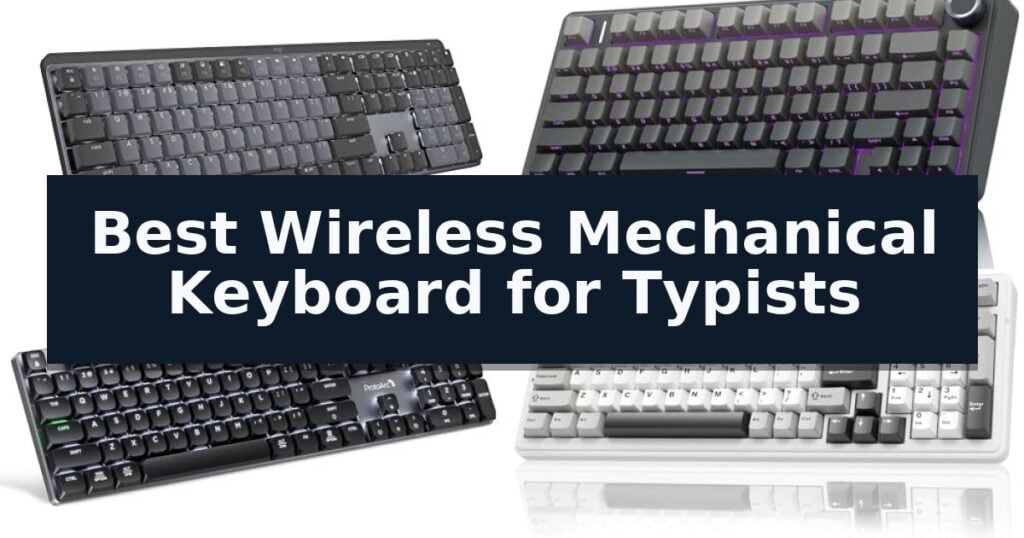
10 Best Wireless Mechanical Keyboard for Typists in 2026 Reviews
Quick Comparison
| Product | Best For | Key Strength | Score |
|---|---|---|---|
| Logitech MX Mechanical Wireless Keyboard | Best Overall | Tactile Quiet switches provide satisfying feedback without excessive noise. | 4.9 |
| AULA F75 Pro Wireless Mechanical Keyboard | Creamy Sound in Compact Layout | Advanced sound-dampening architecture with five layers of filling for a refined acoustic profile. | 4.9 |
| ProtoArc K310 Pro Wireless Mechanical Keyboard | Full-Size Aluminum Quiet Typing | Quiet linear red switches ideal for office environments. | 4.6 |
| AULA F99 Wireless Mechanical Keyboard | Spacious 96% Layout for Productivity | 8000mAh high-capacity battery for extended wireless usage. | 4.3 |
| Hexgears E2s Pro Wireless Mechanical Keyboard | Includes Ergonomic Magnetic Wrist Rest | Hot-swappable PCB allows for easy switch customization without soldering. | 4.3 |
| Kisnt KN85 Wireless Mechanical Keyboard | Gasket Mount for Cushioned Feel | Gasket-mounted design provides a cushioned, quiet typing experience. | 4.8 |
| X9 Performance Slim Wireless Mechanical Keyboard | Quiet Laptop-Style Mechanical Keys | Triple-mode connectivity allows for seamless switching between four devices. | 4.4 |
| Redragon K671KS Wireless Mechanical Keyboard | Versatile Tri-Mode Connectivity | Tri-mode connectivity supports up to 5 devices. | 4.9 |
| DIERYA DK63 Wireless Mechanical Keyboard | Ultra-Compact 60% Form Factor | Three-mode connectivity for seamless switching between multiple devices. | 4.9 |
| Redragon K521KS Wireless Mechanical Keyboard | High-Capacity Battery for Long Use | Tri-mode connectivity allows for simultaneous pairing with up to five devices. | 4.9 |
How We Chose
When evaluating the best wireless mechanical keyboard for typists, we focus on the intersection of physical comfort and technical performance. An experienced reviewer prioritizes how switch characteristics influence typing speed and accuracy, while also assessing the reliability of wireless connectivity and the ergonomic benefits of different form factors to ensure sustained productivity.
- Switch mechanism and tactile feedback consistency
- Ergonomic design and typing angle adjustability
- Wireless connection stability and multi-device switching
- Battery efficiency and charging convenience
- Build quality and keycap durability
1 Logitech MX Mechanical Wireless Keyboard — Premium Low-Profile Tactile Typing
Achieving a precise typing rhythm often depends on the tactile feedback provided by your hardware, and the Logitech MX Mechanical Wireless Keyboard is engineered specifically to deliver that experience. Featuring Tactile Quiet mechanical switches, this keyboard provides a distinct physical bump with each keystroke while minimizing noise, making it suitable for shared workspaces where silence is valued.
Designed with a low-profile form factor, the keyboard promotes a more natural wrist position for extended typing sessions. The smart illumination system adds a layer of convenience by detecting your hands as they approach, automatically adjusting the backlight intensity to match ambient lighting conditions, which helps preserve battery life.
Versatility is a core component of its design, offering multi-device pairing for up to three systems simultaneously via Bluetooth Low Energy or the included Logi Bolt receiver. Users can manage their workflow across different operating systems, utilizing the Logi Options+ software to customize function keys and enable cross-computer control features.
The internal battery supports USB-C quick charging, providing up to 15 days of use with backlighting enabled or up to 10 months with the lighting turned off. Constructed with sustainability in mind, the Graphite model incorporates 45% post-consumer recycled plastic in its components, balancing performance with material efficiency.
Best for: Typists who require a low-profile, tactile mechanical experience with multi-device connectivity and smart backlighting features.
Skip if: Users who prefer a high-profile mechanical switch feel or those who require a wired-only connection for specific latency-sensitive environments.
- Tactile Quiet switches provide satisfying feedback without excessive noise.
- Smart backlighting automatically adjusts to ambient light and detects hand proximity.
- Multi-device pairing allows seamless switching between three devices.
- Low-profile design enhances ergonomic comfort during long typing sessions.
- Battery life is significantly reduced when the backlight is enabled.
- Non-removable switches limit the ability to customize the mechanical feel.
2 AULA F75 Pro Wireless Mechanical Keyboard — Creamy Sound in Compact Layout
The AULA F75 Pro Wireless Mechanical Keyboard distinguishes itself through an advanced internal construction that utilizes an extended integrated silicone pad and PCB single key slotting to optimize resilience and stability. This 75% layout keyboard is engineered to provide a softer, more elastic typing feel while effectively minimizing cavity noise through five layers of internal sound-dampening material.
Designed for versatility, the keyboard features a tri-mode connection system that supports Bluetooth 5.0, 2.4GHz wireless, and USB-C wired connectivity. It can manage up to five devices simultaneously, allowing for seamless switching between PCs, laptops, tablets, and mobile devices. A high-capacity 4000mAh rechargeable battery supports extended use, while the pre-lubricated LEOBOG reaper switches and stabilizers ensure a smooth, consistent typing experience right out of the box.
Typists and gamers alike benefit from the hot-swappable base, which accommodates both 3-pin and 5-pin switches, enabling customization without the need for soldering. The board is topped with side-printed PBT keycaps, which are manufactured via double injection molding and heat sublimation for increased durability and a sweat-proof texture. The inclusion of a multi-function control knob allows for quick adjustments to volume, media playback, or lighting settings depending on the selected mode.
The aesthetic and functional design is rounded out by 16.8 million RGB lighting options, which include 16 pre-set effects and 10 music-reactive modes. The compact 81-key layout preserves essential arrow keys while maximizing desk space. Users can further customize key functions and macros via the dedicated driver, ensuring that the AULA F75 Pro Wireless Mechanical Keyboard remains a highly adaptable tool for both professional workflows and gaming sessions.
Best for: Typists and gamers who prioritize a creamy, dampened acoustic profile and the flexibility of a hot-swappable, multi-device wireless setup.
Skip if: Users who require a full-sized keyboard layout with a dedicated number pad will find the compact 75% form factor of this model limiting.
- Advanced sound-dampening architecture with five layers of filling for a refined acoustic profile.
- Tri-mode connectivity supporting up to five simultaneous devices.
- Hot-swappable PCB compatible with 3-pin and 5-pin switches for easy customization.
- Durable side-printed PBT keycaps that resist fading and sweat.
- 75% compact layout lacks a dedicated numeric keypad.
- Requires driver software for advanced macro programming and music-reactive lighting.
3 ProtoArc K310 Pro Wireless Mechanical Keyboard — Full-Size Aluminum Quiet Typing
The ProtoArc K310 Pro Wireless Mechanical Keyboard distinguishes itself with a low-profile design that prioritizes quiet operation, utilizing linear red switches to deliver a smooth typing experience suitable for shared workspaces. Its full-size 108-key layout is housed in a sophisticated aluminum top case, providing a durable and modern aesthetic for any desk setup.
Functionality is at the core of this model, featuring seamless multi-device connectivity that allows users to toggle between up to three devices via Bluetooth or a 2.4G USB receiver. The keyboard is compatible with Windows, Mac, iOS, and Android, ensuring broad utility across various operating systems. Users can also leverage macro customization to streamline workflows, though this feature is restricted to 2.4G connections.
For those who value personalization, the keyboard includes 10 adjustable backlight effects, allowing for modifications to both lighting speed and intensity. Ergonomic comfort is supported by 2-level adjustable tilt legs, which help maintain a comfortable wrist position during extended typing sessions.
Power management is handled through a USB-C rechargeable battery, which offers up to 150 days of standby time on a single 6-8 hour charge. This efficiency minimizes the need for frequent maintenance, making it a reliable tool for consistent daily use.
Best for: Typists who require a quiet, full-size mechanical keyboard with multi-device switching capabilities for professional or home office environments.
Skip if: Users who require advanced macro programming on Bluetooth connections or those who frequently use multi-port hubs, as the device has specific connectivity limitations.
- Quiet linear red switches ideal for office environments.
- Multi-device connectivity supporting up to three devices.
- USB-C rechargeable battery with long standby time.
- Sleek aluminum top case for a modern, durable build.
- Macro customization is limited to 2.4G connections only.
- Connectivity limitations when used with multi-port hubs.
4 AULA F99 Wireless Mechanical Keyboard — Spacious 96% Layout for Productivity
The AULA F99 Wireless Mechanical Keyboard distinguishes itself with a high-capacity 8000mAh battery and a specialized gasket structure that prioritizes typing comfort. By integrating an extended silicone pad and PCB single key slotting, this keyboard offers a softer, more elastic feel that reduces the fatigue often associated with long typing sessions.
Designed for versatility, the AULA F99 Wireless Mechanical Keyboard features tri-mode connectivity, allowing users to switch seamlessly between BT5.0, 2.4GHz wireless, and USB-C wired modes. It supports connections to up to five devices simultaneously, making it a practical choice for multi-device workflows across tablets, PCs, and gaming consoles.
Typists will appreciate the hot-swappable PCB, which accommodates both 3-pin and 5-pin switches without requiring soldering. The board comes equipped with pre-lubed linear switches and five layers of internal sound-dampening material, which work together to minimize cavity noise and provide a consistent, refined acoustic profile during rapid input.
The 96% compact layout retains essential navigation and number keys while maximizing desk space. Durability and clarity are maintained through double-shot PBT keycaps, which resist fading over time. Additionally, the integrated RGB lighting system offers 16 effects and macro customization, providing a tailored experience for both professional productivity and gaming environments.
Best for: Typists and professionals who require a versatile, long-lasting wireless keyboard with a compact 96% layout and customizable switch options.
Skip if: Users who prefer a full-sized 100% layout with dedicated macro keys or those who require a wired-only connection for specific low-latency competitive setups.
- 8000mAh high-capacity battery for extended wireless usage.
- Hot-swappable PCB allows for easy switch customization without soldering.
- Gasket-mounted structure provides a soft and elastic typing feel.
- Tri-mode connectivity supports up to five devices.
- 96% layout may require an adjustment period for those accustomed to traditional full-sized keyboards.
- Heavy build at over 3 pounds, which may limit portability.
5 Hexgears E2s Pro Wireless Mechanical Keyboard — Includes Ergonomic Magnetic Wrist Rest
The Hexgears E2s Pro Wireless Mechanical Keyboard distinguishes itself through an advanced internal architecture featuring PCB single key slotting and a three-layer filling silencer system. These design choices are engineered to minimize cavity noise and optimize structural resilience, resulting in a softer, more elastic typing feel that caters to those who prioritize acoustic precision and tactile feedback.
Equipped with pre-lubricated stabilizers and Azure Ridges clicky switches, this keyboard provides a sharp, resonant response with every keystroke. The hot-swappable base supports both 3-pin and 5-pin switches, offering a straightforward path for customization without the need for soldering. This flexibility is complemented by a 75% compact layout that preserves essential arrow keys while maximizing available desk space.
Connectivity is handled via a tri-mode system, allowing users to toggle between Bluetooth 5.0, 2.4GHz wireless, and USB-C wired connections across up to five devices. Powering these features is a 4600mAh large-capacity battery, designed to support extended usage cycles. The inclusion of a multi-function knob and macro-programmable keys further enhances utility for both productivity tasks and gaming environments.
The typing experience is refined by double-injection PBT keycaps that resist fading and sweat, paired with a magnetic wrist rest and dual-stage kickstands for ergonomic adjustment. With 18 customizable RGB lighting modes and a dedicated driver for software-based lighting effects, the keyboard balances functional performance with aesthetic customization.
Best for: Typists and gamers seeking a highly customizable, compact mechanical keyboard with versatile wireless connectivity and tactile, clicky feedback.
Skip if: Users who require a full-sized keyboard with a dedicated number pad or those who prefer silent, linear switches over the included clicky tactile switches.
- Hot-swappable PCB allows for easy switch customization without soldering.
- Tri-mode connectivity supports up to five devices simultaneously.
- Advanced sound-dampening structure reduces cavity noise for a solid typing feel.
- High-capacity 4600mAh battery ensures long-lasting wireless performance.
- 75% compact layout lacks a dedicated number pad.
- Clicky switches may be too loud for shared office environments.
6 Kisnt KN85 Wireless Mechanical Keyboard — Gasket Mount for Cushioned Feel
The Kisnt KN85 Wireless Mechanical Keyboard distinguishes itself through a specialized gasket-mounted architecture designed to deliver a soft, marbly typing sound profile. By isolating the internal components from the rigid case, this design effectively minimizes hollow echoes and harsh vibrations, resulting in a cushioned keystroke experience that is well-suited for extended writing sessions.
Engineered with a compact 75% layout, the keyboard retains essential function keys and arrow keys while reclaiming significant desk space. It features tri-mode connectivity, allowing users to toggle between USB-C wired, 2.4GHz wireless, and Bluetooth 5.0 across multiple devices. The integration of a 4000mAh rechargeable battery supports these wireless modes, with the ability to maintain operation while charging via a wired connection.
For those who prefer a personalized feel, the keyboard utilizes hot-swappable sockets compatible with 3-pin and 5-pin switches. It comes pre-equipped with Bsun linear switches that offer a 45-50gf actuation force for a smooth response. The inclusion of PBT keycaps and customizable RGB backlighting allows for both aesthetic adjustments and improved visibility in low-light environments.
Productivity is further enhanced through software support on Windows, which enables key remapping and macro creation. While the keyboard is designed for versatility, users should note that the driver software is limited to wired and 2.4GHz modes. To ensure longevity and optimal performance, the manufacturer recommends using a 5V 1A power source for charging and utilizing a wrist rest to maintain ergonomic comfort during prolonged use.
Best for: Typists and hybrid workers who prioritize a cushioned, quiet typing sound and a space-saving layout for multi-device workflows.
Skip if: Users who require a dedicated number pad for frequent data entry or those who rely on macOS-specific driver software for advanced macro customization.
- Gasket-mounted design provides a cushioned, quiet typing experience.
- Tri-mode connectivity allows seamless switching between three wireless and wired inputs.
- Hot-swappable PCB supports easy customization with 3-pin or 5-pin switches.
- Compact 75% layout maximizes desk real estate without sacrificing essential function keys.
- Driver software for macros and remapping is compatible with Windows only.
- Battery life is impacted by the use of animated RGB lighting effects.
7 X9 Performance Slim Wireless Mechanical Keyboard — Quiet Laptop-Style Mechanical Keys
The X9 Performance Slim Wireless Mechanical Keyboard prioritizes a streamlined, low-profile design that mimics the tactile feel of a premium laptop while providing the mechanical precision typists require. By utilizing low-profile red switches, this keyboard offers a smooth, linear keystroke that minimizes noise and resistance, making it suitable for extended typing sessions in professional environments.
Connectivity is a core strength of this model, as it supports up to four devices simultaneously. Users can switch between two Bluetooth connections, a 2.4GHz wireless link, and a wired USB-A/C connection without the need for re-pairing. The inclusion of a 2000mAh rechargeable battery ensures that the device remains powered for days, eliminating the reliance on disposable batteries.
Designed for productivity, the 107-key layout includes a dedicated number pad, 15 shortcut keys, a Copilot key, and a built-in volume knob. The solid aluminum top case provides a stable, non-flex typing surface, while the white backlit keys feature three brightness levels to maintain visibility in various lighting conditions.
This keyboard balances mechanical performance with a minimalist aesthetic, making it a functional addition to any workspace. The combination of wired and wireless modes ensures compatibility with both Mac and PC systems, providing a versatile solution for users who manage multiple devices throughout the workday.
Best for: Professionals and typists who require a quiet, low-profile mechanical keyboard with multi-device connectivity and a dedicated number pad.
Skip if: Users who prefer the deep travel and audible click of traditional high-profile mechanical switches or those who require a compact tenkeyless layout.
- Triple-mode connectivity allows for seamless switching between four devices.
- Low-profile red switches provide a quiet, linear typing experience.
- Solid aluminum top case ensures a stable, durable typing surface.
- Full-size layout includes a number pad and dedicated media controls.
- Low-profile design may not satisfy users seeking the tactile depth of traditional mechanical keyboards.
8 Redragon K671KS Wireless Mechanical Keyboard — Versatile Tri-Mode Connectivity
The Redragon K671KS Wireless Mechanical Keyboard distinguishes itself through its versatile tri-mode connectivity, allowing users to toggle between USB-C wired, Bluetooth 3.0/5.0, and 2.4GHz wireless modes. This flexibility supports up to five connected devices, making it a practical choice for those who frequently switch between a PC, tablet, and Mac during their daily workflow.
Designed with a robust metal panel, this keyboard emphasizes both aesthetics and structural integrity. Its keys are rated for 500,000 actuations, ensuring long-term utility. The inclusion of hot-swappable red switches allows for customization, and the package provides eight spare switches and two red keycaps, facilitating easy maintenance or tactile adjustments to suit individual typing preferences.
Typists can benefit from the programmable macro editing capabilities, which allow for remapping keys and combining multiple functions into a single keystroke. The 16 preset RGB backlighting effects, adjustable across five levels of brightness, provide visibility for late-night work sessions, while the double-injection PBT keycaps offer a durable surface that maintains clarity over time.
While the keyboard offers significant customization, users should note that it is a compact mechanical unit. The reliance on a physical switch on the back for mode selection requires manual interaction when transitioning between wireless and wired environments, a trade-off for its multi-device versatility.
Best for: Typists and professionals who require a versatile, hot-swappable mechanical keyboard that can seamlessly switch between multiple wireless and wired devices.
Skip if: Users who prefer a full-sized layout with a dedicated number pad or those who require a plug-and-play experience without the need for manual mode switching or macro configuration.
- Tri-mode connectivity supports up to 5 devices.
- Hot-swappable switches allow for easy customization and repair.
- Durable metal panel construction.
- Programmable macro editing for increased workflow efficiency.
- Manual mode switching via a physical button on the back.
- Compact form factor may lack dedicated keys found on full-sized layouts.
9 DIERYA DK63 Wireless Mechanical Keyboard — Ultra-Compact 60% Form Factor
The DIERYA DK63 Wireless Mechanical Keyboard is engineered for users who need to reclaim valuable desk real estate without sacrificing the tactile benefits of a mechanical typing experience. By utilizing a compact 60% form factor, this unit integrates 63 keys into a footprint of approximately 11.5 by 4.02 inches. To maintain full functionality within this reduced size, the keyboard employs a dedicated "FN" layer, allowing users to access essential navigation and utility keys that are typically relegated to full-sized layouts.
At the core of the typing experience are custom Red switches, which are characterized by a linear, tactile-free feel and a light 45g actuation force. These switches are rated for a lifespan of up to 600,000 presses and operate at a low noise level of approximately 40dB. This combination of low-force actuation and quiet operation makes the device suitable for shared environments where minimizing auditory distraction is a priority, while still providing the consistent performance expected of mechanical switches.
Versatility is a primary focus of the connectivity suite, which supports 2.4G wireless, Bluetooth 5.0, and wired USB connections. This multi-mode capability allows for seamless switching between various devices, including laptops, tablets, and smartphones. The internal 3000mAh battery provides the power necessary for this wireless freedom, offering up to 90 hours of use when the RGB backlight is disabled. When utilizing the lighting at maximum intensity, the continuous usage time is reduced to approximately 8 hours, highlighting a trade-off between aesthetic customization and battery longevity.
The integrated RGB system features 18 dynamic lighting modes and 16.8 million colors, which can be further refined through proprietary control software. This level of customization allows users to tailor the visual profile of the keyboard to their specific workspace or gaming setup. Despite its compact nature, the inclusion of directional keys ensures that the keyboard remains functional for tasks that require frequent cursor movement, bridging the gap between extreme portability and practical utility.
Best for: Typists and gamers who require a compact, multi-device wireless keyboard for limited desk environments.
Skip if: Users who rely heavily on a dedicated numeric keypad or a full-sized layout for specialized data entry tasks.
- Three-mode connectivity for seamless switching between multiple devices.
- Compact 60% layout that maximizes available desktop space.
- Quiet linear switches with a light 45g actuation force.
- High-capacity 3000mAh battery providing up to 90 hours of use.
- Limited battery life when using the RGB backlight at maximum intensity.
- 60% form factor requires the use of an "FN" layer for full key functionality.
10 Redragon K521KS Wireless Mechanical Keyboard — High-Capacity Battery for Long Use
The Redragon K521KS Wireless Mechanical Keyboard centers its design around a substantial 4000mAh battery, providing a reliable power source that significantly reduces the frequency of recharging sessions. This high-capacity cell is particularly beneficial for heavy typists and gamers who require consistent performance during long work hours or extended gaming marathons without the constant tether of a charging cable.
Connectivity is a primary strength of this full-size peripheral, featuring tri-mode support that enables seamless switching between Bluetooth, 2.4GHz wireless, and USB-C wired connections. This flexibility allows users to pair up to five devices simultaneously, making it an efficient tool for those managing complex multitasking environments across multiple hardware platforms. The keyboard maintains a stable connection within a 10-meter range, ensuring responsive input across different setups.
The typing experience is defined by keys engineered for a mechanical feeling, providing the tactile feedback necessary for rapid, accurate tapping. To support intensive usage, the board incorporates 25-key anti-ghosting technology, which ensures that complex key combinations are registered precisely during fast-paced input. This feature is essential for users who rely on specific key commands for gaming or high-speed data entry, preventing missed inputs during critical moments.
Customization and utility are further enhanced through fully programmable software, allowing users to remap keys, define macros, and adjust the integrated RGB lighting system. With eight distinct backlighting modes, including rainbow and breathing effects, the keyboard offers visual versatility to match any workspace aesthetic. Additionally, the inclusion of 12 dedicated multimedia combination keys streamlines access to common controls, allowing for quick adjustments to media playback or system functions without interrupting the primary workflow.
While the full-size layout provides a complete set of keys for maximum functionality, it does occupy a larger footprint on the desk compared to compact or tenkeyless models. This trade-off is important for users with limited workspace, as the added utility of the full-size design necessitates a larger surface area for comfortable operation.
Best for: Typists and gamers who require multi-device connectivity and long battery life in a full-size layout.
Skip if: Users who prefer a compact 60% or tenkeyless form factor will find the full-size dimensions of this keyboard too large for their workspace.
- Tri-mode connectivity allows for simultaneous pairing with up to five devices.
- 4000mAh high-capacity battery reduces the need for frequent recharging.
- Fully programmable software for custom macros and key remapping.
- 25-key anti-ghosting ensures accurate input during rapid typing or gaming.
- Full-size layout occupies significant desk space compared to smaller alternatives.
- Mechanical feeling keys may not offer the same tactile experience as genuine mechanical switches.
Best Wireless Mechanical Keyboard for Typists Buying Guide
Understanding Switch Types
Mechanical switches are categorized primarily by their feel and sound: linear, tactile, and clicky. Linear switches offer a smooth, consistent keystroke without a bump, making them popular for those who prefer a quiet, fluid typing experience.
Tactile switches provide a physical bump at the actuation point, helping typists confirm a keypress without bottoming out. This feedback is often preferred for accuracy, as it reduces the need to strike the keys with excessive force.
The Importance of Form Factor
Full-size keyboards include a dedicated number pad, which is essential for data entry and spreadsheet work. However, they occupy significant desk space and may force your mouse further to the right, potentially impacting shoulder alignment.
Compact layouts like 75% or 60% designs remove redundant keys to save space. These models are often favored by typists who want to keep their hands closer together, which can improve overall ergonomic posture during long sessions.
Connectivity and Multi-Device Support
Modern wireless keyboards typically offer Bluetooth and 2.4GHz receiver options. Bluetooth is ideal for portability and connecting to tablets or laptops, while 2.4GHz receivers often provide lower latency for a more responsive feel on desktop PCs.
Multi-device switching allows you to toggle between your computer, tablet, and phone with a single button. This is a critical feature for typists who manage multiple devices throughout the day and want to maintain a consistent typing feel across all of them.
Ergonomics and Typing Angle
The angle of your keyboard significantly affects wrist strain. Most mechanical keyboards feature adjustable feet to change the incline, but some users may find that a flatter profile or the addition of a wrist rest provides better support.
Low-profile mechanical keyboards are designed to reduce the distance your fingers travel, which can help minimize fatigue. If you are transitioning from a laptop keyboard, a low-profile model often provides a more familiar and comfortable adjustment period.
Battery Life and Charging
Wireless mechanical keyboards rely on internal rechargeable batteries. Battery longevity varies based on usage, particularly when RGB backlighting is enabled, as lighting effects consume significant power compared to standard operation.
Look for models with USB-C charging, which allows you to continue using the keyboard in wired mode if the battery depletes. This ensures that you are never forced to stop working due to a lack of power.
Frequently Asked Questions
Are mechanical keyboards better for typing than membrane keyboards?
Mechanical keyboards offer distinct tactile feedback and durability that many typists prefer. The individual switch mechanism for each key provides a consistent feel that can improve typing accuracy and speed over time.
Do I need a wrist rest for my mechanical keyboard?
While not strictly necessary, a wrist rest can help maintain a neutral wrist position and reduce strain during long typing sessions. Many mechanical keyboards are taller than standard office keyboards, making a rest a helpful ergonomic addition.
How do I know which switch type is best for me?
Linear switches are generally best for quiet, fast typing. Tactile switches are ideal for those who want physical confirmation of a keypress, and clicky switches are for those who enjoy audible feedback, though they are the loudest option.
Can I use a wireless mechanical keyboard for gaming?
Yes, many wireless mechanical keyboards are suitable for gaming. Look for models that support 2.4GHz wireless connections, as these typically offer lower latency and more stable performance than standard Bluetooth connections.
How often will I need to charge my wireless keyboard?
Battery life depends on the specific model and your usage habits. Keyboards without backlighting can last for months, while those with intensive RGB lighting may require charging every few days or weeks.
Conclusion: Our Top Pick
Our top pick is Logitech MX Mechanical Wireless Keyboard. Choosing the right wireless mechanical keyboard depends on your specific typing style and desk environment. Whether you prioritize the low-profile comfort of the Logitech MX Mechanical or the customizable, thocky sound of a gasket-mounted board, the best choice is one that supports your daily workflow without causing fatigue.
Consider your need for a number pad, the importance of quiet operation, and how often you switch between devices. By focusing on these practical criteria, you can invest in a tool that enhances your typing efficiency and provides a more satisfying experience every time you sit down to work.