Razer Viper V3 HyperSpeed Wireless Mouse is our top choice for the Best Wireless Mechanical Mouse, offering a mass-centralized design and a 30K DPI optical sensor for consistent, high-accuracy performance. The Razer Basilisk V3 X HyperSpeed provides a more ergonomic, multi-button layout for users needing advanced macro control, while the Logitech G305 LIGHTSPEED serves as a compact, travel-friendly alternative with a proven HERO sensor.
Selecting a wireless mouse requires balancing sensor responsiveness with the physical feel of the switches. For competitive gaming, low-latency wireless technology and weight distribution are critical, whereas productivity-focused users may prioritize multi-device connectivity and ergonomic comfort over raw tracking speed.
For users looking to complete their setup with a consistent typing experience, our guide on Best Wireless Mechanical Keyboards provides excellent recommendations that pair perfectly with these high-performance mice.
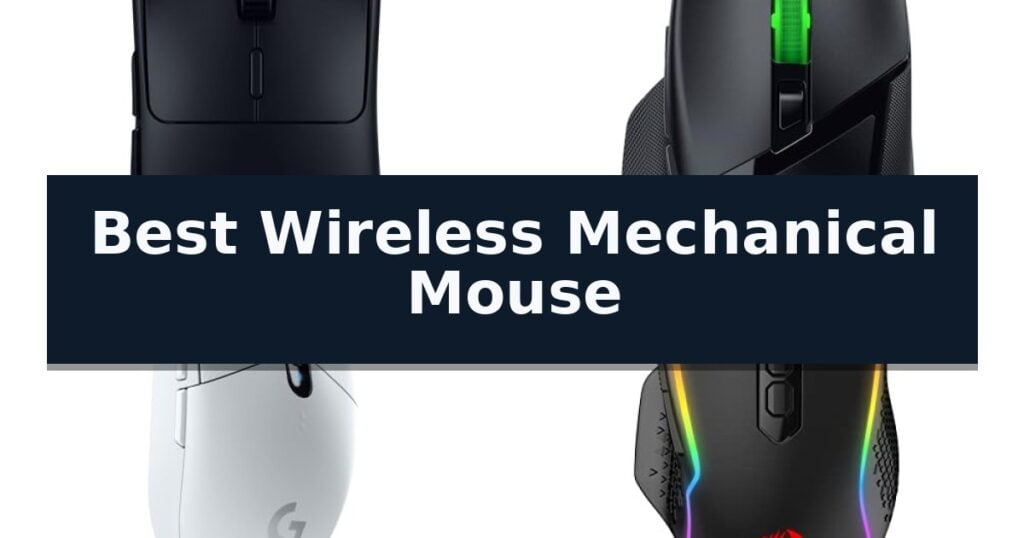
10 Best Wireless Mechanical Mouse in 2026 Reviews
Quick Comparison
| Product | Best For | Key Strength | Score |
|---|---|---|---|
| Razer Viper V3 HyperSpeed Wireless Mouse | Best Overall | Mass-centralized 82g design for consistent handling | 4.9 |
| Razer Basilisk V3 X HyperSpeed Mouse | Ergonomic Control for Gaming | Dual-mode wireless connectivity featuring both low-latency HyperSpeed and Bluetooth. | 4.7 |
| Logitech G305 LIGHTSPEED Wireless Mouse | Compact Lag-Free Performance | LIGHTSPEED wireless technology for 1 ms report rate performance | 4.4 |
| Redragon M810 PRO Wireless Gaming Mouse | Budget-Friendly Macro Customization | 2.4Ghz wireless connectivity for a lag-free experience. | 4.6 |
| LOFREE Touch PBT Wireless Mouse | Premium Texture and Glass Tracking | PBT material construction for a non-sticky, skin-friendly grip. | 4.3 |
| TECKNET Wireless Side Scroll Mouse | Efficient Multi-Device Workflow | Side-mounted scroll wheel for efficient horizontal navigation. | 4.9 |
| Attoe Transparent RGB Wireless Mouse | Unique Aesthetic Design | Transparent shell design provides a unique and modern aesthetic. | 4.6 |
| Logitech M705 Marathon Wireless Mouse | Extended Battery Life | Three-year battery life significantly reduces maintenance frequency. | 4.5 |
| Acer Wireless Computer Mouse | High-Sensitivity Office Productivity | 5-level adjustable DPI for precise sensitivity control | 4.5 |
| Acer Wireless Travel Mouse | Reliable Daily Navigation | 3 adjustable DPI settings for customized sensitivity. | 4.7 |
How We Chose
To identify the best wireless mechanical mouse, we analyze technical specifications including sensor DPI, polling rates, and switch lifespan. An experienced reviewer evaluates how these components translate into real-world reliability, focusing on connection stability, weight distribution, and the practical utility of programmable buttons to ensure each model meets specific user needs.
- Sensor precision and tracking accuracy across various surfaces
- Wireless latency and connection stability in high-interference environments
- Switch durability and tactile consistency over millions of clicks
- Battery efficiency and power management features
- Ergonomic design and button layout customization
1 Razer Viper V3 HyperSpeed Wireless Mouse — Esports-Grade Precision
The Razer Viper V3 HyperSpeed Wireless PC Gaming Mouse is engineered for competitive environments where consistent, balanced handling is a priority. Its 82g mass-centralized design ensures that the weight distribution remains stable during rapid, high-intensity swipes, preventing the imbalance often found in battery-powered peripherals. By utilizing a single AA battery, this device provides a reliable power source that eliminates the need for internal charging cables, supporting up to 280 hours of high-performance gaming.
At the core of its tracking capability is the Focus Pro 30K Optical Sensor. This sensor features a forward-placed architecture designed to improve accuracy and maintains consistent tracking across a variety of surfaces, including glass. To ensure a stable connection during gameplay, the mouse incorporates HyperSpeed Wireless technology, which is built to maintain low latency even in environments with high levels of wireless interference.
Durability and usability are addressed through the inclusion of Mechanical Mouse Switches Gen-2. These switches are rated for a 60-million click lifespan and utilize gold-plated contact points to resist wear, ensuring consistent tactile feedback over time. Users can manage sensitivity on the fly using the on-mouse DPI control, which allows for toggling between five distinct stages without needing to exit a game.
For further customization, the Razer Synapse App allows users to map the six programmable buttons and adjust sensor settings to match specific playstyles. While the mouse offers high-level performance, it is important to note that the reliance on a replaceable AA battery represents a trade-off compared to internal rechargeable models, and the button layout is optimized for general competitive play rather than complex macro-heavy tasks.
Best for: Competitive gamers who prioritize a lightweight, balanced wireless mouse with high-precision sensor tracking and long-term switch durability.
Skip if: Users who prefer an internal rechargeable battery or require a high-button count layout specifically designed for complex MMO macros.
- Mass-centralized 82g design for consistent handling
- Focus Pro 30K Optical Sensor for high-accuracy tracking
- Up to 280 hours of battery life on one AA battery
- Mechanical Switches Gen-2 rated for 60 million clicks
- Requires AA battery replacement rather than internal recharging
- Limited button count compared to dedicated MMO mice
2 Razer Basilisk V3 X HyperSpeed Mouse — Ergonomic Control for Gaming
Precision and versatility define the Razer Basilisk V3 X HyperSpeed Mouse, a wireless peripheral engineered for users who require both granular control and reliable connectivity. Its signature ergonomic shape is built to accommodate various grip styles, ensuring comfort during extended periods of use while providing a stable foundation for high-stakes tasks.
At the core of its performance is the Razer 5G Advanced 18K Optical Sensor, which delivers pixel-precise tracking across a wide range of surfaces. The device utilizes Razer HyperSpeed Wireless for ultra-low-latency performance, or users can switch to Bluetooth to extend battery life up to 535 hours. This dual-mode capability allows for seamless transitions between competitive gaming and standard productivity workflows.
Customization is a central feature, highlighted by 9 programmable controls that support advanced macros and shortcuts via Razer Hypershift. The mouse is equipped with Razer Mechanical Mouse Switches Gen-2, rated for up to 60 million clicks, ensuring consistent actuation and durability. These mechanical switches are designed to minimize wear, providing a tactile and responsive experience over the long term.
For aesthetic and functional personalization, the mouse features Razer Chroma RGB lighting, which synchronizes with other compatible devices. The build includes 100% PTFE mouse feet to facilitate smooth gliding across desk surfaces. With onboard profile storage and an included AA battery, this mouse is designed to maintain consistent performance for both gaming and daily utility.
Best for: Gamers and professionals who need a highly customizable, ergonomic mouse with dual-mode wireless connectivity.
Skip if: Users who prefer an ultra-lightweight, symmetrical mouse design or those who require a rechargeable internal battery rather than a replaceable AA battery.
- Dual-mode wireless connectivity featuring both low-latency HyperSpeed and Bluetooth.
- 9 programmable controls allowing for extensive macro and shortcut customization.
- Razer Mechanical Mouse Switches Gen-2 rated for 60 million clicks.
- 100% PTFE mouse feet for smooth and consistent gliding.
- Requires AA battery for power, which adds weight compared to internal rechargeable models.
3 Logitech G305 LIGHTSPEED Wireless Mouse — Compact Lag-Free Performance
Precision and portability define the Logitech G305 LIGHTSPEED Wireless Mouse, a device engineered to eliminate the tether of traditional peripherals without sacrificing performance. By utilizing proprietary LIGHTSPEED wireless technology, it achieves a 1 ms report rate, ensuring the responsiveness required for demanding tasks.
At the core of this mouse is the HERO sensor, which provides up to 12,000 DPI sensitivity and 400 IPS precision. This sensor is designed for high power efficiency, allowing the device to operate for up to 250 hours of continuous gameplay on a single AA battery. Users can further extend this longevity to 9 months by switching to Endurance mode via the Logitech G HUB software.
The physical design emphasizes both durability and maneuverability, weighing only 3.4 oz. Its compact form factor includes an integrated nano receiver storage slot, making it a practical choice for those who frequently transition between desktop setups and mobile environments. With 6 programmable buttons and on-board memory, it offers customizable control for various workflows.
While it excels in efficiency and wireless reliability, the reliance on a AA battery rather than an internal rechargeable cell represents a distinct design trade-off. This approach ensures immediate power restoration without downtime, though it requires users to maintain a supply of batteries.
Best for: Users seeking a lightweight, lag-free wireless mouse that balances high-performance sensor precision with long-term battery efficiency for both gaming and travel.
Skip if: Users who prefer a built-in rechargeable battery and a heavier, more ergonomic chassis for extended desktop-only sessions.
- LIGHTSPEED wireless technology for 1 ms report rate performance
- High-efficiency HERO sensor with up to 12,000 DPI
- 250-hour battery life on a single AA battery
- Lightweight 3.4 oz design with integrated nano receiver storage
- Requires AA battery rather than internal rechargeable power
- Compact, lightweight chassis may feel too small for some hand sizes
4 Redragon M810 PRO Wireless Gaming Mouse — Budget-Friendly Macro Customization
Precision in gaming often comes down to the reliability of your peripherals, and the Redragon M810 PRO Wireless Gaming Mouse addresses this with a 2.4Ghz nano receiver designed to eliminate the latency typically associated with wired connections. This mouse provides a seamless, cable-free experience that allows for rapid, uninterrupted movement during intense sessions.
Equipped with the PAW3325 Optical Pixart sensor, the device supports an adjustable DPI range up to 10,000, which users can configure across five distinct on-board levels. This flexibility ensures that cursor sensitivity can be fine-tuned to match specific game requirements or personal preference, while the 1000Hz polling rate maintains consistent tracking accuracy.
The ergonomic design features 8 programmable buttons, including dedicated rapid-fire and side macro keys, allowing for complex command execution. These inputs are fully customizable via the Redragon Pro driver, which also manages the adjustable RGB lighting modes, including streaming and breathing effects, to suit your desktop aesthetic.
Power efficiency is a core component of this model, with a rechargeable battery capable of providing up to 45 hours of operation in eco-mode. By balancing high-performance tracking with optimized power consumption, the mouse remains a practical tool for both competitive gaming and extended productivity tasks.
Best for: Gamers who require customizable macro buttons and wireless freedom without the latency of traditional cables.
Skip if: Users who prefer an ultra-lightweight, minimalist mouse without side buttons or RGB lighting features.
- 2.4Ghz wireless connectivity for a lag-free experience.
- 8 programmable buttons for custom macro keybinds.
- Adjustable DPI up to 10,000 for precise sensitivity control.
- Rechargeable battery with up to 45 hours of life in eco-mode.
- Battery life limitation of 45 hours requires periodic recharging.
5 LOFREE Touch PBT Wireless Mouse — Premium Texture and Glass Tracking
The LOFREE Touch PBT Wireless Mouse distinguishes itself by incorporating high-quality PBT material on its primary buttons and upper casing, providing a non-glossy, skin-friendly texture that resists the stickiness often associated with standard plastic peripherals. This design choice mimics the tactile feel of premium mechanical keyboard keycaps, ensuring a reliable grip for extended use.
Engineered for versatility, the device utilizes the PAW3805 sensor, which enables precise tracking on virtually any surface, including clear glass. This capability is paired with adaptive binding rate adjustment to maintain smooth performance whether the user is engaged in productivity tasks or gaming. The integrated OLED display provides immediate visual feedback on current DPI settings, battery status, and connectivity mode, eliminating the need for external software to verify system state.
Connectivity is handled through a triple-mode system, allowing users to switch between Bluetooth 5.0, 2.4G wireless, or a Type-C wired connection. The mouse supports a wide DPI range from 800 to 4000, with custom increments of 200 DPI available to suit specific sensitivity preferences. Users can also customize the aesthetic of the mouse by swapping out the replacement buttons to better match their workspace setup.
While the device offers robust features, users should note that Mac system devices do not support forward or backward button functions when using Bluetooth mode. With a weight of approximately 0.46 pounds, the mouse balances a substantial, premium feel with the portability required for a modern wireless setup.
Best for: Users who require precise tracking on difficult surfaces like glass and prefer the tactile, non-slip feel of PBT material.
Skip if: Mac users who rely heavily on forward and backward side-button navigation while using Bluetooth connectivity.
- PBT material construction for a non-sticky, skin-friendly grip.
- PAW3805 sensor enables tracking on clear glass surfaces.
- OLED display for real-time monitoring of DPI, battery, and connection.
- Triple-mode connectivity including Bluetooth 5.0, 2.4G, and Type-C.
- Limited button functionality on Mac systems when using Bluetooth mode.
6 TECKNET Wireless Side Scroll Mouse — Efficient Multi-Device Workflow
The TECKNET Wireless Side Scroll Mouse streamlines complex workflows by incorporating a dedicated side-mounted scroll wheel, allowing for effortless horizontal navigation across spreadsheets and design canvases. This design choice specifically addresses the need for efficient view adjustments without requiring constant cursor repositioning, effectively reducing wrist strain during extended work sessions.
Engineered for versatility, this peripheral supports seamless 3-device switching through a combination of two Bluetooth 5.3/5.0 connections and a 2.4GHz USB-A receiver. Users can toggle between connected devices with a single button press, facilitating smooth multitasking across different hardware platforms without the need for additional software installation.
Precision is managed via a high-performance sensor offering 6 adjustable DPI levels, ranging from 800 to 4800 DPI. An integrated LED indicator provides visual confirmation of the current sensitivity setting, ensuring the cursor response remains consistent whether performing detailed graphical work or rapid web browsing.
The mouse prioritizes a quiet environment with silent click switches, making it suitable for shared office spaces or libraries. Power management is handled by a rechargeable internal battery that provides up to 3 months of use on a single charge based on typical daily activity, complemented by an auto-sleep function that activates after 10 minutes of inactivity to preserve energy.
Constructed with a precision-crafted metal scroll wheel, the unit offers both enhanced tactile feedback and long-term durability. While the device is widely compatible with Windows, macOS, Chrome, and Linux, users should note that the side buttons are not supported on macOS and the device features non-programmable buttons.
Best for: Professionals and multitaskers who require horizontal scrolling and quick switching between multiple devices.
Skip if: Users who require programmable buttons or specific software customization for their workflow.
- Side-mounted scroll wheel for efficient horizontal navigation.
- Multi-device connectivity supporting up to three devices simultaneously.
- 6-level adjustable DPI for tailored cursor precision.
- Silent click operation for quiet work environments.
- Rechargeable battery with long-lasting performance.
- Non-programmable buttons limit custom input configurations.
- Side button incompatibility with macOS systems.
7 Attoe Transparent RGB Wireless Mouse — Unique Aesthetic Design
The Attoe Transparent RGB Wireless Mouse distinguishes itself through a striking transparent shell design that provides a clear view of its internal components, creating a unique aesthetic for any desktop setup. This visual flair is complemented by customizable RGB lighting effects, which users can adjust or deactivate using dedicated buttons located on the bottom of the device.
Engineered for versatility, this peripheral features a dual-mode connection that supports both 2.4GHz wireless and Bluetooth connectivity. This setup ensures a reliable link with a working distance of up to 33 feet, effectively minimizing interference and signal dropouts during use. The plug-and-play functionality requires no additional software, making it compatible with a wide range of operating systems including Windows, Linux, and Mac OS.
The mouse incorporates an ergonomic design with a skin-friendly surface, intended to provide a comfortable grip during extended gaming sessions or long work hours. Its mechanical build is designed to reduce fatigue, supporting consistent performance for both office tasks and esports applications.
While the device offers broad compatibility, users should note that the two side buttons are not functional when connected to Mac OS. The setup process for Bluetooth is straightforward, requiring a simple mode switch and a four-second button hold to initiate pairing, ensuring that the device remains accessible for various computing environments.
Best for: Users seeking a visually distinct, ergonomic mouse with flexible wireless connectivity for both gaming and general office tasks.
Skip if: Users who require full functionality of side-button macros on Mac OS or those who prefer a traditional, opaque chassis design.
- Transparent shell design provides a unique and modern aesthetic.
- Dual-mode connectivity allows for seamless switching between 2.4GHz and Bluetooth.
- Ergonomic shape and skin-friendly surface promote comfort during long-term use.
- Customizable RGB lighting adds atmosphere and can be toggled off as needed.
- Side buttons are not supported when using the device with Mac OS.
- Lighting controls are located on the bottom of the mouse, which may be less convenient to access quickly.
8 Logitech M705 Marathon Wireless Mouse — Extended Battery Life
The Logitech M705 Marathon Wireless Mouse is engineered for longevity, featuring a power-efficient design that allows for up to three years of use on a single set of batteries. This focus on endurance makes it a practical choice for users who prioritize consistent performance without frequent maintenance interruptions.
Navigation is enhanced by a hyper-fast scroll wheel, which utilizes a nearly frictionless metal design to move through long documents and web pages with a single spin. For precision tasks, the laser-grade tracking ensures smooth cursor control across challenging surfaces, including polished wood-grain tables that often cause issues for standard optical sensors.
The mouse features a sculpted, right-hand shape designed to guide the hand into a natural position. It includes five customizable buttons, with two dedicated thumb buttons that facilitate quick navigation between web pages. The device connects via the Logitech Unifying receiver, a compact USB-A nano receiver that can remain plugged into a laptop port, reducing the risk of loss or damage during transport.
Compatibility is broad, supporting Windows, Mac, and Linux environments, and the unit is certified for use with Chrome. The ability to pair multiple compatible Logitech wireless peripherals to a single Unifying receiver simplifies desk setups by freeing up additional USB ports.
Best for: Users seeking a long-lasting wireless mouse with advanced scrolling capabilities for productivity and web navigation.
Skip if: Left-handed users, as the sculpted shape is specifically designed for right-handed ergonomics.
- Three-year battery life significantly reduces maintenance frequency.
- Hyper-fast scroll wheel enables rapid navigation of long documents.
- Laser-grade tracking provides precision on diverse surface types.
- Logitech Unifying receiver allows for multi-device connectivity with one USB port.
- Right-handed ergonomic design limits comfort for left-handed users.
9 Acer Wireless Computer Mouse — High-Sensitivity Office Productivity
Precision in digital tasks often hinges on the ability to toggle sensitivity on the fly, a capability central to the Acer Wireless Computer Mouse. This device integrates a 5-level adjustable DPI system, ranging from 800 to 4000 DPI, allowing users to calibrate cursor speed for specific workflows like detailed design or general office navigation.
Designed with a focus on ergonomics for medium to large hands, the mouse features a 2.4GHz wireless connection that maintains stability up to 33 feet. The inclusion of forward and backward navigation buttons streamlines file management and web browsing, effectively reducing the number of clicks required for common tasks.
Battery management is handled through an intelligent Click to Wake function, which transitions the mouse into a power-saving standby mode after 10 minutes of inactivity. A visible indicator light provides real-time feedback on the current DPI setting and serves as a low-battery warning, flashing red when power drops below 10%.
Durability is a core design consideration, with the internal switches rated for up to 10 million clicks. The unit operates via a standard USB-A receiver, which can be conveniently stored within the battery compartment when not in use, making it a practical choice for mobile setups or shared workspaces.
Best for: Office professionals and designers with medium to large hands who require adjustable sensitivity and quick navigation controls.
Skip if: Users who prefer a compact, travel-sized mouse or those who require Bluetooth connectivity instead of a dedicated USB-A receiver.
- 5-level adjustable DPI for precise sensitivity control
- Ergonomic design tailored for medium to large hands
- Integrated navigation buttons for efficient workflow
- Visible indicator light for DPI and battery status
- Requires AA battery (not included)
- USB-A receiver required for connectivity
10 Acer Wireless Travel Mouse — Reliable Daily Navigation
The Acer Wireless Travel Mouse features a smart sleep mode that activates after 10 minutes of inactivity, requiring only 2-3 clicks to wake, which contributes to its efficient battery management. This design choice is engineered to deliver three times longer battery life compared to standard motion-wake devices.
Designed for medium to large sized hands, this mouse utilizes a 2.4GHz wireless connection that provides a stable, interference-free link up to 32 feet. The setup process is straightforward, relying on a plug-and-play USB-A receiver that stores directly inside the battery compartment for portability.
Users can customize their navigation speed through 3 adjustable DPI settings (800, 1200, and 1600), with a visual indicator light providing feedback on the selected level. The device also includes dedicated forward and backward buttons to streamline file and web page navigation, though these side buttons are not functional on macOS systems.
Built for longevity, the buttons and scroll wheel are tested for 10 million clicks to ensure consistent performance. The mouse also includes a low-battery alert system where the indicator light flashes red when power drops below 10%, ensuring users are aware of the need for a battery change.
Best for: Office professionals and students with medium to large hands seeking a reliable, plug-and-play wireless mouse for daily productivity.
Skip if: Users operating on macOS systems who require functional side buttons for navigation, as these are not supported on that platform.
- 3 adjustable DPI settings for customized sensitivity.
- Smart sleep mode for extended battery life.
- 10 million click durability rating for buttons and scroll wheel.
- Plug-and-play connectivity with no driver installation required.
- Side buttons are incompatible with macOS.
- AAA batteries are not included in the package.
Best Wireless Mechanical Mouse Buying Guide
Sensor Technology and Tracking
The optical sensor is the heart of any gaming mouse, determining how accurately your physical movements translate to the screen. High-DPI sensors, such as the 30K DPI units found in flagship models, allow for finer sensitivity adjustments and better tracking on diverse surfaces, including glass.
When choosing a sensor, consider whether you require high-speed tracking for fast-paced titles or consistent, predictable movement for design work. Advanced sensors often include intelligent functions that maintain accuracy even when the mouse is lifted or moved across unconventional surfaces.
Wireless Connectivity and Latency
Modern wireless technology has largely eliminated the input lag that once plagued cordless peripherals. Proprietary 2.4GHz connections provide a stable, low-latency link that rivals wired performance, ensuring your inputs are registered instantly during critical moments.
For users who switch between multiple machines, dual-mode mice that support both 2.4GHz wireless and Bluetooth offer significant versatility. While 2.4GHz is ideal for gaming, Bluetooth is often more convenient for office tasks and connecting to laptops without needing a dedicated USB receiver.
Switch Durability and Feel
Mechanical switches are rated for millions of clicks, providing a tactile, crisp response that is essential for both gaming and heavy typing tasks. Gold-plated contact points are a common feature in high-end switches, designed to resist wear and tear over years of intensive use.
The feel of the click is subjective, but durability is measurable. Look for switches with high click-lifespan ratings if you are a heavy user, as this ensures the mouse maintains its consistent actuation force and responsiveness over its entire service life.
Ergonomics and Weight Distribution
The shape and weight of a mouse dictate how long you can use it without experiencing fatigue. Lightweight designs are generally preferred for competitive play, as they allow for faster, more consistent swipes with less physical effort.
Ergonomic shapes, such as those with thumb rests or contoured sides, provide better support for palm or claw grips. If you spend long hours at your desk, choosing a shape that naturally aligns with your hand position can prevent strain and improve overall productivity.
Battery Life and Power Management
Wireless mice rely on efficient power management to minimize downtime. Many modern models can last hundreds of hours on a single AA battery, while others feature rechargeable internal batteries that can be topped up via a USB cable.
Consider your usage patterns when evaluating battery life. If you travel frequently, a mouse that uses standard batteries may be more convenient, whereas a rechargeable model is often better for a permanent desktop setup where you can easily plug in to charge.
Frequently Asked Questions
What is the advantage of a 2.4GHz connection over Bluetooth?
A 2.4GHz connection typically offers lower latency and higher polling rates, making it the preferred choice for competitive gaming where every millisecond counts. Bluetooth is more energy-efficient and convenient for multi-device office setups but may have slightly higher input lag.
Do I need high DPI for general office work?
High DPI is generally not necessary for office tasks. Most users find lower DPI settings more comfortable for precise navigation in documents and spreadsheets, though having adjustable DPI allows you to tailor the cursor speed to your monitor resolution.
How do I know if a mouse will fit my hand size?
Mouse dimensions are the best indicator of fit. Measure your hand from the base of your palm to the tip of your middle finger and compare it to the length and width of the mouse. Ergonomic shapes are also designed for specific grip styles, such as palm, claw, or fingertip.
Are mechanical switches better than silent switches?
Mechanical switches provide a distinct, audible click that offers tactile feedback, which many users prefer for accuracy. Silent switches are designed to reduce noise, making them ideal for shared office environments or quiet workspaces.
Can I use a gaming mouse for productivity?
Yes, gaming mice are excellent for productivity. They often feature higher-quality sensors, more durable switches, and programmable side buttons that can be mapped to shortcuts or macros to speed up your workflow.
Conclusion: Our Top Pick
Our top pick is Razer Viper V3 HyperSpeed Wireless Mouse. Selecting the right wireless mechanical mouse depends on your specific balance of performance needs and daily usage habits. For those prioritizing raw sensor precision and lightweight design, the Razer Viper V3 HyperSpeed is an exceptional choice that excels in competitive scenarios.
If your requirements lean toward ergonomic comfort or multi-device versatility, models like the Razer Basilisk V3 X or the Logitech G305 offer reliable alternatives. Focus on the sensor quality and switch durability to ensure your investment provides long-term value for your specific workflow.