ENDGAME GEAR OP1w 4k Gaming Mouse is our top choice for the Best Wireless Mouse for Claw Grip, offering a specialized shape with flat sides and extended ledges that provide exceptional control for competitive play.
The Pulsar Gaming Gears X2 Crazylight Mouse serves as a compelling alternative for those prioritizing an ultra-lightweight build, while the ENDGAME GEAR XM2we Gaming Mouse provides a reliable, performance-focused option for users seeking a proven symmetrical design.
For users who also require precision tools for creative tasks, our guide on the Best Wireless Mouse for 3D Modeling offers additional insights into selecting hardware with high-accuracy sensors.
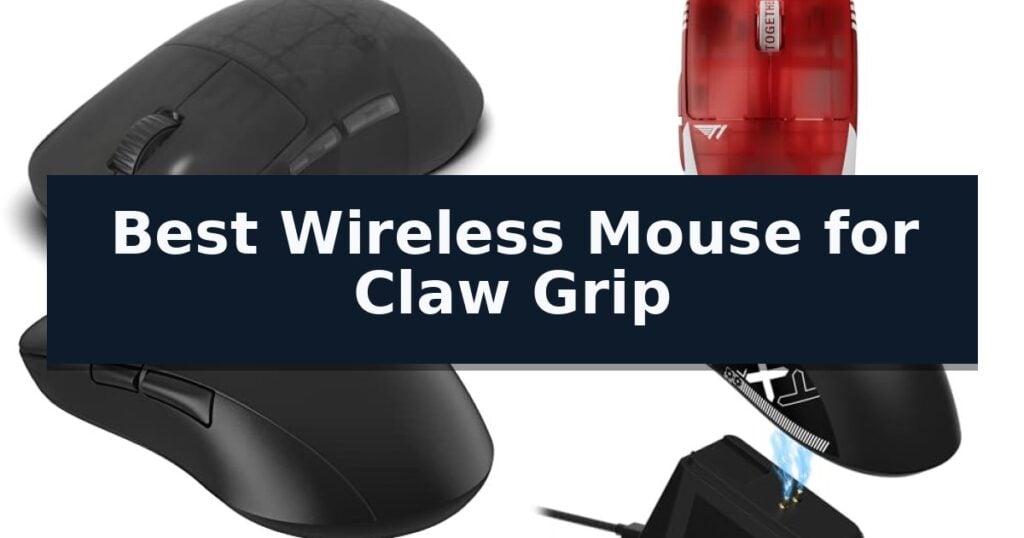
6 Best Wireless Mouse for Claw Grip in 2026 Reviews
Quick Comparison
| Product | Best For | Key Strength | Score |
|---|---|---|---|
| ENDGAME GEAR OP1w 4k Gaming Mouse | Best Overall | True 4000Hz wireless polling for ultra-low latency response. | 4.9 |
| Pulsar Gaming Gears X2 Crazylight Mouse | Ultra-lightweight for rapid reactions | Ultra-lightweight 36g build for minimal resistance. | 4.4 |
| ENDGAME GEAR XM2we Gaming Mouse | Optimized for competitive claw grips | Ultra-lightweight construction under 64 g for reduced fatigue. | 4.3 |
| ATTACK SHARK X11 Gaming Mouse | Versatile shape for claw styles | Ultra-light 62-gram weight reduces strain during long sessions. | 4.3 |
| Aula SC620 Gaming Mouse | Lightweight build for agile movement | Ultra-lightweight 67g design reduces fatigue during long sessions. | 4.7 |
| Corsair KATAR PRO XT Gaming Mouse | Compact symmetric claw-ready design | Ultra-lightweight 73g construction for agile movement. | 4.3 |
How We Chose
Selecting the right gaming mouse requires a focus on how the hardware interacts with specific hand postures. For this category, we evaluate how weight distribution, button tensioning, and shell geometry translate into consistent performance for claw-grip users, prioritizing precision and responsiveness over superficial features.
- Shape and Ergonomics: Evaluating the hump placement and side profiles to ensure they support the specific contact points required for a claw grip.
- Weight and Balance: Assessing the total mass to ensure the mouse remains agile for rapid, flick-based movements.
- Sensor Performance: Verifying DPI, polling rate, and tracking consistency to ensure high-speed accuracy without input lag.
- Switch Responsiveness: Checking the click latency and tactile feedback to guarantee rapid, reliable actuation during intense gaming sessions.
1 ENDGAME GEAR OP1w 4k Gaming Mouse — Precision shape for claw control
Achieving consistent aim in fast-paced titles often comes down to the physical connection between your hand and the peripheral. The ENDGAME GEAR OP1w 4k v2 Wireless Gaming Mouse is engineered specifically for this, utilizing a right-handed shape with flatter sides and extended ledges that cater directly to claw-grip users seeking maximum stability.
Performance is driven by the PixArt PAW3950 sensor, which supports up to 30,000 CPI and a fine-tuned lift-off distance between 0.7 mm and 1.7 mm. This sensor is paired with a true 4000Hz wireless polling rate, ensuring that input latency is minimized for high-speed tracking during competitive play.
The internal architecture features pre-sorted Kailh GX switches, providing crisp feedback and rated for 80 million clicks. The device maintains a lightweight build of approximately 58.5g, which, combined with a dry grip coating, facilitates agile movements without sacrificing control.
Versatility is built into the connection options, as the mouse functions in wireless modes at 4000Hz, 2000Hz, or 1000Hz, and includes a 6 ft Flex Cord 7.0 for a stable, drag-free wired experience. This hybrid design ensures the mouse remains operational without wake-up delays or idle lag.
Best for: Competitive gamers who utilize a claw grip and require high-polling rate precision in a lightweight, ergonomic form factor.
Skip if: Users who prefer a large, ergonomic palm-grip shape or those who do not require ultra-high polling rates for their specific gaming needs.
- True 4000Hz wireless polling for ultra-low latency response.
- PixArt PAW3950 sensor provides high-precision tracking up to 30,000 CPI.
- Lightweight 58.5g design optimized for claw-grip control.
- Hot-swap switch capability for customized click feel and longevity.
- Specialized claw-grip shape may feel restrictive for palm or fingertip users.
- High-polling rate performance requires compatible hardware to be fully utilized.
2 Pulsar Gaming Gears X2 Crazylight Mouse — Ultra-lightweight for rapid reactions
Achieving rapid, precise inputs during intense gaming sessions requires hardware that minimizes physical resistance. The Pulsar Gaming Gears X2 Crazylight Wireless Gaming Mouse addresses this by utilizing an ultra-lightweight 36g chassis, making it significantly lighter than standard gaming peripherals to facilitate effortless, high-speed movement.
Designed specifically for those who prefer a claw or fingertip grip, the mouse features a low-profile, wide symmetrical shape. This geometry provides a stable foundation for claw-style holds, allowing for consistent control during quick, reactive maneuvers. The inclusion of Pulsar Dot Skates—comprising 16 UHMW-PE pieces—further reduces surface friction, ensuring smooth gliding across various mousepad materials.
Under the hood, the Pulsar Gaming Gears X2 Crazylight Wireless Gaming Mouse is powered by the exclusive XS-1 flagship sensor, capable of reaching a 32,000 DPI resolution with a 750 IPS tracking speed. To maintain reliability, the device integrates Speed of Light optical switches that help prevent unintended double-clicking, paired with a dust-proof Pulsar Blue Encoder for tactile feedback during scrolling.
This model is engineered for users who prioritize raw performance and weight reduction above all else. By stripping away excess material while maintaining structural integrity, the device offers a specialized tool for competitive play where every gram of weight matters.
Best for: Competitive gamers who utilize a claw or fingertip grip and require an ultra-lightweight mouse for rapid, precise tracking.
Skip if: Users who prefer a heavier, ergonomic mouse with a high-profile palm rest or those who require a larger form factor for a full palm grip.
- Ultra-lightweight 36g build for minimal resistance.
- XS-1 flagship sensor with 32,000 DPI for high-precision tracking.
- Speed of Light optical switches to eliminate double-click issues.
- UHMW-PE Dot Skates for low-friction gliding.
- Mini size profile may be too small for users with larger hands.
- Minimalist design lacks the ergonomic palm support found in larger, contoured mice.
3 ENDGAME GEAR XM2we Gaming Mouse — Optimized for competitive claw grips
Achieving precise control during intense gaming sessions often comes down to the physical connection between your hand and the hardware. The ENDGAME GEAR XM2we Gaming Mouse is purpose-built for this interaction, featuring a symmetrical shape specifically engineered to support a claw grip. By prioritizing a lightweight build and high-speed signal processing, this device aims to minimize the physical and digital barriers between player input and on-screen action.
At the core of its performance is the PixArt PAW3370 optical sensor, which offers sensitivity up to 19,000 DPI to accommodate rapid, sweeping movements. The internal architecture utilizes dedicated microcontrollers in both the mouse and the dongle to maintain signal-processing latency below 1 ms, ensuring that inputs are registered with minimal delay. For tactile feedback, the mouse incorporates Kailh GO switches, designed to provide immediate registration for faster reaction times.
The physical design emphasizes both comfort and utility, weighing in at under 64 g to reduce fatigue during extended play. The chassis is finished with an anti-sweat coating and sits on large Teflon feet to facilitate smooth, undisturbed gliding across various surfaces. With five programmable buttons, including two thumb-accessible side buttons, the layout allows for complex simultaneous inputs without requiring awkward hand adjustments.
Versatility is integrated into the power and connectivity options, as the ENDGAME GEAR XM2we Gaming Mouse includes an 180 cm USB-C cable with an angled connector. This allows for seamless charging while in use or a transition to a wired connection if preferred. Measuring 122 x 66 x 38 mm, the mouse provides a compact, balanced footprint that remains a staple for competitive esports setups.
Best for: Competitive FPS gamers who prefer a lightweight, symmetrical mouse specifically shaped for a claw grip.
Skip if: Users who require a high volume of programmable side buttons or those who prefer a heavier, larger ergonomic mouse design.
- Ultra-lightweight construction under 64 g for reduced fatigue.
- Low-latency wireless performance with sub-1 ms signal processing.
- Symmetrical shape optimized for claw grip ergonomics.
- Kailh GO switches for immediate and reliable click registration.
- Limited button count with only five inputs available.
- Symmetrical design may not suit users who prefer dedicated right-handed ergonomic contours.
4 ATTACK SHARK X11 Gaming Mouse — Versatile shape for claw styles
Achieving precise control during fast-paced gaming sessions often requires a mouse that balances weight with ergonomic stability. The ATTACK SHARK X11 Gaming Mouse addresses this need by incorporating a specialized anti-slip grip tape directly into the package, allowing users to customize their hold for improved stability during intense claw-grip maneuvers.
At the core of this device is a high-performance PAW3311 optical sensor, which offers a maximum of 22,000 DPI and a 1,000Hz polling rate. These specifications provide the responsiveness needed for accurate tracking, while the ultra-light 62-gram design helps minimize hand fatigue during extended periods of use. The inclusion of 5 programmable buttons and durable HUYU switches ensures that users can map macros and shortcuts to suit their specific workflow or gaming requirements.
Versatility is a primary focus of the ATTACK SHARK X11 Gaming Mouse, which features tri-mode connectivity including 2.4GHz wireless, Bluetooth 5.2, and a USB-C wired option. This allows for seamless switching between different devices, such as PCs, Macs, and laptops. Furthermore, the mouse comes with an RGB backlit charging dock, which serves as both a convenient power station and a centralized location for the 2.4GHz receiver to maintain a clean desktop environment.
The ergonomic shape is engineered to accommodate various hand positions, including palm, claw, and fingertip styles. By utilizing the included driver software, users can further refine their experience by adjusting the LOD (Lift-Off Distance), polling rate, and DPI settings to match their personal preferences.
Best for: Gamers and professionals who prefer a lightweight, ergonomic mouse with a customizable grip for claw-style handling.
Skip if: Users who require a larger, heavier mouse chassis or those who do not need the included RGB charging dock functionality.
- Ultra-light 62-gram weight reduces strain during long sessions.
- Tri-mode connectivity offers flexible pairing across multiple devices.
- Included anti-slip grip tape enhances control for claw-grip users.
- RGB charging dock provides convenient power and receiver storage.
- Fixed ergonomic shape may not suit all hand sizes or grip preferences.
5 Aula SC620 Gaming Mouse — Lightweight build for agile movement
Precision and agility define the Aula SC620 Gaming Mouse, a device engineered with a hollowed-out, lightweight structure weighing just 67g. This design choice specifically benefits users who prefer a claw, palm, or fingertip grip, as it minimizes wrist strain during extended periods of high-intensity gaming or professional workflows.
Performance is driven by an adjustable sensor capable of reaching 12,000 DPI across six distinct levels, supported by a 1000Hz polling rate for low-latency input. The mouse features 7 programmable buttons, including a dedicated Fire Button that allows users to map complex macros, burst fire commands, or application shortcuts to a single click, effectively streamlining repetitive tasks.
Connectivity is highly versatile, offering a Triple Mode Connection that supports 2.4GHz wireless, Bluetooth 5.3, and wired USB-C. This system allows the mouse to store and switch between up to four devices, providing seamless transitions between different gaming and office environments. Note that while the 2.4GHz and wired modes are compatible with Windows, Mac OS, Linux, and Android, Bluetooth mode is limited to non-Windows systems.
The aesthetic is complemented by dynamic RGB backlighting, which can be customized via the AULA driver to adjust brightness, speed, and lighting modes. Despite the vibrant lighting, the mouse is built with an energy-efficient architecture to maintain battery longevity. This combination of ergonomic weight distribution and customizable technical features makes it a functional tool for those prioritizing control and rapid execution.
Best for: Gamers and professionals who require a lightweight, highly customizable mouse that supports multiple device connections and complex macro execution.
Skip if: Users who require Bluetooth connectivity on Windows systems or those who prefer a heavier, solid-shell mouse design.
- Ultra-lightweight 67g design reduces fatigue during long sessions.
- Triple Mode Connection allows for switching between four different devices.
- 7 programmable buttons with a dedicated Fire Button for complex macro execution.
- Adjustable 12,000 DPI sensor provides high precision for various tasks.
- Bluetooth mode is unavailable for Windows systems.
- Driver software required for full customization of macros and lighting.
6 Corsair KATAR PRO XT Gaming Mouse — Compact symmetric claw-ready design
Precision and agility define the CORSAIR KATAR PRO XT Wired Ultra-Light FPS Gaming Mouse, a device engineered for users who prioritize speed in fast-paced environments. Weighing only 73 grams, this mouse is specifically built to accommodate claw and fingertip grip styles, allowing for rapid, fatigue-free movement during extended sessions.
The core of its performance lies in the 18,000 DPI optical sensor, which utilizes a custom PixArt engine. This sensor is fully customizable in 1 DPI steps, providing the granular control necessary for high-accuracy tracking. To ensure that every input is registered without delay, the mouse features CORSAIR QUICKSTRIKE buttons. This spring-loaded design eliminates the gap between the buttons and their switches, resulting in immediate actuation.
Designed for competitive utility, the mouse includes a drag-reducing paracord cable that minimizes resistance, facilitating tighter and more precise maneuvers across a mousepad. Its symmetric shape is optimized for versatility, making it a functional tool for various gaming genres, including FPS and MOBA titles.
Compatibility is broad, supporting PC, Mac, PS5, PS4, and Xbox platforms. Users can further refine their experience through the iCUE software, which allows for deep customization of the mouse's settings to suit specific playstyles and preferences.
Best for: Competitive gamers who prefer a lightweight, symmetric design and require high-precision tracking for claw or fingertip grip styles.
Skip if: Users who require a wireless connection or prefer a larger, ergonomic shape designed specifically for palm grips.
- Ultra-lightweight 73g construction for agile movement.
- Zero-gap QUICKSTRIKE buttons for faster click actuation.
- High-precision 18,000 DPI sensor with 1 DPI adjustment steps.
- Drag-reducing paracord cable to minimize resistance.
- Wired-only connectivity limits desk cable management.
- Symmetric shape may not suit users who prefer dedicated ergonomic palm-grip contours.
Best Wireless Mouse for Claw Grip Buying Guide
The Importance of Shape
A claw grip relies on the mouse hump making contact with the palm while the fingers arch over the buttons. A mouse designed for this style typically features a rear-positioned hump to provide the necessary leverage and stability.
When selecting a model, look for side profiles that allow for a secure pinch. Flatter sides often provide more surface area for the thumb and ring finger to grip, which is essential for maintaining control during fast-paced maneuvers.
Weight and Agility
Weight is a critical factor for claw-grip users who often perform frequent, small-scale adjustments. A lighter mouse reduces the physical effort required to start and stop movement, leading to more precise tracking.
Modern wireless mice have achieved significant weight reductions without sacrificing structural integrity. Aim for a weight that feels balanced in your hand, as an overly front-heavy or back-heavy design can disrupt your aim during rapid flick shots.
Sensor and Polling Rate
High-performance sensors are standard in modern gaming mice, but the implementation of the polling rate is what separates top-tier options. A higher polling rate, such as 4000Hz, can provide more frequent position updates to the computer.
While higher polling rates offer potential benefits for responsiveness, ensure your system and monitor refresh rate can take advantage of the increased data flow. Consistency in tracking is more important than raw DPI numbers for most competitive players.
Switch Durability and Feel
The switches under the main buttons determine how your clicks feel and how long the mouse will last. Optical switches are increasingly popular because they eliminate the risk of double-clicking and offer near-instant actuation.
Consider the tensioning of the buttons. A crisp, tactile click is preferred for claw grip, as it allows for rapid, repeated inputs without the buttons feeling mushy or unresponsive under pressure.
Connectivity and Latency
Wireless technology has evolved to the point where latency is virtually indistinguishable from wired connections. Reliable 2.4GHz wireless dongles provide the stable, lag-free performance required for competitive gaming.
Always check if the mouse includes a high-quality charging cable that can be used in a wired mode. This provides a safety net for long sessions and ensures you are never caught with a dead battery during a critical moment.
Frequently Asked Questions
What makes a mouse good for a claw grip?
A good claw-grip mouse typically features a rear-positioned hump that supports the base of the palm, allowing the fingers to arch over the buttons for precise control.
Does a higher polling rate actually improve performance?
A higher polling rate increases the frequency at which the mouse reports its position to the PC, which can reduce input latency, provided your monitor and system can handle the increased data.
Are wireless mice as fast as wired ones?
Yes, modern 2.4GHz wireless technology offers latency that is effectively identical to wired connections, making them suitable for high-level competitive gaming.
How do I know if a mouse is too heavy for me?
If you find yourself experiencing wrist fatigue during long sessions or struggling to stop your crosshair precisely on a target, a lighter mouse may offer better control.
Can I use a claw-grip mouse for productivity?
Absolutely. While these mice are designed for gaming, their ergonomic shapes and high-precision sensors are excellent for tasks that require fine motor control, such as photo editing or design work.
Conclusion: Our Top Pick
Our top pick is ENDGAME GEAR OP1w 4k Gaming Mouse. Choosing the right wireless mouse for a claw grip comes down to how well the shell geometry supports your specific hand size and posture. Prioritizing a rear-hump design and low weight will provide the most significant improvements to your control and comfort.
By focusing on sensor consistency and switch quality, you can ensure that your hardware supports your gameplay rather than hindering it. Test your grip style against the dimensions of these models to find the balance that works best for your setup.