Logitech MX Master 4 Wireless Mouse is our top choice for the Best Wireless Mouse for Designers, offering advanced haptic feedback and a customizable Actions Ring that adapts to creative software workflows. For those prioritizing a neutral wrist position, the Anker 2.4G Wireless Vertical Ergonomic Mouse provides a distinct ergonomic alternative, while the Logitech M720 Triathlon Wireless Mouse excels for professionals managing multiple devices simultaneously.
Designers require tools that bridge the gap between high-precision input and long-term physical comfort. When selecting a peripheral, the ability to map complex shortcuts to physical buttons or dynamic overlays significantly reduces repetitive strain and speeds up rendering or editing tasks. We prioritize models that offer reliable connectivity, as signal drops during critical design work can disrupt creative flow and productivity.
Beyond raw performance, portability and battery longevity remain essential for designers who split time between studio environments and remote locations. A mouse that balances a robust, ergonomic build with seamless multi-device switching ensures that your input method remains consistent across different workstations and operating systems.
For more comprehensive insights into professional creative tools, our guide on the Best Wireless Mouse for Design covers additional factors to consider for your studio setup.
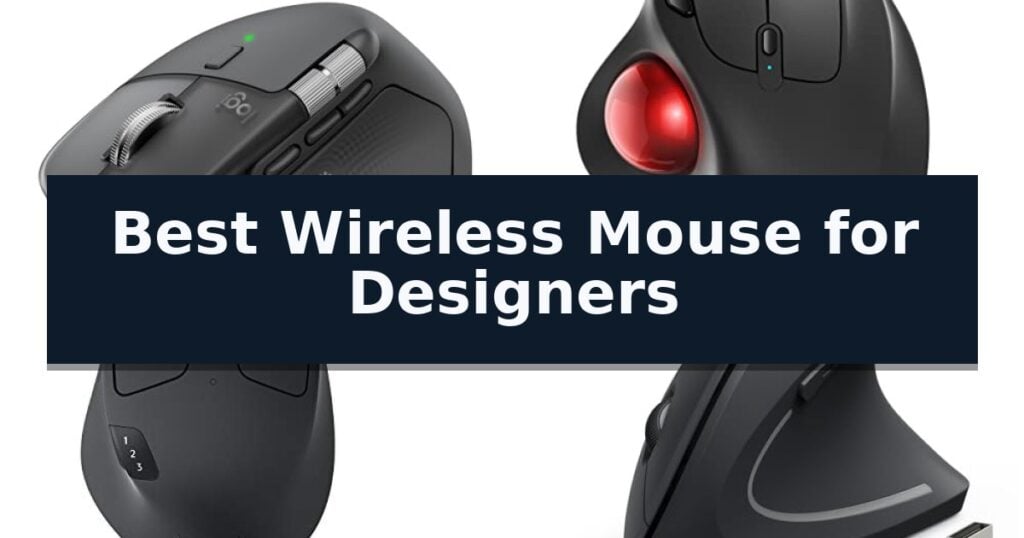
10 Best Wireless Mouse for Designers in 2026 Reviews
Quick Comparison
| Product | Best For | Key Strength | Score |
|---|---|---|---|
| Logitech MX Master 4 Wireless Mouse | Best Overall | Haptic Sense Panel provides physical feedback for improved workflow efficiency. | 4.9 |
| Nulea M501 Wireless Trackball Mouse | Ergonomic Thumb Control for Accuracy | Ergonomic thumb-operated trackball reduces wrist and arm fatigue. | 4.5 |
| Logitech M720 Triathlon Wireless Mouse | Multi-Device Workflow Efficiency | Multi-device switching between up to 3 computers. | 4.5 |
| Anker 2.4G Wireless Vertical Mouse | Neutral Wrist Position for Comfort | Ergonomic vertical design promotes a neutral handshake wrist position. | 4.9 |
| HP 280 Silent Wireless Mouse | Quiet Precision for Focused Design | 90% noise reduction on primary buttons for a quiet workspace | 4.7 |
| Logitech Pebble 2 Wireless Mouse | Slim Portability for Creative Travel | Silent Touch Technology reduces click noise by 90%. | 4.6 |
| Logitech M510 Wireless Mouse | Programmable Buttons for Quick Access | Ergonomic contoured shape with soft rubber grips for extended comfort. | 4.7 |
| Logitech POP Wireless Mouse | Customizable Shortcuts for Designers | Silent Touch Technology significantly reduces click noise. | 4.7 |
| Amazon Basics Portable Wireless Mouse | Reliable Basic Navigation | AES-128 encryption for secure data transmission. | 4.6 |
| Logitech M185 Wireless Mouse | Compact Ambidextrous Control | Ambidextrous design suitable for both left and right-handed users. | 4.7 |
How We Chose
Selecting the best wireless mouse for designers requires evaluating how well a device integrates into a professional creative workflow. An experienced reviewer assesses these tools by focusing on ergonomic support, the depth of software-based customization, and the consistency of the sensor tracking, ensuring the hardware enhances rather than hinders complex design tasks.
- Customizable shortcut mapping and application-specific overlays
- Ergonomic design to minimize wrist and forearm strain during extended sessions
- Sensor precision and DPI adjustability for fine-grained control
- Connectivity reliability across multiple devices and operating systems
- Build quality, button tactile feedback, and scroll wheel performance
1 Logitech MX Master 4 Wireless Mouse — Precision Haptics for Creative Work
The Logitech MX Master 4 Wireless Mouse introduces a tactile dimension to creative workflows through its Haptic Sense Panel, which provides customizable feedback for specific actions, shortcuts, and notifications. This integration allows designers to feel their adjustments, potentially streamlining repetitive tasks within complex software environments.
Engineered for high-intensity use, the device features the MagSpeed scroll wheel, capable of scrolling 1,000 lines per second with pixel-level precision. The inclusion of the Actions Ring provides a dynamic, customizable overlay that adapts to the active application, placing essential filters and tools directly at the cursor's location to minimize menu navigation.
Comfort and focus are central to the design, which incorporates a natural tilt and a dedicated thumb scroll wheel to reduce hand stress during extended sessions. The Quiet Clicks mechanism is engineered to reduce noise by 90%, facilitating a distraction-free environment for deep work, while the 8K DPI sensor ensures tracking accuracy across various surface types.
Connectivity is handled via a high-performance USB-C dongle with an optimized antenna or through Bluetooth, offering versatility for different workstation setups. The construction emphasizes sustainability, utilizing recycled plastic—54% in the Graphite model—and a battery containing 100% recycled cobalt, all housed in a chassis built for long-term durability and stain resistance.
Best for: Professional designers and creatives who require customizable haptic feedback and high-speed, precise navigation for complex software workflows.
Skip if: Users who prefer a lightweight, ambidextrous mouse or those who do not require advanced programmable shortcuts and haptic features will find this model unnecessarily complex.
- Haptic Sense Panel provides physical feedback for improved workflow efficiency.
- MagSpeed scroll wheel allows for rapid, precise navigation through large documents or timelines.
- Actions Ring offers a dynamic, app-specific interface for quick tool access.
- Quiet Clicks technology significantly reduces operational noise.
- Ergonomic design is specifically tailored for right-handed users, limiting accessibility for left-handed designers.
- Advanced feature set may present a steeper learning curve for users accustomed to standard mice.
2 Nulea M501 Wireless Trackball Mouse — Ergonomic Thumb Control for Accuracy
Designers often face the physical strain of repetitive wrist movements during long hours of editing and illustration. The Nulea M501 Wireless Trackball Mouse addresses this by utilizing a stationary base and a smooth thumb-operated trackball, allowing users to navigate their workspace without moving their arm or wrist. This ergonomic approach is designed to reduce muscle stress while maintaining a natural palm position throughout the workday.
For those working in constrained environments, the Nulea M501 Wireless Trackball Mouse offers significant versatility. It provides precise tracking on almost any surface, including small writing boards, couches, or crowded desks where a traditional mouse might struggle. The inclusion of 4 DPI levels allows designers to adjust cursor sensitivity to match their specific accuracy requirements for detailed tasks.
Connectivity and multi-tasking are handled through a flexible wireless system that supports up to 3 devices simultaneously. Users can switch between connected hardware using a dedicated button on the bottom of the device, utilizing either Bluetooth or the included 2.4G USB receiver. The mouse is powered by a built-in rechargeable battery, eliminating the need for disposable cells, though it requires charging via a standard computer USB port or a 5V charger.
The device features a 6-button layout that includes convenient back and forward controls to streamline navigation. While the ergonomic shape and thumb control are tailored for comfort, it is important to note that the buttons on this model are not programmable. This design choice prioritizes a straightforward, plug-and-play experience for users who prefer a fixed button configuration.
Best for: Designers seeking to reduce wrist strain and those working in limited or unconventional desk spaces.
Skip if: Users who require highly customizable, programmable buttons for complex software workflows.
- Ergonomic thumb-operated trackball reduces wrist and arm fatigue.
- Multi-device connectivity supports up to 3 devices via Bluetooth or USB.
- Adjustable DPI settings provide flexibility for precise cursor control.
- Rechargeable battery removes the need for frequent battery replacements.
- Non-programmable buttons limit custom shortcut assignments.
- Charging limitations require avoiding fast chargers to prevent potential damage.
3 Logitech M720 Triathlon Wireless Mouse — Multi-Device Workflow Efficiency
For designers managing complex digital workspaces, the Logitech M720 Triathlon Wireless Mouse offers a streamlined approach to multi-device control. Its standout feature is the ability to pair with up to three computers simultaneously, allowing users to switch between systems with a single button press.
The mouse is built with a sculpted, full-sized design and a rubberized body, providing a comfortable grip for extended design sessions. It features hyper-fast scrolling, which enables rapid navigation through long documents or expansive web pages, with an instant-stop function for precision when needed.
Connectivity is highly flexible, supporting both Bluetooth and the included Logitech Unifying receiver. This receiver is particularly useful for those who want to connect up to six compatible peripherals using only one USB port. For those working across multiple screens or operating systems, the Logitech FLOW technology allows for seamless movement of the cursor, text, and files between computers.
Customization is handled through dedicated software, where users can assign shortcuts to the 6 customizable buttons to better suit their specific design workflows. With a 24-month battery life, the device is engineered for endurance, minimizing the need for frequent maintenance or power management.
Best for: Designers who work across multiple computers or operating systems and require a comfortable, ergonomic mouse with multi-device switching capabilities.
Skip if: Users who prefer a lightweight, compact travel mouse or those who require specialized high-DPI sensors found in dedicated gaming or professional-grade precision mice.
- Multi-device switching between up to 3 computers.
- Hyper-fast scrolling for rapid document navigation.
- Long-lasting 24-month battery life.
- 6 customizable buttons for personalized productivity.
- Full-sized, sculpted design may be too large for users with smaller hands or those seeking a portable profile.
4 Anker 2.4G Wireless Vertical Mouse — Neutral Wrist Position for Comfort
Maintaining a neutral wrist position is essential for designers who spend hours navigating complex software interfaces. The Anker 2.4G Wireless Vertical Mouse addresses this by utilizing a scientifically designed ergonomic structure that encourages a natural "handshake" posture, effectively reducing forearm and wrist strain during intensive creative sessions.
Performance is driven by Optical Tracking Technology with adjustable 800/1200/1600 DPI resolution settings. This allows users to toggle between higher sensitivity for rapid movements and lower settings for precise pixel-level adjustments. The mouse connects via a reliable 2.4 GHz wireless USB receiver, ensuring a stable link to your workstation without the latency concerns sometimes associated with other wireless protocols.
For workflow efficiency, the device includes dedicated next/previous buttons positioned for thumb access, which simplifies navigation through browser tabs or project folders. The unit is designed for longevity and energy conservation, featuring an automatic power-saving mode that disconnects power after 8 minutes of inactivity. It is powered by two AAA batteries, which are easily replaced to keep your workspace clutter-free.
While the vertical orientation provides significant ergonomic benefits, users should note that the key click sounds are audible during operation. The mouse measures 12062.874.8 mm and weighs 3.4 oz, providing a substantial feel that remains manageable for most hand sizes. Every purchase is backed by an 18-month hassle-free warranty, ensuring long-term support for your creative tools.
Best for: Designers and power users seeking to mitigate wrist strain through a vertical, ergonomic form factor.
Skip if: Users who require silent clicking mechanisms or those who prefer a traditional low-profile mouse shape.
- Ergonomic vertical design promotes a neutral handshake wrist position.
- Adjustable 800/1200/1600 DPI settings for varied precision needs.
- Integrated power-saving mode extends battery life by disconnecting after inactivity.
- Includes next/previous buttons to streamline navigation workflows.
- Audible click sounds may be distracting in quiet environments.
- Requires AAA batteries rather than an internal rechargeable power source.
5 HP 280 Silent Wireless Mouse — Quiet Precision for Focused Design
Maintaining a quiet workspace is essential for creative focus, and the HP 280 Silent Wireless Mouse addresses this with buttons engineered for up to 90% noise reduction. By minimizing distracting click sounds while retaining tactile feedback, this device allows designers to work in shared environments or quiet studios without compromising their workflow.
Beyond its silent operation, the mouse features an ergonomic right-handed design that supports comfortable, all-day use. The integration of a 1600 DPI optical sensor ensures reliable tracking and pinpoint accuracy, which is critical for detailed design tasks. Its multi-surface technology further enhances versatility, enabling smooth, lag-free movement across various desk surfaces without the need for a mouse pad.
Connectivity is handled via a 2.4GHz USB-A nano receiver, providing a stable wireless range of up to 32.8 feet. For portability, the receiver conveniently stores inside the mouse body. The device is also built for longevity, boasting an up to 18-month battery life on a single AA battery, reducing the frequency of maintenance and ensuring the tool remains ready for extended design sessions.
While the HP 280 Silent Wireless Mouse excels in quiet environments, it relies on a standard USB-A receiver rather than Bluetooth, which may be a consideration for users with limited legacy ports on modern ultra-thin laptops. However, for those prioritizing consistent wireless performance and a distraction-free creative space, it offers a practical and efficient solution.
Best for: Designers working in shared or quiet environments who prioritize noise reduction and long-term battery reliability.
Skip if: Users who require Bluetooth connectivity or those who prefer a multi-device pairing capability not supported by this USB-A receiver model.
- 90% noise reduction on primary buttons for a quiet workspace
- 18-month battery life reduces maintenance frequency
- Multi-surface technology allows for tracking without a mouse pad
- 1600 DPI optical sensor provides reliable precision for design work
- USB-A receiver only lacks Bluetooth connectivity for modern devices
- Standard 3-button layout may lack specialized shortcuts for advanced design software
6 Logitech Pebble 2 Wireless Mouse — Slim Portability for Creative Travel
Designers often require a workspace that balances aesthetic appeal with functional efficiency, and the Logitech M350s Pebble 2 Bluetooth Wireless Mouse addresses this with its distinct, minimalist round design. This device is crafted for those who value a clean desk setup, utilizing a slim, lightweight profile that makes it highly portable for creative professionals who frequently move between workstations.
Beyond its visual appeal, the mouse incorporates Silent Touch Technology, which is engineered to remove 90% of click noise. This feature is particularly beneficial for maintaining a quiet environment during focused design sessions. The device also supports Easy-Switch functionality, allowing users to connect and toggle between up to three wireless devices across various operating systems, including Windows, macOS, and iPadOS.
Customization is a core component of the user experience, as the middle button can be personalized via the Logi Options+ app to trigger specific shortcuts for creative applications. The mouse is built with sustainability in mind, featuring a construction that includes a minimum of 58% certified post-consumer recycled plastic.
For long-term reliability, the unit offers up to 2 years of battery life and includes an auto-sleep power-saving mode to maximize efficiency. While it provides a seamless Bluetooth connection, users should note that a Logitech Bolt receiver is not included, and the device relies on standard Bluetooth pairing for its wireless connectivity.
Best for: Creative professionals seeking a slim, quiet, and highly portable mouse that can easily switch between multiple devices.
Skip if: Users who require a high-precision sensor for intricate CAD work or those who prefer a larger, ergonomic mouse designed for extended, all-day use.
- Silent Touch Technology reduces click noise by 90%.
- Easy-Switch button allows for seamless toggling between 3 connected devices.
- Customizable middle button via Logi Options+ for app-specific shortcuts.
- Slim, lightweight design made with at least 58% recycled plastic.
- Logitech Bolt receiver is not included in the package.
- Minimalist profile may lack the ergonomic support needed for long-duration use.
7 Logitech M510 Wireless Mouse — Programmable Buttons for Quick Access
The Logitech M510 Wireless Mouse is engineered for extended creative sessions, featuring a contoured shape with soft rubber grips and a broad palm area designed to provide consistent support during long hours of design work. This full-size, ambidextrous device prioritizes physical comfort, ensuring that your hand remains in a natural position while navigating complex software interfaces.
Efficiency is central to its design, offering three standard buttons alongside dedicated Back/Forward buttons. These are fully programmable to handle repetitive tasks such as switching applications or toggling full-screen modes. Designers can also utilize the tilt-to-scroll function, which enables horizontal and vertical navigation through large spreadsheets, maps, or expansive digital canvases with a simple click.
Power management is handled through a highly efficient system that delivers up to two years of battery life. The inclusion of an integrated On/Off switch, a smart sleep mode, and a dedicated indicator light helps prevent unexpected power loss during critical projects. This longevity minimizes maintenance, allowing you to focus on your workflow rather than hardware upkeep.
Connectivity is facilitated by the tiny Logitech Unifying receiver, which is designed to remain plugged into your laptop without obstruction. This 2.4 GHz wireless connection ensures reliable performance while keeping your workspace tidy. The receiver also supports the addition of other compatible wireless peripherals, streamlining your desk setup by using a single USB-A port for multiple devices.
Best for: Designers who prioritize ergonomic comfort and programmable shortcuts for efficient navigation during long work sessions.
Skip if: Users who require a high-precision sensor for professional-grade gaming or those who prefer a compact, travel-focused design over a full-sized, contoured frame.
- Ergonomic contoured shape with soft rubber grips for extended comfort.
- Programmable buttons to customize application-specific shortcuts.
- Tilt-to-scroll functionality for efficient horizontal and vertical navigation.
- Two-year battery life with an integrated power-saving switch.
- Requires Logitech software for full customization of buttons and scroll features.
- USB-A receiver may require an adapter for modern laptops lacking legacy ports.
8 Logitech POP Wireless Mouse — Customizable Shortcuts for Designers
The Logitech POP Wireless Mouse brings a distinct aesthetic to the workspace with its modern, compact design, while integrating Silent Touch Technology to reduce click noise by 90%. This focus on a quiet environment makes it a practical tool for designers who value a focused, distraction-free creative space.
Beyond its appearance, this mouse is built for efficiency with customizable Action Buttons that can be programmed via the Logi Options+ App to toggle between work, social, or media modes. Its lightweight, contoured shape is designed to fit comfortably in the palm, facilitating easy transport for those who work across multiple locations.
Connectivity is a core strength, featuring Easy-Switch technology that allows users to pair and toggle between up to three devices across Windows, macOS, iPadOS, and ChromeOS. The inclusion of a long-lasting battery, rated for up to 2 years of use, ensures that the device remains reliable without frequent maintenance.
Constructed with a commitment to sustainability, the device incorporates recycled plastic components—ranging from 37% to 68% depending on the colorway—and utilizes FSC-certified paper for its packaging. This makes it a considered choice for professionals looking to balance functional performance with environmental awareness.
Best for: Designers and creative professionals who require a portable, quiet, and multi-device compatible mouse for a streamlined workflow.
Skip if: Users who prefer a full-sized, ergonomic mouse with a high-precision sensor or advanced thumb-rest support for long-duration professional drafting.
- Silent Touch Technology significantly reduces click noise.
- Easy-Switch allows seamless toggling between 3 devices.
- Customizable Action Buttons via Logi Options+ App.
- 2-year battery life with auto-sleep functionality.
- Compact, slim profile may not suit users requiring full-palm ergonomic support.
- Lacks advanced high-precision sensors found in dedicated professional-grade CAD mice.
9 Amazon Basics Portable Wireless Mouse — Reliable Basic Navigation
Precision and reliability are essential when selecting a peripheral for creative workflows, and the Amazon Basics Portable Wireless Computer Mouse offers a straightforward solution for those prioritizing mobility. This device utilizes a stable 2.4 GHz wireless connection to maintain a consistent link to your workstation, providing a reliable 33-foot range that allows for flexibility in various desk configurations.
Designed with a focus on ergonomic comfort, this mouse is shaped to support the hand during extended periods of use, which is critical for designers spending hours on detailed projects. Its compact design, measuring approximately 4.1 x 2.9 x 1.5 inches, ensures it can easily fit into a laptop bag, making it a practical choice for professionals who frequently transition between different workspaces or travel for client meetings.
Security and compatibility are integrated into the core functionality of the Amazon Basics Portable Wireless Computer Mouse. It features AES-128 encryption to help protect data transmission, providing a layer of safety when working in shared or public network environments. Furthermore, the mouse is engineered for broad compatibility, functioning seamlessly with Windows 7, 8, and 10 systems.
While this mouse excels in portability and basic navigation, it is a specialized tool focused on core functionality rather than advanced programmable buttons or high-end aesthetic finishes. It serves as a dependable, no-nonsense input device that prioritizes ease of use and secure connectivity for everyday design tasks.
Best for: Designers who require a highly portable, secure, and ergonomic wireless mouse for mobile workstations.
Skip if: Users who need advanced programmable buttons, high-precision sensors for professional illustration, or multi-device Bluetooth connectivity.
- AES-128 encryption for secure data transmission.
- Compact and portable dimensions for easy travel.
- Stable 2.4 GHz wireless connection with a 33-foot range.
- Ergonomic design intended for comfortable long-term use.
- Lacks advanced features such as programmable side buttons or high-DPI sensors.
- No Bluetooth connectivity, requiring a dedicated USB receiver.
10 Logitech M185 Wireless Mouse — Compact Ambidextrous Control
The Logitech M185 Wireless Mouse offers a practical solution for designers needing a reliable, portable input device that eliminates the constraints of a standard laptop touchpad. Its contoured, ambidextrous design ensures comfort during extended use, regardless of whether you are left- or right-handed.
Equipped with a 2.4 GHz USB-A nano receiver, this mouse provides a strong, consistent connection up to 33 feet away. The plug-and-play setup allows for immediate use across Windows, Mac, and laptop platforms without complex software installation. Its compact dimensions make it an ideal choice for tight workspaces or busy desktops where space is at a premium.
Efficiency is a core focus, with the device utilizing a smart sleep mode to extend battery life up to 12 months on a single AA battery. The inclusion of a line-by-line scroll wheel and precise optical tracking supports the detailed navigation often required in design workflows.
Constructed with sustainability in mind, the plastic components of the Logitech M185 Wireless Mouse incorporate certified post-consumer recycled plastic. This model balances functional simplicity with a durable build, providing a straightforward tool for those who prioritize portability and ease of use in their daily setup.
Best for: Designers and professionals who require a compact, portable, and reliable wireless mouse for use in tight workspaces or on the go.
Skip if: Users who require advanced ergonomic support, programmable side buttons, or high-precision DPI adjustments for complex graphic design tasks will find this basic model insufficient.
- Ambidextrous design suitable for both left and right-handed users.
- Long battery life of up to 12 months with smart sleep mode.
- Plug-and-play simplicity with a reliable 2.4 GHz nano receiver.
- Compact and portable form factor for small workspaces.
- Limited feature set lacking programmable buttons or advanced customization.
- USB-A receiver requires an adapter for laptops equipped only with USB-C ports.
Best Wireless Mouse for Designers Buying Guide
Ergonomics and Long-Term Comfort
Designers often spend hours at a desk, making the physical shape of the mouse a critical factor in preventing repetitive strain injuries. A sculpted, ergonomic design that supports the natural arch of the hand helps maintain a neutral wrist position during long editing or modeling sessions.
Vertical mice or those with thumb-rest contours are particularly effective at reducing forearm tension. When choosing a mouse, consider how the size of the device aligns with your hand dimensions to ensure you can reach all buttons without overextending your fingers.
Customization and Workflow Efficiency
The ability to assign specific tools or shortcuts to mouse buttons can drastically reduce the time spent navigating menus. Look for mice that offer companion software, allowing you to create profiles for apps like Photoshop, Illustrator, or CAD software.
Dynamic overlays or customizable rings that adapt to the active application allow for a more fluid creative process. By mapping frequently used filters or adjustments to your thumb or index finger, you keep your focus on the canvas rather than the interface.
Sensor Precision and Tracking
High DPI (dots per inch) sensors are essential for designers who need to make pixel-perfect selections or precise adjustments. A high-quality optical sensor ensures that your cursor movement is smooth and responsive, even on challenging surfaces like glass or polished wood.
Adjustable DPI settings allow you to switch between high-speed navigation for general tasks and low-speed precision for detailed vector work. This versatility ensures the mouse performs consistently regardless of the specific design project requirements.
Connectivity and Multi-Device Support
Modern creative setups often involve multiple computers, tablets, or laptops. A mouse that supports multi-device pairing via Bluetooth or a dedicated USB receiver allows you to switch between machines with a single button press.
Reliable wireless performance is non-negotiable for professional work. Look for advanced radio chips and optimized antennas that maintain a strong connection, preventing the lag or signal drops that can interrupt a complex design render.
Portability and Battery Life
For designers who travel or work in hybrid environments, a compact and lightweight mouse is a significant advantage. Portability should not come at the cost of functionality, so prioritize models that maintain a full suite of features in a smaller form factor.
Long battery life and fast-charging capabilities ensure that your tool is ready when inspiration strikes. Features like auto-sleep modes and USB-C charging help minimize downtime, keeping your focus on the creative output rather than battery maintenance.
Frequently Asked Questions
Do I need a vertical mouse for design work?
A vertical mouse can help reduce wrist strain by promoting a natural handshake position, which is beneficial for long hours of use. However, it may require an adjustment period for those used to traditional mouse shapes.
Are programmable buttons necessary for designers?
While not strictly required, programmable buttons significantly enhance efficiency by allowing you to map common shortcuts, such as undo, zoom, or tool switching, directly to your mouse.
How does DPI affect design precision?
Higher DPI allows for more granular cursor control, which is vital for detailed work like photo retouching or vector path editing. Adjustable DPI lets you tailor the sensitivity to your specific task.
Can I use a gaming mouse for design?
Many gaming mice offer excellent sensors and customization, but they may lack the ergonomic focus or productivity-oriented features, such as horizontal scrolling, found in dedicated design-focused mice.
Is Bluetooth or a USB receiver better for design?
A USB receiver often provides a more stable, low-latency connection, which is preferred for professional design work. Bluetooth offers greater convenience and compatibility across tablets and laptops.
Conclusion: Our Top Pick
Our top pick is Logitech MX Master 4 Wireless Mouse. Choosing the right wireless mouse is a foundational step in optimizing your design workflow. By prioritizing ergonomic support, customizable shortcuts, and reliable sensor performance, you can significantly reduce physical fatigue and improve your efficiency during complex creative projects.
Evaluate your specific workspace needs—whether you require multi-device connectivity or a highly portable design—to select a tool that complements your unique creative process. Investing in a high-quality peripheral ensures that your hardware keeps pace with your professional demands.