The Logitech G PRO X3 SUPERSTRIKE Gaming Mouse is our pick for the Best Wireless Mouse for FPS Gaming because it delivers tournament-grade 8 kHz polling and a highly responsive haptic trigger system designed for competitive precision.
Selecting a high-performance gaming mouse requires balancing technical specifications like sensor tracking and wireless latency against physical ergonomics. For competitive shooters, the weight of the chassis and the tactile feedback of the switches are critical factors that directly influence aim consistency and fatigue during extended play.
While professional-grade options prioritize raw speed and ultra-lightweight construction, other users may prefer models that emphasize battery longevity or specialized button layouts. Understanding how these features impact your specific grip style and gaming environment is essential for making an informed decision.
If you are specifically looking for a shape that supports a particular hold, our guide on the Best Wireless Mouse for Claw Grip provides additional insights into ergonomic considerations.
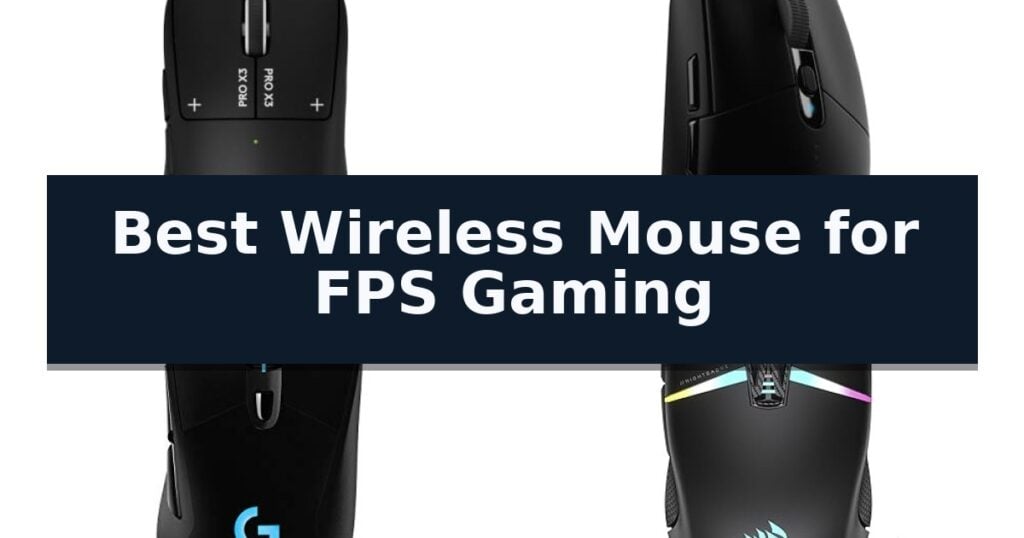
10 Best Wireless Mouse for FPS Gaming in 2026 Reviews
Quick Comparison
| Product | Best For | Key Strength | Score |
|---|---|---|---|
| Logitech G PRO X3 SUPERSTRIKE Gaming Mouse | Best Overall | Haptic Inductive Trigger system allows for precise, customizable click actuation. | 4.9 |
| Logitech G305 LIGHTSPEED Wireless Gaming Mouse | Reliable Performance for Travel | LIGHTSPEED wireless technology delivers a 1 ms report rate for lag-free performance. | 4.3 |
| Logitech G703 LIGHTSPEED Wireless Gaming Mouse | Ergonomic Comfort for Long Sessions | HERO 25K sensor delivers precise 1:1 tracking. | 4.6 |
| Corsair NIGHTSABRE RGB Wireless Gaming Mouse | Versatile Multi-Button Control | Ultra-precise 26,000 DPI sensor for accurate tracking. | 4.9 |
| Corsair M55 Wireless Lightweight Gaming Mouse | Streamlined Symmetrical Design | Long-lasting battery life of up to 185 hours. | 4.7 |
| Corsair Harpoon Wireless RGB Gaming Mouse | Fast Setup for Competitive Play | Sub-1ms Slipstream Wireless Technology for low-latency performance. | 4.7 |
| Aula SC620 Wireless Gaming Mouse | Lightweight Build with Rapid Fire | Tri-mode connectivity allows for seamless switching between 2.4GHz, Bluetooth 5.3, and wired modes. | 4.3 |
| NSYCA G11 Wireless Gaming Mouse | Honeycomb Shell for Airflow | Dedicated Fast Trigger Button for improved FPS responsiveness | 4.7 |
| Redragon M913 Wireless RGB Gaming Mouse | Extended Battery for MMO/FPS | Dual-mode connectivity allows for seamless switching between wireless and wired operation. | 4.8 |
| Redragon M725 Honeycomb Wireless Gaming Mouse | Ultra-Lightweight Symmetrical Grip | Ultra-lightweight 49g honeycomb design reduces fatigue. | 4.8 |
How We Chose
To identify the best wireless mouse for FPS gaming, we evaluate peripherals based on their ability to maintain a consistent, lag-free connection under high-intensity conditions. Our assessment focuses on sensor fidelity, the physical weight of the device, and the responsiveness of the primary switches, ensuring each mouse provides the reliability required for competitive play.
- Sensor tracking accuracy and maximum DPI range
- Wireless latency and polling rate stability
- Chassis weight and structural ergonomics
- Switch actuation feel and durability
- Battery life and charging convenience
1 Logitech G PRO X3 SUPERSTRIKE Gaming Mouse — Tournament-Grade Precision
The Logitech G PRO X3 SUPERSTRIKE Gaming Mouse introduces a significant shift in input technology by replacing traditional mechanical switches with a Haptic Inductive Trigger system. This electromagnetic field-based mechanism provides 10 distinct actuation points and 5 reset points, offering a level of customization for click responsiveness that is rarely seen in standard gaming peripherals.
Engineered for high-stakes competition, this mouse features the HERO 2 sensor, which supports tracking speeds over 930 IPS and a sensitivity range up to 48,000 DPI. When paired with LIGHTSPEED wireless technology, the device achieves an 8 kHz polling rate, ensuring that input latency is minimized for a tournament-grade connection.
Physical design choices prioritize weight reduction and smooth movement. The chassis utilizes a 0.7 mm thin-wall construction and is equipped with extra-large UHMWPE feet to reduce friction during rapid swipes. Despite its lightweight build, the mouse maintains a robust battery life of up to 135 hours on a single charge, with convenient recharging options via USB-C or integration with the POWERPLAY wireless charging system.
Advanced configuration of the click system and polling rates requires the use of Logitech G HUB Software. While the hardware is designed for professional-grade performance, users should note that optimal results for the 8 kHz polling rate were validated on specific surfaces like the G640 mousepad.
Best for: Competitive esports players requiring ultra-low latency, high-precision tracking, and customizable electromagnetic click actuation.
Skip if: Casual users who do not require advanced polling rates or professional-grade sensor specifications and prefer a more traditional mechanical switch feel.
- Haptic Inductive Trigger system allows for precise, customizable click actuation.
- HERO 2 sensor provides high-precision tracking up to 48,000 DPI.
- 8 kHz polling rate via LIGHTSPEED wireless for minimal input lag.
- 135-hour battery life supports extended gaming sessions without frequent recharging.
- Advanced features are dependent on Logitech G HUB software installation.
- High-performance polling rates may require specific surface compatibility for optimal tracking.
2 Logitech G305 LIGHTSPEED Wireless Gaming Mouse — Reliable Performance for Travel
Competitive gaming demands hardware that minimizes latency and maximizes precision, which is why the Logitech G305 LIGHTSPEED Wireless Gaming Mouse utilizes LIGHTSPEED wireless technology. This system provides a 1 ms report rate, ensuring the responsiveness required for high-stakes play without the tether of a traditional cable.
At the heart of this device is the HERO sensor, which offers up to 12,000 DPI and 400 IPS precision. This sensor is engineered for high power efficiency, allowing the mouse to operate for up to 250 hours of continuous gameplay on a single AA battery. Users can further extend this duration to nine months by switching to Endurance mode via the Logitech G HUB software.
The physical design prioritizes maneuverability, weighing only 3.4 oz. Despite its lightweight construction, the mouse includes 6 programmable buttons and on-board memory to store custom configurations. The inclusion of a built-in nano receiver storage slot makes it a practical choice for those who transition between desktop setups and mobile gaming environments.
While it offers robust performance, the reliance on a AA battery means users must manage physical battery replacements rather than utilizing an integrated rechargeable cell. Its compact, durable form factor is optimized for portability, making it a versatile tool for both dedicated gaming stations and travel.
Best for: Competitive gamers who prioritize low-latency wireless performance and portability in a lightweight, battery-efficient design.
Skip if: Users who prefer a rechargeable internal battery or require a larger, more ergonomic shape for specific grip styles.
- LIGHTSPEED wireless technology delivers a 1 ms report rate for lag-free performance.
- HERO sensor provides high-precision tracking up to 12,000 DPI.
- Ultra-efficient power management allows for 250 hours of gameplay on one AA battery.
- Lightweight 3.4 oz design enhances maneuverability during fast-paced gaming.
- Requires physical AA battery changes rather than featuring an integrated rechargeable battery.
- Compact dimensions may not suit users who prefer larger, full-sized ergonomic mice.
3 Logitech G703 LIGHTSPEED Wireless Gaming Mouse — Ergonomic Comfort for Long Sessions
Precision and responsiveness are critical when every millisecond counts in competitive gaming. The Logitech G703 LIGHTSPEED Wireless Gaming Mouse addresses these demands with its advanced HERO 25K sensor, which provides 1:1 tracking and a maximum sensitivity of 25,600 DPI without any smoothing, filtering, or acceleration.
Designed for high-performance reliability, this mouse utilizes LIGHTSPEED wireless technology to maintain a consistent, pro-level connection. The internal battery supports up to 35 hours of continuous gameplay with the default LIGHTSYNC RGB lighting enabled. For users seeking uninterrupted power, the device is compatible with the POWERPLAY wireless charging system, allowing the mouse to charge while in use or at rest.
The physical construction prioritizes ergonomics and tactile feedback. It features rubber side grips for enhanced control and includes an optional 10g weight to adjust the feel to personal preference. The primary buttons are engineered with metal-spring button tensioning, which reduces the force required to trigger a click, ensuring consistent response and a distinct, crisp feel during intense sessions.
With six programmable buttons, the Logitech G703 LIGHTSPEED Wireless Gaming Mouse offers a balance of customization and streamlined design. Weighing 95g in its base configuration, it provides a stable platform for various grip styles, making it a versatile tool for FPS enthusiasts who require both speed and comfort.
Best for: FPS gamers who prioritize ergonomic comfort and consistent, low-latency wireless performance during long play sessions.
Skip if: Users who require an ultra-lightweight mouse under 70g or those who prefer a symmetrical, ambidextrous shape.
- HERO 25K sensor delivers precise 1:1 tracking.
- LIGHTSPEED wireless ensures pro-level connectivity.
- Metal-spring button tensioning provides consistent, responsive clicks.
- POWERPLAY compatibility allows for continuous wireless charging.
- Heavier base weight compared to dedicated ultra-lightweight competitive mice.
- POWERPLAY system is sold separately.
4 Corsair NIGHTSABRE RGB Wireless Gaming Mouse — Versatile Multi-Button Control
Precision is paramount when every millisecond counts, and the Corsair NIGHTSABRE RGB Wireless Gaming Mouse is engineered to meet that demand with its ultra-precise 26,000 DPI optical sensor. This sensor captures rapid, fast-twitch movements with 650 IPS tracking and up to 50G acceleration, ensuring your aim remains consistent during intense gameplay.
Beyond raw tracking, this mouse offers extensive customization through its 11 fully programmable buttons, which include a convenient scroll wheel tilt. These inputs allow for complex macro assignments or button remaps, providing a distinct tactical advantage in FPS and MOBA titles alike. The device features a sturdy, symmetrical shape designed to provide comfort during extended sessions.
Power management is a core strength, as the Corsair NIGHTSABRE RGB Wireless Gaming Mouse delivers up to 100 hours of battery life on a single charge. When you do need to top off, a quick 15-minute recharge provides up to 20 hours of gameplay. The mouse also features dynamic seven-zone RGB backlighting, which can be fully customized via the iCUE software to match your specific aesthetic preferences.
While the mouse is built for high-performance gaming, its symmetrical design and feature set cater to users who prioritize button accessibility and wireless freedom. It balances a robust feature list with a reliable wireless connection, making it a versatile tool for competitive environments where responsiveness is the primary objective.
Best for: Competitive gamers who require multiple programmable buttons and high-precision tracking for fast-paced FPS and MOBA titles.
Skip if: Users who prefer an ultra-lightweight, minimalist mouse with fewer buttons or those who require a specifically ergonomic, non-symmetrical shape.
- Ultra-precise 26,000 DPI sensor for accurate tracking.
- 11 fully programmable buttons for extensive macro customization.
- Long-lasting 100-hour battery life with fast recharge capability.
- Seven-zone RGB backlighting for deep aesthetic customization.
- Symmetrical design may not suit users who prefer specialized ergonomic shapes.
- Higher button count may be unnecessary for players who prefer a minimalist setup.
5 Corsair M55 Wireless Lightweight Gaming Mouse — Streamlined Symmetrical Design
The Corsair M55 Wireless Lightweight Gaming Mouse prioritizes rapid, precise movement through its compact, symmetrical design, which accommodates various hand sizes and grip styles. This mouse is engineered for competitive play, ensuring that every flick and tracking motion is captured accurately by its optical sensor, which supports up to 24,000 DPI.
Reliability during intense sessions is managed through SLIPSTREAM WIRELESS v1.5, a low-latency 2.4GHz connection designed to eliminate lag. For users requiring additional versatility, the device also supports Bluetooth connectivity. The inclusion of textured tri-hex pattern side grips provides the necessary friction for consistent control during fast-paced gameplay.
Efficiency is a core component of this model, featuring an impressive battery life of up to 185 hours on a single AA battery when utilizing the 2.4GHz wireless connection. Adjustments can be made on-the-fly using the dedicated DPI button, allowing players to switch sensitivity settings without interrupting their performance.
With a weight of approximately 0.13 pounds and a streamlined profile, the mouse is built to minimize fatigue during extended use. The six programmable buttons offer customization options, allowing users to map essential commands directly to the device for faster access during critical moments.
Best for: Competitive gamers who prioritize a lightweight, symmetrical design and long battery life for extended, low-latency wireless play.
Skip if: Users who prefer a larger, ergonomic shape specifically molded for right-handed use or those who require a rechargeable internal battery rather than a replaceable AA cell.
- Long-lasting battery life of up to 185 hours.
- Low-latency 2.4GHz SLIPSTREAM WIRELESS connection.
- High-precision optical sensor reaching 24,000 DPI.
- Textured side grips for improved handling.
- AA battery requirement may be less convenient than integrated rechargeable options.
- Symmetrical shape may not suit users who exclusively prefer ergonomic, right-handed contours.
6 Corsair Harpoon Wireless RGB Gaming Mouse — Fast Setup for Competitive Play
Precision and speed define the Corsair Harpoon Wireless RGB Gaming Mouse, which leverages sub-1ms Slipstream Corsair Wireless Technology to ensure minimal latency during intense gaming sessions. This mouse is engineered for competitive play, offering a reliable connection that rivals wired alternatives while maintaining the freedom of a wireless setup.
Weighing just 99 grams, this lightweight peripheral is designed to reduce wrist fatigue during extended gaming marathons. The contoured shape and integrated rubber side grips provide a secure, comfortable hold, allowing for consistent control during rapid movements. Its ergonomic profile is specifically tailored to support long-term use without compromising on agility.
Setup is streamlined for immediate use; users simply connect the wireless adapter to a USB port and power on the device. For added versatility, the mouse supports Bluetooth and USB wired connectivity, ensuring compatibility across various platforms including PC, PS5, PS4, and Xbox. The integrated battery provides up to 60 hours of life, and the device remains fully functional in wired mode while charging.
Customization is handled through iCUE software, which manages the 6 programmable buttons and RGB lighting effects. With a 10,000 DPI optical sensor, the mouse offers the sensitivity required for precise tracking in fast-paced FPS and MOBA titles. This combination of high-performance hardware and flexible connectivity makes it a practical tool for gamers seeking a balance between responsiveness and comfort.
Best for: Gamers who prioritize a lightweight, ergonomic design and low-latency wireless performance for competitive FPS and MOBA titles.
Skip if: Users who require a high-button-count mouse for complex MMO macros or those who prefer a heavier, larger chassis for their grip style.
- Sub-1ms Slipstream Wireless Technology for low-latency performance.
- Lightweight 99-gram construction to minimize fatigue.
- Versatile connectivity options including Bluetooth and USB wired.
- 60-hour battery life with the ability to play while charging.
- Limited button count compared to dedicated MMO gaming mice.
- Fixed ergonomic shape may not suit all hand sizes or grip preferences.
7 Aula SC620 Wireless Gaming Mouse — Lightweight Build with Rapid Fire
Precision is paramount when every millisecond determines the outcome of a match. The Aula SC620 Wireless Gaming Mouse addresses this by integrating a high-performance sensor capable of reaching 12,000 DPI, allowing for granular sensitivity adjustments across six distinct levels. Whether you are executing long-range sniping or rapid-fire tracking, this mouse provides the necessary responsiveness through a 1000Hz polling rate.
Designed for versatility, the Aula SC620 Wireless Gaming Mouse features a tri-mode connection system. Users can toggle between 2.4GHz wireless, Bluetooth 5.3, and a wired USB-C connection, with the ability to store up to four devices. This flexibility ensures that the mouse transitions easily from competitive gaming sessions to office productivity tasks.
The physical construction prioritizes agility and comfort, featuring a 67g lightweight, hollowed-out chassis. This design choice reduces wrist fatigue during extended play and accommodates various grip styles, including claw, palm, and fingertip. The inclusion of 7 programmable buttons, including a dedicated Rapid Fire key, allows for the mapping of complex macros or critical in-game commands to a single click via the AULA driver.
Aesthetic customization is managed through dynamic RGB backlighting, which can be adjusted for brightness and speed to suit your environment. Despite the visual flair, the mouse maintains an energy-efficient profile to support reliable battery longevity. This combination of programmable utility, lightweight ergonomics, and multi-mode connectivity makes it a robust tool for high-stakes gaming.
Best for: Competitive gamers and professionals who require a lightweight, highly programmable mouse with the flexibility to switch between multiple devices.
Skip if: Users who require Bluetooth connectivity for gaming, as the Bluetooth mode on this device is not supported for gaming applications.
- Tri-mode connectivity allows for seamless switching between 2.4GHz, Bluetooth 5.3, and wired modes.
- 67g lightweight design minimizes wrist strain during long sessions.
- 7 programmable buttons with a dedicated rapid-fire key for complex command execution.
- Adjustable 12,000 DPI sensor provides high-precision tracking for competitive FPS play.
- Bluetooth mode is unavailable for gaming, restricting wireless play to the 2.4GHz connection.
- Driver-dependent customization requires software installation for full macro and lighting control.
8 NSYCA G11 Wireless Gaming Mouse — Honeycomb Shell for Airflow
The NSYCA G11 Wireless Gaming Mouse distinguishes itself with a dedicated Fast Trigger Button specifically engineered to enhance firing speed and responsiveness in FPS titles without requiring complex software configurations. This focus on rapid-fire utility makes it a specialized tool for competitive players who prioritize quick command execution during intense shooting sequences.
Beyond its trigger capabilities, the mouse features a PAW3311 optical sensor that supports adjustable sensitivity up to 22,000 DPI. This high-precision sensor is paired with a lightweight honeycomb shell design, which not only reduces the overall weight of the device but also promotes airflow to minimize hand fatigue and sweat during extended gaming sessions.
Versatility is a core component of the NSYCA G11 Wireless Gaming Mouse, offering tri-mode connectivity that includes BT5.1, 2.4GHz wireless, and a USB-C wired option. Users can maintain a stable connection with a 1000Hz polling rate across various platforms, including PC, Mac, and laptops, ensuring low-latency performance whether gaming or handling productivity tasks.
Customization is managed through dedicated driver software, allowing users to program the 6 buttons—including 3 independent side controls—to suit specific gaming shortcuts or workflow macros. The mouse also incorporates dynamic RGB lighting and is powered by a 500mAh rechargeable battery, which supports play-while-charging functionality to ensure the device remains operational during long sessions.
Best for: Competitive FPS gamers who require a lightweight, programmable mouse with a dedicated fast-trigger button for rapid-fire actions.
Skip if: Users who prefer a solid, non-honeycomb shell design or those who require a significantly higher number of side buttons for complex MMO keybinding.
- Dedicated Fast Trigger Button for improved FPS responsiveness
- Tri-mode connectivity (BT5.1, 2.4GHz, and USB-C wired)
- Lightweight honeycomb shell for enhanced airflow and comfort
- High-precision PAW3311 sensor with 22,000 DPI adjustment
- Honeycomb design may be less preferred by users who dislike open-shell aesthetics
- Limited to 6 programmable buttons, which may be insufficient for some MMO players
9 Redragon M913 Wireless RGB Gaming Mouse — Extended Battery for MMO/FPS
Precision and reliability are critical when every millisecond counts in a competitive match. The Redragon M913 Wireless RGB Gaming Mouse addresses these demands by integrating an improved Optical Pixart 3335 gaming sensor, which is engineered to register inputs within a 1ms latency window. This high-speed responsiveness ensures that your clicks and swipes are translated into on-screen actions with minimal delay, providing the consistency required for high-stakes play.
Versatility is a core component of this device, offering a dual-mode connection that allows you to switch between 2.4Ghz wireless and USB-C wired operation. This flexibility ensures that you can maintain a stable connection regardless of your setup or battery status. The mouse also features five onboard DPI levels, adjustable from 1000 to 16000 in 100-point increments, allowing for fine-tuned sensitivity adjustments that match your specific aiming style and monitor resolution.
Designed for complex command management, the Redragon M913 Wireless RGB Gaming Mouse includes 16 total buttons, 12 of which are side-mounted. These buttons are fully programmable via dedicated software, enabling you to map intricate macros or keybindings directly to the mouse. This functionality remains fully accessible even when using the device in wireless mode, ensuring that your custom configurations are always available during gameplay.
Power management is optimized through an advanced internal chip that balances performance with longevity. Users can toggle the 16.8 million color lighting effects to manage energy consumption, extending the battery life from 45 hours with backlighting enabled to a maximum of 80 hours in eco-mode. This trade-off allows you to prioritize either aesthetic customization or extended operational time depending on your current needs.
Best for: Gamers who require extensive macro keybinding options and long battery life for extended play sessions.
Skip if: Users who prefer a lightweight, minimalist mouse design may find the 16-button layout and larger chassis unnecessary for their playstyle.
- Dual-mode connectivity allows for seamless switching between wireless and wired operation.
- 12 side buttons provide extensive customization for complex macro and keybinding setups.
- Extended battery life reaches up to 80 hours in eco-mode.
- High-precision sensor features 1ms latency and adjustable DPI up to 16000.
- Complex button layout may require a significant adjustment period for users accustomed to standard mice.
- Backlit usage significantly reduces battery life compared to eco-mode operation.
10 Redragon M725 Honeycomb Wireless Gaming Mouse — Ultra-Lightweight Symmetrical Grip
Precision and speed define the Redragon M725 Honeycomb Wireless Gaming Mouse, a peripheral engineered to minimize physical resistance during high-intensity sessions. Its standout feature is the honeycomb hollow shell, which significantly reduces the total weight to just 49g. This design choice not only promotes airflow to keep palms cool but also aims to alleviate the wrist and arm fatigue often associated with extended gaming marathons.
Performance is driven by an 8000 DPI sensor that offers five redefinable levels, allowing users to toggle between sensitivity presets to match specific gameplay requirements. The mouse supports tri-mode connectivity, providing the flexibility to switch between Bluetooth 5.1, a 2.4GHz wireless connection, or a Type-C wired link. This versatility ensures stable performance across various setups, whether for competitive play or general multitasking.
Customization is handled through dedicated software, which enables users to program the 5 buttons with multi-key macros and adjust DPI settings to suit individual playstyles. The symmetrical grip is crafted for long-term comfort, ensuring that the device remains ergonomic for both work and play. With a 2-year warranty included, the hardware is positioned as a reliable tool for users prioritizing a lightweight, responsive interface.
While the open-shell design offers significant weight savings, it requires a user who is comfortable with a non-solid chassis. The Redragon M725 Honeycomb Wireless Gaming Mouse balances its lightweight construction with robust connectivity options, making it a practical choice for those seeking to optimize their setup for speed and comfort.
Best for: Gamers who prioritize an ultra-lightweight chassis and versatile connectivity for fast-paced, competitive titles.
Skip if: Users who prefer a solid-shell mouse or require a higher button count for complex MMO-style macro management.
- Ultra-lightweight 49g honeycomb design reduces fatigue.
- Tri-mode connectivity includes Bluetooth, 2.4GHz, and wired options.
- 8000 DPI sensor provides adjustable sensitivity levels.
- Dedicated software allows for full button and macro customization.
- Honeycomb shell may not suit users who prefer a solid, enclosed surface.
Best Wireless Mouse for FPS Gaming Buying Guide
Sensor Precision and Tracking
The optical sensor is the heart of any FPS gaming mouse, responsible for translating your hand movements into in-game actions. High-end sensors offer high DPI ceilings and tracking speeds that prevent spin-outs during rapid, low-sensitivity flicks.
When choosing a mouse, look for sensors that provide 1:1 tracking without acceleration or smoothing. This ensures that your muscle memory remains consistent, as the cursor movement will always correspond directly to the physical distance moved on your mousepad.
Wireless Latency and Connectivity
Modern wireless technology has largely eliminated the performance gap between wired and wireless devices. Tournament-grade wireless protocols operate at sub-millisecond speeds, providing a connection that is indistinguishable from a physical cable.
Reliability is just as important as speed. Ensure your chosen mouse utilizes a dedicated 2.4 GHz receiver rather than relying solely on Bluetooth, as the latter can introduce input lag that is detrimental to competitive FPS performance.
Weight and Ergonomics
Weight plays a significant role in how quickly you can start and stop a movement. Ultra-lightweight designs are increasingly popular in the FPS community because they reduce inertia, allowing for faster target acquisition and less wrist strain over time.
Ergonomics should be matched to your specific grip style, whether you use a palm, claw, or fingertip grip. A mouse that feels comfortable in your hand will allow for more precise micro-adjustments, which are vital for long-range sniping or tracking moving targets.
Switch Responsiveness
The primary left and right clicks must provide a crisp, tactile response to ensure every shot is registered instantly. Modern gaming mice are moving toward optical or electromagnetic switches, which eliminate the potential for double-clicking issues common in traditional mechanical switches.
Consistency in actuation force is also key. You want a switch that is light enough for rapid-fire weapons but resistant enough to prevent accidental clicks during intense firefights.
Battery Management
Wireless freedom comes with the trade-off of needing to manage battery life. While high-performance modes with high polling rates consume more power, many modern mice offer efficient power-saving modes for casual use.
Consider how the mouse charges. Options that support fast charging via USB-C or wireless charging pads allow you to keep playing without the interruption of a dead battery, ensuring your gear is always ready for the next match.
Frequently Asked Questions
Does a higher DPI setting always mean better performance?
No. While high DPI allows for faster cursor movement, most competitive FPS players use lower DPI settings to maintain precision. The best setting is one that feels comfortable and allows you to control your aim effectively.
Is a lightweight mouse always better for FPS games?
Generally, yes, as it reduces fatigue and allows for faster movements. However, the best mouse is one that fits your hand size and grip style, as comfort is just as important as weight.
Do I need a special mousepad for my wireless gaming mouse?
While most gaming mice work on standard surfaces, using a high-quality, consistent mousepad ensures the sensor tracks accurately and the feet glide smoothly, which is important for consistent aim.
Can I use a wireless gaming mouse for office work?
Absolutely. Most wireless gaming mice are excellent for productivity, offering high-precision sensors and programmable buttons that can be mapped to shortcuts for common tasks.
How often should I charge my wireless gaming mouse?
This depends on the model and your usage. Many modern gaming mice offer dozens or even hundreds of hours of battery life, meaning you may only need to charge them once every few weeks.
Conclusion: Our Top Pick
Our top pick is Logitech G PRO X3 SUPERSTRIKE Gaming Mouse. Choosing the right wireless mouse for FPS gaming comes down to prioritizing the features that best support your playstyle. Whether you value the absolute lowest latency and lightest weight or prefer a more ergonomic shape with extended battery life, the current market offers high-performance options for every competitive player.
By focusing on sensor accuracy, switch quality, and a shape that fits your hand, you can significantly improve your consistency and comfort. Take the time to evaluate your specific needs, and you will find a tool that elevates your performance in every match.