Logitech Signature M550 Wireless Mouse is our top choice for the Best Wireless Mouse for Small Hands, offering a contoured shape and rubber side grips tailored for comfort. The Logitech M185 Compact Wireless Mouse serves as a reliable, ambidextrous alternative for portable use, while the Luhaso Ergonomic Vertical Wireless Mouse provides a specialized handshake posture for those seeking to reduce wrist strain.
Selecting a mouse for smaller hands requires balancing physical dimensions with functional requirements like connectivity and button layout. A device that is too wide or long can lead to overextension, causing fatigue during extended work sessions. We prioritize models that offer a natural grip and accessible controls to ensure that your hand remains relaxed while navigating.
Beyond physical size, consider how the mouse connects to your hardware and whether you require silent operation for shared environments. Many modern compact mice now include features like multi-device switching or silent switches, which can significantly improve your daily workflow without sacrificing the ergonomic benefits of a smaller chassis.
If you are primarily looking for portable solutions to use with your computer, our guide on the Best Wireless Mouse for Laptops provides additional insights into travel-friendly designs.
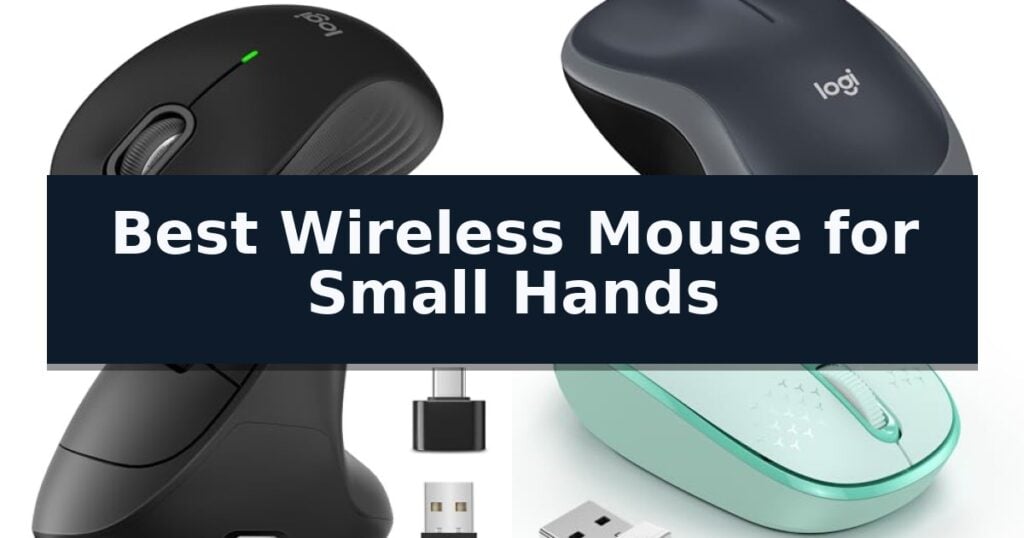
10 Best Wireless Mouse for Small Hands in 2026 Reviews
Quick Comparison
| Product | Best For | Key Strength | Score |
|---|---|---|---|
| Logitech Signature M550 Wireless Mouse | Best Overall | Contoured design specifically optimized for small-to-medium hands. | 4.9 |
| Logitech M185 Compact Wireless Mouse | Reliable portable design | Compact, ambidextrous design suitable for small to medium hands. | 4.9 |
| Luhaso Ergonomic Vertical Wireless Mouse | Natural handshake posture | 57° vertical handshake design for improved ergonomic posture. | 4.4 |
| TECKNET Wireless Mouse | Colorful and cute portability | Compact dimensions specifically designed for small to medium hands. | 4.4 |
| Logitech Signature M650 Wireless Mouse | Customizable buttons for comfort | Contoured ergonomic shape specifically designed for smaller hands. | 4.6 |
| Logitech M317 Compact Wireless Mouse | Ambidextrous grip for travel | Ambidextrous design with soft rubber grips for comfortable handling. | 4.7 |
| Logitech M196 Bluetooth Wireless Mouse | Dongle-free connection | Bluetooth connectivity eliminates the need for USB receivers. | 4.4 |
| TECKNET Rechargeable Wireless Mouse | Dual-device switching | Dual-device switching between Bluetooth and USB connections. | 4.7 |
| TECKNET Ergonomic Vertical Wireless Mouse | High-precision vertical control | 52-degree vertical angle for improved ergonomic wrist posture. | 4.8 |
| SANWA Wireless Ergonomic Mouse | Wrist-friendly vertical shape | Vertical ergonomic design reduces wrist and arm strain. | 4.6 |
How We Chose
When evaluating the best wireless mouse for small hands, we focus on how physical design impacts long-term comfort and control. An experienced reviewer assesses the balance between a compact footprint and the necessary button accessibility, ensuring that the device supports a natural grip without forcing the hand into awkward, straining positions.
- Physical dimensions and ergonomic contouring for smaller palm sizes
- Button placement and accessibility for shorter finger reach
- Connectivity reliability via Bluetooth or dedicated USB receivers
- Click noise reduction for quiet office or home environments
- Battery efficiency and replacement or charging methods
1 Logitech Signature M550 Wireless Mouse — Precision scrolling for smaller hands
Finding a peripheral that matches smaller hand dimensions can significantly improve daily comfort and control during extended computer use. The Logitech Signature M550 Wireless Mouse is specifically engineered with a contoured shape and rubber side grips tailored to provide an optimal fit for small-to-medium sized hands.
Beyond its physical form, this device prioritizes focus through SilentTouch technology, which reduces click noise by 90 percent compared to standard models. Users can navigate documents with precision or scroll through long web pages rapidly using the SmartWheel scrolling feature, which allows for seamless mode switching with a simple flick.
Connectivity is handled via Bluetooth Low Energy or the included Logi Bolt USB receiver, offering flexible setup options across various operating systems including Windows, macOS, Linux, and Chrome OS. The mouse is also designed for longevity, boasting a 24-month battery life from a single AA battery.
Constructed with sustainability in mind, the Logitech Signature M550 Wireless Mouse incorporates certified post-consumer recycled plastic. Its combination of quiet operation, ergonomic support, and multi-platform compatibility makes it a practical tool for those seeking a reliable, compact input device.
Best for: Users with small-to-medium sized hands who prioritize quiet operation and ergonomic comfort for daily office or home tasks.
Skip if: Users who require a full-sized mouse for larger hands or those who need advanced gaming-grade sensors and programmable buttons.
- Contoured design specifically optimized for small-to-medium hands.
- SilentTouch technology for significantly reduced click noise.
- SmartWheel scrolling for efficient document and web navigation.
- 24-month battery life minimizes the need for frequent replacements.
- Limited to small-to-medium hand sizes, which may feel cramped for larger users.
- Lacks advanced customization or additional programmable buttons found on high-end productivity mice.
2 Logitech M185 Compact Wireless Mouse — Reliable portable design
Navigating a workspace with limited room requires peripherals that prioritize efficiency without sacrificing desk real estate. The Logitech M185 Compact Wireless Mouse addresses this by offering a contoured, ambidextrous design that fits comfortably in small to medium hands while providing a more ergonomic alternative to standard laptop touchpads.
Equipped with a 2.4 GHz USB-A Nano Receiver, this mouse ensures a reliable wireless connection up to 33 feet. The plug-and-play setup allows for immediate use across Windows PCs, Macs, and laptops, making it a versatile tool for various computing environments. Its optical tracking provides smooth cursor control, which is essential for precision tasks in tight office setups.
Efficiency is central to its design, featuring a smart sleep mode that helps extend battery life up to 12 months on a single AA battery. The inclusion of a line-by-line scroll wheel further enhances navigation, allowing users to move through documents and web pages with ease. The device is also constructed with a portion of post-consumer recycled plastic, reflecting a focus on material sourcing.
For those who frequently travel or work in busy, high-density environments, the compact dimensions of 3.89 by 2.36 inches make it highly portable. While it lacks advanced programmable buttons found on larger gaming or productivity mice, its simplicity and reliable performance make it a practical choice for daily professional or personal use.
Best for: Users with small to medium hands who need a portable, reliable, and space-saving mouse for general productivity tasks.
Skip if: Users who require advanced programmable buttons, high-precision DPI adjustments, or a full-sized ergonomic grip for extended heavy-duty use.
- Compact, ambidextrous design suitable for small to medium hands.
- Plug-and-play simplicity with a convenient nano USB receiver.
- Long battery life of up to 12 months with smart sleep mode.
- Universal compatibility across Windows, Mac, and laptop systems.
- Lacks programmable side buttons for advanced workflow customization.
- Small form factor may not provide enough support for users with larger hands.
3 Luhaso Ergonomic Vertical Wireless Mouse — Natural handshake posture
Finding a peripheral that fits comfortably without causing strain is a common challenge for those with smaller hands. The Luhaso Ergonomic Vertical Wireless Mouse addresses this by utilizing a specialized 57° handshake design, which promotes a more natural wrist posture to help mitigate fatigue during extended computer use. By shifting the hand into a vertical orientation, the device reduces the forearm twisting often associated with traditional flat mice.
Engineered specifically for small and medium hands, this device features a compact, 86g lightweight frame that ensures a secure grip. The button layout, including the thumb-side controls, is positioned to allow for easy access without requiring excessive stretching, making it a practical choice for users who find standard vertical mice too bulky. This ergonomic sizing ensures that the primary buttons and side navigation keys remain within reach, preventing repetitive strain.
Performance is managed through a 3-level DPI adjustment (800/1200/1600), allowing users to toggle sensitivity for different tasks. The mouse incorporates silent micro switches that reduce clicking noise by over 90%, providing a quiet environment suitable for shared workspaces or late-night productivity. This feature is particularly useful in environments where auditory distractions must be minimized.
Connectivity is handled via an instant 2.4G plug-and-play USB receiver, eliminating the need for complex software installation. Furthermore, the Type-C rechargeable internal battery removes the ongoing cost and inconvenience of replacing disposable batteries, supporting a more efficient and sustainable workflow. While the reliance on a USB receiver occupies a port, it provides a reliable, lag-free connection that does not require pairing procedures.
Best for: Users with small to medium hands seeking a compact, quiet vertical mouse to reduce wrist strain during daily office or home tasks.
Skip if: Users who require a full-sized ergonomic mouse or those who prefer Bluetooth connectivity over a dedicated USB receiver.
- 57° vertical handshake design for improved ergonomic posture.
- Tailored dimensions specifically for small and medium hand sizes.
- Whisper-quiet clicks for noise-sensitive environments.
- Type-C rechargeable battery eliminates disposable battery waste.
- USB receiver required for connectivity, occupying a port.
- Limited to 2.4GHz wireless without Bluetooth support.
4 TECKNET Wireless Mouse — Colorful and cute portability
Finding a peripheral that fits smaller hands can significantly improve comfort during extended computer use. The TECKNET Wireless Mouse is specifically engineered for this need, featuring a compact frame that measures 3.94 by 2.28 by 1.52 inches to provide an ergonomic experience for small to medium-sized hands.
This device utilizes 2.4GHz wireless technology to maintain a reliable connection at distances up to 49 feet. Users can customize their tracking speed via 3 adjustable DPI levels (800/1200/1600), allowing for precision adjustments based on the task at hand. The unit is powered by a single AA battery, which is designed to support up to 15 months of battery life for efficient, long-term operation.
Design-focused features include responsive buttons and a scroll wheel engineered for a soft, quiet click, reducing noise during use. The mouse is finished in a distinct mint green, offering a colorful aesthetic that differentiates it from standard office peripherals. For portability, the USB receiver stores conveniently inside the back compartment of the mouse.
Compatibility is broad, supporting Windows 11, 10, 8.1, 7, and Mac OS environments. The TECKNET Wireless Mouse is a practical choice for users seeking a portable, quiet, and appropriately sized input device for laptops, Chromebooks, or desktop setups.
Best for: Users with small to medium-sized hands who prioritize a compact, quiet, and portable wireless mouse for daily computing tasks.
Skip if: Users who require a full-sized, ergonomic mouse for large hands or those who prefer a rechargeable internal battery over a user-replaceable AA battery.
- Compact dimensions specifically designed for small to medium hands.
- Quiet click mechanism minimizes noise during operation.
- Adjustable DPI settings (800/1200/1600) for varied tracking needs.
- Extended battery life up to 15 months on a single AA battery.
- Requires a separate AA battery which is not included.
- USB receiver storage requires opening the back cover.
5 Logitech Signature M650 Wireless Mouse — Customizable buttons for comfort
Finding a peripheral that fits comfortably in a smaller hand can significantly reduce fatigue during extended work sessions. The Logitech Signature M650 Wireless Mouse is engineered with a contoured shape, soft thumb area, and rubber side grips to provide a secure, ergonomic hold for users with smaller to medium-sized hands.
Beyond its physical design, this mouse incorporates SilentTouch technology, which is designed to reduce click noise by 90 percent compared to standard mice. This makes it a practical choice for shared workspaces or home environments where maintaining a quiet atmosphere is a priority.
Navigation is handled by the SmartWheel scrolling feature, allowing users to switch between line-by-line precision for detailed documents and super-fast scrolling for long web pages. Connectivity is flexible, supporting both Bluetooth Low Energy and the included Logi Bolt USB receiver, ensuring compatibility across Windows, macOS, Linux, ChromeOS, iPadOS, and Android.
Productivity is further enhanced by customizable side buttons that can be configured via the Logitech Options+ software to handle common tasks like copy/paste or navigation. With a battery life of up to 24 months on a single AA battery, the device is designed for long-term reliability without frequent maintenance.
Best for: Users with small to medium-sized hands seeking a quiet, ergonomic, and customizable wireless mouse for multi-platform productivity.
Skip if: Users who require a full-sized, high-performance gaming mouse or those who prefer a wired connection for their workflow.
- Contoured ergonomic shape specifically designed for smaller hands.
- SilentTouch technology significantly reduces click noise.
- SmartWheel scrolling allows for both precision and speed.
- Customizable side buttons for personalized workflow shortcuts.
- Long battery life lasting up to 24 months.
- Size constraints may be uncomfortable for users with larger hands.
- Software dependency required for full customization of side buttons.
6 Logitech M317 Compact Wireless Mouse — Ambidextrous grip for travel
Navigating the desktop environment with precision often requires a peripheral tailored to a smaller hand profile, ensuring that every movement feels natural rather than forced. The Logitech M317 Compact Wireless Mouse is engineered with a contoured shape and soft rubber grips, providing a tactile, ergonomic foundation that accommodates both left- and right-handed users. By focusing on a compact form factor, this device minimizes wrist strain during extended periods of use, offering a maneuverable solution for those who find standard-sized mice cumbersome.
Connectivity and reliability are managed through a 2.4 GHz USB-A nano receiver, which maintains a stable wireless link at distances up to 33 feet. This plug-and-play architecture eliminates the need for complex software installations, allowing for immediate integration across Windows, macOS, Chrome OS, and Linux environments. The inclusion of 1000 dpi optical tracking provides consistent cursor accuracy, ensuring that the mouse performs reliably on a variety of common desk surfaces without requiring a specialized mousepad.
Portability is a defining characteristic of this model, as its dimensions are optimized for users who frequently transition between home, office, and travel settings. The device is also certified as Works With Chromebook, confirming it meets Google’s specific compatibility standards for educational and professional hardware. This certification provides assurance that the device will function seamlessly within Chrome-based ecosystems, making it a dependable choice for students and mobile professionals alike.
Efficiency is further supported by a power management system designed to deliver up to 12 months of battery life. This longevity reduces the frequency of maintenance, allowing users to rely on the mouse for long-term productivity without constant battery swaps. By combining a durable, ambidextrous design with a straightforward wireless setup, the Logitech M317 Compact Wireless Mouse serves as a practical, low-maintenance tool for users who prioritize a compact and reliable input device.
Best for: Users seeking a portable, ambidextrous mouse that fits smaller hands and maintains compatibility with major operating systems.
Skip if: Users who require a full-sized ergonomic mouse with additional programmable side buttons or high-performance gaming sensors.
- Ambidextrous design with soft rubber grips for comfortable handling.
- Long-lasting battery life rated for up to 12 months of use.
- Plug and play simplicity via a reliable 2.4 GHz USB-A nano receiver.
- Compact and portable form factor ideal for travel and laptop use.
- Limited to USB-A connectivity, which may require adapters for modern laptops lacking legacy ports.
- Basic feature set lacks advanced programmable buttons found on larger productivity mice.
7 Logitech M196 Bluetooth Wireless Mouse — Dongle-free connection
Finding a peripheral that fits comfortably in smaller hands can significantly improve daily productivity and reduce strain. The Logitech M196 Compact Ambidextrous Bluetooth Wireless Mouse is engineered with a contoured, ambidextrous shape specifically designed to accommodate smaller grips while remaining comfortable for both left- and right-handed users.
This device prioritizes a streamlined, travel-ready experience by utilizing a reliable pair-and-play Bluetooth connection. By eliminating the need for a USB dongle, it frees up ports on laptops and tablets, making it an ideal companion for mobile setups. Its compact dimensions of approximately 3.9 inches in length and 2.36 inches in width ensure it fits easily into any bag or workspace.
Performance is maintained through precise line-by-line scrolling and optical tracking, which provides consistent cursor control across a variety of surfaces. The mouse features quiet clicks, which can be beneficial in shared environments or quiet offices. Additionally, the unit is built with sustainability in mind, as its plastic components contain 67% certified post-consumer recycled plastic for the Graphite model, and 66% for the Off-White and Rose versions.
For long-term utility, the Logitech M196 Compact Ambidextrous Bluetooth Wireless Mouse includes an auto sleep feature that helps extend the 12-month battery life provided by a single AA battery. It is compatible with a wide range of operating systems, including Windows, macOS, and ChromeOS, ensuring broad utility across different hardware ecosystems.
Best for: Users seeking a compact, dongle-free Bluetooth mouse for travel or smaller workspaces.
Skip if: Users who require programmable buttons or a larger, ergonomic shape for extensive palm-grip use.
- Bluetooth connectivity eliminates the need for USB receivers.
- Compact, ambidextrous design is well-suited for smaller hands.
- 12-month battery life with auto-sleep functionality.
- Quiet click mechanism for low-noise operation.
- Non-customizable buttons limit advanced productivity workflows.
8 TECKNET Rechargeable Wireless Mouse — Dual-device switching
Finding a peripheral that balances comfort with a compact footprint is essential for those with smaller hands. The TECKNET Rechargeable Wireless Mouse addresses this by offering an ergonomic design specifically tailored for small to medium-sized hands, ensuring that daily tasks remain comfortable without the strain often associated with larger, bulkier devices.
This device features dual-device connectivity, allowing users to switch between two systems seamlessly via Bluetooth 5.0/3.0 or a 2.4G USB A connection. A simple slide of the switch button facilitates this transition, making it a versatile tool for multi-device workflows. For those who require precision, the mouse includes 6 adjustable DPI levels ranging from 800 to 4800, providing the flexibility to toggle between detailed work and rapid navigation.
Designed for quiet environments, the TECKNET Rechargeable Wireless Mouse operates with silent clicks, minimizing noise in shared spaces like offices or libraries. The internal battery is rechargeable, requiring only 1.5 to 2 hours for a full charge, which supports up to 3 months of usage based on 2 hours of daily activity. An included charging cable ensures you are ready to power up whenever the connection indicates low battery status.
Compatibility is broad, supporting Windows, macOS, Chrome, and Linux systems. While the side buttons are not functional on macOS, the primary interface remains consistent across platforms. With its combination of a compact, ergonomic shape and reliable wireless performance, this mouse serves as a practical solution for users prioritizing a smaller, manageable form factor.
Best for: Users with small to medium-sized hands who require a quiet, rechargeable mouse capable of switching between two devices.
Skip if: Users who require side-button functionality on macOS or those with large hands who prefer a full-sized ergonomic mouse.
- Dual-device switching between Bluetooth and USB connections.
- Silent operation suitable for quiet office or library environments.
- Rechargeable battery providing up to 3 months of use on a single charge.
- 6 adjustable DPI levels for customizable cursor sensitivity.
- Side buttons are not compatible with macOS.
- Small form factor may feel uncomfortable for users with larger hands.
9 TECKNET Ergonomic Vertical Wireless Mouse — High-precision vertical control
The TECKNET Ergonomic Wireless Mouse is specifically engineered with a 52-degree vertical angle to promote a natural handshake position, which helps alleviate wrist and arm pressure during extended periods of computer use. This design choice makes it a practical solution for office environments where repetitive strain is a common concern.
Equipped with an optical sensor, the mouse offers five adjustable DPI levels ranging from 800 to 4800, allowing for precise cursor control across various surface types. The device utilizes 2.4GHz wireless technology to maintain a stable connection up to 32 feet away, requiring only a simple USB receiver plug-in without the need for additional software drivers.
Designed with a compact footprint of 4.13 inches by 2.55 inches, this model is tailored to accommodate small to medium-sized hands comfortably. The rounded shape lacks sharp corners, focusing on ergonomic support to reduce fatigue during daily tasks.
The mouse features a silent click mechanism that reduces noise by over 99%, making it suitable for quiet settings like libraries or shared workspaces. While the primary buttons are silent, the integrated forward and back navigation buttons provide extra utility for web browsing, though these side buttons are not supported on Mac OS.
Best for: Users with small to medium hands seeking a vertical ergonomic design to reduce wrist strain during prolonged office or home computer use.
Skip if: Users who require full functionality of side navigation buttons on Mac OS or those who prefer a traditional low-profile mouse shape.
- 52-degree vertical angle for improved ergonomic wrist posture.
- Silent click design reduces noise by over 99%.
- Adjustable DPI settings up to 4800 for customizable precision.
- Compact dimensions specifically sized for small to medium hands.
- Side navigation buttons are not supported on Mac OS.
- Forward/back buttons are not silent compared to the main click buttons.
10 SANWA Wireless Ergonomic Mouse — Wrist-friendly vertical shape
Finding a peripheral that accommodates smaller hands without sacrificing functionality is a common challenge for many desktop users. The SANWA Wireless Ergonomic Mouse addresses this by utilizing a vertical, handshake-style orientation designed to promote a more natural wrist and arm position, effectively reducing muscle tension during extended periods of use.
This device features a compact, rounded shape specifically tailored for small-to-medium hands. Beyond its physical design, it offers adjustable DPI settings of 800, 1200, and 1600, allowing users to customize cursor responsiveness. The inclusion of Blue LED tracking technology ensures consistent performance across a variety of surface types.
For those who frequently navigate web pages, the mouse includes dedicated Back and Forward buttons positioned near the thumb area. While these buttons provide added convenience for browsing, they are optimized for Windows environments and do not function on Mac series hardware. The unit operates via a 2.4GHz wireless connection, which helps maintain a clutter-free workspace.
Compatibility is broad, supporting Windows 10, 8.1, 8, 7, XP, and Vista, as well as various macOS versions, though it is not fully compatible with all Apple products. The mouse is backed by a 1-year manufacturer warranty and lifetime technical support, providing a reliable foundation for daily computing tasks.
Best for: Users with small-to-medium hands seeking a vertical, ergonomic mouse to improve wrist comfort during daily computer use.
Skip if: Users who require full functionality on Mac operating systems or those who prefer a traditional flat mouse design.
- Vertical ergonomic design reduces wrist and arm strain.
- Adjustable DPI levels allow for customized tracking speed.
- Thumb-accessible buttons simplify web browsing.
- Blue LED tracking works on diverse surfaces.
- Forward and Backward buttons are not functional on Mac systems.
- Limited compatibility with certain Apple product features.
Best Wireless Mouse for Small Hands Buying Guide
Prioritizing Ergonomic Fit
The primary consideration for users with smaller hands is the physical width and length of the mouse. A device that is too large forces the hand to splay, which can lead to discomfort or repetitive strain over time. Look for models specifically marketed with compact dimensions that allow your fingers to rest naturally on the primary buttons.
Contoured shapes are particularly beneficial, as they provide support for the palm without requiring a wide grip. Rubberized side grips can also help maintain control, ensuring the mouse feels secure in your hand even if you have a lighter touch or prefer a more delicate grip style.
Connectivity and Portability
Wireless connectivity is essential for a clean workspace, but the method of connection matters. Bluetooth-enabled mice offer the most flexibility, allowing you to connect directly to laptops or tablets without needing a USB port. This is ideal for mobile users who want to minimize the number of accessories carried in a bag.
Alternatively, mice using a dedicated USB receiver often provide a more stable, plug-and-play experience that does not require pairing. If you frequently switch between different computers, a mouse that supports both Bluetooth and a USB receiver—or one that allows switching between multiple devices—offers the best versatility.
Silent Operation for Shared Spaces
If you work in a library, a shared office, or at home with others nearby, the sound of clicking can become a distraction. Many modern compact mice now feature silent switches that significantly reduce the audible click noise without sacrificing the tactile feedback you expect from a button press.
This feature is often paired with silent scroll wheels, creating a quiet input experience. When choosing, verify if the silent technology applies to all buttons, including the side navigation buttons, as some models only dampen the main left and right clicks.
DPI and Tracking Precision
DPI, or dots per inch, determines how fast your cursor moves across the screen relative to the physical movement of the mouse. For smaller hands, a mouse that allows for adjustable DPI is a distinct advantage, as it lets you fine-tune the sensitivity to match your personal preference and screen resolution.
Higher DPI settings are useful for high-resolution displays, while lower settings can provide more control for detailed tasks. Ensure the mouse you select offers a DPI range that accommodates your specific work style, whether you prefer quick, sweeping movements or slow, precise adjustments.
Battery Life and Maintenance
Battery longevity is a critical factor for any wireless peripheral. Many compact mice are designed for efficiency, often lasting a year or more on a single AA battery. This "set it and forget it" approach is convenient for users who do not want to worry about frequent charging or battery swaps.
Rechargeable models are an alternative for those who prefer to avoid disposable batteries. These mice typically charge via a USB-C cable and can provide months of use on a single charge. Consider your willingness to manage charging cables versus the occasional need to replace a standard battery.
Frequently Asked Questions
How do I know if a mouse is the right size for my hand?
A well-fitting mouse should allow your hand to rest in a relaxed, neutral position. Your fingers should comfortably reach the primary buttons without overstretching, and your palm should be supported without feeling like you are gripping an object that is too wide.
Are vertical mice better for small hands?
Vertical mice can be excellent for reducing wrist strain by placing the hand in a natural handshake position. However, ensure the specific model is designed for smaller hands, as many vertical mice are quite bulky and can be difficult to control if they are too large.
Do I need a mouse pad for these wireless models?
Most modern optical mice track well on a variety of surfaces, including wood and laminate desks. However, a mouse pad can provide a more consistent surface, which may improve tracking precision and protect your desk surface from wear over time.
Can I use a small mouse for gaming?
While many compact mice are designed for productivity, they can be used for casual gaming. If you require high-performance features like programmable buttons or ultra-high DPI, you may need to look for a dedicated gaming mouse that also fits smaller hand dimensions.
What is the benefit of a silent mouse?
A silent mouse uses specialized switches to dampen the sound of clicks, making it ideal for quiet environments like offices, libraries, or shared home workspaces where you want to minimize distractions for yourself and others.
Conclusion: Our Top Pick
Our top pick is Logitech Signature M550 Wireless Mouse. Choosing the right wireless mouse for small hands is a matter of finding the balance between physical comfort and the features that support your daily tasks. By prioritizing a form factor that fits your grip and selecting connectivity options that match your hardware, you can significantly improve your comfort and productivity.
Whether you prefer the simplicity of a standard compact design or the ergonomic benefits of a vertical orientation, there are several reliable options available. Consider your specific environment and how you interact with your computer to select the model that best serves your needs.