TOALLIN 1080P Wireless Webcam is our top choice for the Best Wireless Streaming Webcams, providing a reliable 2.4G connection that eliminates cable clutter in professional conferencing spaces. The Gsou Wireless Streaming Camera serves as a dependable alternative for those needing extended nine-hour battery life, while the NearStream VM33 Wireless Streaming Camera offers advanced optical zoom capabilities for long-range production needs.
Selecting a wireless camera requires balancing transmission stability against the need for high-fidelity video. While wireless freedom allows for flexible camera placement, users must consider the trade-offs between battery capacity, signal range, and the latency inherent in wireless data transmission compared to traditional wired USB connections.
When building a streaming setup, the integration of audio and video hardware is essential for a cohesive experience. Ensuring your peripheral devices operate on compatible wireless protocols helps maintain a clean, efficient workspace without sacrificing performance.
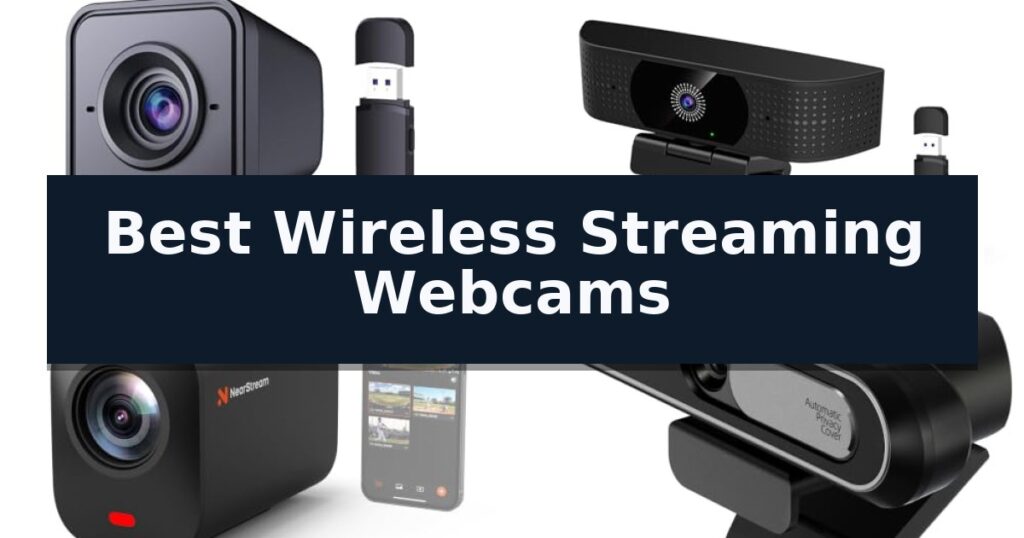
6 Best Wireless Streaming Webcams in 2026 Reviews
Quick Comparison
| Product | Best For | Key Strength | Score |
|---|---|---|---|
| TOALLIN 1080P Wireless Webcam | Best Overall | 2.4G wireless transmission provides up to 50m range in open sight. | 4.9 |
| SynthMeet 1080P Wireless Webcam | Flexible Placement for Streaming | 65ft wireless range via 2.4GHz receiver | 4.4 |
| NearStream VM33 Wireless Streaming Camera | Pro-Grade Long-Range Streaming | 40X hybrid zoom provides significant reach for distant subjects. | 4.7 |
| Gsou Wireless 1080P Webcam | Extended Battery for Long Meetings | Cordless 2.4G wireless transmission for interference-free, low-latency streaming. | 4.9 |
| Gsou Wireless Streaming Camera | Reliable Nine-Hour Battery Life | 9-hour battery life allows for extended streaming sessions without needing a power source. | 4.9 |
| OBSBOT Tail Air NDI Streaming Camera | Advanced AI Tracking Performance | Advanced AI tracking for humans, animals, and objects. | 4.5 |
How We Chose
Evaluating the best wireless streaming webcams requires a focus on practical performance metrics that impact live production. An experienced reviewer prioritizes connection reliability and battery endurance to ensure uninterrupted streaming, while also assessing the clarity of the optical sensor and the effectiveness of built-in microphones in varied room environments.
- Wireless transmission stability and range
- Battery capacity and continuous runtime
- Video resolution and sensor quality
- Ease of pairing and plug-and-play compatibility
- Audio pick-up range and noise-cancellation effectiveness
1 TOALLIN 1080P Wireless Webcam — Best for Cord-Free Conferencing
Eliminating cable clutter in a professional meeting space requires a reliable signal, and the TOALLIN 1080P Wireless Webcam offers a dedicated solution for cord-free video conferencing. By utilizing 2.4G wireless connectivity, this camera provides a stable transmission range of up to 20 meters indoors, allowing for flexible placement in various room configurations without the constraints of a physical USB tether.
The system is designed for immediate deployment through a wireless USB plug-and-play receiver. This component comes pre-paired with the camera, requiring only a simple connection to a computer port and a press of the power button to initiate a stream. It captures video using a 1080p 1/2.9" CMOS sensor at 30fps, providing a 70° wide-angle view suitable for capturing multiple participants in a single frame.
Audio clarity is managed by a built-in noise-canceling microphone that incorporates a noise reduction algorithm. This hardware is capable of far-field voice pick-up up to 5 meters away, which helps to isolate speech from ambient background noise during active calls. The device also includes a horizontal image mirroring function, accessible by long-pressing the pairing button, to adjust the orientation as needed.
Power is supplied by an internal 1500mA rechargeable lithium battery. The unit requires approximately 2.5 hours to reach a full charge and provides a maximum of 3 hours of working time per cycle. Users should note that the camera is not fully charged upon arrival and should be powered off when not in use to preserve battery life.
Best for: Professional video conferencing and live streaming in environments where cable-free camera placement is required.
Skip if: Users who require continuous, all-day operation without the need to recharge the internal battery.
- 2.4G wireless transmission provides up to 50m range in open sight.
- Plug-and-play setup with pre-paired USB receiver.
- Noise-canceling microphone with 5m far-field pick-up.
- 1080p HD resolution with a 70-degree wide-angle field of view.
- Limited 3-hour battery life per charge.
- Requires manual power management to ensure the device is off when not in use.
2 SynthMeet 1080P Wireless Webcam — Flexible Placement for Streaming
Achieving flexible camera positioning without being tethered to a desktop setup is the primary advantage of the SynthMeet 1080P Wireless Webcam. By utilizing a 2.4GHz wireless connection, this device allows users to place the camera up to 65 feet away from the USB receiver, providing freedom to frame shots for live streaming, online teaching, or video conferencing without cable constraints.
The camera captures video at 1080P 30fps and features a 92° wide-angle lens, which is designed to capture more of the environment in a single frame. For precise adjustments, the unit supports 360° rotation and a 90° downward tilt, enabling users to find the optimal angle for their specific workspace or content creation needs.
Audio quality is supported by a built-in noise-reducing microphone, which works to minimize background interference during calls. The device is built for simplicity, offering plug-and-play functionality that requires no additional drivers, making it compatible with major platforms like Zoom, Skype, and Teams across Windows, MacOS, and Chrome OS.
It is important to note that this is a USB-powered version without an internal battery. While the wireless signal provides flexibility in placement, the camera must remain connected to a power source via its USB cable during operation. This design ensures consistent performance without the need for recharging, provided the user has a nearby power outlet or USB port.
Best for: Users who need flexible camera placement for streaming or meetings and have access to a nearby USB power source.
Skip if: Users who require a truly portable, battery-operated camera for use in locations without available USB power.
- 65ft wireless range via 2.4GHz receiver
- 1080P 30fps resolution with 92° field of view
- 360° rotation and 90° tilt for flexible framing
- Plug-and-play setup with no drivers required
- Requires constant USB power due to no internal battery
- Limited to 2.4GHz connection for wireless transmission
3 NearStream VM33 Wireless Streaming Camera — Pro-Grade Long-Range Streaming
The NearStream VM33 Gen 3 Wireless Streaming Camera is engineered for versatility, offering a 40X hybrid zoom (10x optical plus 4x digital) that allows creators to frame subjects clearly from up to 100 feet away. Designed for sports, worship, and lectures, this unit integrates a 1/2.8-inch CMOS sensor to maintain detail in varied lighting conditions.
Connectivity is a primary focus, featuring a 6-hour battery for mobile setups and multiple streaming protocols including RTMP, RTSP, and NDI. Users can stream directly to platforms like YouTube or Twitch via the NearStream app, or integrate the camera into professional production workflows using software like OBS.
For audio and production control, the camera includes an 8-mic array with AI noise suppression to clarify speech within a 16-foot radius. The app-based interface enables users to manage up to three cameras simultaneously, insert digital scoreboards, and utilize 20GB of cloud storage for automatic recording backups.
The device provides flexible mounting and connection options, including USB-C webcam mode and Ethernet support via an adapter. While it offers high-end features for remote production, users should note that certain accessories like Ethernet adapters are sold separately.
Best for: Content creators and event producers requiring long-range optical zoom and multi-protocol wireless streaming for sports or live events.
Skip if: Users who require a simple plug-and-play webcam for basic desktop video conferencing may find the advanced production features and professional streaming protocols unnecessary.
- 40X hybrid zoom provides significant reach for distant subjects.
- 6-hour battery life supports extended remote streaming sessions.
- Multi-protocol support (RTMP, RTSP, NDI) ensures compatibility with professional production software.
- AI noise suppression integrated into the 8-mic array improves audio clarity.
- Ethernet adapter is not included in the package.
- Advanced app-based controls require a learning curve for novice users.
4 Gsou Wireless 1080P Webcam — Extended Battery for Long Meetings
Achieving a clean, cable-free workspace while maintaining high-definition video quality is a common challenge for remote professionals. The Gsou Wireless 1080P Webcam addresses this by utilizing a dedicated 2.4G private protocol, which provides high-bandwidth, interference-free transmission without relying on standard Wi-Fi or Bluetooth connections.
This camera is built for extended use, featuring a high-capacity 5000mAh rechargeable battery that supports 5–6 hours of continuous operation. This cordless freedom allows users to position the camera anywhere within a 65ft range, making it suitable for dynamic presentations or teaching environments where being tethered to a USB port is impractical.
Security and precision are central to its design. The Gsou Wireless 1080P Webcam includes an auto-electric privacy shield that activates automatically at the start and end of calls, alongside a manual slide cover for physical security. For visual control, a professional-grade manual focus ring allows users to adjust clarity for close-up product demonstrations or wide-room shots, eliminating the focus-hunting issues often found in standard autofocus systems.
Installation is straightforward with a plug-and-play 2.4G USB receiver that requires no additional drivers. The compact, minimalist frame is designed for versatile mounting, fitting securely on ultra-thin monitors, flat-screen TVs, or standard tripods via a 1/4" screw, ensuring it integrates into various professional setups.
Best for: Professionals who require a cordless, portable camera solution for long-duration meetings or presentations where flexible positioning is necessary.
Skip if: Users who prefer a permanent, wired connection to avoid the need for periodic battery recharging.
- Cordless 2.4G wireless transmission for interference-free, low-latency streaming.
- Extended 5-6 hour battery life suitable for half-day conferencing.
- Manual focus ring provides precise control over image clarity.
- Auto-electric privacy shield ensures automated lens protection.
- Requires periodic recharging of the internal 5000mAh battery.
- Manual focus requires physical adjustment rather than automated tracking.
5 Gsou Wireless Streaming Camera — Reliable Nine-Hour Battery Life
The Gsou Wireless Streaming Camera offers a distinct advantage for creators and professionals by providing a completely tether-free setup via its included 2.4GHz USB receiver. This design choice allows for a transmission distance of up to 65ft, granting users the freedom to position the camera away from their computer without managing long cables.
Equipped with a high-quality HD CMOS sensor, the device captures 1080p video at 30FPS. It utilizes H.264 encoding to maintain fluent motion even when bandwidth is restricted, ensuring that your stream remains clear. The unit also features a built-in microphone capable of picking up audio within a 2-meter range, facilitating natural communication during meetings or broadcasts.
Portability and reliability are central to its design, as the Gsou Wireless Streaming Camera includes a 5200mAh rechargeable battery. This provides up to 9 hours of continuous operation on a single charge, which is ideal for long-form streaming or back-to-back conference calls. The package also comes with a detachable telescopic tripod stand for stable placement on various surfaces.
Security and compatibility are prioritized through the use of 2.4GHz FHSS and digital encryption technology, which helps protect against unauthorized access. The system is plug-and-play, requiring no drivers for operation across major operating systems including Windows, Mac OS, and Linux, making it highly versatile for diverse hardware environments.
Best for: Users who require a portable, cable-free camera setup for streaming or video conferencing with long battery life.
Skip if: Users who require advanced zoom functionality or ultra-high resolution beyond 1080p, as this model lacks zoom and is capped at HD output.
- 9-hour battery life allows for extended streaming sessions without needing a power source.
- Wireless 2.4GHz connectivity provides a 65ft range for flexible camera placement.
- Plug-and-play compatibility ensures easy setup across multiple operating systems.
- Digital encryption enhances privacy by securing the wireless signal.
- No zoom function limits the ability to adjust the field of view.
- Manual focus requires physical adjustment rather than automated software control.
6 OBSBOT Tail Air NDI Streaming Camera — Advanced AI Tracking Performance
The OBSBOT Tail Air NDI Streaming Camera distinguishes itself as a highly portable 4K PTZ solution, measuring smaller than a standard cola can while offering advanced AI tracking capabilities for humans, animals, and objects. This compact device is engineered for creators who require professional-grade imaging without the bulk of traditional broadcast equipment.
Equipped with a 320° horizontal and 180° vertical rotation range, the camera provides extensive coverage for dynamic scenes. It supports versatile connectivity options, including Micro HDMI, USB-C, Ethernet, and wireless streaming, allowing for seamless integration into various production workflows. The inclusion of NDI support enables users to stream footage across local networks, simplifying multi-device monitoring and reducing the need for complex cabling.
Users can manage the camera through the Obsbot Start companion software, which provides granular control over video settings, preset positions, and AI director functions. The system also supports multi-camera setups, allowing several units to work in tandem to create a comprehensive broadcast studio environment. Control is flexible, with options ranging from gesture recognition and remote control to dedicated stream desk integration.
To ensure optimal performance, the camera offers UVC mode for plug-and-play functionality when connected to a PC. While it provides robust features for diverse streaming platforms like Twitch and YouTube via RTMP or RTSP protocols, users should note that firmware updates require an U3 Micro SD card and power management is critical, as the device should not be charged with adapters exceeding 5V.
Best for: Content creators and streamers who need a compact, AI-powered PTZ camera for multi-angle, high-resolution live broadcasts.
Skip if: Users who require a fixed-lens webcam or those who do not have a need for advanced AI-driven pan-tilt-zoom functionality.
- Advanced AI tracking for humans, animals, and objects.
- Compact, portable design smaller than a cola can.
- Versatile connectivity including NDI, HDMI, USB-C, and wireless.
- Multi-camera integration for professional studio setups.
- Specific power requirements (5V max) to prevent battery damage.
- Firmware update process requires a U3 Micro SD card.
Best Wireless Streaming Webcams Buying Guide
Prioritizing Connection Reliability
Wireless webcams rely on dedicated 2.4GHz receivers to maintain a stable link between the camera and the host computer. This connection method is generally more reliable for streaming than standard Bluetooth, as it is designed to handle the higher bandwidth requirements of video data with lower latency.
When setting up your camera, ensure the USB receiver has a clear line of sight to the device whenever possible. While many models boast ranges up to 50 or 65 feet, physical obstructions like walls or large furniture can interfere with the signal and cause frame drops during a live broadcast.
Battery Life and Power Management
The primary constraint of a wireless webcam is its power source. Models with built-in rechargeable batteries offer the most flexibility, allowing you to mount the camera on tripods or shelves far from power outlets, but they require consistent charging habits to avoid mid-stream shutdowns.
If you frequently host long meetings or marathon streaming sessions, look for models that support operation while plugged into a power source. Some wireless cameras are designed specifically for this, effectively acting as a tethered device when the battery is low or when permanent placement is preferred.
Understanding Optical Performance
Most wireless webcams provide 1080p resolution, which is sufficient for standard video conferencing and casual streaming. However, the quality of the sensor and the lens field-of-view are just as important as the resolution; a wider field-of-view is better for group meetings, while a narrower, higher-quality lens is better for individual framing.
For professional-grade production, consider cameras that offer optical zoom rather than digital zoom. Optical zoom maintains image clarity by physically adjusting the lens, whereas digital zoom simply crops the image, which can lead to a noticeable loss in detail and pixelation.
Audio Integration and Noise Suppression
A high-quality webcam should include a microphone capable of picking up voices clearly from several feet away. Look for models that feature noise-canceling algorithms, which help filter out background hums from air conditioners or computer fans.
While built-in microphones are convenient for quick setups, they may not match the performance of a dedicated external microphone. If your streaming environment is noisy or requires high-fidelity audio, consider using the webcam for video only and pairing it with a separate audio solution.
Privacy and Security Considerations
Privacy is a significant concern when using any internet-connected or wireless camera. Many modern webcams now include physical privacy shutters or motorized lens covers that provide a visual confirmation that the camera is not recording.
Beyond physical covers, check if the camera uses encrypted transmission protocols. Digital encryption helps prevent unauthorized access to your video feed, ensuring that your private meetings or streams remain secure from external interference.
Frequently Asked Questions
Do wireless webcams require special software to function?
Most wireless webcams are plug-and-play devices that use a USB receiver. They typically do not require proprietary software and will be recognized by your computer as a standard UVC (USB Video Class) device, making them compatible with Zoom, Teams, and OBS.
Can I use a wireless webcam while it is charging?
Many models allow for simultaneous charging and usage, but you should verify the specific product specifications. Some cameras are designed to be used while tethered to a power source, while others may be intended for battery-only operation.
What is the typical latency of a wireless webcam?
Wireless webcams using a 2.4GHz USB receiver generally have very low latency, often imperceptible to the average user. However, environmental interference can occasionally cause minor delays, so keeping the receiver close to the camera is recommended.
Are these cameras compatible with gaming consoles?
Compatibility varies by console. While some wireless webcams work with platforms like Xbox, you should check the manufacturer's documentation to confirm if the specific model supports your console's operating system.
How do I know if my camera is properly paired?
Most wireless webcams feature LED indicators on both the camera and the USB receiver. A solid green or blue light usually indicates a successful connection, while a blinking light often signifies that the device is in pairing mode or searching for a signal.
Conclusion: Our Top Pick
Our top pick is TOALLIN 1080P Wireless Webcam. Choosing the right wireless webcam depends on your specific streaming environment and power requirements. For most users, a standard 1080p model with a reliable 2.4GHz receiver provides the best balance of convenience and performance for daily video conferencing.
If your needs involve professional production or long-duration recording, prioritize models with extended battery life or advanced optical features. By focusing on connection stability and power management, you can achieve a clean, professional setup that meets your streaming goals.