The Logitech M720 Triathlon Wireless Mouse is our top recommendation for the Best Wireless USB Mouse thanks to its versatile multi-device switching and long-lasting battery life. For users seeking specialized performance, the Logitech G305 LIGHTSPEED Wireless Mouse offers lag-free gaming reliability, while the Logitech M330 Silent Plus provides a quiet, distraction-free clicking experience for shared office environments.
Selecting a reliable peripheral requires balancing your specific workflow against the physical design of the device. Whether you prioritize a full-sized ergonomic shape for long hours of document editing or a compact frame for travel, the connection method remains a critical factor. Most modern wireless mice utilize either a dedicated USB-A receiver or Bluetooth, with many premium models offering both to ensure compatibility across various hardware setups.
Beyond connectivity, consider how the mouse handles power management and sensor precision. Options featuring auto-sleep modes and high-efficiency sensors can extend battery life significantly, often lasting months or years on a single charge. By focusing on these core functional areas, you can identify a tool that enhances your daily productivity without the clutter of wired connections.
If you require flexibility across multiple platforms, our guide on the Best Wireless USB and Bluetooth Mouse explains how dual-connectivity models can simplify your workflow.
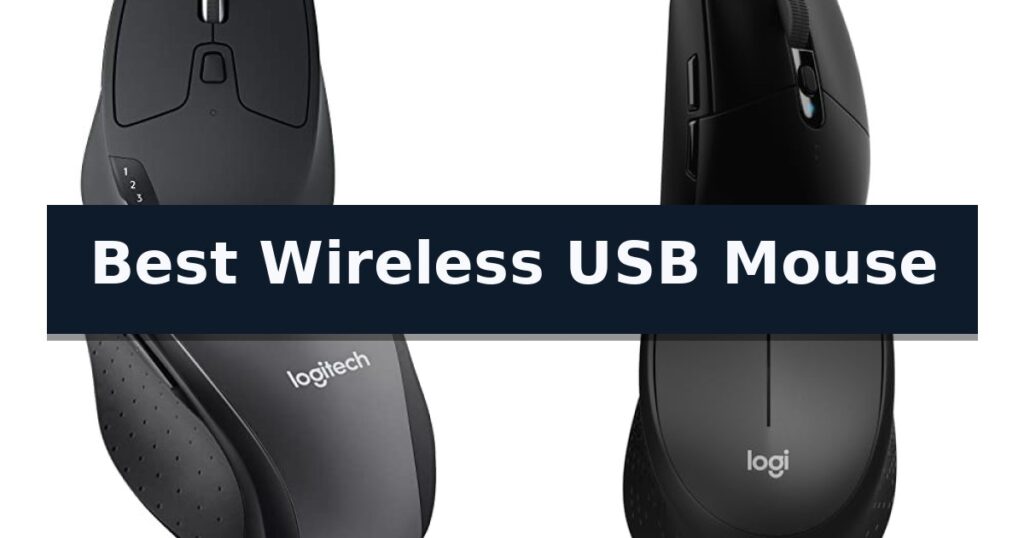
10 Best Wireless USB Mouse in 2026 Reviews
Quick Comparison
| Product | Best For | Key Strength | Score |
|---|---|---|---|
| Logitech M720 Triathlon Wireless Mouse | Best Overall | Multi-device pairing for up to three computers or tablets. | 4.9 |
| Logitech G305 LIGHTSPEED Wireless Mouse | Lag-Free Gaming Performance | LIGHTSPEED wireless technology provides a lag-free 1 ms report rate. | 4.5 |
| Logitech M705 Marathon Wireless Mouse | Three-Year Battery Life | Three-year battery life significantly reduces maintenance frequency. | 4.7 |
| Logitech M330 Silent Plus Wireless Mouse | Ultra-Quiet Click Operation | SilentTouch Technology significantly reduces clicking noise. | 4.5 |
| Logitech M510 Wireless Mouse | Ergonomic Full-Size Comfort | 2-year battery life with power-saving features | 4.5 |
| Logitech M185 Wireless Mouse | Compact Travel Companion | Ambidextrous contoured shape suitable for both left and right-handed users. | 4.4 |
| Amazon Basics Wireless Optical Mouse | Budget-Friendly Reliable Tracking | Compact nano-receiver stores inside the mouse for easy transport. | 4.3 |
| TECKNET Wireless Mouse | Contoured Grip for Productivity | 24-month battery life with power-saving mode | 4.7 |
| Acer Wireless Mouse | Adjustable DPI for Precision | Adjustable 1600 DPI settings for customized precision | 4.4 |
| HOTWEEMS Wireless Mouse | Ergonomic Handshake Design | 30-degree ergonomic handshake angle for improved comfort. | 4.8 |
How We Chose
When evaluating the Best Wireless USB Mouse, we focus on practical performance metrics that directly impact daily computer use. An experienced reviewer prioritizes connection stability, battery longevity, and ergonomic support to distinguish reliable daily drivers from less durable alternatives, ensuring the selected hardware integrates seamlessly into your existing workstation setup.
- Connectivity options including USB-A receiver reliability versus Bluetooth versatility.
- Battery efficiency and power management features like auto-sleep modes.
- Ergonomic design, focusing on hand size compatibility and grip comfort.
- Sensor precision and DPI adjustability for different task requirements.
- Customizable button functionality for workflow optimization.
1 Logitech M720 Triathlon Wireless Mouse — Switch Between Three Devices
The Logitech M720 Triathlon Wireless Mouse is engineered for users who manage multiple computing environments, featuring the ability to pair with up to three devices simultaneously. This full-sized mouse allows for seamless transitions between computers, laptops, or tablets using a dedicated button, supported by Logitech FLOW technology to move cursor, text, and files across systems.
Built for extended use, the device features a sculpted, rubberized body designed to provide a comfortable palm rest grip. The hardware includes hyper-fast scrolling capabilities, which allow users to spin through long documents or web pages rapidly, with an integrated instant-stop feature and an option to switch to a standard click-to-click scrolling mode.
Connectivity is handled through either Bluetooth or the included Logitech Unifying receiver, which utilizes a single USB-A port to connect up to six compatible peripherals. The mouse is equipped with six customizable buttons that can be configured via software to assign specific shortcuts, enhancing individual productivity workflows.
Designed for long-term reliability, the mouse is rated for a 24-month battery life on a single charge. It maintains broad compatibility across major operating systems, including Windows, macOS, Chrome OS, Linux, and iPadOS, making it a versatile tool for diverse digital workspaces.
Best for: Professionals and power users who need to switch between multiple computers and tablets throughout the workday.
Skip if: Users who prefer a compact, travel-sized mouse or those who require a symmetrical, ambidextrous design.
- Multi-device pairing for up to three computers or tablets.
- Hyper-fast scrolling wheel with click-to-click mode switching.
- Long-lasting battery life rated for up to 24 months.
- Customizable buttons via dedicated software.
- Right-handed ergonomic design is not suitable for left-handed users.
- Full-sized footprint may be less portable than slim travel mice.
2 Logitech G305 LIGHTSPEED Wireless Mouse — Lag-Free Gaming Performance
Reliability in a wireless peripheral often hinges on latency, and the Logitech G305 LIGHTSPEED Wireless Gaming Mouse addresses this with its proprietary LIGHTSPEED technology. By delivering a 1 ms report rate, this device provides a connection that mirrors the responsiveness of a wired setup, ensuring that input lag does not interfere with competitive play.
At the heart of the device is the HERO sensor, which is engineered for both precision and efficiency. With a sensitivity range reaching up to 12,000 DPI and 400 IPS tracking, the sensor maintains high accuracy while consuming significantly less power than previous generations. This efficiency is critical for a device that runs on a single AA battery, which can last up to 250 hours during continuous gameplay.
The physical design prioritizes both durability and portability. Weighing in at only 3.4 oz, the mouse remains lightweight, which aids in maneuverability during extended sessions. Its compact form factor includes an integrated compartment for the nano receiver, making it a practical choice for users who frequently travel with a laptop and require a consistent input device on the go.
Customization is handled through six programmable buttons, allowing users to map commands according to their specific needs. The inclusion of on-board memory means these settings can be stored directly on the mouse, ensuring consistent performance even when moving between different computer systems. For those looking to maximize longevity, the Logitech G HUB software offers an Endurance mode that extends battery life up to nine months.
Best for: Competitive gamers and mobile professionals who require a high-precision, low-latency wireless mouse that is easy to transport.
Skip if: Users who prefer a rechargeable internal battery or a larger, more ergonomic shape for specific palm-grip styles may find other options more suitable.
- LIGHTSPEED wireless technology provides a lag-free 1 ms report rate.
- HERO sensor delivers high power efficiency and 12,000 DPI precision.
- Lightweight 3.4 oz design enhances maneuverability.
- Integrated nano receiver storage makes it highly portable.
- Requires a replaceable AA battery rather than an internal rechargeable battery.
- Compact, symmetrical shape may not suit all hand sizes or grip preferences.
3 Logitech M705 Marathon Wireless Mouse — Three-Year Battery Life
Efficiency in a workspace often comes down to minimizing interruptions, and the Logitech M705 Marathon Wireless Mouse is engineered specifically to extend that focus. Its most distinctive feature is a power-management system that allows for up to three full years of battery life, significantly reducing the frequency of maintenance compared to standard wireless peripherals.
Beyond its longevity, the device prioritizes navigation speed through a hyper-fast scroll wheel. This nearly frictionless metal component enables users to traverse long documents or web pages with a single spin, providing a tactile advantage for heavy-duty research or data management. The laser-grade tracking ensures the cursor remains responsive and precise, even on challenging surfaces like polished wood or grain-heavy tables where typical optical sensors might struggle.
The ergonomic design features a sculpted, right-hand shape intended to guide the hand into a natural position. This chassis integrates five customizable buttons, including two thumb-operated controls that facilitate quick navigation between browser pages. The mouse connects via the Logitech Unifying receiver, a compact USB-A nano adapter that can remain plugged into a laptop port permanently, minimizing the risk of loss while supporting the connection of additional compatible Logitech keyboards or mice.
This mouse serves as a reliable tool for users who prioritize long-term utility and surface versatility. While it offers robust control options, its specific right-handed orientation and reliance on a USB-A receiver are factors to consider for those utilizing modern ultra-thin laptops that may lack traditional ports or users requiring an ambidextrous layout.
Best for: Users who require a long-lasting, ergonomic mouse for right-handed use that performs reliably on varied desk surfaces.
Skip if: Left-handed users or those requiring a device that does not occupy a USB-A port, such as those relying exclusively on Bluetooth connectivity.
- Three-year battery life significantly reduces maintenance frequency.
- Hyper-fast scroll wheel allows for rapid navigation of long documents.
- Laser-grade tracking provides precision on difficult surfaces like polished wood.
- Unifying receiver enables multi-device connectivity with a single USB port.
- Right-handed ergonomic shape is not suitable for left-handed users.
- USB-A receiver requires a traditional port, which may necessitate an adapter for some modern laptops.
4 Logitech M330 Silent Plus Wireless Mouse — Ultra-Quiet Click Operation
Maintaining a quiet workspace is a priority for many, and the Logitech M330 Silent Plus Wireless Mouse addresses this with its specialized SilentTouch Technology. This design choice reduces clicking sounds by over 90 percent compared to standard mice, allowing for focused productivity without the distraction of repetitive noise. By minimizing the audible feedback of every click, this mouse is particularly effective for shared office environments or home setups where silence is valued.
Beyond its quiet operation, the mouse is engineered for right-handed users with naturally shaped contoured plastic grips that promote long-lasting comfort during extended use. It utilizes advanced optical tracking to provide precise cursor control on most surfaces, supported by a reliable wireless range of up to 33 feet via a compact USB-A Nano Receiver. This receiver ensures a stable 2.4 GHz connection, which is essential for maintaining consistent performance without the latency issues sometimes associated with other wireless protocols.
Efficiency is central to its design, featuring an auto-sleep power-saving mode that helps achieve an 18-month battery life from a single AA battery. The plug and play functionality ensures immediate compatibility across Windows, macOS, ChromeOS, and Linux systems without requiring complex setup procedures or additional software drivers. This makes it a highly practical tool for users who need a reliable, low-maintenance peripheral for daily tasks.
Constructed with sustainability in mind, the black version of the Logitech M330 Silent Plus Wireless Mouse incorporates 76 percent certified post-consumer recycled plastic. While it offers excellent ergonomic support for right-handed users, the reliance on a USB-A receiver means it is best suited for devices with traditional ports, as it lacks Bluetooth connectivity for modern, port-limited laptops.
Best for: Right-handed users who require a quiet, ergonomic mouse for daily office or home-based tasks.
Skip if: Users who require a left-handed design, programmable side buttons, or multi-device Bluetooth connectivity.
- SilentTouch Technology significantly reduces clicking noise.
- Ergonomic contoured design tailored for right-handed comfort.
- Long 18-month battery life with auto-sleep functionality.
- Plug and play setup via a reliable 2.4 GHz USB-A receiver.
- Right-handed only ergonomic shape.
- Lacks Bluetooth connectivity for devices without USB-A ports.
5 Logitech M510 Wireless Mouse — Ergonomic Full-Size Comfort
The Logitech M510 Wireless Mouse is designed for users who prioritize long-term comfort, featuring a contoured shape with soft rubber grips and a broad palm area to support the hand during extended use. This full-size device is built to provide stable, ergonomic control throughout the workday.
Functionality is enhanced through its programmable buttons, which allow users to navigate web pages or switch applications with ease. The mouse includes a tilt-to-scroll function and side-to-side scrolling capabilities, providing the flexibility to move through large spreadsheets or music libraries efficiently. These advanced controls require the installation of Logitech SetPoint software for Windows or Logitech Control Center for Mac OS X.
Efficiency is a core component of this model, which boasts a 2-year battery life under typical conditions. To maximize this longevity, the device incorporates an on/off switch, a smart sleep mode, and a built-in indicator light to signal when power levels are low. The included Logitech Unifying receiver is a compact USB-A nano component that can remain plugged into a laptop, reducing the risk of loss while allowing for the connection of additional compatible wireless peripherals.
While the device is optimized for right-handed users due to the placement of its side buttons, its overall shape remains ambidextrous. It is fully compatible with Windows, Mac, and Linux operating systems and carries certification for Chrome, ensuring broad utility across various computing environments.
Best for: Users seeking a full-size, ergonomic wireless mouse with programmable buttons and long battery life for daily productivity.
Skip if: Users who require a compact, travel-sized mouse or those who specifically need a high-performance gaming sensor.
- 2-year battery life with power-saving features
- Ergonomic contoured design with soft rubber grips
- Programmable buttons for customized application control
- Logitech Unifying receiver for multi-device connectivity
- Software installation required to access advanced button and scroll features
- Right-handed optimization for side button usage
6 Logitech M185 Wireless Mouse — Compact Travel Companion
Navigating a cluttered workspace or managing a busy laptop setup often requires a reliable input device that eliminates cable constraints. The Logitech M185 Compact Ambidextrous 2.4 GHz Wireless Mouse addresses this by utilizing a tiny nano USB receiver that provides a stable connection up to 33 feet away, allowing for a clean and efficient desktop environment.
Designed for versatility, this ambidextrous mouse features a contoured shape that accommodates both left and right-handed users comfortably. Its compact dimensions make it an ideal choice for those with small to medium hands or individuals working in tight office spaces who need a portable solution that is significantly more precise than a standard laptop touchpad.
Efficiency is a core focus of the Logitech M185, which includes a smart sleep mode to extend battery life up to 12 months on a single AA battery. The device offers plug-and-play simplicity, meaning it is ready to use immediately upon inserting the receiver into a Windows PC, Mac, or laptop, ensuring consistent performance without the need for complex software installations.
Sustainability and durability are integrated into the design, with the plastic components containing certified post-consumer recycled plastic. The mouse is built for daily reliability, featuring a responsive line-by-line scroll wheel and smooth optical tracking that ensures accurate cursor control for various computing tasks.
Best for: Users seeking a compact, portable, and ambidextrous wireless mouse for general productivity on Windows or Mac laptops.
Skip if: Users who require advanced programmable buttons, ergonomic vertical designs for wrist support, or Bluetooth connectivity options.
- Ambidextrous contoured shape suitable for both left and right-handed users.
- Plug-and-play setup via a convenient, stowable nano USB receiver.
- Long battery life of up to 12 months with smart sleep mode.
- Compact and portable design ideal for travel and small workspaces.
- Limited to USB-A connectivity, requiring adapters for devices lacking legacy ports.
- Lacks additional programmable buttons found on higher-end productivity mice.
7 Amazon Basics Wireless Optical Mouse — Budget-Friendly Reliable Tracking
Reliable peripheral connectivity often hinges on a stable signal, and the Amazon Basics Wireless Optical Mouse addresses this with a dedicated 2.4 GHz wireless connection. Designed for portability, this device features a compact nano-receiver that can remain plugged into a laptop USB port or be stowed directly inside the mouse body for travel.
The mouse utilizes optical tracking technology to provide consistent cursor movement across various surfaces. Its 3-button layout offers a standard interface suitable for general desktop and laptop navigation, ensuring straightforward operation without the need for complex software configurations.
Installation is designed to be efficient, requiring the user to simply connect the receiver to a compatible USB port. The device maintains broad compatibility with multiple operating systems, including Windows 2000, XP, Vista, 7, 8, and 10, making it a versatile choice for users managing older or newer hardware setups.
Measuring approximately 3.97 inches in length and 2.28 inches in width, the mouse maintains a slim profile that fits easily into laptop bags. While it relies on a non-Bluetooth wireless connection, the included receiver ensures a dedicated link between the mouse and the computer, minimizing potential interference during standard daily tasks.
Best for: Users seeking a simple, portable, and affordable wireless mouse for standard office or home computing tasks.
Skip if: Users who require Bluetooth connectivity or advanced programmable buttons for gaming or specialized workflows.
- Compact nano-receiver stores inside the mouse for easy transport.
- 2.4 GHz wireless connection provides a stable link without Bluetooth pairing.
- Broad compatibility with various Windows operating systems.
- Portable design suitable for laptop and netbook users.
- Not Bluetooth-enabled, requiring a dedicated USB port for the receiver.
- Basic 3-button layout lacks additional programmable side buttons.
8 TECKNET Wireless Mouse — Contoured Grip for Productivity
Finding a reliable peripheral for daily computing often comes down to balancing comfort with functional longevity. The TECKNET Wireless Mouse addresses this by integrating a contoured, ergonomic shape with rubberized side grips designed to support the natural curve of the hand during extended periods of use.
Performance is driven by an optical sensor that offers 5-level adjustable DPI settings, ranging from 800 to 2600 DPI. This allows for tailored cursor sensitivity, providing precision across a variety of surfaces. The device utilizes a 2.4G wireless connection, ensuring a stable link to your computer via a compact USB-A mini-receiver that functions at distances up to 49 feet.
Efficiency is a core design focus, highlighted by an engineered power-saving mode and a dedicated on/off switch. These features contribute to a battery life of up to 24 months, significantly reducing the frequency of maintenance. The mouse is built for immediate utility with its Plug and Play functionality, requiring no complex software installation for Windows, Mac, Chrome OS, or Linux systems.
While the mouse is highly portable due to its compact dimensions, users should note that the side buttons are not compatible with Mac systems. Additionally, the device is strictly limited to connectivity with USB-A port devices, meaning users with only USB-C ports will require an adapter. The package does not include the necessary AAA batteries, so users should plan accordingly.
Best for: Users seeking a long-lasting, ergonomic wireless mouse for general productivity and travel-friendly computing.
Skip if: Users who rely exclusively on USB-C ports or require side-button functionality on macOS systems.
- 24-month battery life with power-saving mode
- 5-level adjustable DPI for precision control
- Ergonomic design with rubber side grips
- Plug and Play connectivity up to 49 feet
- USB-A only compatibility
- Side buttons incompatible with Mac systems
9 Acer Wireless Mouse — Adjustable DPI for Precision
The Acer Wireless Mouse provides a reliable 2.4GHz connection, ensuring an interference-free experience up to 32 feet away from your device. Designed specifically for users with medium to large hands, this peripheral prioritizes ergonomics for extended daily use, whether in a home office or classroom setting.
Precision is managed through three adjustable DPI settings—800, 1200, and 1600—allowing users to tailor cursor sensitivity to their specific design or productivity tasks. A visual indicator light provides clear feedback on the current DPI level, flashing once, twice, or three times to confirm your selection. This same light also serves as a low-battery alert, flashing red when power drops below 10%.
Workflow efficiency is enhanced by dedicated forward and backward buttons, which simplify navigation through web pages and documents. Note that these side buttons are not functional on Mac operating systems. The device is built for longevity, with buttons and the scroll wheel tested to withstand 10 million clicks.
Power management is handled by a smart sleep mode that engages after 10 minutes of inactivity, requiring only a few clicks to wake. This design choice contributes to extended battery life compared to motion-wake alternatives. The Acer Wireless Mouse includes a USB-A receiver that stores conveniently within the battery compartment, and the device is ready for use immediately upon plugging in, requiring no additional drivers.
Best for: Users with medium to large hands seeking a plug-and-play wireless mouse with adjustable sensitivity for office or home productivity.
Skip if: Mac users who require functional side navigation buttons, as these are not supported on that platform.
- Adjustable 1600 DPI settings for customized precision
- Smart sleep mode for extended battery life
- Plug and play connectivity via 2.4GHz USB-A receiver
- Ergonomic design tailored for medium to large hands
- Side buttons are incompatible with Mac operating systems
- AAA batteries not included in the package
10 HOTWEEMS Wireless Mouse — Ergonomic Handshake Design
The HOTWEEMS Wireless Mouse prioritizes user comfort through a distinctive 30-degree ergonomic handshake angle, which is engineered to reduce muscle strain during extended computer sessions. By combining a contoured grip with a premium matte finish, this device offers a stable, natural hand position for daily tasks.
Performance is driven by a high-precision sensor that offers five adjustable DPI levels, reaching up to 2400 DPI. This sensitivity allows for faster cursor movement, which the manufacturer notes can reduce the amount of hand movement required by a factor of three compared to standard mice. The inclusion of dedicated forward and backward side buttons further streamlines web browsing and file management.
Connectivity is handled via a 2.4G wireless receiver that provides a reliable 33-foot range, designed to minimize interference and latency. The HOTWEEMS Wireless Mouse is built for efficiency, featuring an automatic sleep mode that activates after eight minutes of inactivity to preserve battery life. A single AA battery can power the device for up to 18 months, reducing the frequency of replacements.
This mouse is compatible with Windows, Mac, and Chromebook systems equipped with USB ports. It features a durable construction rated for 50 million clicks, ensuring longevity for heavy users. While the side buttons are not functional on Mac OS, the core navigation and ergonomic benefits remain consistent across supported platforms.
Best for: Users seeking an ergonomic, handshake-style mouse to reduce wrist strain during office or academic work.
Skip if: Mac OS users who require full functionality of side-mounted navigation buttons.
- 30-degree ergonomic handshake angle for improved comfort.
- High-precision sensor with 5-level DPI adjustment up to 2400.
- Extended battery life lasting up to 18 months on a single AA battery.
- Durable switches rated for 50 million clicks.
- Side buttons are incompatible with Mac OS devices.
Best Wireless USB Mouse Buying Guide
Connectivity and Compatibility
Most wireless mice rely on a 2.4 GHz USB-A receiver to establish a stable, low-latency connection. This plug-and-play approach is ideal for desktop setups where you want to avoid the occasional pairing complexities associated with Bluetooth.
Some advanced models offer dual-connectivity, allowing you to switch between a USB receiver and Bluetooth. This is particularly useful if you frequently move between a primary workstation and a laptop that may lack available USB-A ports.
Ergonomics and Hand Fit
The physical shape of a mouse dictates how much strain you might experience during extended use. Full-sized mice with sculpted, rubberized grips provide necessary palm support, which is essential for preventing fatigue during long work sessions.
Conversely, compact or ambidextrous designs are better suited for travel or users with smaller hands. While these models are highly portable, they may lack the dedicated thumb rests found on larger, more ergonomically focused mice.
Battery Life and Power Efficiency
Battery longevity is a major differentiator in the wireless market. Many modern mice utilize efficient sensors and power-saving sleep modes to extend battery life from several months to up to three years.
When choosing a mouse, consider whether you prefer a model that uses standard AA or AAA batteries, which are easy to replace, or one with a rechargeable internal battery. Standard batteries often offer longer intervals between changes.
Sensor Precision and DPI
DPI (dots per inch) determines how sensitive the cursor is to your physical movements. While basic office tasks only require standard sensitivity, tasks like photo editing or gaming benefit from adjustable DPI settings.
Look for optical tracking technology that performs well on various surfaces. High-quality sensors ensure smooth, consistent cursor movement on wood, laminate, or other common desk materials without needing a dedicated mousepad.
Customizable Controls
Many wireless mice include programmable side buttons that can be mapped to specific shortcuts. These are invaluable for navigating web pages or switching between applications, effectively streamlining your workflow.
Ensure the software required for customization is compatible with your operating system. Some features, such as side-button mapping, may have limited functionality on macOS compared to Windows.
Frequently Asked Questions
Do I need to install software to use a wireless USB mouse?
Most wireless mice are plug-and-play, meaning they will function immediately upon inserting the USB receiver. However, you may need to download manufacturer software if you wish to customize button assignments or adjust DPI settings.
Can I use a wireless USB mouse on a Mac?
Yes, most wireless USB mice are compatible with macOS. Note that some advanced features, such as specific side-button functions, may not be supported on Mac systems depending on the model.
What is the difference between 2.4 GHz and Bluetooth connectivity?
A 2.4 GHz connection uses a dedicated USB receiver for a stable, interference-free link, while Bluetooth connects directly to your computer's internal hardware, freeing up a USB port.
How often will I need to change the batteries?
This depends on the model's power efficiency. Many modern wireless mice feature smart sleep modes that allow them to run for 18 months to three years on a single set of batteries.
Are wireless mice suitable for gaming?
While standard wireless mice are fine for office work, gaming-specific models like the Logitech G305 use specialized technology to ensure low-latency performance that matches wired alternatives.
Conclusion: Our Top Pick
Our top pick is Logitech M720 Triathlon Wireless Mouse. Choosing the right wireless mouse depends on balancing your need for portability against the ergonomic requirements of your daily tasks. Prioritize models with reliable 2.4 GHz connectivity and power-efficient sensors to minimize maintenance.
By evaluating how a mouse fits your hand and whether its button layout supports your specific workflow, you can find a dependable tool that improves your efficiency. Focus on these core features to ensure a long-term, comfortable computing experience.