LG UltraGear 34G630A-B Gaming Monitor is our top choice for the Best WQHD Curved Monitor, offering a class-leading 240Hz refresh rate that provides exceptional motion clarity for competitive gaming.
For those prioritizing deep immersion, the Samsung Odyssey G5 Gaming Monitor utilizes a 1000R curvature to match the human field of view, while the LG 34U640B-B UltraWide Monitor serves as a versatile hub for productivity with its integrated USB-C power delivery.
Selecting a display in this category requires balancing pixel density, refresh rate, and physical curvature. Experienced buyers should focus on how these specifications align with their specific mix of high-speed gaming, creative work, or general multitasking needs.
For users who need a display that handles both professional tasks and gaming, checking our Best Work Monitor guide can provide additional context on color accuracy and desk ergonomics. If you are setting up a dedicated office space, our Best Work From Home Monitor guide offers further advice on connectivity and multitasking features.
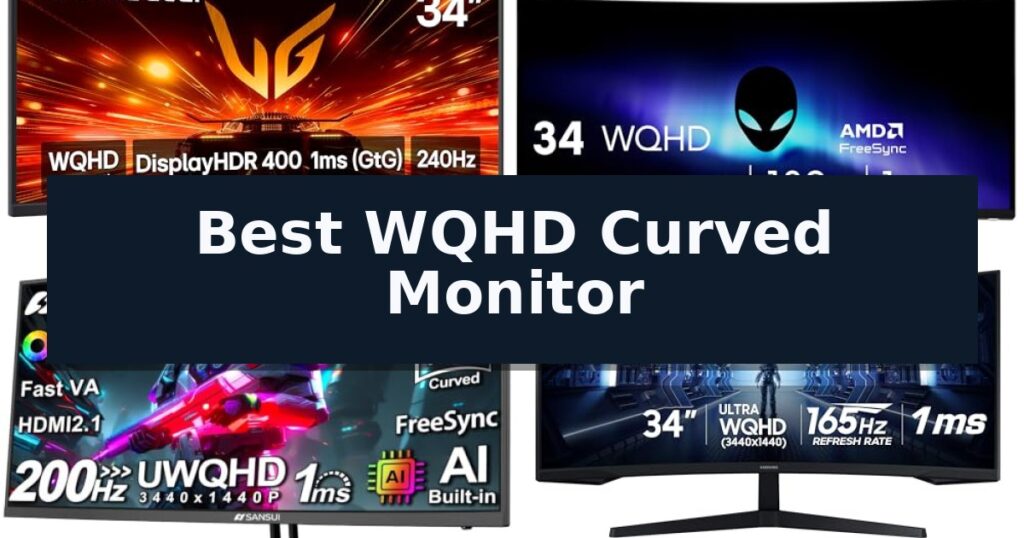
10 Best WQHD Curved Monitor in 2026 Reviews
Quick Comparison
| Product | Best For | Key Strength | Score |
|---|---|---|---|
| LG UltraGear 34G630A-B Gaming Monitor | Best Overall | Blistering 240Hz refresh rate for smooth competitive gaming. | 4.9 |
| Alienware AW3425DWM Curved Gaming Monitor | Premium immersive ultrawide performance | 180Hz refresh rate for fluid, responsive motion. | 4.3 |
| SANSUI ES-G34C5 Curved Gaming Monitor | High 200Hz refresh rate value | High 200Hz refresh rate for fluid motion. | 4.3 |
| Samsung Odyssey G5 Gaming Monitor | Deep 1000R curvature immersion | 1000R curvature provides an immersive, wrap-around viewing experience. | 4.5 |
| LG 34U640B-B UltraWide Monitor | Versatile USB-C multitasking hub | USB-C connectivity with 65W power delivery for a clutter-free desk. | 4.5 |
| Sceptre C345B-QUT168 Ultrawide Monitor | Budget-friendly expansive screen space | 21:9 Ultrawide aspect ratio for increased productivity. | 4.9 |
| LG UltraGear 34G600A-B Gaming Monitor | Balanced 160Hz gaming immersion | 160Hz refresh rate for smooth frame transitions. | 4.4 |
| Acer Nitro EDA323QU S3 Gaming Monitor | Large 31.5-inch curved display | 180Hz refresh rate for smooth motion rendering. | 4.8 |
| LG 34SR60QC-W Smart Monitor | Built-in streaming and webOS | Integrated webOS23 allows for standalone streaming and cloud PC access. | 4.4 |
| Amzfast AMZG27C1Q Gaming Monitor | Compact 27-inch curved design | 180Hz refresh rate with 1ms response time for smooth gameplay. | 4.8 |
How We Chose
Evaluating the best WQHD curved monitor requires a technical assessment of how panel specifications translate into real-world visual performance. We prioritize displays that maintain color accuracy and motion fluidity while offering the ergonomic flexibility necessary for long-term comfort in both gaming and professional environments.
- Refresh rate and response time for motion clarity
- Curvature radius and its impact on peripheral immersion
- Panel color gamut coverage and HDR peak brightness
- Connectivity options including USB-C power delivery and port variety
- Ergonomic adjustability of the included stand
1 LG UltraGear 34G630A-B Gaming Monitor — Blistering 240Hz competitive speed
The LG UltraGear 34G630A-B Gaming Monitor prioritizes competitive performance by integrating a high-speed 240Hz refresh rate with a 1ms (GtG) response time, ensuring fluid motion and minimal ghosting during intense gaming sessions. Its expansive 34-inch 21:9 Widescreen display provides significant horizontal real estate, allowing users to manage game overlays, chat windows, and guides simultaneously without needing to switch tabs.
Designed for visual clarity and immersion, this monitor features a curved panel that pairs with a 95% DCI-P3 color gamut and VESA DisplayHDR 400 certification. These specifications deliver vibrant color reproduction and enhanced contrast, helping to distinguish details in both bright highlights and deep shadows. The inclusion of AMD FreeSync Premium technology further stabilizes the experience by eliminating screen tearing and stuttering during gameplay.
Practicality is addressed through a versatile USB Type-C port that supports 15W power delivery and data transfer, simplifying cable management for laptop users. The monitor also includes a suite of gaming-specific tools, such as Dynamic Action Sync to reduce input lag, a Black Stabilizer for better visibility in dark areas, and a built-in crosshair feature for improved targeting precision.
Ergonomics and space efficiency are central to the design, featuring a slim, narrow-bezel aesthetic that maximizes screen area while minimizing the physical footprint. The included stand offers tilt, height, and swivel adjustments, allowing users to customize their viewing angle for comfort during extended use. The combination of high-speed technical specifications and flexible physical adjustments makes this a comprehensive solution for demanding gaming setups.
Best for: Competitive gamers who require high refresh rates and extra horizontal screen space for multitasking.
Skip if: Users who require professional-grade color accuracy for print production or those limited by a small desk footprint.
- Blistering 240Hz refresh rate for smooth competitive gaming.
- 1ms (GtG) response time to minimize motion blur.
- USB Type-C connectivity with 15W power delivery for reduced cable clutter.
- Adjustable stand providing tilt, height, and swivel options.
- 15W power delivery may be insufficient for charging high-performance laptops.
- Large 34-inch footprint requires significant desk space.
2 Alienware AW3425DWM Curved Gaming Monitor — Premium immersive ultrawide performance
The Alienware 34 Curved Gaming Monitor – AW3425DWM distinguishes itself with a pronounced 1500R curvature on its 34-inch ultrawide panel, designed to wrap your field of view for deeper immersion during high-stakes gaming sessions. By combining a wide aspect ratio with WQHD resolution, this display ensures that expansive virtual landscapes remain sharp and detailed, whether you are navigating open-world environments or managing complex interfaces.
Performance is anchored by a fluid 180Hz refresh rate and a rapid 1ms gray-to-gray response time, which work in tandem to minimize motion blur during fast-paced action. To ensure tear-free visuals, the monitor integrates AMD FreeSync Premium and VESA AdaptiveSync technology, providing a synchronized experience between your hardware and the display.
Visual fidelity is prioritized through DCI-P3 95% color coverage and VESA DisplayHDR 400 certification, delivering vibrant, high-contrast imagery. For those who log extended hours, the monitor includes a hardware-based low blue light solution that mitigates eye strain without compromising color accuracy, alongside a dedicated console mode for versatile connectivity.
Built for longevity and comfort, the unit features an iconic design that balances aesthetic appeal with practical utility. With a 3-year warranty included, this monitor is engineered to maintain consistent performance across marathon gaming sessions, making it a robust centerpiece for a dedicated desktop setup.
Best for: Gamers seeking an immersive ultrawide experience with high refresh rates and color-accurate visuals for marathon play sessions.
Skip if: Users with limited desk space or those who prefer a flat display for professional color-critical work where curvature might cause geometric distortion.
- 180Hz refresh rate for fluid, responsive motion.
- 1500R curvature enhances immersion in ultrawide gaming.
- Hardware-based low blue light reduces eye strain during long sessions.
- DCI-P3 95% color coverage provides vibrant, accurate visuals.
- Large 34-inch footprint requires significant desk space.
- Curved panel design may not suit all professional productivity workflows.
3 SANSUI ES-G34C5 Curved Gaming Monitor — High 200Hz refresh rate value
The SANSUI ES-G34C5 Curved Gaming Monitor distinguishes itself with a high 200Hz refresh rate and a 1500R curvature, designed to provide an immersive field of view for desktop computing. This 34-inch ultrawide display utilizes a Fast VA panel to balance contrast with responsiveness, making it a functional choice for users seeking a wide-format workspace.
Engineered for performance, the monitor features an OD 1ms response time and AdaptiveSync technology to support fluid motion. It covers 130% sRGB and 97% DCI-P3 color gamuts, ensuring vibrant output for both gaming and productivity tasks. The inclusion of AI-enhanced features like a built-in crosshair and blue light reduction adds utility for specific gaming scenarios.
Connectivity is handled via two HDMI 2.1 ports and a DisplayPort 1.4, both supporting the full 200Hz refresh rate. The monitor also supports PBP (Picture-by-Picture), allowing users to manage multiple inputs simultaneously on the 21:9 ultrawide screen. While it lacks integrated speakers, it includes an earphone jack for direct audio output.
The ergonomic stand offers -5° to 15° tilt adjustment and is VESA compatible (100 x 100mm) for users preferring wall or arm mounts. Its design includes a Kensington lock slot for security, and the unit is backed by a 30-day money-back and free replacement warranty, along with lifetime technical support.
Best for: Gamers and professionals requiring a high-refresh-rate ultrawide display for immersive gaming or multi-tasking workflows.
Skip if: Users who require built-in speakers or a monitor with a wider range of ergonomic adjustments like height and swivel.
- High 200Hz refresh rate for fluid motion.
- Ultrawide 21:9 aspect ratio with PBP support.
- Wide color gamut coverage with 130% sRGB.
- Flexible connectivity with HDMI 2.1 and DP 1.4.
- No integrated speakers.
- Limited ergonomic adjustments restricted to tilt only.
4 Samsung Odyssey G5 Gaming Monitor — Deep 1000R curvature immersion
The Samsung 34' Odyssey G5 Ultra-Wide Gaming Monitor utilizes a distinct 1000R curvature designed to align with the natural field of view of the human eye. By wrapping around your peripheral vision, this display aims to enhance immersion during extended gaming sessions, effectively acting as a seamless alternative to a dual-monitor setup.
Engineered for competitive performance, the monitor features a 165Hz refresh rate paired with a 1ms (MPRT) response time. These specifications are intended to minimize motion blur and provide fluid transitions during fast-paced gameplay. The inclusion of AMD FreeSync Premium technology further assists by reducing screen tearing, stutter, and input latency, ensuring that frame rates remain consistent even during demanding scenes.
Visual fidelity is supported by WQHD resolution and HDR10 compatibility, which helps maintain color accuracy and detail in both bright and shadowed areas of the screen. The VA panel construction is optimized to bring game environments to life with high contrast, allowing for a more detailed viewing experience.
This ultrawide monitor is built for users who prioritize screen real estate and immersive viewing angles. While the 1000R curve provides a unique depth, potential buyers should ensure their desk space can accommodate the 31.75-inch width of the unit to fully utilize its expansive display area.
Best for: Gamers seeking an immersive, ultrawide display with high refresh rates for competitive and cinematic gaming.
Skip if: Users with limited desk space or those who prefer flat panels for professional graphic design work where curvature may distort straight lines.
- 1000R curvature provides an immersive, wrap-around viewing experience.
- 165Hz refresh rate and 1ms response time support smooth, competitive gameplay.
- AMD FreeSync Premium reduces visual tearing and input lag.
- WQHD resolution offers a wide, seamless workspace.
- Large footprint requires significant desk space due to the 31.75-inch width.
- Curved VA panel may not be ideal for professional tasks requiring perfectly straight lines.
5 LG 34U640B-B UltraWide Monitor — Versatile USB-C multitasking hub
Managing complex workflows requires more than just screen real estate; it demands a display that adapts to your specific multitasking needs. The LG 34U640B-B UltraWide Monitor features a 34-inch curved 21:9 display that provides a wide canvas, effectively reducing the need for constant window switching while you work.
Designed with a subtle 1800R curve, this monitor aligns with your natural line of sight to enhance comfort during extended sessions. The 144Hz refresh rate and 5ms response time ensure that motion remains smooth, whether you are navigating dense spreadsheets, streaming media, or engaging in gaming during downtime.
Connectivity is streamlined through a single USB Type-C port that supports both data transfer and up to 65W laptop charging. The inclusion of a Dual Controller (KVM switch) allows you to manage two separate PCs using one set of peripherals, while the Switch app provides tools to split your screen into six distinct sections for better organization.
Visual fidelity is supported by 99% sRGB color coverage and HDR10, ensuring consistent color reproduction. For users focused on document-heavy tasks, the integrated Reader Mode adjusts the screen to warmer hues to reduce eye strain, while the adjustable stand allows for precise height and tilt customization to suit your desk setup.
Best for: Professionals and multitaskers who need to manage multiple applications simultaneously across a single, high-refresh-rate curved workspace.
Skip if: Users who require a flat display for precision graphic design work or those with limited desk space who cannot accommodate a 34-inch ultrawide footprint.
- USB-C connectivity with 65W power delivery for a clutter-free desk.
- Dual Controller (KVM) functionality for managing two PCs with one keyboard and mouse.
- 144Hz refresh rate for smooth motion and responsive visuals.
- 1800R curvature designed to improve viewing comfort during long sessions.
- Large physical footprint may not be suitable for smaller workstations.
- Ultrawide aspect ratio may not be natively supported by all legacy software or media content.
6 Sceptre C345B-QUT168 Ultrawide Monitor — Budget-friendly expansive screen space
Expanding your digital workspace often requires more than just a standard display, and the Sceptre 34-inch Curved ultrawide WQHD Monitor addresses this by offering a 21:9 aspect ratio that provides 30% more screen space compared to conventional monitors. This expansive canvas allows for seamless multitasking, making it a functional choice for those who need to manage multiple windows or complex timelines without the clutter of a dual-monitor setup.
The monitor features a 3440 x 1440 WQHD resolution, delivering 5 million pixels for a detailed visual experience that significantly improves upon the standard 1080P display. To support fluid motion during fast-paced activity, it incorporates a 1ms MPRT response time, which helps minimize ghosting by ensuring colors transition instantly. This performance is complemented by a refresh rate of up to 180Hz/165Hz, providing smooth transitions for demanding visual tasks.
Designed with a modern aesthetic, the unit includes Luminous Backcover Lights that add a distinct visual flair to your desk setup. The R1500 curvature is engineered to provide a more immersive field of view, wrapping the display slightly around your peripheral vision. With 99% sRGB color coverage, the monitor is capable of producing a wide range of colors, suitable for tasks where color accuracy is a priority.
Connectivity is handled via two DisplayPort inputs, and the unit includes built-in speakers for basic audio output, reducing the need for external peripherals. While it offers a substantial increase in screen real estate, users should ensure their desk space can accommodate the 31.8-inch width and the weight of the unit to ensure a stable and ergonomic viewing position.
Best for: Professionals and gamers who require expansive screen real estate for multitasking and immersive viewing.
Skip if: Users with limited desk space or those who require a flat panel display for specific design workflows.
- 21:9 Ultrawide aspect ratio for increased productivity.
- 3440 x 1440 WQHD resolution for refined image detail.
- 1ms MPRT response time to reduce ghosting.
- R1500 curvature for an immersive viewing experience.
- Large physical footprint requires significant desk space.
- Built-in speakers may not match the fidelity of dedicated audio systems.
7 LG UltraGear 34G600A-B Gaming Monitor — Balanced 160Hz gaming immersion
Achieving a truly immersive gaming environment often hinges on the display's ability to pull the user into the action, and the LG UltraGear 34G600A-B Gaming Monitor does exactly that with its 1800R curved, 34-inch ultra-wide WQHD panel. This design choice expands the field of view, providing significant screen real estate for multitasking or deep-dive gaming sessions.
Performance is driven by a 160Hz refresh rate paired with 1ms Motion Blur Reduction (MBR), which work together to maintain fluid motion and minimize ghosting during fast-paced sequences. The monitor also integrates AMD FreeSync Premium to mitigate screen tearing and stuttering, ensuring that the visual output remains consistent even during intense gameplay.
Color accuracy and visual depth are supported by HDR10 and up to 99% sRGB color gamut coverage, resulting in vivid, impactful imagery. For competitive utility, the monitor includes Dynamic Action Sync to reduce input lag, a Black Stabilizer to enhance visibility in dark areas, and a built-in Crosshair feature for improved targeting precision.
The physical design emphasizes flexibility with a stand that supports tilt, height, and swivel adjustments, allowing for ergonomic positioning. Audio is handled by built-in stereo speakers featuring Waves MaxxAudio, providing a convenient all-in-one solution for sound without requiring external peripherals.
Best for: Gamers and multitaskers who prioritize a wide, curved field of view and high-refresh-rate performance for both entertainment and productivity.
Skip if: Users who require a flat screen for professional color-critical design work or those with limited desk space who cannot accommodate a 34-inch ultra-wide footprint.
- 160Hz refresh rate for smooth frame transitions.
- 1800R curvature provides deep screen immersion.
- 1ms Motion Blur Reduction minimizes ghosting.
- AMD FreeSync Premium ensures tear-free visuals.
- Large 34-inch footprint requires significant desk space.
- Curved display may not be preferred for specific professional design tasks.
8 Acer Nitro EDA323QU S3 Gaming Monitor — Large 31.5-inch curved display
The Acer Nitro EDA323QU S3 Gaming Monitor creates a deeply immersive environment through its 1500R curvature, which ensures that every edge of the 31.5-inch display maintains a consistent focal distance from the user's eyes. This WQHD resolution of 2560 x 1440 provides sharp, high-quality detail across the 16:9 aspect ratio, making it a capable choice for both high-fidelity gaming and expansive desktop multitasking.
Engineered for fluid motion, the monitor supports a 180Hz refresh rate when connected via DisplayPort, which effectively shortens frame rendering times and minimizes input lag during fast-paced sequences. The inclusion of AMD FreeSync technology further stabilizes the experience by synchronizing the panel's refresh rate with the graphics card, successfully eliminating screen tearing and stuttering that can occur during intense transitions.
The physical design centers on a ZeroFrame near-bezel-less construction, which maximizes screen real estate and facilitates seamless multi-monitor configurations. Users can adjust the viewing angle with a tilt range of -5 to 20 degrees to suit their ergonomic preferences. While the large 31.5-inch footprint offers an expansive view, it requires a significant amount of desk space, representing a clear trade-off for those prioritizing a smaller, more compact workstation.
Connectivity is handled by one DisplayPort 1.4 and two HDMI 2.0 ports, though users should note that the refresh rate is limited to 144Hz when utilizing the HDMI connection. The unit also features VESA mounting compatibility (100 x 100mm) for flexible installation and includes integrated 2-watt speakers for basic audio output, rounding out a versatile feature set for desktop gaming.
Best for: Gamers seeking a large, curved display with high refresh rates and tear-free visuals for an immersive desktop setup.
Skip if: Users requiring a flat panel for professional color-critical design work or those with limited desk space for a 31.5-inch curved form factor.
- 180Hz refresh rate for smooth motion rendering.
- 1500R curvature provides a uniform viewing distance.
- ZeroFrame design maximizes screen-to-body ratio.
- AMD FreeSync eliminates screen tearing.
- 144Hz limit when using HDMI connections.
- Large 31.5-inch footprint requires significant desk space.
9 LG 34SR60QC-W Smart Monitor — Built-in streaming and webOS
The LG 34SR60QC-W Smart Monitor distinguishes itself by integrating a full webOS23 interface directly into its 34-inch display, allowing users to stream content from platforms like Netflix, Disney+, and Prime Video without needing a connected PC. This ultrawide 21:9 screen provides a panoramic viewing experience, while the 1800R curvature is engineered to enhance immersion for both productivity tasks and entertainment.
Designed for versatility, this monitor features a 3440×1440 QHD resolution and supports HDR10 for improved picture quality. The 99% sRGB color gamut ensures vibrant visuals, making it a capable choice for users who prioritize color accuracy. With a 100Hz refresh rate, the display offers fluid motion for gaming and general navigation, while the built-in speakers provide integrated audio output.
Connectivity is a major focus, with the monitor equipped with two HDMI ports and three USB ports to accommodate multiple peripherals. For those working in a hybrid environment, the monitor supports cloud PC services like Microsoft 365 and Google applications directly through the interface. Additionally, Apple AirPlay 2 and HomeKit compatibility allow for seamless wireless screen mirroring and control from iOS or macOS devices.
The physical design features a 3-side virtually frameless aesthetic, maintaining a clean look on any desk. The monitor is also compatible with the LG Magic Remote, which can be purchased separately to enable voice command navigation. With its combination of smart streaming capabilities and ultrawide workspace, this model offers a distinct approach to the traditional desktop monitor.
Best for: Users who want a single display that functions as both a high-resolution PC monitor and a standalone smart TV for streaming.
Skip if: Users who require professional-grade color calibration tools or a higher refresh rate for competitive gaming.
- Integrated webOS23 allows for standalone streaming and cloud PC access.
- 34-inch 21:9 ultrawide display with 1800R curvature for immersive viewing.
- Apple AirPlay 2 and HomeKit support for easy wireless integration.
- 99% sRGB color gamut and HDR10 support for enhanced image quality.
- Magic Remote sold separately, limiting out-of-the-box voice control capabilities.
- 100Hz refresh rate may not satisfy users seeking high-end gaming performance.
10 Amzfast AMZG27C1Q Gaming Monitor — Compact 27-inch curved design
The Amzfast AMZG27C1Q Gaming Monitor offers a high-performance visual experience through its 180Hz refresh rate and 1ms MPRT response time, ensuring fluid motion for fast-paced gaming. Its 1500R curvature is specifically engineered to provide an immersive field of view, drawing the user into the center of the action.
This 27-inch WQHD (2560×1440) display delivers sharp detail, supported by a 5000:1 contrast ratio and a wide color gamut covering 134% sRGB and 98% DCI-P3. The integration of HDR technology enhances the dynamic range, resulting in vivid color reproduction and deep shadows during entertainment or gaming sessions.
Designed for versatility, the monitor features an ultra-thin metal stand that maintains a sleek aesthetic while providing essential ergonomic adjustments, including a -5° to 15° tilt range. It is also VESA 100x100mm compatible, allowing for flexible mounting configurations on arms or wall brackets.
Connectivity is managed via two HDMI 2.0 ports and one DisplayPort 1.4, with the latter required to achieve the maximum 180Hz refresh rate. The monitor includes built-in gaming enhancements such as a crosshair, timer, and shadow booster to assist in competitive scenarios, though users should note the absence of integrated speakers.
Best for: Gamers seeking a high-refresh-rate, curved WQHD display with strong color accuracy for immersive play.
Skip if: Users who require built-in speakers or a stand with height and swivel adjustments should consider alternative models.
- 180Hz refresh rate with 1ms response time for smooth gameplay.
- High color accuracy with 134% sRGB and 98% DCI-P3 coverage.
- Immersive 1500R curvature for a wider field of view.
- Sturdy, ultra-thin metal stand with VESA compatibility.
- No integrated speakers included.
- Refresh rate limited to 144Hz when using HDMI connections.
Best WQHD Curved Monitor Buying Guide
Understanding Curvature Radii
The curvature rating, expressed in millimeters like 1000R or 1800R, indicates the radius of the circle the screen would form. A lower number represents a tighter, more aggressive curve that wraps further into your peripheral vision.
Tighter curves are generally preferred for immersive gaming, as they keep the edges of the screen at a consistent distance from your eyes. However, for precision design work, a shallower curve may be preferable to avoid perceived geometric distortion.
Refresh Rates and Motion Handling
A high refresh rate is essential for fluid motion, especially in fast-paced titles where every frame counts. While 144Hz is a common standard, models reaching 200Hz or 240Hz offer a noticeable reduction in motion blur.
Response time, specifically GtG or MPRT, works in tandem with the refresh rate to eliminate ghosting. Look for monitors that specify 1ms response times to ensure that fast-moving objects remain sharp rather than trailing behind.
Color Accuracy and HDR Performance
WQHD monitors often feature wide color gamuts, such as 99% sRGB or DCI-P3 coverage, which provide more vibrant and accurate images. This is particularly important for creators who need reliable color reproduction for media editing.
HDR certification, such as DisplayHDR 400, indicates the monitor's ability to handle high-contrast scenes. While these monitors may not reach the peak brightness of high-end professional displays, they provide a more cinematic experience in supported games and movies.
Connectivity and Desk Integration
Modern ultrawide monitors often serve as central hubs for multiple devices. Models featuring USB-C with power delivery allow you to connect a laptop for display, data, and charging through a single cable, significantly reducing desktop clutter.
Ensure the monitor offers the correct port versions, such as DisplayPort 1.4 or HDMI 2.1, to support the full resolution and refresh rate of your graphics card. Some models also include KVM switches, which allow you to control two computers with one set of peripherals.
Ergonomics and Mounting
Since curved monitors are often wider than standard displays, the quality of the stand is critical. Look for height, tilt, and swivel adjustments to ensure the screen is positioned at eye level to prevent neck strain.
If you prefer a custom setup, verify that the monitor is VESA compatible. This allows you to mount the display on a dedicated arm, freeing up desk space and providing a greater range of motion for your viewing position.
Frequently Asked Questions
Is a curved monitor better for productivity?
Yes, the curvature can help reduce eye strain by keeping the edges of the wide display at a more uniform distance from your eyes, which is helpful when managing multiple windows.
Do I need a high refresh rate for office work?
A high refresh rate is not strictly necessary for office tasks, but it does make scrolling through documents and navigating the operating system feel smoother and more responsive.
What is the difference between 1000R and 1800R?
1000R is a tighter curve that provides more immersion, while 1800R is a shallower, more subtle curve that is often easier to adapt to if you are coming from a flat monitor.
Can I use a gaming monitor for professional color work?
Many gaming monitors with high sRGB or DCI-P3 coverage are capable of professional work, but you should verify the specific color gamut coverage and factory calibration if color accuracy is critical for your projects.
Will my graphics card support a WQHD curved monitor?
Most modern graphics cards support WQHD resolution, but you should check your card's output specifications to ensure it can handle the monitor's resolution and refresh rate via the available HDMI or DisplayPort connections.
Conclusion: Our Top Pick
Our top pick is LG UltraGear 34G630A-B Gaming Monitor. Choosing the right WQHD curved monitor depends on balancing your need for high-speed gaming performance against the requirements of your daily workflow. Prioritizing features like refresh rate and connectivity will ensure your display serves your needs for years to come.
By focusing on the curvature radius and ergonomic adjustments, you can create a setup that is both comfortable for long sessions and visually immersive. Evaluate your primary use case to determine which of these models provides the best fit for your desk.