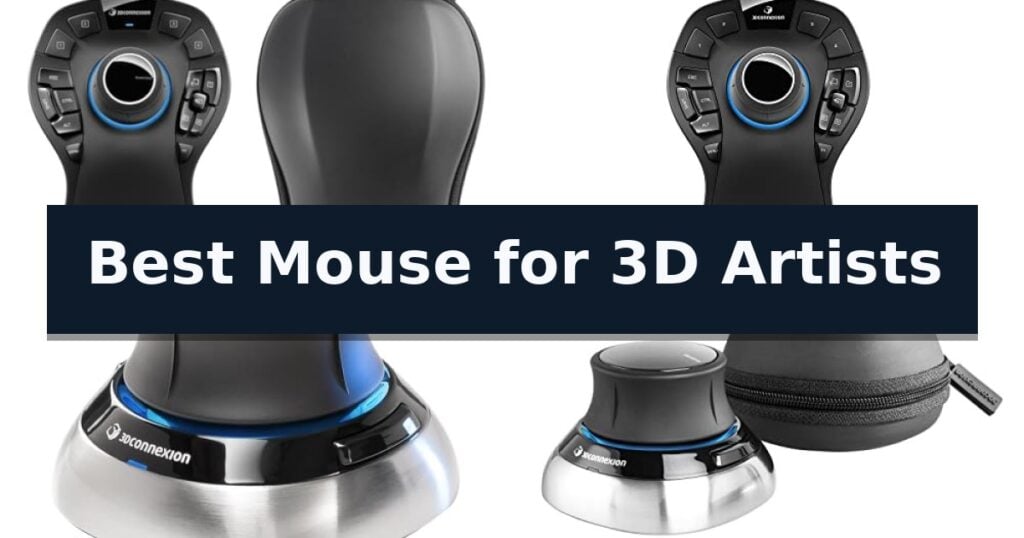
3Dconnexion SpaceMouse Pro Wireless earns our recommendation for the Best Mouse for 3D Artists thanks to its specialized six-degrees-of-freedom sensor that allows for intuitive, simultaneous manipulation of complex 3D models.
For professionals requiring a more portable solution, the 3Dconnexion SpaceMouse Wireless offers similar 3D navigation capabilities in a compact form factor. Those seeking a traditional ergonomic mouse for standard CAD tasks may prefer the 3Dconnexion CadMouse Compact, which features a dedicated middle button and high-resolution sensor optimized for precision work.
Selecting the right input device for 3D modeling requires balancing specialized navigation needs with everyday comfort. While standard mice handle 2D cursor movement, 3D artists benefit from devices that offload complex camera rotations and zooms to a secondary hand, reducing repetitive strain and increasing efficiency in demanding software environments.
For those looking to optimize their entire desk setup, our guide on the Best Mouse and Keyboard for Work provides additional insights into creating a productive environment.
7 Best Mouse for 3D Artists in 2026 Reviews
Quick Comparison
| Product | Best For | Key Strength | Score |
|---|---|---|---|
| 3Dconnexion SpaceMouse Pro Wireless | Best Overall | Six-Degrees-of-Freedom (6DoF) sensor for intuitive 3D model manipulation. | 4.9 |
| 3Dconnexion SpaceMouse Pro | Ergonomic 3D workflow control | 6 degrees of freedom sensor for intuitive 3D navigation. | 4.6 |
| 3Dconnexion SpaceMouse Wireless | Compact 3D motion control | Advanced 3D navigation cap for intuitive model manipulation | 4.7 |
| 3Dconnexion 3DX-700066 Spacemouse Wireless (With Carry Case And Universal Receiver) | Precise digital model navigation | Six-degrees-of-freedom (6Dof) sensor for intuitive 3D navigation | 4.5 |
| 3Dconnexion SpaceNavigator | Essential 3D design tool | Advanced 6 degrees-of-freedom optical sensor for fluid 3D navigation. | 4.5 |
| 3Dconnexion SpacePilot Pro | Advanced CAD application control | Six degrees-of-freedom (6DoF) sensor for intuitive 3D model manipulation. | 4.5 |
| 3Dconnexion CadMouse Compact | Optimized for CAD precision | Dedicated middle mouse button reduces finger fatigue during 3D navigation. | 4.3 |
How We Chose
To identify the best mouse for 3D artists, we evaluate devices based on their ability to handle complex spatial navigation. We prioritize hardware that integrates directly with professional modeling software, focusing on sensor accuracy, button programmability, and the physical ergonomics required for sustained, high-precision creative work.
- 6DoF Sensor Precision: Evaluating the responsiveness and accuracy of the six-degrees-of-freedom navigation sensor.
- Programmable Workflow Controls: Assessing the number and accessibility of customizable buttons for application-specific commands.
- Ergonomic Design: Analyzing the physical shape and wrist support to ensure comfort during long design sessions.
- Connectivity Reliability: Comparing wireless stability and battery longevity against wired, low-latency alternatives.
- Software Integration: Verifying compatibility with major CAD and 3D modeling suites for seamless command mapping.
1 3Dconnexion SpaceMouse Pro Wireless — Professional 6DoF navigation
Navigating complex 3D environments requires precise, intuitive control that standard peripherals often struggle to provide. The 3Dconnexion SpaceMouse Pro Wireless addresses this by utilizing a specialized Six-Degrees-of-Freedom (6DoF) sensor, allowing users to pan, zoom, and rotate digital models simultaneously with a single hand. This hardware-based approach to navigation is designed to streamline workflows in professional design and modeling applications.
Engineered for a clean workspace, the device supports wireless and USB-C connectivity, ensuring flexibility in how it integrates with your workstation. It also incorporates Bluetooth Low Energy technology, providing a reliable connection without the clutter of extra cables. The inclusion of a rechargeable Li-poly battery with 1100 mAh capacity supports extended periods of use, reducing the frequency of charging interruptions during intensive projects.
The ergonomic design is tailored for long-term comfort, positioning the hand naturally to minimize strain during extended modeling sessions. By offloading navigation tasks from the standard mouse to the 3Dconnexion SpaceMouse Pro Wireless, users can achieve a more balanced distribution of input tasks, potentially reducing repetitive movements across both hands.
While this device is a powerful tool for 3D navigation, it is intended to complement, not replace, a traditional mouse. It requires a learning curve to master the fluid 6DoF movements, but once integrated, it offers a distinct advantage for those working in complex 3D spaces.
Best for: Professional 3D artists and designers who need fluid, simultaneous 3D navigation control to improve workflow efficiency.
Skip if: Users who primarily perform 2D tasks or those who prefer a single-device setup without the need for specialized 3D navigation hardware.
- Six-Degrees-of-Freedom (6DoF) sensor for intuitive 3D model manipulation.
- Wireless and USB-C connectivity options for flexible desk setups.
- Rechargeable Li-poly battery for extended untethered operation.
- Bluetooth Low Energy support for efficient wireless performance.
- Requires a learning curve to master the 6DoF navigation style.
- Not a replacement for a standard mouse, requiring additional desk space.
2 3Dconnexion SpaceMouse Pro — Ergonomic 3D workflow control
The 3Dconnexion SpaceMouse Pro is engineered to streamline complex 3D design workflows by utilizing a specialized 6 degrees of freedom sensor. This interface allows users to intuitively pan, zoom, and rotate models simultaneously, providing a level of control that standard peripherals cannot replicate.
Designed for professional office environments, this device features 15 programmable buttons that provide quick access to frequently used commands. By offloading navigation tasks to the non-dominant hand, the 3Dconnexion SpaceMouse Pro enables a more ergonomic and efficient two-handed workflow, reducing repetitive strain during long modeling sessions.
The hardware is built with a substantial footprint, measuring approximately 10.39 inches in width and 7.32 inches in length, ensuring stability on the desk surface. It is a dedicated input tool meant to complement, rather than replace, a standard mouse, serving as a specialized controller for precise spatial manipulation.
While the device offers significant advantages for CAD and 3D modeling, it requires a learning curve to master the fluid movement of the controller cap. It is a purpose-built accessory that excels in professional 3D software environments but may not be necessary for general computing tasks.
Best for: Professional 3D artists and CAD designers who require precise, simultaneous spatial navigation within complex modeling software.
Skip if: Users who primarily perform 2D design work or those with limited desk space who prefer a minimalist, single-peripheral setup.
- 6 degrees of freedom sensor for intuitive 3D navigation.
- 15 programmable buttons for efficient command mapping.
- Ergonomic design supports a two-handed workflow.
- Stable, weighted base prevents movement during use.
- Requires a learning curve to master the navigation cap.
- Large physical footprint takes up significant desk space.
3 3Dconnexion SpaceMouse Wireless — Compact 3D motion control
The 3Dconnexion SpaceMouse Wireless – Bluetooth Edition 3DX-700115 distinguishes itself through its specialized controller cap, which enables precise, intuitive 3D navigation for complex digital modeling environments. By allowing users to push, pull, twist, or tilt the cap, it provides a degree of control over 3D objects and camera views that standard mice cannot replicate.
This device is designed for mobility and clean workspaces, featuring both Bluetooth and USB-C connectivity. The internal rechargeable battery is engineered for longevity, capable of lasting up to one month between charges, which minimizes downtime during intensive design projects. For professionals who travel between studios or offices, the inclusion of a lightweight and durable carry case ensures the hardware remains protected.
Usability is enhanced by two programmable side buttons, allowing users to map frequently used commands directly to the device for faster access. Its compact footprint ensures it does not crowd a desk, leaving ample room for a primary mouse or other input tools. The device is built to integrate into existing workflows, acting as a secondary controller alongside a standard mouse to facilitate two-handed operation.
While this unit excels at 3D manipulation, it is intended to complement, not replace, a traditional mouse. Users should note that it is a specialized navigation tool rather than a general-purpose pointing device. With a one-year manufacturer warranty, it provides a focused solution for those requiring granular control over 3D space.
Best for: 3D artists and CAD professionals who require precise, intuitive navigation of 3D models and camera angles.
Skip if: Users who only perform 2D design work or those who prefer a single, all-in-one input device without the need for two-handed operation.
- Advanced 3D navigation cap for intuitive model manipulation
- Flexible Bluetooth and USB-C connectivity options
- Long-lasting rechargeable battery with up to 1 month of use
- Includes a lightweight and durable carry case for portability
- Requires a secondary mouse for standard point-and-click tasks
- Two programmable buttons may be limiting for complex macro-heavy workflows
4 3Dconnexion 3DX-700066 Spacemouse Wireless (With Carry Case And Universal Receiver) — Precise digital model navigation
Navigating complex 3D environments requires more than a standard mouse, and the 3Dconnexion 3DX-700066 Spacemouse Wireless addresses this by utilizing a six-degrees-of-freedom (6Dof) sensor. This specialized hardware allows users to intuitively pan, zoom, and rotate digital models simultaneously, providing a level of control that traditional peripherals cannot replicate. By allowing for fluid, simultaneous movement, this sensor reduces the need for constant mode-switching in professional design software.
Designed for professional workflows, the device features a small footprint with an elegant brushed steel base that fits comfortably alongside a standard mouse. It includes two programmable buttons that can be customized to suit specific software shortcuts, streamlining repetitive tasks during the modeling process. This design choice ensures that the device occupies minimal desk space while maintaining the stability required for precise, tactile input.
The 3Dconnexion 3DX-700066 Spacemouse Wireless offers significant flexibility through its 2.4GHz wireless technology, ensuring a reliable, real-time connection to your workstation without the clutter of cables. It is built for longevity, boasting a battery life that lasts up to one month between charges, and it comes with a dedicated carry case for secure transport between office and home environments.
This device is intended to function as a secondary input tool, working in tandem with a traditional mouse to balance the workload. Because it is a specialized tool, it does not replace the point-and-click functionality of a standard mouse, meaning users must adapt to a dual-device setup. It is backed by a 2-year manufacturer's warranty, providing long-term support for its specialized navigation capabilities.
Best for: Professional 3D artists and CAD designers who require precise, simultaneous control over digital models and views.
Skip if: Users who only perform basic 2D navigation or those who prefer a single-device setup without the need for specialized 3D input hardware.
- Six-degrees-of-freedom (6Dof) sensor for intuitive 3D navigation
- One month of battery life between charges
- Reliable 2.4GHz wireless connectivity
- Compact, durable design with a brushed steel base
- Requires a secondary mouse for standard point-and-click operations
- Specialized input method requires a learning curve for new users
5 3Dconnexion SpaceNavigator — Essential 3D design tool
Navigating complex 3D environments requires precision that standard peripherals often lack, making the 3Dconnexion 3DX-700028 SpaceNavigator 3D Mouse a specialized instrument for digital creators. Unlike a traditional mouse, this device utilizes an advanced 6 degrees-of-freedom optical sensor that allows users to intuitively manipulate digital objects in three-dimensional space.
The core functionality centers on the ability to simultaneously pan, zoom and rotate 3D models with a single hand. By applying varying degrees of pressure to the controller cap, designers can achieve fluid, precise movements that would otherwise require multiple keyboard shortcuts or repetitive mouse gestures. This design is specifically tailored for professionals working in CAD, architecture, and complex 3D modeling software.
Usability is enhanced by 2 programmable function keys, which provide quick access to frequently used application commands. The device is compact, measuring 3 inches in width and length with a 2-inch height, ensuring it maintains a minimal footprint on a crowded workstation. Its weighted base provides stability during intense design sessions, preventing unwanted movement while the controller cap is in use.
For professional environments, the SpaceNavigator SE model includes a commercial use license and full technical support, ensuring it meets the requirements of enterprise-level workflows. While it serves as a powerful companion to a standard mouse, it is a dedicated navigation tool that requires a learning curve to master the fluid, multi-axis control it provides for complex geometry.
Best for: Professional 3D designers, CAD engineers, and architects who require precise, multi-axis navigation of complex 3D models.
Skip if: Users seeking a general-purpose pointing device for standard office tasks or those who do not work within 3D modeling software environments.
- Advanced 6 degrees-of-freedom optical sensor for fluid 3D navigation.
- Allows users to simultaneously pan, zoom and rotate models.
- Includes 2 programmable function keys for workflow customization.
- Compact, stable design with a weighted base.
- Requires a learning curve to master the 3D navigation controls.
- Functions as a specialized peripheral rather than a replacement for a standard mouse.
6 3Dconnexion SpacePilot Pro — Advanced CAD application control
Navigating complex 3D environments requires precise input, and the 3Dconnexion SpacePilot Pro 3D Mouse 3DX-700036 provides a specialized solution through its six degrees-of-freedom (6DoF) sensor. Designed specifically for engineers and digital creators, this device allows for simultaneous panning, zooming, and rotating of models, offering a level of control that standard mice cannot replicate.
The hardware is built around a 31-key programmable interface, which includes Dual-Function QuickView Navigation Keys and dedicated keys for accessing up to 10 commands. This extensive programmability is supported by an integrated LCD Workflow Assistant that provides visual feedback and context-sensitive information, helping to streamline complex design tasks without requiring constant keyboard interaction.
Ergonomics play a central role in the unit's construction, featuring an advanced wrist design intended to maintain comfort during extended sessions. With dimensions of 11.7 inches by 8.5 inches and a weight of approximately 1.32 pounds, the device occupies a dedicated space on the desk, prioritizing stability and accessibility for professional MCAD workflows.
While this controller excels at 3D manipulation, it is intended to complement, not replace, a standard mouse. Users should note that the device is purpose-built for advanced MCAD navigation and requires a learning curve to fully utilize the 6DoF sensor and the extensive array of programmable modifiers effectively.
Best for: Professional 3D artists and engineers who require precise, simultaneous 6-axis control for complex CAD and modeling software.
Skip if: Casual users or those with limited desk space who do not perform intensive 3D modeling work and prefer a traditional, minimalist desktop setup.
- Six degrees-of-freedom (6DoF) sensor for intuitive 3D model manipulation.
- 31 programmable keys allow for deep customization of application-specific shortcuts.
- LCD Workflow Assistant provides real-time visual feedback for active commands.
- Advanced wrist design focuses on ergonomic support for long-duration use.
- Large physical footprint requires significant dedicated desk space.
- Steep learning curve to master the 6DoF navigation and key mapping.
7 3Dconnexion CadMouse Compact — Optimized for CAD precision
Precision in digital sculpting and complex 3D modeling requires hardware that minimizes input latency and maximizes control. The 3Dconnexion CadMouse Compact Mouse is engineered specifically for this environment, featuring a dedicated middle mouse button that eliminates the strain often associated with clicking the scroll wheel during frequent pan and zoom operations.
Designed with a compact ergonomic shape, this device is built to fit smaller hand sizes or mobile workstations without sacrificing functionality. It utilizes a high resolution sensor to ensure tracking accuracy across various surfaces, which is essential when navigating intricate 3D environments or performing fine-tuned adjustments in CAD software.
The hardware includes 7 buttons, five of which are fully programmable, allowing users to map frequently used commands directly to the mouse. The Smart Mouse Wheel 2 provides precise click-to-click scrolling in CAD applications, while offering smooth, high-speed scrolling for document navigation, effectively bridging the gap between technical modeling and general productivity tasks.
Built for professional reliability, the unit is backed by a 3-year manufacturer limited warranty. Its wired USB connection ensures consistent performance without the need for battery management, making it a stable choice for long-duration design sessions where input reliability is paramount.
Best for: Professional 3D designers and CAD users who require a dedicated middle mouse button and high-precision tracking in a compact form factor.
Skip if: Users who prefer a larger, full-sized ergonomic mouse or those who strictly require wireless connectivity for their workspace setup.
- Dedicated middle mouse button reduces finger fatigue during 3D navigation.
- Compact ergonomic design is ideal for mobile workstations and smaller hands.
- High resolution sensor provides reliable tracking precision.
- 7-button layout with programmable options for custom workflows.
- Wired USB connection may limit cable management flexibility.
- Compact size may not suit users who prefer a larger palm-grip mouse.
Best Mouse for 3D Artists Buying Guide
Understanding 6DoF Navigation
The core of a 3D artist's workflow is the ability to pan, zoom, and rotate models simultaneously. Unlike a standard mouse, a 6DoF controller allows you to manipulate these axes in a single fluid motion, which is essential for complex assembly or character modeling.
By offloading these navigation tasks to a dedicated device, you can use your primary mouse exclusively for selection and command execution. This division of labor significantly reduces the number of clicks and menu navigations required to inspect a model from different angles.
Ergonomics and Wrist Health
3D modeling often involves long hours at a workstation, making ergonomic support a critical factor. Devices with contoured shapes or integrated wrist rests help maintain a neutral hand position, which can mitigate the risk of repetitive strain injuries.
When choosing a device, consider how it fits your natural hand posture. A mouse that is too small or lacks proper support can lead to fatigue, whereas a well-designed controller encourages a relaxed grip even during intensive design sessions.
Programmable Button Utility
Customizable buttons allow you to map frequently used tools, such as extrude, bevel, or view-toggle commands, directly to your hardware. This minimizes the need to move your hand to the keyboard, keeping your focus entirely on the viewport.
Look for devices that offer software-based profiles, allowing you to save different button configurations for various applications. This flexibility ensures that your hardware adapts to your specific needs, whether you are working in CAD, sculpting, or animation software.
Wireless vs. Wired Connectivity
Wireless freedom is increasingly important for maintaining a clean, flexible workspace. Modern wireless 3D controllers use low-latency connections that are indistinguishable from wired versions, ensuring that your movements are registered in real-time without input lag.
If you choose a wireless model, verify the battery life and charging options. Models that support USB-C charging while in use provide the best of both worlds, ensuring you never face downtime during a critical project deadline.
Software Compatibility
The effectiveness of a 3D mouse is largely dependent on its driver support for your specific software. Ensure the device you select is compatible with your primary design suite, as native integration allows for deeper customization and smoother performance.
Check the manufacturer's website for supported software lists, as some devices are optimized for engineering-focused CAD programs while others are better suited for artistic sculpting or animation tools.
Frequently Asked Questions
Do I need both a standard mouse and a 3D mouse?
Yes, a 3D mouse is designed to complement, not replace, your standard mouse. You use the 3D mouse for navigation and the standard mouse for selection and editing.
Is a 3D mouse difficult to learn?
Most users find that the 6DoF navigation becomes intuitive within a few days of consistent use, as it mimics natural hand movements in 3D space.
Can I use a 3D mouse for gaming?
While 3D mice are designed for professional design software, they are not typically suitable for gaming, which relies on high-speed, 2D tracking sensors.
How do I know if my software supports a 3D mouse?
Most major 3D modeling and CAD applications have native support for 3Dconnexion devices. You can verify compatibility on the manufacturer's official software support page.
Does the wireless version have input lag?
Modern wireless 3D mice use advanced connectivity protocols that provide a real-time, lag-free experience suitable for professional 3D design work.
Conclusion: Our Top Pick
Choosing the right tool for 3D modeling is about enhancing your efficiency and protecting your comfort. The 3Dconnexion SpaceMouse Pro Wireless stands out for its comprehensive control set, making it a powerful addition to any professional workstation.
Consider your specific workflow needs, such as the requirement for portability or the necessity of extensive programmable keys, to select the model that best fits your daily design tasks.