SCYROX V8S Wireless Gaming Mouse is our pick for the Best Mouse for Claw Grip because its 40g ultra-lightweight symmetrical shell provides the precise, stable control needed for rapid micro-adjustments in competitive play.
Claw grip users prioritize a specific balance of rear-hump support and side-wall stability to facilitate quick, consistent movements. While palm-oriented mice often prioritize comfort through larger surface areas, claw-focused designs emphasize a narrower waist and a pronounced hump that anchors the palm, allowing fingers to remain arched for faster, more tactile click responses.
Selecting the right mouse involves weighing sensor latency against physical weight and shape. High-polling rate support and optical switches are standard for modern competitive mice, but the true differentiator remains how the shell geometry interacts with your specific hand size and grip style during high-intensity sessions.
If you struggle with wrist fatigue during long sessions, exploring the Best Mouse for Carpal Tunnel and Small Hands can provide additional ergonomic insights for maintaining comfort.
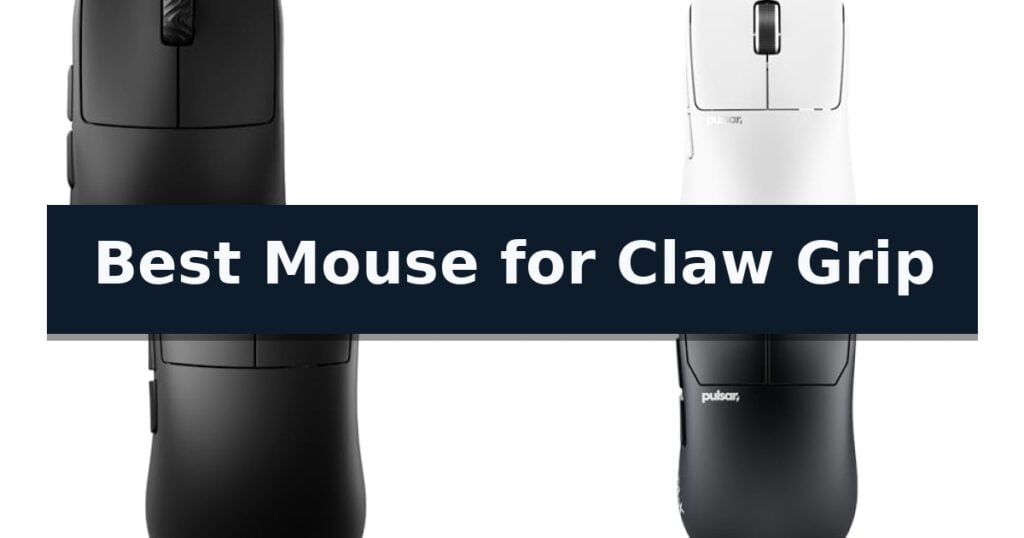
10 Best Mouse for Claw Grip in 2026 Reviews
Quick Comparison
| Product | Best For | Key Strength | Score |
|---|---|---|---|
| SCYROX V8S Wireless Gaming Mouse | Best Overall | Ultra-lightweight 40g design reduces fatigue during long sessions. | 4.9 |
| Pulsar Gaming Gears X2N Crazylight Mouse | High rear hump for locking | Ultra-lightweight 38g chassis for reduced fatigue and faster response. | 4.6 |
| Lamzu Inca Gaming Mouse | High-back design for claw | Ultra-lightweight 40g build reduces wrist fatigue. | 4.8 |
| Pulsar Gaming Gears PRO Series STA-X | Co-developed for claw stability | Lightweight 60g design reduces fatigue during extended competitive sessions. | 4.6 |
| Pulsar Gaming Gears X3 Crazylight Mouse | Balanced palm and claw shape | Ultra-lightweight 48g build for rapid, low-inertia movement. | 4.8 |
| Bloody V7 Gaming Mouse | Ergonomic frame for claw grip | Ergonomic claw grip specific frame design | 4.9 |
| Elevation Lab Magic Grips | Widened surface for claw control | Concave surface design improves comfort and control. | 4.7 |
| Solumics Magic Mouse Case | Ergonomic support for claw style | Improved wrist posture due to the lifted ergonomic design. | 4.6 |
| AIM ANCHORS Delta Mouse Grip | Enhancer for claw grip precision | Textured TPE surface for enhanced stability and control | 4.7 |
| Hokeyio Gaming Mouse Auxiliary Patch | Customizable support for claw | Customizable placement allows for a personalized fit based on palm size. | 4.8 |
How We Chose
Selecting the right gaming mouse for a claw grip requires evaluating how the chassis shape interacts with your hand's natural arch. We prioritize models that offer a secure, locked-in feel through specific hump positioning and lightweight construction, ensuring that sensor performance and switch responsiveness remain consistent under the high-pressure demands of competitive gaming.
- Ergonomic shell geometry and hump placement for claw stability
- Weight-to-size ratio for effortless flicking and reduced fatigue
- Sensor tracking accuracy and polling rate consistency
- Switch tactile feedback and durability for rapid-fire clicking
- Customization options for DPI, LOD, and button mapping
1 SCYROX V8S Wireless Gaming Mouse — Symmetrical shell for claw control
Precision and speed define the SCYROX V8S Wireless Gaming Mouse, a peripheral engineered with an ultra-lightweight symmetrical form factor weighing only 40±3g. Designed specifically for claw and fingertip grip styles, this mouse prioritizes reduced hand fatigue and stable control, making it a focused tool for competitive esports where rapid, accurate movements are essential.
Under the hood, the device utilizes flag-grade internal hardware, including the PAW NEXT I optical sensor and a Nordic 54L15 MCU. This combination ensures low-latency signal processing and reliable tracking. To maintain consistent performance during high-intensity matches, the mouse features Kailh optical switches, which are built to provide crisp feedback while minimizing the risk of double-click failures.
A standout technical capability is the dual 8K polling rate support, which functions in both wired and wireless modes. By achieving an 8000 Hz polling rate, the mouse significantly reduces input lag, providing near-instant cursor response for users with high-refresh-rate monitors. This focus on high-frequency data transmission is a key differentiator for players seeking a competitive edge.
Usability is enhanced through a web-based driver that eliminates the need for persistent desktop software. This interface allows for direct adjustments to DPI, polling rate, lift-off distance (LOD), and button remapping. Settings can be saved directly to the mouse, enabling seamless profile switching across different devices without additional configuration.
Best for: Competitive gamers who prioritize an ultra-lightweight, symmetrical design and high-frequency 8K polling for claw or fingertip grip styles.
Skip if: Users who prefer a larger, ergonomic shape for palm grip or those who require a high button count for complex macro-heavy workflows.
- Ultra-lightweight 40g design reduces fatigue during long sessions.
- Dual 8K polling rate provides extremely low input latency.
- Web-based driver simplifies customization without background software.
- Kailh optical switches offer consistent, durable click performance.
- Symmetrical shape may not suit users who prefer dedicated ergonomic palm-grip contours.
- Limited button count may not satisfy users needing extensive macro functionality.
2 Pulsar Gaming Gears X2N Crazylight Mouse — High rear hump for locking
Achieving precise control during fast-paced gaming requires a peripheral that minimizes physical resistance, and the Pulsar Gaming Gears X2N Crazylight Wireless Gaming Mouse addresses this by weighing an exceptionally light 38g. This minimalist design is engineered to facilitate rapid micro-adjustments, making it a specialized tool for users who prioritize speed and weight reduction in their setup.
The mouse features a symmetrical shape defined by a high rear hump and a narrow waist, a geometry specifically intended to support a claw grip. This design allows the palm to rest against the elevated rear, providing a locked-in feel that enhances stability during intense movements. The narrow waist further aids in finger placement, allowing for more consistent control during rapid clicks.
Internal performance is driven by the XS-1 Flagship Sensor, which supports a resolution of up to 32,000 DPI and a tracking speed of 750 IPS. To ensure durability and tactile consistency, the device utilizes Speed of Light Optical Switches paired with a dust-proof TTC Gold Encoder, which are designed to maintain reliability over long-term use.
Movement across surfaces is managed by the inclusion of Pulsar Dot Skates, consisting of 16 UHMW-PE pieces. These skates are engineered for low friction, which complements the ultra-lightweight chassis to provide a smooth, consistent glide. This setup is particularly optimized for users who prefer hard or glass mousepads where surface feedback is critical for competitive accuracy.
Best for: Competitive gamers who utilize a claw grip and require an ultra-lightweight, high-precision mouse for rapid, controlled movements.
Skip if: Users who prefer a larger, palm-filling ergonomic shape or those who require a heavier mouse for increased physical resistance during gameplay.
- Ultra-lightweight 38g chassis for reduced fatigue and faster response.
- High rear hump geometry specifically optimized for claw grip stability.
- XS-1 Flagship Sensor offering high-resolution tracking up to 32,000 DPI.
- Low-friction UHMW-PE Dot Skates for consistent gliding performance.
- Mini size profile may be too small for users with larger hands.
- Minimalist design lacks additional programmable side buttons found on larger productivity mice.
3 Lamzu Inca Gaming Mouse — High-back design for claw
Achieving precise control during fast-paced gaming requires equipment that minimizes physical fatigue while maximizing responsiveness. The Lamzu Inca Gaming Mouse addresses this through an ultra-lightweight design weighing only 40 grams, which is specifically engineered to reduce wrist strain during extended sessions.
This mouse features a symmetrical high-back design that caters to various hand sizes and preferences. For users with hand lengths of 18cm or less, it supports palm, claw, and fingertip grips, while those with larger hands can utilize it for claw, fingertip, or hybrid styles. The ergonomic shape is built to provide consistent support for the palm and fingers, facilitating the inward or extended claw positioning often favored by competitive players.
Performance is driven by the PixArt PAW3950 sensor, which supports up to 30,000 DPI and 750 IPS tracking for high-precision input. Internally, the Nordic 52840 MCU manages operations, while the TTC Gold Dustproof Encoder and optical switches ensure durability, rated for over 70 million clicks. These optical switches offer faster actuation compared to traditional mechanical alternatives, providing a tactile advantage in high-stakes environments.
Connectivity is highly flexible, offering both 2.4GHz wireless and wired modes. The inclusion of an 8K polling rate dongle allows for significantly faster data transmission, which can improve accuracy in fast-paced FPS titles. Users can further refine their experience via the LAMZU Aurora driver, which enables customization of DPI, polling rates, and debounce settings to suit individual gameplay requirements.
Best for: Competitive gamers who prefer a lightweight, symmetrical high-back mouse for claw-grip precision.
Skip if: Users who prefer a heavy, ergonomic right-handed shape or those who require a plug-and-play experience on macOS without performing a firmware update first.
- Ultra-lightweight 40g build reduces wrist fatigue.
- PixArt PAW3950 sensor provides high-precision tracking.
- 8K polling rate support for low-latency responsiveness.
- Optical switches offer 70 million click durability.
- Firmware update required on a Windows system for macOS driver compatibility.
- Symmetrical shape may not suit those preferring dedicated ergonomic right-handed mice.
4 Pulsar Gaming Gears PRO Series STA-X — Co-developed for claw stability
The Pulsar Gaming Gears PRO Series STA-X is engineered specifically for competitive players who favor a claw or palm grip, featuring a refined symmetrical shape co-developed with professional player Gutaek “stax” Kim. This mouse prioritizes stability and precision through its signature shark-tooth inspired front shell design, which provides a distinct ergonomic profile for high-pressure gaming environments.
Performance is driven by the XS-1 32K flagship sensor, which supports a wide DPI range from 10 to 32,000 for pixel-perfect tracking. The device maintains a lightweight build at just 2.11 oz (60g), ensuring rapid movement without sacrificing structural integrity. Connectivity is managed via the LINK 8K receiver, a dual-button unit that allows for real-time adjustments of DPI and performance settings directly on the hardware, providing tactile LED feedback without the need for software.
Durability and tactile consistency are central to the design, utilizing Pulsar optical switches rated for 100 million clicks to permanently eliminate double-click issues. The integration of a Pulsar Blue encoder further enhances the reliability of the scroll wheel. For users who prefer granular control, the Bibimbap web software offers a browser-based interface to customize polling rates, LOD, and DPI settings instantly.
This mouse is a specialized tool for those who demand high-frequency polling and a specific ergonomic shape. While it excels in competitive scenarios, users should ensure their setup supports the high-performance requirements of an 8K polling rate to fully leverage the sensor's capabilities.
Best for: Competitive gamers who utilize a claw or palm grip and require high-precision sensor tracking with 8K polling capabilities.
Skip if: Users who prefer an ergonomic, right-handed specific shape or those who do not require ultra-high polling rates for their gaming style.
- Lightweight 60g design reduces fatigue during extended competitive sessions.
- Double-click-free optical switches rated for 100 million clicks ensure long-term reliability.
- Onboard 8K receiver control allows for adjustments without software installation.
- Flagship 32K sensor provides exceptional tracking accuracy.
- Symmetrical shape may not suit users who prefer dedicated ergonomic right-handed mice.
- High-performance focus may be overkill for casual gaming needs.
5 Pulsar Gaming Gears X3 Crazylight Mouse — Balanced palm and claw shape
The Pulsar Gaming Gears X3 Crazylight Wireless Gaming Mouse is engineered for competitive precision, utilizing an ultra-lightweight 48g chassis that prioritizes rapid, fatigue-free movement. By reducing the physical mass of the device to a level lighter than a standard egg, the design minimizes inertia, allowing for more responsive flick shots and tracking in fast-paced gaming environments.
Designed with a hybrid ergonomic shape, the mouse specifically accommodates palm-claw or relaxed claw grip styles. The inclusion of a back-moderate hump provides essential palm support, while the inward side design ensures that the fingers maintain a secure, controlled grip during high-intensity maneuvers. This structural balance helps maintain consistent contact between the hand and the mouse surface.
At the heart of the device is the exclusive XS-1 Flagship Sensor, which offers a high-performance ceiling of 32,000 DPI and a 750 IPS tracking speed. This sensor is paired with optical switches that are designed to eliminate the risk of unintended double-clicking, providing a reliable, tactile response that is critical for competitive play. The internal components are further protected by a dust-proof structure to ensure long-term operational consistency.
To facilitate smooth movement, the mouse is equipped with 16 Pulsar Dot Skates constructed from UHMW-PE material. These skates are engineered for low-friction performance, making them particularly effective on hard or glass surfaces where traditional mouse feet might wear down prematurely. This choice of materials reflects a focus on durability and sustained glide quality for users who demand consistent feedback across various desk setups.
Best for: Competitive gamers who require an ultra-lightweight, ergonomic mouse optimized for palm-claw or relaxed claw grip styles.
Skip if: Users who prefer a heavier, high-profile mouse that fills the entire palm or those who require a larger chassis for a traditional full-palm grip.
- Ultra-lightweight 48g build for rapid, low-inertia movement.
- Hybrid ergonomic shape tailored for palm-claw and relaxed claw grips.
- High-precision XS-1 sensor supporting up to 32,000 DPI.
- Durable UHMW-PE dot skates for consistent, low-friction gliding.
- Minimalist design may feel too small or insubstantial for users accustomed to larger, full-palm mouse profiles.
6 Bloody V7 Gaming Mouse — Ergonomic frame for claw grip
Achieving a consistent grip during intense gaming sessions requires a device shaped for control, and the Bloody V7 Ergonomic Claw Grip Gaming Mouse is specifically engineered with a form factor tailored for this style. Its distinct shape allows for a natural arch, providing the necessary leverage for quick, precise movements that define the claw grip technique.
Equipped with a precise gaming optical sensor, this mouse offers 3200 DPI/CPI sensitivity, ensuring smooth tracking across various surfaces. The inclusion of Bloody 6 software grants users granular control over their experience, allowing for CPI adjustments between 100 and 3200, as well as report rate adjustments ranging from 125Hz to 1000Hz to match specific responsiveness needs.
The device features 8 programmable buttons, including convenient next/previous side buttons that streamline navigation during web browsing or complex gaming tasks. This level of customization, combined with the rubberized black coating, ensures a secure hold and efficient command execution during extended use.
Compatibility is broad, supporting Windows, Linux, and Mac environments, making it a versatile addition to any desktop or laptop setup. With its focus on ergonomic support and programmable automation, the Bloody V7 Gaming Mouse serves as a functional tool for those prioritizing a specific grip style and customizable input options.
Best for: Gamers and professionals who prefer a dedicated claw grip ergonomic design with extensive software-based button and sensor customization.
Skip if: Users who require an ambidextrous design or those who prefer a significantly lighter, minimalist mouse without rubberized coatings.
- Ergonomic claw grip specific frame design
- 8 programmable buttons for macros and automation
- Adjustable report rate and DPI settings via software
- Rubberized coating for improved handling
- Fixed ergonomic shape may not suit all hand sizes or grip styles
7 Elevation Lab Magic Grips — Widened surface for claw control
Achieving a more ergonomic hand posture during extended computer use often requires modifying the low-profile design of standard peripherals. The Elevation Lab Magic Grips address this by introducing concave surfaces that allow users to maintain a more natural, relaxed grip rather than forcing a flat palm position.
Designed specifically for the Apple Magic Mouse 1 & 2, these grips utilize a premium silicone rubber construction to provide a tactile, non-slip surface. The installation is straightforward, relying on removable 3M adhesive that secures the grips to the mouse body without leaving permanent residue.
The geometry of the Elevation Lab Magic Grips is engineered to widen the overall footprint of the device, which is particularly beneficial for users with medium to large hands. By increasing the surface area, the grips promote a more comfortable claw-style hold, offering improved stability and control during precise movements.
Each kit includes a bonus XL thumb grip, providing an additional customization option for those who prefer an even wider surface area. Because the design is ambidextrous, it maintains the original functionality of the mouse while adapting the physical chassis to better suit varied ergonomic preferences.
Best for: Users with medium to large hands who want to improve the ergonomics and control of an Apple Magic Mouse through a wider, more comfortable grip surface.
Skip if: Users who prefer the ultra-slim, minimalist aesthetic of the stock Apple Magic Mouse or those who require a mouse with dedicated physical side buttons.
- Concave surface design improves comfort and control.
- Includes a bonus XL thumb grip for extra width.
- Premium silicone rubber provides a secure, tactile feel.
- Ambidextrous design fits both Magic Mouse 1 and 2 models.
- Adhesive-based installation is permanent until removed.
- Increases the overall physical footprint of the mouse.
8 Solumics Magic Mouse Case — Ergonomic support for claw style
The Solumics Magic Mouse Case addresses the common ergonomic challenges of the Apple Magic Mouse by providing a structured, lifted profile that promotes a more natural wrist posture. Designed specifically for those who prefer a claw-style grip, this accessory adds height and width to the device, allowing for a more stable hold and increased comfort during extended periods of use.
Installation is straightforward, requiring only a three-second slide-in motion until the device clicks securely into place. The design maintains the original functionality of the mouse, ensuring the front touch area remains unobstructed for seamless gesture control, scrolling, and swiping. Because the case is engineered to preserve the mouse's original glide, tracking precision and cursor responsiveness remain consistent with the naked device.
The Solumics Magic Mouse Case is built with a symmetrical shape, making it suitable for both left- and right-handed users. It is fully compatible with all generations of the Magic Mouse, providing a versatile upgrade for various iMac setups. When no longer needed, the case can be detached in seconds without leaving any residue, offering a flexible solution for dynamic work environments.
While this accessory significantly enhances grip stability and hand support, it does increase the overall footprint of the mouse. Users should note that the case is a dedicated ergonomic attachment rather than a replacement for the mouse itself, meaning the underlying hardware remains the primary input device.
Best for: Users who find the flat profile of the Apple Magic Mouse uncomfortable and require a more ergonomic, claw-style grip for better stability and wrist support.
Skip if: Users who prefer the ultra-slim, minimalist aesthetic of the original Magic Mouse or those who require a mouse with dedicated physical side buttons.
- Improved wrist posture due to the lifted ergonomic design.
- Full gesture control maintained by an unobstructed touch surface.
- Easy installation and removal without leaving residue.
- Symmetrical shape accommodating both left- and right-handed users.
- Increased physical footprint compared to the original mouse profile.
9 AIM ANCHORS Delta Mouse Grip — Enhancer for claw grip precision
Achieving consistent control during intense gaming sessions often comes down to the physical connection between your hand and your hardware. The AIM ANCHORS Delta Mouse Grip addresses this by providing a customizable, textured surface designed to improve stability for users who prefer a claw grip style.
This accessory utilizes a textured TPE surface to minimize slippage, allowing for more precise targeting during fast-paced gameplay. By applying this grip to your existing mouse, you gain a tactile interface that helps maintain a secure hold, which is particularly beneficial for those who rely on quick, repetitive movements.
Beyond gaming, the AIM ANCHORS Delta Mouse Grip offers professional-grade utility for creative tasks. Graphic designers and architects can benefit from the increased accuracy provided by a more stable grip, ensuring that intricate navigation remains steady throughout long work sessions.
Installation is straightforward thanks to the peel-and-stick adhesive backing, which is engineered for universal compatibility with most standard-sized mice. Because the accessory is adjustable, you can tailor the placement to match your specific hand size and preferred grip ergonomics, ensuring a personalized feel for your setup.
Best for: Gamers and creative professionals looking to improve mouse stability and tactile control through a customizable grip surface.
Skip if: Users who prefer a completely smooth, untextured mouse surface or those with non-standard, highly irregular mouse shapes that may not accommodate a universal adhesive pad.
- Textured TPE surface for enhanced stability and control
- Universal compatibility with standard-sized mice
- Easy peel-and-stick installation
- Adjustable design for personalized ergonomics
- Adhesive-based attachment may be difficult to reposition once applied
- Universal fit may require trimming for specific mouse contours
10 Hokeyio Gaming Mouse Auxiliary Patch — Customizable support for claw
Maintaining consistent control during intense gaming sessions often requires more than just a high-performance sensor; it demands a stable, ergonomic interface between your hand and the device. The Hokeyio Gaming Mouse Auxiliary Patch addresses this by providing a customizable, self-adhesive grip system designed to stabilize the mouse for users who prefer a claw grip style.
This auxiliary patch set utilizes skin-like materials that offer a soft, tactile feel, intended to provide a more comfortable surface than standard plastic or metal mouse shells. By increasing the friction coefficient, these patches prevent finger sliding during rapid, strenuous movements, allowing for more precise control without requiring excessive grip pressure.
Flexibility is a core component of the design, as the patches feature high freedom of placement, enabling gamers to adjust the modules to match their specific palm size and grip orientation. The kit includes a variety of optional button supplement modules and side-panel pieces, providing a tailored approach to reducing hand fatigue during extended play.
Because the system is modular, users can choose exactly where to apply the adhesive skin to optimize their personal ergonomics. This traceless, self-adhesive design ensures that the patches remain secure during use while allowing for a customized configuration that supports the fingers and palm, effectively turning a standard mouse into a more specialized tool for competitive play.
Best for: Competitive gamers seeking to improve mouse stability and reduce hand fatigue through customizable, high-friction grip surfaces.
Skip if: Users who prefer the native texture of their mouse or those who do not require additional grip support for their specific hand size and style.
- Customizable placement allows for a personalized fit based on palm size.
- Skin-like material improves friction and comfort compared to standard plastic surfaces.
- Includes multiple supplement modules for buttons and side support.
- Self-adhesive design is easy to apply and intended to be traceless.
- Requires manual application and configuration to find the optimal grip position.
- Does not include the mouse itself, as it is an auxiliary accessory.
Best Mouse for Claw Grip Buying Guide
Understanding Claw Grip Ergonomics
Claw grip is defined by the palm resting lightly on the rear of the mouse while the fingers remain arched to click. A mouse designed for this style typically features a moderate to high rear hump that provides a contact point for the palm, acting as an anchor for stability.
The sides of the mouse are equally critical; a narrower waist allows for easier finger placement and better control during lateral movements. When choosing a mouse, look for a shape that prevents your fingers from dragging on the surface while maintaining a secure grip.
The Importance of Weight and Balance
Ultra-lightweight designs, often under 50 grams, have become the standard for competitive gaming. A lighter mouse reduces the physical effort required to initiate and stop movements, which is essential for the quick, twitch-based aiming common in claw grip styles.
Beyond total weight, the internal balance of the mouse matters. A well-balanced mouse ensures that the weight is distributed evenly, preventing the device from feeling front-heavy or back-heavy during rapid flicks across the mousepad.
Sensor Precision and Polling Rates
Modern gaming sensors like the PAW NEXT I or XS-1 provide high DPI and tracking speeds that exceed the needs of most players. The real benefit of these sensors is their consistency, ensuring that your cursor movement remains predictable regardless of your speed.
High polling rates, such as 8000 Hz, aim to reduce input lag by sending data to your PC more frequently. While the difference is subtle, it can provide a more responsive feel in high-refresh-rate setups, provided your hardware can handle the increased processing load.
Switch Durability and Click Feel
Claw grip users often perform rapid, repeated clicks, making switch quality a priority. Optical switches are preferred for their speed and resistance to the double-clicking issues that can plague traditional mechanical switches over time.
Tactile feedback is subjective but essential. A crisp, distinct click helps you confirm every input, which is vital when you are relying on muscle memory for precise actions in fast-paced games.
Customization and Software
The ability to adjust settings like DPI, Lift-Off Distance (LOD), and button assignments is crucial for tailoring a mouse to your specific playstyle. Many modern mice now offer web-based drivers, which eliminate the need for bloated background software.
Onboard memory is a useful feature for those who switch between devices, as it allows you to save your profiles directly to the mouse. This ensures your settings remain consistent regardless of the computer you are using.
Frequently Asked Questions
What is the main benefit of a symmetrical mouse for claw grip?
A symmetrical shape typically offers a consistent, predictable feel that allows for easier micro-adjustments and a more secure grip, regardless of whether you prefer a relaxed or aggressive claw style.
Do I need an 8K polling rate for competitive gaming?
While an 8K polling rate can reduce input latency, its impact is most noticeable on high-refresh-rate monitors. For most players, a stable 1K or 4K polling rate is more than sufficient for competitive performance.
How does mouse weight affect my aim?
Lighter mice require less force to move and stop, which can lead to faster reaction times and reduced hand fatigue during long gaming sessions, especially for users who rely on quick, flick-based aiming.
Are optical switches better than mechanical ones?
Optical switches use light to register clicks, which eliminates the physical contact wear that causes double-clicking in mechanical switches, generally resulting in higher durability and faster response times.
Can I use a claw grip on an ergonomic mouse?
While possible, many ergonomic mice are designed for palm grips and may feel too large or lack the necessary rear-hump support for a proper claw grip, potentially making it harder to maintain a consistent hold.
Conclusion: Our Top Pick
Our top pick is SCYROX V8S Wireless Gaming Mouse. Finding the right mouse for a claw grip is about matching your hand size and preferred arch to a shape that provides consistent support and control. Prioritize models with a defined rear hump and a lightweight chassis to ensure your movements remain precise and effortless.
By focusing on sensor consistency, switch reliability, and the physical ergonomics of the shell, you can select a tool that enhances your performance rather than hindering it. Test your grip style against these design principles to find the balance that works best for your specific needs.