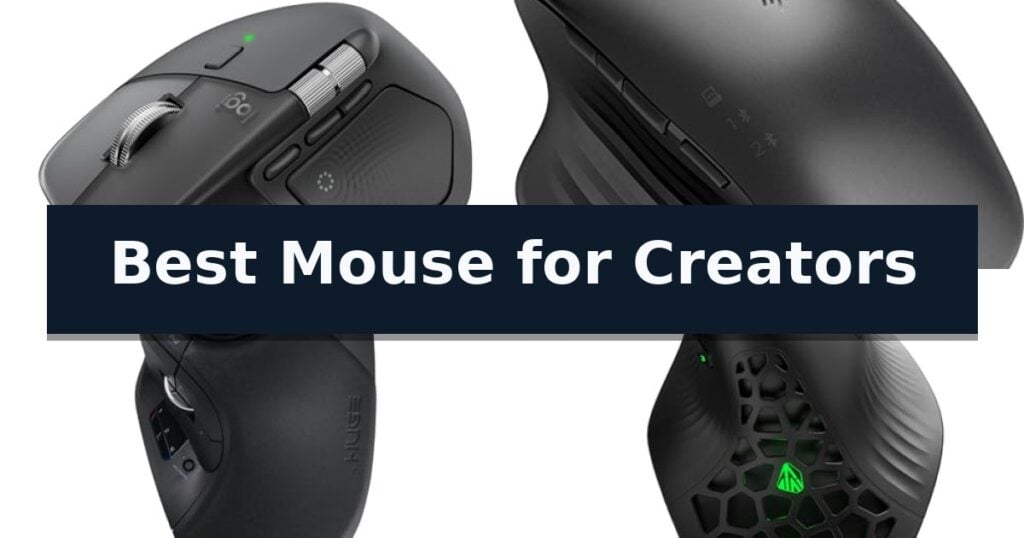
Logitech MX Master 4 Wireless Mouse is our top choice for the Best Mouse for Creators thanks to its intuitive haptic feedback and customizable action overlay that accelerates complex design workflows.
For those prioritizing extensive macro control, the HP 935 Creator Wireless Mouse offers seven fully programmable buttons to map specific application shortcuts. Alternatively, the ELECOM Huge Plus Trackball Mouse provides a unique stationary control experience for users who prefer fluid, large-ball navigation over traditional wrist movement.
Selecting a professional-grade peripheral requires balancing ergonomic comfort with the specific input needs of creative software. We focus on how tactile feedback, button placement, and sensor precision translate into reduced fatigue and faster execution during long editing or design sessions.
For those exploring broader options, our guide on Best Mouse for Creatives provides additional insights into matching hardware with specific artistic workflows.
10 Best Mouse for Creators in 2026 Reviews
Quick Comparison
| Product | Best For | Key Strength | Score |
|---|---|---|---|
| Logitech MX Master 4 Wireless Mouse | Best Overall | Haptic Sense Panel provides tactile confirmation for precise adjustments and shortcuts. | 4.9 |
| HP 935 Creator Wireless Mouse | Seven Programmable Buttons | 7 programmable buttons for custom workflow shortcuts | 4.8 |
| ELECOM Huge Plus Trackball Mouse | Fluid Large Ball Control | 52mm large trackball for superior precision and fluid movement. | 4.6 |
| SOLAKAKA E9 Vertical MMO Mouse | Ten Thumb Shortcuts | 10 programmable thumb buttons for workflow automation. | 4.9 |
| seenda MOU-302 Vertical Mouse | Integrated Volume Control | Integrated volume control for direct media management | 4.7 |
| TECKNET Vertical Ergonomic Mouse | Natural Handshake Posture | Integrated Jiggler mode prevents computer sleep without external software. | 4.9 |
| TECKNET Rechargeable Silent Mouse | High Precision Tracking | Built-in mouse jiggler prevents screen lock without extra software. | 4.3 |
| Granvela Forter i720 Silent Mouse | Quiet Click Performance | Silent click technology for quiet operation in shared spaces. | 4.3 |
| HOTWEEMS D-09 Ergonomic Mouse | Extended Battery Life | 30-degree ergonomic handshake angle for reduced muscle strain. | 4.3 |
| TECKNET Folding Wireless Mouse | Ultra-Portable Travel Design | Ultra-portable folding design for easy storage. | 4.3 |
How We Chose
Evaluating the Best Mouse for Creators involves analyzing how hardware features directly impact digital production efficiency. We prioritize devices that offer deep software integration, customizable button layouts, and ergonomic shapes designed to mitigate strain. Our assessment focuses on the practical utility of these tools in demanding environments like video editing, graphic design, and 3D modeling.
- Programmability and macro support for application-specific shortcuts
- Ergonomic design and long-term comfort for extended sessions
- Sensor precision and tracking performance on varied surfaces
- Connectivity options including multi-device switching and latency
- Build quality and tactile feedback of primary inputs
1 Logitech MX Master 4 Wireless Mouse — Precision Haptic Feedback
Precision and tactile feedback define the Logitech MX Master 4 Wireless Mouse, a tool engineered to streamline complex creative workflows through its innovative Haptic Sense Panel. This interface provides customizable haptic feedback for shortcuts and notifications, allowing creators to feel their adjustments in real-time while navigating demanding software environments.
The mouse features the MagSpeed scroll wheel, capable of moving through 1,000 lines per second with pixel-level precision. For those who require rapid access to specific tools, the Actions Ring offers a dynamic, app-adaptive overlay that places essential filters and adjustments directly under the cursor, reducing the need to navigate through nested menus.
Ergonomics remain a priority, as the Logitech MX Master 4 Wireless Mouse utilizes a natural tilt design and an integrated thumb scroll wheel to minimize hand stress during extended sessions. The device also incorporates Quiet Clicks, which reduce operational noise by 90%, ensuring a distraction-free environment for focused production work.
Connectivity is handled by a high-performance USB-C dongle paired with an advanced radio chip, providing twice the connection power of previous iterations, alongside versatile Bluetooth support. Built with sustainability in mind, the mouse incorporates significant amounts of recycled plastic and cobalt, ensuring a durable build that aligns with modern environmental standards.
Best for: Professional creators and designers who require high-precision navigation, haptic feedback, and app-specific shortcuts to accelerate complex digital workflows.
Skip if: Users who prefer a lightweight, ambidextrous, or ultra-minimalist mouse design may find the ergonomic, feature-rich profile of this model too bulky for their specific needs.
- Haptic Sense Panel provides tactile confirmation for precise adjustments and shortcuts.
- MagSpeed scroll wheel allows for rapid, quiet, and highly accurate navigation.
- Actions Ring creates a dynamic, customizable interface tailored to specific creative applications.
- Quiet Clicks technology significantly reduces noise during intensive work sessions.
- Ergonomic, right-handed design is not suitable for left-handed users.
- Advanced feature set may be excessive for users who do not utilize complex software shortcuts.
2 HP 935 Creator Wireless Mouse — Seven Programmable Buttons
Workflow efficiency often hinges on how quickly you can navigate complex software, and the HP 935 Creator Wireless Mouse addresses this by offering 7 programmable buttons. This design choice allows creators to map specific shortcuts or macros directly to the mouse, reducing the need to toggle between keyboard commands during intensive editing sessions.
The device utilizes wireless connectivity via Bluetooth, providing a clean, cable-free workspace that is essential for maintaining focus. Its physical dimensions of 4.7 inches in length and 3 inches in height are engineered to provide a stable grip, while the integrated scroll wheel ensures precise navigation through long timelines or large image files.
Built for professional environments, this mouse balances functionality with a straightforward, business-oriented aesthetic. The inclusion of 7 total buttons gives users significant control over their software environment, making it a practical tool for those who rely on custom key-bindings to speed up their creative output.
While the mouse offers robust customization, users should note that it relies on a standard USB Type A connection for charging or wired operation. It is a dedicated tool for those who prioritize button mapping and wireless freedom in their daily creative tasks.
Best for: Creators who require extensive shortcut mapping and programmable button configurations to streamline their software workflows.
Skip if: Users who prefer an ultra-lightweight or ergonomic vertical design, or those who require a high-polling rate gaming-specific sensor.
- 7 programmable buttons for custom workflow shortcuts
- Reliable wireless connectivity via Bluetooth
- Includes a dedicated scroll wheel for precise navigation
- Professional, business-focused design
- USB Type A connection may be less convenient for modern laptops lacking legacy ports
- Fixed physical dimensions may not suit all hand sizes
3 ELECOM Huge Plus Trackball Mouse — Fluid Large Ball Control
Precision control for digital workflows often hinges on the physical interface, and the ELECOM Huge Plus Wireless Trackball Mouse distinguishes itself with a massive 52mm trackball designed for fluid, high-accuracy cursor movement. This ergonomic design aims to reduce wrist strain while providing a stable platform for intensive creative tasks.
Connectivity is a primary strength of this model, featuring tri-mode functionality that allows users to switch seamlessly between Bluetooth, 2.4GHz wireless, and wired USB-C connections. This versatility supports up to three devices, making it a practical choice for creators who manage multiple workstations or tablets simultaneously.
Customization is handled through 10 programmable buttons, enabling users to map complex shortcuts directly to the device for faster navigation. The inclusion of swappable MinebeaMitsumi steel bearings allows for a personalized feel, with the option to upgrade to ruby units for different friction characteristics during rotation.
Designed for long-term reliability, the device features silent clicks to minimize noise during extended sessions and a rechargeable lithium-ion battery that lasts up to 5 months on a single charge. It maintains full functionality while connected via the included USB-C to USB-A cable, ensuring work is never interrupted by power depletion.
Best for: Creators who require high-precision cursor control and extensive button customization to streamline complex software workflows.
Skip if: Users who prefer a traditional lightweight mouse or those with limited desk space who cannot accommodate the larger footprint of a stationary trackball device.
- 52mm large trackball for superior precision and fluid movement.
- Tri-mode connectivity supports three devices across multiple platforms.
- 10 programmable buttons for efficient shortcut management.
- Swappable high-performance bearings allow for customized tactile feedback.
- Large physical footprint may not suit compact workspaces.
- Stationary design requires a learning curve for those accustomed to traditional mice.
4 SOLAKAKA E9 Vertical MMO Mouse — Ten Thumb Shortcuts
Maintaining a natural hand position during long editing or coding sessions is essential for preventing strain, and the SOLAKAKA E9 Vertical MMO Mouse addresses this with a 45° vertical ergonomic design. This tilted orientation encourages a handshake posture, which helps minimize forearm twisting and wrist pressure compared to traditional flat mice.
For creators who rely on complex software workflows, the mouse features 10 fully remappable thumb side buttons. These allow users to assign custom shortcuts for specific tasks like spreadsheet navigation, browser tab switching, or design tool hotkeys. All configurations are managed via a browser-based tool and stored directly on the device's onboard memory, ensuring your custom profiles remain active even when switching between different operating systems.
Precision is handled by the PAW3311 optical sensor, which supports adjustable sensitivity up to 24800 DPI. With a 1000Hz polling rate and 300 IPS tracking speed, the sensor provides consistent cursor control across various surfaces, including glass. The mouse also offers versatile connectivity through its tri-mode support, allowing you to toggle between 2.4G wireless, Bluetooth 5.0, and USB-C wired connections for seamless multi-device integration.
Visual feedback is provided through customizable RGB lighting zones on the side buttons and logo, which can be configured to indicate different DPI stages or application profiles. The unit is backed by a 2-year warranty, providing long-term support for both the hardware and the accompanying software interface.
Best for: Professional creators and power users who require extensive macro customization and ergonomic support for long-duration tasks.
Skip if: Users who prefer a traditional low-profile mouse design or those who require a configuration tool compatible with non-Windows operating systems.
- 10 programmable thumb buttons for workflow automation.
- 45° vertical ergonomic shape to reduce wrist strain.
- Tri-mode connectivity for flexible multi-device usage.
- High-precision PAW3311 sensor with up to 24800 DPI.
- Configuration software is Windows-only, requiring a PC for initial setup.
- Steep learning curve associated with the vertical form factor and side button layout.
5 seenda MOU-302 Vertical Mouse — Integrated Volume Control
The seenda MOU-302 Wireless Bluetooth Ergonomic Vertical Mouse distinguishes itself with an integrated volume control button, allowing users to adjust audio levels or manage media playback directly from the device. This functional addition is intended to streamline workflows for streamers, remote professionals, and multitaskers who frequently toggle between video calls and media applications.
Designed with an ergonomic vertical orientation, this mouse promotes a neutral handshake grip to help maintain a straight line for the wrist and forearm. It is specifically sized for small to medium hands, aiming to reduce strain during extended periods of computer use. The device features silent clicks to minimize noise in shared environments like offices or libraries.
Connectivity is handled through a 3-device multi-mode system, supporting 2.4G USB and two Bluetooth channels. This allows for seamless switching between a laptop, tablet, and desktop with a single click. Users can adjust the tracking sensitivity via three DPI settings (1000/1600/2400) to suit different tasks, from precise design work to general navigation.
Power management is supported by a built-in 500mAh rechargeable battery, which provides up to two months of use per charge via the included USB-C port. The mouse maintains broad compatibility across Windows, macOS, iOS, Android, and Chrome OS, offering a versatile input solution for diverse hardware ecosystems.
Best for: Hybrid workers and designers with small to medium hands who require multi-device connectivity and integrated media controls.
Skip if: Users with large hands or those who prefer a traditional low-profile mouse design will likely find this vertical form factor uncomfortable.
- Integrated volume control for direct media management
- Ergonomic vertical design to encourage a neutral wrist position
- 3-device multi-mode connectivity for efficient switching
- Rechargeable 500mAh battery with USB-C charging
- Size constraint limited to small to medium hands
- Vertical form factor requires an adjustment period for new users
6 TECKNET Vertical Ergonomic Mouse — Natural Handshake Posture
Maintaining an active screen state during long rendering tasks or preventing system sleep is a specific challenge for digital artists, and the TECKNET Vertical Ergonomic Mouse addresses this with a built-in Jiggler mode. By holding the DPI button for three seconds, the device simulates random cursor movement, ensuring your workstation remains awake without requiring external software.
Beyond its utility for system management, this device prioritizes comfort through a near-vertical orientation designed to reduce wrist strain during extended creative sessions. The TECKNET Vertical Ergonomic Mouse features a high-performance sensor with 6 adjustable DPI levels ranging from 800 to 4800, allowing for precision adjustments based on your specific design or editing requirements.
Connectivity is handled through a versatile combination of Bluetooth 5.0/3.0 and a 2.4GHz USB receiver, supporting seamless switching between three devices. This multi-mode capability is particularly useful for creators working across different hardware setups, such as a primary desktop and a secondary laptop, without needing to re-pair the mouse.
The design incorporates silent left and right click buttons, which are beneficial for maintaining a quiet environment in shared studio spaces. While the device is compatible with Windows, Mac, Chrome, and Linux, it is important to note that the side buttons are not functional on macOS, and the ergonomic shape is specifically optimized for right-handed users.
Best for: Creators who require a vertical ergonomic design to reduce wrist strain and a built-in jiggler function to keep their workstation active during long renders.
Skip if: Left-handed users or Mac power users who rely heavily on programmable side buttons will find this model unsuitable for their workflow.
- Integrated Jiggler mode prevents computer sleep without external software.
- Ergonomic vertical orientation helps minimize wrist pressure.
- Multi-device connectivity via Bluetooth and 2.4GHz wireless.
- 6 adjustable DPI levels for customizable cursor sensitivity.
- Right-handed only ergonomic design.
- Side buttons are non-functional when used with macOS.
7 TECKNET Rechargeable Silent Mouse — High Precision Tracking
Precision and workflow efficiency are essential for digital artists and office professionals, and the TECKNET Rechargeable Silent Mouse addresses these needs with a versatile 2-in-1 design. By integrating a built-in mouse jiggler, this device allows users to maintain an active computer status without manual input, making it a practical tool for managing long-duration tasks or preventing screen lock during breaks.
The mouse is engineered for comfort, featuring a full-size design with a soft rubber grip and a natural curvature that accommodates medium-to-large hands. This ergonomic shape is specifically intended to reduce wrist strain by up to 35% during extended use. Furthermore, the advanced silent-click technology ensures that operation remains 90% quieter than standard mice, providing a discreet experience in shared or noise-sensitive environments.
Performance is driven by a high-capacity 800mAh battery that offers up to 90 days of use on a single charge. Users can achieve precise control through 6-level adjustable DPI settings, ranging from 1000 to 6400 DPI, which allows for fine-tuning based on specific creative or productivity requirements. The device utilizes a stable 2.4G wireless connection with a 33ft range, ensuring reliable performance without the need for drivers.
Compatibility is streamlined through a plug-and-play USB receiver, supplemented by an included Type-C adapter for modern laptop ports. While it provides robust functionality for various workflows, users should note that the device relies exclusively on USB connectivity and does not support Bluetooth, making it best suited for setups where a dedicated USB port or adapter is readily available.
Best for: Office and creative professionals who require a silent, ergonomic mouse with a built-in jiggler to maintain active status during long work sessions.
Skip if: Users who specifically require Bluetooth connectivity or a compact, travel-sized mouse will find this full-size, USB-only device less suitable for their needs.
- Built-in mouse jiggler prevents screen lock without extra software.
- Silent-click technology reduces noise by 90% for quiet environments.
- 6-level adjustable DPI provides precise tracking for varied tasks.
- Long-lasting 800mAh battery delivers up to 90 days of performance.
- USB-only connectivity lacks Bluetooth support.
- Full-size design may be too large for users preferring portable or compact peripherals.
8 Granvela Forter i720 Silent Mouse — Quiet Click Performance
Maintaining a quiet workspace is essential for creative focus, and the Granvela Forter i720 Silent Mouse addresses this with specialized hardware designed to minimize noise during operation. This peripheral integrates 2.4GHz wireless technology, providing a reliable connection range of up to 30 meters, which helps maintain a clean, cable-free desk environment for complex creative setups.
The mouse features a design focused on both ergonomics and responsiveness. With its silent click mechanism, it is suited for environments where noise reduction is a priority, such as shared offices or quiet studios. The inclusion of two side buttons provides additional inputs that can be mapped to improve workflow efficiency during editing or design tasks.
Compatibility is a primary strength of this device, as it supports a wide range of operating systems including Windows, Mac OS X, and Linux. The Granvela Forter i720 Silent Mouse connects via a USB interface and is compatible with USB 3.1, 3.0, and 2.0 ports, ensuring it integrates easily into most modern computer configurations.
Power management is handled through two AAA alkaline batteries, which are included in the package. The device is built with a durable construction intended for both desktop and laptop use, offering a balance of precision and comfort for extended sessions. It is backed by a 12-month warranty to support its long-term utility in a professional or creative setting.
Best for: Creators and professionals who require a quiet, wireless input device for noise-sensitive work environments.
Skip if: Users who prefer a high-performance gaming mouse with adjustable DPI settings or advanced software-based macro customization.
- Silent click technology for quiet operation in shared spaces.
- Long-range 2.4GHz wireless connectivity up to 30 meters.
- Broad compatibility across Windows, Mac, and Linux systems.
- Includes two side buttons for improved workflow navigation.
- Battery-powered operation requires periodic replacements rather than rechargeable internal cells.
- Lacks advanced software for deep customization of button mapping or sensor sensitivity.
9 HOTWEEMS D-09 Ergonomic Mouse — Extended Battery Life
The HOTWEEMS D-09 Ergonomic Mouse prioritizes user comfort through a distinctive 30-degree handshake angle, which is engineered to reduce muscle strain during extended creative sessions. Its contoured grip and premium matte finish provide a stable, natural hand position, while the inclusion of dedicated forward and backward side buttons streamlines file management and web navigation.
Performance is driven by a high-precision sensor offering five adjustable DPI levels up to 2400, allowing users to customize cursor speed to suit their specific workflow requirements. This high-precision tracking is designed to minimize hand movement, effectively reducing fatigue when navigating complex design software or multi-monitor setups.
Connectivity is handled via a reliable 2.4G wireless link with a 33-foot range, ensuring a stable connection without the interference or lag often associated with basic peripherals. The compact USB receiver stores conveniently within the mouse body, making it a practical choice for creators who frequently transition between studio and remote workspaces.
Efficiency extends to power management, as the device is rated for up to 18 months of operation on a single AA battery. To maximize longevity, the mouse automatically enters a sleep mode after eight minutes of inactivity, requiring only a simple button click to wake instantly for immediate use.
While the device is compatible with Windows, Mac, and Chromebook systems, users should note that the side navigation buttons are not supported on Mac OS. Built for durability, the mouse is rated for 50 million clicks, offering a robust solution for daily professional demands.
Best for: Creators seeking an ergonomic, high-precision wireless mouse that minimizes hand fatigue during long editing or design sessions.
Skip if: Mac OS users who require full functionality of side-mounted navigation buttons for their specific workflow.
- 30-degree ergonomic handshake angle for reduced muscle strain.
- Adjustable 2400 DPI sensor for high-precision cursor control.
- 18-month battery life with automatic sleep mode functionality.
- Durable 50 million click rating for long-term reliability.
- Side buttons are unavailable for users operating on Mac OS.
10 TECKNET Folding Wireless Mouse — Ultra-Portable Travel Design
For creators who prioritize mobility without sacrificing workspace control, the TECKNET Folding Wireless Mouse offers a distinct, space-saving design that folds flat for easy transport. This innovative form factor allows it to slip into slim laptop sleeves or bags, making it a practical choice for professionals who frequently work from different locations.
Beyond its portability, the device features 3-level adjustable DPI settings (2000/1500/1000), enabling users to toggle cursor sensitivity to match specific creative tasks. It utilizes a reliable 2.4GHz wireless connection with a range of up to 10 meters, ensuring a stable signal during use. The ergonomic shape is complemented by soft rubber grips designed to accommodate either hand comfortably.
Efficiency is a core component of this model, which boasts an impressive 24-month battery life powered by two AAA batteries. To maximize this longevity, an integrated auto-sleep mode engages during periods of inactivity, waking instantly with a single click. A built-in LED indicator provides a proactive warning when battery levels are low, preventing unexpected downtime.
The mouse is engineered for broad utility, offering plug-and-play compatibility across Windows, macOS, Chrome OS, and Linux systems without the need for additional drivers. Its durable construction has been verified through a 5-million-click endurance test, providing a consistent interface for daily creative workflows.
Best for: Creators and professionals who require a highly portable, space-saving mouse for frequent travel and multi-device workflows.
Skip if: Users who require dedicated side buttons for advanced software shortcuts on macOS or those who prefer a full-sized, non-folding ergonomic chassis.
- Ultra-portable folding design for easy storage.
- Long 24-month battery life with auto-sleep functionality.
- Adjustable 3-level DPI for customized cursor control.
- Wide cross-platform compatibility with plug-and-play setup.
- Side buttons are not supported on macOS systems.
- Manual folding care required to avoid potential finger pinching.
Best Mouse for Creators Buying Guide
Ergonomics and Long-Term Comfort
Creative work often involves hours of continuous mousing, making ergonomic support a primary concern. Vertical or contoured designs help maintain a neutral wrist position, which can reduce the risk of repetitive strain injuries during intense project deadlines.
When choosing a mouse, consider how the physical shape aligns with your hand size and grip style. A design that feels natural during the first few minutes is essential, but the true test is whether it remains comfortable after several hours of focused editing.
Customization and Workflow Efficiency
The ability to remap buttons to specific software commands is a hallmark of a professional creator mouse. Look for devices that offer dedicated software or browser-based tools to assign complex macros, such as brush resizing, layer switching, or timeline navigation.
Advanced models may include secondary scroll wheels or action rings that provide additional layers of control. These features allow you to keep your hands on the mouse rather than reaching for the keyboard, significantly speeding up repetitive tasks.
Sensor Precision and Surface Versatility
High DPI (dots per inch) sensors are critical for tasks requiring pixel-perfect accuracy, such as masking in photo editing or precise vector path manipulation. A high-quality sensor ensures that your cursor movement remains consistent and responsive regardless of your speed.
Additionally, the ability to track reliably on various surfaces, including glass or polished desks, provides flexibility for creators who work in different environments. A mouse that struggles on specific materials can introduce frustration and interrupt your creative flow.
Connectivity and Multi-Device Integration
Many modern creators work across multiple devices, such as a primary workstation and a secondary laptop or tablet. Mice that support multi-device pairing via Bluetooth or dedicated USB dongles allow for seamless switching, keeping your peripheral setup clean and efficient.
Check for stable wireless performance to ensure there is no noticeable input lag. Reliable connectivity is vital when you are working on time-sensitive projects where every millisecond of responsiveness matters.
Tactile Feedback and Noise Control
The physical feel of clicks and scrolls can influence your overall experience. Silent click technology is beneficial in shared office spaces or quiet home studios, while haptic feedback can provide confirmation for specific actions, helping you work more intuitively.
Consider the durability and stain resistance of the materials used in the construction. A mouse that is built to withstand heavy daily use while maintaining its aesthetic and functional integrity is a better long-term investment for your studio.
Frequently Asked Questions
Do I need a vertical mouse for creative work?
A vertical mouse is beneficial if you experience wrist or forearm strain during long sessions. It promotes a natural handshake position, though it may require an adjustment period to master precise movements.
Can I use a gaming mouse for creative tasks?
Yes, many gaming mice offer high-precision sensors and multiple programmable buttons that are excellent for creative software. However, they may lack the specific ergonomic features or professional aesthetic found in dedicated creator mice.
How do I know if a mouse is compatible with my software?
Most programmable mice use software drivers that allow you to map keys to standard keyboard shortcuts. As long as your creative application uses customizable hotkeys, you can usually configure your mouse to trigger them.
Is a trackball better than a traditional mouse?
Trackballs are excellent for saving desk space and reducing wrist movement, as you control the cursor with your thumb or fingers. They are often preferred by users with limited workspace or those looking to avoid repetitive wrist motion.
What is the benefit of haptic feedback in a mouse?
Haptic feedback provides physical confirmation of actions, such as scrolling or clicking, which can help you work faster by reducing the need to look at the screen to confirm an input was registered.
Conclusion: Our Top Pick
Our top pick is Logitech MX Master 4 Wireless Mouse. Choosing the right mouse is a personal decision that depends on your specific creative discipline and physical comfort needs. By prioritizing programmability and ergonomic support, you can significantly enhance your daily productivity and reduce the physical toll of long hours at the desk.
We recommend evaluating your most frequent tasks to determine whether you need the deep customization of a multi-button mouse or the specialized comfort of a vertical design. Investing in a tool that aligns with your workflow will pay dividends in both speed and comfort.