Logitech MX Master 4 Wireless Mouse is our top choice for the Best Mouse for Developers, offering advanced haptic feedback and a highly customizable interface that streamlines complex coding workflows. For those prioritizing a quieter environment, the Logitech MX Master 3S Wireless Mouse provides a focused, silent experience, while the Logitech M720 Triathlon Wireless Mouse serves as a reliable alternative for developers who frequently switch between multiple workstations.
Selecting the right input device for software development requires balancing long-term ergonomic comfort with the precision needed for rapid navigation through large codebases. Developers often spend hours at their desks, making features like customizable buttons, high-DPI sensors, and multi-device connectivity essential for maintaining efficiency during deep work sessions.
Beyond raw performance, the physical design plays a critical role in preventing repetitive strain. Whether you prefer a traditional horizontal layout or a vertical orientation, the ideal mouse should support your natural hand posture while providing quick access to common IDE shortcuts and system-level navigation tools.
For those looking to optimize their general workspace setup, our guide on the Best Mouse for Daily Use offers additional insights into selecting reliable peripherals for everyday tasks.
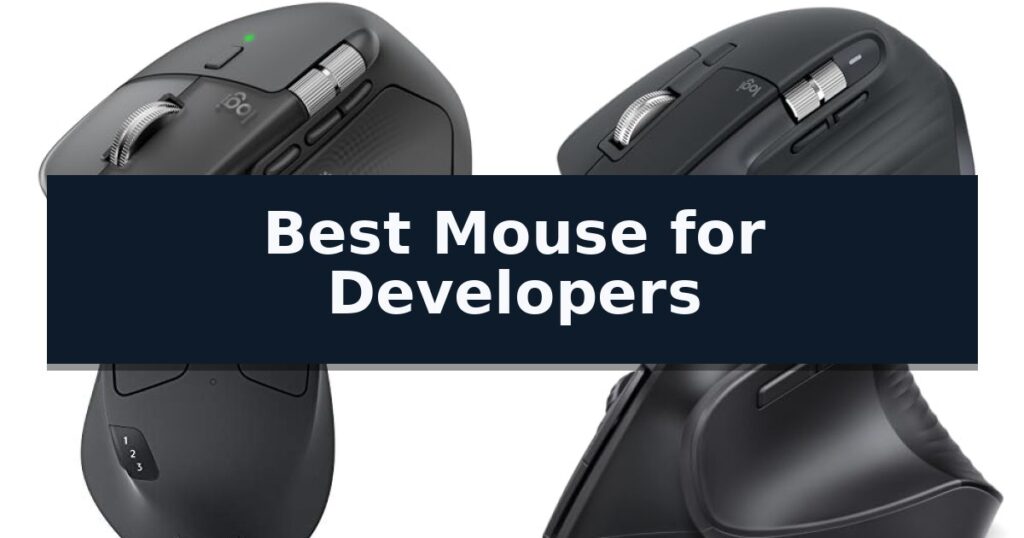
10 Best Mouse for Developers in 2026 Reviews
Quick Comparison
| Product | Best For | Key Strength | Score |
|---|---|---|---|
| Logitech MX Master 4 Wireless Mouse | Best Overall | Haptic Sense Panel provides tactile confirmation for shortcuts and notifications. | 4.9 |
| Logitech MX Master 3S Wireless Mouse | Quiet Clicks for Focused Coding | 8000 DPI sensor provides high-precision tracking on glass and other difficult surfaces. | 4.6 |
| Logitech M720 Triathlon Wireless Mouse | Seamless Multi-Device Workflow | Multi-device connectivity for up to three computers. | 4.3 |
| UGREEN Ergonomic Wireless Mouse | Vertical Design Reduces Wrist Strain | Vertical ergonomic design reduces wrist rotation. | 4.4 |
| Lekvey Rechargeable Vertical Wireless Mouse | Optimal Comfort for Long Sessions | Ergonomic vertical design promotes a neutral wrist position. | 4.8 |
| GravaStar Mercury M1 Pro Wireless Mouse | Flagship Sensor for Rapid Response | High-precision PAW3395 sensor for accurate tracking. | 4.7 |
| Logitech G305 LIGHTSPEED Wireless Mouse | Lag-Free Performance for Developers | LIGHTSPEED wireless technology provides a reliable 1 ms report rate. | 4.5 |
| Logitech Mobi Fold Foldable Mouse | Ultra-Portable for Mobile Development | Ultra-portable foldable design for easy transport. | 4.9 |
| Lenovo 530 Wireless Mouse | Reliable Ambidextrous Navigation | Ambidextrous design accommodates both left- and right-handed users. | 4.7 |
| wegear Bluetooth Wireless Mouse | Sculpted Grip for Daily Tasks | Silent click technology for a quiet working environment. | 4.9 |
How We Chose
Evaluating the best mouse for developers requires a focus on long-term comfort and workflow efficiency. We analyze how each device handles high-intensity tasks, assessing the responsiveness of scroll mechanisms, the utility of customizable software profiles, and the physical design's ability to mitigate fatigue during extended programming sessions.
- Ergonomic support and hand posture alignment
- Programmable button layout for IDE shortcuts
- Sensor precision and surface tracking versatility
- Multi-device connectivity and OS compatibility
- Build quality and click noise reduction
1 Logitech MX Master 4 Wireless Mouse — Advanced Haptic Feedback for Precision
The Logitech MX Master 4 Wireless Mouse introduces the Haptic Sense Panel, a specialized interface that provides tactile feedback for specific actions, shortcuts, and notifications. This integration allows for a more responsive interaction during complex development workflows, moving beyond standard click inputs to provide physical confirmation of software commands.
Designed for high-intensity tasks, this mouse features the MagSpeed scroll wheel, which enables scrolling through 1,000 lines per second with pixel-level precision. The inclusion of the Actions Ring provides a dynamic, customizable overlay that adapts to individual applications, ensuring that frequently used filters and adjustments remain accessible directly at the cursor position.
Ergonomics remain a priority, with the device featuring a natural tilt and an integrated thumb scroll wheel intended to reduce hand stress during extended coding sessions. The Quiet Clicks technology is engineered to minimize noise by 90%, facilitating a focused environment without the distraction of repetitive clicking sounds.
Connectivity is handled via a USB-C dongle utilizing an advanced radio chip and optimized antenna for reliable performance, or through Bluetooth for broader compatibility. The device is constructed with sustainability in mind, incorporating recycled plastic and cobalt, and is fully compatible with Googlebook laptops to support varied development environments.
Best for: Developers who require high-precision scrolling, customizable haptic feedback, and an ergonomic design to support long hours of focused coding.
Skip if: Users who prefer a lightweight, ambidextrous, or ultra-minimalist mouse design may find the ergonomic, feature-heavy build of this model too bulky for their needs.
- Haptic Sense Panel provides tactile confirmation for shortcuts and notifications.
- MagSpeed scroll wheel allows for rapid, precise navigation through large codebases.
- Quiet Clicks reduce operational noise by 90% for a distraction-free workspace.
- Customizable Actions Ring adapts to specific software to streamline tool access.
- Ergonomic, high-profile design may not suit users who prefer low-profile or ambidextrous mice.
2 Logitech MX Master 3S Wireless Mouse — Quiet Clicks for Focused Coding
The Logitech MX Master 3S Wireless Mouse is engineered for precision and comfort, featuring an 8000 DPI sensor capable of tracking on virtually any surface, including glass. This high-resolution sensor allows for granular control, making it a reliable choice for developers who require accuracy across multiple monitors or high-resolution displays.
Designed with a focus on ergonomics, the mouse features a contoured silhouette that encourages a more natural wrist posture. A standout feature for quiet environments is the Quiet Clicks mechanism, which maintains a tactile, satisfying response while reducing click noise by 90% compared to previous iterations. This allows for focused work sessions without the distraction of repetitive clicking sounds.
Workflow efficiency is enhanced through MagSpeed scrolling, which offers near-silent operation and high-speed precision. Developers can further optimize their environment using the Logi Options+ app, which supports app-specific profiles and button customization. This allows for the mapping of common IDE commands or shortcuts directly to the mouse's programmable buttons.
Connectivity and multi-device management are handled via Bluetooth, supporting up to three devices simultaneously across Windows, macOS, Chrome OS, and Linux. The FLOW cross-computer control feature enables seamless file, image, and text transfers between different operating systems, simplifying multi-machine development setups without the need for external hardware.
Best for: Developers who require multi-device workflow integration and a quiet, ergonomic input device for long coding sessions.
Skip if: Users who require a wired connection or specifically need a Logi Bolt USB receiver, as this model is Bluetooth-only and does not include a receiver in the box.
- 8000 DPI sensor provides high-precision tracking on glass and other difficult surfaces.
- Quiet Clicks technology significantly reduces noise during intensive use.
- MagSpeed scrolling offers both speed and high-precision control.
- FLOW cross-computer control allows for seamless file transfer between multiple operating systems.
- Bluetooth-only connectivity means no included USB receiver for environments where Bluetooth is restricted or unavailable.
- No charging cable included in the package, requiring users to provide their own compatible cable.
3 Logitech M720 Triathlon Wireless Mouse — Seamless Multi-Device Workflow
Managing multiple devices and complex workflows requires a peripheral that prioritizes seamless transitions and ergonomic support. The Logitech M720 Triathlon Wireless Mouse is engineered for endurance, featuring a 24-month battery life and a sculpted, rubber-body design tailored for right-handed comfort during extended development sessions. This full-sized form factor provides a substantial palm rest, which can reduce wrist strain during long hours of coding or documentation review compared to smaller, flatter travel mice.
This device offers significant flexibility through dual connectivity, allowing users to pair via Bluetooth or the included Logitech Unifying receiver. Developers can connect up to three computers simultaneously and switch between them with the touch of a button, while Logitech FLOW technology enables the movement of text, files, and images across different systems. This capability is particularly useful for those who utilize a primary workstation alongside a secondary laptop or tablet, as it effectively creates a unified input environment across disparate operating systems including Windows, macOS, and Linux.
Precision and efficiency are central to its design, highlighted by hyper-fast scrolling that allows for rapid navigation through long codebases or documentation. The scroll wheel includes an instant-stop feature and a toggle for click-to-click scrolling, providing tactile feedback when navigating line-by-line. This mechanical switch allows the user to choose between high-speed, frictionless scrolling for long files and precise, stepped movement for controlled navigation, a critical trade-off for developers who need both rapid scanning and exact cursor placement.
Customization is handled through dedicated software, which allows users to map shortcuts to the 6 customizable buttons. This adaptability ensures that frequently used commands are accessible directly from the mouse, streamlining repetitive tasks within various development environments. By offloading common keyboard shortcuts to the mouse, developers can maintain focus on their primary screen, potentially increasing workflow efficiency during complex debugging or project management tasks.
Best for: Developers who frequently switch between multiple computers and require a comfortable, long-lasting mouse with customizable shortcut buttons.
Skip if: Users who prefer an ambidextrous design or require a lightweight, compact mouse for travel, as this is a full-sized, right-handed ergonomic model.
- Multi-device connectivity for up to three computers.
- Long-lasting battery life rated for up to 24 months.
- Hyper-fast scrolling with an instant-stop mechanism.
- Customizable buttons for personalized workflow shortcuts.
- Right-handed ergonomic design is not suitable for left-handed users.
- Full-size dimensions may be bulky for users prioritizing extreme portability.
4 UGREEN Ergonomic Wireless Mouse — Vertical Design Reduces Wrist Strain
The UGREEN Ergonomic Wireless Mouse utilizes a distinct vertical handshake position designed to minimize wrist rotation and muscle strain during extended coding sessions. By shifting the hand into a more natural orientation, this peripheral aims to improve comfort for developers who spend significant hours navigating complex codebases or managing multi-monitor setups.
Performance is driven by an adjustable DPI sensor that toggles between 1000, 1600, 2000, and 4000 settings, allowing for precise cursor control during detailed document editing or faster movement across high-resolution displays. The device features a 6-button layout and silent-click switches, which maintain a quiet environment while providing the necessary inputs for efficient workflow management.
Connectivity is handled through a dual-mode system, supporting both 2.4G wireless and Bluetooth connections. This allows for seamless switching between up to three devices, a practical feature for developers working across multiple machines or operating systems, including Windows, macOS, Linux, and ChromeOS. The mouse is powered by a single AA battery and incorporates a smart sleep mode to preserve energy during periods of inactivity.
Built for durability and smooth operation, the mouse includes PTFE glide feet that reduce surface friction, ensuring consistent tracking across various desk surfaces. Given its physical dimensions and vertical orientation, this model is specifically engineered for medium to large hands to ensure the ergonomic benefits are fully realized.
Best for: Developers with medium to large hands seeking an ergonomic vertical design to reduce wrist strain during long hours of coding.
Skip if: Users with small hands or those who prefer a traditional low-profile mouse shape will find this vertical model uncomfortable or difficult to grip.
- Vertical ergonomic design reduces wrist rotation.
- Dual wireless connectivity supports up to 3 devices.
- 4-level adjustable DPI for precise cursor control.
- Silent-click buttons for a quiet workspace.
- Not suitable for small hands due to the vertical form factor.
- Requires AA battery rather than an integrated rechargeable power source.
5 Lekvey Rechargeable Vertical Wireless Mouse — Optimal Comfort for Long Sessions
Long hours spent at a workstation often lead to wrist strain, a common hurdle for developers who spend their days navigating complex codebases. The Lekvey Rechargeable Vertical Wireless Mouse addresses this by utilizing a scientific vertical design that encourages a neutral handshake position, effectively minimizing forearm and wrist tension during extended coding sessions.
This device simplifies your workspace with a 2.4G wireless connection that requires no complex drivers or Bluetooth pairing; simply plug the nano USB receiver into your machine and it is ready for use. It features three adjustable DPI levels (800/1200/1600), allowing you to toggle sensitivity to match your specific workflow requirements, whether you are precision-editing text or navigating multiple monitors.
Power management is handled by a 600mAh rechargeable battery, which supports 3–4 weeks of use on a single charge based on typical daily activity. When the battery runs low, the included USB-C cable allows for convenient recharging, eliminating the need for disposable batteries. An integrated auto sleep mode further preserves power during periods of inactivity.
Designed for broad compatibility, this mouse functions across Windows, Linux, and Mac OS environments. While the side-mounted Page Back and Page Forward buttons provide quick navigation through documentation or web-based tools, it is important to note that all buttons are non-programmable. The unit is sized at 5.0" x 3.0" x 2.5", making it best suited for those with medium to large hands.
Best for: Developers seeking a plug-and-play ergonomic solution to reduce wrist strain during long hours of coding.
Skip if: Users who require programmable side buttons or those with smaller hands may find the physical dimensions and fixed button configuration less than ideal.
- Ergonomic vertical design promotes a neutral wrist position.
- Rechargeable 600mAh battery via USB-C eliminates battery waste.
- Plug-and-play 2.4G wireless connectivity requires no software.
- Adjustable 3-level DPI for customized pointer sensitivity.
- Non-programmable buttons limit custom macro assignments.
- Large physical footprint may not suit users with smaller hands.
6 GravaStar Mercury M1 Pro Wireless Mouse — Flagship Sensor for Rapid Response
Navigating complex codebases requires a high level of cursor precision and consistent responsiveness, which is where the GravaStar Mercury M1 Pro Wireless Mouse excels. At its core, the device utilizes a high-performance PAW3395 sensor, a flagship component engineered to maintain tracking accuracy during rapid movements. For developers, this means the cursor remains steady and predictable whether you are dragging windows across multiple high-resolution displays or performing minute UI adjustments in a design-heavy IDE.
The physical construction of the mouse centers on a magnesium alloy shell, which strikes a deliberate balance between structural durability and a lightweight profile. This material choice is significant for long-term comfort; by reducing the overall weight, the mouse minimizes wrist strain during extended debugging sessions or marathon coding sprints. The ergonomic shape is specifically designed to support a natural hand position, helping to mitigate fatigue when you are logged in for hours at a time.
Workflow efficiency is further supported by 5 programmable buttons that allow for custom macro assignments. By mapping these inputs to repetitive tasks—such as executing build commands, toggling terminal windows, or navigating between browser tabs—you can significantly reduce the need for keyboard shortcuts, keeping your focus on the code. The mouse also features tri-mode wireless connectivity, allowing you to switch seamlessly between a primary workstation, a laptop, and other devices without the friction of constant re-pairing.
Power management is another key consideration for professional setups, and the GravaStar Mercury M1 Pro Wireless Mouse is rated for up to 209 hours of battery life. This capacity ensures that the device remains reliable throughout the work week without requiring frequent downtime for charging. While the futuristic industrial design is a distinct aesthetic choice, the trade-off for its high-end sensor and premium build is the absence of a 4K dongle in the standard package, which power users requiring ultra-high polling rates will need to source separately.
Best for: Developers who require a high-precision sensor and programmable buttons to streamline repetitive coding tasks and improve workflow efficiency.
Skip if: Users who prefer a larger, more traditional ergonomic shape or those who require a dedicated 4K dongle included in the box for high-polling rate applications.
- High-precision PAW3395 sensor for accurate tracking.
- Lightweight magnesium alloy build for comfort.
- 5 programmable buttons for custom macro support.
- Tri-mode wireless connectivity for multi-device workflows.
- Long battery life rated up to 209 hours.
- 4K dongle not included in the standard package.
- Futuristic industrial design may not suit all professional office aesthetics.
7 Logitech G305 LIGHTSPEED Wireless Mouse — Lag-Free Performance for Developers
Precision and responsiveness are critical when navigating complex codebases, and the Logitech G305 LIGHTSPEED Wireless Gaming Mouse addresses these needs through its high-performance HERO sensor. This optical sensor provides up to 12,000 DPI sensitivity and 400 IPS precision, ensuring that cursor movements remain accurate during intensive development sessions.
Connectivity is managed via LIGHTSPEED wireless technology, which maintains a 1 ms report rate to eliminate input lag. This wireless performance is paired with a lightweight, 3.4 oz mechanical design that enhances maneuverability across the desk. The mouse includes six programmable buttons, allowing for custom shortcuts that can streamline repetitive coding tasks or IDE navigation.
For developers who travel, the Logitech G305 LIGHTSPEED Wireless Gaming Mouse features a compact form factor with built-in nano receiver storage. This design choice simplifies transport, making it a functional companion for laptop-based workflows. The device is powered by a single AA battery, which supports up to 250 hours of continuous use, with an Endurance mode available via software to extend battery life up to nine months.
While the mouse offers significant technical advantages, users should note that it relies on a standard AA battery rather than an integrated rechargeable cell. This design choice contributes to its lightweight profile but requires occasional battery replacement. The device is compatible with both PC and Mac environments, utilizing on-board memory to store custom profiles directly on the hardware.
Best for: Developers who prioritize low-latency wireless connectivity and a lightweight, portable design for both desktop and mobile workstations.
Skip if: Users who prefer a rechargeable internal battery or require a larger, more ergonomic shape for extended wrist support.
- LIGHTSPEED wireless technology provides a reliable 1 ms report rate.
- HERO sensor delivers high-precision tracking up to 12,000 DPI.
- Compact, lightweight design includes convenient nano receiver storage.
- Programmable buttons allow for customized workflow shortcuts.
- Requires AA battery instead of an integrated rechargeable power source.
- Fixed compact shape may not suit all hand sizes for long-term comfort.
8 Logitech Mobi Fold Foldable Mouse — Ultra-Portable for Mobile Development
The Logitech Mobi Fold Foldable Wireless Mouse utilizes a unique folding design that powers the device on when unfolded and off when folded, making it an exceptionally space-efficient tool for developers who frequently transition between workstations. Its ultra-thin, lightweight profile allows it to slide easily into laptop bags or pockets, prioritizing portability without sacrificing essential desktop functionality.
Engineered for precision, this mouse features 4K DPI tracking and Adaptive Touch Scrolling, which provides the line-by-line accuracy necessary for navigating complex codebases or long documentation files. The inclusion of quiet click technology ensures that input remains unobtrusive in shared environments, such as open-plan offices or quiet co-working spaces.
Connectivity is streamlined through Bluetooth and compatibility with Fast Pair and Swift Pair technology, allowing for stable connections across Windows, macOS, Chrome OS, and mobile operating systems. The Easy-Switch functionality enables developers to toggle between three paired devices seamlessly, which is particularly useful for managing multi-computer setups.
The device is built with sustainability in mind, incorporating post-consumer recycled plastic in its construction. Power management is handled via a USB-C rechargeable battery that provides up to one month of use on a full charge, with a rapid-charge feature that delivers significant uptime from just a one-minute connection.
Best for: Developers who require a highly portable, multi-device mouse that fits into tight travel bags and transitions quickly between different operating systems.
Skip if: Users who prefer a full-sized, ergonomic mouse with a high-arch palm support for long-duration, stationary coding sessions.
- Ultra-portable foldable design for easy transport.
- Multi-device connectivity with Easy-Switch for up to three devices.
- 4K DPI precision tracking for accurate navigation.
- Quiet click switches for distraction-free work environments.
- Compact, ultra-thin form factor may lack the ergonomic palm support of traditional desktop mice.
- USB-C charging cable not included in the package.
9 Lenovo 530 Wireless Mouse — Reliable Ambidextrous Navigation
Navigating complex codebases requires a reliable input device that minimizes friction during long development sessions. The Lenovo 530 Wireless Mouse addresses this need with a focus on ergonomic comfort and consistent performance, ensuring that your focus remains on your workflow rather than your hardware.
Engineered for precision, this mouse features a 1200 DPI optical sensor that provides clear, responsive tracking across various surfaces. Its ambidextrous design and contoured shape are crafted to support extended use, while the soft touch finish adds a tactile quality that feels substantial during daily coding tasks.
Connectivity is handled via a 2.4 GHz nano USB receiver, which establishes a dependable wireless link to your workstation. By eliminating the constraints of a wired connection, it allows for a cleaner desk setup, which is often essential for maintaining a clear headspace during deep work.
Durability is a core consideration, with the device rated for up to 8 million clicks on both primary buttons. Furthermore, the mouse is built for longevity and portability, weighing only 65g (2.29 oz) and offering an impressive battery life of up to 12 months, reducing the frequency of maintenance interruptions.
Best for: Developers seeking a lightweight, ambidextrous, and reliable wireless mouse for extended daily coding sessions.
Skip if: Users who require high-DPI gaming sensors, programmable side buttons, or multi-device Bluetooth connectivity will find this model too basic.
- Ambidextrous design accommodates both left- and right-handed users.
- 12-month battery life minimizes the need for frequent replacements.
- Lightweight 65g build enhances portability for mobile workstations.
- 8 million click lifespan ensures long-term reliability for heavy daily use.
- Lack of programmable side buttons limits workflow customization options.
- Fixed 1200 DPI resolution may not satisfy users requiring high-speed tracking.
10 wegear Bluetooth Wireless Mouse — Sculpted Grip for Daily Tasks
Maintaining focus during long coding sessions requires hardware that minimizes distractions, and the wegear Bluetooth Wireless Mouse addresses this with its silent left, right, and scroll wheel buttons. This design choice ensures that every click remains quiet, allowing for an undisturbed workspace regardless of how frequently you navigate through complex codebases or documentation.
The device features a sculpted grip engineered to conform to the hand's natural contours, providing consistent support during extended periods of use. For developers who switch between multiple interfaces, the 6 efficient buttons—including forward and backward navigation—streamline workflow, though users should note these side buttons are not recognized on macOS systems.
Precision is managed through 3 adjustable DPI levels (800, 1200, and 1600), which can be toggled via a dedicated button to suit different tasks, from high-speed browsing to detailed UI adjustments. Connectivity is handled through Bluetooth 5.0 and Microsoft Swift Pair technology, ensuring a stable link to your laptop or workstation.
Efficiency extends to power management, as the mouse enters a sleep mode after 30 seconds of inactivity to preserve the single AA battery, which is rated for up to 24 months of use. Built for longevity, the primary buttons are engineered to withstand up to 3 million clicks, making this a reliable peripheral for daily development tasks.
Best for: Developers seeking a quiet, ergonomic wireless mouse with long battery life for daily coding and navigation tasks.
Skip if: Users who require programmable side buttons on macOS or those who prefer a wired connection for absolute zero-latency performance.
- Silent click technology for a quiet working environment.
- Sculpted ergonomic grip designed for all-day comfort.
- Long-lasting battery life of up to 24 months.
- Adjustable DPI settings for customized tracking precision.
- Side buttons are not functional when used with macOS.
- AA battery is not included in the package.
Best Mouse for Developers Buying Guide
Ergonomics and Hand Health
Developers often spend eight or more hours daily at their desks, making ergonomic design a non-negotiable priority. Mice that encourage a natural, neutral wrist position help reduce muscle strain and the risk of repetitive stress injuries during long coding marathons.
When choosing a mouse, consider the shape and size relative to your hand. Vertical designs, such as the UGREEN Ergonomic Wireless Mouse, shift the pressure away from the wrist, while contoured horizontal models like the Logitech MX series provide palm support that keeps the hand relaxed.
Customization and Workflow Efficiency
The ability to map specific IDE commands or system shortcuts to mouse buttons can significantly speed up your development process. Look for devices that offer robust software support, allowing you to create app-specific profiles for your preferred code editors and terminal tools.
Advanced features like thumb-operated scroll wheels and gesture-based controls provide additional layers of navigation. These tools allow you to switch between virtual desktops or scroll through lengthy documentation without ever needing to reach for your keyboard.
Tracking Precision and Surface Versatility
High-DPI sensors are essential for developers working with multi-monitor setups or high-resolution displays. A sensor that can track accurately on various surfaces, including glass or polished wood, ensures consistent performance regardless of your workspace environment.
Precision scrolling is equally important for navigating massive files. Features like magnetic or hyper-fast scroll wheels allow you to fly through thousands of lines of code instantly, while still offering the pixel-perfect control needed for fine-tuned adjustments.
Connectivity and Multi-Device Support
Modern development environments often involve switching between a primary workstation, a laptop, and perhaps a test machine. A mouse that supports multi-device pairing via Bluetooth or dedicated receivers allows you to transition between these systems seamlessly.
Look for flow-enabled technology that lets you move your cursor and transfer files across different computers. This capability is particularly useful for developers who manage multiple OS environments or need to share data between a development machine and a secondary device.
Build Quality and Battery Longevity
A reliable mouse should be built to withstand millions of clicks, ensuring it remains a staple of your desk for years. High-quality materials and stain-resistant finishes help maintain the device's appearance and functionality over time.
Battery life is a practical consideration for maintaining a clean, cable-free desk. Many modern wireless mice offer months of usage on a single charge or battery, with quick-charging capabilities that ensure you are never left without your primary tool during a critical deployment.
Frequently Asked Questions
Do I need a high-DPI mouse for coding?
While not as critical as it is for gaming, a high-DPI sensor is beneficial for developers using multi-monitor setups. It allows for faster cursor movement across large screen real estate with minimal physical hand movement.
Are vertical mice better for developers?
Vertical mice are often recommended for developers concerned about wrist health. They promote a 'handshake' position that reduces forearm pronation, which can help alleviate discomfort during long sessions of typing and clicking.
Can I use a gaming mouse for development?
Yes, many gaming mice offer excellent sensors and highly programmable buttons. However, you may want to look for models that allow you to disable aggressive RGB lighting and offer a more professional aesthetic for an office environment.
How do I map buttons for my IDE?
Most premium mice come with proprietary software, such as Logitech Options+, which allows you to assign specific keyboard shortcuts or macros to the mouse buttons based on the active application.
Is Bluetooth or a USB receiver better for stability?
USB receivers typically offer a more stable and lag-free connection, which is ideal for desktop setups. Bluetooth is more convenient for laptops and multi-device switching where port availability might be limited.
Conclusion: Our Top Pick
Our top pick is Logitech MX Master 4 Wireless Mouse. Selecting the right mouse is a personal decision that depends on your specific workspace, hand size, and the nature of your development tasks. By prioritizing ergonomic support, button customizability, and reliable connectivity, you can significantly improve your daily comfort and productivity.
Whether you choose a feature-rich flagship model or a specialized vertical design, the best tool is one that integrates seamlessly into your workflow. Investing in a high-quality mouse is a small change that yields long-term benefits for any developer.