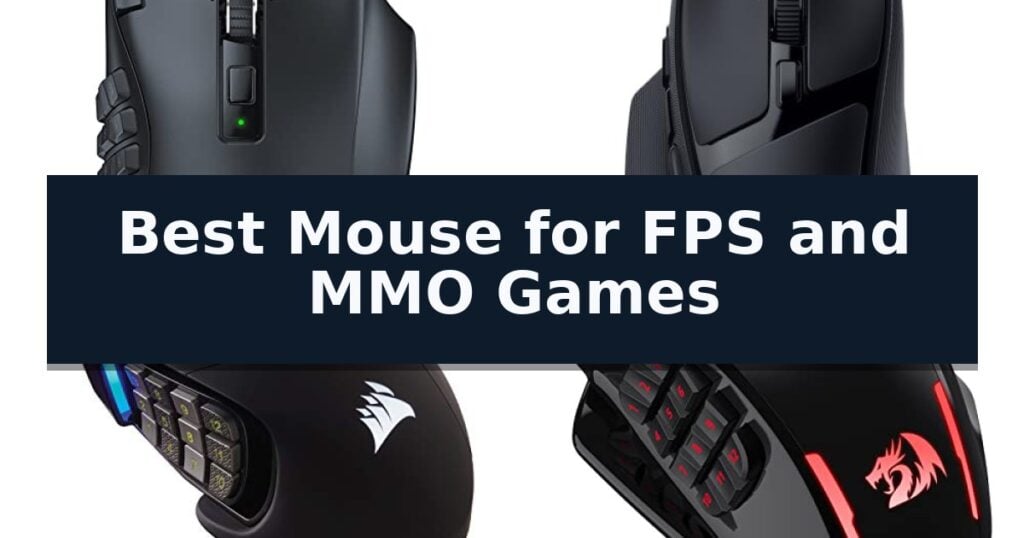
Razer Naga V2 HyperSpeed Gaming Mouse is our top choice for the Best Mouse for FPS and MMO Games, offering an unmatched combination of 19 programmable buttons and high-speed wireless connectivity. For those prioritizing a hybrid layout with a multi-function trigger, the Razer Basilisk V4 HyperSpeed serves as a versatile alternative, while the Corsair Scimitar RGB Elite provides a unique adjustable side-button slider for tailored thumb comfort.
Selecting a peripheral that bridges the gap between fast-paced shooters and complex role-playing titles requires balancing physical input capacity with sensor accuracy. MMO-focused mice often feature dense button grids that can feel cumbersome during rapid FPS movements, whereas standard FPS mice lack the macro depth needed for extensive spell rotations. The most effective designs incorporate ergonomic thumb rests or modular components to ensure stability during high-intensity tracking without sacrificing command accessibility.
Weight and wireless latency remain critical factors for competitive play. While wired options eliminate battery concerns and provide consistent weight profiles, modern low-latency wireless technology now offers performance parity for most users. Buyers should evaluate whether they prefer the tactile feedback of a mechanical side-button grid or the streamlined, lightweight feel of a multi-genre hybrid mouse when configuring their desktop setup.
For players who want to refine their setup further, our guide on the Best Mouse for FPS provides additional insights into sensor performance and weight optimization.
10 Best Mouse for FPS and MMO Games in 2026 Reviews
Quick Comparison
| Product | Best For | Key Strength | Score |
|---|---|---|---|
| Razer Naga V2 HyperSpeed Gaming Mouse | Best Overall | 19 programmable buttons for extensive macro mapping | 4.9 |
| Razer Basilisk V4 HyperSpeed Gaming Mouse | Hybrid FPS and MMO Control | 4-Way HyperScroll Tilt Wheel for versatile navigation and weapon cycling. | 4.4 |
| Corsair Scimitar RGB Elite Gaming Mouse | Adjustable Side Button Layout | Patented Key Slider allows for custom thumb-button positioning. | 4.9 |
| Redragon M913 Wireless Gaming Mouse | Affordable Wireless MMO Performance | Dual-mode connectivity allows for seamless switching between 2.4Ghz wireless and USB-C wired use. | 4.6 |
| UtechSmart Venus Pro Gaming Mouse | High DPI for Rapid Inputs | High-precision Avago sensor with adjustable sensitivity up to 16400 DPI. | 4.4 |
| SteelSeries Rival 5 Gaming Mouse | Lightweight Multi-Genre Flexibility | Ergonomic 9-button layout with dedicated side buttons for complex macros. | 4.9 |
| Corsair IRONCLAW Wireless SE Gaming Mouse | Ergonomic Comfort for Larger Hands | Ergonomic asymmetric shape designed specifically for larger hands and palm grips. | 4.8 |
| Redragon M811 PRO Wireless Gaming Mouse | Extensive Macro Customization | 15 programmable buttons for extensive macro and keybind customization. | 4.9 |
| SOLAKAKA SM809 Pro Gaming Mouse | Modular Panels for Custom Grip | Triple-mode connectivity for versatile device switching. | 4.6 |
| CORSAIR NIGHTSWORD RGB Gaming Mouse | Precision Weight and Balance Tuning | Smart Tunable Weight System allows for real-time center of gravity detection and balance adjustment. | 4.3 |
How We Chose
Evaluating the best mouse for FPS and MMO games requires a rigorous assessment of how hardware handles conflicting demands. An experienced reviewer examines the physical layout of side buttons to ensure they are accessible without causing accidental clicks, while also verifying that the sensor provides consistent, jitter-free tracking across varying DPI settings during fast-paced gameplay.
- Button layout and macro programmability for complex MMO keybinds
- Sensor tracking accuracy and DPI adjustability for FPS precision
- Weight distribution and ergonomic shape for long-term comfort
- Wireless latency performance and battery longevity
- Software support for profile switching and button remapping
1 Razer Naga V2 HyperSpeed Gaming Mouse — Unmatched MMO Button Versatility
Precision and versatility define the Razer Naga V2 HyperSpeed Gaming Mouse, a peripheral engineered to bridge the gap between complex MMO macro management and the high-speed demands of competitive shooters. Its standout feature is the inclusion of 19 programmable buttons, allowing users to map an extensive array of commands directly to their fingertips for rapid execution during intense gameplay.
Performance is driven by the Focus Pro 30K Optical Sensor, which ensures consistent tracking across diverse surfaces, including glass. The mouse utilizes Razer HyperSpeed Wireless (2.4 GHz) technology, providing a low-latency connection that is 25% faster than standard wireless alternatives, while also offering Bluetooth connectivity for extended battery efficiency.
The hardware is built for longevity and tactile feedback, featuring Mechanical Mouse Switches Gen-2 with gold-plated contact points rated for up to 60 million clicks. The Razer HyperScroll Technology enhances usability by allowing users to toggle between a free-spin mode for quick navigation and a tactile mode for precise, stepped scrolling, ensuring the device adapts to different gaming genres.
Power management is a core strength, with the device delivering up to 250 hours of low-latency gaming on its 2.4GHz connection or up to 400 hours via Bluetooth. This extended battery life minimizes downtime, keeping the mouse ready for long sessions without frequent charging interruptions.
Best for: Gamers who require a high button count for complex MMO macros alongside the low-latency performance necessary for FPS titles.
Skip if: Users who prefer an ultra-lightweight, minimalist design or those who do not require a high number of programmable side buttons.
- 19 programmable buttons for extensive macro mapping
- Low-latency 2.4GHz wireless connection
- Razer HyperScroll Technology with adjustable tactile feedback
- Long battery life up to 400 hours
- Higher weight profile due to the multi-button layout and battery
2 Razer Basilisk V4 HyperSpeed Gaming Mouse — Hybrid FPS and MMO Control
The Razer Basilisk V4 HyperSpeed Gaming Mouse distinguishes itself with a 4-Way Razer HyperScroll Tilt Wheel, allowing users to toggle between tactile scrolling for precise weapon cycling and a free-spin mode for rapid navigation. This dual-mode functionality provides a versatile control scheme suitable for both high-intensity FPS maneuvers and complex MMO ability management.
Engineered for competitive play, the mouse utilizes the Razer Focus X 33K Optical Sensor Gen-3, which offers 99.8% resolution accuracy and Smart Tracking capabilities. It supports precise 1-DPI adjustments, ensuring consistent performance even when used on glass surfaces. The integration of Razer Optical Mouse Switches Gen-4 further enhances reliability, featuring a 100-million-click lifecycle and a 12% lighter actuation force for faster response times.
Connectivity is managed through Razer HyperSpeed Wireless technology, providing low-latency performance with up to 140 hours of battery life, or up to 225 hours when using Bluetooth. The device includes 12 customizable controls, notably featuring a multi-function trigger that enables quick access to secondary commands or macros during gameplay.
For advanced setups, the mouse is compatible with various accessories including the Razer Mouse Dock V2 Pro and HyperPolling Wireless Dongle, which can enable up to an 8000 Hz polling rate. The chassis also features Chroma RGB underglow with 16.8 million colors, offering dynamic lighting effects that sync with over 300 integrated games.
Best for: Gamers who require a versatile, high-precision wireless mouse capable of handling both rapid-fire FPS titles and macro-heavy MMOs.
Skip if: Users who prefer an ultra-lightweight, symmetrical design or those who do not require the additional complexity of a multi-function trigger and tilt-wheel functionality.
- 4-Way HyperScroll Tilt Wheel for versatile navigation and weapon cycling.
- Long-lasting battery life of up to 140 hours on HyperSpeed Wireless.
- High-precision Focus X 33K sensor with 99.8% resolution accuracy.
- 12 customizable controls including a dedicated multi-function trigger.
- Increased weight and complexity compared to minimalist, competitive-focused FPS mice.
3 Corsair Scimitar RGB Elite Gaming Mouse — Adjustable Side Button Layout
Precision is the cornerstone of high-level competitive play, and the Corsair Scimitar RGB Elite Gaming Mouse addresses this through its patented Key Slider control system. This unique design allows users to physically reposition the 12-button side panel, ensuring that the thumb-accessible macro grid aligns perfectly with individual hand sizes and grip styles.
For players who demand granular control, the mouse features a native 18,000 DPI optical sensor. Powered by a custom PixArt PMW3391 sensor, it allows for adjustments in 1 DPI resolution steps, providing the exact sensitivity required for pixel-perfect aiming in FPS titles or complex ability management in MMOs.
Durability is integrated into the core architecture, utilizing 50 million click-rated Omron switches and a robust braided cable. The comfortable contoured shape includes a dedicated right-side finger rest, which supports the hand during long sessions, reducing fatigue regardless of whether you prefer a palm or claw grip.
With 17 fully programmable buttons, this device serves as a comprehensive command center. It is fully compatible with iCUE software, enabling deep customization of macros and lighting, making it a versatile tool for users across PC, Mac, and console platforms.
Best for: Gamers who require extensive macro capabilities for MMOs and MOBA titles alongside high-precision tracking for FPS games.
Skip if: Users who prefer an ultra-lightweight, minimalist mouse design without a side-button grid will likely find this model too bulky.
- Patented Key Slider allows for custom thumb-button positioning.
- 17 fully programmable buttons for complex macro execution.
- 18,000 DPI optical sensor with 1 DPI adjustment increments.
- 50 million click-rated Omron switches for long-term reliability.
- Higher weight profile compared to dedicated lightweight FPS mice.
4 Redragon M913 Wireless Gaming Mouse — Affordable Wireless MMO Performance
The Redragon M913 Wireless Gaming Mouse distinguishes itself with a versatile dual-mode design, allowing users to switch between 2.4Ghz wireless and USB-C wired connectivity to suit different gaming environments. This flexibility is paired with an integrated 12-button side panel, specifically engineered to provide the rapid access needed for complex MMO keybindings while maintaining the responsiveness required for competitive FPS titles.
At the heart of its performance is the Optical Pixart 3335 gaming sensor, which is rated to register clicks and swipes within a 1ms timeframe. This low-latency operation is complemented by five onboard DPI levels, ranging from 1000 to 16000, with the ability to adjust sensitivity by increments of 100 to suit individual preferences. These settings are managed via dedicated driver software, which also controls the 16.8 million color lighting effects.
Power management is a central focus of the M913, utilizing a low-consumption chip architecture to extend battery life. Users can expect up to 45 hours of usage with the backlighting enabled, or up to 80 hours in eco-mode, ensuring the device remains operational through extended gaming sessions. The ergonomic body is designed to balance comfort with the utility of its 16 total programmable buttons.
While the mouse offers extensive customization, users should note that the physical footprint and button layout are optimized for specific gaming genres. The inclusion of 12 side buttons provides significant utility for macro-heavy MMO play, though those prioritizing a minimalist design for pure FPS focus may find the button count excessive.
Best for: Gamers who require a high-button-count mouse for MMO macros alongside the low-latency performance necessary for FPS titles.
Skip if: Users who prefer an ultra-lightweight, minimalist mouse design may find the 12-button side panel and overall dimensions cumbersome.
- Dual-mode connectivity allows for seamless switching between 2.4Ghz wireless and USB-C wired use.
- 12 side buttons provide extensive macro and keybinding capabilities for complex games.
- Optical Pixart 3335 sensor ensures 1ms response times for high-accuracy tracking.
- Long-lasting battery offers up to 80 hours of use in eco-mode.
- High button density may be unnecessary or distracting for players who exclusively play FPS games.
5 UtechSmart Venus Pro Gaming Mouse — High DPI for Rapid Inputs
Precision and customization define the UtechSmart Venus Pro Wired MMO Gaming Mouse, which centers its performance around a high-precision Avago sensor capable of reaching up to 16400 DPI. Designed to meet the rigorous demands of complex gaming sessions, this device integrates 16 programmable buttons, including 12 side-mounted keys that allow for rapid macro execution during intense gameplay.
The hardware is engineered for physical adaptability, featuring an adjustable weight system that includes eight 2.4g weights to modify the mouse's balance to your preference. Its ergonomic right-handed chassis is finished with a frosted surface to mitigate sweat, while the inclusion of two durable Teflon feet pads ensures smooth, consistent gliding across various surfaces.
Customization extends to the visual and functional profile of the device, offering over 16 million RGB color options across 5 distinct profiles. Users can toggle these settings via a dedicated switch on the bottom of the mouse, allowing for efficient transitions between different game configurations or sensitivity levels, which range from 200 to 16400 DPI.
Durability and connectivity are supported by a 6ft braided-fiber cable terminated with a gold-plated USB connector. The unit also features an 'Auto Fire' button for optimized input in supported titles, and the overall construction is backed by an 18-month manufacturer's warranty to ensure long-term reliability for competitive play.
Best for: MMO and FPS gamers who require extensive macro customization and adjustable weight settings for a tailored feel.
Skip if: Users who prefer a lightweight, ambidextrous design or those who exclusively require a wireless connection for their gaming setup.
- High-precision Avago sensor with adjustable sensitivity up to 16400 DPI.
- 12 programmable side buttons for efficient macro management.
- Adjustable weight system with eight 2.4g weights for customized balance.
- Ergonomic right-handed design with a sweat-resistant frosted finish.
- Wired-only connection limits desk mobility compared to wireless alternatives.
- Complex button layout may require a learning curve for new users.
6 SteelSeries Rival 5 Gaming Mouse — Lightweight Multi-Genre Flexibility
Precision and rapid response define the SteelSeries Rival 5 Gaming Mouse, a peripheral engineered to bridge the gap between high-speed FPS accuracy and the complex command requirements of MMO titles. Its standout feature is the ergonomic 9-button programmable layout, which integrates five quick-action side buttons to ensure essential macros remain accessible during intense gameplay.
At the heart of the device is the TrueMove Air precision optical gaming sensor, which provides true 1-to-1 tracking for consistent movement translation. This sensor supports up to 18,000 CPI, allowing for granular sensitivity adjustments that cater to diverse gaming styles, whether you require twitch-reflex aiming or sweeping camera movements.
The chassis is constructed to be both 85g lightweight and durable, minimizing fatigue during extended sessions. Reliability is further bolstered by Next-gen Golden Micro IP54 Switches, designed to maintain consistent click feel and longevity under heavy use. The inclusion of PrismSync RGB lighting adds a customizable aesthetic layer to the hardware.
This mouse is a versatile tool for players who transition between genres, offering the physical inputs needed for ability-heavy MMOs without sacrificing the weight and sensor performance demanded by competitive FPS titles.
Best for: Gamers who require a single, versatile mouse capable of handling both high-precision FPS aiming and complex macro-heavy MMO command sets.
Skip if: Users who prefer an ultra-lightweight mouse under 70g or those who require a wireless connection for their gaming setup.
- Ergonomic 9-button layout with dedicated side buttons for complex macros.
- TrueMove Air sensor providing reliable 1-to-1 tracking.
- Competitive 85g lightweight design for reduced wrist fatigue.
- Durable Golden Micro IP54 switches for consistent performance.
- Wired-only connection limits desk cable management options.
7 Corsair IRONCLAW Wireless SE Gaming Mouse — Ergonomic Comfort for Larger Hands
The Corsair IRONCLAW Wireless SE Gaming Mouse is specifically engineered for right-handed players who prefer a palm grip, utilizing a unique asymmetric shape tailored for larger hands. This design choice aims to provide a more natural hand position, reducing wrist strain during extended gaming sessions.
Performance is driven by the 26,000 DPI CORSAIR MARKSMAN sensor, which offers high-precision tracking and surface calibration to ensure consistent performance across various desk surfaces. Users can customize their control scheme using 10 programmable buttons, allowing for complex macro assignments and keybinds managed through the integrated iCUE software.
Connectivity and longevity are key highlights, with the mouse offering dual-mode wireless capabilities. It provides up to 285 hours of battery life when using the 2.4GHz wireless connection and extends to 532 hours via Bluetooth, making it a reliable choice for marathon gaming without frequent charging interruptions.
Beyond its internal specifications, the device features customizable RGB lighting integrated into the scroll wheel, logo, and front grill. A 3-stage indicator system is also included to provide visual cues for DPI settings and active profiles, ensuring users can monitor their configuration at a glance.
Best for: Right-handed gamers with larger hands who require a palm-grip design and long battery life for extended FPS and MMO sessions.
Skip if: Users with smaller hands or those who prefer a claw or fingertip grip style may find the ergonomic asymmetric shape of this mouse uncomfortable.
- Ergonomic asymmetric shape designed specifically for larger hands and palm grips.
- Massive battery life reaching up to 532 hours on Bluetooth.
- Precise 26K DPI sensor with surface calibration capabilities.
- 10 programmable buttons for extensive macro and keybind customization.
- Large form factor may not suit users with smaller hands or alternative grip styles.
8 Redragon M811 PRO Wireless Gaming Mouse — Extensive Macro Customization
Precision and versatility define the Redragon M811 PRO Wireless Gaming Mouse, a peripheral engineered to bridge the gap between high-speed competitive play and complex macro-heavy workflows. By utilizing hype-speed 2.4Ghz wireless connection technology, this mouse eliminates the physical constraints of a cord, ensuring input and actuation remain fast and responsive during intense gaming sessions.
The device features an expansive array of 15 programmable buttons, including a dedicated cluster of 8 side buttons designed to streamline complex keybinds for MMO titles. Users can toggle between 5 redefinable DPI levels, ranging from a base of 1000 up to a maximum of 26,000 DPI, allowing for granular sensitivity adjustments tailored to specific game requirements via the included software.
Designed with an ergonomic grip that follows the natural structure of the human hand, the mouse is built to minimize fatigue during extended use. The aesthetic is complemented by 5 dynamic RGB backlit modes, which provide customizable lighting effects across 16.8 million colors to suit any gaming environment.
Comprehensive control is maintained through uncompromised driver support, enabling users to remap every button, adjust media controls, and fine-tune DPI settings to their exact specifications. This combination of wireless freedom, extensive input options, and ergonomic design makes it a versatile tool for both FPS precision and MMO efficiency.
Best for: Gamers who require a high number of programmable buttons for MMOs alongside the wireless freedom and high DPI sensitivity necessary for competitive FPS titles.
Skip if: Users who prefer an ultra-lightweight, minimalist mouse with fewer side buttons may find the 15-button layout and ergonomic chassis size unnecessary or cumbersome.
- 15 programmable buttons for extensive macro and keybind customization.
- Hype-speed 2.4Ghz wireless connectivity for cord-free performance.
- High-precision sensor with adjustable DPI up to 26,000.
- Ergonomic grip designed for long-duration comfort.
- Complex button layout may require a learning curve for users accustomed to simpler mice.
9 SOLAKAKA SM809 Pro Gaming Mouse — Modular Panels for Custom Grip
The SOLAKAKA SM809 Pro Gaming Mouse distinguishes itself through its modular design, featuring four magnetic side plates that allow users to physically adjust the grip and button layout to suit specific gaming styles. This flexibility is paired with a high-precision PAW3311 optical sensor capable of reaching 24000 DPI, providing granular sensitivity adjustments for both rapid-fire FPS encounters and complex MMO macro management.
Connectivity is handled via a triple-mode system, supporting 2.4GHz wireless, Bluetooth 5.0, and a USB-C wired connection. This versatility enables seamless switching between desktop, laptop, and tablet environments without the need for constant dongle swaps or pairing delays. The integration of onboard memory ensures that settings remain consistent across different machines without requiring background software.
For power users, all 16 buttons are fully programmable via a web-based configuration tool at solakakadriver.com. This interface allows for the creation of custom macros and key remapping, which are saved directly to the mouse. The inclusion of customizable RGB backlighting provides visual feedback, while the modular side plates ensure the physical interface can be tailored to the user's ergonomic preferences.
While the device offers significant customization, users should note that the web-based configuration requires internet access for initial setup. The modular nature of the side plates provides a distinct advantage for those who frequently switch between genres, though it necessitates keeping track of the additional components when not in use.
Best for: Gamers who require a highly customizable, modular input device capable of storing complex macros for both FPS and MMO titles.
Skip if: Users who prefer a lightweight, fixed-chassis mouse without the added complexity of modular side plates or web-based configuration requirements.
- Triple-mode connectivity for versatile device switching.
- 16 fully programmable buttons with onboard memory storage.
- Four magnetic side plates for adjustable grip and button layout.
- High-precision 24000 DPI sensor for on-the-fly sensitivity adjustments.
- Web-based configuration requires an active browser connection for setup.
- Modular components require storage when not in use.
10 CORSAIR NIGHTSWORD RGB Gaming Mouse — Precision Weight and Balance Tuning
Achieving consistent precision in high-stakes gaming requires hardware that adapts to your specific grip and movement style. The CORSAIR NIGHTSWORD RGB Gaming Mouse distinguishes itself with a Smart Tunable Weight System, which utilizes internal sensors to detect the mouse’s center of gravity in real time, allowing you to fine-tune the balance between 119g and 141g.
Engineered for both rapid-fire FPS engagements and complex MMO ability rotations, the device features a custom Pixart PMW3391 native 18,000 DPI optical sensor. This sensor allows for sensitivity adjustments in precise 1 DPI steps, ensuring that tracking remains accurate regardless of your preferred playstyle. The integration with iCUE software provides the necessary interface to manage these sensor settings and customize the ten fully programmable buttons for complex macro execution.
The physical design prioritizes long-term comfort through a contoured shape and high-performance rubber grips. With two sets of weights and six mounting locations, users have access to 120 distinct weight and balance configurations, enabling a tailored feel that accommodates various hand sizes and grip types. This level of physical customization is intended to reduce fatigue during extended gaming sessions.
While this mouse offers significant versatility, it is a wired peripheral, which may be a consideration for those prioritizing a cable-free desk setup. The combination of advanced weight calibration and high-resolution tracking makes it a robust tool for players who demand granular control over their input hardware.
Best for: Gamers who require precise weight distribution and balance tuning to match their specific hand grip and playstyle.
Skip if: Users who strictly prefer a wireless connection or a lightweight, minimalist design without adjustable weight systems.
- Smart Tunable Weight System allows for real-time center of gravity detection and balance adjustment.
- Pixart PMW3391 sensor offers high-resolution 18,000 DPI tracking with 1 DPI step increments.
- Ten fully programmable buttons provide extensive customization for complex gaming macros.
- 120 different weight and balance configurations accommodate diverse grip preferences.
- Wired-only connectivity may not suit users seeking a cable-free gaming environment.
- Heavier base weight compared to ultra-lightweight competitive gaming mice.
Best Mouse for FPS and MMO Games Buying Guide
Button Density and Ergonomics
The primary challenge in choosing a hybrid mouse is the arrangement of side buttons. MMO-centric designs often feature a 12-button grid that requires significant muscle memory to master, which can be distracting in fast-paced FPS scenarios where grip consistency is paramount.
Look for designs that incorporate textured surfaces or angled buttons to help your thumb distinguish between inputs by touch alone. A well-designed thumb rest is essential for maintaining a stable grip during rapid flick shots, preventing the mouse from sliding during intense engagements.
Sensor Precision and DPI
FPS gaming demands a sensor that can handle high-speed swipes without losing tracking or spinning out. While high DPI counts are often marketed, the consistency of the sensor at lower, competitive DPI settings is more important for reliable aim.
Ensure the mouse offers on-the-fly DPI adjustment, allowing you to switch sensitivity profiles when moving from a high-speed shooter to a menu-heavy MMO interface. This flexibility ensures your cursor speed remains appropriate for the specific task at hand.
Wireless vs. Wired Connectivity
Modern wireless technology has largely closed the latency gap, making wireless mice viable for competitive play. However, wireless models introduce the trade-off of weight due to the internal battery, which can affect how the mouse feels during rapid movements.
Wired mice remain the standard for those who prioritize a lightweight, consistent feel and never want to worry about charging. If you choose wireless, verify the battery life and ensure the mouse supports a low-latency 2.4GHz connection rather than relying solely on Bluetooth.
Software and Macro Customization
The utility of a multi-button mouse is entirely dependent on its software. You need a platform that allows for deep macro customization, profile switching, and the ability to save settings directly to the mouse's onboard memory.
Onboard memory is particularly useful if you frequently move between different computers or participate in tournaments where you cannot install custom software. Being able to trigger complex sequences with a single click is the defining advantage of an MMO-capable mouse.
Weight and Balance Tuning
Some advanced gaming mice allow for weight and balance tuning, which can be a significant benefit for users who find their current mouse too light or back-heavy. Adjusting the center of gravity can help improve tracking stability during long gaming sessions.
Be aware that adding weight can increase fatigue over time. Start with the default configuration and only add weights if you find that your aim is inconsistent or the mouse feels too twitchy during precise movements.
Frequently Asked Questions
Do I really need 12 side buttons for FPS games?
No, 12 side buttons are primarily for MMOs. For FPS games, a mouse with 2 to 5 programmable side buttons is usually sufficient and often provides a more ergonomic grip.
Does a higher DPI make me a better player?
Not necessarily. Most professional FPS players use lower DPI settings for better control and consistency. High DPI is more useful for high-resolution displays or specific productivity tasks.
Can I use a wireless mouse for competitive gaming?
Yes, modern 2.4GHz wireless gaming mice provide latency that is virtually indistinguishable from wired connections, making them perfectly suitable for competitive play.
What is the benefit of onboard memory?
Onboard memory allows you to save your button assignments and DPI profiles directly to the mouse, so your settings remain active even when you plug the mouse into a different computer.
How often do I need to replace mouse switches?
Modern mechanical and optical switches are rated for tens of millions of clicks. Unless you are a professional gamer playing for many hours every day, a quality mouse should last for several years.
Conclusion: Our Top Pick
Our top pick is Razer Naga V2 HyperSpeed Gaming Mouse. Finding the right balance between FPS agility and MMO command capacity depends on your specific game library and grip style. Prioritize a sensor that offers consistent tracking and a button layout that you can comfortably navigate without accidental inputs.
Ultimately, the best mouse is one that feels like a natural extension of your hand. Whether you opt for a feature-rich MMO grid or a more streamlined hybrid design, ensure the software supports your workflow to maximize your efficiency in every title.