Logitech Signature M650 L Wireless Mouse is our top choice for the Best Mouse for Large Hands, offering a contoured shape and rubberized grips that provide essential support for extended use. For users prioritizing specialized navigation, the ProtoArc EM11 Pro Ergonomic Mouse provides a dedicated side scroll wheel, while the Redragon Large Wireless Gaming Mouse serves as a high-performance alternative for those needing programmable buttons and adjustable DPI.
Selecting a mouse for larger hands goes beyond simple length; it requires a design that prevents the cramped, claw-like grip often forced by standard-sized peripherals. A proper fit ensures the palm rests naturally against the chassis, reducing the strain on fingers and wrists during long work sessions.
Beyond physical dimensions, connectivity and customization play a significant role in daily efficiency. Whether you require multi-device switching for a hybrid office setup or silent clicks for a shared workspace, identifying the right balance of features ensures that your hardware complements your workflow rather than hindering it.
When setting up your workstation, finding the Best Mouse for Laptops can help streamline your mobile productivity. For those managing complex technical workflows, the Best Mouse for IT Professionals often includes advanced customization options.
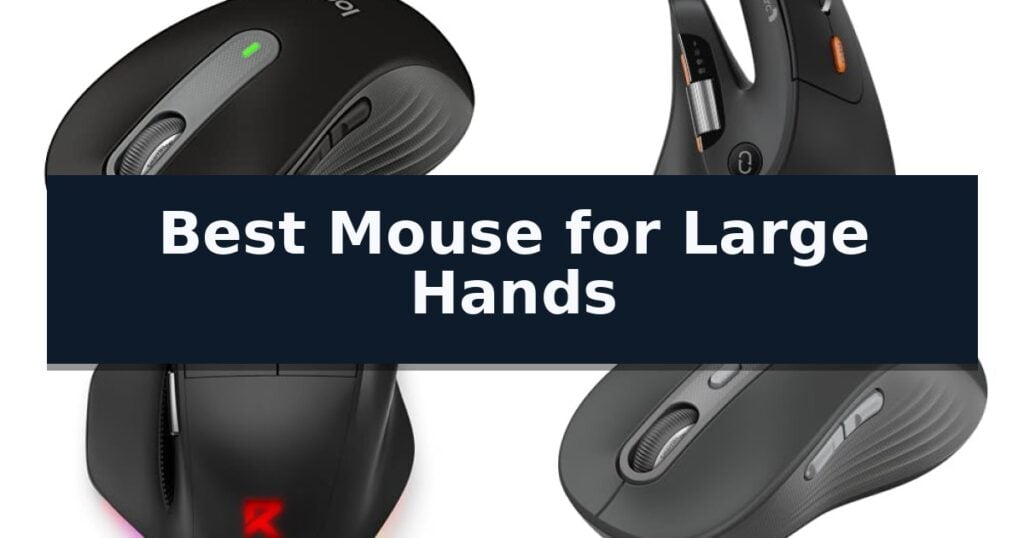
10 Best Mouse for Large Hands in 2026 Reviews
Quick Comparison
| Product | Best For | Key Strength | Score |
|---|---|---|---|
| Logitech Signature M650 L Wireless Mouse | Best Overall | Full-size, contoured shape specifically designed for larger hands. | 4.9 |
| ProtoArc EM11 Pro Ergonomic Mouse | Side-scroll wheel for wide workspaces | Contoured vertical design tailored for large hands to reduce strain. | 4.7 |
| Redragon Large Wireless Gaming Mouse | High-performance fit for big hands | Ergonomic full-size design with dedicated finger rests for larger hands. | 4.3 |
| Logitech Signature Plus M750 L Mouse | Multi-device switching for large hands | Contoured shape specifically designed for larger hands. | 4.6 |
| SANWA Wireless Ergonomic Mouse | Includes detachable magnetic wrist rest | Extended body design specifically tailored for large hands. | 4.8 |
| UGREEN Ergonomic Wireless Mouse | Natural vertical grip for large hands | Vertical ergonomic design promotes a natural wrist position to reduce strain. | 4.8 |
| Logitech Signature Comfort M850 L Mouse | Integrated palm cushion for support | Integrated palm cushion for enhanced wrist and hand support. | 4.7 |
| SHARE SUNSHINE Ergonomic Vertical Mouse | Rechargeable comfort for carpal tunnel | Ergonomic vertical design tailored for larger hands. | 4.7 |
| Logitech MX Vertical Wireless Mouse | Ergonomist-approved natural posture | 57° vertical angle promotes a natural handshake position. | 4.6 |
| Logitech Signature M550 L Wireless Mouse | Quiet clicks in a large frame | Full-size contoured design specifically optimized for larger hand ergonomics. | 4.9 |
How We Chose
Evaluating computer mice for larger hands requires a focus on physical ergonomics and functional versatility. We analyze how each model's dimensions accommodate palm support, while assessing the reliability of wireless connectivity and the utility of programmable inputs to ensure the hardware effectively reduces strain and enhances daily productivity.
- Physical Dimensions and Ergonomic Shape
- Connectivity Options and Multi-Device Support
- Button Customization and Productivity Features
- Sensor Precision and DPI Adjustability
- Battery Life and Power Management
1 Logitech Signature M650 L Wireless Mouse — Full-size comfort for larger hands
Finding a peripheral that accommodates a larger palm without causing strain is essential for extended work sessions. The Logitech Signature M650 L Wireless Mouse is specifically engineered for this requirement, featuring a full-size, contoured shape that provides ample support for larger hands. This ergonomic design is complemented by a soft thumb area and rubber side grips, which help maintain a secure, comfortable hold during prolonged use.
This device integrates a SmartWheel for precise line-by-line scrolling or rapid navigation through long documents with a simple flick. To maintain a quiet environment, it utilizes SilentTouch technology, which reduces click noise by 90 percent compared to standard models, making it suitable for shared workspaces or home offices where minimizing distractions is a priority.
Connectivity is handled via Bluetooth Low Energy or the included Logi Bolt USB receiver, offering flexible setup options across Windows, macOS, Linux, ChromeOS, iPadOS, and Android. Users can further personalize their workflow by configuring the customizable side buttons through the Logitech Options+ software to execute common tasks like copy and paste, tailoring the hardware to specific professional needs.
Designed for longevity, the mouse operates for up to 24 months on a single AA battery, which significantly reduces the frequency of maintenance. The chassis incorporates certified post-consumer recycled plastic, with the graphite and black versions containing at least 65 percent recycled material, combining functional design with sustainable material choices.
Best for: Users with larger hands seeking a comfortable, quiet, and long-lasting wireless mouse for multi-platform office or home productivity.
Skip if: Users who require a high-performance gaming mouse with adjustable DPI settings or those who prefer a symmetrical, low-profile design.
- Full-size, contoured shape specifically designed for larger hands.
- SilentTouch technology significantly reduces click noise.
- SmartWheel scrolling allows for both precision and speed.
- 24-month battery life minimizes maintenance requirements.
- Customizable side buttons via Logitech Options+ software.
- Limited to standard office features, lacking specialized gaming-grade sensors or high-DPI adjustments.
2 ProtoArc EM11 Pro Ergonomic Mouse — Side-scroll wheel for wide workspaces
Finding a comfortable grip for extended office sessions can be a challenge when standard peripherals feel undersized, but the ProtoArc EM11 Pro Ergonomic Mouse is specifically engineered to address this. Designed for hand lengths between 19.0 and 21.5 cm, this device features a contoured vertical shape that provides substantial palm support, helping to maintain a more natural handshake position and reduce forearm strain.
Beyond its ergonomic profile, the ProtoArc EM11 Pro Ergonomic Mouse incorporates a dedicated side scroll wheel that simplifies navigation through wide Excel spreadsheets and video editing timelines. This feature allows for horizontal movement without the need to manually drag on-screen scroll bars, keeping your workflow fluid and efficient during complex tasks.
Customization is handled through a browser-based tool, which allows users to configure the six buttons and adjust the 7200 DPI sensitivity without the need for additional software installations. This flexibility ensures that you can assign frequently used commands like copy and paste directly to the mouse, keeping essential shortcuts within reach.
For those managing multiple workstations, the mouse supports multi-device connectivity via two Bluetooth 5.0 channels and a 2.4 GHz USB-A receiver. You can switch between three connected devices seamlessly, making it a practical choice for hybrid work environments. The internal 500mAh rechargeable battery is powered via a USB Type-C cable, eliminating the need for disposable batteries and helping to maintain a tidy desk setup.
Best for: Users with hand lengths of 19.0–21.5 cm who require multi-device connectivity and horizontal scrolling for productivity software.
Skip if: Users with smaller hands or those who prefer a traditional flat mouse design that does not require an adaptation period.
- Contoured vertical design tailored for large hands to reduce strain.
- Side scroll wheel for efficient navigation of wide documents and timelines.
- Multi-device support allowing connection to three devices simultaneously.
- Browser-based customization for button mapping and DPI adjustment without software.
- Adaptation period of 1–2 weeks required for muscle memory adjustment.
- Charging cable included is intended for power only.
3 Redragon Large Wireless Gaming Mouse — High-performance fit for big hands
Finding a peripheral that accommodates a larger palm without causing cramping during extended sessions is a common challenge for gamers. The Redragon Large Wireless Gaming Mouse addresses this through a dedicated full-size, contoured chassis specifically engineered for medium to larger hands.
This device prioritizes ergonomic support by integrating finger rests on both sides and rubberized grips to ensure the hand remains stable. Beyond its physical dimensions, the mouse offers versatile connectivity, allowing users to switch between Bluetooth, a 2.4G USB receiver, and a Type-C wired connection to suit different setups or devices.
Performance is managed by a sensor capable of reaching 12800 DPI, adjustable across five levels to match specific sensitivity preferences. The hardware is built for longevity, with buttons and the scroll wheel rated for 10 million clicks. To maintain responsiveness, the unit features a 1000Hz polling rate and a 25G acceleration threshold, designed to minimize latency during use.
Power management is handled by a built-in 1000mAh rechargeable battery, supported by an ultra-low power chip and a smart sleep mode that engages after two minutes of inactivity. For those who prefer uninterrupted operation, the mouse remains fully functional in wired mode while charging, ensuring that hardware limitations do not interrupt tasks or gaming sessions.
Best for: Users with larger hands seeking a versatile, multi-mode wireless mouse that prioritizes ergonomic support and programmable button mapping.
Skip if: Users who require a compact, travel-friendly mouse or those who rely on non-Windows operating systems for advanced driver-based macro customization.
- Ergonomic full-size design with dedicated finger rests for larger hands.
- Tri-mode connectivity supporting Bluetooth, 2.4G wireless, and wired operation.
- High-capacity 1000mAh battery with smart power-saving sleep mode.
- Programmable buttons and adjustable DPI up to 12800 via software.
- Driver software compatibility is limited to Windows systems for macro and lighting customization.
- Physical footprint may be too large for users with smaller hands or limited desk space.
4 Logitech Signature Plus M750 L Mouse — Multi-device switching for large hands
Finding a peripheral that accommodates larger hands without sacrificing precision is a common challenge for many users. The Logitech Signature Plus M750 L Wireless Mouse addresses this by offering a specifically contoured shape designed to provide a more comfortable, ergonomic fit for larger hand sizes.
This device features the SmartWheel, which allows for automatic switching between line-by-line precision and super-fast scrolling, making it versatile for both detailed document work and navigating long web pages. The inclusion of SilentTouch technology reduces click noise by 90 percent, supporting a quieter workspace environment.
Connectivity and workflow are managed through Easy-Switch and Flow capabilities, enabling users to pair with up to three devices and transfer files or text seamlessly across Windows and macOS. The mouse also includes customizable side buttons that can be programmed via Logitech Options+ software for personalized shortcuts.
Designed for long-term use, the Logitech Signature Plus M750 L Wireless Mouse is rated for up to 24 months of battery life on a single AA battery. Its physical design incorporates a soft thumb area and rubber side grips to maintain comfort during extended sessions, while its broad platform compatibility ensures it functions across Windows, macOS, Linux, ChromeOS, iPadOS, and Android.
Best for: Users with larger hands seeking a comfortable, ergonomic wireless mouse with multi-device connectivity and quiet operation.
Skip if: Users who require a high-performance gaming mouse with adjustable DPI settings or a wired-only connection.
- Contoured shape specifically designed for larger hands.
- SmartWheel for versatile line-by-line or fast-scroll navigation.
- SilentTouch technology for significantly quieter clicking.
- Multi-device support with easy switching between three systems.
- Long battery life of up to 24 months.
- AA battery power may be less convenient than rechargeable internal batteries for some users.
- Limited to standard office features, lacking advanced gaming-grade sensors or high-DPI adjustments.
5 SANWA Wireless Ergonomic Mouse — Includes detachable magnetic wrist rest
Finding a peripheral that accommodates a larger hand size is essential for maintaining comfort during extended computer use. The SANWA Wireless Ergonomic Mouse addresses this need with an extended body design specifically engineered to provide a more substantial grip than standard-sized mice.
This device features a 46° vertical tilt, which is designed to promote a more natural hand position, potentially reducing strain on the wrist and shoulder. To further enhance support, the mouse includes a detachable magnetic wrist rest equipped with a dedicated finger rest and arm pad, allowing for a customized setup based on your desk space and comfort preferences.
Functionality is a core component of this model, offering multi-device connectivity that allows users to switch between three devices using either 2.4G wireless or dual Bluetooth 5.4 connections. The integrated Blue LED sensor provides tracking capability across various surfaces, while the silent click buttons ensure a quiet environment during operation.
For those who require precision or speed, the mouse supports 4-level adjustable DPI settings ranging from 1000 to 4000. It is broadly compatible with various operating systems, including Windows, macOS, iPadOS, iOS, Chrome OS, and Android, making it a versatile tool for office tasks, browsing, or general computing.
The SANWA Wireless Ergonomic Mouse balances ergonomic support with modern connectivity, providing a practical solution for users who find standard mice too small for their hands.
Best for: Users with large hands seeking a vertical ergonomic design with multi-device connectivity and integrated wrist support.
Skip if: Users who prefer a traditional horizontal mouse shape or those with limited desk space who cannot accommodate the footprint of the included wrist rest.
- Extended body design specifically tailored for large hands.
- 46° vertical tilt to encourage a neutral wrist position.
- Multi-device connectivity supporting up to three devices via Bluetooth and 2.4G.
- Detachable magnetic wrist rest for added ergonomic support.
- Larger footprint due to the included wrist rest may not suit compact workspaces.
6 UGREEN Ergonomic Wireless Mouse — Natural vertical grip for large hands
Finding a peripheral that accommodates a larger hand size is essential for maintaining comfort during long hours at a desk. The UGREEN Ergonomic Wireless Mouse is specifically engineered with a vertical handshake position, a design choice that promotes a more natural wrist alignment compared to traditional, flat-profile mice. By rotating the hand into a neutral posture, this device helps minimize muscle strain, making it a practical solution for users who experience discomfort during extended computer sessions.
Beyond its structural design, this mouse offers a 5-button layout and silent click switches, which are particularly beneficial for maintaining a quiet environment in shared workspaces or home offices. Users can fine-tune their cursor sensitivity using four adjustable DPI levels—1000, 1600, 2000, and 4000—allowing for precise control whether you are performing detailed document editing or navigating through multiple windows rapidly. The inclusion of PTFE (Teflon) glide feet on the base further enhances the user experience by reducing surface friction, ensuring the mouse moves smoothly across various desk surfaces.
Connectivity and power management are handled through a dual-mode wireless system, which supports both 2.4G and Bluetooth connections. This allows for seamless switching between up to three different devices, a useful feature for those managing multiple workstations or tablets. The device is powered by a single AA battery, and its smart sleep mode helps conserve energy when the mouse is not in active use. With broad compatibility across Windows, macOS, Linux, ChromeOS, and Android, it provides a versatile, plug-and-play solution for diverse operating systems.
While the ergonomic shape offers significant benefits for larger hands, it is important to note the physical trade-off regarding size. The mouse is specifically calibrated for medium to large grips, meaning the vertical profile may feel oversized or difficult to maneuver for users with smaller hands. This design choice prioritizes ergonomic support for its intended demographic, though it necessitates that users verify their hand size against the manufacturer's guide to ensure a proper fit.
Best for: Users with medium to large hands who require a vertical ergonomic design for comfort and multi-device connectivity.
Skip if: Users with small hands, as the ergonomic dimensions are specifically calibrated for larger grips.
- Vertical ergonomic design promotes a natural wrist position to reduce strain.
- Multi-device connectivity allows for seamless switching between three devices.
- Adjustable DPI settings up to 4000 offer versatile precision.
- Silent click buttons enable quiet operation in shared environments.
- Not suitable for small hands due to its specific size profile.
7 Logitech Signature Comfort M850 L Mouse — Integrated palm cushion for support
The Logitech Signature Comfort Plus M850 L Wireless Mouse distinguishes itself with an integrated palm cushion, a design choice specifically engineered to provide a supportive resting point for the hand during extended work sessions. This contoured shape is tailored for right-handed users, aiming to maintain comfort and control through long periods of use.
Beyond its ergonomic focus, the mouse features the SmartWheel for versatile scrolling, allowing users to move line-by-line or navigate through pages rapidly. The device prioritizes a quiet environment with buttons designed to reduce click noise, making it suitable for shared or home office settings. Connectivity is handled via Bluetooth, supporting multi-device workflows with the ability to swap between three devices using the Easy-Switch button.
Customization is managed through the Logi Options+ app, which enables users to adjust DPI levels and assign specific functions to buttons to streamline workflows. The device is built for longevity, boasting a battery life of up to 24 months. Furthermore, it is designed with sustainability in mind, as its plastic components contain a minimum of 49% post-consumer recycled plastic.
Compatibility is broad, spanning Windows, macOS, Chrome OS, Linux, ipadOS, and Android. This cross-platform support, combined with the lack of a required dongle, simplifies the setup process for users managing multiple devices or varied desk configurations.
Best for: Users seeking an ergonomic mouse with a built-in palm cushion for long-duration comfort and multi-device connectivity.
Skip if: Left-handed users or those requiring a highly portable, ultra-compact mouse will find the contoured, palm-cushion design unsuitable for their needs.
- Integrated palm cushion for enhanced wrist and hand support.
- 24-month battery life reduces the frequency of maintenance.
- Multi-device connectivity via Bluetooth with Easy-Switch.
- Customizable buttons through Logi Options+ software.
- Right-handed ergonomic design limits usability for left-handed users.
- Larger footprint due to the integrated palm cushion may not fit all workspace setups.
8 SHARE SUNSHINE Ergonomic Vertical Mouse — Rechargeable comfort for carpal tunnel
Finding a peripheral that accommodates a larger palm size is essential for maintaining comfort during extended computer sessions. The SHARE SUNSHINE Ergonomic Vertical Mouse addresses this need with a specialized, upright form factor designed to promote a more natural hand position, which helps reduce strain compared to traditional flat mouse designs.
This device features 5 adjustable DPI levels, ranging from 800 to 3600, allowing users to fine-tune cursor precision to their specific workflow requirements. Connectivity is handled via 2.4G wireless technology, which eliminates the clutter of cords while maintaining a reliable link to your PC, laptop, or MacBook. The integration of blue LED lighting provides a distinct visual aesthetic for your workspace.
Designed specifically for quiet environments, the mouse utilizes whisper-quiet silent click buttons to ensure that operation remains noiseless during late-night work or shared office tasks. Its physical dimensions of 4.6 inches in length and 3.3 inches in width are tailored to provide a secure grip for those with larger hands, emphasizing long-term ergonomic support.
The unit is rechargeable, supporting a focus on efficiency and consistent use. By encouraging a vertical orientation, the SHARE SUNSHINE Ergonomic Vertical Mouse serves as a practical tool for users seeking to upgrade their desk setup with a focus on ergonomics and comfort.
Best for: Users with larger hands seeking a vertical, ergonomic grip to reduce wrist strain during long hours of computer use.
Skip if: Users who prefer a traditional low-profile mouse or those who require advanced programmable macro buttons for gaming.
- Ergonomic vertical design tailored for larger hands.
- 5 adjustable DPI levels for customizable cursor speed.
- Whisper-quiet silent click buttons for noiseless operation.
- 2.4G wireless connectivity for a clutter-free workspace.
- Vertical orientation may require an adjustment period for new users.
- Specific size profile may be too large for users with smaller hands.
9 Logitech MX Vertical Wireless Mouse — Ergonomist-approved natural posture
The Logitech MX Vertical Wireless Mouse addresses the physical strain often associated with prolonged computer use by utilizing a distinct 57° vertical angle. This design encourages a natural handshake position, which is engineered to reduce muscular activity by 10 percent compared to a traditional mouse, helping to alleviate wrist pressure during extended work sessions.
Beyond its ergonomic orientation, this device features a high-precision 4000 DPI optical sensor. This sensitivity allows for significantly less hand movement, effectively reducing fatigue over time. Users can instantly adjust the cursor speed and accuracy using a dedicated button, providing flexibility for different tasks or software environments.
The mouse is shaped to accommodate a variety of hand sizes, featuring a textured rubber surface that ensures a secure, natural grip. Its ergonomic design has been developed and tested against criteria established by leading ergonomists to improve posture and lower muscle strain. The unit is also rechargeable, supporting a streamlined workspace.
Connectivity is a key strength, as the Logitech MX Vertical Wireless Mouse allows users to move content seamlessly between up to three Windows and Apple computers. The package includes a USB receiver, and the device is constructed using FSC-certified paper for its packaging, reflecting a focus on material sourcing.
Best for: Users seeking an ergonomic, high-precision pointing device to reduce wrist pressure and muscle strain during long hours of computer work.
Skip if: Users who prefer a traditional low-profile mouse design or those who require a specialized gaming-grade sensor with higher polling rates.
- 57° vertical angle promotes a natural handshake position.
- 4000 DPI high-precision sensor reduces the amount of physical hand movement required.
- Multi-computer control allows for easy navigation between three different systems.
- Ergonomist-approved design specifically targets muscle strain reduction.
- Vertical form factor requires a significant adjustment period for users accustomed to standard mice.
- Larger footprint may occupy more desk space than a conventional mouse.
10 Logitech Signature M550 L Wireless Mouse — Quiet clicks in a large frame
Finding a peripheral that accommodates a larger palm without causing cramping during extended work sessions is a common challenge for many users. The Logitech Signature M550 L Wireless Mouse addresses this by utilizing a dedicated full-size, contoured shape specifically engineered for larger hands, ensuring a more natural grip.
Beyond its physical dimensions, this mouse integrates SilentTouch technology, which is designed to reduce click noise by 90 percent, making it a suitable choice for quiet office environments or shared workspaces. The inclusion of a SmartWheel allows users to toggle between line-by-line precision for detailed document editing and a high-speed scrolling mode for navigating lengthy web pages efficiently.
Connectivity is handled through either Bluetooth Low Energy or the included Logi Bolt USB receiver, offering flexibility for various workstation setups. The device is compatible with a wide range of platforms, including Windows, macOS, Linux, Chrome OS, ipadOS, and Android, ensuring broad utility across different computing environments.
Maintenance is minimized by the impressive 24-month battery life powered by a single AA battery. Additionally, the construction incorporates certified post-consumer recycled plastic, with the graphite model containing 66 percent recycled content, reflecting a focus on material sourcing without compromising the structural integrity of the rubber side grips and soft thumb area.
Best for: Users with larger hands seeking a quiet, full-sized wireless mouse for extended daily productivity tasks.
Skip if: Users who require advanced gaming-grade sensors, high-DPI customization, or a high-frequency polling rate for competitive gaming.
- Full-size contoured design specifically optimized for larger hand ergonomics.
- SilentTouch technology significantly reduces audible click noise.
- SmartWheel scrolling provides both precision and speed modes.
- Long-lasting battery life of up to 24 months on a single AA battery.
- Limited to standard office features without high-performance gaming specifications.
- Requires a single AA battery rather than an integrated rechargeable power source.
Best Mouse for Large Hands Buying Guide
Understanding Hand Size and Mouse Fit
A mouse that is too small forces the hand into a tense, arched position, which can lead to fatigue over time. For larger hands, look for models that offer a longer chassis and a higher arch to provide full palm contact.
Support for the thumb and pinky finger is equally important. Features like rubberized side grips or dedicated finger rests help maintain a relaxed posture, ensuring that your hand remains stable without needing to squeeze the device.
The Importance of Ergonomic Posture
Vertical mice are designed to place the hand in a natural, handshake position, which minimizes forearm twisting. This design is particularly beneficial for those who experience wrist discomfort during long hours of computer use.
When transitioning to a vertical design, allow for an adjustment period of one to two weeks. During this time, keep your hand relaxed and allow your muscles to adapt to the new angle, which will eventually lead to more comfortable navigation.
Connectivity and Multi-Device Workflows
Modern office environments often require switching between a laptop, a desktop, and a tablet. Look for mice that offer both Bluetooth and USB receiver options, allowing for seamless transitions between multiple devices.
Some advanced models include software-based features that allow you to move files or text between computers. This capability is a significant productivity booster for professionals who manage complex, multi-screen workflows.
Customization for Enhanced Productivity
Programmable side buttons allow you to map frequently used shortcuts, such as copy, paste, or browser navigation, directly to your mouse. This reduces the need to reach for the keyboard for repetitive tasks.
Software-based customization tools often provide the most flexibility, enabling you to tailor button functions to specific applications. This ensures that your mouse is optimized for your unique professional or creative needs.
Sensor Performance and DPI Settings
DPI, or dots per inch, determines how fast the cursor moves across the screen. Higher DPI settings are useful for large monitors or multi-screen setups, as they allow you to cover more ground with less physical hand movement.
Adjustable DPI settings are a key feature for versatile users. Being able to lower the sensitivity for precise tasks like photo editing and increase it for general browsing provides a more intuitive and efficient control experience.
Frequently Asked Questions
How do I know if a mouse is large enough for my hand?
Measure your hand length from the base of your palm to the tip of your middle finger. If your hand is over 7.5 inches, look for models specifically marketed as full-size or large, which typically offer the necessary length and height for proper support.
Are vertical mice better for large hands than traditional mice?
Vertical mice can be better for reducing wrist strain by keeping the forearm in a neutral position. However, the best choice depends on your specific comfort needs; some users prefer the familiar feel of a traditional contoured mouse.
Do I need special software to customize the buttons?
Many modern mice use manufacturer-specific software to map buttons. Some models offer browser-based tools that require no installation, which is a convenient option for locked-down corporate computers.
How long should I expect the battery to last?
Many high-efficiency wireless mice are designed for long-term use, with some models lasting up to 24 months on a single AA battery. Rechargeable models offer convenience but will require periodic charging via USB-C.
Can I use a gaming mouse for office work?
Yes, gaming mice often feature high-precision sensors and extra programmable buttons that can be highly beneficial for productivity. Just ensure the shape and size are suitable for your hand and that the aesthetic fits your workspace.
Conclusion: Our Top Pick
Our top pick is Logitech Signature M650 L Wireless Mouse. Choosing the right mouse for large hands is a critical step in maintaining comfort and productivity throughout the workday. By prioritizing physical dimensions that support your palm and selecting features that align with your specific workflow, you can significantly reduce strain and improve your daily computing experience.
Whether you opt for a traditional contoured design or a vertical ergonomic model, the most effective choice is one that allows your hand to remain in a neutral, relaxed position. Consider your primary tasks and connectivity needs to ensure your new device provides the long-term support your hands require.