Logitech G502 HERO Wired Gaming Mouse is our top choice for the Best Mouse with Adjustable DPI, offering a high-performance sensor that reaches 25,600 DPI for exceptional tracking accuracy. For users prioritizing wireless freedom, the Logitech G305 LIGHTSPEED Wireless Gaming Mouse provides a reliable, lag-free experience, while the TECKNET Ergonomic Vertical Wireless Mouse serves those needing a natural grip to reduce wrist strain during long work sessions.
Adjustable DPI settings are essential for users who switch between high-speed tasks, such as gaming, and precision-heavy work like photo editing or detailed design. A mouse that allows you to toggle sensitivity on the fly ensures you maintain control regardless of the application, providing a more versatile experience than fixed-sensitivity alternatives.
When selecting a mouse with these capabilities, consider how the DPI adjustment mechanism is implemented. Some models use dedicated buttons that cycle through presets, while others require software to fully customize sensitivity levels. Matching the physical design—whether ergonomic, vertical, or traditional—to your hand size and usage duration is just as important as the sensor's raw capability.
For those who prioritize raw tracking performance, our guide on the Best Mouse with a Great Sensor provides additional insights into sensor technology.
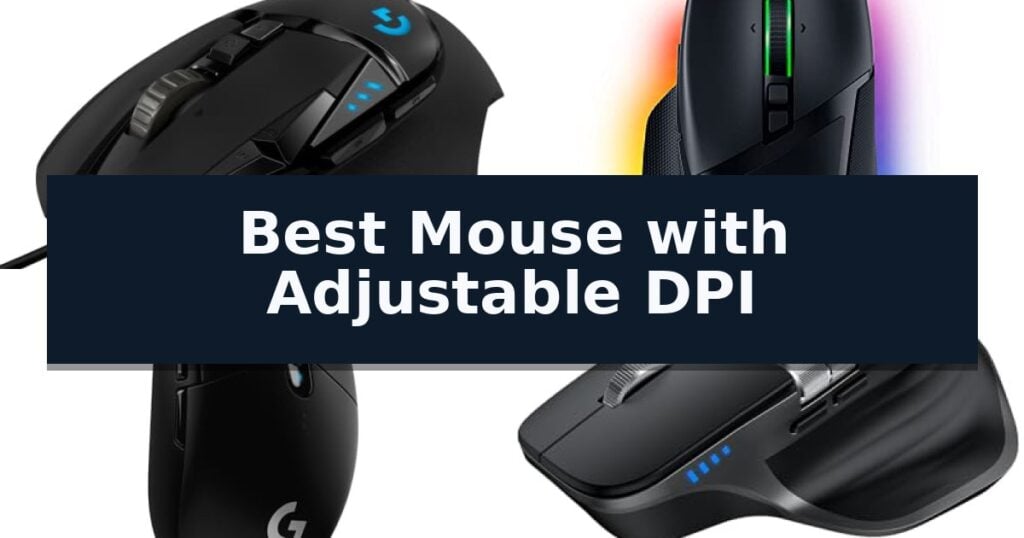
10 Best Mouse with Adjustable DPI in 2026 Reviews
Quick Comparison
| Product | Best For | Key Strength | Score |
|---|---|---|---|
| Logitech G502 HERO Wired Gaming Mouse | Best Overall | High-precision HERO 25K sensor with up to 25,600 DPI. | 4.9 |
| Razer Basilisk V3 Wired Gaming Mouse | Fastest switches for competitive play | Focus+ 26K DPI optical sensor for high-precision tracking. | 4.5 |
| Logitech G305 LIGHTSPEED Wireless Mouse | Lag-free wireless for mobile gaming | LIGHTSPEED wireless technology for low-latency performance | 4.8 |
| TECKNET Wireless Multi-Device Mouse | Seamless switching between three devices | 6-level adjustable DPI (up to 4800) for precise cursor control. | 4.7 |
| TECKNET Ergonomic Vertical Wireless Mouse | Natural handshake grip reduces strain | 52-degree ergonomic angle for natural wrist posture. | 4.3 |
| wegear Wireless Office Mouse | High-accuracy sensor for design tasks | 5-level adjustable DPI (up to 4000) for varied sensitivity needs | 4.4 |
| TECKNET 2.4G Wireless Mouse | Extended battery life for travel | 6-level adjustable DPI for precise tracking control. | 4.7 |
| Redragon M602 Wired Gaming Mouse | Customizable keys for professional workflows | 7200 DPI adjustable sensor for precise tracking control. | 4.3 |
| SOLAKAKA SM900 Wired Gaming Mouse | Breathable shell for intense sessions | 6-level adjustable DPI up to 12800 for precise sensitivity control. | 4.5 |
| Lenovo WL310 Bluetooth Silent Mouse | Noiseless clicks for quiet environments | Customizable DPI settings (1000/1200/1600) for varied precision needs. | 4.8 |
How We Chose
Evaluating the best mouse with adjustable DPI requires analyzing how effectively a device balances sensor sensitivity with physical comfort. We assess each model based on the responsiveness of its DPI switching, the quality of its optical or laser sensor, and the overall ergonomics that dictate long-term usability for both gaming and professional productivity tasks.
- DPI Range and Incremental Adjustment Options
- Sensor Precision and Tracking Stability
- Ergonomic Design and Hand Comfort
- Programmable Button Layout and Utility
- Connectivity Reliability and Latency
1 Logitech G502 HERO Wired Gaming Mouse — Precision tracking with adjustable weights
Precision control over cursor movement is essential for tasks requiring high accuracy, and the Logitech G502 HERO Wired Gaming Mouse addresses this with its advanced sensor technology. This device features the HERO 25K sensor, which provides tracking capabilities up to 25,600 DPI without smoothing, filtering, or acceleration, ensuring that every movement is registered with high fidelity.
Beyond its sensor, this mouse is designed for physical customization to suit different handling preferences. Users can adjust the weight and balance of the device by arranging up to five 3.6g weights, allowing for a personalized feel during extended use. The chassis includes 11 programmable buttons and a dual-mode hyper-fast scroll wheel, providing significant flexibility for mapping complex commands or macros.
The build quality incorporates mechanical switch button tensioning with metal pivot hinges in the primary buttons, intended to deliver a crisp and responsive click feel. For visual customization, the mouse features LIGHTSYNC RGB lighting, which can be synchronized with other gaming hardware via compatible software.
While this wired mouse offers a robust feature set for power users, its design is tailored specifically for those who prefer a weighted, multi-button interface. It includes on-board memory to save settings directly to the device, facilitating consistent performance across different systems without needing constant software reconfiguration.
Best for: Users who require high-precision tracking and extensive button customization for gaming or productivity workflows.
Skip if: Users who prefer a lightweight, minimalist, or wireless mouse design will find this wired, multi-button model overly complex and heavy.
- High-precision HERO 25K sensor with up to 25,600 DPI.
- Adjustable weight system with five 3.6g weights for balance tuning.
- 11 programmable buttons for extensive command mapping.
- Mechanical switch tensioning for consistent click feedback.
- Wired-only connection limits desk mobility compared to wireless alternatives.
- Complex button layout may be excessive for standard office tasks.
2 Razer Basilisk V3 Wired Gaming Mouse — Fastest switches for competitive play
Precision control over cursor movement is essential for competitive gaming and detailed creative work. The Razer Basilisk V3 Wired Gaming Mouse provides this through its high-performance Focus+ 26K DPI optical sensor, which is engineered to track movement with pixel-precise accuracy and zero smoothing.
Beyond its sensor capabilities, this mouse is built for versatility with 11 programmable buttons. These allow users to map macros and secondary functions directly to the device, streamlining complex actions during gameplay. The inclusion of the HyperScroll Tilt Wheel adds further utility, offering a free-spin mode for rapid scrolling through long documents or a tactile mode for controlled, precise weapon or skill selection.
The Razer Basilisk V3 Wired Gaming Mouse features an iconic ergonomic form factor that incorporates a dedicated thumb rest to support the hand during extended sessions. Responsiveness is handled by Gen 2 optical mouse switches, which utilize light-beam actuation to achieve a 0.2ms response time, rated for up to 70 million clicks.
Aesthetic customization is provided by 11 Razer Chroma RGB lighting zones, which can be configured with over 16.8 million colors. The lighting integrates dynamically with over 150 supported game titles, creating a reactive environment that complements the hardware's performance-focused design.
Best for: Gamers and professionals who require high-precision tracking and extensive button customization for complex workflows.
Skip if: Users who prefer a lightweight, minimalist design or those who specifically require wireless connectivity for their desk setup.
- Focus+ 26K DPI optical sensor for high-precision tracking.
- 11 programmable buttons for extensive macro and function mapping.
- HyperScroll Tilt Wheel with both free-spin and tactile modes.
- Gen 2 optical switches provide a rapid 0.2ms actuation speed.
- Wired connection only, which may not suit users seeking a cable-free desk environment.
- Heavier ergonomic design compared to ultra-lightweight competitive mice.
3 Logitech G305 LIGHTSPEED Wireless Mouse — Lag-free wireless for mobile gaming
Precision control over cursor movement is essential for competitive gaming and detailed digital work, and the Logitech G305 LIGHTSPEED Wireless Gaming Mouse provides this through its integrated HERO sensor. This sensor offers sensitivity adjustments up to 12,000 DPI, allowing users to tailor the tracking performance to their specific environment or task requirements.
Beyond its sensor capabilities, the Logitech G305 LIGHTSPEED Wireless Gaming Mouse utilizes LIGHTSPEED wireless technology to maintain a 1 ms report rate, which is engineered to minimize latency during high-speed inputs. The device is built with an efficient mechanical design that keeps the total weight at 3.4 oz, promoting maneuverability without sacrificing structural integrity.
Power management is a key focus of this model, as it is designed to operate for up to 250 hours on a single AA battery. Users can further optimize this longevity by switching to Endurance mode via the Logitech G HUB software, which can extend battery life up to 9 months for non-gaming tasks. The inclusion of on-board memory allows for the storage of custom settings directly on the device.
The mouse features a compact, durable chassis with built-in nano receiver storage, making it a practical option for users who frequently travel with a laptop. With 6 programmable buttons, the interface can be customized to suit various workflows or gaming profiles, ensuring that the hardware remains versatile across different setups.
Best for: Gamers and professionals who require a lightweight, portable wireless mouse with high-precision, adjustable DPI settings.
Skip if: Users who prefer a larger, ergonomic mouse shape or those who require more than six programmable buttons for complex macro-heavy tasks.
- LIGHTSPEED wireless technology for low-latency performance
- HERO sensor with up to 12,000 DPI sensitivity
- Long battery life of up to 250 hours on one AA battery
- Lightweight construction at 3.4 oz for improved maneuverability
- AA battery requirement adds weight compared to internal rechargeable lithium-ion options
- Compact dimensions may be less comfortable for users with larger hands
4 TECKNET Wireless Multi-Device Mouse — Seamless switching between three devices
Precision control over cursor movement is essential for professional workflows, and the TECKNET Wireless Multi-Device Mouse offers a high-performance solution with its 6-level adjustable DPI settings. Ranging from 800 to 4800 DPI, this mouse allows users to toggle sensitivity via a dedicated button, with an LED indicator providing visual confirmation of the current setting.
Designed for versatility, the mouse features seamless 3-device switching, supporting two Bluetooth 5.3/5.0 connections and a 2.4GHz USB-A receiver. This connectivity suite enables users to transition between multiple computers or tablets with a single button press, streamlining multitasking across different operating systems.
Ergonomics and efficiency are prioritized through the inclusion of a side-mounted scroll wheel for horizontal navigation, which is particularly useful for managing wide spreadsheets or design canvases. The device also incorporates a precision metal scroll wheel for standard vertical scrolling, adding a tactile, durable finish to the hardware.
For environments requiring discretion, the mouse utilizes silent click switches to minimize noise during operation. The unit is powered by a rechargeable battery that provides up to 3 months of usage on a single charge, based on 2 hours of daily activity, and includes an auto-sleep function to preserve power during periods of inactivity.
Best for: Users who require a multi-device workflow and adjustable sensitivity for varied tasks like design or data management.
Skip if: Users who require programmable buttons or those working on older software versions that do not support horizontal side-scrolling.
- 6-level adjustable DPI (up to 4800) for precise cursor control.
- Multi-device connectivity via Bluetooth and 2.4GHz USB-A.
- Silent click operation suitable for quiet work environments.
- Rechargeable battery with long-lasting performance.
- Non-programmable buttons limit custom shortcut assignments.
- Side buttons are not supported on macOS.
5 TECKNET Ergonomic Vertical Wireless Mouse — Natural handshake grip reduces strain
Maintaining a natural wrist position during long office hours is essential for comfort, and the TECKNET Ergonomic Vertical Wireless Mouse addresses this with a unique 52-degree angle. This design mimics a natural handshake, which helps reduce strain on the arm and wrist compared to traditional flat mouse designs.
Performance is highly customizable thanks to the 5 adjustable DPI levels, ranging from 800 to 4800 DPI. This versatility allows users to switch between precise tasks and faster cursor movements on the fly. The optical tracking sensor is engineered to provide smooth and accurate control across most common desktop surfaces.
Designed specifically for small to medium hands, the mouse features a rounded, corner-free shape that promotes a comfortable grip. It includes a silent click design that reduces noise by over 99%, making it an effective tool for shared workspaces, libraries, or quiet home offices where minimizing distractions is a priority.
Connectivity is handled via a reliable 2.4GHz wireless receiver, offering a range of up to 32 feet without the need for additional drivers. The device is widely compatible with Windows and Mac systems, though users should note that the side-mounted forward and back buttons are not supported on Mac OS platforms.
Best for: Office professionals with small to medium hands seeking a comfortable, quiet, and adjustable-DPI vertical mouse for extended daily use.
Skip if: Users who require side-button functionality on Mac OS or those with very large hands may find the physical dimensions and software limitations restrictive.
- 52-degree ergonomic angle for natural wrist posture.
- 5 adjustable DPI settings up to 4800 for varied precision needs.
- Silent click switches reduce noise by 99%.
- Plug-and-play 2.4GHz wireless connectivity with 32ft range.
- Side buttons are not supported on Mac OS.
- Physical dimensions are optimized specifically for small to medium hands.
6 wegear Wireless Office Mouse — High-accuracy sensor for design tasks
Precision control over cursor movement is essential for both detailed design work and efficient daily navigation. The wegear Wireless Office Mouse addresses this need by offering a 5-level adjustable DPI system, allowing users to toggle between 800, 1200, 1600, 2400, and 4000 DPI settings to suit specific task requirements.
Designed for productivity, this device features 6 buttons, including dedicated forward and backward side buttons for faster web and document navigation. It utilizes 2.4GHz wireless technology for a stable connection up to 33 feet, requiring only a simple USB receiver that stores conveniently inside the mouse body when not in use.
The wegear Wireless Office Mouse is built for longevity and comfort, featuring a contoured shape to minimize hand strain during extended sessions. Its durability is backed by testing for up to 5,000,000 clicks, ensuring it remains a reliable peripheral for daily office or home use.
Power efficiency is a core component of its design, with a single AA battery providing up to 24 months of battery life. The device automatically enters a sleep mode after 8 minutes of inactivity to conserve power, and a built-in red LED indicator provides a clear alert when the battery level is low.
Best for: Users who require a versatile, high-DPI mouse for switching between precise design work and general office tasks.
Skip if: Mac users who specifically need functional forward/backward side buttons, as these are not supported on macOS.
- 5-level adjustable DPI (up to 4000) for varied sensitivity needs
- 24-month battery life with automatic sleep mode
- 6-button layout for enhanced workflow navigation
- Plug & Play connectivity with no driver installation required
- Side buttons are not recognized on Mac operating systems
- AA battery is not included in the package
7 TECKNET 2.4G Wireless Mouse — Extended battery life for travel
Precision control over cursor movement is essential for productivity, and the TECKNET 2.4G Wireless Mouse addresses this with its 6-level adjustable DPI system. Ranging from 800 to 4800 DPI, this feature allows users to toggle sensitivity settings to match specific tasks, whether navigating spreadsheets or performing detailed design work.
Beyond its tracking capabilities, this mouse is engineered for extended use. The ergonomic design features a streamlined curved shape with non-slip rubber sides and a dedicated palm rest, intended to provide comfort during long sessions. Its silent click mechanism for the left and right buttons ensures that operation remains unobtrusive in shared environments like offices or libraries.
Connectivity and power management are central to its utility. The device utilizes a plug-and-play USB receiver that maintains a 50ft/15m wireless range, minimizing interference and latency. To maximize efficiency, the mouse includes independent power switches and integrated sleep modes, which contribute to an impressive 30-month battery life when powered by two AA batteries.
Compatibility is broad, supporting Windows, Mac OS, Chromebook, and Linux systems without the need for additional drivers. With its 6-button layout and portable dimensions of 4.23 x 2.61 x 1.63 inches, it serves as a versatile tool for users seeking a balance between performance, quiet operation, and long-term reliability.
Best for: Users who require a quiet, long-lasting wireless mouse with customizable sensitivity for diverse computing environments.
Skip if: Users who prefer a rechargeable internal battery over replaceable AA batteries or those who require specialized software for advanced button remapping.
- 6-level adjustable DPI for precise tracking control.
- Silent click design reduces noise in quiet environments.
- 30-month battery life minimizes frequent maintenance.
- Plug-and-play connectivity with a 50ft wireless range.
- Requires 2 AA batteries which are not included.
- No programmable software mentioned for advanced button customization.
8 Redragon M602 Wired Gaming Mouse — Customizable keys for professional workflows
Precision control over cursor movement is essential for both professional workflows and gaming, and the Redragon M602 Wired Gaming Mouse offers a highly adjustable solution with its 7200 DPI sensor. This wired peripheral is engineered to provide consistent tracking and stability, ensuring that users can fine-tune sensitivity to match their specific tasks or gaming requirements.
Designed with an ergonomic grip, the mouse features a body shape that accommodates various hand sizes and includes dedicated finger positions for sustained comfort. Beyond its physical design, the device offers significant customization through its 9 programmable buttons. Users can utilize the professional software to remap keys, create macro edits, and adjust speed settings to suit their personal preferences.
The Redragon M602 Wired Gaming Mouse also incorporates a vibrant RGB lighting system with seven distinct modes and effects. These lighting options can be toggled via a dedicated button or fully customized through the software, allowing for a personalized aesthetic that complements any workspace or gaming setup.
As a wired device, it provides a stable, lag-free connection suitable for demanding applications. Since its launch in 2015, the model has maintained its relevance by offering a balance of functional software support and durable construction, making it a versatile tool for those who require a mouse with adjustable sensitivity and programmable inputs.
Best for: Users who require a highly customizable, ergonomic mouse with adjustable DPI settings for gaming or professional macro-heavy workflows.
Skip if: Users who prefer a wireless setup or those who require a more minimalist, button-free design for basic office tasks.
- 7200 DPI adjustable sensor for precise tracking control.
- 9 programmable buttons for custom macro and key remapping.
- Ergonomic body design with dedicated finger rests for comfort.
- Customizable RGB lighting with seven distinct modes.
- Wired-only connection limits desk placement flexibility.
- Requires software download for full macro and lighting customization.
9 SOLAKAKA SM900 Wired Gaming Mouse — Breathable shell for intense sessions
Precision and comfort define the SOLAKAKA SM900 Wired Gaming Mouse, a device engineered for users who require granular control over their cursor sensitivity. Its standout feature is the 6-level adjustable DPI system, which allows for rapid scaling up to 12800 DPI to suit varying screen resolutions or task requirements. This flexibility is complemented by a 1000Hz polling rate, ensuring responsive input for both competitive gaming and high-precision office work.
The physical construction of the SOLAKAKA SM900 Wired Gaming Mouse centers on a 3-sided honeycomb shell design. This perforated housing is crafted from high-quality ABS material, which serves two purposes: it significantly reduces the overall weight of the device to minimize fatigue during extended use and enhances heat dissipation for a cooler grip. The ergonomic shape is intended to provide a comfortable, sweat-absorbent surface for long sessions.
Customization is a core component of this model, featuring 4 distinct operation modes. Users can toggle between one pre-configured office mode and three programmable gaming modes. Through the use of macro software, the mouse allows for extensive personalization, including the ability to remap buttons, adjust DPI increments, and modify the 14 RGB rainbow backlight effects. The device utilizes a standard USB plug-and-play interface, ensuring broad compatibility across Windows and macOS systems.
While the SOLAKAKA SM900 Wired Gaming Mouse offers significant software-driven versatility, it is important to note that the advanced macro and lighting customization requires the installation of specific software. The lightweight, open-frame design is optimized for performance and ventilation, though users who prefer a solid, heavy-duty chassis may find the hollow construction a distinct departure from traditional mouse aesthetics.
Best for: Users who need a lightweight, highly customizable mouse with on-the-fly DPI adjustments for gaming and productivity.
Skip if: Users who prefer a solid, non-perforated mouse chassis or those who do not wish to install software for button and lighting customization.
- 6-level adjustable DPI up to 12800 for precise sensitivity control.
- Honeycomb shell design reduces weight and improves heat dissipation.
- 4-mode switchable profiles with macro support for personalized button mapping.
- 14 RGB lighting effects for customizable visual aesthetics.
- Software dependency required for full macro and lighting customization.
- Open-frame design may not appeal to users preferring a solid, traditional mouse shell.
10 Lenovo WL310 Bluetooth Silent Mouse — Noiseless clicks for quiet environments
Precision control in a compact form factor defines the Lenovo WL310 Bluetooth Silent Mouse, a device engineered to streamline navigation across various computing environments. By offering customizable DPI settings of 1000, 1200, and 1600, this peripheral allows users to tailor cursor sensitivity to specific tasks, whether they are engaged in detailed design work or standard office productivity.
The mouse prioritizes a quiet workspace through its silent click mechanism, which eliminates distracting noise during late-night projects or in shared professional settings. Its ergonomic design is shaped to fit naturally in the hand, aiming to reduce wrist strain during extended use on both laptops and desktop workstations.
Connectivity is handled via Bluetooth 5.0, providing a stable, cable-free link to Windows PCs, MacBooks, Chromebooks, and Lenovo laptops without the need for an external USB receiver. This wireless integration simplifies the setup process and keeps ports open for other peripherals.
Designed for mobility, the Lenovo WL310 Bluetooth Silent Mouse features a lightweight, compact build that fits easily into laptop bags. This portability makes it a practical choice for students and professionals who require a consistent, reliable input device while traveling.
Best for: Professionals and students who require a portable, quiet, and adjustable-sensitivity mouse for multi-device workflows.
Skip if: Users who prefer a full-sized, high-performance gaming mouse with additional programmable side buttons or a wired connection.
- Customizable DPI settings (1000/1200/1600) for varied precision needs.
- Silent click technology for noise-sensitive environments.
- Bluetooth 5.0 connectivity eliminates the need for USB receivers.
- Ergonomic, portable design suitable for travel and long-term comfort.
- Lacks additional programmable side buttons often found on larger productivity mice.
- Compact dimensions may feel small for users with larger hands.
Best Mouse with Adjustable DPI Buying Guide
Understanding DPI and Sensitivity
Dots Per Inch (DPI) measures the sensitivity of your mouse, determining how far the cursor moves on screen relative to the physical distance you move the device. A higher DPI allows for faster cursor movement, which is often preferred for high-resolution displays or rapid gaming actions.
Adjustable DPI is a critical feature because it allows you to adapt to different scenarios. Lower settings provide the stability needed for pixel-perfect design work, while higher settings enable quick navigation across multiple monitors, ensuring your mouse remains useful across various computing environments.
Wired vs. Wireless Connectivity
Wired mice provide a consistent, latency-free connection, making them a preferred choice for competitive gaming where every millisecond counts. They also remove the need for batteries, ensuring your device is always ready for use without the risk of power loss during critical tasks.
Wireless mice offer superior desk organization and portability, which is ideal for mobile professionals or minimalist setups. Modern wireless technology has largely eliminated the lag issues of the past, though users must manage battery life or charging cycles to ensure uninterrupted performance.
Ergonomics and Hand Health
The shape of your mouse significantly impacts comfort during extended use. Standard contoured designs are versatile and fit most hand sizes, while vertical mice encourage a more natural handshake position to reduce forearm twisting and wrist strain.
When choosing a form factor, consider your grip style—palm, claw, or fingertip. A mouse that matches your natural grip will reduce fatigue over time, allowing you to focus on your work or play rather than adjusting your hand position to find a comfortable angle.
Programmable Buttons and Workflow
Beyond DPI adjustment, many high-end mice feature programmable buttons that can be mapped to specific macros or shortcuts. These buttons can streamline repetitive tasks, such as switching tools in creative software or executing complex commands in games.
Evaluate whether the software required for customization is compatible with your operating system. Some mice offer on-board memory, which allows you to save your DPI and button configurations directly to the device, ensuring your settings persist even when you move the mouse to a different computer.
Sensor Quality and Surface Tracking
The sensor is the heart of your mouse, responsible for tracking movement accurately across different surfaces. High-quality sensors, such as those found in gaming-grade mice, provide consistent performance without smoothing or acceleration, which can interfere with precision.
Consider the surface you typically use your mouse on. While most modern optical sensors perform well on standard mousepads and desk surfaces, some advanced sensors offer better tracking on difficult materials like glass or polished wood, providing more flexibility for your workspace setup.
Frequently Asked Questions
What is the benefit of having multiple DPI levels?
Multiple DPI levels allow you to switch sensitivity instantly to match your current task, such as using a low DPI for precise photo editing and a high DPI for fast-paced gaming or navigating large screens.
Do I need software to adjust the DPI on these mice?
Many mice have a physical button to cycle through DPI presets, but advanced customization, such as setting specific DPI values or remapping buttons, usually requires the manufacturer's software.
Are vertical mice better for everyone?
Vertical mice are designed to reduce wrist strain by promoting a neutral handshake position. While they are excellent for office work, some users may find them less intuitive for fast-paced gaming compared to traditional shapes.
Does a higher DPI always mean a better mouse?
Not necessarily. Sensor accuracy, build quality, and ergonomics are often more important than the maximum DPI, as most users rarely utilize the extreme upper limits of a sensor's sensitivity.
Can I use a gaming mouse for office work?
Yes, gaming mice are often highly effective for office work due to their high-precision sensors, ergonomic designs, and customizable buttons that can be mapped to productivity shortcuts.
Conclusion: Our Top Pick
Our top pick is Logitech G502 HERO Wired Gaming Mouse. Selecting the right mouse with adjustable DPI depends on balancing your need for precision with your preferred form factor and connectivity. Whether you choose a high-performance wired model for gaming or a versatile wireless option for your daily office tasks, ensuring the device fits your hand and offers the necessary sensitivity controls will significantly improve your computing experience.
Take time to assess your primary use case, as this will dictate whether you prioritize features like programmable buttons, wireless portability, or ergonomic shapes. By focusing on these practical criteria, you can find a reliable tool that enhances your productivity and comfort for years to come.