Razer Naga V2 HyperSpeed Wireless Mouse is our top choice for the Best Mouse with Side Buttons, offering an expansive 19-button layout that provides unmatched command flexibility for complex software workflows and gaming macros.
Selecting a mouse with side buttons requires balancing the number of inputs with the physical accessibility of those buttons. An experienced reviewer evaluates these devices by considering how button placement affects grip stability, the tactile feedback of switches, and the software integration required to remap these inputs for specific applications.
Beyond the button count, we prioritize sensor accuracy and connectivity options. Whether you need a wired connection for consistent performance or wireless freedom for a clean desk, the right choice depends on how effectively the hardware maps to your daily tasks without causing thumb fatigue.
For those who need maximum control over their inputs, exploring the Best Mouse with Programmable Buttons can help you understand how to optimize your workflow. If you are specifically looking for a device with a high volume of inputs, our guide on the Best Mouse with Multiple Buttons provides further insight into specialized layouts.
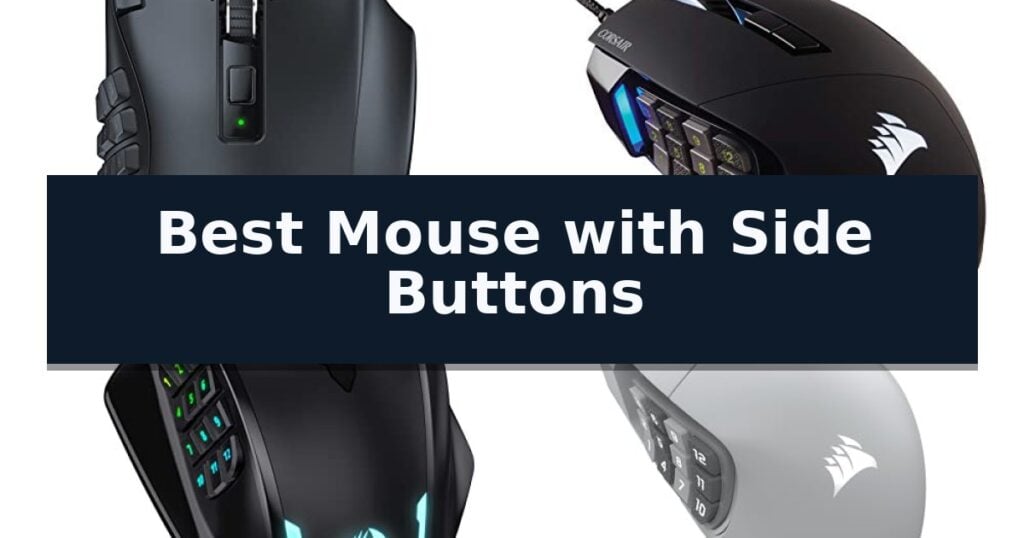
10 Best Mouse with Side Buttons in 2026 Reviews
Quick Comparison
| Product | Best For | Key Strength | Score |
|---|---|---|---|
| Razer Naga V2 HyperSpeed Wireless Mouse | Best Overall | 19 programmable buttons for extensive macro and command mapping. | 4.9 |
| Corsair Scimitar RGB Elite Wired Mouse | Adjustable Side Button Slider | Patented Key Slider allows for precise thumb-button positioning. | 4.7 |
| Redragon M908 Wired MMO Gaming Mouse | High-Density Macro Key Layout | 12 dedicated side buttons for extensive macro programming. | 4.4 |
| Corsair Scimitar Elite Wireless SE Mouse | Stream Deck Integration Ready | 16 programmable buttons for extensive macro support. | 4.4 |
| Redragon M901K MMO Gaming Mouse | Customizable Weight Tuning System | 19 macro programmable buttons for extensive command mapping. | 4.8 |
| Logitech G502 HERO Wired Gaming Mouse | Versatile Multi-Button Control | 11 programmable buttons for versatile control | 4.8 |
| MEETION Wireless Mouse | Ergonomic Side Button Placement | Five programmable side buttons for efficient workflow management. | 4.7 |
| WisFox 2.4GHz Wireless Mouse | Reliable Productivity Side Buttons | Dedicated side buttons for efficient navigation. | 4.5 |
| TECKNET USB Wired Mouse | Essential Navigation Side Buttons | Tru-Wave technology for precise tracking on difficult surfaces like glass | 4.9 |
| Logitech M510 Wireless Mouse | Comfortable Contoured Side Controls | Programmable side buttons for faster navigation. | 4.4 |
How We Chose
When evaluating the best mouse with side buttons, we focus on the practical utility of the input array. An effective design must provide enough buttons for complex tasks while maintaining a shape that prevents accidental clicks. We analyze how hardware-level customization and sensor performance translate into real-world efficiency for professional and gaming environments.
- Button layout ergonomics and accessibility
- Software-based remapping and macro support
- Sensor precision and tracking surface compatibility
- Connectivity reliability and latency
- Build durability and switch lifespan
1 Razer Naga V2 HyperSpeed Wireless Mouse — Unmatched Programmable Button Array
Navigating complex software interfaces or intense gaming sessions requires precision and speed, often necessitating a device that keeps essential commands within reach. The Razer Naga V2 HyperSpeed Wireless MMO Gaming Mouse addresses this by integrating an expansive array of 19 programmable buttons, allowing users to map advanced macros and critical functions directly to their fingertips.
Beyond its button layout, this mouse is engineered for versatility and responsiveness. It features Razer HyperScroll Technology, which provides users the ability to toggle between free-spin for rapid scrolling and tactile mode for precise, step-by-step feedback. The device connects via Razer HyperSpeed Wireless (2.4 GHz) for low-latency performance or Bluetooth for extended usage, offering flexibility depending on the task at hand.
Under the hood, the Focus Pro 30K Optical Sensor ensures accurate tracking across various surfaces, including glass. Durability is a core design focus, evidenced by the Mechanical Mouse Switches Gen-2, which utilize gold-plated contact points to resist degradation and support a lifespan of up to 60 million clicks.
Power management is a significant strength, with the mouse delivering up to 400 hours of battery life on Bluetooth or 250 hours using the low-latency HyperSpeed connection. Users can further refine their experience by disabling Windows pointer precision and utilizing the Razer Synapse App to optimize overall accuracy and performance.
Best for: Gamers and power users who require extensive macro mapping and customizable button layouts for complex software workflows.
Skip if: Users who prefer a lightweight, minimalist mouse design or those who do not require a high volume of programmable side buttons.
- 19 programmable buttons for extensive macro and command mapping.
- Razer HyperScroll Technology with adjustable tactile and free-spin modes.
- Long battery life reaching up to 400 hours on Bluetooth.
- Focus Pro 30K Optical Sensor for high-precision tracking on diverse surfaces.
- Higher physical weight and footprint compared to standard, non-MMO mice.
- Complexity of configuration may require time to master via Razer Synapse.
2 Corsair Scimitar RGB Elite Wired Mouse — Adjustable Side Button Slider
Precision control over complex inputs is essential for high-stakes gaming, and the Corsair Scimitar RGB Elite Wired MMO MOBA PC Gaming Mouse addresses this through its Patented Key Slider Control System. This unique design allows users to physically reposition the 12-button side panel to align perfectly with their thumb grip, ensuring that every command is accessible without straining.
Beyond its modular side panel, the mouse features a total of 17 fully programmable buttons, making it a robust tool for executing intricate macros in MMO and MOBA titles. The internal hardware is anchored by a native 18,000 DPI optical sensor—a custom PixArt PMW3391—which supports adjustments in single-DPI increments for granular sensitivity control.
Durability is integrated into the core architecture, utilizing 50 million click-rated Omron switches and a reinforced braided cable. These components are housed within a comfortable contoured shape that includes a dedicated right-side finger rest, designed to provide ergonomic support during extended gaming sessions regardless of hand size.
Compatibility is broad, supporting PC, Mac, and console platforms including the PS5, PS4, and Xbox. Users can further customize their experience through iCUE software, which manages the programmable button mapping and lighting configurations, ensuring the device adapts to specific software requirements or personal preferences.
Best for: Gamers who require extensive macro capabilities and a highly adjustable thumb-button layout for MMO or MOBA titles.
Skip if: Users who prefer a lightweight, minimalist mouse for fast-paced FPS gaming may find the 17-button layout and larger chassis unnecessary or cumbersome.
- Patented Key Slider allows for precise thumb-button positioning.
- 17 fully programmable buttons support complex macro execution.
- 18,000 DPI optical sensor offers high-resolution tracking accuracy.
- Ultra-durable Omron switches rated for 50 million clicks.
- Wired-only connection may limit cable management options for some desk setups.
- Higher button density requires a learning curve for efficient navigation.
3 Redragon M908 Wired MMO Gaming Mouse — High-Density Macro Key Layout
The Redragon M908 Wired MMO Gaming Mouse distinguishes itself with a high-density layout featuring 12 programmable side buttons specifically engineered for complex macro management. This wired peripheral is built for users who require extensive input options, providing a total of 18 programmable buttons to streamline repetitive tasks or gaming commands.
Performance is driven by the Pixart PAW3327 sensor, which supports an adjustable DPI range up to 12,400. Users can toggle between five distinct DPI levels, with the ability to fine-tune sensitivity in increments of 100 via the dedicated software. The device maintains a 1000 Hz polling rate and 30G acceleration, ensuring consistent input registration during high-intensity use.
Ergonomics and customization are central to the design, which includes an 8-piece weight tuning set. By adjusting the weight, users can modify the physical feel of the mouse to suit their preference. The chassis is equipped with durable TEFLON feet to facilitate smooth movement across surfaces, while the 6ft braided-fiber cable and gold-plated USB connector prioritize connection stability.
The mouse features 16.8 million RGB LED color options, allowing for visual customization across five memory profiles. Each profile can be assigned a unique light color, enabling quick identification of settings. While the software allows for deep remapping and macro creation, the hardware remains compatible with Windows systems for full functionality, with Mac OS support available for standard input tasks.
Best for: Gamers and power users who require a high volume of programmable side buttons for complex macro-heavy workflows.
Skip if: Users who prefer a lightweight, minimalist design or those who find a large array of side buttons distracting for standard desktop navigation.
- 12 dedicated side buttons for extensive macro programming.
- Adjustable weight tuning system with 8 included weights.
- High-precision sensor with up to 12,400 DPI.
- Five customizable memory profiles with distinct RGB lighting.
- Wired-only connection limits desk placement flexibility.
- Software-dependent for full remapping and DPI fine-tuning.
4 Corsair Scimitar Elite Wireless SE Mouse — Stream Deck Integration Ready
Managing complex workflows or demanding gaming macros requires more than a standard two-button interface. The Corsair Scimitar Elite Wireless SE Mouse addresses this by integrating a 16-button layout, featuring a unique adjustable key slider that allows users to reposition the side button panel to match their specific grip style and hand size.
At the core of this device is the MARKSMAN S 33k DPI optical sensor, engineered for high-precision tracking and improved power efficiency. This sensor supports high-speed movement and granular DPI detection, ensuring consistent performance during intensive tasks. The mouse maintains a 1,000Hz polling rate via SLIPSTREAM WIRELESS technology, providing a low-latency connection that rivals wired alternatives while offering the flexibility of Bluetooth connectivity.
Beyond its hardware, the mouse offers deep software integration through the Elgato Stream Deck ecosystem. Users can map specific functions directly to the side buttons, effectively turning the mouse into a dedicated controller for streaming, productivity, or complex gaming profiles. The Elgato Virtual Stream Deck integration further expands this capability, allowing for custom profiles that can be toggled on the fly.
Designed for longevity and convenience, the device supports up to 150 hours of battery life and includes fast-charging capabilities via USB. The combination of a high-resolution sensor, extensive button customization, and professional-grade software integration makes it a versatile tool for users who require a high degree of control over their digital environment.
Best for: Users who require extensive macro customization and high-precision tracking for gaming, streaming, or productivity workflows.
Skip if: Users who prefer a minimalist, lightweight mouse without the added bulk of a side-button keypad.
- 16 programmable buttons for extensive macro support.
- Adjustable key slider to customize side button placement.
- Elgato Stream Deck integration for advanced workflow control.
- MARKSMAN S 33k DPI sensor for high-precision tracking.
- Up to 150 hours of wireless battery life.
- Increased physical footprint due to the multi-button side panel.
- Higher weight compared to standard non-MMO gaming mice.
5 Redragon M901K MMO Gaming Mouse — Customizable Weight Tuning System
Precision control over complex workflows is the primary advantage of the Redragon M901K MMO Gaming Mouse, which features a high-performance sensor capable of reaching 12400 DPI. This device is built for users who require extensive input options, offering 19 macro programmable buttons including a dedicated 12-button side panel that allows for complex command execution without relying on keyboard shortcuts.
Beyond its button density, the mouse emphasizes physical customization to suit individual handling preferences. It includes an 8-piece weight tuning system with removable 2.4-gram weights, allowing users to adjust the overall balance and feel of the device. The inclusion of 5 memory profiles and two switchable working modes ensures that settings remain consistent across different software environments or gaming scenarios.
The chassis is designed with skin-friendly material and an ergonomic shape intended to mitigate fatigue during extended use. Technical performance is further supported by an adjustable polling rate ranging from 125Hz to 1000Hz and a 40G acceleration rating, providing a responsive interface for demanding tasks. Visual customization is managed through integrated RGB lighting with 16.8 million color combinations and four distinct modes.
Maintenance and configuration are handled via dedicated software, which enables deep macro editing and lighting adjustments. While the side button layout is optimized for efficiency in MOBA or MMO titles, the device remains versatile enough for general productivity tasks where remapping commands can streamline repetitive workflows.
Best for: Users who require extensive macro customization and physical weight adjustment for gaming or productivity workflows.
Skip if: Users who prefer a minimalist mouse design or those who find high-density side button layouts physically distracting.
- 19 macro programmable buttons for extensive command mapping.
- Adjustable weight tuning system with eight 2.4g weights.
- High-precision sensor with 12400 DPI and adjustable polling rate.
- Ergonomic design with skin-friendly materials for comfort.
- Complex button layout may require a learning curve for non-MMO users.
- Software-dependent configuration for full macro functionality.
6 Logitech G502 HERO Wired Gaming Mouse — Versatile Multi-Button Control
The Logitech G502 HERO Wired Gaming Mouse centers its design around a highly adaptable 11 programmable button layout, providing extensive control options for complex workflows or gaming environments. This wired peripheral integrates a dual-mode hyper-fast scroll wheel that allows users to toggle between precise, notched scrolling and free-spinning navigation.
At the core of its performance is the HERO 25K sensor, which supports tracking up to 25,600 DPI without smoothing, filtering, or acceleration. To ensure a consistent tactile experience, the device utilizes mechanical switch button tensioning with metal pivot hinges, designed to provide a crisp and rapid click response.
Customization extends to the physical handling of the mouse through an adjustable weight system. Users can modify the balance and feel of the device by arranging up to five 3.6g weights within the chassis. The mouse also features LIGHTSYNC technology, enabling fully customizable RGB lighting that can synchronize with software-supported activities.
With dimensions of 5.2 inches in height and 2.95 inches in width, this device is built for users who prefer a substantial, wired interface. It includes on-board memory to store custom configurations, ensuring that programmed settings remain accessible across different computer setups without requiring constant software reconfiguration.
Best for: Users who require extensive button customization and adjustable weight configurations for precise control.
Skip if: Users who prefer a lightweight, wireless design or those with limited desk space who do not require multiple programmable buttons.
- 11 programmable buttons for versatile control
- Adjustable weight system for personalized balance
- HERO 25K sensor for high-precision tracking
- Mechanical switch tensioning for consistent click feedback
- Wired-only connection may limit cable management preferences
- Heavier build compared to ultra-lightweight gaming mice
7 MEETION Wireless Mouse — Ergonomic Side Button Placement
Navigating complex workflows or repetitive digital tasks often requires more than a standard two-button layout, and the MEETION Wireless Mouse addresses this by integrating five dedicated side buttons. This design choice prioritizes accessibility, allowing users to map frequently used commands directly to their thumb, which can significantly streamline document handling and navigation.
Beyond its button configuration, the device features a contoured shape with extended thumb support. This profile is engineered to provide a natural grip that avoids the steep, often polarizing angles found on traditional vertical mice, aiming for sustained comfort during extended work sessions. The inclusion of silent clicks further adapts the mouse for shared environments, such as home offices or open-plan workspaces, where minimizing noise is a priority.
Connectivity is handled via a Bluetooth & 2.4GHz dual-mode wireless system. A dedicated mode button allows for quick switching between devices, providing flexibility for users who toggle between a laptop and a desktop setup. The mouse also offers adjustable 800–2400 DPI settings, enabling users to calibrate cursor speed to match their specific screen resolution or personal preference for precision.
For users operating on Windows, the MEETION Wireless Mouse supports button customization through proprietary software, unlocking the full potential of its side-button array. While this customization is not supported on macOS, the mouse remains fully functional for standard navigation tasks on Apple devices, ensuring broad compatibility across different operating systems.
Best for: Users who require additional side-button controls for productivity tasks and prefer a contoured, ergonomic grip over a vertical mouse design.
Skip if: Users who require advanced button customization on macOS or those who prefer a high-performance gaming sensor for competitive play.
- Five programmable side buttons for efficient workflow management.
- Dual-mode wireless connectivity supporting both Bluetooth and 2.4GHz.
- Silent click switches to reduce noise in quiet environments.
- Contoured ergonomic shape with dedicated thumb support.
- Software customization is limited to Windows operating systems.
- No onboard storage for the 2.4GHz receiver.
8 WisFox 2.4GHz Wireless Mouse — Reliable Productivity Side Buttons
Navigating a workspace requires tools that balance efficiency with physical comfort, and the WisFox 2.4GHz Wireless Mouse addresses this by integrating two dedicated side buttons directly into its contoured, ergonomic frame. This design choice allows for quick navigation and productivity enhancements without requiring complex software setups.
The WisFox 2.4GHz Wireless Mouse features 3 adjustable DPI levels—800, 1200, and 1600—which users can toggle on the fly using a dedicated button. This precision tracking capability is supported by a 2.4GHz wireless connection that maintains a stable signal at distances up to 33 feet. The device is built for longevity, having undergone a 5 million keystroke test to ensure consistent performance over time.
Designed with energy efficiency in mind, the mouse includes an auto sleep mode that activates after 8 minutes of inactivity, with a power-saving mode kicking in after just 1 minute. The symmetric design ensures it remains comfortable for both right- and left-handed users, while the sweat-resistant coating helps maintain a secure grip during extended use. Setup is straightforward, utilizing a plug-and-play USB receiver that stores conveniently inside the battery compartment.
Compatibility is broad, supporting Windows, Mac, and Linux systems, making it a versatile choice for various computing environments. With its lightweight build and reliable wireless connectivity, this mouse is a practical solution for those seeking a functional, ergonomic upgrade to their daily desktop or laptop setup.
Best for: Users seeking an ergonomic, ambidextrous wireless mouse with programmable-style side buttons for improved productivity.
Skip if: Users requiring a high-performance gaming mouse with advanced software customization or a larger, palm-filling form factor.
- Dedicated side buttons for efficient navigation.
- 3 adjustable DPI settings for precision control.
- Ambidextrous design suitable for both left and right-handed users.
- Auto sleep mode for enhanced energy efficiency.
- Requires USB receiver which occupies a port on the host device.
- Battery-powered operation necessitates periodic replacements.
9 TECKNET USB Wired Mouse — Essential Navigation Side Buttons
The TECKNET USB Wired Mouse distinguishes itself with integrated Tru-Wave technology, which enables precise cursor tracking across a wide variety of surfaces, including smooth glass. This wired peripheral is engineered for longevity, having been tested to withstand over 6 million keystrokes, making it a reliable choice for daily office or home computing tasks.
Efficiency is central to its design, featuring 6 buttons that include dedicated, easy-to-reach Back and Forward side buttons for faster navigation through documents and web pages. Users can tailor the sensitivity to their specific workflow using the 4-level adjustable DPI settings, which range from 1000 up to 6400 DPI.
Designed with ergonomics in mind, the mouse incorporates soft rubber grips and a contoured shape intended to minimize hand fatigue during extended use. Its compact dimensions and lightweight build ensure it remains portable for users who move between different workstations.
Setup is straightforward thanks to the plug-and-play USB interface, which removes the need for battery replacements or driver installations. The included 5-foot cable provides sufficient length for most desktop or laptop configurations, ensuring a stable, lag-free connection. While it is widely compatible with various Windows versions and Chromebooks, users should note that the side buttons are not functional on Mac operating systems.
Best for: Users seeking a reliable, battery-free wired mouse with customizable DPI and convenient side navigation buttons for Windows or Chromebook environments.
Skip if: Mac users who require full functionality of the side buttons, or those who prefer the freedom of a wireless setup.
- Tru-Wave technology for precise tracking on difficult surfaces like glass
- 4-level adjustable DPI up to 6400 for customizable sensitivity
- Plug-and-play wired connection eliminates battery maintenance
- Ergonomic design with soft rubber grips for comfort
- Side buttons are incompatible with Mac operating systems
- Wired connection restricts mobility compared to wireless alternatives
10 Logitech M510 Wireless Mouse — Comfortable Contoured Side Controls
Navigating digital tasks often requires more than just a standard left and right click, and the Logitech M510 Wireless Mouse addresses this with its integrated side buttons designed to streamline navigation. By offering dedicated Back and Forward controls, this device allows users to move through web pages and photo albums with increased efficiency.
Beyond its primary buttons, the mouse features a contoured shape with soft rubber grips intended to provide comfort during extended use. The design includes a broad palm area and gently curved sides, which help maintain a relaxed hand position throughout the workday.
Functionality is further expanded through the tilt-to-scroll capability, which enables horizontal and vertical scrolling. This is particularly useful for managing large spreadsheets or navigating wide music libraries. Users can also customize these inputs to switch applications or toggle full-screen modes using the necessary software.
Power management is handled by an efficient system that supports up to two years of battery life. The inclusion of an On/Off switch and a smart sleep mode helps conserve energy, while an integrated indicator light provides status updates to prevent unexpected power loss.
Connectivity is managed via the Logitech Unifying receiver, a compact USB-A nano receiver that can remain plugged into a laptop. This system also allows for the addition of other compatible wireless peripherals to a single receiver, reducing the number of occupied USB ports.
Best for: Users who require customizable side buttons and horizontal scrolling for improved productivity in office or web-based applications.
Skip if: Users who prefer a lightweight, ultra-compact travel mouse or those who require a high-precision gaming sensor.
- Programmable side buttons for faster navigation.
- Tilt-to-scroll function for horizontal and vertical document management.
- Extended 2-year battery life with power-saving features.
- Ergonomic contoured design with soft rubber grips.
- Software installation required to enable full button customization.
- Full-size dimensions may be less portable than slim travel mice.
Best Mouse with Side Buttons Buying Guide
Button Placement and Ergonomics
The primary advantage of a mouse with side buttons is the ability to offload keyboard shortcuts to your thumb. Look for designs where the buttons are distinct enough to identify by touch, preventing misclicks during high-intensity tasks.
Consider the physical size of the mouse relative to your hand. Some models feature adjustable sliders or contoured thumb rests that ensure all side buttons remain within reach without forcing an unnatural grip.
Software Customization
Hardware is only as useful as the software that controls it. A robust configuration utility allows you to assign complex macros, application-specific profiles, or system-level commands to every side button.
Ensure the mouse software is compatible with your operating system. While most gaming-focused mice provide deep customization on Windows, some features may be limited or unavailable on macOS or Linux environments.
Sensor Performance
High-DPI sensors are standard, but consistency is more important than raw speed. A high-quality optical sensor should track accurately across various surfaces, including desk pads and glass, without jitter or smoothing.
For precision work, look for a mouse that allows you to adjust DPI settings on the fly. This enables you to switch between high-speed navigation and granular control with a single button press.
Connectivity and Latency
Wired mice remain the standard for zero-latency performance, making them ideal for competitive gaming or environments where battery management is a concern. They provide a consistent connection that never requires charging.
Wireless models have evolved to offer performance parity with wired counterparts. If you choose wireless, verify the battery life and the availability of a low-latency 2.4GHz receiver, which is typically more stable than Bluetooth for fast-paced input.
Build Quality and Durability
Side buttons are often used more frequently than primary clicks, so they must be built to withstand millions of actuations. Look for mechanical switches that provide a crisp, tactile response to confirm every input.
The overall chassis should feel solid, with a coating that resists sweat and wear over time. High-quality feet pads are also essential, as they ensure smooth movement and reduce friction during long sessions.
Frequently Asked Questions
Can I use side buttons for non-gaming tasks?
Yes, most mice with side buttons allow you to map them to productivity shortcuts like copy, paste, undo, or volume control through the manufacturer's software.
Do side buttons work on Mac computers?
Most side buttons function as standard forward and back browser commands on macOS without extra software, but full macro remapping often requires specific driver support that may not be available for all brands.
Are mice with many side buttons heavy?
They can be, as the extra switches and internal components add weight. Some models include weight-tuning systems, while others prioritize a lightweight design to reduce wrist strain.
How do I prevent accidental side button clicks?
Look for a mouse with a contoured thumb rest or buttons that require a deliberate amount of force to actuate. Some models also allow you to disable specific buttons in the software.
Is a wired or wireless mouse better for side buttons?
Wired is better if you want to avoid battery maintenance and ensure the lowest possible latency. Wireless is better if you prioritize a clutter-free workspace and portability.
Conclusion: Our Top Pick
Our top pick is Razer Naga V2 HyperSpeed Wireless Mouse. Choosing the right mouse with side buttons depends on how many inputs you truly need versus the ergonomic comfort required for your specific hand size. Prioritize models that offer reliable software for remapping, as this is what transforms a standard mouse into a powerful productivity or gaming tool.
By focusing on button accessibility and sensor consistency, you can find a device that streamlines your workflow. Whether you opt for a high-button-count MMO mouse or a simpler ergonomic design, ensure the hardware supports your primary use case to maximize your efficiency.