Razer Naga V2 HyperSpeed Gaming Mouse is our top choice for the Best Multi Button Gaming Mouse because it delivers a versatile 19-button layout paired with reliable low-latency wireless connectivity.
For gamers who prioritize modularity, the Razer Naga V3 Pro offers swappable side plates to adapt to different genres, while the Corsair Scimitar Elite Wireless provides a unique adjustable key slider system for personalized thumb placement.
Selecting the right peripheral requires balancing the number of programmable inputs against the physical comfort of the chassis. We focus on how these button configurations impact your efficiency in complex games and long-term usability.
To further refine your setup, exploring options in our guide to the Best Mouse with Side Buttons can help you understand how different button configurations impact your overall efficiency. For those interested in deeper customization, our article on the Best Mouse with Programmable Buttons provides additional insight into how software profiles can transform your daily workflow.
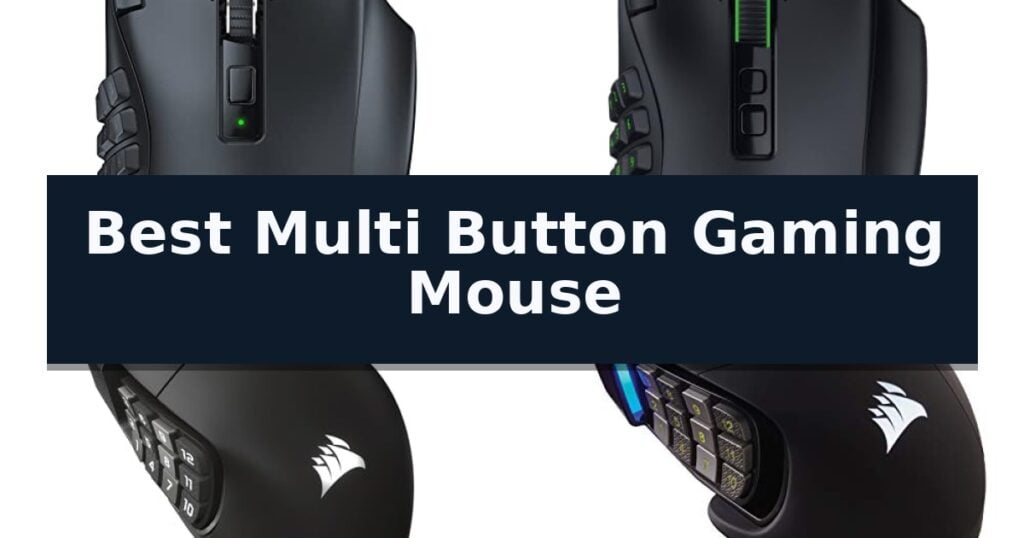
10 Best Multi Button Gaming Mouse in 2026 Reviews
Quick Comparison
| Product | Best For | Key Strength | Score |
|---|---|---|---|
| Razer Naga V2 HyperSpeed Gaming Mouse | Best Overall | 19 programmable buttons for extensive macro mapping. | 4.9 |
| Razer Naga V3 Pro Gaming Mouse | Versatile Swappable Side Plates | Swappable magnetic side plates for genre-specific button layouts. | 4.6 |
| Corsair Scimitar Elite Wireless Gaming Mouse | Stream Deck Integration Ready | 16 programmable buttons for maximum command accessibility. | 4.3 |
| Corsair Scimitar RGB Elite Gaming Mouse | Adjustable Key Slider System | Patented Key Slider allows for precise thumb-button positioning. | 4.5 |
| UtechSmart Venus Pro Gaming Mouse | High Precision Wireless Performance | 16 fully programmable buttons for complex macro assignments. | 4.4 |
| Redragon M908 Wired Gaming Mouse | Budget-Friendly Weight Tuning | 18 programmable buttons for complex macro management. | 4.9 |
| ASUS ROG Spatha X Gaming Mouse | Premium Magnetic Charging Dock | 12 programmable buttons optimized for complex macro commands. | 4.8 |
| Logitech G502 HERO Gaming Mouse | Iconic Customizable Weight Balance | HERO 25K sensor for high-precision tracking. | 4.7 |
| SOLAKAKA E9 Vertical Gaming Mouse | Ergonomic Handshake Posture | 45° vertical ergonomic design reduces wrist and forearm strain. | 4.5 |
| LTC MKM071 Wireless Gaming Mouse | Convenient RGB Charging Dock | 11 programmable buttons for complex game commands. | 4.7 |
How We Chose
When evaluating the best multi button gaming mouse, we prioritize the practical utility of the button layout and the precision of the underlying sensor. An experienced reviewer examines how these inputs are positioned to minimize fatigue while ensuring that software-driven macro customization remains intuitive for demanding gaming sessions.
- Programmable Input Density: Evaluating the total number of remappable buttons and their physical accessibility for rapid macro execution.
- Sensor Accuracy and DPI: Assessing the optical sensor's tracking performance and the availability of on-the-fly sensitivity adjustments.
- Ergonomic Customization: Analyzing features like adjustable side panels, weight tuning, or specialized shapes that accommodate different grip styles.
- Connectivity and Latency: Comparing wireless stability via 2.4GHz or Bluetooth against traditional wired options for competitive responsiveness.
- Software Integration: Examining the depth of macro customization and profile management available within the manufacturer's dedicated software suite.
1 Razer Naga V2 HyperSpeed Gaming Mouse — Wireless Freedom for MMO Macros
The Razer Naga V2 HyperSpeed Gaming Mouse distinguishes itself with a massive array of 19 programmable buttons, providing an extensive command set for players who rely on complex macros and quick-access inputs. Designed for those who demand both versatility and freedom of movement, this mouse integrates advanced wireless technology with a high-precision sensor to ensure consistent performance during extended gaming sessions.
At the core of its functionality is the Razer HyperSpeed Wireless connection, which offers low-latency performance that is 25% faster than competing wireless standards. For users prioritizing longevity, the device also supports Bluetooth connectivity, enabling up to 400 hours of battery life. The Focus Pro 30K Optical Sensor ensures reliable tracking across various surfaces, including glass, while the Mechanical Mouse Switches Gen-2 utilize gold-plated contact points to support a lifespan of up to 60 million clicks.
The hardware is further enhanced by Razer HyperScroll Technology, which allows users to toggle between a free-spin mode for rapid scrolling and a tactile mode for precise, stepped feedback. This flexibility makes the mouse suitable for both rapid-fire actions and detailed navigation. Users can further refine their experience by utilizing the Razer Synapse App to optimize settings and disable pointer acceleration for improved accuracy.
While the mouse is built for high-performance gaming, its ergonomic button layout is specifically tailored for MMO-style gameplay. The device maintains a compact footprint, measuring 4.71 inches in length and 2.96 inches in width, ensuring it remains comfortable for various grip styles during long-term use.
Best for: MMO gamers who require a high volume of programmable buttons and the flexibility of dual-mode wireless connectivity.
Skip if: Users who prefer an ultra-lightweight mouse for competitive FPS titles or those who do not utilize macro-heavy command structures.
- 19 programmable buttons for extensive macro mapping.
- Dual-mode wireless with low-latency HyperSpeed and long-lasting Bluetooth.
- HyperScroll Technology offers both tactile and free-spin modes.
- High-precision Focus Pro 30K sensor works on multiple surfaces.
- Higher weight profile compared to minimalist gaming mice.
- Complex button layout may require a learning curve for non-MMO users.
2 Razer Naga V3 Pro Gaming Mouse — Versatile Swappable Side Plates
The Razer Naga V3 Pro Gaming Mouse distinguishes itself through its modular design, featuring three swappable magnetic side plates that provide 12, 6, or 2-button layouts. This adaptability allows users to transition between MMO, MOBA, FPS, and battle royale genres without changing hardware, supported by additional quick-access edge buttons and a lockable ring finger button.
Performance is driven by the Razer Focus Pro 50K Optical Sensor Gen-3, which supports up to 50,000 DPI and 930 IPS for high-precision tracking. The inclusion of Razer Optical Mouse Switches Gen-4 ensures tactile feedback with 12% lighter actuation and a durability rating of over 100 million clicks, providing consistent responsiveness during extended sessions.
Usability is enhanced by the Razer HyperScroll Tilt Wheel Gen-2, which offers free-spin scrolling and Smart-Reel auto switching for efficient navigation. Connectivity is equally versatile, offering Razer HyperSpeed Wireless for low-latency gaming, Bluetooth for extended battery life, and a USB-C wired mode for simultaneous charging and play.
Battery management is a primary focus, with the device delivering up to 155 hours on HyperSpeed Wireless or 280 hours via Bluetooth. The mouse is compatible with the Razer HyperFlux V2 and Mouse Dock Pro wireless charging systems, allowing for seamless power maintenance.
Best for: Gamers who frequently switch between complex MMO titles and fast-paced FPS games and require a single, highly customizable peripheral.
Skip if: Users who prefer a lightweight, minimalist mouse design without the added complexity or weight of swappable side plates and multi-button configurations.
- Swappable magnetic side plates for genre-specific button layouts.
- High-performance 50,000 DPI optical sensor with Frame Sync technology.
- Multi-mode connectivity including low-latency wireless and Bluetooth.
- Long battery life reaching up to 280 hours in Bluetooth mode.
- Increased weight and complexity due to the modular side plate mechanism.
- Advanced customization features rely on Razer Synapse software for full functionality.
3 Corsair Scimitar Elite Wireless Gaming Mouse — Stream Deck Integration Ready
The Corsair Scimitar Elite Wireless SE distinguishes itself with a highly customizable interface, featuring 16 programmable buttons and an adjustable key slider that allows users to reposition the side button panel to fit their specific grip style. This level of physical customization ensures that every command, from complex macros to simple consumables, is accessible without compromising hand comfort during extended sessions.
Engineered for high-performance responsiveness, the mouse utilizes the MARKSMAN S 33k DPI optical sensor, which provides precise tracking and improved DPI detection. Connectivity is handled via SLIPSTREAM WIRELESS technology, delivering a low-latency 1,000Hz polling rate that maintains a stable connection on both PC and Mac, effectively eliminating the lag often associated with wireless peripherals.
A standout feature for power users is the native Elgato Stream Deck integration. By mapping functions directly through the Stream Deck App, users can transform the mouse into a dedicated control surface for streaming, productivity, or complex gaming profiles. The Virtual Stream Deck capability further expands this utility, allowing for deep customization of profiles that can be toggled on the fly.
Designed with longevity in mind, the device supports fast charging and offers up to 150 hours of battery life. For those who prefer a wired connection or need to charge while playing, it includes a USB interface. Its compact dimensions of 4.69 x 2.89 inches ensure it remains a manageable tool for various desk setups without sacrificing its extensive button layout.
Best for: Gamers and content creators who require extensive macro mapping and direct integration with streaming software.
Skip if: Users who prefer a lightweight, minimalist mouse with fewer side buttons for competitive FPS titles.
- 16 programmable buttons for maximum command accessibility.
- Adjustable key slider to accommodate different hand sizes and grip styles.
- Native Elgato Stream Deck integration for advanced workflow control.
- High-precision 33k DPI sensor for accurate tracking.
- Complex button layout may require a significant learning curve for some users.
- Heavier design compared to dedicated lightweight competitive gaming mice.
4 Corsair Scimitar RGB Elite Gaming Mouse — Adjustable Key Slider System
Precision and customization define the Corsair Scimitar RGB Elite Wired MMO MOBA PC Gaming Mouse, a peripheral engineered specifically for players who demand rapid access to complex command sets. Its most distinctive feature is the Patented Key Slider Control System, which allows you to physically reposition the 12-button side panel to align perfectly with your thumb placement, ensuring ergonomic comfort regardless of your grip style.
Beyond its modular side panel, this mouse is built for high-intensity gaming sessions. It features a native 18,000 DPI optical sensor powered by a custom PixArt PMW3391, which supports adjustments in 1 DPI increments for granular tracking control. The 17 fully programmable buttons provide the necessary input density for executing intricate macros in MMO and MOBA titles, while the comfortable contoured shape includes a dedicated right-side finger rest to reduce fatigue during extended play.
Durability is integrated into the core design through the use of 50 million click-rated Omron switches. These components, paired with a sturdy scroll wheel and a braided cable, are designed to withstand the repetitive inputs common in competitive gaming environments. The device is fully compatible with iCUE software, allowing for deep customization of button assignments and lighting profiles across PC, Mac, and console platforms including PS4, PS5, and Xbox.
While the mouse offers significant utility for macro-heavy genres, its specialized design is tailored for specific user needs. The adjustable key slider and high button count provide a distinct advantage for players managing extensive ability bars, though users who prefer a minimalist, lightweight design for fast-paced shooters may find the footprint and button density more than they require.
Best for: MMO and MOBA players who require extensive macro support and a customizable thumb-button layout.
Skip if: Users who prefer an ultra-lightweight, minimalist mouse for competitive FPS gaming where fewer side buttons are required.
- Patented Key Slider allows for precise thumb-button positioning.
- 17 fully programmable buttons support complex macro execution.
- 18,000 DPI optical sensor provides high-resolution tracking accuracy.
- 50 million click-rated Omron switches ensure long-term input durability.
- Higher button density may be excessive for users who do not play MMO or MOBA games.
- Weight and physical footprint are optimized for macro-heavy play rather than ultra-lightweight performance.
5 UtechSmart Venus Pro Gaming Mouse — High Precision Wireless Performance
The UtechSmart Venus Pro Wireless MMO Gaming Mouse is defined by its specialized 16-button layout, featuring 12 thumb-grip buttons engineered with varying inclination angles. This design is intended to optimize thumb-tip accessibility and click precision, allowing users to map complex macros directly to the device to potentially reduce response times during intense gaming sessions.
At the heart of its performance is the PixArt PMW3335 optical sensor, which supports an adjustable DPI range up to 16,000. This sensor is paired with a 1000 Hz polling rate to provide high-precision tracking. The mouse utilizes 2.4 GHz wireless technology to minimize latency within a 10-meter range, while also offering a wired mode for users who prioritize a consistent, tethered connection.
For extended use, the device houses a 1000mA battery capable of providing up to 70 hours of operation on a single charge. To manage power efficiency, the mouse includes an auto-sleeping mode and low-power consumption settings, with dedicated software available to monitor battery status in real-time.
The chassis is finished with a grinding coating designed to increase friction for a more secure hold. This ergonomic construction is intended to balance a firm grip with long-term comfort, helping to alleviate wrist fatigue during prolonged periods of use. The sweat-resistant surface further supports this goal of maintaining control throughout long gaming sessions.
Best for: Gamers who require extensive macro customization and a high-precision sensor for MMO or FPS titles.
Skip if: Users who prefer an ultra-lightweight mouse or those who do not require a high volume of programmable side buttons.
- 16 fully programmable buttons for complex macro assignments.
- High-precision PixArt PMW3335 sensor with 16,000 DPI.
- 70-hour battery life with power-saving modes.
- Ergonomic sweat-resistant coating for improved grip.
- Higher weight profile compared to minimalist gaming mice.
- Complexity of button layout may require a learning curve for some users.
6 Redragon M908 Wired Gaming Mouse — Budget-Friendly Weight Tuning
Customizing your input experience for complex gaming titles requires hardware that adapts to your specific workflow, and the Redragon M908 Wired Gaming Mouse provides this through its extensive array of 18 programmable buttons. This device is engineered for users who demand high-precision control, featuring a Pixart PAW3327 sensor that supports up to 12400 DPI, adjustable in 100 DPI increments to suit various sensitivity preferences.
Beyond its sensor capabilities, the mouse offers significant physical customization with an 8-piece weight tuning set, allowing you to adjust the chassis weight by 2.4g per piece to achieve your preferred balance. The ergonomic design is complemented by 16.8 million RGB LED color options, which are linked to five distinct memory profiles for quick identification of your settings during gameplay.
Connectivity is maintained via a 6ft braided-fiber cable with a gold-plated USB connector, ensuring a stable, lag-free link to your desktop or laptop. The inclusion of durable TEFLON feet pads facilitates smooth movement across surfaces, while the 12 side buttons are specifically positioned to support complex MMO keybinding macros, providing a distinct advantage in high-intensity gaming scenarios.
While the device is highly programmable on Windows systems, it is important to note that full software functionality for remapping is limited to Windows environments, with Mac OS support restricted to standard mouse operations. This wired-only peripheral is built for longevity and precision, serving as a dedicated tool for players who prioritize button density and weight customization.
Best for: Players who require extensive macro mapping and physical weight adjustment for MMO-style gaming.
Skip if: Users who require a wireless connection or full software-based button remapping on Mac OS.
- 18 programmable buttons for complex macro management.
- 8-piece weight tuning set for customized handling.
- High-precision Pixart PAW3327 sensor with 12400 DPI.
- 5 adjustable DPI levels with software-based fine-tuning.
- Wired-only connection limits desk placement flexibility.
- Software remapping is not supported on Mac OS.
7 ASUS ROG Spatha X Gaming Mouse — Premium Magnetic Charging Dock
The ASUS ROG Spatha X Gaming Mouse is specifically engineered for high-intensity MMO and MOBA gameplay, distinguished by its 12 programmable buttons that include six strategically positioned side buttons for complex macro execution. This mouse provides a robust platform for players who require extensive control options directly at their fingertips.
Performance is driven by an industry-leading 19,000 DPI optical sensor, ensuring high-accuracy tracking during rapid movements. The device maintains a consistent 1000 Hz polling rate across both 2.4 GHz wireless and USB-C wired modes, providing reliable responsiveness. Users can also utilize the DPI On-The-Scroll feature to adjust sensitivity settings on the fly without needing to access software.
Designed for longevity and customization, the mouse features hot-swappable ROG Micro Switches with a 70-million-click lifespan. The push-fit switch sockets allow for easy replacement or adjustment of click force. The ergonomic, large-form factor is complemented by low-friction feet and a flexible ROG Paracord cable, which helps minimize drag during wired sessions.
Power management is handled through an integrated battery offering up to 67 hours of use with RGB lighting disabled. The included magnetic charging dock provides a convenient storage and charging solution, with a fast-charging capability that delivers 12 hours of gameplay from a 15-minute charge. The package also includes a travel pouch and replacement switches, supporting long-term maintenance.
Best for: MMO and MOBA gamers who require extensive macro customization and a large, ergonomic form factor.
Skip if: Users who prefer a lightweight, compact mouse or those who do not require a high number of programmable side buttons.
- 12 programmable buttons optimized for complex macro commands.
- Hot-swappable switch sockets for extended lifespan and click-force customization.
- Magnetic charging dock for convenient wireless power management.
- Dual-mode connectivity ensuring low-latency performance in both wireless and wired configurations.
- Large form factor may not suit all hand sizes or grip styles.
- Heavier design compared to ultra-lightweight competitive gaming mice.
8 Logitech G502 HERO Gaming Mouse — Iconic Customizable Weight Balance
Precision tracking is the hallmark of the Logitech G502 HERO Wired Gaming Mouse, which centers its performance around the advanced HERO 25K sensor. This sensor provides up to 25,600 DPI without smoothing, filtering, or acceleration, ensuring that every movement is translated with high accuracy during intense gaming sessions.
Beyond its sensor capabilities, the mouse features 11 programmable buttons that allow users to customize their control scheme to fit specific gameplay requirements. The inclusion of a dual-mode hyper-fast scroll wheel adds versatility, enabling users to switch between precise scrolling and rapid navigation with ease.
Physical customization is a key design element, as the mouse includes adjustable weights that allow for a personalized balance configuration. Users can arrange up to five 3.6g weights to match their preferred handling style, while the mechanical switch button tensioning—utilizing metal spring tensioning and pivot hinges—ensures a consistent and crisp click feel.
Aesthetics and software integration are managed through LIGHTSYNC technology, which offers fully customizable RGB lighting that can synchronize with in-game actions. With on-board memory to store settings, this wired device is built for players who prioritize technical control and hardware-level adjustments.
Best for: Gamers who require high-precision tracking and extensive physical customization of weight and button mapping.
Skip if: Users who prefer a wireless setup or those who find a wired connection restrictive for their desk layout.
- HERO 25K sensor for high-precision tracking.
- Adjustable weight system for personalized balance.
- 11 programmable buttons for custom control.
- Mechanical switch tensioning for consistent clicks.
- Wired-only connection limits desk mobility.
9 SOLAKAKA E9 Vertical Gaming Mouse — Ergonomic Handshake Posture
The SOLAKAKA E9 Vertical Gaming Mouse prioritizes long-term comfort through a 45° tilted ergonomic shape, which encourages a natural handshake posture to reduce forearm and wrist strain. This design is specifically engineered for users who spend extended hours at a desk, whether for professional tasks or gaming sessions.
Equipped with 10 programmable thumb side buttons, this mouse serves as a versatile tool for productivity. Users can assign custom shortcuts for complex workflows, such as spreadsheet navigation, browser tab management, or specific software hotkeys. These settings are managed via a browser-based configuration tool and stored directly on the device's onboard memory, allowing custom profiles to persist across different operating systems like Mac, Linux, and ChromeOS after initial setup on Windows.
Performance is driven by the PAW3311 optical sensor, which provides adjustable sensitivity up to 24800 DPI. The hardware supports a 1000Hz polling rate, 300 IPS tracking speed, and 35G acceleration, ensuring reliable cursor movement on various surfaces, including glass. For connectivity, the device features a tri-mode system, offering 2.4G wireless, Bluetooth 5.0, and a USB-C wired connection to facilitate seamless switching between multiple devices.
The mouse also includes customizable RGB lighting zones on the logo and side buttons, which can be configured to indicate different DPI stages or application profiles. With a 24-month hardware warranty and ongoing software support, this device is built to integrate into diverse home-office environments.
Best for: Professionals and gamers seeking an ergonomic vertical design with extensive macro-button customization for multi-device workflows.
Skip if: Users who require a configuration tool compatible with macOS or Linux, as the setup software is exclusively supported on Windows.
- 45° vertical ergonomic design reduces wrist and forearm strain.
- 10 fully remappable thumb buttons for enhanced workflow productivity.
- Tri-mode connectivity allows easy switching between 2.4G, Bluetooth, and wired modes.
- High-precision PAW3311 sensor tracks reliably on diverse surfaces including glass.
- Configuration software is limited to Windows OS for initial setup.
- Learning curve associated with the vertical handshake posture for those accustomed to traditional mice.
10 LTC MKM071 Wireless Gaming Mouse — Convenient RGB Charging Dock
The LTC MKM071 Wireless Gaming Mouse is tailored for complex gameplay, featuring 11 programmable buttons that include 7 dedicated side buttons for rapid macro execution and skill management. This layout is specifically engineered to streamline inputs in MMO and MOBA titles, allowing users to configure up to 5 custom profiles via professional software.
Performance is driven by the PAW3311 optical sensor, which offers six adjustable DPI levels reaching up to 12,000 DPI for precise tracking. The device maintains a consistent 1000Hz polling rate, ensuring responsive input during fast-paced sessions. Its ergonomic chassis is designed to support natural hand positioning, reducing strain during extended use.
Versatility is a core component of the LTC MKM071 Wireless Gaming Mouse, which provides tri-mode connectivity options. Users can switch between a low-latency 2.4GHz wireless connection, Bluetooth for laptop compatibility, or a wired mode that simultaneously charges the internal 600mAh battery.
The included RGB charging dock provides a dedicated station for the mouse, utilizing a drop-and-charge design to keep the device powered. This integration ensures the mouse remains ready for use while adding a customizable aesthetic to a desktop setup.
Best for: MMO and MOBA players who require extensive macro customization and a convenient wireless charging solution.
Skip if: Users who prefer a lightweight, minimalist mouse with fewer side buttons or those who do not require programmable macro functionality.
- 11 programmable buttons for complex game commands.
- Tri-mode connectivity including 2.4GHz, Bluetooth, and wired options.
- RGB charging dock for convenient battery management.
- PAW3311 sensor with adjustable DPI up to 12,000.
- Higher button count may feel cluttered for users accustomed to simple designs.
Best Multi Button Gaming Mouse Buying Guide
Button Placement and Accessibility
The primary advantage of a multi-button mouse is the ability to map complex macros or inventory shortcuts directly to your thumb. High-quality designs place these buttons in a grid or ergonomic cluster that prevents accidental clicks while remaining reachable during intense gameplay.
Consider how your specific grip style affects your ability to hit every button. Some models feature textured surfaces or distinct button shapes to help you identify specific inputs by touch alone, which is essential for maintaining focus during fast-paced encounters.
Sensor Precision and Tracking
A high-DPI optical sensor is standard for modern gaming mice, but consistency is more important than raw numbers. Look for sensors that offer reliable tracking across various surfaces, including cloth pads and hard desks, to ensure your cursor movement remains predictable.
Advanced sensors often include features like lift-off distance calibration and surface tuning. These tools allow you to fine-tune the mouse behavior to match your specific desk environment, providing a more stable experience when you need to make rapid, precise adjustments.
Wireless vs. Wired Connectivity
Modern wireless technology has largely eliminated the latency concerns that once plagued gaming peripherals. Using a 2.4GHz dongle provides a connection speed comparable to wired mice, offering the freedom of movement that many players prefer for complex desk setups.
If you prefer a wired connection, you benefit from never needing to worry about battery life or charging cycles. However, ensure that the cable is lightweight and flexible to prevent it from dragging or catching on your desk, which can interfere with your aim.
Software and Macro Management
The power of a multi-button mouse is unlocked through its configuration software. Robust drivers allow you to create game-specific profiles that automatically switch when you launch an application, ensuring your button mapping is always optimized for the task at hand.
Check if the mouse features onboard memory. This allows you to save your settings directly to the device, meaning your macros and DPI preferences will persist even if you plug the mouse into a different computer without the software installed.
Ergonomics and Long-Term Comfort
Because these mice are often larger to accommodate extra buttons, their shape significantly impacts comfort. A well-sculpted body with a dedicated ring finger rest or a contoured palm area can reduce strain during long sessions, preventing wrist fatigue.
Weight also plays a role in comfort. Some users prefer a heavier mouse for stability, while others favor lightweight designs for faster movement. Models with adjustable weight systems offer the best of both worlds, allowing you to find the balance that feels right for your hand.
Frequently Asked Questions
Do I need special software to use the programmable buttons?
Most multi-button mice require the manufacturer's software to initially map macros and complex functions to the side buttons. Once configured, many models allow you to save these settings to the mouse's onboard memory.
Are wireless multi-button mice reliable for competitive gaming?
Yes, modern 2.4GHz wireless technology provides low-latency performance that is virtually indistinguishable from wired connections, making them suitable for competitive play.
How do I choose between a 12-button grid and a smaller side-button layout?
A 12-button grid is ideal for MMOs where you need dozens of hotkeys. A smaller layout with 2 to 6 buttons is often better for FPS or MOBA games where you need quick access to a few specific abilities without the risk of misclicking.
Can I use these mice for productivity tasks?
Absolutely. The ability to map shortcuts for copy-paste, browser navigation, or spreadsheet functions makes these mice highly effective tools for professional workflows.
What is the benefit of an adjustable key slider?
An adjustable key slider allows you to physically move the side button panel forward or backward. This ensures the buttons align perfectly with your thumb position, regardless of your hand size or grip style.
Conclusion: Our Top Pick
Our top pick is Razer Naga V2 HyperSpeed Gaming Mouse. Choosing the right multi-button gaming mouse comes down to how many inputs you realistically need and how you prefer to hold your peripheral. While models with extensive button grids offer the most versatility for MMO players, those with fewer, more strategically placed buttons often provide better comfort for faster-paced genres.
By focusing on sensor reliability, software customization, and physical ergonomics, you can find a device that enhances your efficiency. Whether you opt for a wireless model for desk freedom or a wired one for simplicity, the best choice is the one that fits your unique hand size and gaming habits.