Logitech MX Keys S Wireless Keyboard is our top choice for the Best Multi Device Keyboard thanks to its fluid, laptop-like typing experience and seamless switching between three connected devices. For those prioritizing a tactile mechanical feel, the Logitech MX Mechanical Wireless Keyboard serves as a robust alternative, while the Logitech K780 Multi-Device Wireless Keyboard offers a unique built-in cradle for users who frequently type on tablets and smartphones.
Selecting a keyboard that manages multiple devices requires balancing connection stability with ergonomics and software integration. Whether you are toggling between a desktop, a laptop, and a mobile device, the ability to switch inputs instantly via dedicated buttons or software is essential for maintaining productivity across different operating systems like Windows, macOS, and Android.
Beyond simple connectivity, the physical design plays a significant role in long-term comfort. Features such as low-profile keys, adjustable backlighting, and integrated palm rests help reduce fatigue during extended work sessions. Our evaluation focuses on these practical elements to ensure your chosen peripheral enhances your specific desk setup without unnecessary complexity.
If you are also looking to streamline your desk setup, pairing your keyboard with a Best Multi-Device Wireless Mouse can provide a cohesive control experience across all your connected hardware.
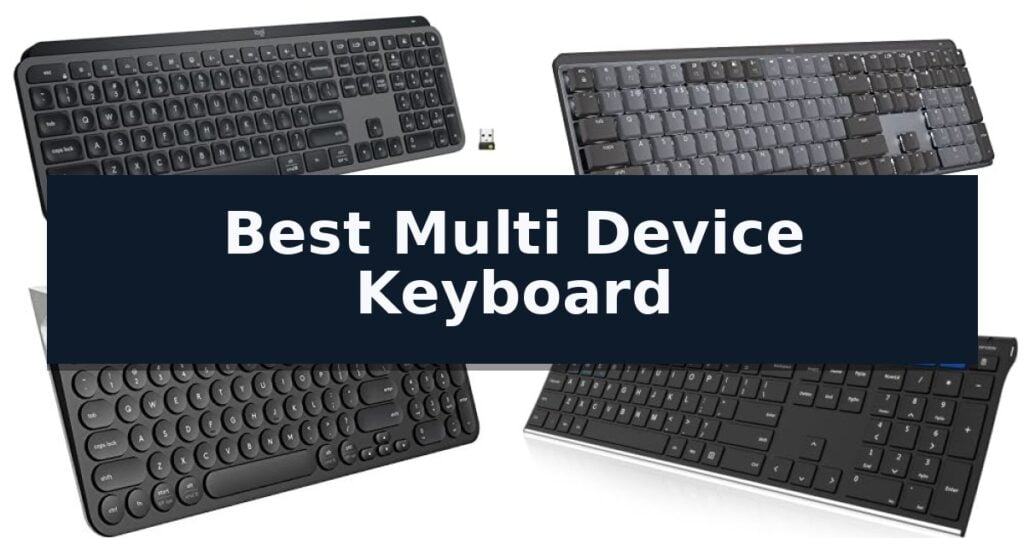
10 Best Multi Device Keyboard in 2026 Reviews
Quick Comparison
| Product | Best For | Key Strength | Score |
|---|---|---|---|
| Logitech MX Keys S Wireless Keyboard | Best Overall | Smart Actions automation for repetitive tasks | 4.9 |
| Logitech MX Mechanical Wireless Keyboard | Satisfying Tactile Mechanical Feel | Multi-device pairing for up to three devices via Bluetooth or Logi Bolt. | 4.5 |
| Logitech K780 Multi-Device Wireless Keyboard | Built-in Cradle for Mobile Devices | Easy-Switch technology allows for quick toggling between three distinct devices. | 4.5 |
| Arteck HB192 Stainless Steel Keyboard | Durable Design with Metal Build | 3-device switching capability for efficient multi-tasking. | 4.4 |
| Logitech Signature Slim K950 Keyboard | Sleek Profile for Modern Desks | Multi-device switching between up to three devices with a single tap. | 4.3 |
| Logitech Pebble Keys 2 K380s | Ultra-Portable for On-the-Go | Easy-Switch buttons for quick toggling between three paired devices. | 4.8 |
| Logitech K585 Slim Wireless Keyboard | Space-Saving with Integrated Cradle | Integrated cradle holds tablets and phones for better visibility. | 4.4 |
| Logitech Wave Keys Ergonomic Keyboard | Natural Posture for Daily Comfort | Ergonomic wavy design promotes a natural hand and wrist position. | 4.9 |
| ProtoArc K310 Pro Mechanical Keyboard | Aluminum Build with Backlit Keys | Quiet linear red switches ideal for office environments. | 4.7 |
| Lenovo Multi-Device Wireless Keyboard | Slim and Lightweight Travel Option | Multi-device connectivity for up to three devices. | 4.8 |
How We Chose
When evaluating the best multi device keyboard, we prioritize reliable connectivity and the efficiency of the switching mechanism. An experienced reviewer examines how quickly a keyboard transitions between OS environments, the tactile feedback of the keys, and the utility of companion software for customizing workflows, ensuring the hardware adapts to your specific multi-device ecosystem.
- Connectivity protocols including Bluetooth Low Energy and dedicated USB receivers
- Switching speed and ease of transition between three or more paired devices
- Key switch technology and typing feel, ranging from scissor-switch to mechanical
- Cross-platform software support for custom shortcuts and key mapping
- Battery life efficiency and charging convenience via USB-C
1 Logitech MX Keys S Wireless Keyboard — Premium Typing for Power Users
The Logitech MX Keys S Wireless Keyboard streamlines complex workflows through its integrated Smart Actions shortcuts, allowing users to execute multiple tasks with a single keystroke via the Logi Options+ app. This low-profile keyboard is engineered for a fluid typing experience, featuring spherically-dished keys that match the natural shape of fingertips for precise and quiet input.
Designed for versatility, this multi-device, multi-OS peripheral pairs with up to three devices simultaneously across Windows, macOS, Linux, and Googlebook OS. Connectivity is managed through Bluetooth Low Energy or the included Logi Bolt USB receiver, ensuring a stable link for varied computing environments.
The keyboard features smarter illumination that automatically adjusts brightness as hands approach, adapting to ambient lighting conditions to maintain visibility. Its solid, low-profile build provides an optimum keyboard angle intended to support wrist posture during extended work sessions.
Power management is handled via a USB-C rechargeable battery, which offers up to 10 days of use with backlighting enabled or up to 5 months when the lighting is turned off. The unit also incorporates certified post-consumer recycled plastic in its construction, with 26% recycled content in the Graphite model.
Best for: Power users who need to manage multiple devices and automate repetitive software tasks with a quiet, low-profile typing interface.
Skip if: Users who prefer the tactile feedback and deep travel distance of mechanical switches or those who require a full-sized numeric keypad layout in a different form factor.
- Smart Actions automation for repetitive tasks
- Multi-device pairing for up to 3 systems
- Adaptive backlighting that responds to hand proximity
- USB-C rechargeable battery with long life
- Non-mechanical key switches may not suit all typing preferences
- Fixed low-profile design lacks adjustable height legs
2 Logitech MX Mechanical Wireless Keyboard — Satisfying Tactile Mechanical Feel
The Logitech MX Mechanical Wireless Keyboard distinguishes itself with low-profile mechanical switches that provide a tactile bump for precise feedback while maintaining a quiet typing experience. This full-size keyboard is engineered for users who require a balance between mechanical performance and ergonomic comfort, utilizing a layout designed for effortless precision.
Connectivity is a primary strength, as the device supports multi-device, multi-OS pairing via Bluetooth Low Energy or the included Logi Bolt receiver. Users can seamlessly switch between up to three devices, and the Logi Options+ software allows for deep customization of Fn keys and cross-computer control. The keyboard also features smart illumination that detects hand proximity and adjusts backlighting based on ambient conditions.
Power management is designed for efficiency, with the USB-C rechargeable battery lasting up to 15 days on a single charge with backlighting enabled, or up to 10 months with the backlight turned off. The construction incorporates 45% post-consumer recycled plastic in its graphite components, reflecting a focus on material sourcing.
While the keyboard offers significant utility for multi-device workflows, it is important to note the physical footprint of the full-size layout. The device measures 17.9 inches in length, which may require more desk space than compact alternatives. The tactile switches are specifically tuned for reduced noise, making this model a practical choice for shared workspaces where loud mechanical clicking is a concern.
Best for: Professionals who manage multiple devices and operating systems and prefer the tactile feedback of mechanical switches in a quiet, ergonomic form factor.
Skip if: Users who require an ultra-compact keyboard for travel or those who prefer the high-pitched auditory feedback of traditional clicky mechanical switches.
- Multi-device pairing for up to three devices via Bluetooth or Logi Bolt.
- Tactile Quiet switches offer mechanical feedback without disruptive noise.
- Smart backlighting that auto-adjusts to ambient light and hand proximity.
- USB-C rechargeable battery with long-lasting performance.
- Full-size footprint may be too large for limited desk spaces.
- No wired-only mode for users who prefer a permanent USB connection.
3 Logitech K780 Multi-Device Wireless Keyboard — Built-in Cradle for Mobile Devices
Managing multiple digital workspaces often requires a hardware solution that can keep pace with rapid task switching. The Logitech K780 Multi-Device Wireless Keyboard addresses this by integrating a built-in cradle designed to hold smartphones and large tablets at an optimal viewing angle, effectively turning mobile devices into secondary screens alongside a primary computer.
This full-size keyboard features a numeric keypad and large, quiet keys, providing a familiar layout for users who prioritize typing comfort. Its primary utility lies in the Easy-Switch button system, which allows for seamless transitions between three paired devices. Whether connected via Bluetooth Smart or the included USB receiver, the keyboard maintains a consistent link across various operating systems, including Windows, Mac, Chrome OS, iOS, and Android.
The physical design emphasizes stability for mobile devices, with the integrated stand accommodating different device sizes simultaneously. While the keyboard provides a robust typing experience, its footprint is determined by the inclusion of the full-size layout and the cradle, which may influence desk organization. The device is powered to support multi-platform workflows, ensuring that users can move from a desktop workstation to a mobile device without re-pairing or changing peripherals.
Best for: Users who frequently switch between a desktop computer, tablet, and smartphone and require a stable, integrated stand for their mobile devices.
Skip if: Users who require an ultra-compact, portable keyboard for travel, as the integrated cradle and full-size layout increase the overall physical footprint.
- Easy-Switch technology allows for quick toggling between three distinct devices.
- Integrated cradle holds smartphones and tablets at a functional viewing angle.
- Full-size layout includes a dedicated numeric keypad for efficient data entry.
- Wide compatibility across Windows, Mac, Chrome OS, iOS, and Android.
- Larger footprint due to the built-in device cradle and full-size key arrangement.
- Fixed angle of the device stand may not suit all desk setups or viewing preferences.
4 Arteck HB192 Stainless Steel Keyboard — Durable Design with Metal Build
Managing multiple devices simultaneously requires a reliable interface, and the Arteck HB192 Stainless Steel Keyboard addresses this with a dedicated 3-device switching system. By allowing users to toggle between connected hardware with a single click, it streamlines workflows across desktops, laptops, and tablets without the need for constant re-pairing. This functionality is particularly useful for professionals who need to transition from a primary workstation to a mobile tablet or secondary laptop instantly.
The keyboard features a durable stainless steel construction that provides a heavy-duty feel while maintaining a slim, low-profile design. It includes a full-size layout complete with a number pad and dedicated arrow keys, ensuring that typing remains comfortable and quiet during extended use. The use of metal materials offers a rigid, premium aesthetic that stands out from standard plastic alternatives, though users should note this adds to the overall footprint of the device.
Compatibility is a primary focus, as the unit supports all four major operating systems—iOS, Android, Mac OS, and Windows. This broad integration makes it suitable for a variety of environments, from office workstations to mobile setups involving iPads or Android tablets. Because it utilizes Bluetooth connectivity, it functions as a universal input tool for virtually any modern computing device that supports standard wireless peripherals.
Power management is handled by an internal rechargeable lithium battery designed for longevity. The manufacturer specifies an industry-high capacity that supports up to 6 months of battery life based on a standard usage pattern of two hours per day, reducing the frequency of required charging intervals. This efficiency is a significant advantage for users who prefer to minimize cable clutter and maintenance tasks on their desk.
Best for: Users who need a durable, full-size keyboard to manage and switch between three different computing devices seamlessly.
Skip if: Users who require a mechanical key feel or a compact, portable form factor for travel, as this is a full-size, low-profile stainless steel model.
- 3-device switching capability for efficient multi-tasking.
- Stainless steel build quality for a robust, premium feel.
- 6-month battery life on a single charge based on typical daily use.
- Broad compatibility across Windows, Mac, iOS, and Android.
- Full-size dimensions may be less portable than compact alternatives.
5 Logitech Signature Slim K950 Keyboard — Sleek Profile for Modern Desks
The Logitech Signature Slim K950 Keyboard simplifies multi-device workflows by allowing users to switch between three connected devices with a single tap. This full-size wireless keyboard features a sleek, low-profile design that integrates a numeric keypad while maintaining a footprint suitable for modern desk setups.
Designed for versatility, the keyboard supports a wide range of operating systems, including Windows, macOS, Chrome OS, Linux, iPadOS, iOS, and Android. Connectivity is managed via Bluetooth or the included Logi Bolt USB receiver, ensuring a stable wireless connection across various platforms. The keys are engineered for quiet typing, providing a familiar laptop-style tactile experience that minimizes noise in shared environments.
Users can further customize their experience using the Logi Options+ App on Windows and macOS. This software enables the configuration of customizable keys to streamline repetitive tasks, such as volume control, media playback, or utilizing the snipping tool. The keyboard is also constructed with at least 48% certified post-consumer recycled plastic, reflecting a focus on material selection.
For those who require a comprehensive workstation, the keyboard is designed to pair seamlessly with the Signature Mouse M650. The unit is fully compatible with Windows 11 and provides out-of-the-box shortcut functions for both professional and home use. Its 1.51-pound weight provides a stable base for consistent daily operation.
Best for: Users who frequently switch between multiple computers, tablets, or phones and require a quiet, full-size typing experience.
Skip if: Users who require a mechanical keyboard with high-travel switches or those who prefer a compact, tenkeyless layout for limited desk space.
- Multi-device switching between up to three devices with a single tap.
- Quiet typing mechanism suitable for office or shared environments.
- Customizable keys via the Logi Options+ App for enhanced productivity.
- Broad compatibility across Windows, macOS, Chrome OS, and mobile operating systems.
- Full-size layout may be too large for users prioritizing portability or minimal desk footprints.
- Software customization features are limited to Windows and macOS platforms.
6 Logitech Pebble Keys 2 K380s — Ultra-Portable for On-the-Go
The Logitech Pebble Keys 2 K380s distinguishes itself with a slim, portable profile that integrates seamlessly into mobile workspaces. Designed for those who frequently transition between devices, this keyboard features a compact footprint and a distinct aesthetic, making it a functional choice for users who prioritize both desk space and portability.
Equipped with Easy-Switch buttons, the keyboard allows for rapid toggling between three paired devices. It utilizes Bluetooth technology to maintain connectivity across various operating systems, including Windows, macOS, iPadOS, and ChromeOS. The inclusion of scooped round keys provides a tactile, laptop-like typing experience, while the quiet switches are intended to minimize noise during operation.
Efficiency is supported through customizable Fn shortcut keys, which provide instant access to functions like screen capture, search, and the emoji menu. Users can further tailor these 10 keys using the Logi Options+ app. The device is built with sustainability in mind, incorporating a minimum of 49% certified post-consumer recycled plastic in its construction.
Power management is a core feature, with the unit offering up to a 3-year battery life supported by an auto-sleep power-saving mode. This extended longevity ensures consistent performance for mobile users who require a reliable, low-maintenance input device for their daily tasks.
Best for: Users who need a highly portable, slim keyboard to manage input across multiple devices throughout the day.
Skip if: Users who require a full-sized keyboard with a dedicated numeric keypad or those who prefer mechanical switches with significant travel distance.
- Easy-Switch buttons for quick toggling between three paired devices.
- Slim, compact, and portable design suitable for travel.
- Long battery life rated for up to 3 years with auto-sleep functionality.
- Customizable Fn keys via the Logi Options+ app.
- Compact layout lacks a dedicated numeric keypad.
- Laptop-style key travel may not suit users preferring deep mechanical feedback.
7 Logitech K585 Slim Wireless Keyboard — Space-Saving with Integrated Cradle
The Logitech K585 Slim Wireless Keyboard distinguishes itself with an integrated phone cradle, a design choice that physically supports a smartphone or a 10-inch tablet in landscape mode directly above the keys. This feature allows for a consolidated workspace, keeping mobile devices visible and accessible while you type on a primary computer.
Engineered for versatility, the keyboard utilizes Easy Switch technology, enabling users to pair and alternate between multiple electronic devices seamlessly. It supports a wide range of platforms, including Windows, macOS, iOS, iPadOS, Android, Chrome, and Linux, ensuring broad compatibility across your digital ecosystem.
The typing experience is defined by a compact layout that includes a full numeric keypad and 12 programmable FN keys. These keys can be customized via Logi Options+ Software to trigger specific shortcuts or media controls, tailoring the device to your personal workflow requirements.
Connectivity is handled through either Bluetooth or the included 2.4GHz USB receiver, providing a stable wireless range of up to 10 meters. The unit is built for efficiency, featuring an auto-sleep function to extend battery life during periods of inactivity, making it a practical solution for minimalist desk setups.
Best for: Users who need to manage multiple devices simultaneously and want a dedicated, space-saving stand for their tablet or smartphone.
Skip if: Users who require a full-sized mechanical keyboard with deep key travel or those who prefer a wired-only connection for absolute latency-free performance.
- Integrated cradle holds tablets and phones for better visibility.
- Easy Switch allows quick toggling between multiple paired devices.
- Compact footprint includes a full numeric keypad.
- Customizable FN keys via software for personalized productivity.
- Slim profile may not provide the tactile feedback preferred by mechanical keyboard enthusiasts.
- Battery-powered operation requires periodic maintenance compared to wired alternatives.
8 Logitech Wave Keys Ergonomic Keyboard — Natural Posture for Daily Comfort
The Logitech Wave Keys Ergonomic Keyboard distinguishes itself with a unique wavy, contoured design specifically engineered to promote a more natural typing posture. By aligning your hands, wrists, and forearms, this compact layout aims to reduce physical strain during extended work sessions.
Beyond its physical shape, the keyboard prioritizes comfort through an integrated, cushioned palm rest featuring memory foam. This support layer provides consistent wrist cushioning, which is essential for maintaining comfort throughout the workday.
For users managing multiple devices, the Logitech Wave Keys Ergonomic Keyboard offers versatile connectivity. It supports up to three devices simultaneously via Bluetooth or the included Logi Bolt Receiver, allowing for seamless switching with the Easy-Switch feature. It is compatible with Windows, macOS, iPadOS, and ChromeOS.
Customization and sustainability are also key aspects of this model. Users can personalize their workflow by configuring shortcuts through the Logi Options+ App. Additionally, the construction incorporates certified post-consumer recycled plastic, with the graphite model containing 61% recycled content.
Designed with ergonomics in mind, the unit is certified by United States Ergonomics. It is powered for longevity, boasting a battery life of up to 3 years, ensuring that it remains a reliable peripheral for various professional environments.
Best for: Professionals who frequently switch between multiple devices and require an ergonomic, wrist-supported typing experience.
Skip if: Users who prefer a traditional flat keyboard layout or those who require a full-sized keyboard with a dedicated numeric keypad.
- Ergonomic wavy design promotes a natural hand and wrist position.
- Integrated memory foam palm rest provides sustained wrist support.
- Multi-device connectivity allows switching between three devices via Easy-Switch.
- Long battery life of up to 3 years reduces maintenance frequency.
- Compact layout lacks a dedicated numeric keypad for data-heavy tasks.
- Non-mechanical switches may not suit users who prefer tactile mechanical feedback.
9 ProtoArc K310 Pro Mechanical Keyboard — Aluminum Build with Backlit Keys
The ProtoArc K310 Pro Mechanical Keyboard offers a refined typing experience through its low-profile linear red switches, which provide a smooth, consistent feel while maintaining a quiet acoustic profile suitable for shared office spaces. This full-size, 108-key layout is housed in a sophisticated aluminum top case, balancing modern aesthetics with structural durability.
Designed for versatility, this keyboard features seamless multi-device connectivity, allowing users to switch between up to three devices via Bluetooth or a 2.4G USB receiver. It maintains broad compatibility across Windows, Mac, iOS, and Android platforms, with single-button toggling for efficient transitions between different operating systems.
Customization is a core component of the K310 Pro, which includes 10 adjustable backlight effects with variable speed and brightness levels. Users can also record and edit macros to streamline workflows or enhance gaming sessions, though macro functionality is currently limited to 2.4G USB connections.
The unit prioritizes long-term utility with its USB-C rechargeable battery, capable of providing up to 150 days of standby time on a single 6-8 hour charge. Ergonomics are further supported by 2-level adjustable tilt legs, ensuring a comfortable wrist angle during extended periods of use.
Best for: Professionals who require a quiet, multi-device mechanical keyboard with a premium aluminum build and long battery life.
Skip if: Users who rely on Safari browser compatibility or require macro functionality over Bluetooth connections.
- Quiet linear red switches ideal for office environments.
- Multi-device connectivity supporting up to three devices.
- Durable aluminum top case construction.
- Long-lasting battery with up to 150 days of standby time.
- Macro customization is limited to 2.4G USB connections.
- Incompatibility with Safari browsers and multi-port hubs.
10 Lenovo Multi-Device Wireless Keyboard — Slim and Lightweight Travel Option
Managing multiple devices simultaneously requires a streamlined interface, and the Lenovo Multi-Device Wireless Keyboard addresses this by allowing users to toggle between three distinct devices with ease. Its compact footprint and lightweight construction make it a practical choice for those who frequently transition between a laptop, tablet, and smartphone throughout the workday.
The keyboard offers versatile connectivity options, supporting both Bluetooth wireless and a USB-C wired connection. This flexibility ensures compatibility across various operating systems, including iOS, Android, and Windows. The inclusion of a 300 mAh rechargeable battery provides up to 62 hours of usage, reducing the need for constant battery replacements.
Designed with mobility in mind, the unit features a slim 5.6 mm profile and weighs only 177 g (0.39 lb). Despite its portability, it maintains a comfortable typing experience with a 1.3 mm key travel distance and an 18 mm key pitch. The layout also incorporates 12 dedicated function keys to provide quick access to essential system controls.
While the compact dimensions are ideal for travel, the keyboard is optimized for users who prioritize space-saving design over a full-sized desktop layout. The Luna Grey finish provides a professional aesthetic that fits well in most modern workspaces, while the removable rubber stand allows for further customization of the typing angle.
Best for: Mobile professionals and students who need a lightweight, portable keyboard to switch between a tablet, phone, and laptop.
Skip if: Users who require a full-sized keyboard with a dedicated number pad or those who prefer mechanical switches for heavy typing tasks.
- Multi-device connectivity for up to three devices.
- Dual connectivity via Bluetooth or USB-C.
- Ultra-slim and lightweight design for portability.
- Rechargeable battery with up to 62 hours of life.
- Compact layout lacks a dedicated number pad.
- Battery life is dependent on individual usage settings.
Best Multi Device Keyboard Buying Guide
Connectivity and Switching Reliability
The primary function of a multi-device keyboard is the ability to hop between hardware without re-pairing. Look for models that support both Bluetooth and a dedicated wireless receiver, as this provides a backup if your primary connection method experiences interference.
Ease of switching is equally critical. Keyboards with dedicated physical buttons for device selection allow for faster transitions than those requiring complex key combinations, which can disrupt your typing flow during high-intensity tasks.
Typing Feel and Ergonomics
Mechanical switches offer distinct tactile feedback and durability, which many power users prefer for long-form writing. However, low-profile scissor switches often provide a quieter, more compact experience that mimics the feel of modern laptop keyboards.
Ergonomic considerations like key shape and wrist support are vital for preventing strain. A slightly dished key surface can help guide your fingers to the center of the key, improving accuracy and reducing the impact on your joints over time.
Software Customization and Shortcuts
Modern keyboards often include companion software that allows you to remap keys or create macros. These tools can significantly speed up repetitive tasks by automating sequences of actions with a single keystroke.
Verify that the software is compatible with all your operating systems. While many keyboards work universally, advanced customization features are often restricted to Windows or macOS, which may limit their utility in mixed-OS environments.
Battery Life and Charging
Wireless keyboards should offer enough battery life to minimize downtime. Models with USB-C rechargeable batteries are generally more convenient than those requiring disposable batteries, as they allow you to continue working while plugged in.
Consider the impact of backlighting on battery longevity. While smart illumination that activates when your hands approach is a premium feature, it significantly reduces the time between charges compared to non-backlit or static-backlit models.
Form Factor and Desk Space
The size of the keyboard should align with your desk layout and portability needs. Full-size keyboards with a number pad are ideal for data-heavy workflows, while compact tenkeyless or 60% designs save space and are easier to transport.
Integrated features like phone or tablet cradles can help declutter your workspace by keeping mobile devices at an optimal viewing angle. Assess whether these built-in stands fit your specific devices before committing to a larger footprint.
Frequently Asked Questions
Can I use these keyboards with both Windows and Mac?
Yes, most modern multi-device keyboards are designed to support multiple operating systems. They often feature dual-labeled keys or automatic OS detection to ensure function keys work correctly on both platforms.
How many devices can I typically pair at once?
Most multi-device keyboards in this category support up to three simultaneous pairings. You can switch between these devices using dedicated keys or a physical switch located on the keyboard.
Is a mechanical keyboard better than a membrane or scissor-switch keyboard?
It depends on your preference. Mechanical keyboards provide tactile feedback and are often more durable, while scissor-switch keyboards are generally quieter and have a lower profile, making them feel more like a laptop keyboard.
Do these keyboards work if my computer lacks Bluetooth?
Many of these keyboards include a USB wireless receiver. This allows you to connect to computers that do not have built-in Bluetooth, providing a stable 2.4GHz connection instead.
How do I know if a keyboard is compatible with my tablet?
If your tablet supports Bluetooth, it will be compatible with any Bluetooth-enabled multi-device keyboard. Simply pair the keyboard through your tablet's Bluetooth settings menu.
Conclusion: Our Top Pick
Our top pick is Logitech MX Keys S Wireless Keyboard. Choosing the right multi-device keyboard depends on your specific balance of typing preference and desk space. If you value a premium, quiet typing experience with deep software integration, the Logitech MX Keys S remains the most versatile choice for most users.
For those who require a specific mechanical feel or need integrated device stands for mobile workflows, alternatives like the Logitech MX Mechanical or the K780 offer specialized benefits. Ensure your final selection supports your primary operating systems to get the most out of your multi-device setup.