Logitech MK955 Signature Slim Wireless Combo is our top recommendation for the Best Multi-Device Wireless Keyboard and Mouse thanks to its reliable cross-platform switching and quiet, comfortable typing experience. For those prioritizing ergonomic support, the Logitech MK850 Performance Wireless Combo offers a cushioned palm rest and a contoured mouse shape, while the ProtoArc XKM01 Foldable Travel Combo is the superior choice for users needing a compact, portable workspace solution.
Selecting a wireless combo requires balancing connectivity stability with the physical layout of the peripherals. Modern setups often involve juggling a desktop, a laptop, and a tablet, making the ability to switch between Bluetooth and 2.4GHz connections with a single button press essential for maintaining a clean, efficient desk environment.
Beyond connectivity, the tactile feel of the keys and the precision of the mouse sensor define the daily user experience. Experienced buyers should look for low-noise switches if working in shared spaces and ensure the keyboard layout supports their specific operating system shortcuts to avoid unnecessary software friction during long work sessions.
If you find that your workflow relies more heavily on mouse-driven navigation than keyboard shortcuts, you may want to explore our guide to the Best Multi-Device Mouse to find a more specialized pointer. Conversely, if you already have a preferred mouse and only need to upgrade your typing hardware, our Best Multi Device Keyboard guide offers standalone options that still provide excellent multi-device switching capabilities.
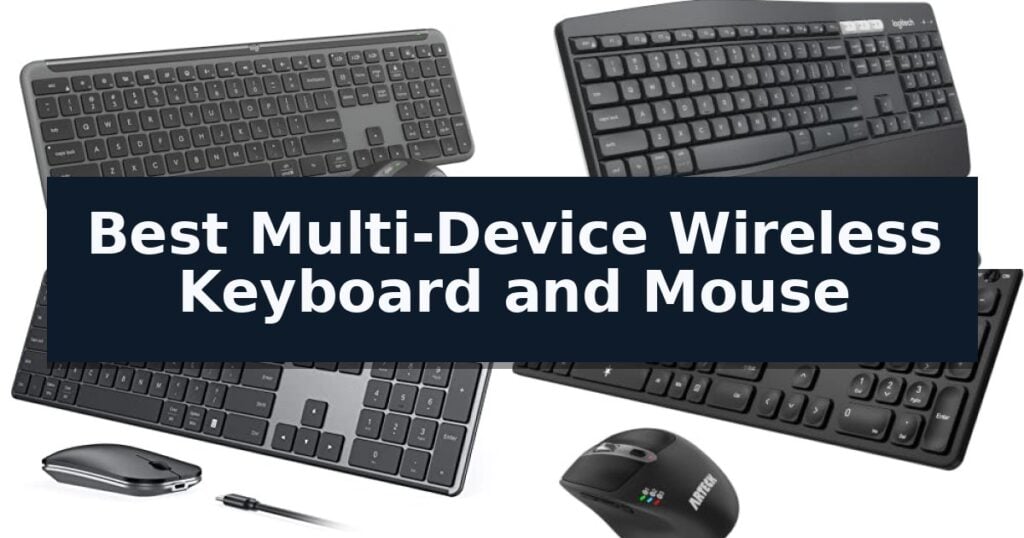
10 Best Multi-Device Wireless Keyboard and Mouse in 2026 Reviews
Quick Comparison
| Product | Best For | Key Strength | Score |
|---|---|---|---|
| Logitech MK955 Signature Slim Wireless Combo | Best Overall | Seamless multi-device switching across three devices with a single tap. | 4.9 |
| Logitech MK850 Performance Wireless Combo | Ergonomic Multi-Device Productivity | Multi-device and multi-OS compatibility for switching between computers, tablets, and phones. | 4.5 |
| seenda SKM64-3 Wireless Bluetooth Combo | Slim Metal Multi-Device Design | Triple-device connectivity via USB and dual Bluetooth channels. | 4.7 |
| Arteck Multi-Device Bluetooth Keyboard Mouse | Quick One-Click Device Switching | Single-click switching between three connected Bluetooth devices. | 4.6 |
| MEETION Multi-Device Wireless Keyboard Mouse | Full-Size Layout for Multitasking | Multi-device connectivity allows switching between up to three devices using 2.4GHz or Bluetooth. | 4.7 |
| Guiheng Multi-Device Wireless Keyboard Mouse | Built-in Tablet and Phone Stand | Integrated phone and tablet stand for improved workspace organization. | 4.6 |
| Lenovo 700 Modern Wireless Combo | Secure Multi-Device Connectivity | Multi-device connectivity via Bluetooth and 2.4 GHz receiver. | 4.8 |
| Rapoo 9010M Multi-Device Wireless Combo | Supports Four Simultaneous Devices | Multi-device support for up to four simultaneous connections. | 4.5 |
| Dell Premium Wireless Keyboard Mouse | Precision Multi-Device Control | Dual-mode connectivity via Bluetooth 5.0 and 2.4 GHz RF. | 4.4 |
| ProtoArc XKM01 Foldable Travel Combo | Best for Portable Workspaces | Tri-fold design with durable aluminum hinges for high portability. | 4.8 |
How We Chose
To determine the best multi-device wireless keyboard and mouse, we evaluate how effectively these sets handle the demands of modern hybrid workflows. We prioritize reliable, multi-channel connectivity and the physical comfort of the hardware, ensuring that switching between a primary workstation and secondary mobile devices remains fluid and intuitive for the user.
- Connectivity versatility: Support for both 2.4GHz USB receivers and multiple Bluetooth channels.
- Cross-platform compatibility: Seamless functionality across Windows, macOS, ChromeOS, and mobile operating systems.
- Ergonomic design: Key travel, mouse contouring, and the inclusion of palm rests or adjustable stands.
- Switching efficiency: The speed and ease of toggling between paired devices.
- Build quality and portability: Material durability and the physical footprint for desk or travel use.
1 Logitech MK955 Signature Slim Wireless Combo — Seamless Multi-Device Switching
Maintaining a clean, efficient workspace often requires minimizing cable clutter and streamlining input across multiple devices. The Logitech MK955 Signature Slim Wireless Keyboard Mouse Combo addresses this by allowing users to switch typing and navigation between three separate devices with a single tap, making it a practical solution for those managing both personal and work computers simultaneously.
The keyboard features a sleek, full-size design with familiar laptop-style typing, while the included M750 L Signature Plus mouse is engineered for larger hands. To maintain a focused environment, the mouse utilizes SilentTouch technology, which is designed to reduce click noise by 90%. The mouse also includes a SmartWheel for efficient document navigation, allowing users to scroll line-by-line or fly through long web pages.
Customization is handled through the Logi Options+ App, which enables users to assign shortcuts and customize keys or buttons to suit specific workflows on Windows and macOS. The combo supports versatile connectivity, pairing via Bluetooth or the included Logi Bolt USB receiver, and maintains compatibility across Windows, macOS, Chrome OS, Linux, iPadOS, iOS, and Android.
Sustainability is integrated into the build, with the keyboard and mouse containing a minimum of 48% and 25% certified post-consumer recycled plastic, respectively. The unit is designed for a quiet, reliable experience, providing a straightforward way to manage multiple operating systems without needing to swap peripherals.
Best for: Users who need to toggle between multiple computers, tablets, or phones throughout the day and prefer a quiet, full-size typing experience.
Skip if: Users who require a mechanical keyboard with tactile switches or a mouse with high-performance gaming sensors.
- Seamless multi-device switching across three devices with a single tap.
- SilentTouch technology reduces mouse click noise by 90%.
- Customizable shortcuts via the Logi Options+ App for enhanced productivity.
- Broad compatibility with Windows, macOS, Chrome, Linux, and mobile operating systems.
- Larger mouse profile may not be ideal for users with small hands.
- Requires software installation to unlock full key and button customization features.
2 Logitech MK850 Performance Wireless Combo — Ergonomic Multi-Device Productivity
The Logitech MK850 Performance Wireless Keyboard and Mouse Combo centers on a distinctive, oversized wave-shaped keyboard design paired with a cushioned palm rest, engineered for extended typing sessions. This setup prioritizes physical comfort while integrating advanced connectivity options that allow users to manage multiple devices simultaneously.
Performance is driven by dual-connectivity capabilities, supporting both Bluetooth and a USB-A receiver. The keyboard and mouse are fully multi-device and multi-OS friendly, enabling seamless switching between a primary computer, tablet, or phone. A dedicated feature, Logitech DuoLink, allows the mouse and keyboard to link together, providing custom functionality and smarter navigation when configured via the Logitech Options software.
The included full-size mouse features a contoured shape for right-handed use and is equipped with 8 customizable buttons. A hyper-fast scroll wheel is integrated to facilitate rapid movement through long documents and web pages. Both peripherals are designed to maintain a stable connection across up to three screens, ensuring a streamlined workflow for complex projects.
While the combo offers significant versatility, users should note the physical footprint of the full-size keyboard. The system is designed for desk-bound productivity, and the USB-A receiver is conveniently stored within the mouse battery compartment or the product packaging, ensuring all components remain organized.
Best for: Professionals who require a full-size, ergonomic keyboard and mouse setup to manage multiple devices and operating systems simultaneously.
Skip if: Users who prioritize a compact, portable, or minimalist workspace, as the oversized, full-size design requires significant desk real estate.
- Multi-device and multi-OS compatibility for switching between computers, tablets, and phones.
- Oversized wave-shaped keyboard with a cushioned palm rest for ergonomic support.
- Hyper-fast scroll wheel on the mouse for efficient document navigation.
- Dual connectivity options via Bluetooth or USB-A receiver.
- Large physical footprint may not be suitable for smaller desks or mobile setups.
- Right-handed contoured design limits usability for left-handed users.
3 seenda SKM64-3 Wireless Bluetooth Combo — Slim Metal Multi-Device Design
Managing multiple peripherals across different operating systems often leads to desk clutter and inefficient workflows. The seenda SKM64-3 Wireless Bluetooth Combo addresses this by offering triple-device connectivity, allowing users to toggle between a USB-A connection and two Bluetooth channels to control a PC, MacBook, or tablet from a single interface.
Designed with a dual OS layout, this keyboard accommodates both Windows and Apple users without requiring a learning curve for key placement. The scissor-switch keys are engineered for a quiet typing experience, while the full-size keycaps provide a natural feel suitable for extended writing or coding sessions. The accompanying mouse features adjustable DPI settings (1000/1600/2400) and silent clicks, making it a practical choice for shared workspaces or quiet environments.
Portability is a core strength of this set, featuring a slim metal build that measures only 0.12 inches thick for the keyboard. The stainless steel construction provides durability while maintaining a low profile that fits easily into bags. For power, the unit utilizes Type-C fast rechargeability, providing 200 hours of use on a single three-hour charge, supported by an auto-sleep function to conserve energy.
Compatibility is broad, supporting Windows 11/10/8/7/XP via 2.4G USB, and macOS 10.12+, iPadOS/iOS 13.0+, and Android 4.3+ via Bluetooth. This versatility makes it a functional solution for hybrid workers who frequently switch between different hardware ecosystems.
Best for: Hybrid workers and students who need to switch seamlessly between multiple Windows, Mac, and mobile devices using a single, portable peripheral set.
Skip if: Users who require a mechanical keyboard with deep key travel or those who specifically need a mouse with more than standard button configurations.
- Triple-device connectivity via USB and dual Bluetooth channels.
- Slim and durable stainless steel construction for high portability.
- Quiet typing and clicking mechanisms suitable for shared environments.
- Type-C fast charging with a 200-hour battery life.
- 2.4G USB mode is limited to Windows compatibility only.
- Slim profile may not provide the tactile feedback preferred by mechanical keyboard enthusiasts.
4 Arteck Multi-Device Bluetooth Keyboard Mouse — Quick One-Click Device Switching
Managing multiple devices simultaneously often leads to cluttered workspaces and constant switching between peripherals. The Arteck Universal Multi-Device Bluetooth Keyboard and Mouse addresses this by enabling seamless transitions between three distinct devices with a single key click, streamlining workflow across computers, tablets, and smartphones.
This set provides broad operating system support, including Windows, iOS, iPad OS, Android, and Mac OS. The keyboard is paired with an ergonomic mouse that features 7 buttons, including a dedicated DPI switch that allows users to toggle cursor sensitivity between 800, 1200, 1600, 2000, and 2400 DPI. The mouse also includes side buttons for navigation and a specific button for window management.
Power management is a core strength of this combo, utilizing a rechargeable lithium battery. According to manufacturer specifications, the keyboard can last up to 6 months and the mouse up to 4 months on a single charge, assuming two hours of daily use. The package includes a USB-C charging cable to maintain these long-life batteries.
Designed for versatility, the Arteck Multi-Device Bluetooth Keyboard Mouse is a practical solution for users who frequently move between a desktop PC, a laptop, and a mobile device. The inclusion of a 24-month warranty provides long-term support for the hardware, ensuring the setup remains a reliable part of a multi-device workstation.
Best for: Users who need to control up to three different devices, such as a PC, tablet, and smartphone, from a single keyboard and mouse set.
Skip if: Users who require a mechanical keyboard feel or specialized gaming-grade sensors, as this set is designed for general productivity and multi-device convenience.
- Single-click switching between three connected Bluetooth devices.
- High-capacity rechargeable batteries with long intervals between charges.
- Adjustable DPI settings up to 2400 for customized cursor control.
- Broad compatibility across major mobile and desktop operating systems.
- Integrated battery design means the devices must be tethered for charging rather than using swappable batteries.
5 MEETION Multi-Device Wireless Keyboard Mouse — Full-Size Layout for Multitasking
Maintaining a clean, efficient workspace often starts with reducing cable clutter, and the MEETION Multi-Device Wireless Keyboard and Mouse addresses this by offering a versatile, multi-device connectivity suite. This set features a 115-key full-size layout complete with a dedicated numeric keypad, providing a familiar typing experience for users who frequently manage spreadsheets or data-heavy tasks.
Connectivity is handled through a 2.4GHz USB-A receiver or dual Bluetooth channels, allowing users to switch seamlessly between up to three devices. This flexibility makes it a practical choice for those balancing a desktop computer, a laptop, and a tablet simultaneously. The included mouse is equipped with a 3200 DPI optical sensor, providing precise navigation across various screen setups.
Designed for shared environments, the keyboard utilizes quiet keys that minimize audible clicks while maintaining tactile feedback. The hardware is compatible with both Windows and macOS systems, though users should note that specific shortcut or multimedia functions may vary depending on the operating system in use.
Power management relies on standard batteries rather than internal rechargeable cells, with the keyboard requiring two AAA batteries and the mouse using one AA battery. To preserve battery life, the system incorporates an auto-sleep feature that activates during periods of inactivity. Given its full-size dimensions, prospective buyers should verify desk space to ensure the unit fits their specific workstation configuration.
Best for: Users who require a traditional full-size keyboard layout and need to switch between multiple devices in a shared office or home workspace.
Skip if: Users who prefer a rechargeable battery system or those with limited desk space who require a compact, space-saving keyboard design.
- Multi-device connectivity allows switching between up to three devices using 2.4GHz or Bluetooth.
- Full-size layout includes a dedicated numeric keypad for efficient data entry.
- Quiet key design reduces typing noise in shared office environments.
- High-precision 3200 DPI mouse included for accurate navigation.
- Battery-powered operation requires manual replacement of AAA and AA batteries.
- Large footprint may not be suitable for smaller or minimalist desk setups.
6 Guiheng Multi-Device Wireless Keyboard Mouse — Built-in Tablet and Phone Stand
Managing multiple devices often leads to cluttered workspaces and constant cable management issues. The Guiheng Multi-Device Wireless Keyboard Mouse addresses this by integrating a physical stand directly into the keyboard chassis, allowing you to dock your phone or tablet while you work. This design choice keeps your mobile devices visible and upright, effectively turning your tablet or smartphone into a secondary screen or a dedicated communication hub without taking up extra desk space.
Connectivity is a primary strength of this combo, as it supports three simultaneous connections via Bluetooth 5.0, Bluetooth 3.0, and a 2.4G wireless receiver. This multi-device capability allows for quick switching between your Windows PC, Mac, or mobile devices without needing to re-pair. The included plug-and-play 2.4G receiver ensures that you can establish a connection immediately on compatible USB devices, bypassing the need for additional software or driver installations.
The hardware is built with a focus on quiet operation, featuring low-profile keys and a silent mouse design. This makes the set suitable for shared office environments or home setups where minimizing noise is a priority. The keyboard also includes integrated feet designed to improve ergonomics during long typing sessions, helping to maintain a more comfortable wrist position.
To ensure longevity, the manufacturer provides specific maintenance guidelines, emphasizing the need to keep the equipment dry and away from extreme temperatures or dusty environments. If connectivity issues arise, the system is designed to be easily reset by checking the connection integrity, verifying battery levels, or performing a simple power cycle on the devices.
Best for: Users who need to switch between multiple computers and mobile devices while maintaining a clean, organized desk with an integrated tablet or phone stand.
Skip if: Users who require a mechanical keyboard with high-travel switches or those who prefer a full-sized, non-rechargeable peripheral set.
- Integrated phone and tablet stand for improved workspace organization.
- Tri-mode connectivity supporting Bluetooth 5.0, 3.0, and 2.4G wireless.
- Silent operation with low-profile keys and mute mouse buttons.
- Plug-and-play simplicity with no required driver installation.
- Strict environmental requirements to avoid damage from moisture or temperature extremes.
- No mechanical switch feedback due to the low-profile, silent design.
7 Lenovo 700 Modern Wireless Combo — Secure Multi-Device Connectivity
Managing multiple peripherals across different workstations requires a reliable interface, and the Lenovo 700 Modern Wireless Combo addresses this with its ability to switch between three devices seamlessly. Whether you are toggling between a desktop, laptop, or tablet, this setup utilizes both Bluetooth and a 2.4 GHz Lenovo Pro Unified Pairing Receiver to maintain a stable connection.
The keyboard features silent, responsive keys designed to minimize noise during intense work sessions, while the accompanying mouse is engineered for quiet operation. This focus on ergonomics and low-noise input makes it a practical choice for shared office environments or home setups where keeping distractions to a minimum is a priority.
Data security is integrated through 128-bit AES encryption, providing a layer of protection for your keystrokes. The combo is built for longevity, boasting an impressive 36-month battery life for both the keyboard and mouse, which reduces the frequency of maintenance and battery replacements.
Compatibility is broad, supporting various operating systems to ensure it functions across your existing hardware. With its customizable buttons and keys, you can tailor the input experience to better suit your specific workflow requirements, making this a versatile tool for varied computing tasks.
Best for: Users who need a quiet, long-lasting input solution that can switch between three different devices via Bluetooth or a unified USB receiver.
Skip if: Users who prefer mechanical switches with tactile feedback or those who require a wired connection for specific low-latency gaming applications.
- Multi-device connectivity via Bluetooth and 2.4 GHz receiver.
- 36-month battery life for both keyboard and mouse.
- Silent key and click design for quiet operation.
- 128-bit AES encryption for secure wireless input.
- Requires USB-A port for the 2.4 GHz receiver, which may necessitate adapters for modern laptops.
- Battery-powered operation requires manual replacement of AAA and AA batteries.
8 Rapoo 9010M Multi-Device Wireless Combo — Supports Four Simultaneous Devices
Managing multiple devices simultaneously requires a streamlined workspace, and the Rapoo 9010M Multi-Device Wireless Combo addresses this by supporting up to four devices at once. This set allows users to switch between a PC, tablet, phone, or secondary computer without the need for constant re-pairing or complex setups. By utilizing 2.4GHz, Bluetooth 5.0, or Bluetooth 4.0 connectivity, the combo provides reliable wireless flexibility for diverse hardware configurations.
The keyboard features a low-profile chiclet scissor key design, engineered for a quiet typing experience suitable for shared office environments. To improve usability, the latest version includes device and capitalization indicator lights, providing immediate visual feedback on the active connection and input status. These indicators help eliminate common frustrations, such as typing in the wrong case or failing to confirm which device is currently paired.
For precision control, the accompanying mouse includes adjustable DPI settings (800/1000/1200/1600/2400), allowing users to tailor cursor sensitivity to different display sizes. The mouse also features a silent click mechanism, which minimizes noise during operation. Both the keyboard and mouse are designed for broad compatibility, supporting Windows, Mac, Linux, and Chrome OS, with dedicated dual-system hotkeys for common functions like volume control and media playback.
The hardware is powered by batteries, with the USB receiver conveniently stored in the mouse's battery compartment for transport. While this design ensures a clean, cable-free desk, users should note that the system relies on replaceable batteries rather than an internal rechargeable power source. This trade-off prioritizes a simple, plug-and-play setup that does not require downtime for charging, though it does necessitate occasional battery maintenance.
Best for: Users who need to control four different devices, such as a mix of tablets, phones, and computers, from a single keyboard and mouse set.
Skip if: Users who prefer mechanical switches with high tactile feedback or those who require a rechargeable internal battery rather than replaceable battery power.
- Multi-device support for up to four simultaneous connections.
- Silent click and low-profile keys for quiet operation.
- Adjustable DPI up to 2400 for customizable cursor sensitivity.
- Broad OS compatibility including Windows, Mac, Linux, and Chrome.
- Battery-powered operation requires manual replacement rather than USB recharging.
- Limited to standard chiclet keys, which may not suit users seeking mechanical switch travel.
9 Dell Premium Wireless Keyboard Mouse — Precision Multi-Device Control
Maintaining a clean and efficient workspace often requires reducing cable clutter without sacrificing input versatility. The Dell Premium Wireless Keyboard and Mouse – KM720 addresses this by offering dual-mode connectivity, allowing users to toggle between devices using either a 2.4 GHz USB wireless receiver or Bluetooth 5.0. This flexibility ensures that you can move between a desktop, laptop, or tablet setup with a simple press of a button, effectively streamlining your peripheral management.
Designed with a slim, titan gray finish, the keyboard provides a quiet typing experience suitable for professional environments where noise reduction is a priority. The accompanying mouse is engineered for high-performance navigation, featuring 7 programmable buttons and an adjustable sensor that supports preset DPI settings of 1000, 1600, 2400, or 4000. These settings allow users to tailor cursor speed and precision to their specific task requirements, whether for detailed design work or general office navigation.
Customization is managed through the Dell Peripheral Manager (DPM) software, which provides a centralized interface to configure the 12 programmable F1-F12 keys and mouse inputs. This software integration allows for the creation of custom shortcuts that can significantly reduce repetitive keystrokes during daily workflows. It is important to note that this software utility is restricted to Windows operating systems, which is a key trade-off for users operating within macOS or Linux environments.
Efficiency extends to the power management of this set, which is rated for a battery life of up to 36 months. This longevity minimizes the need for frequent maintenance and battery replacements, supporting a reliable long-term user experience. The hardware is built to integrate seamlessly with existing Dell systems, and the entire package is backed by a 1-year Advanced Exchange Service warranty, providing a layer of hardware support for the professional user.
Best for: Professionals who require a low-profile, multi-device input solution with high-precision mouse tracking and long-term battery reliability.
Skip if: Users who require macOS or Linux compatibility for the Dell Peripheral Manager software, as the customization features are restricted to Windows.
- Dual-mode connectivity via Bluetooth 5.0 and 2.4 GHz RF.
- Adjustable DPI settings up to 4000 for precise cursor control.
- Extended battery life rated for up to 36 months.
- 7 programmable mouse buttons for enhanced workflow efficiency.
- Software customization via Dell Peripheral Manager is limited to Windows OS.
10 ProtoArc XKM01 Foldable Travel Combo — Best for Portable Workspaces
The ProtoArc XKM01 Foldable Travel Combo addresses the challenge of maintaining a full-sized typing experience while on the move. By utilizing a tri-fold design with internal aluminum hinges tested for 100,000 folds, this keyboard provides a stable, flat surface for typing that collapses into a compact form factor for easy transport.
This kit includes a hard case designed to house the keyboard, the included slim mouse, and a foldable stand for tablets ranging from 4 to 11 inches. The setup is intended for use on desks, ensuring a consistent workspace in hotels or during business travel. The keyboard features a 105-key layout, including a number pad, which is often sacrificed in smaller portable alternatives.
Connectivity is handled through both 2.4G USB-A and Bluetooth, allowing for seamless switching between three devices such as laptops, tablets, and phones. The included mouse features adjustable DPI settings of 1000, 1600, and 2400 for precise tracking, alongside 25dB switches designed to minimize noise in shared environments.
Power management is optimized for travel with rechargeable batteries for both components. The keyboard offers an auto-sleep standby time of up to 150 days, while the mouse extends this to 200 days. Both devices are recharged via a standard Type-C cable, reducing the need for multiple proprietary chargers in your travel kit.
Best for: Business travelers who require a full-sized keyboard with a number pad and a dedicated mouse for a portable, multi-device workspace.
Skip if: Users who prefer to work primarily with their keyboard placed on their lap or a sofa, as this model requires a flat desk surface for optimal stability.
- Tri-fold design with durable aluminum hinges for high portability.
- 3-device switching capability via Bluetooth and 2.4G wireless.
- Full-size layout including a number pad for efficient data entry.
- Quiet 25dB mouse switches suitable for shared workspaces.
- Non-backlit keys may limit visibility in low-light conditions.
- Surface sensitivity requires a flat desk rather than soft surfaces like a lap.
Best Multi-Device Wireless Keyboard and Mouse Buying Guide
Connectivity Standards
Most modern multi-device combos utilize a combination of 2.4GHz wireless via a USB dongle and Bluetooth. The 2.4GHz connection is typically more stable for primary desktop use, while Bluetooth is essential for connecting to tablets, phones, or laptops that lack available USB-A ports.
When choosing a set, verify the number of supported devices. While many models support three, some allow for four, which can be a significant advantage for power users managing a complex ecosystem of hardware.
Ergonomics and Typing Feel
The typing experience is dictated by key switch technology and layout. Scissor-switch keys, often found in slim, laptop-style keyboards, provide a short, responsive travel distance that is generally quieter than mechanical alternatives.
Mouse ergonomics are equally critical for preventing strain. Look for contoured shapes that support the natural arch of your hand, especially if you spend several hours a day navigating spreadsheets or long documents.
Operating System Integration
Keyboard layouts often favor Windows, but many high-quality sets include dual-labeling for macOS. It is important to check if the function keys and media controls are mapped correctly for your specific OS to ensure shortcuts work as expected.
Some manufacturers provide proprietary software that allows for key customization. While not strictly necessary, these tools can significantly enhance productivity by allowing you to reassign buttons to frequently used macros.
Battery Management
Wireless peripherals are powered either by replaceable alkaline batteries or internal rechargeable cells. Rechargeable models reduce long-term waste but require periodic downtime for charging via USB-C.
Battery-powered units often boast longer standby times, sometimes lasting up to 36 months. Consider your desk setup and whether you prefer the convenience of swapping batteries or the sustainability of a rechargeable system.
Portability Considerations
If you work in multiple locations, the physical size and weight of the combo are paramount. Foldable keyboards and slim, low-profile mice are designed to fit easily into laptop bags without adding excessive bulk.
For stationary desk users, a full-size keyboard with a dedicated numeric keypad is usually preferred for data entry. Always check the dimensions of the keyboard to ensure it fits your available desk space.
Frequently Asked Questions
Can I use these combos with both a PC and a Mac?
Yes, most multi-device combos are designed to be OS-agnostic. However, check the product specifications to ensure the keyboard includes the necessary modifier keys for your specific operating system.
Do I need to install software to use the multi-device features?
Generally, no. The switching functionality is handled by the hardware itself. Software is typically only required if you wish to customize button assignments or macros.
What is the difference between 2.4GHz and Bluetooth connectivity?
2.4GHz uses a dedicated USB receiver for a low-latency, stable connection, while Bluetooth allows for direct pairing with devices without needing a USB port.
Are these keyboards silent?
Many models feature 'quiet' or 'silent' switches designed to reduce noise, but they are rarely completely silent. They are significantly quieter than standard mechanical keyboards.
How do I know which device is currently connected?
Most multi-device keyboards have dedicated LED indicators or specific keys that light up to show which of the three or four channels is currently active.
Conclusion: Our Top Pick
Our top pick is Logitech MK955 Signature Slim Wireless Combo. Choosing the right multi-device wireless combo depends on your specific balance of desk space, device count, and typing preferences. For most users, a reliable, quiet, and well-supported set like the Logitech MK955 provides the best overall experience for daily multitasking.
Before finalizing your purchase, ensure the connectivity options match your devices and that the physical layout aligns with your workspace constraints. Prioritizing these practical factors will ensure your new peripherals improve your workflow rather than complicating it.