Razer Naga V2 HyperSpeed Wireless Mouse is our top choice for the Best Multi-Button Mice, offering an extensive 19-button layout that provides unmatched command flexibility for complex gaming macros. For those prioritizing a balance of weight and customization, the Logitech G502 HERO Wired Gaming Mouse serves as a reliable alternative, while the ASUS ROG Spatha X Wireless MMO Gaming Mouse offers a premium, robust design for users who prefer a larger, more substantial feel.
Selecting the right multi-button mouse requires balancing the number of programmable inputs against the physical comfort of the device. An ideal mouse should allow for intuitive access to side buttons without causing thumb fatigue, while also providing a sensor that tracks accurately across your specific desk surface.
Beyond the button count, consider how the software integration handles your specific workflow or gaming profiles. Some mice rely on heavy software suites for remapping, while others offer onboard memory to save configurations directly to the hardware, ensuring your settings remain consistent across different computers.
For those specifically focused on gaming performance, our guide to the Best Multi Button Gaming Mouse provides deeper insights into sensor tracking and switch durability. If you frequently switch between multiple computers, explore the Best Multi-Device Mouse for recommendations on seamless connectivity.
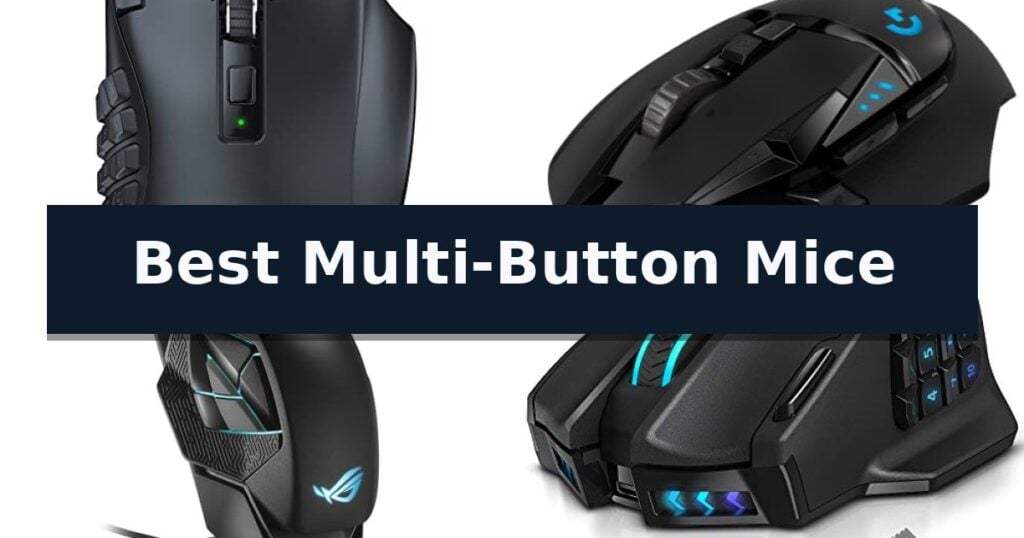
10 Best Multi-Button Mice in 2026 Reviews
Quick Comparison
| Product | Best For | Key Strength | Score |
|---|---|---|---|
| Razer Naga V2 HyperSpeed Wireless Mouse | Best Overall | 19 programmable buttons for extensive command mapping | 4.9 |
| Logitech G502 HERO Wired Gaming Mouse | The Gold Standard for Customization | HERO 25K sensor provides high-precision tracking up to 25,600 DPI. | 4.6 |
| ASUS ROG Spatha X Wireless Mouse | Premium MOBA and MMO Performance | 12 programmable buttons for advanced macro management. | 4.3 |
| UtechSmart Venus Pro Wireless Gaming Mouse | High-Precision Wireless MMO Control | 16 fully programmable buttons for complex macro configurations. | 4.5 |
| Redragon M901K MMO Gaming Mouse | Budget-Friendly Macro Powerhouse | 19 programmable macro buttons for complex input management. | 4.6 |
| LTC MKM071 Wireless MMO Gaming Mouse | Versatile Tri-Mode MMO Connectivity | 11 programmable buttons for complex macro management. | 4.3 |
| Attoe Vertical Ergonomic Gaming Mouse | Wrist-Friendly Multi-Button Design | Ergonomic vertical design reduces wrist and shoulder strain. | 4.4 |
| Logitech M720 Triathlon Wireless Mouse | Seamless Multi-Device Productivity | Multi-device switching across up to three computers. | 4.5 |
| Arteck Multi-Device Bluetooth Mouse | Silent Productivity for Multiple Devices | Multi-device switching between three Bluetooth connections. | 4.8 |
| Logitech Signature M650 Wireless Mouse | Quiet Clicks for Daily Tasks | SmartWheel scrolling for efficient document and web navigation | 4.7 |
How We Chose
Evaluating the best multi-button mice requires a focus on how hardware inputs translate into practical efficiency. An experienced reviewer assesses these devices by testing the physical layout of side buttons, the responsiveness of the optical sensor, and the reliability of the software interface to ensure that complex macros execute without input lag or accidental misclicks.
- Button placement ergonomics and accessibility
- Sensor tracking accuracy and DPI range
- Software customization and onboard profile storage
- Wireless latency and connection stability
- Build quality and switch longevity
1 Razer Naga V2 HyperSpeed Wireless Mouse — Unmatched MMO Command Arsenal
The Razer Naga V2 HyperSpeed Wireless MMO Gaming Mouse is defined by its extensive command capacity, featuring 19 programmable buttons that allow for complex macro mapping and essential control accessibility. Designed for high-intensity gaming, this peripheral integrates Razer HyperScroll Technology, providing users with the ability to switch between free-spin mode for rapid content navigation and tactile mode for precise, stepped feedback.
Performance is driven by the Focus Pro 30K Optical Sensor, which is engineered to maintain tracking accuracy across diverse surfaces, including glass. The mouse utilizes Mechanical Mouse Switches Gen-2, which incorporate gold-plated contact points to minimize degradation and support a lifespan of up to 60 million clicks. These hardware components are supported by the Razer Synapse App, which enables users to further optimize tracking accuracy and pointer behavior.
Connectivity and power management are central to its design, offering both Razer HyperSpeed Wireless (2.4 GHz) for low-latency performance and Bluetooth for extended usage. The device provides significant longevity, with a battery life reaching up to 400 hours on Bluetooth or 250 hours using the low-latency wireless connection. This dual-mode capability ensures that players can balance responsiveness with power efficiency depending on their specific gaming requirements.
Measuring 4.71 inches in length and 2.96 inches in width, the mouse is built with an ergonomic layout to accommodate the high button count. While it offers a robust feature set for macro-heavy tasks, users should note that the physical button density is specifically tailored for MMO-style workflows. The unit includes a two-year manufacturer warranty, reflecting its construction standards.
Best for: MMO gamers who require a high volume of programmable buttons and long-lasting wireless battery performance.
Skip if: Users who prefer a minimalist, lightweight mouse design or those who do not utilize complex macro commands.
- 19 programmable buttons for extensive command mapping
- Dual-mode connectivity with low-latency HyperSpeed wireless
- Long battery life up to 400 hours
- HyperScroll Technology for versatile navigation modes
- High button density may require an adjustment period for some users
2 Logitech G502 HERO Wired Gaming Mouse — The Gold Standard for Customization
Precision control over input commands defines the Logitech G502 HERO Wired Gaming Mouse, a device engineered for users who require extensive mapping capabilities. At its core, the mouse features the HERO 25K sensor, which provides tracking up to 25,600 DPI without smoothing, filtering, or acceleration, ensuring high-fidelity movement translation.
The hardware design focuses on physical customization to suit different handling preferences. It includes 11 programmable buttons and a dual-mode hyper-fast scroll wheel, allowing for complex macro assignments. Users can further refine the physical feel by utilizing the adjustable weight system, which supports up to five 3.6g weights to modify the balance and overall mass of the device.
Durability and tactile feedback are addressed through mechanical switch button tensioning. By integrating metal spring tensioning and pivot hinges into the primary left and right buttons, the mouse delivers a consistent, crisp click response. This mechanical foundation is complemented by LIGHTSYNC technology, which enables customizable RGB lighting that can synchronize with software-detected gaming events.
Designed for a wired connection, the mouse prioritizes consistent power and data delivery over wireless convenience. It features on-board memory, allowing users to save their specific button configurations and lighting profiles directly to the device, ensuring settings remain consistent across different computer setups without needing constant software intervention.
Best for: Users who require extensive button mapping and physical weight customization for high-precision tasks.
Skip if: Users who prioritize a wireless workspace or prefer a lightweight, minimalist mouse design.
- HERO 25K sensor provides high-precision tracking up to 25,600 DPI.
- 11 programmable buttons offer extensive customization for complex workflows.
- Adjustable weight system allows for personalized balance and mass configuration.
- Mechanical switch tensioning ensures consistent, rapid click feedback.
- Wired-only design lacks the portability and desk-space flexibility of wireless alternatives.
- Physical weight may be higher than desired for users preferring ultra-lightweight peripherals.
3 ASUS ROG Spatha X Wireless Mouse — Premium MOBA and MMO Performance
The ASUS ROG Spatha X Wireless Mouse is engineered for precision in complex gaming environments, featuring a total of 12 programmable buttons that provide extensive macro control for MMO and MOBA titles. Its design centers on a large, ergonomic form factor tailored for right-handed users, complemented by an industry-leading 19,000 DPI optical sensor that ensures high-accuracy tracking.
Connectivity is handled through a dual-mode system, allowing for low-latency 2.4GHz RF wireless or a standard USB-C wired connection. The mouse includes a magnetic charging dock for convenient power management, with a battery life rated for up to 67 hours when RGB lighting is disabled. For rapid recovery, a 15-minute charge provides up to 12 hours of gameplay.
Customization extends to the internal hardware, as the device features hot-swappable ROG Micro Switches. These sockets allow users to replace switches to adjust click force or extend the lifespan of the mouse, which is rated for 70 million clicks. The inclusion of low-friction feet and a flexible ROG Paracord cable further supports smooth movement across various surfaces.
Practical adjustments are simplified through the DPI On-The-Scroll feature, which enables sensitivity changes without the need for additional software. The package includes a comprehensive set of accessories, such as a travel pouch, replacement switches, and a screwdriver, ensuring the hardware remains serviceable over time.
Best for: Elite MMO and MOBA gamers who require extensive macro customization and a large, ergonomic grip.
Skip if: Users with smaller hands or those who prefer a lightweight, minimalist mouse design may find the large, multi-button form factor cumbersome.
- 12 programmable buttons for advanced macro management.
- Hot-swappable switch sockets for easy maintenance and customization.
- Dual-mode connectivity with low-latency 2.4GHz wireless.
- Magnetic charging dock for streamlined power management.
- Large form factor may not suit all hand sizes or grip styles.
4 UtechSmart Venus Pro Wireless Gaming Mouse — High-Precision Wireless MMO Control
The UtechSmart Venus Pro Wireless Gaming Mouse is engineered for precision, utilizing a custom PixArt PMW3335 optical sensor that supports up to 16000 DPI. This high-performance sensor allows for five switchable DPI stages, providing users with the ability to fine-tune tracking accuracy to their specific gaming requirements. The integration of a 1000 Hz polling rate ensures rapid data transmission, which is essential for maintaining responsiveness in fast-paced MMO and FPS environments.
Connectivity is managed through 2.4 GHz wireless technology, which effectively minimizes latency across a 10-meter reception range. For users who prefer a hardwired connection, the device also supports stable 1.5-meter wire transmission. This dual-mode capability ensures that professional-level performance is maintained regardless of the chosen setup, overcoming common limitations associated with wireless gaming peripherals.
The chassis features 16 fully programmable buttons, including a specialized array of 12 thumb-grip buttons. These thumb buttons are designed with varying inclination angles to optimize tactile feedback and reduce response time during complex macro assignments. By allowing users to combine multiple actions into single-button inputs, the mouse significantly streamlines gameplay efficiency.
Power management is supported by a 1000mA battery, providing up to 70 hours of continuous use on a single charge. To preserve battery life, the system includes an auto-sleep mode and low-power consumption settings, with real-time monitoring available through dedicated software. The exterior is finished with a grinding coating, which is both sweat-resistant and skin-friendly, increasing surface friction to ensure a secure, ergonomic grip during extended sessions.
Best for: This mouse is best for MMO and FPS gamers who require extensive macro customization and reliable wireless performance.
Skip if: Skip this model if you prefer an ultra-lightweight mouse, as the internal battery and robust button array prioritize feature density over minimal weight.
- 16 fully programmable buttons for complex macro configurations.
- 70-hour battery life with intelligent power-saving modes.
- 16000 DPI optical sensor for high-precision tracking.
- Ergonomic design with sweat-resistant grinding coating.
- Increased weight due to the large 1000mA battery and multi-button architecture.
5 Redragon M901K MMO Gaming Mouse — Budget-Friendly Macro Powerhouse
The Redragon M901K MMO Gaming Mouse provides a high-performance interface for gamers, featuring an adjustable DPI range from 100 up to 12,400. This sensitivity, paired with a polling rate that scales from 125Hz to 1000Hz, allows for precise control during both intensive gaming sessions and standard daily tasks.
Designed for complex inputs, the mouse includes 19 programmable macro buttons, including 12 side buttons that can be remapped to execute keyboard combinations with a single click. Users can store custom configurations across five memory profiles and switch between two distinct working modes, ensuring the device adapts to various software environments.
Physical customization is a core component of the design, as the unit includes eight removable 2.4-gram weights. This weight-tuning system allows users to adjust the balance and feel of the mouse to suit their specific preferences. The exterior is constructed with skin-friendly materials to support long-term use without causing fatigue.
Visual customization is provided through an integrated RGB lighting system, which supports 16.8 million color combinations. Users can select from four distinct lighting modes via the dedicated software, allowing the device to match a broader desktop aesthetic while maintaining its functional focus.
Best for: Gamers who require extensive macro programming and adjustable physical weight for MMO or MOBA titles.
Skip if: Users who prefer a minimalist, lightweight mouse design or those who do not require side-button macro functionality.
- 19 programmable macro buttons for complex input management.
- Adjustable weight system with eight 2.4g removable weights.
- High-sensitivity sensor with up to 12,400 DPI.
- Onboard memory for storing up to five custom profiles.
- Complex button layout may require a learning curve for some users.
- Software-dependent customization for advanced lighting and macro settings.
6 LTC MKM071 Wireless MMO Gaming Mouse — Versatile Tri-Mode MMO Connectivity
Managing complex macro-heavy workflows or competitive gaming sessions requires hardware that prioritizes accessibility and speed. The LTC MKM071 Wireless MMO Gaming Mouse addresses this through its integrated 11-button layout, which includes 7 dedicated side buttons specifically positioned for rapid execution of skills and shortcuts.
Versatility defines the connectivity options of this device, featuring a tri-mode design that allows users to toggle between 2.4GHz wireless for low-latency performance, Bluetooth for broader compatibility, or a wired connection that simultaneously charges the internal battery. This flexibility ensures the mouse remains functional across various desktop and laptop environments without requiring constant cable management.
Precision is handled by the PAW3311 optical sensor, which supports 6 adjustable DPI levels reaching up to 12000 DPI. To maintain consistent input during fast-paced movement, the device utilizes a 1000Hz polling rate. The included RGB charging dock provides a convenient drop-and-charge solution, keeping the 600mAh battery topped off between sessions.
Designed with an ergonomic focus, the chassis promotes natural hand positioning to reduce fatigue during extended use. Users can further customize their experience by utilizing professional software to save up to 5 distinct profiles, allowing for quick transitions between different game configurations or productivity-focused workflows.
Best for: Gamers and power users who require extensive macro customization and multiple connectivity modes for varied desktop setups.
Skip if: Users who prefer an ultra-lightweight, minimalist mouse design without the added bulk of side-button arrays.
- 11 programmable buttons for complex macro management.
- Tri-mode connectivity including 2.4GHz, Bluetooth, and wired options.
- RGB charging dock included for convenient power management.
- High-performance PAW3311 sensor with adjustable DPI up to 12000.
- Higher button count may require an adjustment period for users accustomed to standard mice.
- 600mAh battery capacity necessitates regular use of the charging dock during heavy usage.
7 Attoe Vertical Ergonomic Gaming Mouse — Wrist-Friendly Multi-Button Design
The Attoe Vertical Ergonomic Gaming Mouse prioritizes long-term comfort by utilizing a specialized vertical orientation designed to reduce muscle strain in the wrist and shoulder. This unique form factor encourages a more natural hand position, which can be particularly beneficial for users who spend extended periods engaged in gaming or intensive productivity tasks. By shifting the angle of interaction, the device aims to mitigate the physical fatigue often associated with traditional, low-profile mouse designs.
Beyond its ergonomic structure, the mouse is equipped with a PAW3325 sensor that delivers up to 10,000 DPI and 20G acceleration. These specifications provide high tracking sensitivity and pinpoint accuracy, ensuring the device performs reliably during fast-paced gaming sessions. The inclusion of a 5-direction rocker adds a layer of efficiency, allowing for thumb-controlled navigation that consolidates front, rear, left, right, and downward pressure inputs into a single, accessible interface point.
Customization is a core component of this peripheral, featuring 11 programmable buttons that support macro editing. Through the dedicated programming software, users can map complex commands to these buttons, tailoring the mouse to specific software environments or game genres like FPS, MOBA, or MMO. This level of granular control makes it a versatile tool for power users who require extensive input options beyond standard clicking.
While the vertical design offers clear ergonomic advantages, it does require an adjustment period for those accustomed to traditional flat mice. The wired USB connection ensures consistent power and data transmission without the need for battery management, though it does limit desk mobility compared to wireless alternatives. This trade-off between constant, reliable connectivity and corded constraints is a primary consideration for users setting up their workspace.
Best for: Users seeking an ergonomic vertical form factor combined with high-level button programmability for gaming or productivity.
Skip if: Users who prefer a traditional low-profile mouse shape or those who do not require extensive macro-capable button configurations.
- Ergonomic vertical design reduces wrist and shoulder strain.
- 11 programmable buttons support complex macro editing.
- 5-direction thumb rocker consolidates multiple inputs into one control.
- 10,000 DPI gaming sensor provides high tracking precision.
- Vertical orientation requires an adjustment period for new users.
- Wired-only connection limits desk mobility compared to wireless alternatives.
8 Logitech M720 Triathlon Wireless Mouse — Seamless Multi-Device Productivity
Managing multiple devices simultaneously often leads to cluttered workspaces and inefficient workflows, but the Logitech M720 Triathlon Wireless Mouse addresses this by allowing users to pair and switch between up to three computers or laptops with the simple touch of a button. This capability is further enhanced by Logitech FLOW technology, which enables the seamless movement of the cursor, text, and files across different systems.
Designed for long-term comfort, this full-sized wireless PC mouse features a sculpted, rubberized body tailored for a natural palm grip. Its versatility extends to its connectivity options, supporting both Bluetooth and the included Logitech Unifying receiver, which can link up to six compatible peripherals to a single USB port.
Productivity is central to its design, highlighted by hyper-fast scrolling that allows for quick navigation through long documents and web pages, complete with an instant-stop feature and a switchable click-to-click mode. Users can also leverage 6 customizable buttons via Logitech software to assign specific shortcuts, tailoring the device to their unique workflow requirements.
Built for endurance, the mouse boasts a 24-month battery life, reducing the frequency of maintenance. It maintains broad compatibility across major operating systems including Windows, macOS, Chrome OS, Linux, and iPadOS, making it a flexible tool for diverse computing environments.
Best for: Users who frequently switch between multiple computers, tablets, and laptops and require a comfortable, long-lasting peripheral with customizable shortcuts.
Skip if: Users who require a lightweight, ultra-compact travel mouse or those who prefer a symmetrical, ambidextrous design over this right-handed ergonomic shape.
- Multi-device switching across up to three computers.
- Hyper-fast scrolling wheel with dual modes.
- 24-month battery life for extended use.
- 6 customizable buttons for personalized shortcuts.
- Right-handed ergonomic design is not suitable for left-handed users.
- Full-sized dimensions may be less portable than dedicated travel mice.
9 Arteck Multi-Device Bluetooth Mouse — Silent Productivity for Multiple Devices
Managing multiple devices simultaneously requires a streamlined interface, and the Arteck Multi-Device Bluetooth Mouse simplifies this by allowing users to toggle between three distinct Bluetooth-enabled devices with a single button click. This functionality eliminates the need for constant re-pairing when moving between a desktop, laptop, or tablet, making it a practical choice for those who maintain a complex digital workspace.
Designed for productivity, the mouse features 7 buttons, including dedicated page backward and forward side-buttons for efficient navigation. Users can customize their cursor speed using the integrated DPI button, which cycles through five sensitivity settings ranging from 800 to 2400 DPI. This range allows the user to match cursor responsiveness to specific task requirements, such as high-precision editing or general web browsing.
The device supports broad compatibility across major operating systems, including Windows, macOS, iOS, iPadOS, and Android. It operates via a built-in rechargeable lithium battery that provides an industry-high capacity, lasting up to 4 months on a single charge based on typical daily usage patterns. This extended battery life reduces the frequency of maintenance, though users should note that the device requires a USB-C cable for recharging.
This mouse prioritizes a quiet workspace with its silent clicking design, making it suitable for shared environments where noise reduction is a priority. It connects directly to devices with built-in Bluetooth, removing the clutter of external USB receivers or dongles. A notable trade-off is that the device relies entirely on native Bluetooth; if a host computer lacks this hardware, the mouse cannot be connected via a traditional USB receiver, which may necessitate an external adapter for older hardware.
Best for: Users who frequently switch between multiple computers, tablets, or smartphones and require a quiet, multi-device input solution.
Skip if: Users whose hardware lacks built-in Bluetooth connectivity, as this mouse does not include a USB receiver or dongle.
- Multi-device switching between three Bluetooth connections.
- Long-life rechargeable battery lasting up to 4 months.
- Adjustable DPI settings up to 2400 for precision control.
- Silent click buttons for quiet operation.
- No USB receiver included, requiring native Bluetooth support on the host device.
10 Logitech Signature M650 Wireless Mouse — Quiet Clicks for Daily Tasks
Navigating digital workspaces requires hardware that balances responsiveness with a quiet, unobtrusive operation. The Logitech Signature M650 Wireless Mouse addresses this through its proprietary SmartWheel scrolling technology. This feature allows users to toggle between line-by-line precision for meticulous document editing and high-speed scrolling for rapidly scanning through long web pages, adapting to the user's input speed with a simple flick.
Designed to minimize distractions in shared or quiet environments, the mouse utilizes SilentTouch technology. This engineering choice reduces click noise by 90 percent compared to standard mice, ensuring that repetitive clicking does not disrupt focus. The chassis is specifically contoured to support small to medium-sized hands, incorporating a soft thumb area and rubber side grips that promote a secure, comfortable hold during extended work sessions.
Connectivity and workflow efficiency are central to the device's utility. Users can pair the mouse via Bluetooth Low Energy or the included Logi Bolt USB receiver, ensuring stable performance across Windows, macOS, Linux, ChromeOS, iPadOS, and Android platforms. Furthermore, the Logitech Options+ software enables users to assign custom shortcuts to the side buttons, such as back/forward navigation or copy/paste commands, tailoring the hardware to specific productivity needs.
Longevity and sustainability are integrated into the device's core specifications. The mouse is engineered to operate for up to 24 months on a single AA battery, reducing the frequency of maintenance. Additionally, the construction of the graphite and black models incorporates 64 percent certified post-consumer recycled plastic, reflecting a commitment to material efficiency without compromising the structural integrity of the peripheral.
Best for: Users seeking a quiet, comfortable, and highly compatible wireless mouse with customizable shortcuts for daily productivity tasks.
Skip if: Users who require a high-performance gaming mouse with adjustable DPI settings or a larger form factor for ergonomic support in very large hands.
- SmartWheel scrolling for efficient document and web navigation
- SilentTouch technology for significantly reduced click noise
- Customizable side buttons via Logitech Options+ software
- 24-month battery life on a single AA battery
- Multi-platform compatibility including mobile and desktop operating systems
- Size limitation may not provide optimal support for users with large hands
- No wired connection option for users who prefer a direct USB tether
Best Multi-Button Mice Buying Guide
Button Layout and Ergonomics
The primary advantage of a multi-button mouse is the ability to map complex actions to your thumb. Look for designs where buttons are distinct enough to be identified by touch alone, preventing errors during intense gaming or high-speed work sessions.
Ergonomics play a critical role when dealing with a high density of buttons. A well-designed mouse should support your hand's natural resting position, ensuring that reaching for the furthest button does not strain your wrist or thumb over long periods.
Sensor Performance and DPI
High DPI sensors are common in multi-button mice, but consistency is more important than raw numbers. A quality sensor should offer smooth tracking without jitter or acceleration, allowing for precise cursor movement regardless of the surface.
Adjustable DPI stages are beneficial for users who transition between different tasks. Being able to toggle sensitivity on the fly allows you to maintain control during detailed editing work while keeping high speed for navigation or fast-paced gameplay.
Software and Macro Customization
The utility of a multi-button mouse is defined by its software. Robust software allows for deep customization, including the ability to create complex macros that trigger multiple keystrokes with a single press, which is essential for MMO gaming and productivity workflows.
Onboard memory is a significant feature for power users. By saving your profiles directly to the mouse, you can move between different computers without needing to reinstall software or reconfigure your button mappings every time.
Connectivity and Latency
Wireless technology has advanced to the point where latency is no longer a major concern for most users. High-quality 2.4GHz wireless connections provide performance that is virtually indistinguishable from wired alternatives, offering freedom of movement without the tether of a cable.
Bluetooth remains a useful secondary connection option for portability and compatibility with devices like laptops or tablets. While it may not offer the same low-latency performance as a dedicated 2.4GHz dongle, it is excellent for standard productivity tasks.
Battery Life and Charging
For wireless models, battery life determines how often you need to interrupt your work for charging. Mice that offer hundreds of hours of battery life allow for weeks of use, reducing the frequency of maintenance.
Charging convenience varies by model, with some offering magnetic docks and others relying on standard USB-C cables. Consider your desk setup and whether you prefer a dedicated charging station or a simple cable connection to keep your mouse powered.
Frequently Asked Questions
How many buttons do I actually need?
The number of buttons depends on your specific use case. MMO gamers often benefit from 12 or more side buttons for spell rotations, while productivity users might only need 3-5 extra buttons for shortcuts like copy, paste, or browser navigation.
Is a wired or wireless mouse better for gaming?
Modern 2.4GHz wireless technology provides low-latency performance that is comparable to wired connections. Wireless mice offer more freedom of movement, though wired mice eliminate concerns about battery life and charging.
Can I use these mice for non-gaming tasks?
Absolutely. Many professionals use multi-button mice to map productivity shortcuts, such as switching between virtual desktops, controlling media playback, or executing complex commands in creative software.
Do I need to keep the software running in the background?
If your mouse supports onboard memory, you can often save your profiles to the device and close the software. However, some advanced features like lighting synchronization or cloud-based profile switching may require the software to remain active.
Are multi-button mice heavy?
Some multi-button mice are heavier due to the internal components required for extra buttons and batteries. If weight is a concern, look for models that offer adjustable weight systems or lightweight materials.
Conclusion: Our Top Pick
Our top pick is Razer Naga V2 HyperSpeed Wireless Mouse. Choosing the right multi-button mouse comes down to matching the button configuration to your specific needs. Whether you require a massive array of thumb buttons for gaming or a few strategic shortcuts for daily productivity, the current market offers reliable options that prioritize both performance and comfort.
By focusing on sensor quality, software flexibility, and ergonomic design, you can find a device that enhances your efficiency. Evaluate your desk space and typical usage patterns to ensure your chosen mouse provides the right balance of features for your setup.