Logitech MX Keys S Wireless Keyboard is our top choice for the Best Office Keyboard, offering a refined typing experience with spherically-dished keys that provide a quiet, fluid, and precise feel for long-term comfort.
For those prioritizing a more traditional, cushioned feel, the Logitech Signature K650 provides an integrated palm rest that supports extended typing sessions. Alternatively, the Keychron K5 Version 2 offers a mechanical alternative for users who prefer the tactile feedback and customizable firmware options of a low-profile mechanical board.
Selecting a keyboard for professional use requires balancing tactile feedback with long-term reliability. We focus on how these devices integrate into daily workflows, specifically looking at connectivity options, battery longevity, and the physical design choices that impact wrist posture and desk space.
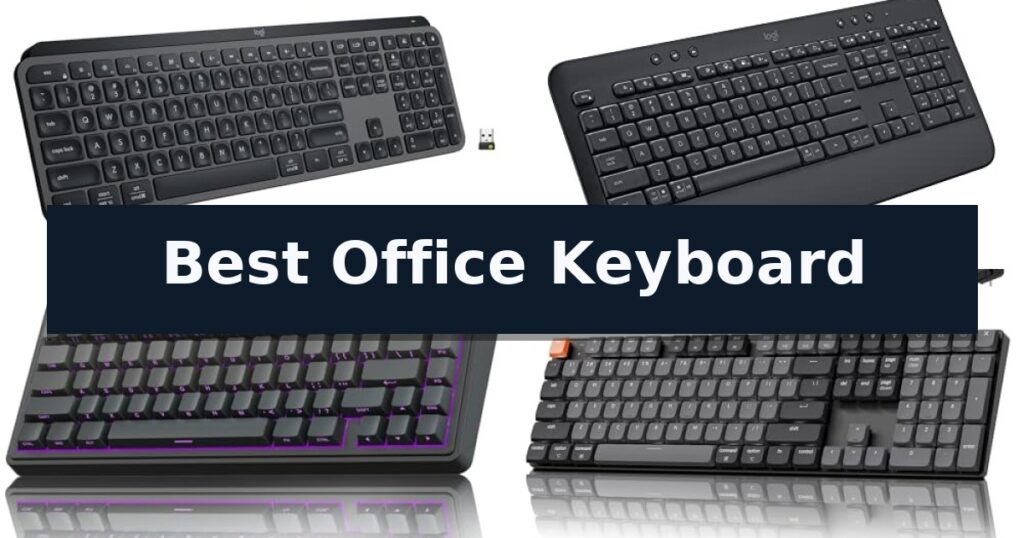
10 Best Office Keyboard in 2026 Reviews
Quick Comparison
| Product | Best For | Key Strength | Score |
|---|---|---|---|
| Logitech MX Keys S Wireless Keyboard | Best Overall | Smart illumination that adjusts to ambient light and proximity. | 4.9 |
| Logitech Signature K650 Wireless Keyboard | Comfort-Focused With Integrated Rest | Integrated soft-touch palm rest for enhanced comfort | 4.9 |
| AULA F75 Pro Wireless Mechanical Keyboard | Customizable Creamy Sounding Switches | Tri-mode connectivity allows for seamless switching between five devices. | 4.3 |
| Keychron K5 Version 2 Wireless Keyboard | Ultra-Slim Mechanical Layout | Full-size 100% layout in an ultra-slim, low-profile design. | 4.9 |
| Logitech K120 Wired Keyboard | Reliable No-Frills Daily Driver | Spill-resistant design for added durability against accidental liquid exposure. | 4.3 |
| Amazon Basics Wired QWERTY Keyboard | Simple Budget-Friendly Essential | Plug and play USB connectivity for instant setup. | 4.8 |
| Logitech MK270 Wireless Keyboard Combo | Dependable Plug-and-Play Bundle | Reliable wireless connectivity via a single USB-A Nano Receiver. | 4.8 |
| Logitech MK345 Wireless Keyboard Combo | Long-Lasting Battery Performance | Exceptional battery life of up to 3 years for the keyboard. | 4.6 |
| AULA S99 Wireless Keyboard | Versatile Tri-Mode Connectivity | Tri-mode connectivity for flexible device pairing. | 4.6 |
| Logitech K250 Compact Wireless Keyboard | Space-Saving Bluetooth Design | Bluetooth connectivity removes the need for USB receivers. | 4.8 |
How We Chose
Evaluating the best office keyboard requires a practical assessment of how a device handles high-volume typing and daily administrative tasks. We examine the physical layout, the responsiveness of the switches, and the ease of switching between multiple devices, ensuring that the hardware supports rather than hinders your professional workflow.
- Typing feel and key switch mechanism
- Connectivity options and multi-device switching
- Ergonomic design and wrist support
- Battery life and power management
- Software customization and shortcut support
1 Logitech MX Keys S Wireless Keyboard — Premium Fluid Typing Experience
The Logitech MX Keys S Wireless Keyboard streamlines professional workflows through its proximity-sensing illumination, which activates as your hands approach the keys and adjusts automatically to ambient lighting conditions. This low-profile peripheral is engineered for a fluid typing experience, utilizing spherically-dished keys that mirror the natural shape of your fingertips to promote precision and reduced noise during extended sessions.
Beyond its physical design, the keyboard integrates with the Logi Options+ app to support Smart Actions, allowing users to automate repetitive tasks with a single keystroke. The device maintains a stable connection across three platforms—Windows, macOS, Linux, and Googlebook OS—via Bluetooth Low Energy or the included Logi Bolt USB receiver. This multi-device capability facilitates seamless text and file transfers when paired with a compatible MX mouse.
Built for longevity and comfort, the unit features an optimum keyboard angle designed to support better wrist posture. Its internal battery provides up to 10 days of power on a full charge with backlighting enabled, or up to 5 months if the illumination is disabled. Recharging is handled via a standard USB-C connection, ensuring minimal downtime during heavy work cycles.
Sustainability is integrated into the construction, with the Graphite model incorporating 26% certified post-consumer recycled plastic. The keyboard's solid, low-profile build is intended to occupy a compact footprint while providing the stability required for high-volume data entry or creative tasks.
Best for: Professionals who require a multi-device, low-profile keyboard with customizable automation and proximity-based backlighting.
Skip if: Users who prefer the tactile feedback and deep travel distance of mechanical switches or those who require a full-sized layout with a dedicated number pad might find this low-profile design less satisfying.
- Smart illumination that adjusts to ambient light and proximity.
- Multi-device connectivity supporting up to three systems simultaneously.
- Smart Actions automation via the Logi Options+ app.
- USB-C rechargeable battery with long-lasting performance.
- Low-profile key travel may not suit users accustomed to mechanical keyboards.
- Non-removable battery limits long-term serviceability.
2 Logitech Signature K650 Wireless Keyboard — Comfort-Focused With Integrated Rest
The Logitech Signature K650 Comfort Full-Size Wireless Keyboard is designed to enhance daily productivity through a focus on ergonomic support and reliable input. Its most distinctive feature is the integrated soft-touch palm rest, which provides a cushioned surface to help maintain a neutral wrist position during extended typing sessions. This physical support is paired with deep-cushioned keys, engineered to offer a tactile, familiar feel that minimizes the effort required for consistent, high-volume data entry.
Beyond its physical comfort, this full-size layout includes a dedicated number pad and a suite of shortcut keys that streamline common office tasks. Users can quickly access controls for mic muting, screenshotting, and web navigation, effectively reducing the number of clicks needed to manage standard workflows. The keyboard is constructed with certified post-consumer recycled plastic, reflecting a design choice that balances functional durability with material considerations.
Connectivity and versatility are central to the device's utility in modern workspaces. It supports dual wireless modes, allowing users to connect via BLE (Bluetooth Low Energy) or the included Logi Bolt USB receiver. This flexibility ensures compatibility across a wide range of operating systems, including Windows, macOS, Chrome OS, Linux, iPadOS, iOS, and Android. Furthermore, the keyboard is designed to be spill-resistant and easy to clean, while offering a battery life of up to 36 months, which significantly reduces the frequency of maintenance.
While the full-size design provides a comprehensive set of controls, it does result in a larger footprint compared to tenkeyless or compact alternatives. This trade-off means that while the keyboard excels in providing a complete typing experience with integrated support, it may not be the most suitable option for users with highly restricted desk space or those who prioritize portability over a full-sized layout.
Best for: Office workers seeking a comfortable, full-size wireless keyboard with integrated wrist support and multi-platform compatibility.
Skip if: Users who require a compact, tenkeyless, or mechanical keyboard for specialized gaming or limited desk space.
- Integrated soft-touch palm rest for enhanced comfort
- Deep-cushioned keys for a satisfying typing feel
- Dual wireless connectivity via Bluetooth or Logi Bolt receiver
- Long battery life lasting up to 36 months
- Spill-resistant design for easier maintenance
- Full-size footprint may be too large for compact desk spaces
3 AULA F75 Pro Wireless Mechanical Keyboard — Customizable Creamy Sounding Switches
The AULA F75 Pro Wireless Mechanical Keyboard distinguishes itself with a versatile multi-function control knob that allows users to toggle between dedicated gaming and office modes. By simply long-pressing the knob, you can transition from adjusting lighting effects during gameplay to managing media volume and playback during work sessions, providing a streamlined interface for diverse desktop tasks.
Engineered for a refined typing experience, this keyboard features an advanced structure with an integrated silicone pad and PCB single key slotting. This design, combined with five layers of internal sound-dampening material, effectively minimizes cavity noise and provides a soft, elastic feel. The pre-lubricated LEOBOG Reaper switches and stabilizers further enhance the consistency and smoothness of every keystroke.
Connectivity remains a core strength, as the AULA F75 Pro Wireless Mechanical Keyboard supports tri-mode operation via Bluetooth 5.0, 2.4GHz wireless, and USB-C wired connections. It can maintain links with up to five devices simultaneously, making it highly adaptable for multi-device workflows. A substantial 4000mAh battery ensures long-lasting operation, while the 75% layout preserves essential arrow keys while reclaiming valuable desk space.
Aesthetic and functional customization are central to the user experience. The keyboard features 16.8 million RGB lighting colors with 16 pre-set effects, alongside side-printed PBT keycaps that utilize double-injection molding for increased durability and a sweat-proof finish. Users can further tailor their setup through macro-programmable keys and driver-based software to optimize efficiency for both gaming and productivity.
Best for: Users who require a compact, highly customizable wireless keyboard that balances gaming performance with office-friendly media controls.
Skip if: Users who prioritize a full-sized layout with a dedicated number pad for intensive data entry tasks.
- Tri-mode connectivity allows for seamless switching between five devices.
- Multi-function knob provides intuitive control over volume, media, and lighting.
- Hot-swappable base supports both 3-pin and 5-pin switches for easy customization.
- Advanced sound-dampening structure delivers a consistent, quiet typing experience.
- 75% compact layout lacks a dedicated number pad.
- 6-month limited warranty period is relatively short compared to some competitors.
4 Keychron K5 Version 2 Wireless Keyboard — Ultra-Slim Mechanical Layout
The Keychron K5 Version 2 Wireless Keyboard distinguishes itself with a low-profile, 100% full-size layout that integrates mechanical responsiveness into an ultra-slim, travel-friendly frame. Designed for users who require a complete set of keys without the bulk of traditional mechanical boards, this model utilizes banana tactile switches to provide a crisp, satisfying keystroke that bridges the gap between desktop performance and laptop convenience.
Engineered for versatility, the keyboard features Bluetooth 5.2 for seamless multi-device connectivity, allowing users to pair up to three devices simultaneously. For tasks requiring maximum precision, a USB-C wired connection is available, supporting a 1000 Hz polling rate to minimize latency. The inclusion of QMK firmware and the Keychron Launcher web app provides deep customization, enabling users to remap keys, create custom layers, and update firmware directly through their browser.
Internal construction focuses on acoustic refinement, utilizing layered IXPE, EPDM, and latex acoustic foams to dampen ping and improve overall sound quality. This attention to detail ensures a quieter typing experience suitable for office environments. The chassis is built to be durable, supporting daily, all-day use while maintaining a sleek profile that measures less than one inch in height.
Compatibility is a core strength, with native support for macOS, Windows, and Linux. The keyboard mirrors essential media and function keys for each operating system, allowing for consistent shortcuts regardless of the platform. Power management is handled by a 2000 mAh rechargeable battery, which provides up to 105 hours of usage at low brightness, extending up to 160 hours under specific lab conditions.
Best for: Professionals who need a full-size, low-profile mechanical keyboard with deep customization options for multi-OS workflows.
Skip if: Users who prefer a high-profile mechanical typing experience or those who do not require a full 100% layout with a number pad.
- Full-size 100% layout in an ultra-slim, low-profile design.
- Deep customization via open-source QMK firmware and Keychron Launcher.
- Multi-device connectivity with Bluetooth 5.2 and low-latency USB-C.
- Tuned acoustics using IXPE, EPDM, and latex foam layers.
- Low-profile switches may not satisfy users accustomed to traditional high-profile mechanical key travel.
5 Logitech K120 Wired Keyboard — Reliable No-Frills Daily Driver
Reliability in a workspace often comes down to simplicity, and the Logitech K120 Wired Keyboard delivers exactly that through a straightforward, no-nonsense design. By focusing on a standard layout with deep-profile keys, this peripheral provides a familiar typing experience that requires no learning curve or software configuration.
Setting up the device is instantaneous, as it utilizes a standard USB connection for plug-and-play functionality across Windows desktops and laptops. The full-size layout includes a dedicated number pad and function keys, ensuring that all essential inputs are readily available for daily administrative or creative tasks.
Durability is integrated into the chassis through a spill-resistant design, which helps protect the internal components from minor liquid accidents. The build also features anti-fade keys to maintain legibility over time and sturdy, adjustable tilt legs that allow users to customize the keyboard angle for improved ergonomics during extended sessions.
Sustainability is also a design consideration, with the construction incorporating 51% certified post-consumer recycled plastic. This keyboard serves as a dependable, low-maintenance solution for those who prioritize functional consistency and ease of use in their home or office environment.
Best for: Users seeking a reliable, plug-and-play, full-size keyboard that prioritizes simplicity and spill-resistance for standard office tasks.
Skip if: Users who require wireless connectivity, mechanical switches, or specialized programmable macro keys for advanced gaming or professional workflows.
- Spill-resistant design for added durability against accidental liquid exposure.
- Plug-and-play USB connectivity requires no software installation.
- Full-size layout includes a number pad and function keys for comprehensive input.
- Adjustable tilt legs allow for customizable typing angles.
- Wired-only connection limits desk flexibility compared to wireless alternatives.
- Standard membrane keys lack the tactile feedback found in mechanical keyboards.
6 Amazon Basics Wired QWERTY Keyboard — Simple Budget-Friendly Essential
Reliability in a workspace often comes down to the basics, and the Amazon Basics Wired QWERTY Keyboard provides a straightforward, no-nonsense solution for daily computing. This device prioritizes a familiar typing experience through its standard full-sized QWERTY layout, making it an immediate fit for those who prefer a traditional feel without the complexity of wireless pairing or battery management.
Designed for seamless integration with Windows environments, this keyboard includes dedicated hot keys that offer quick access to essential functions like media controls, volume adjustment, and the calculator. The plug and play USB wired connection ensures that setup is instantaneous, removing the need for software installation or troubleshooting connectivity drops during critical tasks.
The physical build features a sleek black finish that maintains a professional aesthetic on any desk. Measuring 17.39 inches in length, the full-sized design accommodates a complete number pad, which is essential for data entry and spreadsheet management. Its lightweight construction, weighing less than one pound, keeps the unit stable while remaining easy to reposition as needed.
Compatibility is broad, supporting various Windows versions including 7, 8, and 10. By focusing on a wired interface, the keyboard eliminates the latency concerns sometimes associated with wireless peripherals, ensuring that every keystroke is registered reliably. This model serves as a functional, durable tool for users who value consistent performance and simple hardware maintenance.
Best for: Users seeking a reliable, full-sized, and budget-friendly wired keyboard for standard office and home computing tasks.
Skip if: Users who require wireless connectivity, mechanical switches, or a compact footprint for small desk spaces.
- Plug and play USB connectivity for instant setup.
- Dedicated hot keys for media and system controls.
- Standard full-sized QWERTY layout with number pad.
- Broad Windows compatibility across multiple versions.
- Wired connection limits desk placement flexibility.
- Lacks backlit keys for low-light environments.
7 Logitech MK270 Wireless Keyboard Combo — Dependable Plug-and-Play Bundle
The Logitech MK270 Wireless Keyboard Combo prioritizes workspace efficiency through a reliable, cable-free connection. By utilizing a single USB-A Nano Receiver, this bundle maintains a stable wireless link up to 33 feet, allowing for a clutter-free desk environment without the frustration of signal drop-outs.
Designed for consistent daily use, the keyboard features a standard layout complete with a full-size number pad, arrow keys, and F-keys. The low-profile, quiet keys are engineered for a comfortable typing experience, while the spill-resistant construction and sturdy, adjustable tilt legs provide added durability for busy office settings.
Functionality is further enhanced by eight dedicated multimedia hotkeys. These controls offer instant access to essential tasks like volume adjustment, email, and media playback. The included compact, ambidextrous mouse ensures smooth cursor navigation on most surfaces, making it a versatile tool for both left- and right-handed users.
Maintenance is minimized through efficient power management. The keyboard is rated for a 36-month battery life, while the mouse offers up to 12 months of usage. Both peripherals include convenient on/off switches to conserve power during periods of inactivity, ensuring the setup remains ready for work whenever needed.
Best for: Users seeking a simple, reliable, and long-lasting wireless keyboard and mouse bundle for standard office tasks.
Skip if: Users who require advanced ergonomic features like scooped keys, palm rests, or highly customizable shortcut keys found in premium models like the MK540.
- Reliable wireless connectivity via a single USB-A Nano Receiver.
- Long battery life with 36 months for the keyboard and 12 months for the mouse.
- Spill-resistant design and durable key construction.
- Eight multimedia hotkeys for quick access to common functions.
- Basic design lacks advanced ergonomic features like a dedicated palm rest.
- USB-A receiver requires an available USB-A port on the host computer.
8 Logitech MK345 Wireless Keyboard Combo — Long-Lasting Battery Performance
Maintaining a clutter-free and efficient workspace often hinges on the reliability of your peripherals. The Logitech MK345 Wireless Keyboard Combo is engineered to minimize maintenance, boasting an impressive keyboard battery life of up to 3 years and a mouse battery life of 18 months. This longevity ensures that you spend less time managing power levels and more time focused on your daily tasks, making it a dependable choice for high-volume office environments.
The full-size wireless keyboard features a familiar layout that incorporates an integrated palm rest, providing essential support to reduce wrist strain during extended typing sessions. Its spill-resistant chassis adds a layer of practical durability against minor accidents, while dedicated media keys allow for immediate control over volume and playback without the need to toggle through software settings. This design prioritizes ergonomic comfort and functional efficiency for the modern professional.
Connectivity is streamlined through a single USB-A Nano Receiver, which establishes a stable 2.4 GHz wireless connection with a range of up to 10 meters. This plug-and-play simplicity ensures that the peripheral set works seamlessly across Windows, macOS, and ChromeOS environments without complex configuration. The included contoured right-handed mouse is specifically shaped for natural hand placement, offering smooth tracking and precise scrolling for everyday navigation.
While this model excels in simplicity and battery efficiency, it is important to note that it relies exclusively on a USB-A receiver for connectivity. Users who require multi-device Bluetooth switching or advanced features like mechanical switches and backlighting may find the basic 2.4 GHz architecture limiting. However, for those seeking a straightforward, long-lasting input solution, the balance of comfort and utility makes this combo a highly functional office staple.
Best for: Users seeking a low-maintenance, reliable wireless input solution with extended battery life for standard office tasks.
Skip if: Users who require a mechanical key feel, backlighting, or multi-device Bluetooth connectivity will find this basic 2.4 GHz model limiting.
- Exceptional battery life of up to 3 years for the keyboard.
- Integrated palm rest enhances typing comfort.
- Spill-resistant design adds a layer of durability.
- Plug and play simplicity with a single USB-A receiver.
- Limited to 2.4 GHz connectivity via USB-A receiver only.
- Lacks advanced features like backlighting or programmable macro keys.
9 AULA S99 Wireless Keyboard — Versatile Tri-Mode Connectivity
The AULA S99 Wireless Keyboard distinguishes itself with a unique dual-mode knob design that allows users to toggle between gaming and office configurations instantly. This 96% layout keyboard integrates a numeric keypad into a compact footprint, balancing the need for a full-sized typing experience with the desire to reclaim valuable desk space.
Equipped with tri-mode connectivity, this device supports Bluetooth 5.0, 2.4GHz wireless, and USB-C wired modes. It allows for simultaneous connection to up to five devices, enabling seamless switching without the need for repetitive pairing. The inclusion of full-key macro programming and three dedicated shortcut keys (M1/M2/M3) provides users with the ability to trigger complex commands with a single click, enhancing operational efficiency.
The keyboard features vibrant RGB lighting with 16.8 million colors and 16 preset effects, all adjustable via the knob or FN+ key combinations. For ergonomic comfort, the AULA S99 Wireless Keyboard includes a foldable two-stage stand, allowing for adjustable typing angles to help reduce wrist pressure during extended use.
While this model offers significant customization for macros and lighting, it is a membrane-based keyboard and does not support hot-swapping of switches. It is compatible with Windows, Mac, Android, and iOS, making it a versatile choice for diverse computing environments.
Best for: Users seeking a compact, multi-device wireless keyboard that combines macro-programmable efficiency with a retro-inspired aesthetic.
Skip if: Professional gamers who require the specific tactile feedback and rapid response times associated with high-end mechanical switches.
- Tri-mode connectivity for flexible device pairing.
- Full-key macro programming for customized workflow shortcuts.
- Compact 96% layout with an integrated numeric keypad.
- Dual-mode knob for quick switching between gaming and office profiles.
- Membrane key switches which may not satisfy users preferring mechanical tactile feedback.
- No hot-swappable switch support limits hardware customization.
10 Logitech K250 Compact Wireless Keyboard — Space-Saving Bluetooth Design
Maintaining a clean and efficient workspace often begins with the right input tools, and the Logitech K250 Compact Wireless Bluetooth Keyboard offers a streamlined solution for those looking to declutter their desk. By utilizing Bluetooth wireless technology, this keyboard eliminates the need for a USB receiver or dongle, allowing for a quick and reliable connection to your devices.
Designed with both ergonomics and longevity in mind, the Logitech K250 Compact Wireless Bluetooth Keyboard features deep-profile keys that provide a tactile and responsive typing experience. The inclusion of an adjustable tilt-leg design allows users to customize the typing angle for improved comfort during extended work sessions, while the spill-resistant construction adds a layer of durability against accidental liquid exposure.
Despite its small footprint, the keyboard manages to include a full number pad, arrow keys, and dedicated F-key shortcuts, ensuring that functionality is not sacrificed for size. This layout is particularly useful for users who require numerical input but have limited desk space. Additionally, the device is built with a focus on sustainability, as its plastic components are manufactured using a minimum of 64% recycled plastic.
Power management is straightforward, with the unit designed to deliver up to 12 months of battery life under daily use. This efficiency makes it a practical choice for a set-and-forget office peripheral. The keyboard is fully compatible with Windows and MacOS, providing a seamless experience for various computing environments.
Best for: Users who need a space-saving keyboard with a full number pad and a reliable, dongle-free Bluetooth connection.
Skip if: Users who require a wired connection or a mechanical keyboard with specialized switches for gaming or heavy-duty typing.
- Bluetooth connectivity removes the need for USB receivers.
- Includes a full number pad despite its compact size.
- Spill-resistant design enhances overall durability.
- Up to 12 months of battery life for long-term reliability.
- Bluetooth-only connection limits use on devices without Bluetooth capability.
- Deep-profile keys may not suit users who prefer low-profile or laptop-style chiclet keys.
Best Office Keyboard Buying Guide
Connectivity and Multi-Device Support
Modern office environments often require users to switch between a laptop, a desktop, and a mobile device. Keyboards that support multiple Bluetooth connections or include a dedicated USB receiver allow for seamless transitions without the need to re-pair hardware.
When choosing your device, consider whether you need a dedicated dongle for a more stable connection in crowded wireless environments. Some models offer tri-mode connectivity, providing the flexibility of wired, 2.4GHz, and Bluetooth options to suit different workstation setups.
Ergonomics and Typing Comfort
The physical profile of a keyboard significantly impacts your comfort during long workdays. Low-profile designs often mimic the feel of a laptop, which can reduce the distance your fingers travel and minimize strain on your wrists.
Integrated palm rests or adjustable tilt legs are essential features for maintaining neutral wrist posture. If you spend hours typing reports or emails, prioritizing a keyboard with a cushioned rest or a natural typing angle can prevent fatigue and discomfort.
Mechanical vs. Membrane Switches
Mechanical keyboards provide distinct tactile feedback and a satisfying sound, which many users find improves their typing accuracy. These boards often allow for hot-swappable switches, letting you customize the feel to your specific preference.
Membrane keyboards are typically quieter and more affordable, making them ideal for shared office spaces where noise levels must be kept low. While they lack the mechanical 'click,' modern membrane options offer a soft, consistent feel that is highly reliable for standard office tasks.
Customization and Productivity Shortcuts
Advanced office keyboards often include software that allows you to remap keys or create macros for repetitive tasks. Being able to trigger multiple actions with a single keystroke can significantly speed up data entry and file management.
Look for dedicated media keys or programmable knobs if you frequently adjust volume, navigate web pages, or manage multimedia during your workday. These physical controls provide immediate access to functions that would otherwise require navigating through software menus.
Battery Life and Power Management
Wireless freedom is only beneficial if the keyboard remains powered throughout your work week. Rechargeable models with USB-C ports offer convenience, while battery-operated versions can last for months or even years, reducing the need for frequent maintenance.
Consider the impact of backlighting on battery life. While illuminated keys are helpful in low-light conditions, they significantly drain power. Many modern keyboards include smart sensors that only activate backlighting when your hands approach, balancing visibility with energy efficiency.
Frequently Asked Questions
What is the main advantage of a low-profile keyboard?
Low-profile keyboards generally have shorter key travel, which can lead to a faster, more fluid typing experience similar to a laptop, often resulting in less wrist extension.
Do I need a mechanical keyboard for office work?
Not necessarily. Mechanical keyboards offer tactile feedback and durability, but membrane keyboards are often quieter and better suited for noise-sensitive office environments.
Can I use a wireless keyboard with multiple computers?
Yes, many modern wireless keyboards support multi-device pairing, allowing you to switch between up to three computers using dedicated buttons or software shortcuts.
Why would I choose a keyboard with a built-in palm rest?
A built-in palm rest helps keep your wrists in a neutral position, which can reduce strain and discomfort during long periods of typing.
How do I know if a keyboard is compatible with my operating system?
Most modern office keyboards are plug-and-play compatible with Windows, macOS, and Linux, though some may require specific software to unlock advanced customization features.
Conclusion: Our Top Pick
Our top pick is Logitech MX Keys S Wireless Keyboard. Choosing the right office keyboard comes down to your specific typing preferences and the demands of your daily workflow. Whether you prioritize the quiet, fluid feel of a low-profile design or the tactile feedback of a mechanical board, the best choice is one that reduces strain and enhances your productivity.
Consider your desk space and connectivity needs before making a final decision. By focusing on ergonomic support and the features that simplify your most frequent tasks, you can transform your workspace into a more efficient and comfortable environment.