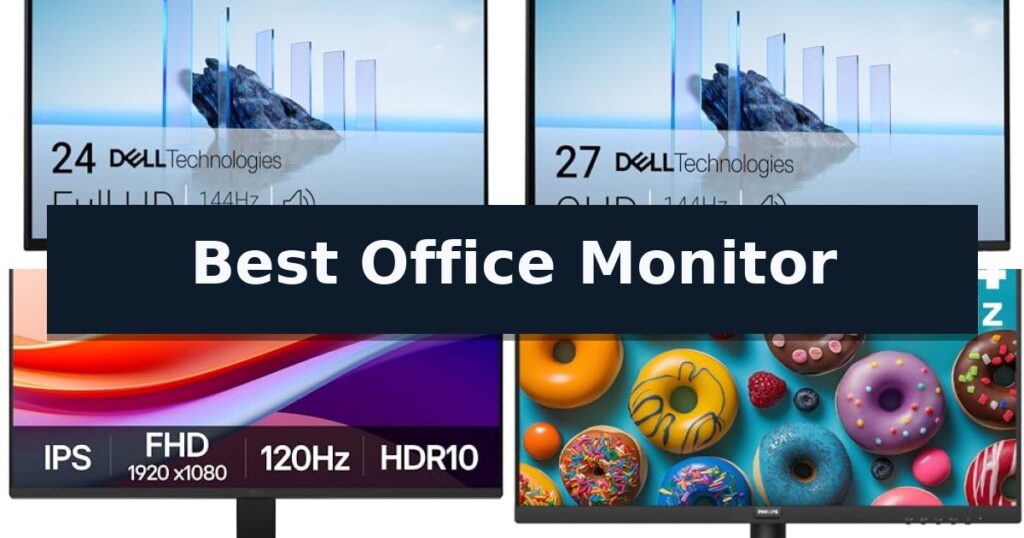
Dell S2425HSM Monitor is our top choice for the Best Office Monitor thanks to its superior ergonomic adjustability, which allows for height, tilt, pivot, and swivel positioning to suit any desk setup. For those requiring higher resolution for detailed tasks, the Dell S2725DSM Monitor offers crisp QHD clarity, while the LG 24U411A-B Monitor serves as an alternative for users prioritizing vibrant IPS color accuracy.
Selecting a display for professional use requires balancing visual clarity with physical comfort. An effective office monitor should provide enough screen real estate to manage multiple windows without clutter, while features like adjustable stands and blue light reduction are essential for maintaining focus during long work sessions.
Connectivity options also play a significant role in your workflow, as the ability to easily integrate a monitor with your existing PC or laptop setup determines daily convenience. By focusing on these practical display characteristics, you can ensure your chosen screen supports your specific productivity needs.
Once you have your display set up, pairing it with a high-quality Best Office Keyboard will ensure your entire workstation is optimized for comfort and efficiency.
10 Best Office Monitor in 2026 Reviews
Quick Comparison
| Product | Best For | Key Strength | Score |
|---|---|---|---|
| Dell S2425HSM Monitor | Best Overall | Extensive ergonomic adjustability including height, tilt, pivot, and swivel. | 4.9 |
| Dell S2725DSM Monitor | Sharp QHD Productivity | 144Hz refresh rate and 1ms MPRT for smooth motion. | 4.3 |
| LG 24U411A-B Monitor | Vibrant IPS Color Accuracy | 120Hz refresh rate for smooth motion and fluid frame transitions. | 4.9 |
| Philips 241V8LB Monitor | Extended Four-Year Warranty | 4-year advance replacement warranty provides extended peace of mind. | 4.8 |
| Acer KB242Y Monitor | Smooth 120Hz Refresh Rate | 120Hz refresh rate for smooth motion | 4.6 |
| Acer KB272 Monitor | Large Screen Efficiency | 120Hz refresh rate for smooth motion. | 4.7 |
| Samsung S36GD Monitor | Curved for Immersive Focus | 1800R curvature creates an immersive, wrap-around viewing experience. | 4.8 |
| LG 32MR50C-B Monitor | Expansive Desktop Real Estate | 100Hz refresh rate for smoother motion. | 4.8 |
| Sceptre E275W-FW100T Monitor | Naturalistic Color Gamut | 100% sRGB color gamut for accurate and natural color reproduction. | 4.4 |
| MSI PRO MP225 Monitor | Deep Contrast VA Panel | 4000:1 contrast ratio for superior black levels and shadow detail. | 4.5 |
How We Chose
When evaluating the best office monitor, we focus on features that directly impact daily productivity and long-term user comfort. An experienced reviewer prioritizes the physical flexibility of the stand, the sharpness of the panel resolution, and the inclusion of eye-safety certifications to distinguish professional-grade displays from standard consumer options.
- Ergonomic adjustability including height, tilt, and swivel capabilities
- Display resolution and panel technology for text clarity and color accuracy
- Connectivity options such as HDMI and DisplayPort compatibility
- Eye-care features like blue light reduction and flicker-free technology
- Refresh rate and response time for smooth navigation and motion
1 Dell S2425HSM Monitor — Best Ergonomic Adjustability
The Dell 24 Plus Monitor – S2425HSM prioritizes user comfort through its extensive physical adjustability, allowing for precise height, tilt, pivot, and swivel positioning to suit any workspace layout. This 23.8-inch display is built to handle both productivity tasks and entertainment, featuring a 144Hz refresh rate and 1ms Moving Picture Response Time (MPRT) for fluid motion.
Visual clarity is supported by a 1500:1 contrast ratio and FHD resolution, ensuring sharp detail for daily office work. To support long-term use, the monitor includes a 4-star TÜV-certified screen designed to reduce harmful blue light emissions without sacrificing color accuracy, helping to maintain visual comfort during extended sessions.
Audio integration is handled by dual 3W speakers, providing a wider frequency range than standard monitor audio solutions. Users can further refine their experience using the Dell Display and Peripheral Manager, an application designed to optimize monitor performance and manage workspace settings efficiently.
Connectivity is managed via HDMI, and the inclusion of AMD FreeSync technology helps ensure a tear-free viewing experience during high-refresh-rate applications. With its Ash White finish and versatile stand, this monitor is engineered for those who require a balance of ergonomic flexibility and responsive performance.
Best for: Users who require a highly adjustable, ergonomic monitor with integrated audio for a versatile office setup.
Skip if: Users who require 4K resolution or specialized professional color grading capabilities beyond standard FHD performance.
- Extensive ergonomic adjustability including height, tilt, pivot, and swivel.
- 144Hz refresh rate and 1ms MPRT for smooth visual performance.
- TÜV-certified eye comfort features to reduce blue light emissions.
- Integrated dual 3W speakers for convenient audio output.
- FHD resolution may not meet the needs of users requiring higher pixel density.
- Limited to HDMI connectivity for signal input.
2 Dell S2725DSM Monitor — Sharp QHD Productivity
The Dell 27 Plus QHD Monitor – S2725DSM distinguishes itself through a high-performance visual foundation, pairing a sharp 2560×1440 QHD resolution with a fluid 144Hz refresh rate. This combination, supported by a 1ms Moving Picture Response Time (MPRT), is engineered to minimize motion blur, providing a responsive interface that benefits both high-demand productivity workflows and casual entertainment.
Prioritizing user well-being, the display is 4-star TÜV-certified, incorporating hardware-level technology to reduce harmful blue light emissions. This design choice aims to maintain visual comfort during extended work sessions without compromising color accuracy. The physical chassis further supports this ergonomic focus, offering comprehensive height, tilt, pivot, and swivel adjustability to accommodate diverse desk configurations and individual posture preferences.
For minimalist workspaces, the monitor includes integrated dual 3W speakers, providing a convenient audio solution that reduces the need for external peripherals. Connectivity is handled via HDMI and DisplayPort 1.4, ensuring broad compatibility with modern computing hardware. Additionally, the inclusion of AMD FreeSync technology helps maintain a tear-free viewing experience during dynamic content playback.
To streamline management, the monitor integrates with the Dell Display and Peripheral Manager. This software allows users to centralize control over display settings and peripheral behavior through a single interface, ensuring that performance is optimized across the entire Dell PC workspace. This utility simplifies the process of adjusting screen parameters to match specific tasks, from detailed document editing to media consumption.
Best for: Users seeking a versatile 27-inch monitor that balances high-refresh-rate smoothness with ergonomic flexibility for professional and personal use.
Skip if: Users requiring professional-grade color accuracy for specialized creative work or those who prefer a larger screen size beyond 27 inches.
- 144Hz refresh rate and 1ms MPRT for smooth motion.
- Comprehensive ergonomics including height, tilt, pivot, and swivel adjustments.
- TÜV-certified blue light reduction for improved eye comfort.
- Integrated 3W speakers to reduce desk clutter.
- Limited audio output from 3W speakers may not satisfy users seeking high-fidelity sound.
- Fixed 27-inch size may not suit users needing larger screen real estate.
3 LG 24U411A-B Monitor — Vibrant IPS Color Accuracy
Achieving a fluid workspace requires hardware that balances visual clarity with responsive performance. The LG 24U411A-B Monitor addresses this by pairing a 24-inch Full HD IPS panel with a 120Hz refresh rate, ensuring that both motion-heavy tasks and static office work remain crisp and stutter-free.
Beyond its high refresh rate, this display prioritizes color accuracy and versatility. With HDR10 support and 99% sRGB color gamut coverage, it provides rich, vivid visuals suitable for creative projects and media consumption. The 1ms Motion Blur Reduction (MBR) and Dynamic Action Sync features further refine the experience, minimizing ghosting and input lag for a more immediate response during fast-paced screen activity.
Design-wise, the monitor features a 3-side virtually borderless aesthetic, which is particularly effective for dual-monitor setups where a seamless transition between screens is desired. The slim stand base provides a clean, modern look, while the -5° to 20° tilt adjustment allows users to customize their viewing angle for improved ergonomics during long work sessions.
For multitasking, the integrated Switch app allows users to split the screen into up to six sections, streamlining complex workflows. When working late or reading long documents, the dedicated Reader Mode reduces blue light levels to help maintain comfort, ensuring the display remains functional for both high-performance tasks and extended productivity.
Best for: Users who require a versatile, high-refresh-rate display for a mix of professional productivity and fluid motion tasks.
Skip if: Users who need a higher resolution than 1080p for professional-grade photo editing or ultra-sharp text rendering.
- 120Hz refresh rate for smooth motion and fluid frame transitions.
- 99% sRGB color gamut coverage ensures vibrant and accurate color reproduction.
- Virtually borderless design is ideal for multi-monitor configurations.
- Switch app multitasking allows for efficient screen splitting and layout customization.
- Full HD resolution may appear less sharp than higher-density displays on a 24-inch screen.
- Tilt-only stand lacks height, swivel, or pivot adjustments.
4 Philips 241V8LB Monitor — Extended Four-Year Warranty
The Philips 241V8LB Monitor is engineered to enhance professional productivity through its virtually bezel-free three-sided design. This aesthetic choice is not merely for appearance; it allows for seamless multi-monitor configurations, effectively creating a continuous workspace that minimizes distractions when managing multiple windows or complex documents simultaneously.
Equipped with a VA panel, this 23.8-inch display is built to deliver high-contrast visuals, ensuring that whites appear bright and blacks remain deep. This contrast performance is paired with a 1920×1080 Full HD resolution, providing the necessary clarity for detailed office tasks. The inclusion of a 178/178 degree extra wide viewing angle ensures that color consistency is maintained even when the screen is viewed from off-center positions, which is particularly beneficial in collaborative office environments.
For users who prioritize comfort during long work sessions, the monitor features an EasyRead mode that adjusts the display to mimic a paper-like reading experience, helping to reduce eye strain when reviewing lengthy reports. Technical performance is further supported by a 100Hz refresh rate and Adaptive Sync technology, which work in tandem to provide smoother motion for daily computing tasks. The display also incorporates Low Blue Light settings to assist in maintaining visual comfort over extended periods of use.
Durability and long-term support are central to the value proposition of this model, highlighted by the manufacturer's inclusion of a 4-year advance replacement warranty. This extensive coverage provides significant security for office equipment investments, ensuring that the display remains a reliable component of your workspace for years to come. While the monitor is highly capable for general office productivity, it is important to note that its connectivity is limited to HDMI 1.4, and ergonomic adjustments are restricted primarily to tilt functionality, which may require external mounts for users needing height or swivel customization.
Best for: Office professionals and home-office users who require a reliable, high-contrast display for document-heavy tasks and multi-monitor setups.
Skip if: Users who require professional-grade color accuracy for graphic design or video editing, as this VA panel is optimized for contrast and general office productivity rather than color-critical work.
- 4-year advance replacement warranty provides extended peace of mind.
- Virtually bezel-free design is ideal for seamless multi-monitor arrangements.
- EasyRead mode creates a comfortable, paper-like viewing experience for documents.
- VA panel technology offers superior contrast ratios for clear, detailed visuals.
- Limited ergonomic adjustments restricted primarily to tilt functionality.
- Standard connectivity limited to HDMI 1.4, which may not suit all high-end workstation setups.
5 Acer KB242Y Monitor — Smooth 120Hz Refresh Rate
The Acer KB242Y Monitor is engineered to provide a fluid visual experience, leveraging a 120Hz refresh rate that significantly improves motion clarity compared to standard 60Hz displays. By updating the screen more frequently, this monitor ensures that rapid transitions and scrolling text appear smooth, which is particularly beneficial for high-frame-rate applications and general desktop navigation.
Equipped with a 23.8-inch Full HD (1920 x 1080) IPS panel, the display maintains consistent color accuracy and wide viewing angles, ensuring that images remain clear even when viewed from the side. The zero-frame design minimizes the bezel width, which is a practical advantage for users building multi-monitor workstations, as it creates a more seamless transition between screens.
To address visual stuttering during video playback or intensive tasks, the monitor features Adaptive-Sync (FreeSync Compatible) technology. This synchronizes the display's refresh rate with the graphics card's output, effectively eliminating screen tearing. Furthermore, the 1ms response time is a critical specification for reducing ghosting and smearing during fast-moving visuals, providing a crisp image quality that supports both productivity and entertainment.
Ergonomics and long-term comfort are supported through the integration of Bluelight Filter and Flickerless Technology, which help reduce eye strain during extended work sessions. The monitor includes standard HDMI and VGA connectivity and is VESA mount compatible, offering flexibility for users who prefer to use monitor arms or wall mounts to optimize their desk space. A notable trade-off is the 1080p resolution; while sufficient for most office tasks, users who require high-density pixel counts for professional-grade photo editing or detailed design work may find the resolution limiting compared to 1440p or 4K alternatives.
Best for: Users seeking a responsive, high-refresh-rate display for a mix of office productivity and smooth video playback.
Skip if: Users requiring higher resolutions like 1440p or 4K for professional graphic design or video editing work.
- 120Hz refresh rate for smooth motion
- 1ms response time reduces ghosting
- IPS panel provides high-quality, consistent images
- Zero-frame design maximizes screen real estate
- 1080p resolution may lack sharpness for some users
- Limited connectivity options compared to premium models
6 Acer KB272 Monitor — Large Screen Efficiency
The Acer KB272 Monitor prioritizes visual fluidity for professional and entertainment tasks by integrating a 120Hz refresh rate and Adaptive-Sync technology. This combination ensures that fast-moving content, from complex spreadsheets to video playback, remains smooth and free from the visual artifacts often associated with lower-frequency displays.
Designed with a 27-inch Full HD (1920 x 1080) IPS panel, this monitor provides consistent color reproduction and wide viewing angles. The inclusion of sRGB 99% color coverage supports accurate image rendering, while the 1ms VRB response time works to eliminate ghosting and smearing during rapid transitions, making it a versatile choice for mixed-use environments.
Practicality is central to the design, featuring a VESA mountable chassis that allows for flexible ergonomic setups. Connectivity is handled through HDMI and VGA inputs, ensuring compatibility with a wide range of legacy and modern hardware. The integrated bluelight filter is a thoughtful addition for those spending extended hours at their desk, helping to manage eye strain during long work sessions.
While the Acer KB272 Monitor excels in motion handling and color accuracy for its class, users should note its 250 nits brightness rating, which is optimized for standard indoor office lighting rather than high-glare environments. Its straightforward feature set focuses on core performance metrics, providing a reliable foundation for daily productivity without unnecessary complexity.
Best for: Users seeking a smooth, high-refresh-rate display for a mix of office productivity and casual media consumption.
Skip if: Professionals requiring 4K resolution or high-end color grading capabilities will find the 1080p resolution and standard brightness insufficient.
- 120Hz refresh rate for smooth motion.
- 1ms VRB response time to minimize ghosting.
- sRGB 99% color gamut for accurate visuals.
- VESA mountable for ergonomic desk configurations.
- 250 nits brightness may be limited in very bright rooms.
- 1080p resolution on a 27-inch screen offers lower pixel density than 1440p or 4K alternatives.
7 Samsung S36GD Monitor — Curved for Immersive Focus
The Samsung 27" Essential S3 (S36GD) Series FHD 1800R Curved Computer Monitor utilizes an immersive 1800R curvature designed to wrap around your field of vision, which enhances depth perception while minimizing peripheral distractions during intensive tasks. This display is engineered to provide a more natural viewing angle, making it a distinct choice for users who spend long hours at a desk and require a more engaging visual workspace.
Performance is driven by a 100Hz refresh rate, which effectively reduces motion blur and lag, ensuring that fast-paced content remains smooth. Whether you are navigating complex spreadsheets, editing creative projects, or utilizing the integrated Game Mode to adjust contrast and color settings for better visibility in dark scenes, the monitor maintains consistent clarity. The display also features Advanced Eye Comfort technology, which is certified by TÜV to minimize blue light and screen flicker, helping to reduce eye strain during extended work sessions.
Connectivity is streamlined through dedicated HDMI and D-sub ports, allowing for direct device integration and increased versatility in your computing environment. The physical design measures 24.5 inches in width and 18.4 inches in height, providing a substantial screen real estate while maintaining a manageable footprint on most office desks. With its focus on both visual immersion and long-term user comfort, this monitor balances technical performance with practical daily utility.
While the curved design offers significant benefits for focus, it is important to note that the monitor is optimized for specific viewing angles to maximize the effect of the 1800R curve. Users should ensure their desk setup allows for centered positioning to fully experience the depth and clarity provided by this display architecture.
Best for: Users who prioritize visual immersion and eye comfort during long, multi-tasking work sessions.
Skip if: Professionals requiring perfectly flat screen geometry for precise graphic design or architectural drafting.
- 1800R curvature creates an immersive, wrap-around viewing experience.
- 100Hz refresh rate provides smooth motion for both work and media.
- TÜV-certified eye comfort technology minimizes strain and flicker.
- Integrated Game Mode allows for quick adjustments to contrast and color.
- Curved screen geometry may not be suitable for tasks requiring perfectly flat visual alignment.
8 LG 32MR50C-B Monitor — Expansive Desktop Real Estate
The LG 32MR50C-B Monitor centers on an expansive 32-inch curved display, providing a wide field of view designed for efficient project management and immersive viewing. Its 100Hz refresh rate ensures that motion remains fluid, which helps reduce stuttering and blur during both productivity tasks and casual gameplay. By increasing the refresh rate beyond the standard 60Hz, this monitor offers a smoother visual experience that can make cursor movement and scrolling feel more responsive.
This monitor prioritizes visual comfort through its Reader Mode, which actively reduces blue light to support extended use. For those who need to manage multiple windows, the interface allows for easy workspace customization, including display splitting and quick adjustments to monitor settings via mouse clicks. This software-based control simplifies the process of configuring the screen layout without needing to navigate physical buttons.
Gamers benefit from integrated AMD FreeSync technology, which works to maintain seamless movement during fast-paced sequences. Additionally, the Black Stabilizer feature is engineered to brighten dark areas of the screen, potentially improving visibility in shadowed environments. This can be a practical advantage in games where detail in low-light areas is critical for navigation or identifying targets.
The physical design includes an ergonomic stand that allows for flexible tilt adjustments, helping users find an optimal viewing angle. With its Full HD resolution and VA panel technology, the monitor aims to deliver consistent color and clarity for a variety of daily computing needs. A trade-off to consider is that at 1080p resolution, a 32-inch screen size results in a lower pixel density compared to smaller monitors, which may affect the sharpness of fine text or high-resolution images.
Best for: Users who require a large, curved screen for multitasking and casual gaming with a focus on visual comfort.
Skip if: Users who require higher than 1080p resolution for professional-grade graphic design or high-density text work.
- 100Hz refresh rate for smoother motion.
- Reader Mode to minimize blue light exposure.
- Black Stabilizer for improved visibility in dark scenes.
- Ergonomic tilt stand for flexible positioning.
- 1080p resolution on a 32-inch screen may result in lower pixel density.
- VA panel viewing angles may be more limited compared to IPS alternatives.
9 Sceptre E275W-FW100T Monitor — Naturalistic Color Gamut
The Sceptre E275W-FW100T Monitor simplifies workstation setups by integrating built-in speakers, which deliver audio directly from the display to save valuable desk space. This 27-inch unit is designed for users who require a balance between productivity and entertainment, featuring a 100Hz refresh rate that ensures smooth motion for both graphic design projects and gaming.
Visual fidelity is supported by a 100% sRGB color gamut, which provides a broad spectrum of color variance for more naturalistic image reproduction. The display includes specialized FPS and RTS game modes that allow users to toggle custom settings tailored to specific visual requirements, enhancing clarity in fast-paced action sequences.
For long-term comfort, the monitor incorporates a Blue Light Shift feature, which adjusts the color spectrum to reduce eye strain during extended work sessions. The frameless design contributes to a modern aesthetic while maximizing the active viewing area, making it a functional choice for multi-monitor configurations.
Connectivity is handled via two HDMI ports and one DisplayPort, providing flexibility for multiple device inputs. The unit is also VESA wall mountable, offering users the ability to clear their workspace of cables and stands to achieve an ergonomic viewing position that suits their specific office environment.
Best for: Users who need a versatile 27-inch display that balances professional color accuracy with high-refresh-rate gaming capabilities.
Skip if: Users requiring specialized ergonomic stands with height, swivel, or pivot adjustments, as this model relies on VESA mounting for positioning flexibility.
- 100% sRGB color gamut for accurate and natural color reproduction.
- 100Hz refresh rate provides smooth visual performance for design and gaming.
- Built-in speakers reduce the need for external audio hardware.
- Blue Light Shift technology helps mitigate eye fatigue during long hours.
- Limited stand adjustability necessitates VESA mounting for advanced ergonomic positioning.
10 MSI PRO MP225 Monitor — Deep Contrast VA Panel
The MSI PRO MP225 Monitor distinguishes itself with a high-performance VA panel that achieves a 4000:1 contrast ratio, providing deeper blacks and more detailed shadows compared to standard IPS displays. This 21.45-inch monitor is engineered for users who require both visual clarity and fluid motion, supported by a 120Hz refresh rate that significantly reduces stuttering and screen tearing during intensive tasks.
Designed with long-term usability in mind, the display features TÜV Rheinland certified Flicker Free and Low Blue Light technologies. These integrated protections help mitigate eye strain during extended work or gaming sessions. Furthermore, the inclusion of the Eye-Q Check system offers a built-in vision assessment tool, allowing users to optimize their display settings for a more comfortable viewing experience.
Versatility is a core component of this design, as evidenced by its VESA 100x100mm mounting capability, which allows for seamless integration with monitor arms or multi-monitor setups. The chassis also includes a dedicated built-in accessory slot, providing a streamlined way to organize desk space without requiring additional hardware. For connectivity, the monitor supports both modern and legacy systems through HDMI 1.4b and D-Sub (VGA) inputs.
The MSI PRO MP225 Monitor utilizes Adaptive Sync (FreeSync compatible) technology to dynamically synchronize the refresh rate with the GPU's output. This ensures consistently smooth performance across the full frame rate range. With its combination of high-refresh fluidity, high-contrast visuals, and ergonomic mounting options, it serves as a robust solution for professional and casual computing environments.
Best for: Professionals and students who prioritize high-contrast visuals and smooth motion for extended daily work or gaming sessions.
Skip if: Users who require professional-grade color accuracy for specialized graphic design or photo editing, where an IPS panel may be preferred over this VA panel.
- 4000:1 contrast ratio for superior black levels and shadow detail.
- 120Hz refresh rate for fluid motion and reduced screen tearing.
- TÜV Rheinland certified eye-care features to minimize fatigue.
- VESA mountable design for ergonomic desk configurations.
- Versatile connectivity including both HDMI and legacy VGA ports.
- VA panel technology may have different viewing characteristics compared to IPS monitors.
- 21.45-inch screen size may be too small for users requiring expansive multi-window workspaces.
Best Office Monitor Buying Guide
Ergonomics and Physical Adjustability
The ability to adjust your monitor's position is critical for maintaining good posture throughout the workday. Models that offer height, tilt, pivot, and swivel adjustments allow you to align the screen perfectly with your eye level, reducing neck and shoulder strain.
When shopping, verify the range of motion provided by the included stand. If you plan to use a multi-monitor setup, look for thin-bezel designs that minimize the gap between screens, creating a more seamless viewing experience.
Resolution and Display Quality
Resolution determines how much content you can view at once and how sharp text appears. While Full HD (1920×1080) is sufficient for standard office tasks, QHD (2560×1440) provides significantly more workspace, which is beneficial for managing complex spreadsheets or multiple documents simultaneously.
Panel technology also impacts your experience; IPS panels generally offer better color accuracy and wider viewing angles compared to VA panels. However, VA panels often provide higher contrast ratios, which can make deep blacks appear richer in certain lighting conditions.
Connectivity and Integration
Ensure the monitor includes the necessary ports to connect to your computer without requiring adapters. HDMI is the standard for most modern devices, but DisplayPort is often preferred for higher refresh rates and multi-monitor configurations.
Some monitors also include built-in speakers or accessory slots. While these are not replacements for dedicated audio equipment, they can help reduce desk clutter by eliminating the need for extra peripherals.
Eye Comfort Features
Extended screen time can lead to digital eye strain. Look for monitors that are TUV-certified for low blue light emissions and flicker-free performance, as these technologies help maintain visual comfort during long hours of work.
Many modern displays also include specific 'Reader Modes' or color-temperature adjustments. These settings can be toggled to make the screen feel more like paper, which is particularly helpful when reviewing long documents or reading web articles.
Refresh Rate and Motion
While high refresh rates are often associated with gaming, they also benefit office work by making mouse movements and window scrolling feel significantly smoother. A 100Hz or 120Hz refresh rate can reduce the stutter often seen on standard 60Hz panels.
Adaptive-Sync technology is another useful feature to consider. It helps prevent screen tearing and provides a more fluid visual experience, ensuring that your display remains responsive and clear during fast-paced transitions.
Frequently Asked Questions
What is the primary benefit of an IPS panel for office work?
IPS panels are known for their consistent color reproduction and wide viewing angles, ensuring that the image remains clear and accurate even if you are not sitting perfectly centered in front of the screen.
Do I need a high refresh rate for a standard office monitor?
While not strictly necessary, a higher refresh rate like 100Hz or 120Hz makes everyday tasks like scrolling through documents and moving windows feel much smoother and more responsive than a traditional 60Hz monitor.
How does a curved monitor affect office productivity?
Curved monitors can provide a more immersive experience and may reduce peripheral distractions. They are particularly effective in larger sizes, as the curve helps keep the edges of the screen within your natural field of view.
What should I look for in a monitor stand?
Look for a stand that supports height adjustment, tilt, and swivel. This allows you to customize the monitor's position to match your desk height and chair, which is essential for maintaining an ergonomic workspace.
Are built-in speakers worth having on an office monitor?
Built-in speakers are convenient for basic audio needs like system sounds or casual video calls. They save desk space by removing the need for external speakers, though they may lack the fidelity of dedicated audio hardware.
Conclusion: Our Top Pick
Our top pick is Dell S2425HSM Monitor. Choosing the right office monitor comes down to prioritizing the features that support your specific daily tasks. Whether you value the ergonomic flexibility of the Dell S2425HSM or the increased resolution of the Dell S2725DSM, selecting a display that aligns with your workspace needs will improve your comfort and efficiency.
Consider your desk space and the type of work you perform most often before making a final decision. By focusing on panel quality, connectivity, and physical adjustability, you can invest in a monitor that serves as a reliable foundation for your professional setup.