Logitech MX Master 4 Wireless Mouse is our top choice for the Best Office Productivity Mouse, offering advanced haptic feedback and a customizable actions ring that streamlines complex software workflows. For users prioritizing multi-device flexibility, the Logitech M720 Triathlon provides reliable switching across three systems, while the TECKNET Wireless Bluetooth Mouse serves as a versatile alternative for those needing side-scroll functionality at a different price point.
Selecting a mouse for professional use requires balancing physical ergonomics with software-driven efficiency. An ideal device should reduce repetitive strain during long hours while providing quick access to shortcuts that minimize menu navigation. High-precision sensors and reliable wireless connectivity are essential for maintaining a clean, responsive workspace without the clutter of cables.
When evaluating these tools, we look for features that directly impact daily output, such as scroll wheel performance, button programmability, and battery longevity. While some designs emphasize compact portability for travel, others focus on full-sized palm support to ensure comfort throughout the workday. Understanding your specific software needs and desk setup will help determine which of these productivity-focused peripherals best supports your tasks.
For a broader look at the market, our guide to the Best Office Mouse covers a wide range of options suitable for various professional needs.
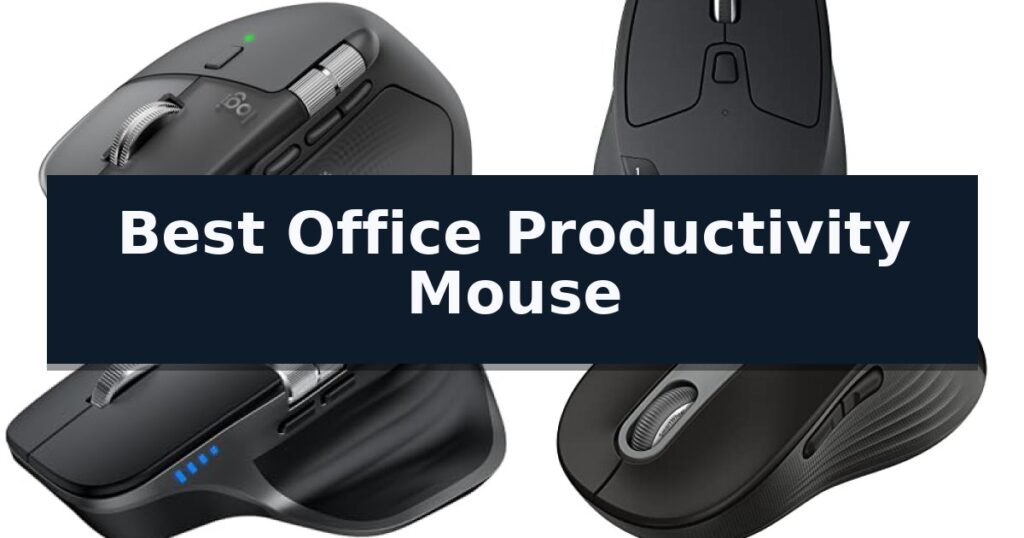
10 Best Office Productivity Mouse in 2026 Reviews
Quick Comparison
| Product | Best For | Key Strength | Score |
|---|---|---|---|
| Logitech MX Master 4 Wireless Mouse | Best Overall | Customizable haptic feedback for tactile interaction with software. | 4.9 |
| Logitech M720 Triathlon Wireless Mouse | Seamless Multi-Device Switching | Multi-device pairing for up to three computers. | 4.4 |
| TECKNET Wireless Bluetooth Mouse | Versatile Triple-Device Connectivity | Seamless 3-device switching via Bluetooth and 2.4GHz USB-A. | 4.9 |
| Logitech Signature M650 Wireless Mouse | Quiet Precision for Daily Tasks | SmartWheel for versatile scrolling modes | 4.7 |
| Logitech Signature M550 L Wireless Mouse | Comfortable Fit for Larger Hands | SmartWheel for efficient line-by-line and fast scrolling | 4.8 |
| Logitech M330 Silent Plus Wireless Mouse | Distraction-Free Silent Clicks | SilentTouch Technology reduces clicking noise by over 90 percent. | 4.3 |
| Logitech M705 Marathon Wireless Mouse | Extended Three-Year Battery Life | Three-year battery life significantly reduces the frequency of battery replacements. | 4.5 |
| Logitech M510 Wireless Mouse | Ergonomic Support for Long Hours | Ergonomic contoured shape with soft rubber grips for sustained comfort. | 4.7 |
| SABLUTE Wireless Mouse | Compact Travel-Friendly Design | Quiet click switches provide up to 90% noise reduction for focused work environments. | 4.9 |
| Acer Wireless Mouse | High-Sensitivity Adjustable DPI | 5 adjustable DPI levels for precise control | 4.4 |
How We Chose
To identify the best office productivity mouse, we evaluate devices based on their ability to integrate into professional workflows. We prioritize ergonomic comfort, software-based customization, and reliable connectivity. By analyzing how each model handles navigation, multi-device multitasking, and long-term daily use, we separate high-performance tools from standard peripherals.
- Ergonomic design and hand-size compatibility
- Programmability of buttons and shortcut integration
- Wireless connectivity reliability and multi-device switching
- Scroll wheel precision and secondary navigation features
- Battery life and power management efficiency
1 Logitech MX Master 4 Wireless Mouse — Advanced Haptic Precision
The Logitech MX Master 4 Wireless Mouse introduces a tactile dimension to digital navigation through its Haptic Sense Panel, which provides customizable haptic feedback for specific actions, shortcuts, and notifications. This integration aims to bridge the gap between physical input and software response, allowing users to feel their interactions with the interface.
Beyond its haptic capabilities, the device features the MagSpeed scroll wheel, engineered to scroll up to 1,000 lines per second while maintaining pixel-level precision. The mouse is built for high-demand environments, offering Quiet Clicks that reduce noise by 90% compared to standard models. Its ergonomic design includes a natural tilt and a dedicated thumb scroll wheel, intended to reduce hand stress during extended use.
Connectivity is handled via a high-performance USB-C dongle with an optimized antenna or through Bluetooth, providing versatile pairing options across Windows, MacOS, and Googlebook laptops. The Actions Ring overlay further enhances productivity by adapting to the active application, placing frequently used filters and adjustments directly at the cursor's location.
Sustainability and longevity are integrated into the construction, with the device utilizing recycled plastics—54% in the Graphite model—and a battery containing 100% recycled cobalt. The exterior is designed with improved stain resistance, and the package includes a 1-month Adobe Creative Cloud subscription to support creative workflows.
Best for: Professionals and creatives who require high-precision navigation, customizable app-specific shortcuts, and ergonomic support for long-duration workflows.
Skip if: Users who prefer a lightweight, ambidextrous mouse or those who do not require advanced haptic feedback and complex shortcut customization.
- Customizable haptic feedback for tactile interaction with software.
- MagSpeed scroll wheel capable of 1,000 lines per second.
- Ergonomic design with thumb scroll wheel to reduce hand stress.
- Quiet Clicks technology for a 90% noise reduction.
- Specialized features like the Actions Ring and Haptic Sense Panel may require a learning curve to optimize.
- Larger ergonomic form factor may not suit users with smaller hands or those preferring compact travel mice.
2 Logitech M720 Triathlon Wireless Mouse — Seamless Multi-Device Switching
Managing multiple workflows across different operating systems requires hardware that prioritizes seamless transitions. The Logitech M720 Triathlon Wireless Mouse addresses this by allowing users to pair with up to three devices simultaneously, facilitating efficient navigation between computers, laptops, and tablets.
Engineered for long-term use, this full-sized wireless PC mouse features a sculpted design with a rubberized body to support the palm during extended sessions. Its dual connectivity options provide flexibility, supporting both Bluetooth and the included Logitech Unifying receiver, which can link up to six compatible peripherals to a single USB port.
The device incorporates hyper-fast scrolling capabilities, enabling rapid movement through lengthy documents or web pages with an instant-stop feature and a switchable click-to-click mode. Productivity is further enhanced by Logitech FLOW technology, which allows for the movement of cursors, text, and files across multiple computers.
Customization is central to its utility, as the 6 customizable buttons can be configured via Logitech software to execute specific shortcuts. With a 24-month battery life and broad compatibility across Windows, macOS, Chrome OS, Linux, and iPadOS, it serves as a robust tool for diverse digital environments.
Best for: Professionals who need to switch control between multiple computers and operating systems using a single, ergonomic mouse.
Skip if: Users who prefer an ultra-compact or ambidextrous design, as this model is specifically sculpted for right-handed use.
- Multi-device pairing for up to three computers.
- Hyper-fast scrolling wheel with dual modes.
- Long-lasting battery life rated for up to 24 months.
- Logitech FLOW support for cross-computer file transfers.
- Right-handed ergonomic shape is not suitable for left-handed users.
- Full-sized dimensions may be less portable than slim travel mice.
3 TECKNET Wireless Bluetooth Mouse — Versatile Triple-Device Connectivity
Managing multiple digital workflows requires hardware that adapts to your environment, and the TECKNET Wireless Bluetooth Mouse provides a versatile solution through its seamless 3-device switching capability. By supporting two Bluetooth 5.3/5.0 connections alongside a 2.4GHz USB-A receiver, this peripheral allows you to toggle between a laptop, desktop, or tablet with the press of a single button, making it a strong contender for the Best Office Productivity Mouse.
Designed for precision and comfort, the mouse features a precision-crafted metal scroll wheel that provides a distinct tactile sensation and improved durability. For users who frequently navigate large spreadsheets or design canvases, the integrated side scroll wheel enables efficient horizontal navigation, helping to reduce repetitive wrist movements during extended work sessions.
Performance is highly customizable thanks to the high-precision 6-level DPI control, which ranges from 800 to 4800 DPI. An LED indicator provides immediate visual feedback on your current sensitivity setting, ensuring you can switch between granular control for detailed tasks and faster cursor movement for general browsing. The quiet click mechanism further enhances its utility in shared office spaces or quiet environments.
Maintenance is simplified by the rechargeable battery, which offers up to 3 months of usage on a single 1.5 to 2-hour charge based on typical daily activity. To preserve energy, the device automatically enters a sleep mode after 10 minutes of inactivity. While the mouse is widely compatible with Windows, macOS, Chrome, and Linux, users should note that side buttons are not supported on macOS and all buttons are non-programmable.
Best for: Professionals who need to switch between multiple devices and require horizontal scrolling for spreadsheet or design work.
Skip if: Users who require programmable buttons for custom macros or those operating exclusively on macOS who rely on side-button functionality.
- Seamless 3-device switching via Bluetooth and 2.4GHz USB-A.
- Side scroll wheel for efficient horizontal navigation.
- 6-level adjustable DPI for precise cursor control.
- Quiet click switches for noise-sensitive environments.
- Rechargeable battery with long-lasting performance.
- Non-programmable buttons limit custom workflow configurations.
- Side buttons are not supported on macOS systems.
4 Logitech Signature M650 Wireless Mouse — Quiet Precision for Daily Tasks
Efficiency in a workspace often comes down to the tools that minimize friction during daily tasks. The Logitech Signature M650 Wireless Mouse addresses this by integrating a SmartWheel that allows for seamless switching between line-by-line precision for detailed documents and rapid scrolling for extensive web pages.
Designed for long-term comfort, this mouse features a contoured shape, a soft thumb area, and rubber side grips to ensure a secure hold. It is engineered with SilentTouch technology, which is designed to reduce click noise by 90 percent, making it a suitable choice for shared office environments or quiet home setups.
Connectivity is handled via Bluetooth Low Energy or the included Logi Bolt USB receiver, providing flexibility for various workstation configurations. Users can further tailor their experience by utilizing the Logitech Options+ software on Windows or macOS to assign custom shortcuts to the side buttons, such as copy/paste or back/forward navigation.
The device is built for longevity, offering up to 24 months of battery life from a single AA battery. It maintains broad compatibility across major platforms, including Windows, macOS, Linux, ChromeOS, iPadOS, and Android, and is officially Works with Chromebook certified.
Best for: Users seeking a quiet, comfortable, and customizable wireless mouse for daily productivity across multiple platforms.
Skip if: Users who require a high-performance gaming sensor or a multi-button layout for complex macro-heavy workflows.
- SmartWheel for versatile scrolling modes
- SilentTouch technology for reduced click noise
- Customizable side buttons via Logitech Options+
- 24-month battery life on a single AA battery
- Broad multi-platform compatibility
- Limited to basic productivity features rather than advanced gaming or professional-grade sensors
5 Logitech Signature M550 L Wireless Mouse — Comfortable Fit for Larger Hands
Finding a peripheral that balances long-term comfort with precise navigation is essential for maintaining focus during extended work sessions. The Logitech Signature M550 L Wireless Mouse is engineered specifically for users with larger hands, featuring a contoured shape and rubber side grips that provide a secure, ergonomic hold throughout the day.
This device simplifies document navigation through its SmartWheel technology, which automatically switches between line-by-line precision and super-fast scrolling for long web pages. To minimize distractions in shared environments, the mouse utilizes SilentTouch technology, which is engineered to reduce click noise by 90 percent compared to standard models.
Connectivity is handled via Bluetooth Low Energy or the included Logi Bolt USB receiver, ensuring a reliable link across various platforms including Windows, macOS, Linux, Chrome OS, ipadOS, and Android. The unit is designed for longevity, boasting a 24-month battery life from a single AA battery, and incorporates a significant percentage of post-consumer recycled plastic in its construction.
While the mouse offers a robust feature set for productivity, it is a full-size, dedicated large-hand design. Users should ensure their workspace setup accommodates its specific dimensions to fully benefit from the intended ergonomic support.
Best for: Users with larger hands seeking a quiet, ergonomic, and long-lasting wireless mouse for multi-platform office productivity.
Skip if: Users who prefer a compact, travel-sized mouse or those who require advanced gaming-grade sensors and programmable side buttons.
- SmartWheel for efficient line-by-line and fast scrolling
- SilentTouch technology for significantly reduced click noise
- 24-month battery life for extended, low-maintenance use
- Ergonomic contoured shape specifically sized for larger hands
- Full-size design may be too large for users with smaller hands
- Lacks advanced customization software features found in high-end gaming mice
6 Logitech M330 Silent Plus Wireless Mouse — Distraction-Free Silent Clicks
Maintaining a quiet workspace is often as important as the precision of your input device, and the Logitech M330 Silent Plus Wireless Mouse addresses this by utilizing SilentTouch Technology. This feature is engineered to reduce clicking sounds by over 90 percent, allowing for a distraction-free environment without sacrificing the tactile feedback expected from a standard mouse.
Designed specifically for right-handed users, the mouse features naturally shaped contoured plastic grips that prioritize long-term comfort during extended work sessions. Its lightweight build and ergonomic form factor make it a practical choice for daily office tasks, while the 1000 dpi optical tracking ensures reliable cursor control across a variety of common desk surfaces.
Connectivity is handled through a 2.4 GHz USB-A Nano Receiver, which provides a wireless range of up to 33 feet. The plug-and-play setup is compatible with Windows, macOS, ChromeOS, and Linux, requiring no complex software installation. To support consistent productivity, the device includes an auto-sleep power-saving mode that helps extend the battery life up to 18 months on a single AA battery.
Sustainability is integrated into the manufacturing process, as the black version of the device is constructed with 76 percent certified post-consumer recycled plastic. With a compact footprint of approximately 1.5 inches by 2.7 inches by 4.2 inches, this mouse is a straightforward, functional tool for professionals seeking a reliable and quiet peripheral.
Best for: Right-handed professionals who require a quiet, reliable, and ergonomic mouse for daily office productivity.
Skip if: Users who require a left-handed design, advanced programmable side buttons, or Bluetooth connectivity.
- SilentTouch Technology reduces clicking noise by over 90 percent.
- Long battery life of up to 18 months with auto-sleep functionality.
- Ergonomic contoured design tailored for right-handed comfort.
- Plug-and-play compatibility with major operating systems via USB-A receiver.
- Right-handed only design limits usability for left-handed users.
- USB-A receiver requires an available port and lacks Bluetooth connectivity.
7 Logitech M705 Marathon Wireless Mouse — Extended Three-Year Battery Life
The Logitech M705 Marathon Wireless Mouse distinguishes itself through an exceptionally efficient power management system that allows for up to three years of battery life. This longevity makes it a reliable tool for high-volume office environments where minimizing maintenance downtime is a priority.
Designed with a sculpted, right-hand form factor, the mouse provides a natural grip for extended work sessions. It features a nearly frictionless metal scroll wheel that supports hyper-fast scrolling, enabling users to navigate long documents or web pages with a single spin. For added efficiency, the device includes two thumb-accessible buttons that facilitate quick navigation between web pages.
Precision is handled by a laser-grade tracking sensor, which maintains responsiveness on challenging surfaces like wood-grain or polished tables where standard optical sensors may struggle. The mouse connects via the included Logitech Unifying receiver, a compact USB-A nano adapter that can remain plugged into a laptop port without risk of damage or loss. This receiver also supports the pairing of additional compatible Logitech peripherals, helping to keep workspace connections organized.
While the Logitech M705 Marathon Wireless Mouse offers robust features for productivity, users should note its right-handed ergonomic design, which may not be suitable for left-handed individuals. Its full-size build is intended for comfort, though it occupies more space in a laptop bag compared to ultra-compact travel mice.
Best for: Professionals seeking a long-lasting, ergonomic wireless mouse for extended daily office tasks on various desk surfaces.
Skip if: Left-handed users or those requiring an ultra-portable, low-profile mouse for frequent travel will find other designs more appropriate.
- Three-year battery life significantly reduces the frequency of battery replacements.
- Hyper-fast scrolling wheel allows for rapid navigation of long documents.
- Laser-grade tracking provides consistent performance on difficult surfaces like polished wood.
- Logitech Unifying receiver simplifies connectivity by supporting multiple compatible devices.
- Right-handed ergonomic shape limits usability for left-handed users.
- Full-size dimensions may be less convenient for users prioritizing maximum portability.
8 Logitech M510 Wireless Mouse — Ergonomic Support for Long Hours
Maintaining a comfortable hand position during extended work sessions is the primary focus of the Logitech M510 Wireless Mouse. Its design centers on a contoured shape featuring soft rubber grips and gently curved sides, providing a broad palm area intended to support the hand through long hours of use.
Beyond its physical form, the mouse includes several functional controls to improve workflow efficiency. It features three standard buttons alongside dedicated Back and Forward buttons that can be programmed to switch applications or toggle full-screen modes. Users can also utilize the tilt-to-scroll function to navigate horizontally and vertically through documents, spreadsheets, or media libraries.
Power management is handled through an efficient system designed for longevity, with a battery life rated for up to two years. The device includes an integrated On/Off switch and a smart sleep mode to conserve energy, while an indicator light provides a visual alert to prevent unexpected power loss.
Connectivity is managed via the included Logitech Unifying receiver, a compact USB-A nano component that can remain plugged into a laptop during transport. This receiver supports the addition of other compatible wireless peripherals, allowing for a consolidated setup that minimizes the need for multiple USB ports.
Best for: Users seeking an ergonomic, full-sized mouse with programmable navigation buttons and long-term battery efficiency for daily office tasks.
Skip if: Users who require a high-precision gaming sensor, silent-click switches, or Bluetooth connectivity for devices lacking a USB-A port.
- Ergonomic contoured shape with soft rubber grips for sustained comfort.
- Programmable buttons and tilt-to-scroll functionality for enhanced navigation.
- Long-lasting 2-year battery life with power-saving sleep mode.
- Compact Logitech Unifying receiver allows for multi-device pairing.
- Requires Logitech software for advanced button customization.
- Relies on a USB-A receiver rather than Bluetooth connectivity.
9 SABLUTE Wireless Mouse — Compact Travel-Friendly Design
Maintaining a clutter-free workspace often starts with the right peripherals, and the SABLUTE Wireless Mouse offers a streamlined solution for those who prioritize portability and quiet operation. Designed with an asymmetrical shape specifically for right-hand use, this mouse incorporates a built-in thumb rest to minimize grip pressure during extended periods of computer work.
Performance is driven by a 2.4GHz wireless connection that provides stability up to 33 feet, ensuring a reliable link for both desktop and mobile setups. Users can toggle between three DPI settings—800, 1200, and 1600—to adjust cursor precision, while dedicated forward and back buttons facilitate faster navigation through documents and web pages.
The device is engineered for versatility in modern office environments, featuring up to 90% noise reduction on its click switches. This silent operation is complemented by a tactile rubber scroll wheel, making it suitable for shared workspaces or quiet settings. It also includes a USB-A nano receiver and a USB-C adapter, ensuring compatibility across a wide range of operating systems including Windows, Mac, and Chrome OS.
Efficiency is further supported by an intelligent power-saving system that utilizes light and deep sleep modes to extend battery life up to 18 months on a single AA battery. Its compact dimensions of 4.09 x 2.68 x 1.49 inches make it a practical choice for users who frequently transition between home and office environments, as it functions on various surfaces without requiring a dedicated mouse pad.
Best for: Small to medium-handed users who need a quiet, portable, and multi-device compatible mouse for office or travel use.
Skip if: Users with large hands or those who require advanced programmable macro buttons and high-performance gaming sensors will find this model too compact and limited in functionality.
- Quiet click switches provide up to 90% noise reduction for focused work environments.
- Dual connectivity via included USB-A receiver and USB-C adapter ensures broad compatibility.
- Ergonomic design with a dedicated thumb rest supports comfort for small to medium hands.
- Long battery life of up to 18 months reduces the frequency of maintenance.
- Right-hand specific asymmetrical shape is not suitable for left-handed users.
- AA battery not included, requiring an additional purchase before use.
10 Acer Wireless Mouse — High-Sensitivity Adjustable DPI
Precision and comfort define the Acer Wireless Mouse, a peripheral engineered to accommodate medium to large hands during extended office sessions. By utilizing a 2.4GHz wireless connection with a range of up to 33 feet, this device eliminates cable clutter while maintaining a stable link to your desktop or laptop via a compact USB-A receiver.
The mouse offers significant flexibility for varied tasks through its 5 adjustable DPI levels, ranging from 800 to 4000 DPI. A visible indicator light provides real-time feedback on your current sensitivity setting, with distinct flash patterns for each level. This same light serves as a low-battery warning, flashing red continuously when power drops below 10%.
Designed for productivity, the unit includes dedicated forward and backward buttons to streamline navigation through web pages and documents. The hardware is rated for up to 10 million clicks, ensuring long-term utility. To preserve energy, the mouse enters a standby mode after 10 minutes of inactivity and can be quickly reactivated with a few clicks.
Maintenance is straightforward, requiring a single AA battery (not included). The USB-A receiver is conveniently stored within the mouse body for portability. Users should note that a protective film at the bottom must be removed before operation, and the power switch must be toggled to the 'ON' position for the device to function.
Best for: Users with medium to large hands who require adjustable DPI sensitivity and quick-access navigation buttons for office tasks.
Skip if: Users who require Bluetooth connectivity or a rechargeable internal battery, as this model relies on a USB-A receiver and AA batteries.
- 5 adjustable DPI levels for precise control
- Dedicated forward and backward buttons for efficient navigation
- Visible indicator light for DPI and battery status
- 10 million click rating for long-term durability
- Requires separate AA battery which is not included
- USB-A receiver requires an available port and is not Bluetooth compatible
Best Office Productivity Mouse Buying Guide
Ergonomics and Hand Support
The physical shape of a mouse significantly impacts comfort during extended work sessions. Models designed with a contoured, right-handed grip help maintain a natural wrist position, reducing the strain associated with repetitive movements.
Buyers should consider whether a full-sized mouse or a compact design fits their hand size. Larger frames often provide better palm support, while smaller, travel-friendly options are easier to transport but may lack the same level of long-term ergonomic relief.
Customization and Workflow Efficiency
Advanced productivity mice often include programmable buttons that allow users to assign specific shortcuts or macros. This capability can drastically reduce the time spent navigating menus in creative or data-heavy applications.
Look for software compatibility that enables per-app profiles. This allows the mouse to automatically adapt its button functions based on the software currently in use, ensuring your most-needed tools are always accessible.
Connectivity and Multi-Device Use
Modern office environments often require managing multiple computers or tablets simultaneously. Mice that support both Bluetooth and USB receiver connections offer the most flexibility for switching between different operating systems.
Multi-device pairing allows a single mouse to control several machines with the press of a button. This is particularly useful for users who maintain a primary workstation alongside a secondary laptop or tablet.
Navigation and Scrolling Precision
High-quality scroll wheels are a hallmark of a productive mouse. Features like hyper-fast scrolling allow you to zip through long documents, while precision modes ensure you can stop exactly where needed.
Some models include side-scroll wheels, which are invaluable for navigating wide spreadsheets or design canvases. This secondary input method can save significant time by eliminating the need to use horizontal scroll bars.
Battery Life and Power Management
Consistent performance depends on reliable power. Rechargeable models offer convenience and reduce waste, while battery-powered options often boast impressive longevity, sometimes lasting up to two years on a single charge.
Auto-sleep features are essential for preserving battery life during periods of inactivity. Always check for low-battery indicators to ensure your mouse does not lose power in the middle of a critical task.
Frequently Asked Questions
Do I need special software to use programmable buttons?
Yes, most productivity mice require proprietary software from the manufacturer to customize button assignments and create application-specific profiles.
Can I use a productivity mouse on glass surfaces?
Many high-end models feature advanced optical or laser sensors capable of tracking on difficult surfaces like glass or polished wood, but you should check the specific model's sensor capabilities.
What is the difference between Bluetooth and a USB receiver?
Bluetooth is ideal for devices without USB ports, while a dedicated USB receiver often provides a more stable, interference-free connection in environments with many wireless signals.
Are silent clicks necessary for an office environment?
Silent clicks are beneficial in shared workspaces or quiet offices to minimize distractions, though they may offer a slightly different tactile feel compared to standard mechanical switches.
How do I know if a mouse is the right size for my hand?
A mouse is generally well-sized if your fingers rest comfortably on the primary buttons and your palm is supported without needing to claw or overextend your grip.
Conclusion: Our Top Pick
Our top pick is Logitech MX Master 4 Wireless Mouse. Choosing the right mouse for your office setup depends on your specific balance of ergonomic needs and technical requirements. While high-end models offer advanced features like haptic feedback and extensive customization, simpler, reliable options can be just as effective for standard daily tasks.
Consider your most frequent workflows, such as spreadsheet management or creative design, to prioritize the features that will provide the most value. By focusing on comfort and connectivity, you can select a tool that enhances your productivity and reduces physical fatigue.