The LG 34WR55QK-B UltraWide Monitor is our top choice for the Best Office Ultrawide Monitor, offering a balance of high-resolution screen real estate and essential USB-C power delivery for a streamlined desk setup.
For users prioritizing laptop docking, the ViewSonic VG3409C Ultrawide Monitor provides an integrated KVM switch and 96W power delivery to simplify complex workstations. If your primary goal is maximizing screen real estate, the Samsung 49-inch Business Ultrawide Monitor delivers a massive 32:9 aspect ratio that effectively replaces a dual-monitor configuration.
Selecting the right display requires balancing your available desk space against the need for multitasking efficiency. While larger 49-inch models offer unparalleled width, they demand significant desk depth and width, whereas 34-inch models often provide a more comfortable viewing distance for standard office tasks.
If you are still deciding on the right display technology for your desk, our guide to the Best Office Monitor provides additional context on standard versus ultrawide options. To complete your workstation, pairing your new display with the Best Office Productivity Mouse can further streamline your daily workflow.
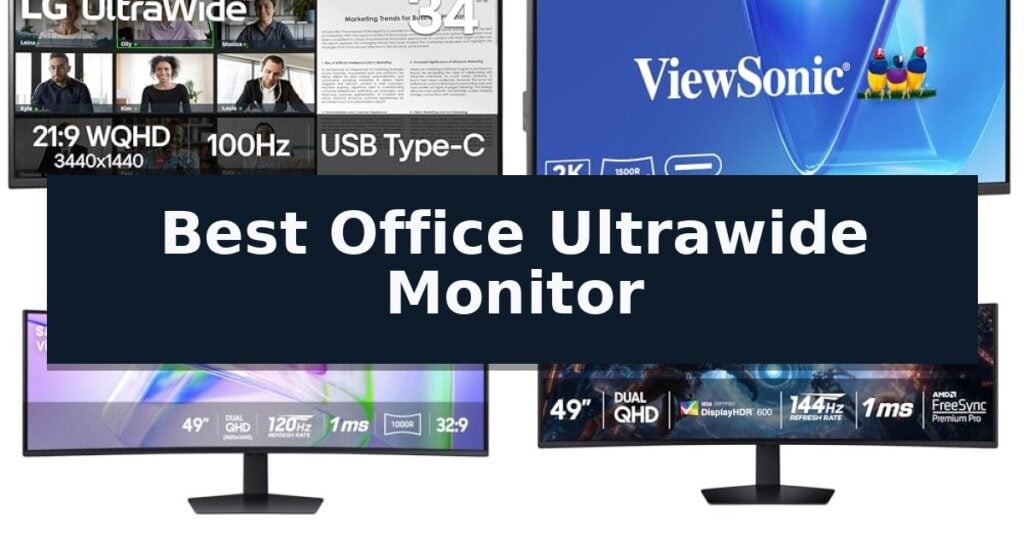
10 Best Office Ultrawide Monitor in 2026 Reviews
Quick Comparison
| Product | Best For | Key Strength | Score |
|---|---|---|---|
| LG 34WR55QK-B UltraWide Monitor | Best Overall | USB Type-C connectivity with 65W power delivery for simplified desk setups. | 4.9 |
| ViewSonic VG3409C Ultrawide Monitor | Ideal for Laptop Docking | 96W USB-C power delivery simplifies laptop docking and cable management. | 4.7 |
| Samsung 49-inch Business Ultrawide Monitor | Maximum Screen Real Estate | 90W USB-C charging simplifies desk connectivity by acting as a central hub. | 4.4 |
| Samsung 49-inch Odyssey G9 Monitor | Immersive Panoramic Workspace | 1000R curvature provides an immersive, panoramic viewing experience. | 4.5 |
| LG 34U530A-W UltraWide Monitor | Sleek Minimalist Setup | USB Type-C connectivity simplifies cable management by combining data and display signals. | 4.7 |
| LG 34SR60QC-W Smart Monitor | Built-in Streaming Capabilities | Integrated webOS23 allows for streaming and cloud PC access without a computer. | 4.5 |
| INNOCN 34-inch Ultrawide Monitor | Sharp IPS Color Accuracy | 21:9 aspect ratio provides extensive horizontal screen real estate for multitasking. | 4.4 |
| Sceptre 34-inch Curved Ultrawide Monitor | High Refresh Rate Value | 21:9 Ultrawide format increases effective workspace by 30%. | 4.6 |
| Samsung 34-inch ViewFinity S5 Monitor | Reliable Professional Visuals | 120Hz refresh rate for smooth motion and reduced lag. | 4.3 |
| Acer Nitro 34-inch Ultrawide Monitor | Smooth Fluid Scrolling | 1500R curved display provides a uniform viewing experience. | 4.9 |
How We Chose
When evaluating the best office ultrawide monitor, we focus on how effectively a display manages professional workflows. We prioritize connectivity options that reduce cable clutter, ergonomic features that support long-term comfort, and screen real estate management tools that allow users to organize multiple windows without the need for secondary monitors.
- Resolution and Aspect Ratio clarity
- USB-C Power Delivery and Docking capability
- Ergonomic adjustability including height and tilt
- Multitasking features like Picture-by-Picture (PbP)
- Panel type and color gamut accuracy
1 LG 34WR55QK-B UltraWide Monitor — Best for Ergonomic Productivity
Maximizing screen real estate for professional multitasking requires a display that balances resolution with functional workspace management. The LG 34WR55QK-B UltraWide Monitor addresses this by utilizing a 21:9 aspect ratio and a 3440 x 1440 WQHD resolution, providing an expansive canvas that allows for multiple windows to remain open side-by-side without the need for a secondary monitor.
Beyond its physical dimensions, this monitor integrates OnScreen Control software, which enables users to split the display or configure Picture-by-Picture (PbP) modes. This functionality is particularly useful for those managing content from two separate input sources simultaneously, such as a laptop and a desktop, on a single screen.
Connectivity is streamlined through a USB Type-C port that supports up to 65W power delivery, allowing users to charge compatible laptops while transmitting display data over a single cable. The inclusion of two HDMI ports, a DisplayPort, and additional USB ports ensures compatibility with a variety of peripherals, while the ergonomic stand provides necessary height and tilt adjustments for optimal viewing comfort.
To support extended work sessions, the monitor features Reader Mode, which is designed to reduce blue light output. The visual experience is further supported by HDR10 and a 99% sRGB color gamut, ensuring color accuracy for professional tasks. The three-sided virtually borderless design minimizes distractions, maintaining a clean aesthetic for any office environment.
Best for: Professionals who require a wide, single-screen workspace with integrated USB-C power delivery and flexible multitasking controls.
Skip if: Users who require a 4K resolution display or those who prefer a flat panel over a curved screen for specific design or architectural workflows.
- USB Type-C connectivity with 65W power delivery for simplified desk setups.
- 21:9 UltraWide WQHD resolution provides extensive multitasking space.
- OnScreen Control with Picture-by-Picture support for dual-source management.
- Ergonomic stand allows for precise height and tilt adjustments.
- Curved display may not be suitable for all professional design or drafting applications.
- 100Hz refresh rate is optimized for general productivity rather than high-end creative color grading.
2 ViewSonic VG3409C Ultrawide Monitor — Ideal for Laptop Docking
Managing multiple professional tasks often requires more screen real estate than a standard display can provide. The ViewSonic VG3409C Ultrawide Monitor addresses this by offering a expansive 34-inch screen with a 21:9 aspect ratio, designed to keep spreadsheets, creative timelines, and communication apps visible simultaneously without the need for a dual-monitor setup.
This monitor features a 3440 x 1440 UWQHD resolution on a VA panel, which utilizes a 1500R curve to maintain consistent viewing distances across the width of the display. For productivity, the 120Hz refresh rate and 3.5ms response time ensure fluid motion during daily navigation and media playback, while the 3,000:1 static contrast ratio provides depth for detailed work.
Connectivity is a primary focus for modern workstations. The integrated 96W USB-C docking capability allows users to transmit audiovisual signals, data, and power to a compatible laptop through a single cable, significantly reducing desktop clutter. An integrated KVM switch and USB hub further streamline the workspace by allowing peripherals to be shared across multiple connected systems.
The physical design prioritizes versatility with an adjustable stand that supports ergonomic positioning. Additionally, the inclusion of HDMI 2.1 and DisplayPort inputs ensures compatibility with a variety of hardware configurations, while the built-in dual 2W speakers provide basic audio functionality for meetings and media.
Best for: Professionals who need a single-cable docking solution for laptops while managing multiple applications on a wide, curved workspace.
Skip if: Users who require high-precision color accuracy for professional-grade photo or video editing, as this VA panel is optimized for general office productivity and multitasking.
- 96W USB-C power delivery simplifies laptop docking and cable management.
- Integrated KVM switch allows for easy control of multiple systems with one set of peripherals.
- 120Hz refresh rate provides smooth visual performance for daily tasks.
- 34-inch UWQHD curved display offers significant screen real estate for multitasking.
- VA panel technology may not meet the color-critical requirements of professional creative workflows.
- 2W speakers offer limited audio fidelity compared to external sound systems.
3 Samsung 49-inch Business Ultrawide Monitor — Maximum Screen Real Estate
The Samsung 49-inch Business Ultrawide Monitor transforms desktop workflows by replacing multi-monitor setups with a single, expansive 49-inch 1000R curved display. This monitor utilizes a 32:9 aspect ratio that mirrors the natural field of view, allowing users to manage multiple windows or complex design projects side-by-side without the visual interruption of screen bezels.
Beyond its physical dimensions, this unit functions as a comprehensive docking station. It features a versatile array of connectivity options, including DisplayPort, two HDMI inputs, and a USB Type-C port capable of 90W power delivery. This integration allows users to charge laptops and connect peripherals directly through the monitor, significantly reducing cable clutter on the workspace.
Performance is tailored for both productivity and leisure, featuring a 120Hz refresh rate that ensures smooth scrolling and fluid motion. For creative tasks, the display supports VESA DisplayHDR 400, which enhances the range of luminous blacks and whites, providing refined shade accuracy for video and design work.
The design prioritizes efficiency and user comfort. Built-in speakers eliminate the need for external audio peripherals, saving valuable desk space. The inclusion of an adjustable stand allows for ergonomic positioning, while the 1000R curvature is specifically engineered to keep the entire screen within a comfortable viewing distance.
Best for: Professionals who require a massive, bezel-free workspace for multitasking, video editing, or complex data management.
Skip if: Users with limited desk space or those who prefer a traditional vertical dual-monitor setup for specific window snapping workflows.
- 90W USB-C charging simplifies desk connectivity by acting as a central hub.
- 1000R curvature provides an immersive, ergonomic field of view.
- 120Hz refresh rate ensures smooth motion for both work and media.
- Integrated speakers reduce the need for external audio equipment.
- Large 49-inch footprint requires significant desk surface area.
- Ultrawide aspect ratio may not be natively supported by all legacy software applications.
4 Samsung 49-inch Odyssey G9 Monitor — Immersive Panoramic Workspace
The Samsung 49-inch Odyssey G9 Monitor features a massive 1000R curved display that mimics the field of view of two side-by-side 16:9 monitors. This expansive 32:9 ultra-wide canvas is designed to provide a panoramic workspace, allowing users to manage complex workflows or gaming environments without the visual interruption of a physical bezel between screens.
Engineered for fluid motion, the display supports a 144Hz refresh rate and a 1ms response time, which work together to minimize lag during fast-paced tasks. The integration of AMD FreeSync Premium Pro and variable refresh rate (VRR) technology helps ensure that the visual output remains smooth, reducing screen tearing and choppiness for a more consistent experience.
Productivity is enhanced through advanced multitasking tools, including a split-screen function and Picture-in-Picture (PiP). These features allow users to organize chats, reference materials, and primary applications on a single screen. The Auto Source Switch+ functionality adds convenience by automatically detecting and switching to active connected devices, eliminating the need to manually toggle through input menus.
Visual fidelity is supported by DisplayHDR 600, which enhances contrast to produce deeper blacks and brighter whites. The monitor includes an ergonomic stand that allows for tilt adjustments, ensuring that the user can position the screen for optimal viewing comfort during extended periods of use.
Best for: Professionals and gamers who require a massive, seamless panoramic workspace for multitasking or immersive visual applications.
Skip if: Users with limited desk space or those who prefer a multi-monitor setup with independent, flat displays for specific window snapping workflows.
- 1000R curvature provides an immersive, panoramic viewing experience.
- 32:9 aspect ratio effectively replaces two standard monitors.
- 144Hz refresh rate and 1ms response time ensure smooth visual performance.
- Auto Source Switch+ simplifies input management between multiple devices.
- Large physical footprint requires significant desk surface area.
- 32:9 ultra-wide format may not be compatible with all software applications or video content.
5 LG 34U530A-W UltraWide Monitor — Sleek Minimalist Setup
The LG 34U530A-W UltraWide Monitor streamlines complex workflows by providing a expansive 34-inch 21:9 display, offering significantly more horizontal real estate than traditional 16:9 panels. This monitor is engineered for those who need to manage multiple windows simultaneously without the visual disruption of a dual-monitor setup.
Equipped with a 100Hz refresh rate and VESA DisplayHDR 400 certification, the display ensures fluid motion and enhanced contrast for both professional tasks and media consumption. The IPS panel maintains color accuracy with 99% sRGB coverage, ensuring consistent image quality across wide viewing angles.
Connectivity is centered around a versatile USB Type-C port, which facilitates both display signal and data transfer through a single cable, effectively reducing desk clutter. For audio needs, the integrated stereo speakers featuring Waves MaxxAudio provide sound output directly from the monitor.
The included Switch app enhances productivity by allowing users to split the screen into up to six distinct sections, providing a customizable layout for various multitasking scenarios. Additionally, the Reader Mode feature shifts the display to warmer tones to reduce eye strain during long periods of document review or web browsing.
Physical ergonomics are supported by a slim L-shaped stand that offers height, tilt, and swivel adjustments, allowing for a tailored viewing position. The narrow-bezel design contributes to a clean, minimalist aesthetic suitable for modern office environments.
Best for: Professionals and multitaskers who require an expansive horizontal workspace and single-cable connectivity for a streamlined desk setup.
Skip if: Users who require 4K resolution or specialized color-critical performance for professional video editing may find the WFHD resolution insufficient.
- USB Type-C connectivity simplifies cable management by combining data and display signals.
- 100Hz refresh rate provides smoother motion compared to standard 60Hz office monitors.
- Switch app enables advanced screen splitting for efficient multitasking.
- Adjustable stand allows for height, tilt, and swivel customization.
- WFHD resolution (2560 x 1080) may appear less sharp on a 34-inch screen compared to higher-density displays.
- Integrated speakers are designed for casual use rather than high-fidelity audio production.
6 LG 34SR60QC-W Smart Monitor — Built-in Streaming Capabilities
The LG 34SR60QC-W Smart Monitor distinguishes itself by integrating a full webOS23 interface directly into its 34-inch curved display, allowing users to stream content from services like Netflix and Disney+ without needing a connected computer. This 21:9 ultrawide panel features a 1800R curve and QHD resolution, providing a panoramic workspace that is designed to enhance multitasking efficiency.
Beyond its streaming capabilities, this monitor is built for productivity with support for cloud-based applications such as Microsoft 365 and Google Workspace. The inclusion of Apple AirPlay 2 and HomeKit compatibility enables wireless screen mirroring and control, while the 99% sRGB color gamut and HDR10 support ensure accurate visual reproduction for both professional tasks and media consumption.
Connectivity is handled through a versatile array of ports, including two HDMI and three USB inputs, facilitating easy integration with various peripherals. The monitor features a 3-side virtually frameless design that maintains a clean aesthetic on any desk, and it supports the LG Magic Remote for intuitive voice-controlled navigation.
While the monitor offers a comprehensive suite of smart features, users should note that the LG Magic Remote is sold separately. The 100Hz refresh rate provides smooth motion, though users prioritizing high-end competitive gaming may find the feature set more tailored toward a balance of office productivity and entertainment rather than specialized gaming performance.
Best for: Professionals and home users who want a single display that functions as both a dedicated PC monitor and a standalone smart TV for streaming.
Skip if: Users who require a high-refresh-rate display specifically for competitive gaming or those who do not need built-in smart streaming features.
- Integrated webOS23 allows for streaming and cloud PC access without a computer.
- 34-inch 21:9 curved display provides an expansive, immersive workspace.
- Wireless connectivity via Apple AirPlay 2 and Bluetooth.
- 99% sRGB color gamut for reliable color accuracy.
- Magic Remote sold separately, limiting out-of-the-box voice control functionality.
7 INNOCN 34-inch Ultrawide Monitor — Sharp IPS Color Accuracy
The INNOCN 34-inch Ultrawide Monitor utilizes a expansive 21:9 aspect ratio to provide the screen real estate equivalent of two side-by-side displays, making it a functional solution for complex multitasking such as video editing, coding, or managing multiple document windows simultaneously.
Engineered for both productivity and entertainment, this monitor features a 180Hz refresh rate and 1ms MPRT response time to minimize motion blur. It integrates Adaptive-Sync and G-SYNC Compatible technology to reduce screen tearing and stuttering during high-frame-rate tasks, while the IPS panel ensures consistent color reproduction across 178° viewing angles.
Visual fidelity is supported by 100% sRGB color gamut coverage and HDR400 support, which enhances contrast to maintain detail in both shadows and highlights. For users managing multiple inputs, the built-in PIP (Picture-in-Picture) and PBP (Picture-by-Picture) modes allow for simultaneous display from two different devices, such as a laptop and a console, without requiring input switching.
The ergonomic design includes a stand with 130mm height adjustment and -5°~15° tilt, allowing for customized positioning to support comfort during extended sessions. Connectivity options include dual HDMI 2.0 ports and a DP 1.4 port, providing a straightforward plug-and-play setup for various workstations.
Best for: Professionals and creators who require a wide workspace for multitasking and demand high refresh rates for smooth visual performance.
Skip if: Users who require integrated USB-C docking capabilities or built-in KVM switches for advanced peripheral management may find the connectivity options insufficient.
- 21:9 aspect ratio provides extensive horizontal screen real estate for multitasking.
- 180Hz refresh rate and 1ms response time ensure smooth motion.
- PIP/PBP modes allow for simultaneous multi-device viewing.
- Fully adjustable ergonomic stand supports height and tilt customization.
- Limited connectivity options lack modern USB-C or KVM functionality.
8 Sceptre 34-inch Curved Ultrawide Monitor — High Refresh Rate Value
Expanding your digital workspace requires more than just extra pixels; it demands a display that balances screen real estate with responsive performance. The Sceptre 34-inch Curved Ultrawide Monitor (C345B-QUT168) addresses this by integrating a 21:9 aspect ratio that provides 30% more screen space than conventional monitors, allowing for efficient side-by-side multitasking without the need for a dual-monitor setup.
At the core of its performance is a WQHD resolution (3440 x 1440), which packs 5 million pixels into the display to deliver detailed imagery. The monitor features a 1ms MPRT response time, a specification designed to minimize ghosting during fast-paced visual transitions. This responsiveness is complemented by a high refresh rate of up to 180Hz/165Hz, which ensures smooth motion across the expansive curved panel.
Design-wise, the unit incorporates a modern aesthetic with Luminous Backcover Lights that provide a distinct visual accent. The R1500 curvature is engineered to wrap the display around the user's field of view, which can help maintain consistent viewing distances across the wide panel. Connectivity is handled via dual DisplayPort inputs, and the monitor includes built-in speakers for basic audio output.
While the ultrawide format is effective for productivity, users should note that the physical footprint measures 31.8 inches in width. The inclusion of a limited 1-year warranty provides a baseline for support, and the overall construction weighs 15.32 pounds. This model serves as a functional solution for those prioritizing screen width and high refresh rates in their office environment.
Best for: Professionals and power users who need extensive horizontal screen real estate for multitasking and high-refresh-rate visual workflows.
Skip if: Users with limited desk width or those who require specialized color-critical accuracy beyond the 99% sRGB coverage.
- 21:9 Ultrawide format increases effective workspace by 30%.
- 1ms MPRT response time reduces ghosting for fluid motion.
- High refresh rate up to 180Hz/165Hz for smooth visual performance.
- WQHD resolution provides 3440 x 1440 detail for sharp text and imagery.
- Large physical footprint requires significant desk space.
- Limited 1-year warranty duration.
9 Samsung 34-inch ViewFinity S5 Monitor — Reliable Professional Visuals
The Samsung 34-inch ViewFinity S5 Monitor centers on a 1800R curved display, designed to provide a panoramic field of view that enhances immersion for professional workflows. By utilizing an ultrawide QHD resolution and a 21:9 aspect ratio, this monitor offers significant screen real estate for managing multiple applications simultaneously without the need for a dual-monitor setup.
Performance is driven by a 120Hz refresh rate, which works to minimize motion blur and screen lag during intensive tasks. To maintain visual integrity, the inclusion of AMD FreeSync Premium synchronizes the GPU and panel to mitigate image tearing. The display also supports HDR10, capable of rendering over 1 billion colors to improve contrast between highlights and shadows.
For long-term usability, the monitor incorporates Eye Saver Mode, a technology certified by TÜV that minimizes blue light emissions and reduces screen flickering to help mitigate eye strain. Connectivity is handled through integrated HDMI and DisplayPort interfaces, providing a straightforward approach to connecting workstations and peripherals.
While the monitor is equipped with features like Game Mode to adjust color and contrast settings for clearer scenes, its primary focus remains on productivity and professional visual accuracy. The 1800R curve is specifically engineered to keep the edges of the screen within a comfortable viewing distance, supporting efficient multitasking across the wide 34-inch panel.
Best for: Professionals who require a wide, curved workspace for multitasking and color-accurate creative tasks.
Skip if: Users who require a flat screen for specific design work or those with limited desk space for a 34-inch ultrawide form factor.
- 120Hz refresh rate for smooth motion and reduced lag.
- 1800R curved display provides a panoramic, immersive workspace.
- HDR10 support delivers a wide color gamut with over 1 billion colors.
- Eye Saver Mode reduces blue light and flickering for comfort.
- Large 34-inch footprint may not fit on all desk configurations.
- Ultrawide aspect ratio requires specific software support for full-screen optimization.
10 Acer Nitro 34-inch Ultrawide Monitor — Smooth Fluid Scrolling
The Acer Nitro 34-inch Ultrawide Monitor features a 1500R curved 21:9 display that wraps around your field of view, ensuring every corner of the screen remains at a consistent distance from your eyes for a uniform viewing experience. This design choice minimizes blind spots, making it a functional upgrade for users who manage multiple windows or complex workflows simultaneously.
Equipped with a 3440 x 1440 UWQHD resolution, this monitor provides sharp picture quality across its expansive workspace. The zero-frame design removes thick borders, maximizing the available screen real estate and allowing for a more immersive edge-to-edge visual experience. For connectivity, the unit includes one DisplayPort 1.4 and two HDMI 2.1 ports, providing flexibility for various workstation setups.
Performance-focused features include a 120Hz refresh rate and a 1ms response time, which help reduce input lag and ensure smooth transitions during fast-paced tasks. The integration of AMD FreeSync Premium technology further assists in maintaining frame stability by syncing the monitor with the graphics card, effectively eliminating screen tearing during operation.
Ergonomics and color accuracy are also addressed, with the monitor offering a 99% sRGB color saturation for consistent color reproduction. The stand supports a tilt range of -5 to 20 degrees, allowing for personalized viewing angles, and the chassis is VESA mountable (100 x 100mm) for those who prefer using monitor arms to further optimize their desk configuration.
Best for: Professionals and multitaskers who require an expansive, high-resolution curved workspace to manage multiple applications simultaneously.
Skip if: Users who require a flat screen for specialized graphic design work or those with limited desk depth who cannot accommodate the 31.81-inch width of this ultrawide display.
- 1500R curved display provides a uniform viewing experience.
- 120Hz refresh rate ensures smooth motion and reduced input lag.
- Zero-frame design maximizes usable screen space.
- 99% sRGB color saturation for accurate color representation.
- Large footprint requires significant desk space.
- Fixed height stand limits vertical ergonomic adjustments.
Best Office Ultrawide Monitor Buying Guide
The Importance of Screen Real Estate
Ultrawide monitors provide a 21:9 or 32:9 aspect ratio, which is significantly wider than standard 16:9 displays. This extra horizontal space allows you to place multiple applications side-by-side, reducing the need to toggle between windows and improving overall workflow efficiency.
For tasks like data analysis, video editing, or managing complex spreadsheets, this additional width acts as a virtual dual-monitor setup. By eliminating the physical bezel gap between two separate screens, you gain a continuous, uninterrupted workspace that is easier on the eyes.
Connectivity and Docking Solutions
Modern office monitors often function as a central hub for your laptop. Models featuring USB-C connectivity can handle video signals, data transfer, and power delivery through a single cable, which significantly cleans up your desk environment.
If you use multiple computers, look for monitors with built-in KVM switches. This feature allows you to control two different devices using the same keyboard and mouse, making it easy to switch between a work laptop and a personal desktop without unplugging peripherals.
Ergonomics and Viewing Comfort
Because ultrawide screens are physically large, ergonomic adjustability is critical for maintaining a healthy posture. A stand that offers height, tilt, and sometimes swivel adjustments ensures the top of your screen is at eye level, preventing neck strain during long work hours.
Curvature also plays a role in comfort. A curved display, typically measured in radii like 1500R or 1800R, brings the edges of the screen closer to your peripheral vision. This reduces the need to turn your head constantly, keeping the entire display at a more consistent focal distance.
Panel Technology and Color Accuracy
Most office-focused ultrawide monitors utilize IPS or VA panels. IPS panels are generally preferred for their superior color accuracy and wide viewing angles, which is essential if you share your screen with colleagues or perform color-sensitive design work.
VA panels often provide higher contrast ratios, which can make text look sharper and blacks appear deeper. While they may have slightly narrower viewing angles than IPS, they are excellent for document-heavy environments where contrast and readability are the primary concerns.
Multitasking Software and Screen Management
Many manufacturers include proprietary software to help manage your screen layout. These tools allow you to snap windows into predefined zones, ensuring your workspace remains organized even when you have five or six applications open simultaneously.
Picture-by-Picture (PbP) and Picture-in-Picture (PiP) are hardware-level features that allow you to display inputs from two different sources at the same time. This is invaluable for professionals who need to monitor a secondary system while working on their primary machine.
Frequently Asked Questions
Do I need a curved monitor for office work?
A curved monitor is beneficial for ultrawide displays because it keeps the edges of the screen at a consistent distance from your eyes, reducing eye fatigue and the need to turn your head.
Can I use an ultrawide monitor with a laptop?
Yes, most modern ultrawide monitors support USB-C or HDMI/DisplayPort connections. Ensure your laptop supports the monitor's native resolution to get the full benefit of the extra screen space.
What is the main advantage of a 49-inch monitor over a 34-inch model?
A 49-inch monitor offers a 32:9 aspect ratio, which is equivalent to two 27-inch monitors side-by-side. It provides maximum horizontal space for complex multitasking but requires a much larger desk.
Does an ultrawide monitor replace the need for a docking station?
Many ultrawide monitors include built-in USB hubs and power delivery, which can effectively replace a separate docking station for most office setups, provided the monitor's power output matches your laptop's requirements.
Will my computer support an ultrawide resolution?
Most modern computers and graphics cards support 3440 x 1440 resolution. It is recommended to check your computer's specifications to ensure it can output to the monitor's native resolution via your chosen cable.
Conclusion: Our Top Pick
Our top pick is LG 34WR55QK-B UltraWide Monitor. Choosing the right office ultrawide monitor depends on your specific multitasking needs and the physical space available on your desk. For most professionals, a 34-inch model provides the ideal balance of screen real estate and desk footprint, while 49-inch options are best reserved for power users who require maximum horizontal space.
Prioritize models with USB-C power delivery and ergonomic stands to ensure your setup remains clean and comfortable. By focusing on these core features, you can significantly enhance your productivity and create a more efficient, organized workspace.