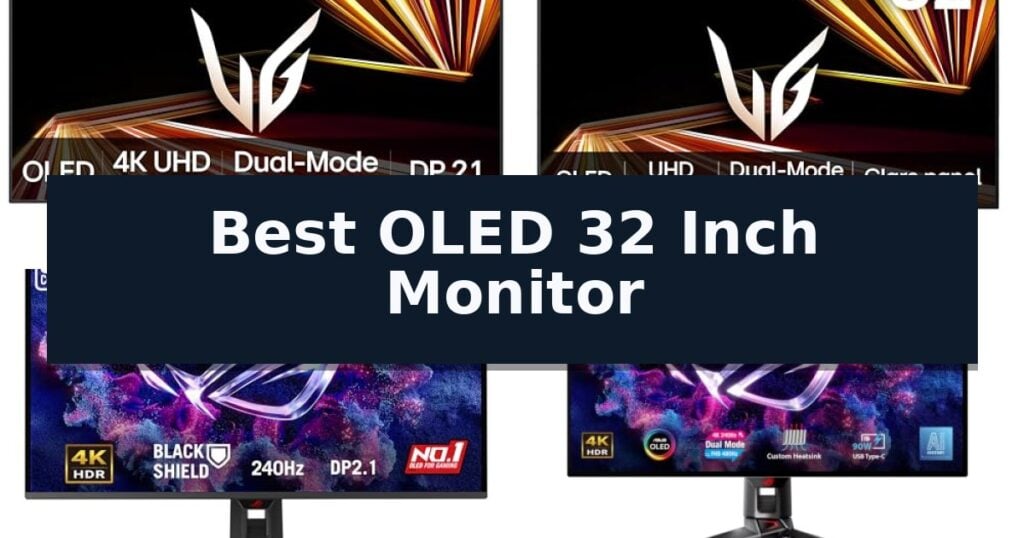
The LG UltraGear 32GX870A OLED Gaming Monitor is our top choice for the Best OLED 32 Inch Monitor, offering a versatile dual-mode display that excels in both high-resolution detail and ultra-fast refresh rates. For those prioritizing specialized burn-in protection, the ASUS ROG Swift PG32UCDM3 OLED Monitor provides advanced sensor-based care, while the MSI MAG 322UP QD-OLED E16 Monitor serves as a strong alternative with AI-driven longevity features.
Selecting a 32-inch OLED display requires balancing pixel density with the specific demands of your primary use case, whether that is competitive gaming or high-fidelity media consumption. Modern panels now offer dual-mode capabilities, allowing users to toggle between 4K resolution for visual immersion and higher refresh rates for reduced motion blur in fast-paced titles.
Beyond raw speed, prospective buyers should consider the implementation of cooling systems and anti-reflective coatings. These features directly impact long-term panel health and daily usability in varied lighting environments, ensuring that the investment remains sharp and vibrant over years of consistent operation.
For users focused specifically on high-speed performance, our guide on the Best OLED 240Hz Monitors provides additional context on how refresh rates impact motion clarity.
10 Best OLED 32 Inch Monitor in 2026 Reviews
Quick Comparison
| Product | Best For | Key Strength | Score |
|---|---|---|---|
| LG UltraGear 32GX870A OLED Gaming Monitor | Best Overall | Dual-Mode functionality allows switching between 4K 240Hz and FHD 480Hz. | 4.9 |
| LG UltraGear 32GX850A OLED Gaming Monitor | Glossy panel for vibrant visuals | Dual-mode resolution and refresh rate switching for varied gaming needs. | 4.3 |
| ASUS ROG Swift PG32UCDM3 OLED Monitor | Advanced burn-in protection features | BlackShield Film Technology for improved durability and contrast. | 4.4 |
| ASUS ROG Swift PG32UCDP OLED Monitor | Versatile 480Hz dual-mode performance | Dual-mode display allows switching between 4K 240Hz and FHD 480Hz. | 4.9 |
| ASUS ROG Swift PG32UCDMR OLED Monitor | Professional color accuracy for creators | Advanced OLED Care Pro with proximity sensor for burn-in mitigation. | 4.6 |
| Samsung Odyssey OLED G7 G73SH Monitor | Reliable glossy OLED gaming experience | Dual Mode allows switching between 4K/165Hz and FHD/330Hz. | 4.7 |
| Samsung Odyssey QD-OLED G8 G81SF Monitor | Advanced cooling for sustained brightness | Dynamic Cooling System for improved heat dissipation and longevity | 4.5 |
| Samsung Odyssey OLED G8 G80SH Monitor | High-bandwidth connectivity with DP 2.1 | DP 2.1 connectivity for high-bandwidth data transfer | 4.5 |
| MSI MAG 321UP QD-OLED Gaming Monitor | Balanced performance for console gaming | 0.03ms GtG response time for fluid motion clarity. | 4.6 |
| MSI MAG 322UP QD-OLED E16 Monitor | AI-driven care for panel longevity | 3rd Gen QD-OLED panel for superior image quality and contrast | 4.7 |
How We Chose
Evaluating the best 32-inch OLED monitors requires a focus on how panel technology translates to real-world performance. We examine color reproduction standards, the practical utility of dual-mode refresh rates, and the effectiveness of integrated cooling and care software. These criteria help identify displays that maintain visual integrity while meeting the specific demands of high-end gaming and professional workflows.
- Panel Technology and Color Accuracy
- Refresh Rate and Dual-Mode Versatility
- Response Time and Motion Handling
- Burn-in Prevention and Cooling Systems
- Ergonomic Adjustability and Connectivity
1 LG UltraGear 32GX870A OLED Gaming Monitor — Dual-mode speed for competitive play
The LG 32GX870A-B 32-inch Ultragear 4K UHD OLED Gaming Monitor distinguishes itself through a versatile Dual-Mode capability, allowing users to toggle between a high-resolution 4K UHD display at 240Hz for immersive gaming and a high-speed Full HD mode at 480Hz for competitive, fast-paced titles. This flexibility is managed via a dedicated hotkey, providing a tailored visual experience depending on the specific demands of the game.
Engineered for performance, the monitor features a nearly instantaneous 0.03ms (GtG) response time, which significantly reduces motion blur and ghosting. The display is built with Micro Lens Array+ technology, enabling a peak brightness of up to 1300 nits. This, combined with VESA DisplayHDR True Black 400 certification and a 1.5M:1 contrast ratio, ensures deep black levels and sharp image detail in dark environments.
To maintain smooth gameplay, the unit is officially validated as NVIDIA G-SYNC Compatible and supports AMD FreeSync Premium Pro, effectively minimizing screen tearing and stutter. The physical design is equally focused on utility, featuring a virtually borderless, ultra-thin frame with extensive ergonomic adjustments including height, tilt, swivel, and pivot, allowing for a customized setup within any workspace.
The monitor also integrates smart productivity and maintenance tools. The Switch app enables users to split the screen into up to six sections for multitasking, while built-in OLED Care tools, such as pixel cleaning, are included to maintain display longevity. Audio needs are addressed through powerful internal speakers and a 4-pole headphone jack that supports DTS Headphone:X for immersive 3D sound.
Best for: Gamers who require a hybrid display capable of switching between high-fidelity 4K visuals and ultra-high-refresh-rate 1080p performance.
Skip if: Users who primarily require a monitor for professional color-critical creative work where a non-OLED panel might be preferred to avoid potential long-term burn-in concerns.
- Dual-Mode functionality allows switching between 4K 240Hz and FHD 480Hz.
- 0.03ms response time minimizes ghosting for fast-paced action.
- Micro Lens Array+ technology achieves high peak brightness of 1300 nits.
- Comprehensive ergonomic adjustments for height, tilt, swivel, and pivot.
- OLED panel technology requires active care tools to maintain long-term display health.
- High-end feature set represents a premium investment compared to standard IPS or VA panels.
2 LG UltraGear 32GX850A OLED Gaming Monitor — Glossy panel for vibrant visuals
The LG UltraGear 32GX850A-B distinguishes itself with a glossy OLED display that prioritizes visual depth and color vibrancy over traditional matte finishes. This 32-inch panel utilizes Micro Lens Array+ technology to achieve higher brightness levels than previous iterations, ensuring that 4K UHD content remains sharp and immersive across various lighting environments.
Performance-focused users will appreciate the Dual-Mode functionality, which allows for a seamless transition between 4K UHD at 165Hz for high-fidelity gaming and Full HD at 330Hz for competitive, fast-paced titles. This flexibility is supported by an ultra-fast 0.03ms (GtG) response time, effectively minimizing motion blur and ghosting during rapid on-screen action.
The monitor is built to meet rigorous visual standards, featuring VESA DisplayHDR True Black 400 certification and a 1.5M:1 contrast ratio. These specifications ensure deep black levels and a wide color gamut, covering up to 98.5% of the DCI-P3 space. For added stability, the unit includes NVIDIA G-SYNC Compatible and AMD FreeSync Premium Pro support to maintain tear-free gameplay.
Ergonomics and eye comfort are integrated into the design through a versatile stand that supports tilt, height, swivel, and pivot adjustments. The display is also UL-certified for anti-glare, flicker-free performance, and low blue light emission, helping to maintain visual comfort during extended sessions. Advanced features like Black Stabilizer and a built-in FPS Counter provide additional utility for precision-oriented gaming.
Best for: Gamers who require a versatile, high-refresh-rate display that can switch between high-resolution cinematic gaming and ultra-fast competitive play.
Skip if: Users who prefer a matte screen finish to minimize reflections in brightly lit rooms or those who do not require dual-mode resolution switching.
- Dual-mode resolution and refresh rate switching for varied gaming needs.
- Glossy OLED panel for superior color vibrancy and visual depth.
- Nearly instantaneous 0.03ms response time.
- Micro Lens Array+ technology for improved brightness.
- Glossy finish may be prone to reflections in high-ambient-light environments.
3 ASUS ROG Swift PG32UCDM3 OLED Monitor — Advanced burn-in protection features
Maintaining visual fidelity while protecting your display is a primary concern for high-end gaming setups. The ASUS ROG Swift PG32UCDM3 OLED Monitor addresses this through its innovative BlackShield Film Technology, which not only enhances perceived black levels by up to 40% but also provides 2.5X greater scratch resistance compared to standard QD-OLED panels.
This 32-inch display delivers a crisp 4K resolution at a 240Hz refresh rate, complemented by an ultra-fast 0.03ms response time. Designed for demanding visual tasks, the monitor achieves VESA DisplayHDR 500 True Black compliance and covers 99.5% of the DCI-P3 color gamut, ensuring accurate, vibrant imagery with a Delta E
To mitigate the risk of image retention, the monitor integrates Advanced OLED Care Pro with a Neo Proximity Sensor. This sensor intelligently detects when the user is away from the desk and automatically triggers a black screen, preserving the longevity of the panel. The inclusion of a 3-year warranty that explicitly covers burn-in provides additional assurance for long-term use.
Connectivity is handled via a robust suite of ports, including DisplayPort 2.1 UHBR20, HDMI 2.1, and USB-C with 90-watt power delivery. Users can manage settings, perform firmware updates, and synchronize configurations across devices using the DisplayWidget Center Software, making it a versatile hub for both gaming and creative workflows.
Best for: Gamers and creative professionals who require high-end 4K color accuracy and advanced burn-in protection features.
Skip if: Users who do not require a high-refresh-rate 4K display or those working in environments where a smaller or non-OLED panel is more practical.
- BlackShield Film Technology for improved durability and contrast.
- Advanced OLED Care Pro with proximity sensor for burn-in prevention.
- Future-proof connectivity including DisplayPort 2.1 and 90W USB-C.
- Comprehensive 3-year warranty with burn-in coverage.
- Premium pricing associated with high-end QD-OLED technology.
4 ASUS ROG Swift PG32UCDP OLED Monitor — Versatile 480Hz dual-mode performance
The ASUS ROG Swift PG32UCDP OLED Monitor introduces a versatile dual-mode display system that allows users to toggle between a 4K resolution at 240Hz for high-fidelity visuals and a Full HD resolution at 480Hz for maximum motion clarity. This flexibility makes it a compelling choice for competitive gamers who require rapid response times without sacrificing the benefits of a high-resolution panel for general media consumption.
Beyond its dual-mode capability, the monitor features a custom heatsink designed to provide passive cooling, which is essential for maintaining the longevity of the OLED panel by reducing the risk of burn-in. The display supports a wide color gamut with 99% DCI-P3 coverage and true 10-bit color depth, ensuring vibrant and accurate color reproduction for both gaming and creative workflows.
Usability is enhanced through the DisplayWidget Center software, which simplifies access to OLED Care functions and monitor adjustments. For those concerned about visual comfort, the ROG-Exclusive OLED Anti-Flicker Technology works to mitigate flicker during fluctuating refresh rates, while the optional uniform brightness setting maintains consistent luminance across the screen.
Connectivity is well-supported by a USB-C port capable of 90W power delivery, allowing for a streamlined desk setup. The inclusion of advanced AI assistant features, such as dynamic crosshairs and sniper modes, provides additional utility during gameplay, all backed by a 3-year warranty that includes burn-in coverage.
Best for: Competitive gamers who need to switch between high-resolution 4K gaming and ultra-high-refresh-rate 480Hz performance on a single display.
Skip if: Users who primarily require a monitor for static productivity tasks where the risk of OLED burn-in remains a concern despite passive cooling measures.
- Dual-mode display allows switching between 4K 240Hz and FHD 480Hz.
- Custom heatsink provides advanced passive cooling for panel longevity.
- 90W USB-C power delivery simplifies cable management.
- 3-year warranty includes specific burn-in coverage.
- OLED technology inherently carries a risk of burn-in compared to traditional LCD panels.
- Premium pricing reflects the advanced dual-mode panel technology.
5 ASUS ROG Swift PG32UCDMR OLED Monitor — Professional color accuracy for creators
Achieving precise color reproduction and high-speed motion clarity is essential for professional creative workflows and competitive gaming. The ASUS ROG Swift PG32UCDMR OLED Monitor addresses these requirements with a 32-inch 4K QD-OLED panel that balances high-resolution detail with a 240 Hz refresh rate.
Engineered for longevity, the monitor integrates OLED Care Pro technology, which utilizes a built-in Neo Proximity Sensor to detect user presence and automatically dim the screen to mitigate burn-in risks. This proactive approach to panel maintenance is complemented by the DisplayWidget Center, allowing for intuitive software-based adjustments to settings and care functions without navigating physical OSD buttons.
For color-critical tasks, the display is VESA DisplayHDR 400 True Black compliant and covers 99% of the DCI-P3 color gamut. The inclusion of true 10-bit color and a Delta E < 2 accuracy rating ensures consistent performance for photo and video editing. Users can also enable an optional uniform brightness control to maintain consistent luminance across the panel, preventing the fluctuations often associated with ABL (Auto Brightness Limiter) in OLED technology.
Connectivity is robust, featuring DisplayPort 2.1, HDMI 2.1, and a USB-C port capable of 90W Power Delivery for single-cable laptop integration. The package includes a comprehensive set of cables, a VESA mount kit, and a 3-year warranty that explicitly covers burn-in, providing long-term assurance for high-end users.
Best for: Professional creators and high-end gamers who require color-accurate 4K visuals combined with burn-in protection features.
Skip if: Users who primarily work in static environments with high-contrast UI elements for extended hours may prefer a non-OLED display to avoid any potential for image retention.
- Advanced OLED Care Pro with proximity sensor for burn-in mitigation.
- 90W USB-C Power Delivery for streamlined workstation connectivity.
- Professional-grade color accuracy with 99% DCI-P3 and Delta E < 2.
- 3-year warranty including specific burn-in coverage.
- High-end feature set may exceed the requirements of casual users.
- OLED panel technology requires active management to ensure long-term display health.
6 Samsung Odyssey OLED G7 G73SH Monitor — Reliable glossy OLED gaming experience
Achieving visual fidelity in high-speed gaming requires a display that balances resolution with motion clarity. The Samsung 32" Odyssey OLED G7 (G73SH) Series Gaming Monitor addresses this by utilizing a glossy OLED screen that delivers sharp 4K resolution (3840 x 2160), ensuring that textures and environments appear with vivid depth and color accuracy.
The monitor is built for versatility through its Dual Mode functionality. This feature allows users to toggle between a high-resolution 4K at 165Hz setting for immersive visual experiences and a Full HD at 330Hz mode for competitive gaming where speed is paramount. With a near-instant 0.03ms response time (GtG), the panel is engineered to minimize ghosting during fast-paced action.
Contrast and color performance are central to the viewing experience, supported by VESA DisplayHDR True Black 400 and HDR10+ Gaming certification. These technologies work together to produce deep black levels and optimized brightness, while the Pantone Validated screen ensures precise color reproduction for both media consumption and creative tasks.
Designed for long-term comfort and compatibility, the unit includes a height-adjustable ergonomic stand that supports tilting, swiveling, and pivoting. To maintain visual smoothness, it features NVIDIA G-Sync compatibility and supports AMD FreeSync, effectively syncing the panel with the GPU to reduce screen tearing and lag.
Best for: Gamers who require a hybrid display capable of switching between high-resolution 4K visuals and ultra-high refresh rate performance.
Skip if: Users who primarily require a monitor for static office productivity tasks may prefer non-OLED panels to avoid concerns regarding long-term screen maintenance.
- Dual Mode allows switching between 4K/165Hz and FHD/330Hz.
- 0.03ms response time minimizes motion blur in fast-paced games.
- Glossy OLED panel provides superior contrast and vivid color depth.
- Pantone Validated for high color accuracy.
- Glossy screen finish may be prone to reflections in brightly lit rooms.
7 Samsung Odyssey QD-OLED G8 G81SF Monitor — Advanced cooling for sustained brightness
Maintaining consistent brightness while preventing long-term image degradation is a primary challenge for high-performance displays, and the Samsung 32” Odyssey QD-OLED G8 (G81SF) addresses this with a sophisticated Dynamic Cooling System. By utilizing a pulsating heat pipe to diffuse heat five times faster than standard graphite sheets, this monitor effectively manages internal temperatures to support sustained peak performance.
Engineered for competitive gaming, the panel features a rapid 240Hz refresh rate and an ultra-low 0.03ms GtG response time. These specifications are complemented by G-Sync compatibility and AMD FreeSync Premium Pro support, which work in tandem to minimize screen tearing and input lag during fast-paced sequences.
The display prioritizes visual clarity through its 4K resolution and VESA DisplayHDR TrueBlack 400 certification, which ensures deep, rich blacks without light bleed. To maintain image integrity, the monitor includes automated Logo & Taskbar Detection, which actively reduces brightness on static elements to mitigate the risk of burn-in.
Usability is enhanced by Glare Free technology, which reduces surface reflections by 54% compared to conventional anti-reflection films. For added immersion, the CoreSync & CoreLighting+ system projects on-screen colors into the surrounding environment, while the ergonomic stand allows for precise tilt adjustments to suit individual viewing preferences.
Best for: Competitive gamers and power users who prioritize 4K resolution, high refresh rates, and advanced thermal management to prevent burn-in.
Skip if: Users who require a flat panel display, as this model is designed with a specific curvature for immersive viewing.
- Dynamic Cooling System for improved heat dissipation and longevity
- 0.03ms GtG response time for minimal motion blur
- Glare Free technology significantly reduces distracting reflections
- Automated burn-in protection via logo and taskbar detection
- Premium pricing associated with advanced QD-OLED technology
- Complex cooling hardware increases the overall weight of the unit
8 Samsung Odyssey OLED G8 G80SH Monitor — High-bandwidth connectivity with DP 2.1
The Samsung 32" Odyssey OLED G8 (G80SH) Gaming Monitor distinguishes itself with high-bandwidth DP 2.1 connectivity, capable of delivering up to 80 Gbps for demanding visual data streams. This 32-inch display utilizes QD-OLED technology to achieve a pixel density of 140 PPI, ensuring sharp image reproduction for high-resolution gaming and detailed work.
Performance is driven by a 240Hz refresh rate paired with a rapid 0.03ms (GtG) response time, which minimizes motion blur during fast-paced sequences. The integration of AMD FreeSync Premium further assists in maintaining visual stability by reducing screen tearing and lag, while the VESA DisplayHDR True Black 500 certification provides high-contrast imagery with deep black levels.
Designed for versatility, the monitor includes a height-adjustable ergonomic stand that supports tilt, swivel, and pivot adjustments. Connectivity options are robust, featuring a USB-C port that provides up to 98W of power delivery to connected devices, helping to maintain a clean and focused workspace.
To address long-term display health, the unit incorporates Advanced OLED Safeguard+ technology to assist in cooling and burn-in prevention. The screen also features Glare Free technology to mitigate reflections from ambient light sources, ensuring consistent visibility across various lighting environments.
Best for: Gamers and professionals requiring high-bandwidth connectivity, rapid response times, and the color accuracy of a 4K QD-OLED panel.
Skip if: Users who require a smaller footprint or do not need the high-bandwidth capabilities of DP 2.1 and 240Hz refresh rates.
- DP 2.1 connectivity for high-bandwidth data transfer
- 0.03ms response time for fluid motion
- Advanced OLED Safeguard+ for burn-in protection
- 98W USB-C power delivery for peripheral charging
- Large 32-inch form factor may not suit compact desk setups
9 MSI MAG 321UP QD-OLED Gaming Monitor — Balanced performance for console gaming
The MSI MAG 321UP QD-OLED Gaming Monitor centers its design around a high-performance 3rd generation QD-OLED panel, delivering a combination of deep contrast and rapid pixel response. This 32-inch display is engineered for users who prioritize visual fidelity and speed, offering a 3840 x 2160 UHD resolution that maintains clarity during fast-paced motion.
Performance is defined by a 0.03ms GtG response time and a 165Hz refresh rate, ensuring minimal ghosting in demanding applications. The monitor utilizes QD Premium Color technology to achieve high color accuracy with a Delta E≤2, making it suitable for tasks requiring precise color reproduction. For HDR content, the display is certified with VESA DisplayHDR True Black 400, which enhances shadow detail and overall dynamic range.
Designed with versatility in mind, the monitor includes a dedicated Console Mode that supports HDMI 2.1 with a full 48 Gbps bandwidth, allowing for 4K output at 165Hz. To address the specific maintenance needs of OLED technology, MSI OLED Care 2.0 is integrated to help mitigate the risk of burn-in during extended use. The physical chassis features an adjustable stand that provides tilt and height customization for improved ergonomics.
Connectivity options include DisplayPort 1.4a and HDMI 2.1, providing compatibility with various high-end hardware configurations. While the monitor offers a robust feature set for gaming and media consumption, its reliance on OLED panel technology necessitates adherence to standard care practices to maintain long-term image quality.
Best for: Gamers and media enthusiasts who require a high-resolution 4K OLED display with fast response times and dedicated console compatibility.
Skip if: Users who primarily perform static office work or long-duration productivity tasks where the risk of OLED image retention is a significant concern.
- 0.03ms GtG response time for fluid motion clarity.
- QD Premium Color ensures high color accuracy with Delta E≤2.
- HDMI 2.1 with 48 Gbps bandwidth supports high-refresh console gaming.
- MSI OLED Care 2.0 helps manage panel longevity.
- OLED technology requires active care to prevent potential burn-in.
- Premium pricing associated with high-end QD-OLED panel technology.
10 MSI MAG 322UP QD-OLED E16 Monitor — AI-driven care for panel longevity
The MSI MAG 322UP QD-OLED E16 Monitor integrates an AI Care Sensor designed to manage panel longevity, providing a proactive approach to maintaining display health. This 32-inch monitor utilizes a 3rd Gen QD-OLED panel, which combines high-end image quality with a rapid 0.03ms GtG response time to support fluid visual transitions.
Engineered for high-performance tasks, the display features a 165Hz refresh rate and supports VESA DisplayHDR True Black 400 for high-contrast imagery. Color accuracy is a priority, with the unit meeting QD Premium Color standards, ensuring a Delta E≤2 rating for reliable color reproduction across professional and entertainment applications.
Connectivity is streamlined through a versatile 98W USB-C port, alongside HDMI 2.1 and DP 2.1 inputs, allowing for high-bandwidth data and power delivery to connected devices. The monitor also includes AMD FreeSync Premium Pro and is NVIDIA G-SYNC Compatible, facilitating synchronized frame rates for supported hardware configurations.
To address concerns regarding long-term usage, the MSI MAG 322UP QD-OLED E16 Monitor incorporates MSI OLED Care 2.0, a suite of technologies aimed at reducing the risk of image sticking and burn-in. The manufacturer backs this commitment with a 3-year burn-in warranty, providing coverage for the panel's operational lifespan.
Best for: Users requiring a high-refresh-rate 4K OLED display with integrated AI-driven panel protection features.
Skip if: Users who require a higher refresh rate than 165Hz for competitive gaming or those who prefer non-OLED panel technology to avoid any risk of burn-in.
- 3rd Gen QD-OLED panel for superior image quality and contrast
- Extremely fast 0.03ms GtG response time
- AI Care Sensor and MSI OLED Care 2.0 for burn-in mitigation
- Comprehensive 3-year burn-in warranty
- High-power 98W USB-C connectivity
- 165Hz refresh rate may be lower than some specialized gaming displays
- OLED technology requires adherence to care protocols to ensure longevity
Best OLED 32 Inch Monitor Buying Guide
Understanding Dual-Mode Performance
Dual-mode monitors offer the flexibility to switch between high-resolution 4K output and high-refresh-rate 1080p or 1440p modes. This is particularly useful for users who split their time between graphically demanding single-player titles and competitive shooters where frame rate is paramount.
When choosing between these modes, consider the native resolution of your primary applications. While the ability to hit 480Hz is impressive for competitive play, ensure your hardware can drive the display effectively to take full advantage of these high-speed settings.
Prioritizing Panel Longevity
OLED panels are susceptible to image retention if static elements remain on screen for extended periods. Manufacturers have introduced various protective measures, including custom heatsinks, thermal modulation, and proximity sensors that automatically dim the screen when the user steps away.
Look for models that include comprehensive burn-in coverage in their warranty terms. These policies provide a necessary safety net, reflecting the manufacturer's confidence in their cooling and pixel-care implementations.
Color Accuracy for Mixed Use
Many 32-inch OLEDs are marketed for gaming but offer color gamuts that rival professional-grade monitors. Features like VESA DisplayHDR True Black certification ensure deep contrast ratios and accurate color reproduction, which are essential for both immersive gaming and content creation.
If your workflow involves photo or video editing, prioritize models that explicitly state their DCI-P3 coverage and Delta E color accuracy metrics. These specifications indicate how reliably the monitor will display colors across different creative applications.
Connectivity and Bandwidth Requirements
To support 4K at high refresh rates, your monitor must have sufficient input bandwidth. Look for DisplayPort 2.1 or HDMI 2.1 ports, which are necessary to handle the data throughput required for 240Hz gaming at 4K resolution without compression.
USB-C connectivity with Power Delivery is a significant convenience for laptop users. A monitor that provides 90W or higher power delivery allows you to connect your peripheral setup and charge your device with a single cable, reducing desktop clutter.
Managing Reflections and Lighting
The finish of an OLED panel significantly affects how it performs in a bright room. Glossy panels often provide higher perceived clarity and deeper blacks, but they can be prone to reflections from windows or overhead lights.
Anti-glare or low-reflection coatings are designed to mitigate these issues. If your gaming space has significant ambient light, prioritize models that emphasize glare-free technology to maintain visibility during dark scenes.
Frequently Asked Questions
What is the main benefit of a dual-mode OLED monitor?
Dual-mode allows you to switch between a high-resolution 4K mode for visual fidelity and a high-refresh-rate mode for competitive gaming, providing versatility in a single display.
How do I prevent burn-in on a 32-inch OLED monitor?
Use built-in OLED care tools, such as pixel cleaning and static element detection, and avoid leaving high-contrast static images on the screen for extended periods.
Does a 32-inch OLED monitor require a specific cable?
For 4K at 240Hz, you should use a high-bandwidth cable like DisplayPort 2.1 or HDMI 2.1 to ensure the full signal is transmitted without loss.
Are glossy OLED screens better than matte screens?
Glossy screens often offer sharper images and better color vibrancy, while matte screens are generally more effective at diffusing reflections in bright rooms.
What does VESA DisplayHDR True Black 400 mean?
This certification indicates that the monitor meets specific standards for luminance and black levels, ensuring that dark scenes appear deep and detailed without light bleed.
Conclusion: Our Top Pick
Our top pick is LG UltraGear 32GX870A OLED Gaming Monitor. Choosing the right 32-inch OLED monitor depends on your specific balance of competitive gaming needs and visual quality requirements. Models offering dual-mode functionality provide the most flexibility, while those with advanced cooling and burn-in protection offer greater peace of mind for long-term use.
Assess your available desk space and connectivity needs before finalizing your choice. By focusing on the panel features that align with your daily habits, you can select a display that enhances both your gaming experience and your overall desktop setup.