The LG UltraGear 32GX870A OLED Gaming Monitor is our top choice for the Best OLED 4K Gaming Monitor, offering a unique dual-mode capability that allows users to prioritize either high-resolution 4K visuals or ultra-fast 480Hz motion clarity.
For those prioritizing specialized protection, the ASUS ROG PG32UCDM3 features advanced burn-in mitigation through its Neo Proximity Sensor, while the Samsung Odyssey QD-OLED G8 provides a distinct advantage for bright rooms with its specialized anti-glare technology.
Selecting a high-end display requires balancing raw pixel density with the practicalities of long-term panel health and connectivity. Modern OLED panels have evolved to include sophisticated cooling and software-based care tools, ensuring that your investment maintains its visual integrity through years of intensive use.
If you are still deciding on the right screen size for your setup, our guide to the Best OLED 32 Inch Monitor provides additional context on how these larger displays fit into various desk configurations. For those who prioritize motion clarity above all else, we also cover the Best OLED 240Hz Monitors to help you understand how different panel technologies handle high-speed movement.
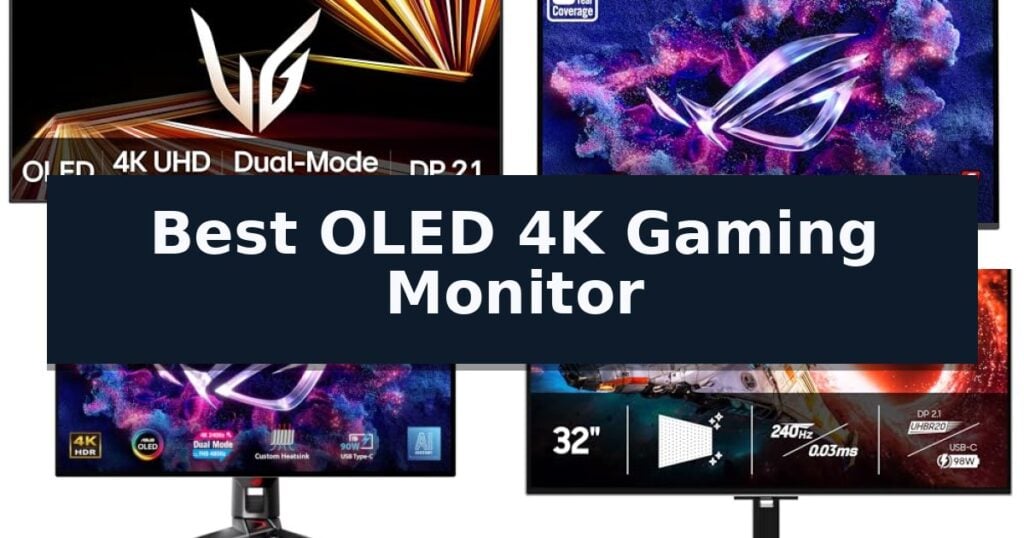
10 Best OLED 4K Gaming Monitor in 2026 Reviews
Quick Comparison
| Product | Best For | Key Strength | Score |
|---|---|---|---|
| LG UltraGear 32GX870A OLED Gaming Monitor | Best Overall | Dual-Mode flexibility for 4K 240Hz or FHD 480Hz gaming | 4.9 |
| ASUS ROG PG32UCDM3 OLED Gaming Monitor | Advanced Burn-In Protection | BlackShield Film Technology for improved panel durability and contrast. | 4.4 |
| ASUS ROG PG32UCDP OLED Gaming Monitor | High-Speed Dual-Mode Performance | Dual Mode functionality for 4K/240Hz or FHD/480Hz flexibility | 4.4 |
| Samsung Odyssey OLED G8 Gaming Monitor | Glare-Free 4K Visuals | 0.03ms response time for fluid motion | 4.6 |
| Samsung Odyssey QD-OLED G8 Gaming Monitor | Active Thermal Cooling | Dynamic Cooling System for superior heat dissipation | 4.9 |
| LG UltraGear 32GX850A OLED Gaming Monitor | Balanced 4K Clarity | Dual-mode switching between 4K/165Hz and FHD/330Hz. | 4.6 |
| ASUS ROG PG27UCDM OLED Gaming Monitor | Compact 4K Precision | 4th-gen QD-OLED technology for superior image quality and text sharpness. | 4.8 |
| ASUS ROG XG27UCDMG QD-OLED Gaming Monitor | Professional Color Accuracy | 4th-Generation QD-OLED technology for superior image clarity and longevity. | 4.9 |
| Acer Predator X27 V1 OLED Gaming Monitor | Vivid QD-OLED Colors | 0.03ms response time for fluid, ghost-free motion | 4.8 |
| Acer Predator X32 X OLED Gaming Monitor | Immersive Curved Display | 240Hz refresh rate with 0.03ms response time for fluid motion. | 4.6 |
How We Chose
When evaluating the best OLED 4K gaming monitor, we prioritize technical specifications that directly influence your daily experience. An experienced reviewer looks beyond marketing claims to assess how panel cooling, input connectivity, and resolution flexibility translate into real-world gaming performance, ensuring the display remains both visually stunning and physically durable over time.
- Panel Technology: Evaluating the specific type of OLED (WOLED vs. QD-OLED) and its impact on color volume and brightness.
- Refresh Rate Versatility: Assessing the utility of dual-mode features that allow switching between high-resolution and high-frame-rate modes.
- Thermal Management: Reviewing integrated cooling solutions like heatsinks and thermal modulation systems designed to prevent burn-in.
- Connectivity Standards: Confirming the presence of DisplayPort 2.1 and HDMI 2.1 for full bandwidth support at 4K.
- Ergonomic Flexibility: Checking for robust stand adjustments including height, tilt, swivel, and pivot capabilities.
1 LG UltraGear 32GX870A OLED Gaming Monitor — Versatile Dual-Mode Resolution
The LG UltraGear 32GX870A OLED Gaming Monitor introduces a versatile Dual-Mode capability that allows users to toggle between a high-resolution 4K UHD experience at 240Hz for immersive gaming and a high-speed Full HD mode at 480Hz for competitive titles via a simple hotkey.
Engineered for performance, this display utilizes Micro Lens Array+ technology to achieve a peak brightness of up to 1300 nits, ensuring vibrant visuals that complement its VESA DisplayHDR True Black 400 certification. The panel delivers a 1.5M:1 contrast ratio, providing deep, rich black levels that enhance image detail in dark environments.
Gamers benefit from a near-instantaneous 0.03ms (GtG) response time, which minimizes ghosting and lag during fast-paced sequences. To maintain visual integrity, the monitor is officially validated as NVIDIA G-SYNC Compatible and supports AMD FreeSync Premium Pro, effectively reducing screen tearing and stutter for a fluid gaming experience.
The unit features a virtually borderless, ultra-thin design with extensive ergonomic adjustments, including height, tilt, swivel, and pivot. Integrated OLED Care tools and a 2-year limited warranty provide long-term protection for the panel, while the Switch app enables multitasking by allowing users to split the screen into up to 6 sections for streamlined productivity.
Best for: Gamers who require a single display capable of switching between high-fidelity 4K visuals and ultra-high-refresh-rate competitive performance.
Skip if: Users who primarily perform static office work or color-critical professional editing might prefer a non-OLED display to avoid concerns regarding long-term pixel maintenance.
- Dual-Mode flexibility for 4K 240Hz or FHD 480Hz gaming
- Near-instant 0.03ms (GtG) response time
- High peak brightness of 1300 nits with Micro Lens Array+ technology
- Comprehensive OLED Care tools and 2-year warranty
- OLED panel requires active maintenance tools to ensure longevity
- Higher peak brightness may be limited to specific HDR content scenarios
2 ASUS ROG PG32UCDM3 OLED Gaming Monitor — Advanced Burn-In Protection
The ASUS ROG PG32UCDM3 distinguishes itself with advanced BlackShield Film Technology, which increases panel hardness for 2.5X better scratch resistance while simultaneously boosting perceived black levels by up to 40%. This 32-inch monitor is engineered for high-performance gaming, utilizing a premium 4K QD-OLED display that delivers a 240Hz refresh rate and an ultra-fast 0.03ms response time.
Designed to address long-term display health, the unit features Advanced OLED Care Pro technology. This includes a built-in Neo Proximity Sensor that detects user presence, automatically dimming or switching to a black screen when the user is away to mitigate burn-in risks. The monitor is also VESA DisplayHDR 500 True Black compliant, ensuring high-contrast visuals with true 10-bit color and a Delta E
Connectivity is handled through a future-proof array of ports, including DisplayPort 2.1 UHBR20 with 80Gbps bandwidth, HDMI 2.1, and a USB-C port capable of 90-watt power delivery for streamlined device charging. Users can manage these settings via the DisplayWidget Center software, which supports auto firmware updates and allows for the easy export or import of display configurations.
The monitor is G-SYNC compatible, providing tear-free performance for compatible graphics cards. It ships with a comprehensive 3-year warranty that explicitly includes burn-in coverage, providing additional assurance for the panel's longevity. As a bonus, the purchase includes a complimentary 3-month Adobe Creative Cloud subscription.
Best for: Competitive gamers and creative professionals who require a high-refresh 4K OLED display with robust burn-in protection and modern connectivity.
Skip if: Users who prefer a smaller form factor or those who do not require the high-bandwidth capabilities of DisplayPort 2.1 and 90W USB-C power delivery.
- BlackShield Film Technology for improved panel durability and contrast.
- Advanced OLED Care Pro with proximity sensor for burn-in mitigation.
- DisplayPort 2.1 UHBR20 support for high-bandwidth data transfer.
- 3-year warranty inclusive of burn-in coverage.
- Large 32-inch footprint may not suit compact desk setups.
3 ASUS ROG PG32UCDP OLED Gaming Monitor — High-Speed Dual-Mode Performance
The ASUS ROG PG32UCDP OLED Gaming Monitor distinguishes itself with a versatile Dual Mode Display Technology, allowing users to toggle between a high-resolution 4K experience at 240Hz and a high-speed FHD mode at 480Hz. This flexibility caters to both immersive visual fidelity and competitive frame-rate requirements within a single 32-inch panel.
Engineered for longevity and performance, the monitor incorporates a custom heatsink to manage thermal output, which helps mitigate the risk of burn-in during extended use. To further protect the display, ROG-Exclusive OLED Anti-Flicker Technology is integrated to maintain visual stability during fluctuating refresh rates, while an optional uniform brightness setting ensures consistent luminance across the screen.
The display is built for color accuracy, featuring a wide color gamut with 99% DCI-P3 coverage and true 10-bit color depth. For gamers seeking an edge, the monitor includes Advanced AI Assistant Features such as dynamic crosshairs and sniper functions, all manageable through the DisplayWidget Center Software which simplifies access to OLED maintenance tools.
Connectivity is streamlined via a USB-C port with 90W power delivery, making it a practical hub for modern setups. The package is supported by a 3-year warranty that explicitly includes burn-in coverage, providing long-term assurance for the panel's health. Users also receive a complimentary 3-month Adobe Creative Cloud subscription to complement the monitor's professional-grade color capabilities.
Best for: Gamers who require a hybrid display capable of switching between high-fidelity 4K visuals and ultra-high-refresh-rate FHD competitive gaming.
Skip if: Users who primarily work in static office environments where a non-OLED panel might be preferred to avoid potential long-term burn-in concerns.
- Dual Mode functionality for 4K/240Hz or FHD/480Hz flexibility
- Custom heatsink for improved thermal management
- 3-year warranty including burn-in coverage
- 99% DCI-P3 wide color gamut for accurate visuals
- High-end feature set may exceed the needs of casual users
- OLED technology requires active care to prevent burn-in
4 Samsung Odyssey OLED G8 Gaming Monitor — Glare-Free 4K Visuals
The Samsung 32" Odyssey OLED G8 (G80SH) Gaming Monitor distinguishes itself with its advanced OLED Safeguard+ technology, a specialized feature engineered to manage thermal performance and mitigate the risk of burn-in during extended gaming sessions. This 32-inch display leverages QD-OLED panel technology to achieve a high pixel density of 140 PPI, ensuring that 4K resolution content is rendered with exceptional sharpness and clarity.
Engineered for competitive environments, the monitor supports a 240Hz refresh rate paired with a rapid 0.03ms (GtG) response time. These specifications are complemented by AMD FreeSync Premium integration, which works to minimize screen tearing and input lag. The inclusion of VESA DisplayHDR True Black 500 certification guarantees deep contrast levels, while the Pantone Validated screen ensures color accuracy for demanding visual tasks.
Connectivity and ergonomics are central to the design, featuring DP 2.1 for high-bandwidth data transmission and a USB-C port capable of delivering up to 98W of power delivery to connected peripherals. The chassis is supported by a fully adjustable stand that offers height, tilt, swivel, and pivot functionality. Furthermore, the integrated Glare Free technology is specifically designed to maintain visual fidelity by reducing reflections from ambient light sources.
The monitor is backed by a 3-year manufacturer warranty, providing long-term support for its premium display components. While the 32-inch form factor provides an expansive canvas, users should ensure their workspace can accommodate the 28.33-inch width and the specific ergonomic footprint of the stand to fully utilize its adjustment capabilities.
Best for: Competitive gamers and creative professionals who require a high-refresh-rate 4K display with precise color reproduction and advanced thermal management.
Skip if: Users with limited desk space who may find the 32-inch footprint and wide ergonomic stand base too large for their specific workstation setup.
- 0.03ms response time for fluid motion
- QD-OLED panel with 140 PPI pixel density
- DP 2.1 connectivity with 80 Gbps bandwidth
- OLED Safeguard+ for burn-in prevention
- Large physical footprint requires significant desk space
5 Samsung Odyssey QD-OLED G8 Gaming Monitor — Active Thermal Cooling
Maintaining peak performance in fast-paced gaming environments requires hardware that can handle intense thermal loads without compromising visual fidelity. The Samsung 32” Odyssey QD-OLED G8 (G81SF) introduces a world-first Dynamic Cooling System utilizing a pulsating heat pipe to diffuse heat five times faster than traditional graphite sheets, directly addressing the heat management challenges inherent in high-performance OLED panels.
Beyond its thermal engineering, this monitor delivers a crisp 4K resolution paired with a rapid 240Hz refresh rate and a 0.03ms GtG response time. These specifications ensure fluid motion and sharp clarity, while VESA DisplayHDR TrueBlack 400 certification provides deep contrast levels by eliminating light bleed in dark scenes. The integration of AMD FreeSync Premium Pro and G-Sync compatibility further stabilizes the frame output, minimizing screen tearing and input lag.
Usability is enhanced through thoughtful design choices, such as the Glare Free technology, which reduces surface reflections by 54% compared to standard anti-reflection films. To ensure long-term panel health, the monitor includes built-in Logo & Taskbar Detection that automatically adjusts brightness for static elements, alongside a Thermal Modulation System that uses algorithms to prevent overheating during extended sessions.
The Samsung 32” Odyssey QD-OLED G8 (G81SF) also features CoreSync and CoreLighting+, which synchronize the monitor’s ambient lighting with on-screen colors for a more immersive environment. An adjustable ergonomic stand allows for precise tilting, ensuring that the display can be positioned for optimal viewing comfort during competitive play.
Best for: Competitive gamers and enthusiasts who require high-speed 4K performance combined with advanced thermal management to protect the OLED panel during long sessions.
Skip if: Users who primarily require a monitor for professional color-critical creative work where absolute color accuracy is prioritized over gaming-specific features like high refresh rates and thermal cooling.
- Dynamic Cooling System for superior heat dissipation
- 0.03ms GtG response time for minimal motion blur
- Glare Free technology for reduced screen reflections
- Logo & Taskbar Detection to mitigate burn-in risks
- Premium pricing associated with advanced QD-OLED thermal technology
6 LG UltraGear 32GX850A OLED Gaming Monitor — Balanced 4K Clarity
Achieving a balance between high-resolution gaming and competitive frame rates requires a display capable of adapting to different genres. The LG UltraGear 32GX850A OLED Gaming Monitor addresses this by offering a unique dual-mode functionality, allowing users to toggle between a 4K UHD resolution at 165Hz for immersive, graphically rich titles and a Full HD resolution at 330Hz for high-speed competitive play.
This 32-inch display utilizes Micro Lens Array+ technology to enhance brightness, reaching a typical output of 275 nits while maintaining the deep, rich blacks characteristic of OLED panels. With a 1.5M:1 contrast ratio and VESA DisplayHDR True Black 400 certification, the monitor delivers high color accuracy, covering up to 98.5% of the DCI-P3 color gamut for vibrant, detailed visuals in dark environments.
Performance is further supported by a nearly instantaneous 0.03ms (GtG) response time, which minimizes ghosting and motion blur during intense action. To ensure smooth, tear-free visuals, the monitor is officially validated as NVIDIA G-SYNC Compatible and includes AMD FreeSync Premium Pro support, aligning the refresh rate with the GPU output.
Designed with user comfort and ergonomics in mind, the monitor features a glossy finish and is triple-certified by UL for Anti-Glare, Flicker-Free, and Low Blue Light performance. The stand provides extensive adjustability, including tilt, height, swivel, and pivot options, allowing for a customized setup within any battle station.
Best for: Gamers who frequently switch between high-fidelity 4K story-driven games and high-refresh-rate competitive shooters.
Skip if: Users who require a smaller screen footprint or those who do not need the dual-mode refresh rate flexibility.
- Dual-mode switching between 4K/165Hz and FHD/330Hz.
- Nearly instantaneous 0.03ms response time.
- Micro Lens Array+ technology for improved brightness.
- Comprehensive UL-certified eye comfort features.
- Glossy display surface may require specific lighting control to manage reflections.
7 ASUS ROG PG27UCDM OLED Gaming Monitor — Compact 4K Precision
The ASUS ROG PG27UCDM brings high-end visual fidelity to the desktop with its 26.5-inch 4K QD-OLED panel, offering a 240Hz refresh rate and a 0.03ms response time for fluid motion. This monitor utilizes 4th-gen QD-OLED technology to improve text clarity and color accuracy while extending the panel's operational lifespan.
Designed for long-term reliability, the unit incorporates a custom heatsink and ASUS OLED Care Pro software. A notable feature is the integrated Neo Proximity Sensor, which detects when a user steps away and automatically dims or switches to a black screen to mitigate the risk of burn-in.
For connectivity, the monitor is equipped with DisplayPort 2.1a UHBR20, supporting a full 80Gbps bandwidth, alongside HDMI 2.1 and USB-C with 90W power delivery. It also includes OLED Anti-Flicker 2.0 technology, which employs a luminance compensation algorithm to reduce flicker by 20% compared to previous-generation panels.
The chassis features a built-in tripod socket for flexible mounting and comes with a 3-year warranty that explicitly covers burn-in. Users also receive a complimentary 3-month Adobe Creative Cloud subscription, adding value for those who use the display for both gaming and creative workflows.
Best for: Competitive gamers and creative professionals who require a high-resolution 4K OLED display with advanced burn-in protection and modern connectivity.
Skip if: Users who prefer a larger screen size or those who do not require the high bandwidth of DisplayPort 2.1a for their specific hardware setup.
- 4th-gen QD-OLED technology for superior image quality and text sharpness.
- Neo Proximity Sensor for intelligent burn-in prevention.
- DisplayPort 2.1a support for high-bandwidth connectivity.
- 3-year warranty including burn-in coverage.
- 26.5-inch screen size may be restrictive for users seeking a larger immersive display.
8 ASUS ROG XG27UCDMG QD-OLED Gaming Monitor — Professional Color Accuracy
Achieving visual fidelity in competitive gaming requires hardware that balances speed with image quality, a challenge addressed by the ASUS ROG XG27UCDMG QD-OLED Gaming Monitor. This 26.5-inch display leverages 4th-Generation QD-OLED technology to provide a sharp 4K resolution at a rapid 240Hz refresh rate, ensuring that motion remains fluid while maintaining high pixel density for clear text and imagery.
Performance is bolstered by an ultra-fast 0.03ms response time, which minimizes ghosting during high-speed movement. To maintain consistent performance during long sessions, the monitor features a custom heatsink design for enhanced thermal management. The integration of OLED Anti-Flicker 2.0 technology utilizes a luminance compensation algorithm to reduce flicker by 20% compared to previous generations, promoting a more stable viewing experience.
For users concerned with panel longevity, the ASUS ROG XG27UCDMG QD-OLED Gaming Monitor includes ASUS OLED Care Pro with a built-in Neo Proximity Sensor. This sensor detects when the user is away from the desk and automatically switches the screen to black to mitigate burn-in risks. The display is also VESA DisplayHDR 400 True Black compliant, supporting 99% DCI-P3 color gamut and true 10-bit color for professional-grade accuracy.
Connectivity and utility are prioritized through features like ELMB Sync and broad compatibility with modern consoles like the PS5 and Xbox. The package includes a 3-year warranty covering burn-in, alongside a complimentary 3-month Adobe Creative Cloud subscription, making it a comprehensive solution for both high-end gaming and creative workflows.
Best for: Competitive gamers and creative professionals who require a high-resolution 4K OLED panel with advanced burn-in protection features.
Skip if: Users who prefer a larger screen size beyond 27 inches or those who do not require the high-end color accuracy and OLED-specific maintenance features.
- 4th-Generation QD-OLED technology for superior image clarity and longevity.
- 0.03ms response time combined with a 240Hz refresh rate for smooth gameplay.
- Neo Proximity Sensor provides automated burn-in protection.
- 3-year warranty including specific burn-in coverage.
- 4K resolution at 27 inches may require scaling for some desktop applications.
- Premium pricing associated with advanced OLED panel technology.
9 Acer Predator X27 V1 OLED Gaming Monitor — Vivid QD-OLED Colors
The Acer Predator X27 V1 OLED Gaming Monitor leverages advanced QD-OLED technology to provide a visual experience defined by high-contrast, deep blacks, and vibrant color reproduction. With a 26.5-inch 4K UHD resolution display, this monitor is engineered for users who prioritize pixel density and image clarity in a compact, eSports-focused form factor. The zero-frame aesthetic minimizes bezels, allowing for a more immersive view that maximizes available screen real estate.
Performance is anchored by a 165Hz refresh rate and an ultra-fast 0.03ms (G to G) response time, which effectively reduces motion blur and ghosting during rapid, competitive gameplay. To ensure fluid visuals, the monitor is validated with AMD FreeSync Premium Pro and is NVIDIA G-Sync compatible. These variable refresh rate technologies work to synchronize the display with your graphics card, minimizing screen tearing and stuttering for a consistent experience.
Color accuracy is a standout feature, supported by a 99% DCI-P3 color gamut and a Delta E < 2 rating, ensuring that images appear true to life. The display also supports VESA DisplayHDR True Black 400, which enhances contrast in dark scenes. However, users should note that the typical brightness is 250 nits, which may require a controlled lighting environment to maintain optimal visibility compared to high-brightness non-OLED panels.
The physical design centers on the versatile ErgoStand, which offers full tilt, swivel, pivot, and height adjustment, allowing for precise ergonomic positioning. Connectivity is robust for modern setups, featuring two HDMI 2.1 ports and two DisplayPort 1.4 inputs, alongside an integrated audio output. The inclusion of a 100 x 100mm VESA mount pattern provides additional flexibility for those who prefer wall mounting or custom arm setups.
Best for: Competitive gamers who prioritize color accuracy, deep contrast, and rapid response times in a 26.5-inch 4K display.
Skip if: Users who prefer a larger screen for cinematic immersion or those who require high sustained brightness for use in brightly lit rooms.
- 0.03ms response time for fluid, ghost-free motion
- QD-OLED panel providing 99% DCI-P3 color accuracy
- ErgoStand allows for comprehensive ergonomic adjustments
- HDMI 2.1 support for modern console and PC connectivity
- 26.5-inch screen size may feel restrictive for cinematic gaming
- Typical brightness of 250 nits is lower than standard non-OLED panels
10 Acer Predator X32 X OLED Gaming Monitor — Immersive Curved Display
The Acer Predator X32 X OLED Gaming Monitor commands attention with its expansive 31.5-inch curved display, specifically engineered to pull users into a high-fidelity visual environment. By utilizing a 4K UHD quantum dot OLED panel, this monitor delivers deep contrast and precise color reproduction, ensuring that every frame maintains clarity and depth during intense gaming sessions.
Performance is at the core of this display, featuring a rapid 240Hz refresh rate paired with a 0.03ms (G to G) response time. These specifications are designed to minimize ghosting and provide fluid motion, which is essential for fast-paced titles. The inclusion of AMD FreeSync Premium and NVIDIA G-Sync compatibility further ensures that the output remains synchronized with your hardware for a tear-free experience.
Visuals are enhanced by a DCI-P3 99% color gamut and VESA DisplayHDR True Black 400 certification, allowing for vibrant, accurate colors and true black levels. The 1700R curvature is meticulously crafted to wrap around the user's field of vision, creating a sense of immersion that standard flat panels cannot replicate. To maintain image quality over time, the monitor includes integrated image retention refresh technology.
Practicality meets performance through the inclusion of an ergonomic stand that allows for height, tilt, and swivel adjustments, catering to individual comfort preferences. Connectivity is robust, featuring two HDMI 2.1 ports, two DisplayPort inputs, and a USB-C connection capable of 65W power delivery, making it a versatile hub for various gaming setups.
Best for: Gamers seeking a high-refresh, immersive 4K OLED experience with flexible connectivity and ergonomic adjustments.
Skip if: Users who require a flat screen for professional color-critical work or those with limited desk space who cannot accommodate a 31.5-inch curved footprint.
- 240Hz refresh rate with 0.03ms response time for fluid motion.
- 4K UHD QD-OLED panel providing superior contrast and color accuracy.
- 1700R curvature for enhanced immersion.
- Versatile connectivity including HDMI 2.1 and 65W USB-C power delivery.
- Large footprint may not fit smaller desk configurations.
- Curved display may not be preferred for specific non-gaming productivity tasks.
Best OLED 4K Gaming Monitor Buying Guide
The Dual-Mode Advantage
Dual-mode technology represents a significant shift for gamers who split their time between cinematic, graphics-heavy titles and competitive shooters. By allowing the monitor to toggle between a 4K resolution at lower refresh rates and a 1080p or 1440p resolution at much higher refresh rates, you gain two distinct monitors in one chassis.
This versatility is particularly useful for users who do not want to sacrifice visual fidelity for speed. You can enjoy the full detail of a 4K environment for story-driven games and instantly switch to a high-refresh mode to gain a competitive edge in fast-paced multiplayer titles.
Burn-In Protection and Longevity
OLED panels are susceptible to image retention, but modern engineering has introduced several layers of defense. Features like custom heatsinks, pulsating heat pipes, and proximity sensors that detect when you are away from the desk help manage core temperatures and reduce the risk of permanent damage.
Software-based tools, such as logo detection and taskbar dimming, further extend the life of the panel. When shopping, prioritize models that explicitly mention these hardware-level cooling systems and long-term warranty coverage for burn-in, as these indicate a manufacturer's confidence in the display's durability.
Connectivity and Bandwidth
To fully utilize a 4K 240Hz OLED, your monitor must support high-bandwidth connections. DisplayPort 2.1 and HDMI 2.1 are the current standards required to push this much data without compression or frame rate limitations.
Ensure your graphics card or console is compatible with the ports provided on your chosen monitor. While USB-C with power delivery is a convenient addition for laptop users, the primary focus for a dedicated gaming rig should always be the raw bandwidth capabilities of the video inputs.
Brightness and HDR Performance
OLED monitors are famous for their infinite contrast ratios, but peak brightness can vary significantly between models. Technologies like Micro Lens Array (MLA) help boost brightness levels, making HDR content appear more vibrant and impactful, especially in bright environments.
Look for VESA DisplayHDR True Black certification, which guarantees that the monitor can produce deep, rich blacks alongside the necessary brightness to make highlights pop. This combination is essential for achieving the true potential of HDR gaming.
Ergonomics and Physical Design
A 32-inch monitor occupies a significant amount of desk space, so the quality of the stand is paramount. A good stand should offer height, tilt, swivel, and pivot adjustments, allowing you to align the screen perfectly with your eye level to prevent neck strain during long sessions.
Beyond the stand, consider the bezel design. Ultra-thin or borderless designs not only look cleaner but also help maintain immersion by reducing the physical frame between your eyes and the game world.
Frequently Asked Questions
Is 4K resolution necessary for a 32-inch gaming monitor?
Yes, at 32 inches, 4K resolution provides a high pixel density that ensures text and fine details in games remain sharp and clear, preventing the pixelated look that can occur at lower resolutions on larger screens.
Do I need to worry about burn-in with modern OLED monitors?
While OLEDs are inherently more sensitive than LCDs, modern monitors include advanced cooling, pixel-cleaning software, and static image detection to significantly mitigate burn-in risks for typical gaming usage.
Can I use these monitors for professional color-accurate work?
Many of these OLED monitors offer excellent color gamut coverage, such as 99% DCI-P3, making them suitable for photo and video editing, provided you use proper calibration tools.
What is the benefit of a glossy screen finish?
A glossy finish often provides better perceived contrast and color vibrancy compared to matte coatings, though it may be more reflective in rooms with direct light sources.
Does the monitor need to be calibrated out of the box?
Most high-end gaming monitors come with factory-calibrated color profiles, but professional users may still choose to perform their own calibration to ensure perfect accuracy for their specific workflow.
Conclusion: Our Top Pick
Our top pick is LG UltraGear 32GX870A OLED Gaming Monitor. Choosing the right 4K OLED monitor depends on your specific gaming habits, whether you prioritize the raw speed of a dual-mode display or the long-term peace of mind provided by advanced thermal protection systems.
By focusing on connectivity, panel care features, and ergonomic design, you can select a display that not only elevates your current gaming experience but also stands the test of time.