Acer Predator X27 V1 Gaming Monitor earns our recommendation for the Best OLED 4K Gaming Monitors thanks to its combination of a responsive 0.03ms response time and a high-fidelity QD-OLED panel that delivers exceptional color accuracy for competitive gaming.
Selecting a display in this category requires balancing raw pixel density with motion clarity. While 4K resolution provides the necessary sharpness for modern titles, the transition to OLED technology introduces specific considerations regarding brightness, burn-in prevention, and the physical footprint of the monitor on your desk.
We focus on monitors that offer robust connectivity, such as HDMI 2.1 for console compatibility and high-bandwidth DisplayPort options for PC users. These features ensure that the hardware can handle the high refresh rates required for fluid motion without compromising the image quality that makes 4K gaming visually immersive.
When you are ready to upgrade your display, our guide to the Best OLED 4K Gaming Monitor provides additional context on how these panels compare to traditional LED alternatives.
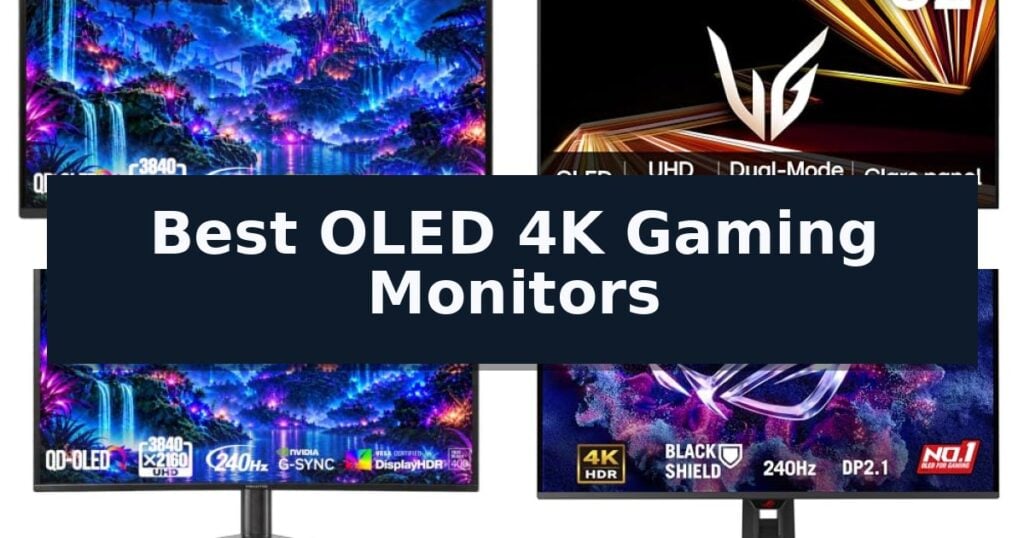
7 Best OLED 4K Gaming Monitors in 2026 Reviews
Quick Comparison
| Product | Best For | Key Strength | Score |
|---|---|---|---|
| Acer Predator X27 V1 Gaming Monitor | Best Overall | 0.03ms response time for minimal motion blur | 4.9 |
| LG 32GX850A-B UltraGear Gaming Monitor | Versatile Dual-Mode 4K Speed | Dual-mode switching between 4K 165Hz and FHD 330Hz. | 4.9 |
| Acer Predator X32 X Gaming Monitor | Immersive Curved 4K Immersion | 240Hz refresh rate and 0.03ms response time for fluid motion. | 4.3 |
| ASUS ROG PG32UCDM3 Gaming Monitor | Advanced Burn-In Protection | Advanced OLED Care Pro with proximity sensor for automated burn-in prevention. | 4.5 |
| LG 32GX870A-B UltraGear Gaming Monitor | High-Refresh 4K Dual-Mode | Dual-Mode switching between 4K 240Hz and FHD 480Hz. | 4.9 |
| ASUS ROG PG27UCDM Gaming Monitor | Premium 4K QD-OLED Clarity | 4th-gen QD-OLED technology for improved image and text clarity. | 4.8 |
| Samsung Odyssey OLED G7 Gaming Monitor | Glossy 4K Visual Fidelity | Dual Mode functionality allows switching between 4K/165Hz and FHD/330Hz. | 4.5 |
How We Chose
To identify the top displays in the OLED 4K gaming monitor category, we analyze technical specifications against real-world gaming demands. Our evaluation prioritizes color gamut coverage, response times, and the implementation of protective features like pixel cleaning, ensuring that each recommendation provides both immediate visual impact and long-term reliability for demanding users.
- Panel Technology and Color Accuracy
- Motion Clarity and Refresh Rate Capabilities
- Connectivity Standards and Bandwidth
- Ergonomic Adjustability and Build Quality
- Burn-in Mitigation and Panel Protection Features
1 Acer Predator X27 V1 Gaming Monitor — Compact 4K QD-OLED Precision
The Acer Predator X27 V1 Gaming Monitor leverages advanced QD-OLED technology to deliver exceptional color accuracy and depth, making it a standout choice for those seeking the Best OLED 4K Gaming Monitors. With its 26.5-inch panel, this display provides a sharp 3840 x 2160 resolution that fits comfortably within a standard field of view, ideal for competitive gaming environments.
Performance is defined by a rapid 165Hz refresh rate and a 0.03ms response time, which work together to minimize ghosting and motion blur during fast-paced sequences. The monitor is equipped with AMD FreeSync Premium Pro and is NVIDIA G-Sync compatible, ensuring a fluid, tear-free experience across various hardware configurations.
Visual fidelity is supported by a 99% DCI-P3 color gamut and VESA DisplayHDR True Black 400 certification, allowing for high-contrast imagery and vibrant color reproduction. The inclusion of an Image Retention Refresh feature helps maintain panel longevity, addressing concerns regarding long-term use.
Designed for versatility, the Acer Predator X27 V1 Gaming Monitor features an ergonomic ErgoStand that supports tilt, swivel, pivot, and height adjustments. Its zero-frame design maximizes screen real estate, while the connectivity suite—including two HDMI 2.1 ports and DisplayPort 1.4—ensures compatibility with modern gaming consoles and high-end PCs.
Best for: Competitive gamers who prioritize high-speed performance and color accuracy in a compact 4K form factor.
Skip if: Users who require a larger screen size for multitasking or immersive cinematic viewing beyond a standard desktop setup.
- 0.03ms response time for minimal motion blur
- QD-OLED panel with 99% DCI-P3 color gamut
- ErgoStand provides full adjustment flexibility
- HDMI 2.1 support for high-bandwidth connectivity
- 26.5-inch size may be too small for users preferring larger displays
2 LG 32GX850A-B UltraGear Gaming Monitor — Versatile Dual-Mode 4K Speed
The LG 32GX850A-B UltraGear Gaming Monitor offers a unique dual-mode capability that allows users to toggle between a high-resolution 4K UHD experience at 165Hz and a high-speed Full HD mode reaching 330Hz. This flexibility caters to both visually demanding, story-driven titles and competitive, fast-paced shooters, ensuring the display adapts to the specific demands of the game.
Built with a 32-inch glossy OLED panel, this monitor utilizes Micro Lens Array+ technology to enhance brightness, achieving a typical output of 275 nits. The integration of VESA DisplayHDR True Black 400 certification and a 1.5M:1 contrast ratio ensures deep, rich black levels and vibrant color expression, covering up to 98.5% of the DCI-P3 color gamut.
Performance is further supported by a near-instantaneous 0.03ms (GtG) response time, which minimizes motion blur and ghosting. To maintain visual integrity during intense action, the monitor is officially validated as NVIDIA G-SYNC Compatible and includes AMD FreeSync Premium Pro, effectively reducing screen tearing and stutter.
The design prioritizes both ergonomics and eye health, featuring a virtually borderless, ultra-thin aesthetic with a stand that supports height, tilt, swivel, and pivot adjustments. Additionally, the display holds three UL certifications for anti-glare, flicker-free performance, and low blue light emission, promoting comfort during extended gaming sessions.
Best for: Gamers who require a single display for both high-fidelity 4K visuals and ultra-fast refresh rates for competitive play.
Skip if: Users who prioritize maximum peak brightness for HDR content in brightly lit rooms may find the 275-nit typical brightness insufficient compared to non-OLED alternatives.
- Dual-mode switching between 4K 165Hz and FHD 330Hz.
- 0.03ms response time for minimal motion blur.
- Glossy OLED panel with Micro Lens Array+ for improved brightness and color depth.
- Ergonomic stand with full tilt, height, swivel, and pivot adjustments.
- Typical brightness of 275 nits may be lower than high-end LED-backlit monitors in bright environments.
3 Acer Predator X32 X Gaming Monitor — Immersive Curved 4K Immersion
The Acer Predator X32 X Gaming Monitor centers its design around a 31.5-inch 4K UHD quantum dot OLED panel, engineered to deliver high-contrast visuals and cinematic color depth. This display utilizes a 1700R curvature to wrap the screen around the user's field of vision, aiming to increase immersion during extended gaming sessions.
Performance is driven by a 240Hz refresh rate and a 0.03ms (G to G) response time, which are designed to support fluid motion and reduce ghosting in fast-paced environments. The monitor features VESA DisplayHDR True Black 400 certification and covers 99% of the DCI-P3 color gamut, ensuring vibrant color reproduction across a variety of content.
For connectivity, the unit includes two HDMI 2.1 ports, two DisplayPort inputs, and a USB-C connection capable of 65W power delivery. The integrated Ergo Stand allows for adjustments in tilt, swivel, and height, providing flexibility to accommodate different desk setups and viewing preferences.
To maintain panel integrity, the monitor incorporates image retention refresh technology. This feature is intended to mitigate the risk of static images sticking to the screen over time, supporting the longevity of the OLED display during prolonged use.
Best for: Gamers seeking a large, curved 4K OLED display with high refresh rates for immersive, high-fidelity gaming experiences.
Skip if: Users who require a flat screen for professional color-critical work or those with limited desk space who cannot accommodate a 31.5-inch curved footprint.
- 240Hz refresh rate and 0.03ms response time for fluid motion.
- 1700R curvature provides an immersive viewing environment.
- DCI-P3 99% color gamut and VESA DisplayHDR True Black 400 for high-quality visuals.
- USB-C 65W power delivery simplifies cable management for connected devices.
- Large 31.5-inch curved form factor may not suit all desk configurations.
- OLED technology requires active image retention management.
4 ASUS ROG PG32UCDM3 Gaming Monitor — Advanced Burn-In Protection
Maintaining screen longevity is a primary concern for high-end display users, and the ASUS ROG PG32UCDM3 addresses this through its integrated Advanced OLED Care Pro system. This monitor utilizes a Neo Proximity Sensor that detects user presence, automatically dimming the screen when you step away to mitigate the risk of burn-in during extended idle periods.
Beyond its protective features, the ASUS ROG PG32UCDM3 delivers a high-performance visual experience with its 32-inch 4K QD-OLED panel. It supports a 240 Hz refresh rate and an ultra-fast 0.03ms response time, ensuring fluid motion for competitive gaming. The inclusion of BlackShield Film Technology enhances panel durability while simultaneously boosting perceived black levels by up to 40%, providing deeper contrast than standard OLED configurations.
Visual fidelity is maintained through VESA DisplayHDR 500 True Black compliance and a wide 99.5% DCI-P3 color gamut. With a **Delta E
The monitor integrates with the DisplayWidget Center Software, which simplifies the management of display settings and allows for easy configuration exports. To ensure a tear-free experience, it is G-SYNC Compatible, synchronizing the refresh rate with compatible graphics cards. The package includes a 3-year warranty that explicitly covers burn-in, providing long-term assurance for the panel's performance.
Best for: Competitive gamers and creative professionals who require high-resolution 4K imagery with robust, built-in burn-in protection.
Skip if: Users working in environments where a 32-inch footprint is too large for their desk space or those who do not require the specific benefits of a QD-OLED panel.
- Advanced OLED Care Pro with proximity sensor for automated burn-in prevention.
- BlackShield Film Technology for increased scratch resistance and improved black levels.
- DisplayPort 2.1 UHBR20 support for high-bandwidth connectivity.
- 3-year warranty that includes specific coverage for burn-in.
- Large 32-inch form factor may be restrictive for smaller desk setups.
- Premium feature set represents a significant investment compared to standard gaming monitors.
5 LG 32GX870A-B UltraGear Gaming Monitor — High-Refresh 4K Dual-Mode
The LG 32GX870A-B UltraGear Gaming Monitor introduces a versatile Dual-Mode capability that allows users to toggle between a 4K UHD resolution at 240Hz for immersive, high-fidelity gaming and a Full HD resolution at 480Hz for competitive, fast-paced titles. This flexibility is managed via a dedicated hotkey, enabling quick transitions based on the specific demands of the software.
Engineered for high-performance visuals, this display utilizes Micro Lens Array+ technology to achieve a peak brightness of up to 1300 nits. The inclusion of VESA DisplayHDR True Black 400 certification and a 1.5M:1 contrast ratio ensures deep black levels and precise color detail, which is further enhanced by an anti-glare screen designed to minimize distracting reflections during intense sessions.
Responsiveness is a core focus, evidenced by a near-instantaneous 0.03ms (GtG) response time that reduces motion blur and ghosting. To maintain visual fluidity, the monitor is officially validated as NVIDIA G-SYNC Compatible and supports AMD FreeSync Premium Pro, effectively mitigating screen tearing and stuttering during variable frame rate gameplay.
Beyond display performance, the unit includes the Switch App, which functions as a multitasking hub, allowing users to split the screen into six sections or manage inputs between a PC and the integrated webOS streaming platform. The hardware is supported by a 2-year limited warranty, which includes the OLED panel, and features built-in OLED Care tools such as pixel cleaning to maintain display longevity.
Best for: Gamers who require a single display for both high-resolution cinematic experiences and ultra-high-refresh-rate competitive play.
Skip if: Users who do not require the dual-mode high-refresh functionality or those who prioritize a larger screen size over the specific pixel density of a 32-inch 4K OLED.
- Dual-Mode switching between 4K 240Hz and FHD 480Hz.
- Near-instant 0.03ms (GtG) response time.
- High peak brightness of 1300 nits with Micro Lens Array+ technology.
- Comprehensive OLED Care tools and 2-year panel warranty.
- Premium pricing associated with advanced dual-mode OLED technology.
- Requires specific hardware to fully utilize the 480Hz refresh rate.
6 ASUS ROG PG27UCDM Gaming Monitor — Premium 4K QD-OLED Clarity
The ASUS ROG PG27UCDM Gaming Monitor distinguishes itself with its 4th-gen QD-OLED technology, which enhances image sharpness and text clarity while offering a longer lifespan compared to previous-generation panels. This 26.5-inch display is built for high-performance gaming, supporting a 4K resolution at a 240Hz refresh rate with a 0.03ms response time.
To address common display concerns, the monitor integrates OLED Anti-Flicker 2.0 technology, utilizing a luminance compensation algorithm that reduces flicker by 20%. For long-term panel health, the ASUS OLED Care Pro system works in tandem with a built-in Neo Proximity Sensor. This sensor detects when a user is away from the desk and automatically switches the screen to black to mitigate burn-in risks.
Connectivity is a primary focus of this model, featuring DisplayPort 2.1a UHBR20 with 80Gbps bandwidth, alongside HDMI 2.1 and USB-C with 90W power delivery. The chassis also includes a dedicated tripod socket for flexible mounting configurations. ASUS supports the hardware with a 3-year warranty that explicitly includes burn-in coverage.
While the monitor provides advanced visual fidelity and protective features, users should note its specific 26.5-inch form factor. It is designed for those prioritizing high-density 4K gaming performance and advanced OLED maintenance features in a standard desktop footprint.
Best for: Competitive gamers and power users who require 4K resolution at high refresh rates with integrated burn-in protection.
Skip if: Users who prefer a larger screen size or a non-OLED panel technology for specific professional color-grading workflows.
- 4th-gen QD-OLED technology for improved image and text clarity.
- OLED Anti-Flicker 2.0 reduces flicker by 20% for better viewing comfort.
- Neo Proximity Sensor provides intelligent, automated burn-in protection.
- DisplayPort 2.1a connectivity supports high-bandwidth 80Gbps performance.
- 3-year warranty includes specific coverage for burn-in.
- 26.5-inch size may be smaller than desired for users seeking large-format displays.
- OLED technology requires active care features to maintain panel longevity.
7 Samsung Odyssey OLED G7 Gaming Monitor — Glossy 4K Visual Fidelity
The Samsung 32" Odyssey OLED G7 (G73SH) Series Gaming Monitor distinguishes itself through a versatile Dual Mode feature, allowing users to toggle between a high-resolution 4K display at 165Hz and a high-speed Full HD mode at 330Hz. This flexibility ensures that whether the priority is visual fidelity for immersive titles or maximum frame rates for competitive play, the hardware adapts to the specific demands of the session.
Engineered with a glossy OLED panel, this monitor achieves deep, true black levels supported by VESA DisplayHDR True Black 400 certification. The integration of HDR10+ Gaming further refines contrast and brightness, while the Pantone Validated screen provides color accuracy for users who require precise reproduction. With a near-instant 0.03ms (GtG) response time, the display minimizes motion blur during fast-paced sequences.
To maintain visual consistency, the monitor includes NVIDIA G-Sync Compatibility and AMD FreeSync support, which synchronize the refresh rate with the GPU to eliminate screen tearing and stuttering. The physical design prioritizes comfort with a height-adjustable ergonomic stand that supports tilting, swiveling, and pivoting, allowing for optimal positioning in various desk setups.
This monitor is backed by a 3-year manufacturer warranty, providing long-term support for the panel and components. It serves as a comprehensive solution for gamers seeking a high-performance display that balances resolution, speed, and color accuracy in a single 32-inch form factor.
Best for: Gamers who require both high-resolution 4K visuals for immersive storytelling and ultra-high refresh rates for competitive, fast-paced titles.
Skip if: Users with limited desk space who may find the 32-inch footprint and wide stand base difficult to accommodate.
- Dual Mode functionality allows switching between 4K/165Hz and FHD/330Hz.
- Near-instant 0.03ms GtG response time for minimal motion blur.
- Pantone Validated color accuracy for precise visual reproduction.
- Ergonomic stand supports full tilt, swivel, and pivot adjustments.
- Large 32-inch screen size may be too expansive for smaller gaming setups.
- Glossy screen finish may require careful lighting management to avoid reflections.
Best OLED 4K Gaming Monitors Buying Guide
The Importance of Refresh Rates
High refresh rates are essential for maintaining fluid motion during fast-paced gameplay. While 4K resolution is demanding on hardware, monitors offering 165Hz or 240Hz refresh rates allow for a smoother experience that minimizes stutter and tearing.
Some modern displays now feature dual-mode capabilities, allowing users to prioritize 4K resolution for cinematic titles or switch to a lower resolution at a higher refresh rate for competitive shooters. This flexibility provides a significant advantage for gamers who play a wide variety of genres.
Connectivity and Bandwidth
Modern gaming monitors must support high-bandwidth standards to transmit 4K signals at high refresh rates. HDMI 2.1 is a critical requirement for console gamers, as it enables the full potential of current-generation systems.
For PC enthusiasts, DisplayPort 2.1 or high-speed USB-C connectivity ensures that the monitor can handle the data throughput required for 10-bit color and high refresh rates. Checking your GPU's output capabilities is a necessary step before finalizing your purchase.
Ergonomics and Desk Space
The physical design of a monitor impacts your long-term comfort and setup efficiency. Look for stands that offer height, tilt, swivel, and pivot adjustments to ensure the screen is positioned correctly for your eye level.
Consider the footprint of the stand, as larger 32-inch panels require more desk depth. If space is limited, a monitor with a compact, well-engineered stand or VESA mount compatibility can help reclaim valuable workspace.
Managing Image Retention
OLED technology is susceptible to image retention, particularly with static UI elements in games. Manufacturers now include advanced software tools, such as pixel cleaning and proximity sensors, to mitigate this risk.
These features automatically detect when a user is away or perform maintenance cycles during downtime. Prioritizing models with robust, automated panel care settings can significantly extend the lifespan of your display.
Color Depth and HDR Performance
A true 10-bit color depth combined with a wide color gamut, such as DCI-P3 99%, ensures that games look vibrant and accurate. VESA DisplayHDR True Black certification is a key indicator of a monitor's ability to produce deep blacks and high contrast.
This contrast ratio is what gives OLED displays their signature look, making dark scenes appear rich and detailed rather than washed out. This performance is vital for atmospheric, story-driven games where lighting is a core component of the experience.
Frequently Asked Questions
Do I need a specific GPU to use a 4K OLED monitor?
While any GPU can output a 4K signal, you need a powerful graphics card to maintain high frame rates at 4K resolution. Ensure your GPU supports the necessary DisplayPort or HDMI versions to take full advantage of the monitor's refresh rate.
How do I prevent burn-in on an OLED monitor?
Modern OLED monitors include built-in features like pixel shifting, automatic screen savers, and pixel cleaning cycles. Avoiding static images for extended periods and using the monitor's built-in power-saving features will also help.
Is 32 inches too big for a 4K gaming monitor?
32 inches is widely considered an ideal size for 4K resolution, as it offers a high pixel density that makes images appear sharp without requiring aggressive scaling. It provides an immersive experience that is well-suited for both gaming and productivity.
What is the benefit of a glossy screen finish?
Glossy finishes often provide better perceived contrast and color vibrancy compared to matte finishes, which can sometimes appear slightly hazy. However, glossy screens are more reflective, so they perform best in rooms with controlled lighting.
Can I use these monitors for professional color work?
Many of these monitors feature excellent color accuracy, often with Delta E < 2 and wide color gamut coverage. They are suitable for creative work, provided you calibrate them regularly to maintain consistency.
Conclusion: Our Top Pick
Our top pick is Acer Predator X27 V1 Gaming Monitor. Choosing the right OLED 4K gaming monitor depends on your specific gaming habits and available desk space. Whether you prioritize the compact precision of a 27-inch model or the immersive scale of a 32-inch display, the current generation of QD-OLED panels offers a significant leap in visual quality.
By focusing on connectivity, panel care features, and refresh rate capabilities, you can select a monitor that not only elevates your current gaming experience but also remains a reliable centerpiece for your setup for years to come.