Flashforge Adventurer 5M 3D Printer is our top choice for the Best $500 3D Printer, offering a robust CoreXY structure and rapid print speeds that significantly reduce production cycles for makers. The Elegoo Centauri 2 3D Printer follows as a strong alternative for users prioritizing a larger build volume and high-temperature material compatibility, while the Anycubic Kobra 3 Max V2 3D Printer serves those who require an expansive, large-format printing surface for oversized projects.
Selecting a 3D printer in this price bracket requires balancing raw speed against build stability and material versatility. Modern machines now prioritize automated workflows, such as auto-leveling and quick-swap nozzles, which minimize the technical hurdles previously associated with desktop FDM printing. Buyers should focus on how these automated features integrate into their specific workflow, whether they are prototyping functional parts or creating complex, multi-color models.
When evaluating these systems, consider the trade-offs between a compact footprint and the ability to handle larger, more ambitious prints. While high-speed capabilities are standard across these models, the consistency of the first layer and the reliability of the extruder remain the most critical factors for successful long-term operation. Prioritizing machines with integrated vibration compensation and smart monitoring will help ensure that your investment remains productive over time.
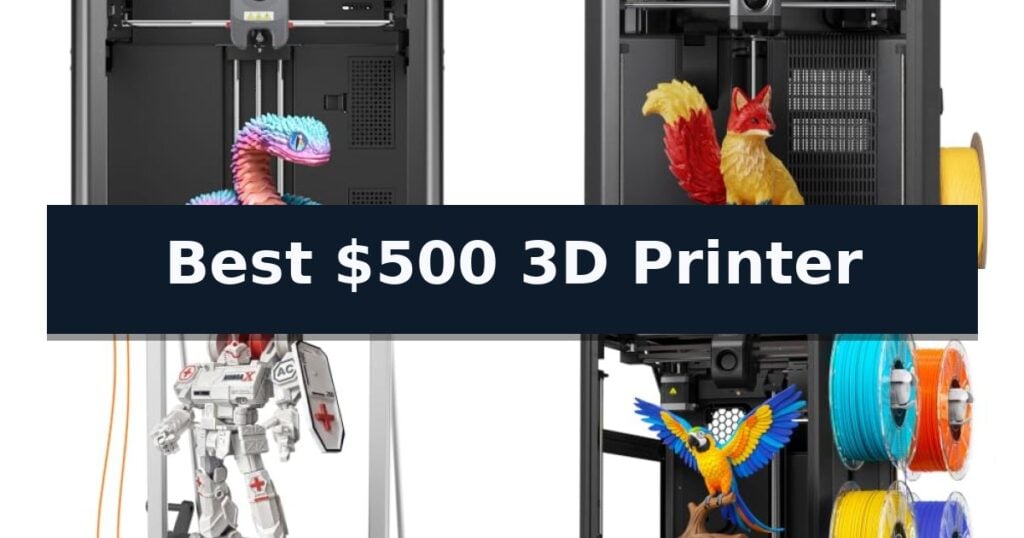
6 Best $500 3D Printer in 2026 Reviews
Quick Comparison
| Product | Best For | Key Strength | Score |
|---|---|---|---|
| Flashforge Adventurer 5M 3D Printer | Best Overall | 600mm/s high-speed printing for rapid production cycles. | 4.9 |
| Elegoo Centauri 2 3D Printer | High-Speed CoreXY Performance | High-speed CoreXY system capable of 500 mm/s printing. | 4.4 |
| Anycubic Kobra 3 Max V2 3D Printer | Best for Large-Scale Projects | Expansive 88L build volume for large-scale projects. | 4.8 |
| Creality K2 SE 4C 3D Printer | Effortless Multicolor Printing | 4-Color Multicolor Printing integrated into a compact, space-saving design. | 4.6 |
| Creality Ender-3 V3 Neo 3D Printer | Compact Desk-Friendly Design | High-speed printing up to 500mm/s for efficient project turnaround. | 4.3 |
| Creality Sparkx i7 3D Printer | AI-Powered Portrait Modeling | AI-powered portrait modeling simplifies complex design tasks. | 4.5 |
How We Chose
To identify the best 3D printers under $500, we analyze the mechanical architecture and software integration of each machine. An experienced reviewer evaluates how effectively a printer balances high-speed performance with structural stability, ensuring that advanced features like auto-leveling and remote monitoring translate into reliable, high-quality results for the end user.
- Print Speed and Acceleration Capabilities
- Build Volume and Structural Rigidity
- Automation Features like Auto-Leveling and Nozzle Swapping
- Material Compatibility and Extruder Temperature Limits
- Connectivity and Remote Monitoring Integration
1 Flashforge Adventurer 5M 3D Printer — Fastest Setup for Beginners
Achieving rapid production cycles in a home or workshop environment requires hardware that balances speed with precision. The FLASHFORGE Adventurer 5M 3D Printer distinguishes itself with a high-performance CoreXY structure capable of reaching a maximum travel speed of 600mm/s and 20000mm/s² acceleration, significantly reducing wait times for complex prints.
This printer is engineered for efficiency, featuring a 280°C direct drive extruder that reaches 200°C in just 35 seconds. The inclusion of a 3S detachable nozzle system allows for rapid maintenance, enabling users to swap components in seconds. To maintain quality at high speeds, the unit utilizes dual-fan cooling and integrated vibration compensation, ensuring that the 220x220x220mm build volume remains consistent across various projects.
Usability is a core focus, highlighted by the one-click automatic bed leveling system that eliminates manual calibration. The dual-sided PEI platform provides a reliable surface for print adhesion and easy part removal. For those who prefer remote management, the printer integrates with the Flash Studio app, allowing for real-time monitoring and status alerts from a mobile device.
While the machine is built for speed, it remains adaptable to different material requirements through its support for various nozzle sizes, ranging from 0.25mm to 0.8mm. This flexibility, combined with an all-metal structure, provides a stable foundation for both rapid prototyping and detailed creative work.
Best for: Makers and designers who prioritize high-speed output and automated setup for rapid prototyping.
Skip if: Users who require a significantly larger build volume than 220x220x220mm for industrial-scale projects.
- 600mm/s high-speed printing for rapid production cycles.
- One-click automatic bed leveling for simplified setup.
- 3S detachable nozzle system for quick maintenance.
- Real-time app monitoring for remote project management.
- Fixed build volume of 220x220x220mm may limit large-scale prints.
2 Elegoo Centauri 2 3D Printer — High-Speed CoreXY Performance
Achieving consistent print quality while maintaining high production speeds is a common challenge for desktop users, but the ELEGOO Centauri 2 3D Printer addresses this through its advanced CoreXY architecture. This machine is engineered to reach print speeds of up to 500 mm/s with 20,000 mm/s² acceleration, significantly reducing wait times for complex prototypes and everyday models.
The printer prioritizes a streamlined user experience, featuring full automatic calibration and smart pre-print checks that prepare the system before every job. This setup minimizes manual intervention, allowing users to focus on loading filament and initiating prints through the intuitive 5-inch touchscreen interface.
Precision is maintained through integrated vibration compensation and refined extrusion control, which work in tandem to produce sharp edges and clean surfaces. The inclusion of a 350°C high-temperature nozzle expands material compatibility, while the 256x256x256mm build volume provides ample space for diverse projects.
Maintenance is simplified by design choices such as a magnetic printhead cover, a semi-automatic belt tensioner, and a dedicated nozzle wiper. These features help keep the printer running smoothly, while the ELEGOO Matrix app and ElegooSlicer software support a connected, efficient workflow from initial design to final output.
Best for: Makers who prioritize high-speed production and automated calibration to streamline their 3D printing workflow.
Skip if: Users who require a larger build volume than 256x256x256mm or those who prefer manual control over every aspect of the calibration process.
- High-speed CoreXY system capable of 500 mm/s printing.
- Full automatic calibration and smart pre-print checks for easy setup.
- 350°C high-temp nozzle for versatile material usage.
- User-friendly 5-inch touchscreen and remote monitoring via app.
- Fixed build volume of 256x256x256mm may limit larger-scale projects.
3 Anycubic Kobra 3 Max V2 3D Printer — Best for Large-Scale Projects
The Anycubic Kobra 3 Max V2 3D Printer is engineered for creators who need to produce large-scale models, props, or functional components without the constraints of smaller build plates. Its expansive 88L build volume, measuring 16.5"x16.5"x19.7", provides the physical capacity to print substantial objects in a single piece, effectively reducing the need for assembly and post-processing of multi-part prints. This machine is a significant step up for those looking for a Best $500 3D Printer that prioritizes sheer scale and production efficiency.
Performance is driven by a high-speed architecture capable of reaching 600mm/s with a maximum acceleration of 10,000mm/s². This speed is supported by a 300°C full-metal hotend, which ensures the thermal stability required for processing a wide range of materials, including PLA, PETG, and TPU. The system utilizes an optimized extrusion path designed to maintain consistent filament feeding and retraction, which is critical for maintaining reliability during the long-duration print jobs often associated with such a large build volume.
Precision and usability are integrated through automated systems, such as one-click calibration that helps mitigate vibration marks and uneven surface layers. The printer also employs smart flow adjustment to manage material output in real time, which helps reduce common issues like gaps or excess material buildup. For those interested in expanding their creative palette, the unit is compatible with the Anycubic ACE 2 Pro stations, allowing for 4- or 8-color printing capabilities.
Workflow management is handled through the Anycubic Slicer Next software, which comes with pre-configured parameters to simplify the setup process for various materials. Furthermore, the integrated Anycubic App offers remote monitoring and setting adjustments, providing the flexibility to manage complex, multi-hour projects from anywhere. While the machine offers significant capabilities, potential buyers should note that its substantial physical footprint requires a dedicated workspace, making it a specialized tool for those with sufficient room.
Best for: Users requiring a large-format build volume for printing oversized functional parts or props in a single piece.
Skip if: Users with limited workspace or those who do not require an 88L build volume, as the footprint is substantial.
- Expansive 88L build volume for large-scale projects.
- High-speed printing up to 600mm/s to reduce production time.
- 300°C full-metal hotend for material versatility.
- Smart flow control and one-click calibration for improved surface finish.
- Large physical footprint requires significant dedicated workspace.
- Multicolor printing requires additional purchase of ACE 2 Pro units.
4 Creality K2 SE 4C 3D Printer — Effortless Multicolor Printing
Achieving vibrant, multi-color prints no longer requires complex hardware modifications or external add-ons. The Creality K2 SE 4C 3D Printer integrates a 4-color printing system directly into its compact frame, allowing creators to produce multi-material models straight out of the box.
Engineered for efficiency, this machine utilizes an advanced CoreXY Motion System to reach print speeds of up to 500mm/s with 20,000mm/s² acceleration. This high-speed capability significantly reduces wait times for functional prototypes, cosplay accessories, and engineering models without sacrificing structural integrity.
Consistency is managed through Intelligent Auto Bed Leveling, which probes the active print area to ensure a perfect first layer every time. The all-metal frame design provides the rigidity necessary to minimize vibrations, resulting in cleaner surface finishes and more reliable print quality for both beginners and experienced makers.
To safeguard long-duration projects, the printer includes a suite of protective features such as Filament Runout Sensor, Filament Tangle Detection, and Power Loss Recovery. These tools work in tandem to prevent failed prints, effectively saving time and filament during overnight or complex multi-part jobs.
For those who prefer deep customization, the Creality K2 SE 4C 3D Printer offers access to Creality OS, Fluidd UI, and Root Access. It supports a variety of materials, including PLA and PETG, and is compatible with dual-material breakaway supports to ensure professional-looking results with minimal cleanup.
Best for: Makers and beginners who want a compact, ready-to-use solution for multi-color printing and high-speed production.
Skip if: Users requiring a larger build volume than 220×215×245mm or those who do not need multi-color capabilities may find simpler, larger-format printers more efficient.
- 4-Color Multicolor Printing integrated into a compact, space-saving design.
- High-speed performance with 500mm/s print speeds and CoreXY motion.
- Intelligent Auto Bed Leveling for consistent, reliable first layers.
- Comprehensive print protection features including tangle and runout detection.
- Fixed build volume of 220×215×245mm may limit larger-scale projects.
5 Creality Ender-3 V3 Neo 3D Printer — Compact Desk-Friendly Design
The Creality Ender-3 V3 Neo 3D Printer distinguishes itself with a high-speed printing capability of up to 500mm/s, supported by an acceleration of 8,000mm/s², which allows for rapid prototyping and efficient workflow management. This machine is engineered for those who prioritize speed without sacrificing the ability to handle a variety of materials, including flexible filaments like TPU 90A.
Designed with a 220x220x220mm build volume, this printer provides a versatile workspace for creating functional parts, props, and organizers. The integration of smart monitoring features—such as flow calibration, vibration optimization, and filament runout detection—aims to improve print reliability and minimize common errors during the additive manufacturing process.
Maintenance is streamlined through an integrated quick-swap nozzle design, which simplifies the process of replacing components. This focus on ease of use extends to the overall construction, which is intended to be desk-friendly for home environments, making it a practical choice for DIY makers who want to spend more time creating and less time on complex upkeep.
While the printer offers advanced speed and monitoring, users should note that the 220mm cubic build area defines the maximum scale of individual projects. The inclusion of AI camera monitoring and automated calibration tools provides a guided experience, though successful operation still requires familiarity with standard FDM printing workflows and material settings.
Best for: Beginners and DIY makers seeking a high-speed, compact FDM printer for functional parts and creative home projects.
Skip if: Users requiring a large-format build volume beyond 220mm or those who prefer a fully enclosed printing chamber for advanced industrial materials.
- High-speed printing up to 500mm/s for efficient project turnaround.
- Quick-swap nozzle design for simplified routine maintenance.
- Smart monitoring suite including vibration optimization and filament detection.
- Flexible filament compatibility including TPU 90A for functional components.
- Fixed build volume of 220mm may limit the size of larger functional parts.
- Open-frame design lacks the environmental control of enclosed printer models.
6 Creality Sparkx i7 3D Printer — AI-Powered Portrait Modeling
Transforming a simple portrait into a tangible object is no longer a task reserved for experts, thanks to the Creality SPARKX i7 Combo 3D Printer. By utilizing integrated CubeMe AI, this machine allows users to upload a photo and generate a 3D model in seconds, bypassing the need for complex design software.
The Creality SPARKX i7 Combo 3D Printer is engineered for immediate use, arriving 95% pre-assembled to ensure you can begin your first print within five minutes of unboxing. It features a generous 260 x 260 x 255 mm build volume, providing ample space for everything from detailed miniatures to larger functional items.
Precision and reliability are managed through a built-in AI camera that monitors print progress in real-time. This system actively detects common failures such as spaghetti, filament tangles, and build plate issues, sending alerts to help maximize success rates. For those who print overnight, the machine includes a Quiet Night Mode that operates at a volume comparable to a turning page.
Efficiency is a core component of this system, which supports four-color printing through its CFS Lite technology. This setup is designed to produce smoother color transitions while reducing filament waste by 50% compared to traditional multicolor systems, making it a practical choice for custom gaming accessories or personalized gifts.
Best for: Users seeking a streamlined, AI-assisted 3D printing experience that supports multicolor projects and rapid setup.
Skip if: Users who require a larger build volume than 260mm or those who prefer manual, non-AI-assisted modeling workflows.
- AI-powered portrait modeling simplifies complex design tasks.
- 95% pre-assembled design enables rapid setup.
- Built-in AI camera detects print failures in real-time.
- Four-color printing capability reduces filament waste by 50%.
- Specific build volume limits the size of larger, single-piece projects.
Best $500 3D Printer Buying Guide
The Importance of CoreXY Architecture
CoreXY motion systems are essential for achieving the high speeds and accelerations found in modern sub-$500 printers. By keeping the print bed stationary on the Z-axis while the print head moves on the X and Y axes, this design reduces the mass that needs to be moved, leading to faster, more precise prints.
When shopping, look for printers that utilize this structure to maintain stability at high velocities. A rigid frame is necessary to prevent vibration, which can cause artifacts in your prints. The combination of a solid frame and a well-tuned motion system is what separates high-performance printers from entry-level machines.
Evaluating Build Volume Requirements
Your choice of printer should be dictated by the size of the objects you intend to create. While a standard 220mm build volume is sufficient for most functional parts and hobbyist models, larger projects like cosplay props or architectural models may require a machine with a significantly larger footprint.
Keep in mind that larger printers often require more desk space and may be more sensitive to environmental factors. If you rarely print large objects, a more compact machine might offer better structural integrity and easier maintenance, allowing you to focus on detail rather than scale.
The Role of Automated Calibration
Automatic bed leveling has become a standard feature that significantly improves the success rate of first layers. By probing the build plate before each print, the printer compensates for minor surface irregularities, ensuring that the filament adheres correctly every time.
Beyond leveling, look for machines that offer automated flow control and vibration compensation. These features reduce the need for manual tuning, making the printing process more accessible to beginners and more efficient for experienced users who want to spend less time on maintenance.
Material Versatility and Extruder Design
The maximum temperature of the hotend determines which materials you can print. While PLA is the standard for most, a printer capable of reaching 280°C or higher opens the door to more durable materials like PETG and TPU, which are better suited for functional or mechanical parts.
A direct-drive extruder is generally preferred for its ability to handle flexible filaments with less risk of clogging. When comparing models, check if the extruder design allows for quick nozzle changes, as this will save you significant time when switching between different material types or layer resolutions.
Connectivity and Workflow Integration
Modern 3D printers are increasingly integrated into digital ecosystems. Features like remote monitoring via mobile apps and cloud-based file management allow you to track print progress and receive alerts, which is invaluable for long, multi-hour prints.
Consider how the printer's software interfaces with your existing workflow. A user-friendly slicer with pre-configured profiles for your specific machine can drastically reduce the time between designing a model and starting the print, ensuring a smoother experience from start to finish.
Frequently Asked Questions
Do I need a high-speed printer for basic hobby projects?
While high-speed printing is a great convenience, it is not strictly necessary for basic projects. However, it significantly reduces wait times for larger models, making it a valuable feature if you plan to print frequently.
What is the benefit of a direct-drive extruder?
A direct-drive extruder pushes filament directly into the hotend, which provides better control over retraction and makes it much easier to print with flexible materials like TPU compared to Bowden-style systems.
How often do I need to perform manual bed leveling?
With modern automatic bed leveling systems, manual adjustments are rarely needed. The printer probes the bed before each print to ensure a perfect first layer, though you should still check the physical state of the bed periodically.
Can I print with multiple colors on these machines?
Some models are designed specifically for multi-color printing, while others may require additional hardware upgrades. Check the specific features of the model to see if it supports multi-material systems out of the box.
Is a larger build volume always better?
Not necessarily. Larger printers occupy more space and can be more difficult to calibrate. Only choose a large-format printer if you have specific projects that require the extra dimensions.
Conclusion: Our Top Pick
Our top pick is Flashforge Adventurer 5M 3D Printer. Choosing the right 3D printer depends on balancing your need for speed, build volume, and material flexibility. The Flashforge Adventurer 5M stands out for its balance of high-speed performance and user-friendly automation, making it a reliable choice for most users.
For those with specific needs, such as large-scale projects or multi-color requirements, the other options in this list provide specialized capabilities. Evaluate your primary use case carefully to ensure the machine you select aligns with your long-term creative goals.